Appliance Repair Landing Page Template
Fixright is a split-screen landing page template built for a Singapore appliance repair service. It pairs an animated stats wall with an expert-panel scroll experience, guiding visitors toward a structured booking form or a WhatsApp shortcut. The design uses a deep plum and warm champagne palette that signals professionalism from the first scroll.
by Rocket studio
Quick summary
Fixright is a single-page, split-screen landing page template for a Singapore-based appliance repair business. It opens with animated performance counters, builds trust through technician credential panels, and closes with a focused lead-generation form. The tone is calm, competent, and built for homeowners who need help fast.
Who this template is for
This template is built for small appliance repair teams and independent technicians who serve residential clients in Singapore. It suits operators who want to present a polished, clinic-grade brand without a large web team behind them.
- Appliance repair businesses serving HDB flats and private homes across Singapore
- Landlords or property managers looking to display a trusted repair contact for tenants
- Two-person or small-crew repair services that want to look established and credible online
What problem this template solves
Most appliance repair websites feel rushed or generic, and that erodes trust at exactly the moment a homeowner is stressed. Fixright solves the credibility gap by structuring the page like a professional service directory rather than a simple contact form.
- Homeowners comparing repair options at 11 p.m. need immediate reassurance, not a wall of text
- Repair businesses lack a visual format that connects individual technicians to their specialist skills
- Generic templates do not account for Singapore-specific contact habits, such as preferring WhatsApp over forms
What you get with this template
You get a complete, ready-to-customise split-screen landing page that covers the full visitor journey from first impression to booking submission. Every section is purposefully laid out so you can swap in your own numbers, portraits, and service details without rebuilding the structure.
- An animated stats wall header with three oversized performance counters
- An expert-panel scroll sequence pairing technician portraits with specialist credentials
- A structured booking form with appliance type, brand, symptom, time slot, and postal code fields
- A sticky WhatsApp button for mobile visitors who prefer sending a photo over filling a form
Feature list
A brief overview of the core capabilities built into this template follows below.
Animated Stats Wall Header
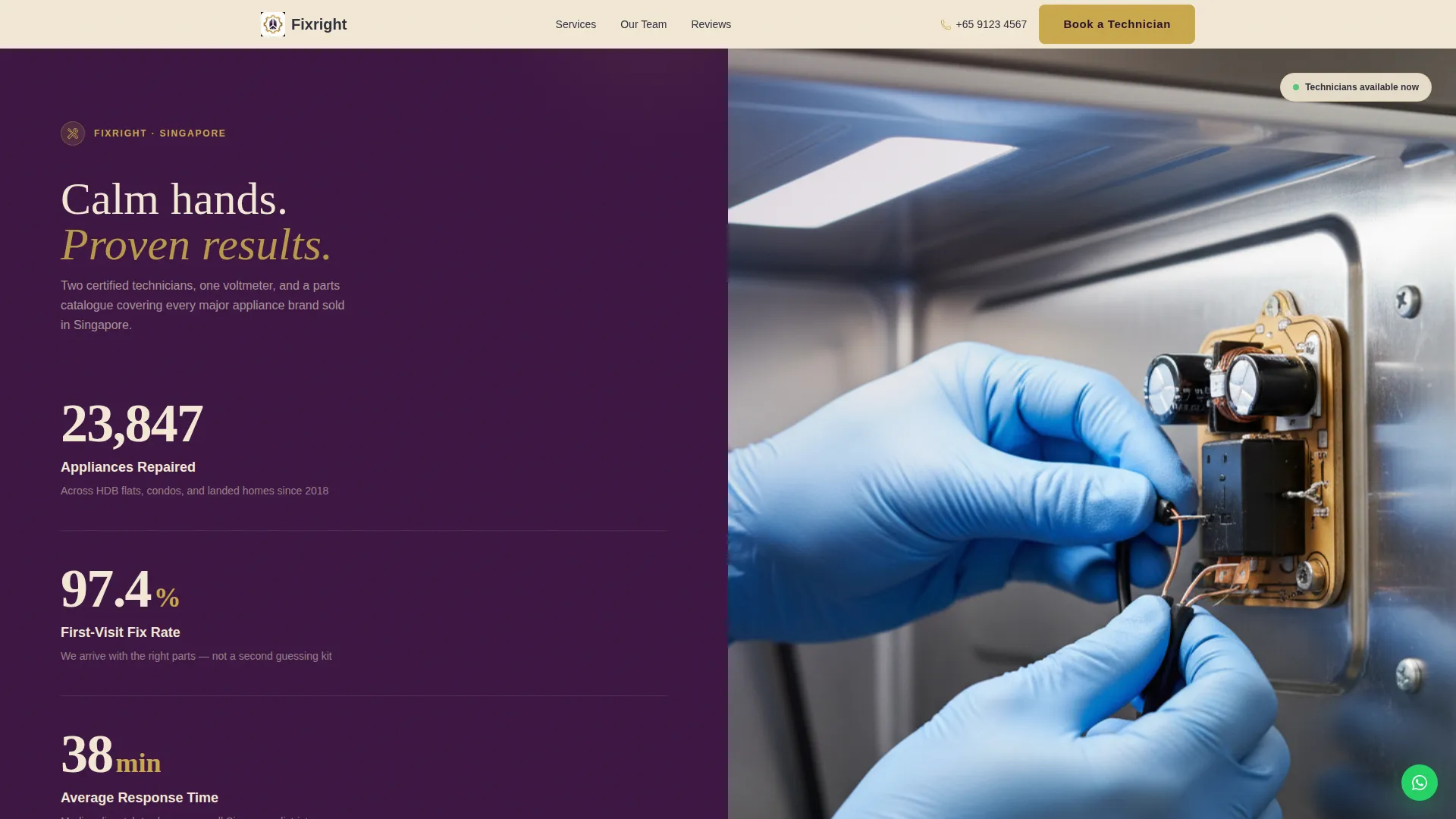
The header splits 50/50 between a live counter panel and a close-up repair photograph. Three counters tick upward showing appliances repaired, first-visit fix rate, and average response time. Numbers are rendered in warm champagne on deep plum with a subtle odometer animation that draws the eye immediately.
Expert Panel Scroll Sections
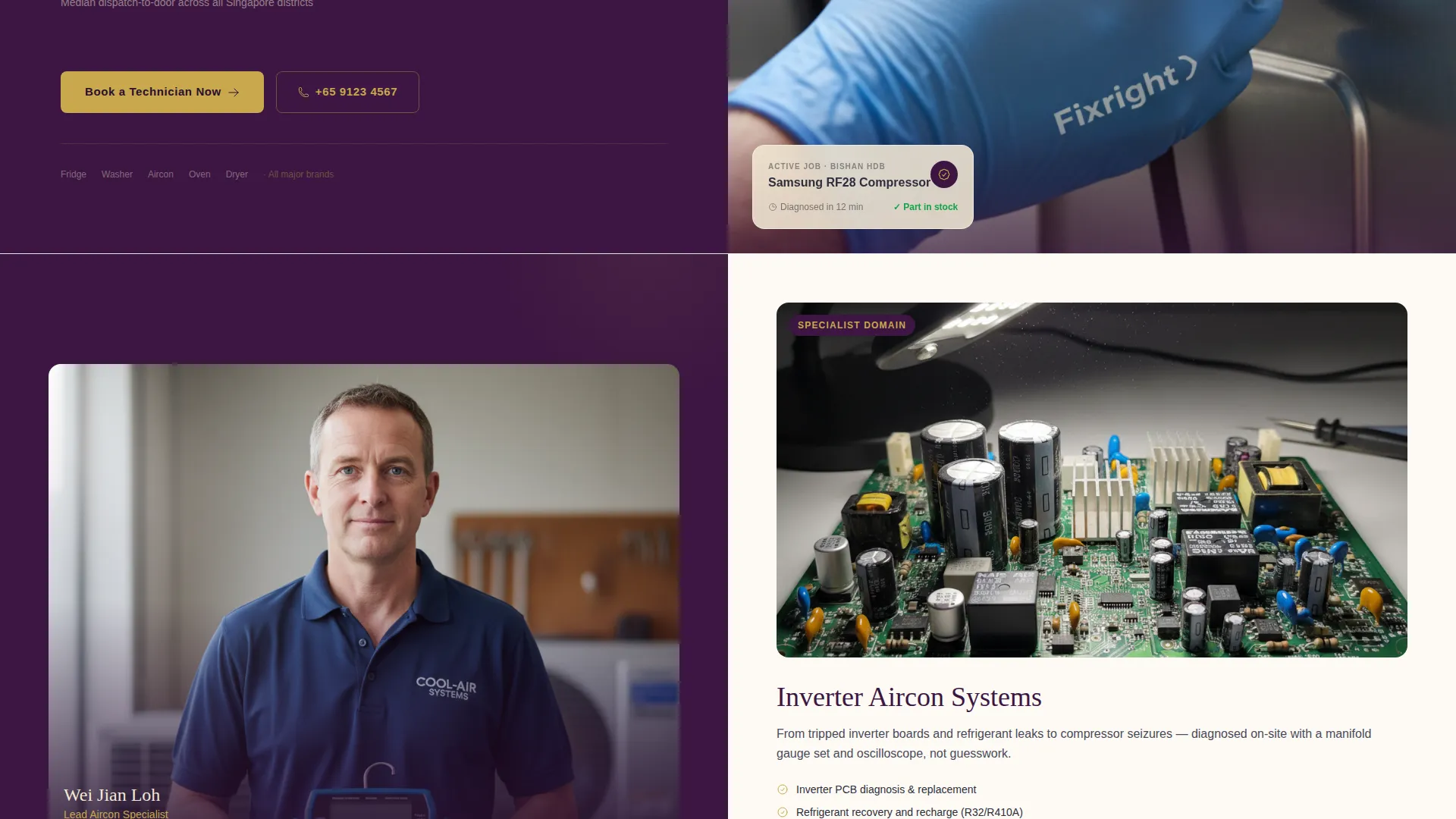
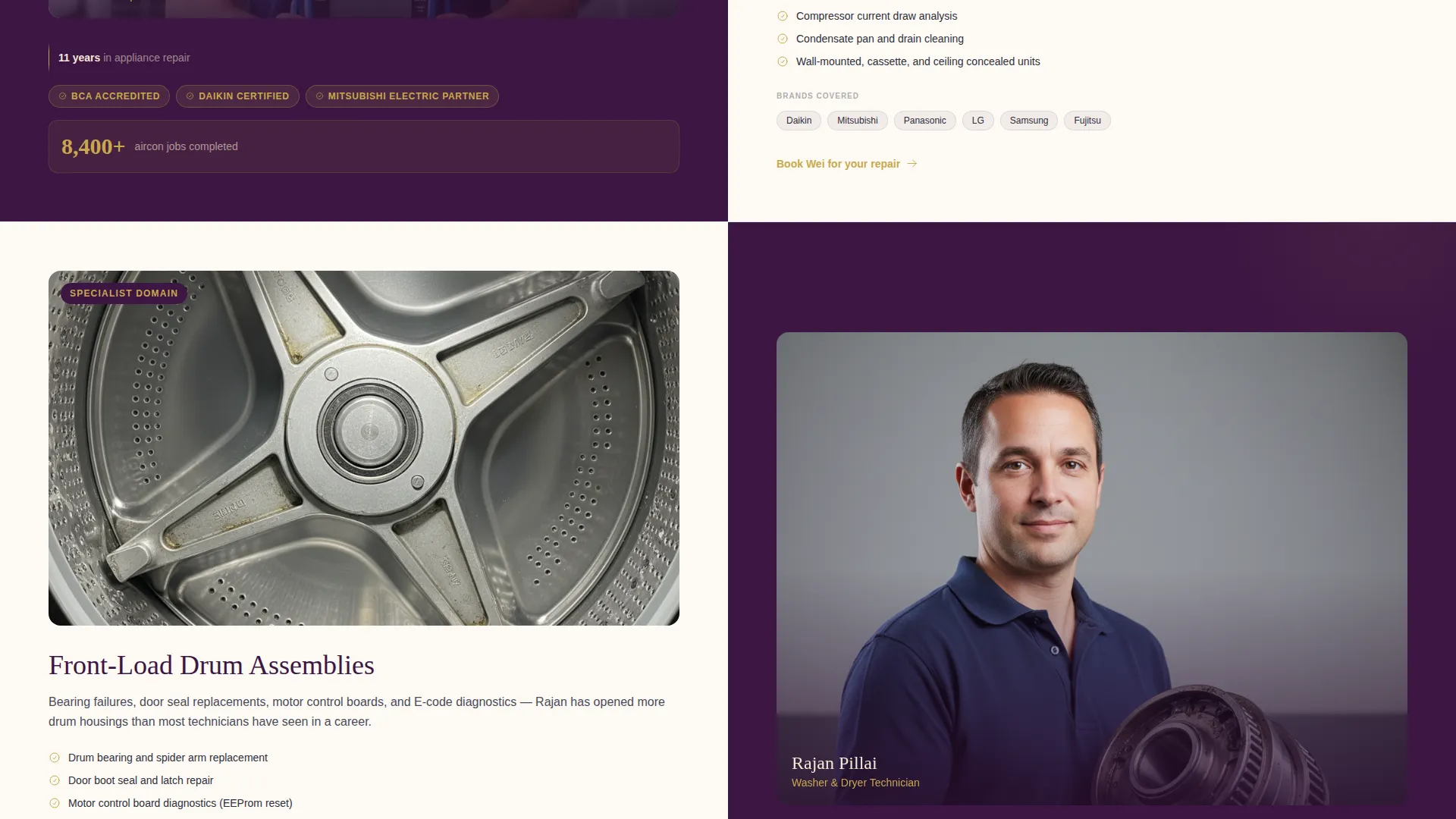
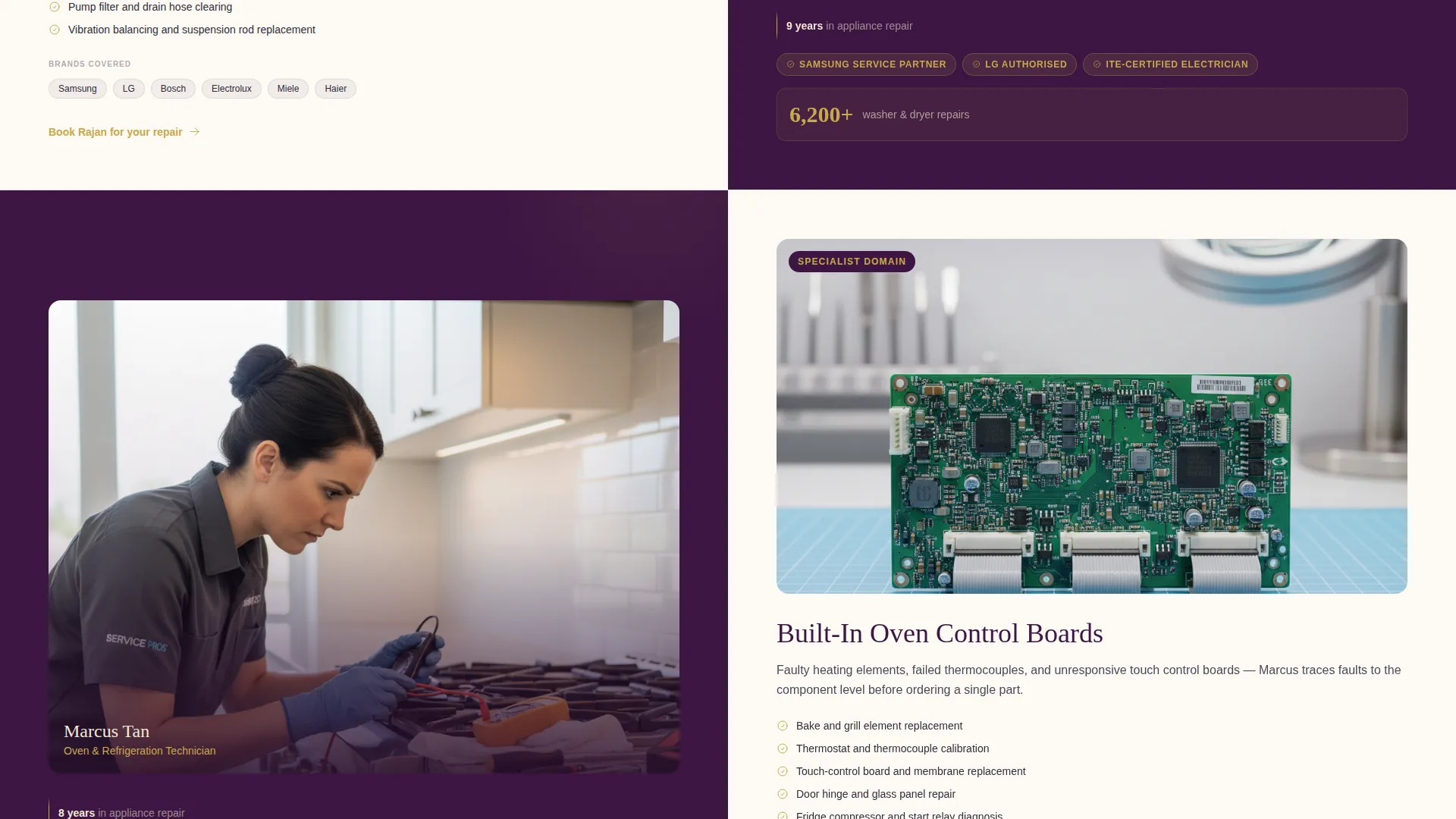
Each scrollable panel pairs a senior technician's portrait and credentials on one side with their specialist domain on the other. Domains covered include inverter aircon systems, front-load washer drum assemblies, and built-in oven control boards. This layered credibility structure makes every scroll feel like proof, not padding.
Technician-Linked Testimonials
Social proof is tied directly to the technician who handled each job. A client quote appears alongside the face of the person who fixed the appliance. This pairing makes testimonials feel specific and verifiable rather than anonymous and generic.
Lead Generation Booking Form
The primary call to action sits pinned to the right split panel after the second section and repeats at the footer. The form collects appliance type via dropdown, brand and model if known, a free-text symptom description, preferred time slot, and postal code. This structure gives technicians the information they need before they even arrive.
Sticky WhatsApp Mobile Button
A floating WhatsApp shortcut stays visible as mobile users scroll. It acknowledges that a large share of Singapore residents prefer sending an error-code photo over completing a typed form. The button provides a frictionless second path to the same lead outcome.
Plum Executive Visual Theme
The full color system uses deep plum for headers and left panels, brushed graphite for body text, warm champagne as the background, and polished brass for buttons and divider lines. The palette is restrained and premium, lifting the brand well above typical trade-service aesthetics.
Page sections overview
| Section | Purpose |
|---|---|
| Stats Wall Header | Open with animated performance counters and a surgical repair photograph |
| Aircon Expert Panel | Introduce inverter aircon specialist with portrait and credentials |
| Washer Expert Panel | Present front-load washer drum specialist with paired social proof |
| Oven Expert Panel | Highlight built-in oven control board technician and testimonial |
| Booking Form Panel | Capture appliance type, brand, symptom, time slot, and postal code |
| Footer Call to Action | Repeat primary booking button and secondary WhatsApp contact path |
Design & branding system
The visual identity follows an Executive Suite theme that feels closer to a private clinic waiting room than a repair shop. Every color choice and layout decision reinforces quiet competence and precision.
- Deep plum (#3C1642) anchors all headers and left split panels; warm champagne (#F2E8D5) covers the primary background
- Brushed graphite (#2E2E3A) handles body text blocks for clean, low-contrast readability
- Polished brass (#C9A84C) highlights buttons, divider lines, and hover states throughout the page
Mobile & speed optimization
The template is structured to work cleanly on mobile without removing content. The 50/50 split layout is designed to reflow gracefully, and the sticky WhatsApp button is a mobile-specific feature baked into the design brief.
- The sticky WhatsApp button floats persistently on mobile, keeping the secondary conversion path always reachable
- Split-screen panels reflow for smaller viewports so technician portraits and credentials remain readable
- The booking form fields are sized and spaced for comfortable thumb-tap interaction on phone screens
How this template helps you convert
The page is built around lead generation at every layer. Credibility is established before the form appears, which reduces hesitation and increases submission rates.
- The animated stats wall establishes trust in the first three seconds with specific, verifiable numbers before any selling begins
- The expert-panel sequence builds layered proof so visitors arrive at the booking form already confident in the team's capability
- The dual conversion path, a structured form plus a WhatsApp shortcut, captures both form-filling and message-sending visitors without friction
Other information about this template
This template is part of a broader set of professional service templates built around the Executive Suite theme and Plum Executive color system. It is designed as a fully self-contained single-page layout for the Singapore local services market.
- The template style is a strict 50/50 split screen applied consistently from header to footer
- It is categorised under Professional Services and Singapore Local Services, making it a strong fit for the Singapore appliance repair niche
- The header concept is a Stats/Metrics wall, and the creative direction is Expert Panel, both of which are named design patterns within this template family
- The intersection match score for this template against the Singapore appliance repair niche is 9 out of 10
Theme
Executive Suite
Creative direction
Expert Panel
Color system
Plum Executive
Style
Split Screen (50/50)
Direction
Lead Generation
Page Sections
Animated Stats Wall Header
Expert Panel Scroll Sequence
Technician-linked Testimonials
Structured Lead Generation Form
Sticky Whatsapp Mobile Button
Plum Executive Color System
Related questions
Can I change the counter numbers in the stats wall?
Does the booking form send inquiries automatically?
Can I remove the WhatsApp button if I use a different contact channel?
Is this template suitable for a solo technician?
Can I update the technician portraits and service domains shown in the panels?



