Trusted Handyman | Free Website Template | Rocket
Fixright is a single-page landing page template built for licensed Sydney handyman services. It pairs a credibility-first header with a side-by-side comparison table, a client logo wall, and a streamlined booking form. The design uses a navy and amber palette to project trust and authority, moving time-poor homeowners and property managers from doubt to booked appointment.
by Rocket studio
Quick summary
Fixright is a conversion-focused landing page template for licensed Sydney handyman businesses. It leads with verifiable authority signals, walks visitors through a structured comparison table, and closes with a suburb-first booking form. Every layout decision is built to reassure homeowners, strata managers, and landlords who need compliant, insured trade work done right.
Who this template is for
This template is designed for trade businesses and service operators who need to establish serious credibility before a visitor even thinks about scrolling. It suits operators who compete against unlicensed operators and large franchise services alike.
- Licensed handyman businesses serving Sydney metro suburbs
- Property managers and strata companies offering maintenance coordination
- Landlords and Airbnb hosts who need documented, insured repair work
What problem this template solves
Homeowners who have been let down by a no-show tradie or an unlicensed operator are not easy to convince. They arrive skeptical. Generic service pages with stock photos and vague promises do not cut through. This template answers doubt with layered proof before a single word of selling.
- Visitors cannot tell at a glance whether a handyman is licensed, insured, or reliable
- Property managers need documented credentials, not just good reviews
- Booking friction causes drop-off before a lead is ever captured
What you get with this template
You get a fully structured single-page layout that layers credential after credential until hesitation runs out of room. The template is pre-built with every section a licensed trade service needs to move a skeptical visitor toward a confirmed booking.
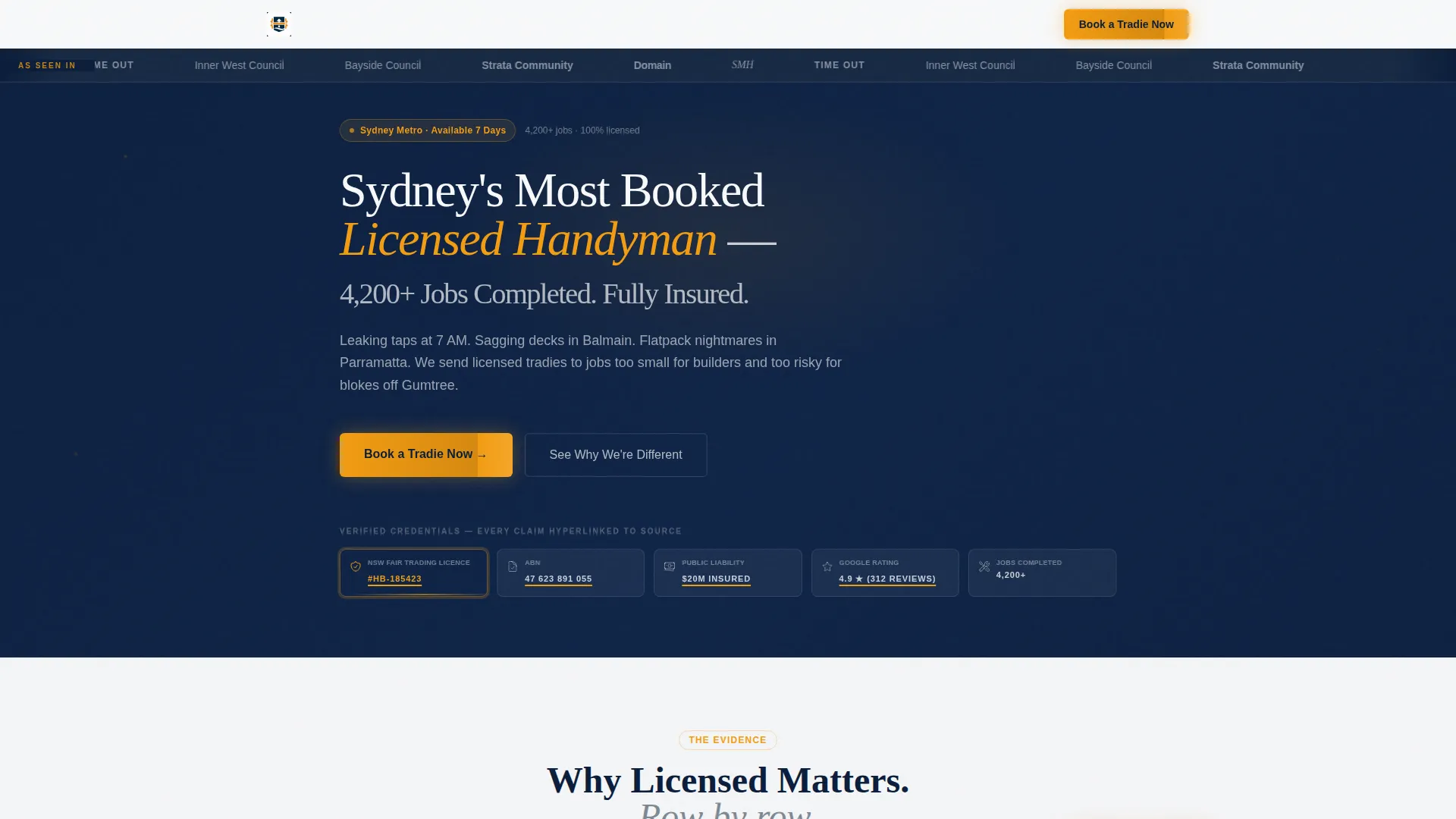
- A typographic authority header with trust shield row and press mentions bar
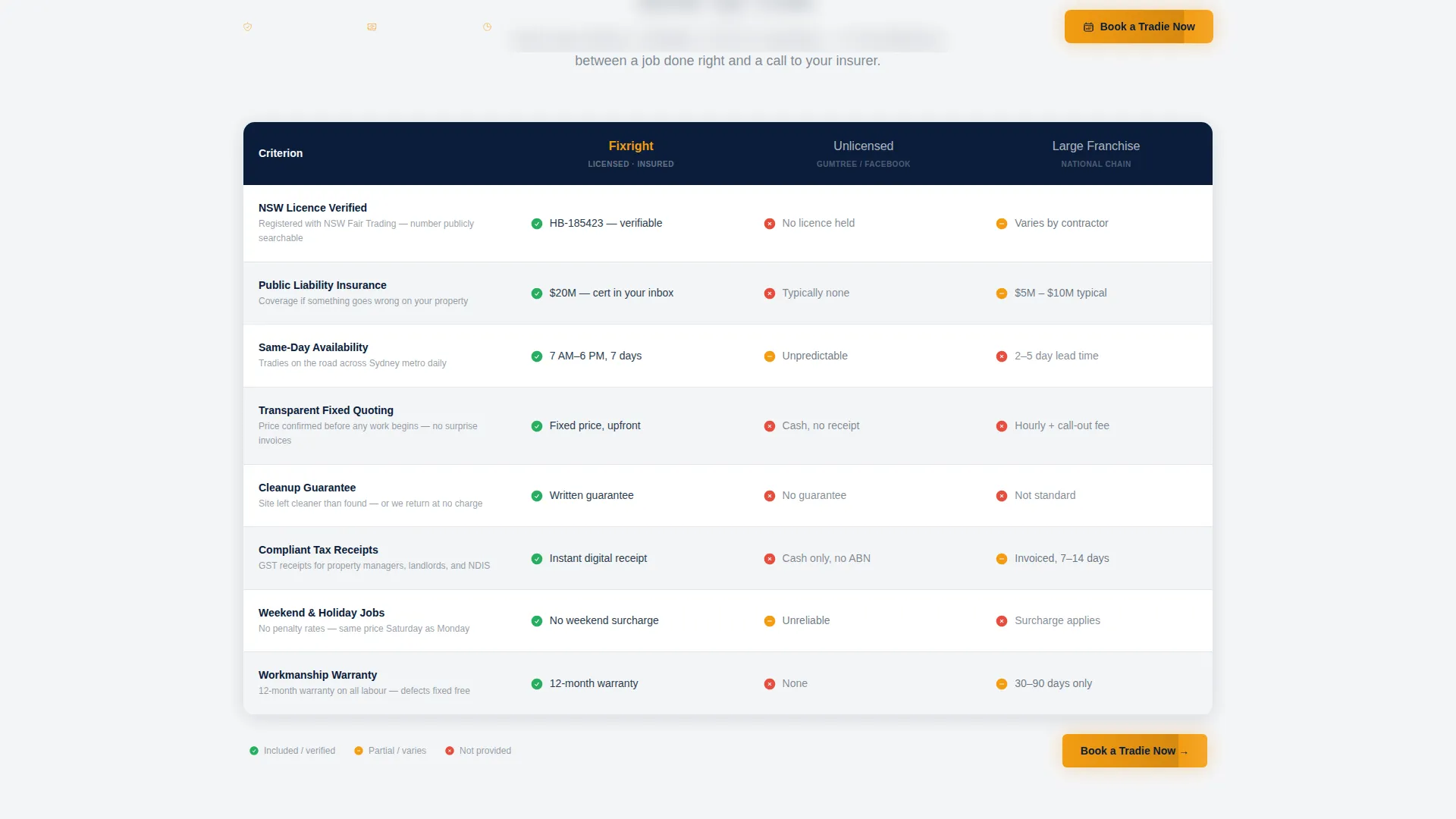
- A competitive comparison table with clearly defined columns and row-by-row proof
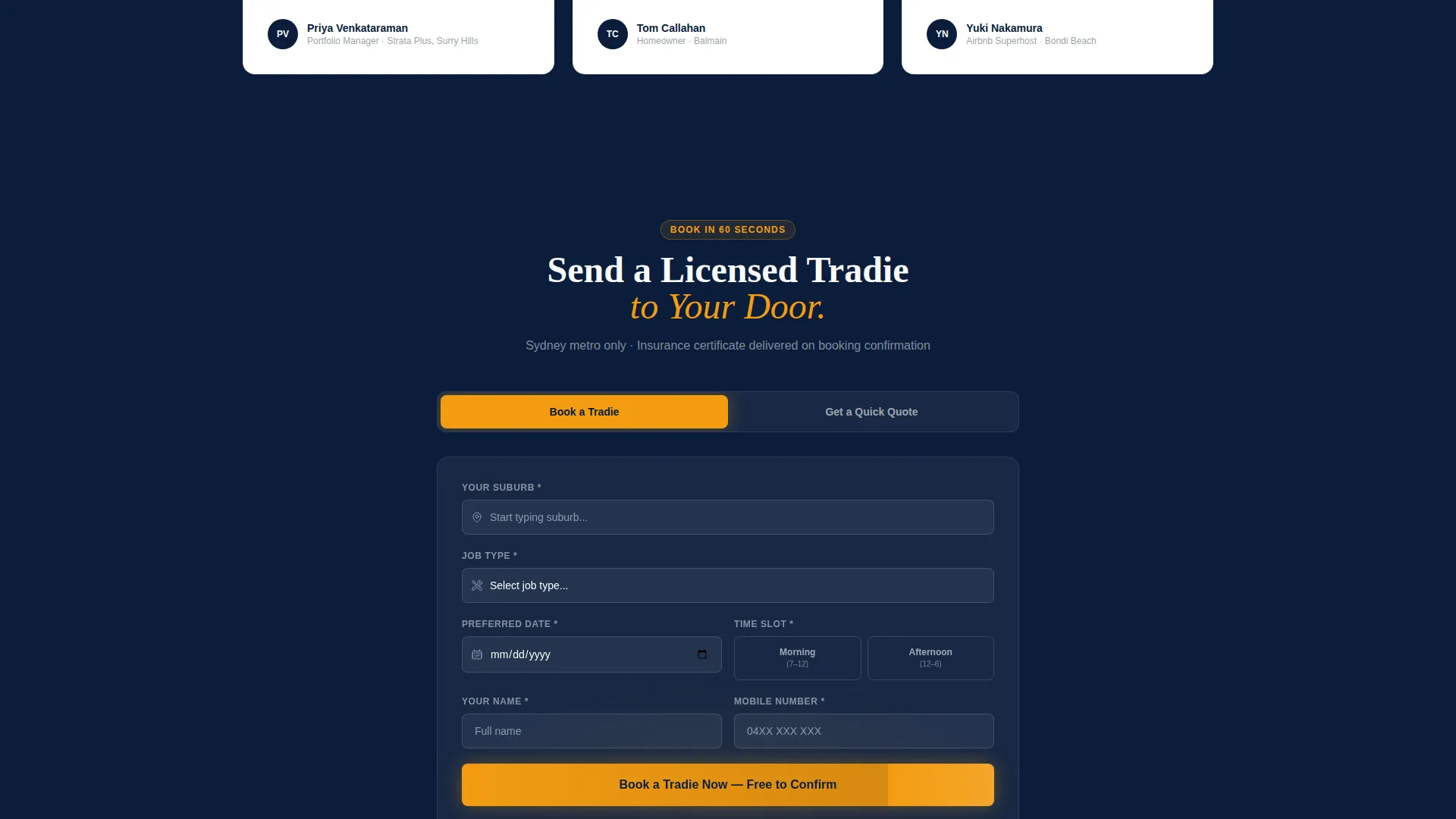
- A two-path booking and quote form with suburb autocomplete and job type dropdown
Feature list
A concise paragraph introduces the feature set: Fixright packs its convincing power into a tight sequence of purpose-built sections. Each feature below is included in the template layout and ready to be filled with your own verified details.
Press Mentions Authority Bar
A horizontal strip above the main headline displays media and directory logos. It signals third-party recognition immediately, before a visitor reads a single line of your pitch.
Typographic Trust Header
The header leads with a bold headline and a row of trust shields showing licence number, public liability coverage amount, ABN, and star rating with review count. No hero image is needed. The authority is built from verifiable text and numbers.
Competitive Comparison Table
A structured table pits your service against unlicensed handymen and large franchise operators. Columns cover insurance coverage, cleanup guarantee, weekend availability, and transparent quoting. Each row functions as a clear, factual differentiator.
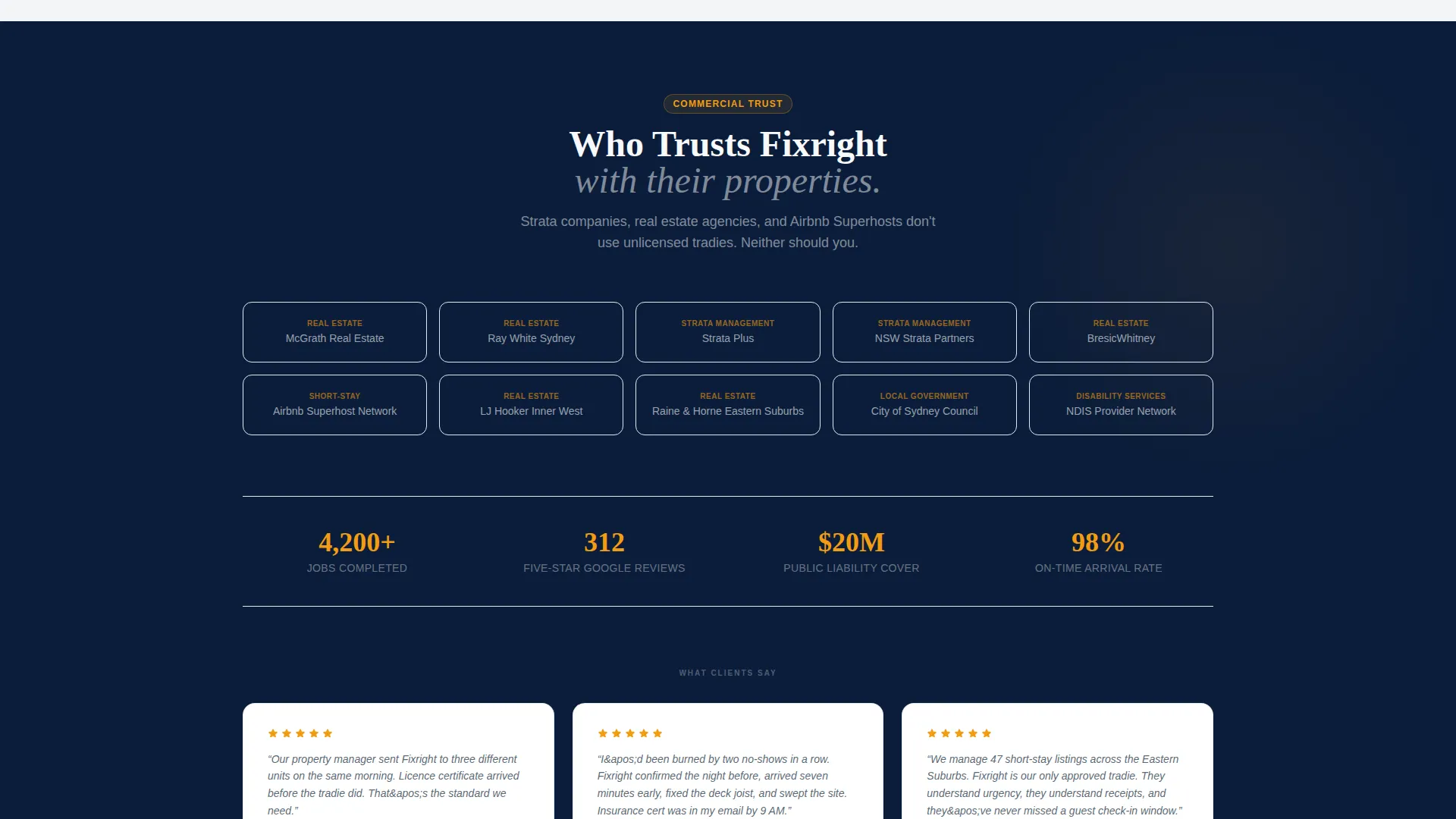
Client Logo Wall
Below the comparison table, a grid of strata company, real estate agency, and short-stay host logos builds commercial trust before testimonials appear. It signals that professional organisations already rely on this service.
Two-Path Conversion Form
The primary booking path asks for suburb first using Sydney metro autocomplete, then job type via dropdown, then preferred date and time slot. A secondary path lets visitors describe their job in free text and upload a photo to request a quick quote.
Sticky Footer Call to Action
A persistent footer bar keeps the primary "Book a Tradie Now" call to action visible at all scroll positions. It uses the amber accent colour so it always contrasts against the navy and white sections above.
Page sections overview
| Section | Purpose |
|---|---|
| Press Mentions Bar | Establishes third-party recognition at first glance |
| Authority Header | Delivers headline, trust shields, and verifiable credentials |
| Comparison Table | Differentiates service from unlicensed and franchise competitors |
| Client Logo Wall | Proves commercial trust with recognisable organisation logos |
| Testimonials Block | Adds emotional proof after credential layers are established |
| Booking and Quote Form | Captures leads via scheduling path or free-text quote request |
| Sticky Footer Bar | Keeps primary call to action accessible throughout scroll |
Design & branding system
The template uses a Legal Shield visual theme built on a Navy Authority colour system. Every colour choice reinforces institutional confidence without feeling corporate or cold.
- Deep trust navy (#0B1D3A) and compliance-grade charcoal (#2C3E50) form the structural base
- Clean plasterboard white (#F8F9FA) provides breathing room and readability across body sections
- Hi-vis safety amber (#F39C12) is reserved exclusively for calls to action, licence badge accents, and the sticky footer bar
Mobile & speed optimization
The layout is structured for clean rendering across screen sizes. Visitors booking from a phone mid-morning can move through the form without pinching or zooming, and the sticky footer call to action remains tappable at all times.
- Comparison table columns are structured to reflow cleanly on narrower screens
- The booking form inputs, including suburb autocomplete and dropdown selectors, are sized for thumb-friendly interaction
- The typographic header avoids heavy image assets, keeping the above-the-fold load light
How this template helps you convert
The Fixright layout is built around a deliberate sequence. Visitors are not asked to book until the template has already answered every reason they might hesitate.
- The press bar and trust shields establish authority in the first viewport, so visitors feel they are dealing with a verified, serious operator from the moment they arrive.
- The comparison table removes the core objection by showing side-by-side why licensed and insured work differs from cheaper alternatives, turning a price hesitation into a safety decision.
- The two-path form meets visitors where they are, offering either a direct booking slot or a low-commitment quote request, so neither ready-to-book clients nor early-stage browsers leave without converting.
Other information about this template
This template is designed specifically for the Sydney home services market and is ready to be customised with your own verified credentials, client logos, and suburb coverage details.
- The comparison table columns and row labels are fully editable to match your specific service offer
- The press mentions bar supports logo placement from directories, local council listings, and media outlets relevant to Sydney trades
- Testimonials can be placed after the logo wall to follow the template's layered-proof sequence
- The template suits operators in plumbing, carpentry, general repairs, flatpack assembly, and outdoor maintenance categories
- All colour values, typefaces, and call to action labels are documented and ready for straightforward customisation
Theme
Educational Guide
Creative direction
FAQ-Driven
Color system
Slate & Sky
Style
Comparison Table
Direction
Booking/Scheduling
Page Sections
Press Mentions Authority Bar
Typographic Trust Header with Shields
Side-by-side Comparison Table
Commercial Client Logo Wall
Two-path Booking and Quote Form
Sticky Footer Call-to-action Bar
Related questions
Can I edit the comparison table columns to match my own services?
Does the booking form support both scheduling and quote requests?
Is this template suitable for property managers and strata companies?
Do I need to provide my own licence and insurance details?
Can this template be adapted for a handyman service outside Sydney?



