Rheumatologist Practice Website Template with Symptom Estimator
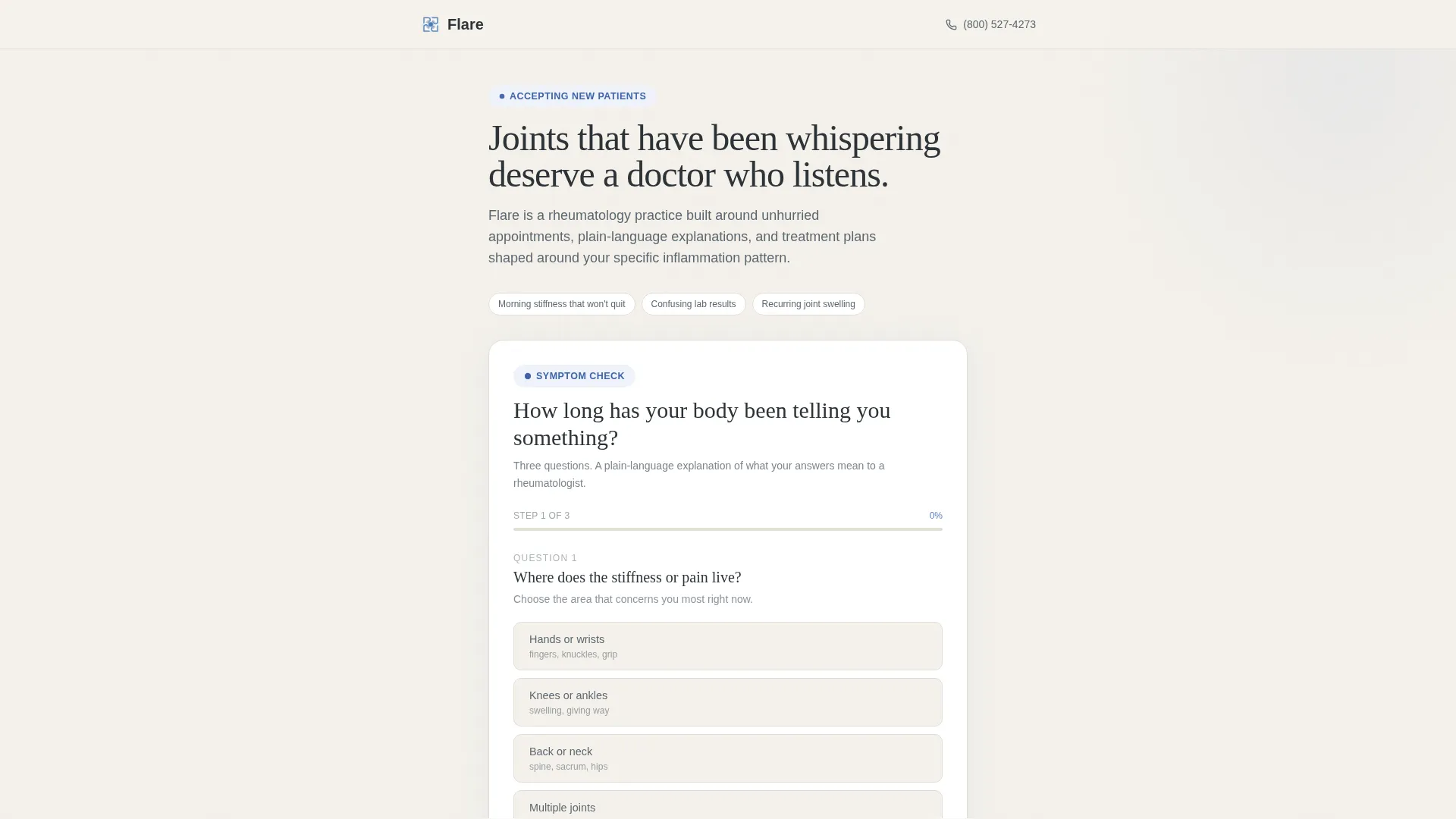
Flare is a single-column rheumatologist landing page built to turn hesitant patients into booked appointments. It opens with an interactive three-step symptom estimator, flows into a transparent FAQ cascade, and closes with a clear call to action. The design uses soft overcast tones and cornflower blue accents to feel calm, credible, and approachable without any clinical anxiety.
by Rocket studio
Quick summary
Flare is a rheumatologist landing page template built around one goal: replacing patient hesitation with confident action. An interactive symptom estimator opens the experience, a deep FAQ cascade builds trust through transparency, and a persistent call to action guides visitors toward booking. The design feels like a calm, well-lit exam room with a doctor who takes time to explain things properly.
Who this template is for
This template is built specifically for rheumatology practices that want a patient-facing page that educates before it asks. It suits practices whose patients have often waited months or years before finally seeking specialist care.
- Independent rheumatologists or small group practices launching or refreshing their online presence
- Practices whose patients include self-researching adults, general practitioner referrals, and parents of young patients
- Clinicians who want their web presence to reflect genuine, unhurried communication rather than a generic appointment-booking page
What problem this template solves
Many patients with joint pain, morning stiffness, or swelling delay specialist care because they feel uncertain, dismissed, or overwhelmed. A standard practice website does little to dissolve that hesitation. Flare is built specifically to close that gap.
- Patients arrive not knowing whether their symptoms are serious enough for a specialist, and the estimator answers that directly
- Long diagnostic delays are common in rheumatology, and the page addresses that reality with honest context rather than marketing language
- Visitors who are not ready to book today are captured gently through a secondary lead option, so no potential patient is lost
What you get with this template
Flare delivers a fully structured, single-column landing page with all key sections pre-built and content-ready. Every component is designed around the specific journey a rheumatology patient takes before committing to an appointment.
- An interactive three-step symptom duration estimator with a plain-language result and a cornflower blue progress bar
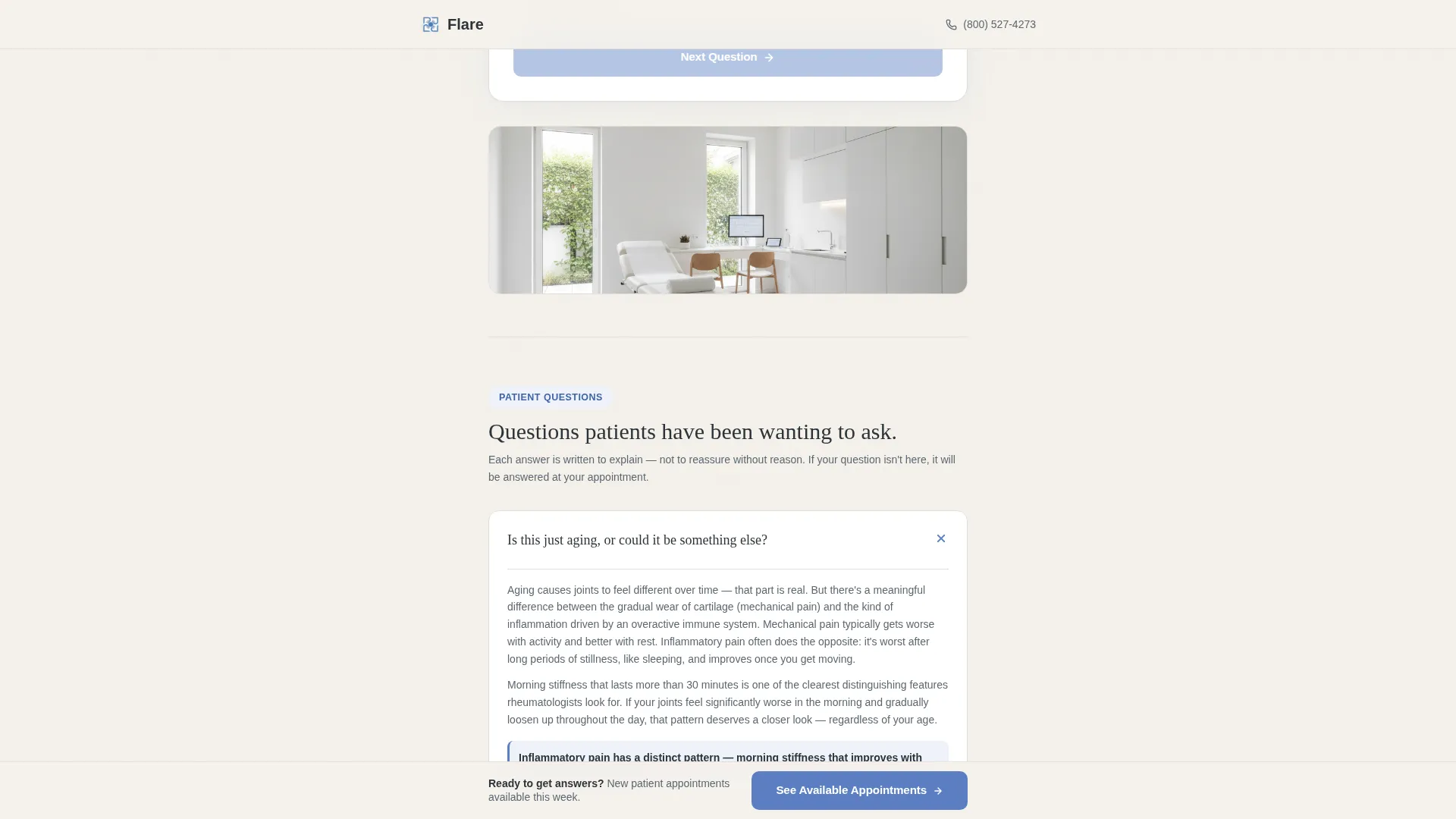
- A cascading FAQ section with expandable accordion cards and a stat callout between question clusters
- A sticky bottom call-to-action button, an about and trust section, a secondary lead capture module, and a single-row footer
Feature list
This template includes several purpose-built features that make it effective for a rheumatology practice.
Interactive Symptom Duration Estimator
A three-question tool on a clean white card asks visitors where stiffness lives, how long mornings feel locked, and how many weeks the pattern has persisted. The result is a plain-language explanation of why those answers matter to a rheumatologist, with a soft nudge toward early evaluation.
Expandable FAQ Cascade
Patient questions are presented as expandable accordion cards in a single-column scroll. Each answer is written at an accessible reading level with one bolded takeaway sentence, building trust through transparency rather than promotional copy.
Stat Bridge Callout
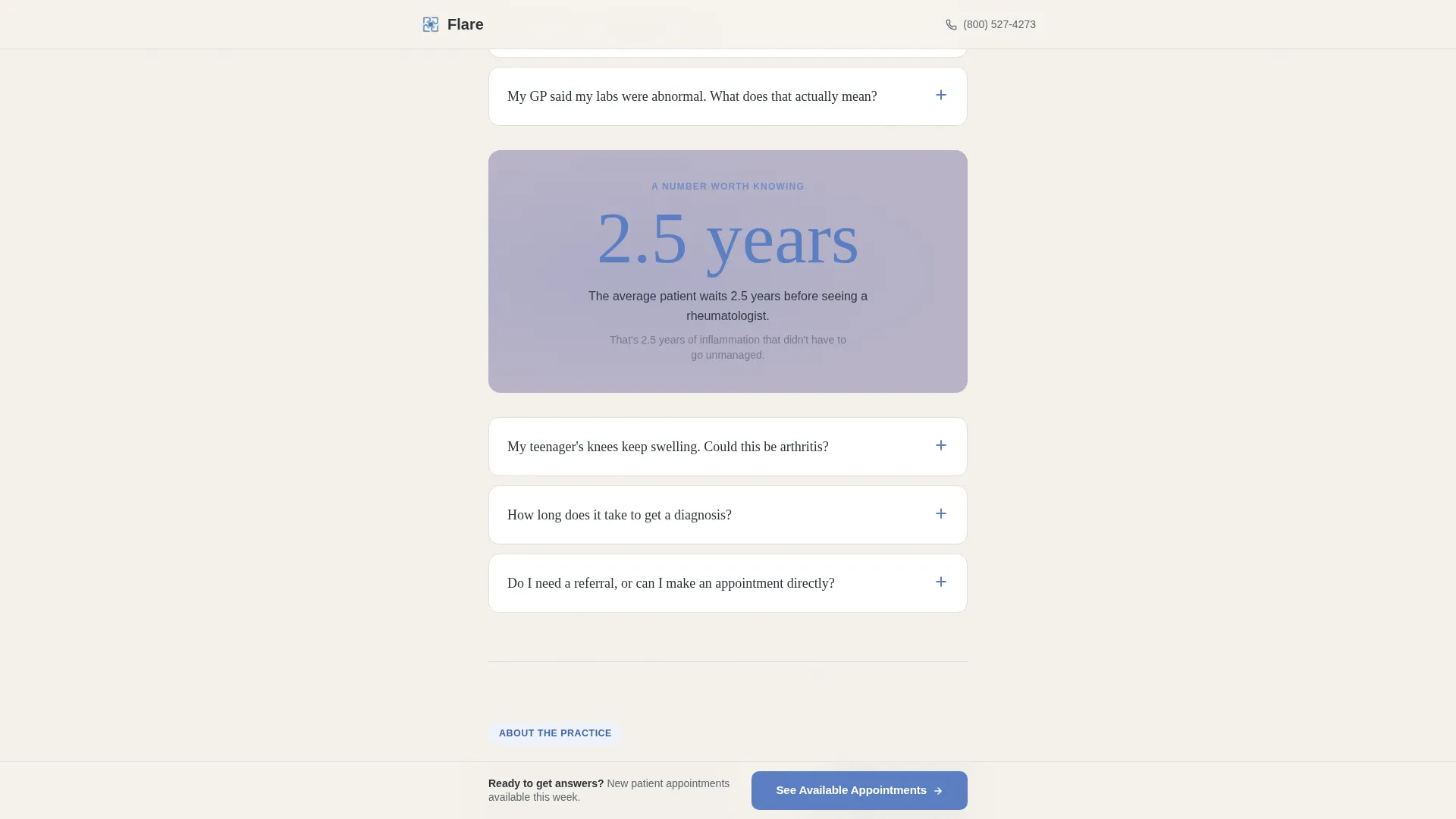
A full-width lavender-gray band displays a single large statistic in cornflower blue type. This section punctuates the FAQ flow and anchors the page's message with a real, memorable fact about diagnostic delay.
Sticky Bottom Call to Action
After the third FAQ card, a fixed call-to-action button appears at the bottom of the screen. It persists through the rest of the scroll so the booking prompt is always within reach without interrupting reading.
Secondary Lead Capture Module
A "Download Our New Patient Guide" section provides an alternative conversion path for visitors who are not yet ready to book. It uses a single email input field to capture interested patients with minimal friction.
About and Trust Section
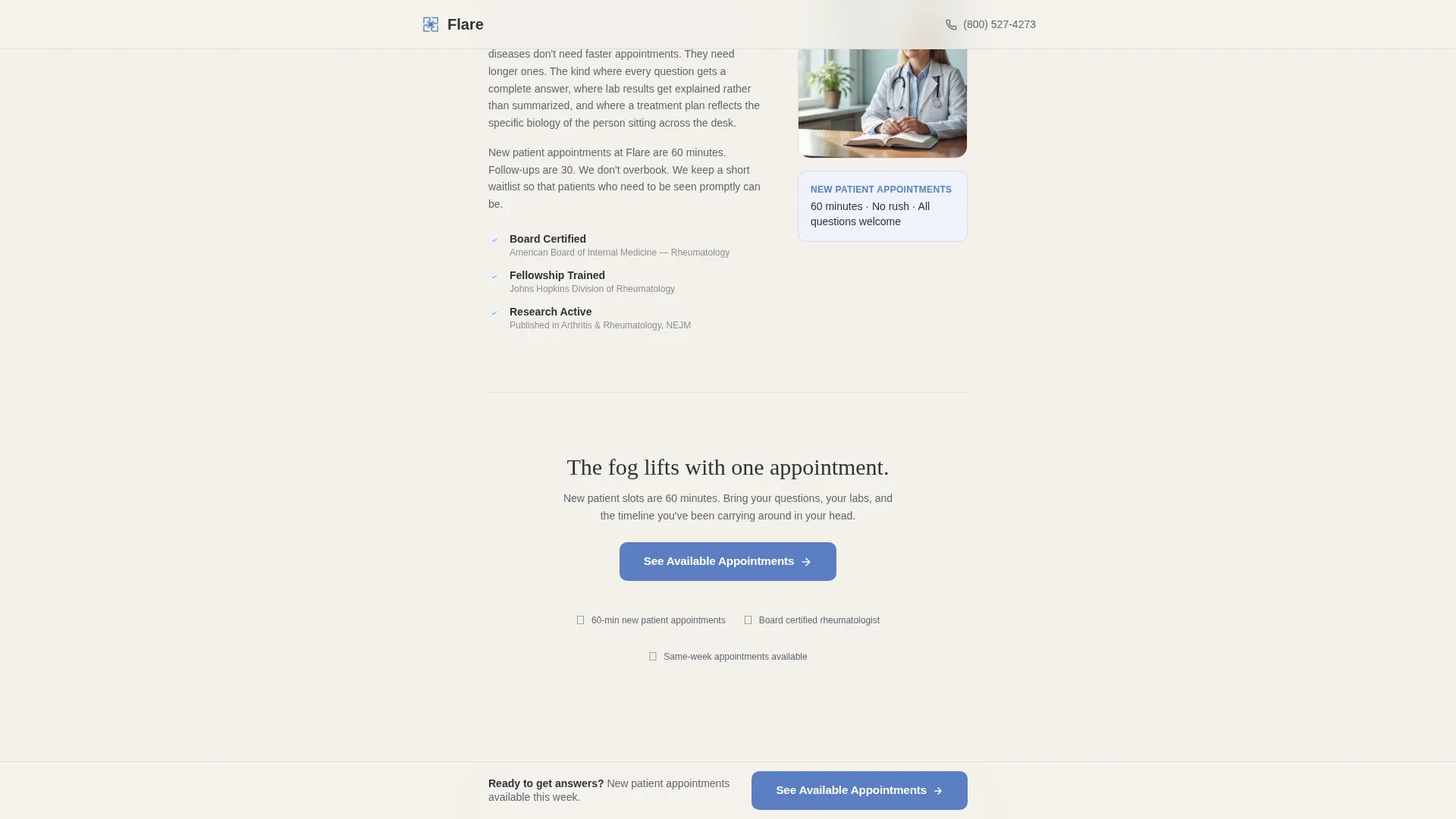
A brief practice philosophy block with an asymmetric layout introduces the practice's approach and doctor credibility. It grounds the page in human authority after the educational FAQ content.
Page sections overview
| Section | Purpose |
|---|---|
| Hero Estimator Card | Opens the page with an interactive three-step symptom tool and delivers a plain-language result |
| FAQ Accordion Cascade | Answers common patient questions through expandable cards in a flowing single-column layout |
| Stat Bridge Band | Displays a full-width callout statistic to anchor the diagnostic delay message |
| About and Trust | Introduces practice philosophy and doctor credibility in an asymmetric layout block |
| Lead Capture Module | Offers a New Patient Guide download with a single email field for not-yet-ready visitors |
| Sticky Bottom call to action | Persists a fixed booking prompt at the bottom of the screen from the third FAQ onward |
| Single-Row Footer | Closes the page with a clean, minimal linear footer |
Design & branding system
The visual identity follows an Educational Guide theme using a Cloud Canvas color palette. Every design decision aims to feel like a calm, well-lit exam room rather than a clinical or corporate environment.
- Colors: soft overcast white (#F4F1EB) for backgrounds, calm slate (#5B6770) for body text, muted lavender-gray (#B8B3C7) for section dividers and surfaces, and steady cornflower blue (#5A7EC2) for buttons and linked text
- Typography: Fraunces serif for display headings paired with DM Sans for body text, balancing warmth with readability
- Motion and interaction: medium-weight scroll reveals, estimator progress bar animation, FAQ accordion expand behavior, and sticky call-to-action entrance
Mobile & speed optimization
The template is designed mobile-first, recognizing that patients often research symptoms on their phones during or after a flare. Every interactive element is built to work cleanly on small screens.
- The estimator card, FAQ accordion, and sticky call-to-action button are each optimized for touch interaction on mobile viewports
- Static content sections use server component architecture to keep page load light, with minimal JavaScript reserved for interactive elements only
How this template helps you convert
Flare's architecture is designed to systematically remove the friction that keeps rheumatology patients from booking. It does this through a clear sequence of trust-building steps rather than aggressive sales tactics.
- The estimator delivers a personalized plain-language result immediately, giving the visitor a reason to keep reading and a reason to act, with the primary "See Available Appointments" call to action appearing directly beneath it
- The FAQ cascade deepens trust across multiple scroll steps, and the sticky call-to-action button ensures the booking prompt is always visible without the visitor needing to scroll back up
- The secondary lead capture module catches visitors who are curious but not yet ready, turning uncertain interest into a recoverable contact rather than a lost visit
Other information about this template
Flare is part of a broader template library designed for healthcare and medical practice niches. A few additional details are worth noting for buyers evaluating this template.
- The page passes the visitor's context to the practice's scheduling system on click-through, so no form is required on the landing page itself
- The "See Available Appointments" call to action appears in two positions: beneath the estimator result and fixed to the bottom of the screen after the third FAQ card
- The template is built as a single-page, single-column flow with no multi-page navigation, keeping the visitor path linear and distraction-free
- The stat callout, "The average patient waits 2.5 years before seeing a rheumatologist," is displayed in large cornflower blue type against the lavender-gray bridge band
Theme
Educational Guide
Creative direction
FAQ-Driven
Color system
Cloud Canvas
Style
Single Column Flow
Direction
Click-Through
Page Sections
Interactive Three-step Symptom Estimator
Expandable FAQ Accordion Cards
Stat Bridge Callout Band
Sticky Bottom Booking Prompt
Secondary Lead Capture Module
About and Trust Section
Related questions
Can I customize the symptom estimator questions for my practice?
Does this landing page include a booking form?
Who is this landing page template built for?
What does the sticky call-to-action button do?
Can this template work for a different medical specialty?



