Vehicle Insurance & Finance Privacy Policy Website Template
Fleet is a scroll-reveal landing page template built for commercial vehicle insurance brokerages. It uses a dark, instrument-panel visual style to guide owner-operators, fleet managers, and last-mile delivery startups through a progressive coverage comparison. A three-step quote form and a secondary policy-upload path work together to drive direct quote completions.
by Rocket studio
Quick summary
Fleet is a single-page, scroll-driven template for commercial vehicle insurance brokerages. It opens with a cinematic spotlight hero, then builds an evidence-based case through side-by-side coverage comparisons. By the time a visitor reaches the quote form, they have already seen exactly where standard policies fall short. The design runs on a deep navy and signal amber palette that feels precise and purposeful.
Who this template is for
This template is built for insurance brokerages that serve commercial vehicle operators. It speaks directly to the people managing real trucks on real routes, not general consumers shopping personal auto.
- Owner-operators running small semi fleets between distribution hubs
- Fleet managers at regional carriers handling Department of Transportation compliance and renewals
- Last-mile delivery startups scaling Sprinter van fleets ahead of peak season
What problem this template solves
Standard insurance landing pages rely on vague promises and generic trust badges. Commercial operators need specifics: exact liability limits, cargo values, and deductible terms they can compare against their current policy before they ever pick up the phone.
- Generic pages bury exclusions in footnotes, leaving fleet buyers uncertain about real coverage
- Most quote forms ask too much upfront, causing drop-off before operators reach the form
- No visual contrast between industry-standard language and plain-terms alternatives means visitors cannot quickly see the difference
What you get with this template
You get a fully structured, section-led landing page that walks commercial fleet buyers through a logical decision path. Every section earns the next click through evidence rather than assertion.
- A cinematic spotlight hero with a floating heads-up display overlay and a typewriter headline entrance
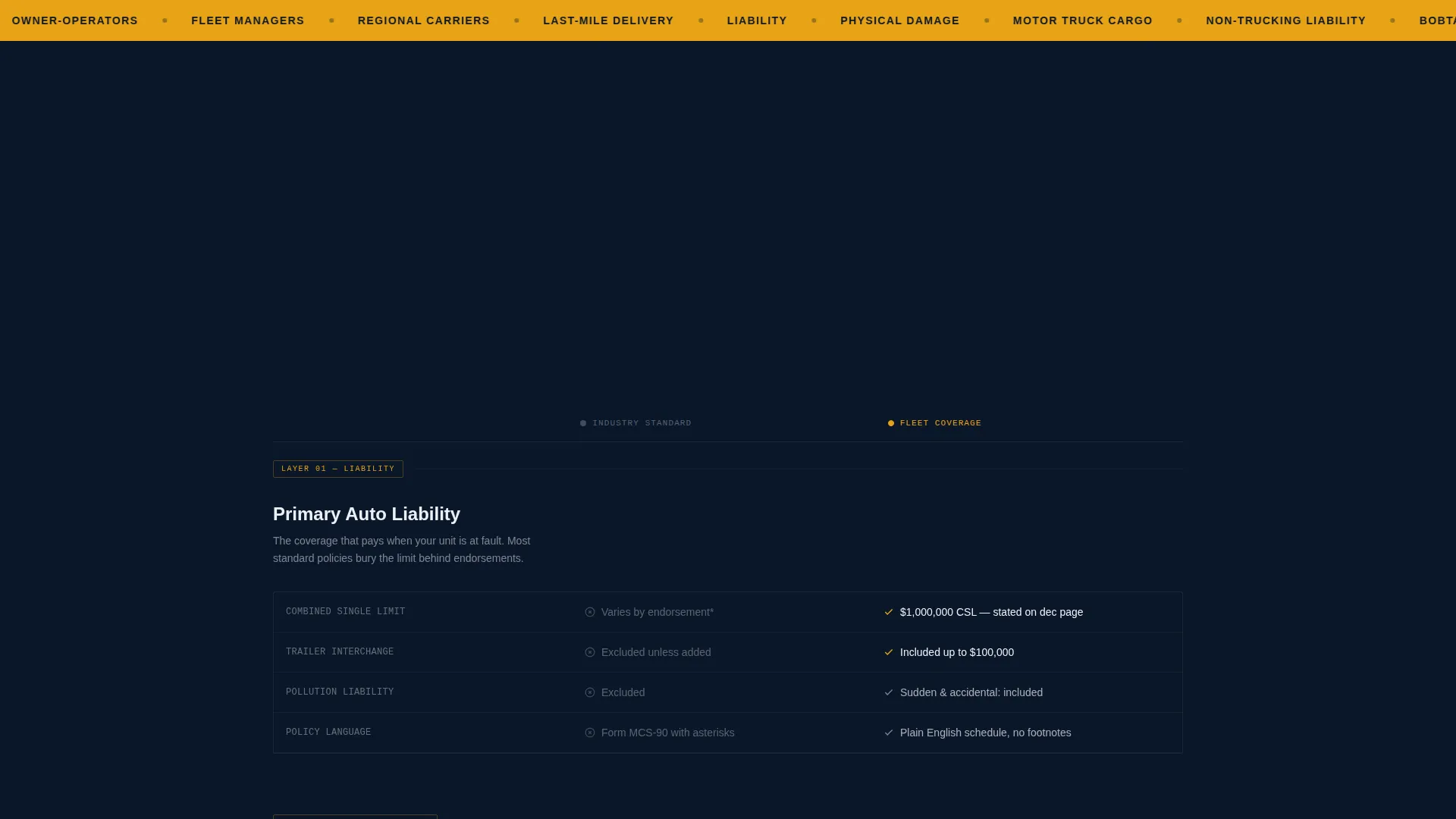
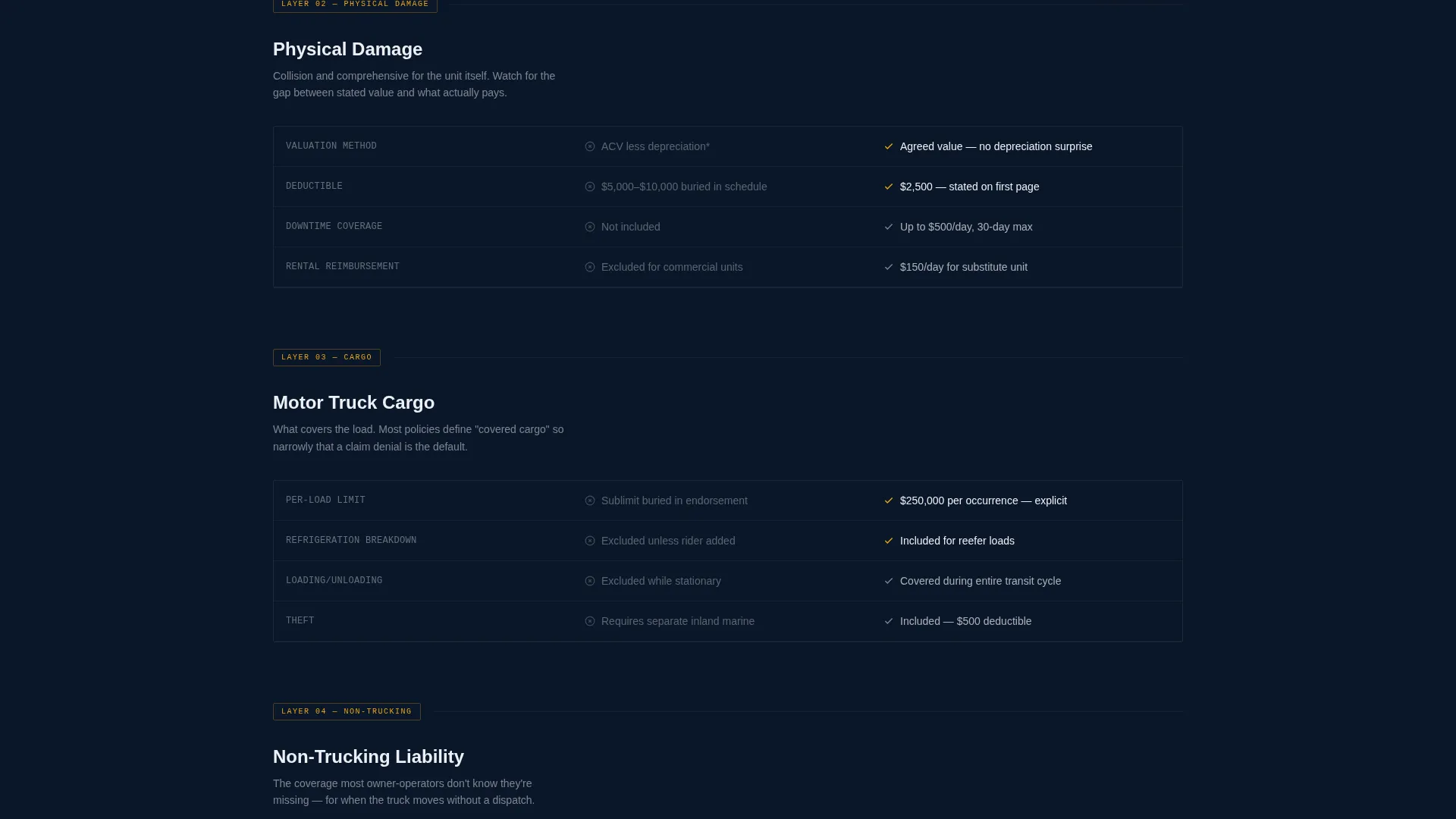
- A four-layer scroll-linked comparison journey contrasting industry-standard policy language with plain-terms coverage
- A three-step progressive quote form with vehicle type, operating radius, and Department of Transportation or Motor Carrier number verification, plus a secondary policy-upload path
Feature list
A brief overview of the most useful capabilities built into this template.
Cinematic Spotlight Hero
The hero section opens on a Class 8 tractor emerging from black, lit by a sharp downward cone of light. After a beat, a heads-up display overlay appears over the cab showing liability limit, cargo value, and deductible figures. The headline types in character by character, setting a precise and credible tone immediately.
Scroll-Linked Comparison Journey
As the visitor scrolls, four coverage layers reveal progressively: liability, physical damage, cargo, and non-trucking. Each layer places the industry-standard version on the left and Fleet's plain-terms version on the right. Early sections linger; later sections snap into place, building momentum and a quiet, evidence-led argument.
Three-Step Progressive Quote Form
The quote form collects information across three focused steps: vehicle count and type, operating radius, and Department of Transportation or Motor Carrier number. Breaking the form into steps reduces friction and keeps operators moving forward rather than abandoning the page.
Secondary Policy Comparison Path
Visitors who are not ready to request a quote can upload their declarations page for a side-by-side policy teardown delivered by email. This secondary call to action captures intent at an earlier decision stage without asking for full commitment.
Operator Use Case Profiles
Three distinct operator profiles are presented: an owner-operator with a small semi fleet, a fleet manager at a regional carrier, and a last-mile delivery startup scaling vans pre-quarter four. Each profile grounds the coverage offer in a recognizable operational context.
Trust Proof Section
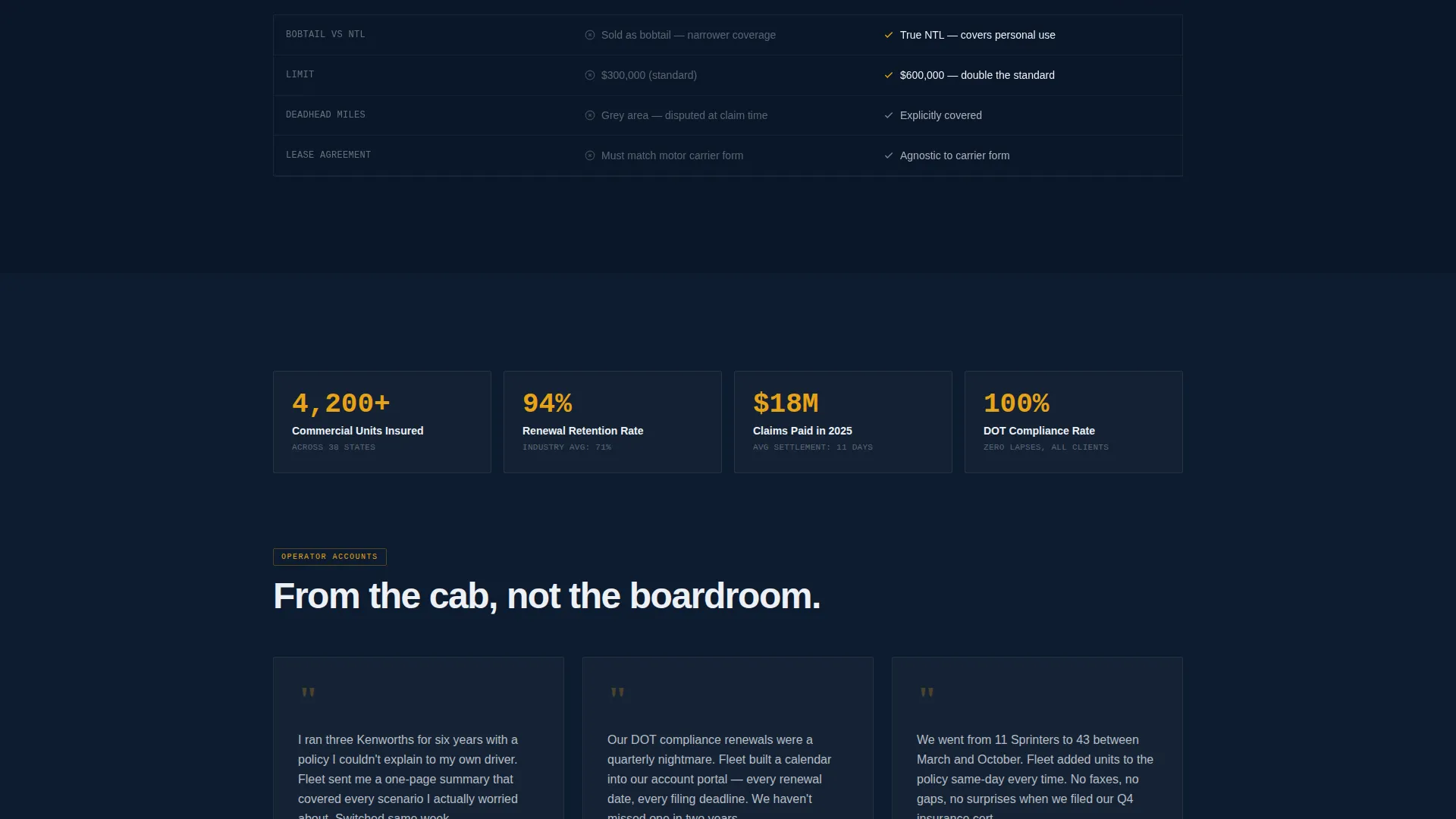
A statistics bar presents specific metrics alongside client testimonials that include truck count and route context. This section provides concrete social proof matched to the target audience's operational reality rather than generic review snippets.
Page sections overview
| Section | Purpose |
|---|---|
| Spotlight Hero | Introduces brand with cinematic truck visual, HUD overlay, and typewriter headline |
| Comparison Journey | Reveals four coverage layers side by side on scroll, contrasting vague versus plain-terms policies |
| Trust Proof Bar | Displays key metrics and operator testimonials with specific fleet and route context |
| Operator Use Cases | Presents three buyer profiles to help visitors self-identify and see relevant coverage scenarios |
| Progressive Quote Form | Collects vehicle type, radius, and DOT or MC number across three low-friction steps |
| Footer | Single-row linear layout with navigation links and regulatory contact information |
Design & branding system
The visual identity follows a Corporate Precision theme. Every color and typographic choice reinforces the feeling of a late-model commercial truck dashboard at night: dark, purposeful, and instrument-lit.
- Color palette: deep terminal navy (#0A1628) as the base, policy-grade charcoal (#1E2A3A) for card surfaces, highway-line white (#EDF0F5) for body text, and signal amber (#E8A317) reserved strictly for calls to action and premium callouts
- Typography: DM Sans in bold weights for headlines, JetBrains Mono for all numerical values, codes, and policy figures to reinforce precision
- Animation approach: GSAP ScrollTrigger powers the scroll-linked reveals, the typewriter headline entrance, the HUD overlay, and the snapping lock effect in the later comparison sections
Mobile & speed optimization
The template is designed desktop-first to serve fleet managers working at their desks, with solid mobile support for owner-operators checking coverage from a cab or yard office.
- Desktop layout prioritizes the side-by-side comparison columns and the full spotlight hero visual at full viewport width
- Mobile layout reflows comparison columns into a stacked format, keeping the contrast readable on smaller screens
- Static sections are built with server components for lighter initial loads, while animation-heavy sections use client components to keep interactive behavior isolated
How this template helps you convert
This template earns the quote form click by building a visible evidence trail before any call to action appears. Visitors arrive skeptical; the page removes that skepticism section by section.
- The comparison journey shows six specific ways a standard policy may leave a fleet exposed, so visitors arrive at the form already informed and motivated rather than uncertain.
- The three-step progressive form lowers commitment at each stage, collecting only what is needed at that moment, which reduces drop-off compared to single long forms.
- The secondary policy-upload path captures visitors who are not ready to commit, keeping them in the funnel through a lower-friction action that still generates a qualified lead.
Other information about this template
This template is localized for the United States market. All form fields, regulatory references, and date formats follow US conventions.
- Regulatory language references Department of Transportation and Motor Carrier number formats, appropriate for interstate and intrastate commercial operators
- Currency display uses USD formatting, suitable for quoting liability limits and cargo values in American commercial contexts
- The linear single-row footer includes space for compliance disclosures and brokerage licensing information relevant to commercial insurance operators
- The template is built to reflect a brokerage model, not a direct carrier, which means the quote form and policy comparison flow are structured around broker-assisted placement rather than instant bind

Theme
Corporate Precision
Creative direction
Comparison Journey
Color system
Midnight Blue
Style
Scroll Reveal (Progressive)
Direction
Direct Sales
Page Sections
Cinematic Spotlight Hero with HUD Overlay
Scroll-linked Four-layer Comparison Journey
Three-step Progressive Quote Form
Secondary Policy Upload Path
Operator Profile Use Cases
Trust Proof with Contextual Testimonials
Related questions
Who is this template designed for?
Can I customize the coverage layers in the comparison section?
What does the secondary quote path do?
Does the progressive form support DOT and MC number fields?
Is the template built for desktop or mobile first?



