Single Family Home Real Estate Portfolio & Case Study Website Template
Flip is a Gallery + Detail landing page template built for single-family home renovation firms. It leads with an interactive map, animated proof metrics, and a project gallery where every completed flip opens into a full deal sheet. A branching quiz guides investors, sellers, and private lenders toward a personalized deal brief, turning cold visitors into qualified conversations.
by Rocket studio
Quick summary
Flip is a single-page template designed for property renovation firms that buy distressed single-family homes and resell them as move-in-ready properties. The layout opens with geography and math, then builds trust through layered project evidence before routing three distinct visitor types into a branching assessment quiz that closes with a personalized deal brief request.
Who this template is for
This template is built for real estate renovation businesses that need to speak clearly to multiple audiences at once. It handles the pitch for passive investors, motivated sellers, and private lenders without losing focus.
- Renovation firms that flip single-family homes and want to present a professional, data-forward track record
- Passive investors looking to deploy capital into real estate deals without managing renovations themselves
- Private lenders and homeowners with distressed properties who need a structured way to explore a deal
What problem this template solves
Most real estate landing pages rely on lifestyle imagery and vague promises. Renovation firms lose credibility with financially minded visitors the moment a smiling family appears instead of a deal sheet. This template replaces emotional filler with verifiable proof.
- Investors and lenders need numbers before they need narrative, and the layout delivers stats and project data first
- Sellers of distressed properties need a clear path to understand their options without sitting through a sales pitch
- A single page rarely serves three different visitor intents well, so the branching quiz routes each audience toward a relevant outcome
What you get with this template
You get a full single-page layout that moves visitors from aerial-map entry point through layered project evidence to a personalized assessment, all within one cohesive flow. Every section is purpose-built for a renovation firm's specific sales environment.
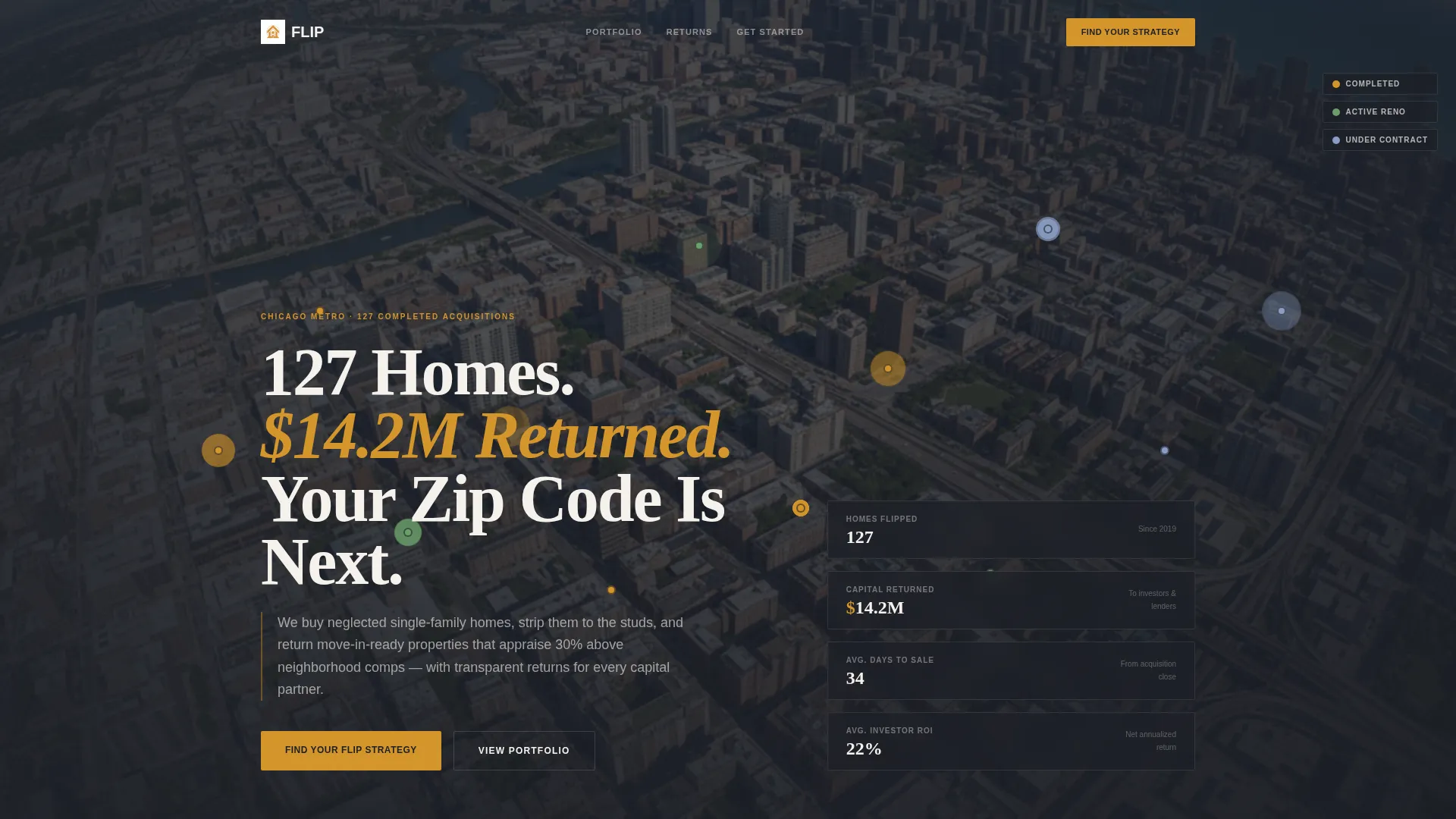
- An animated header with a metro map, pulsing project pins, and live-style counters showing homes flipped, capital returned, and days to sale
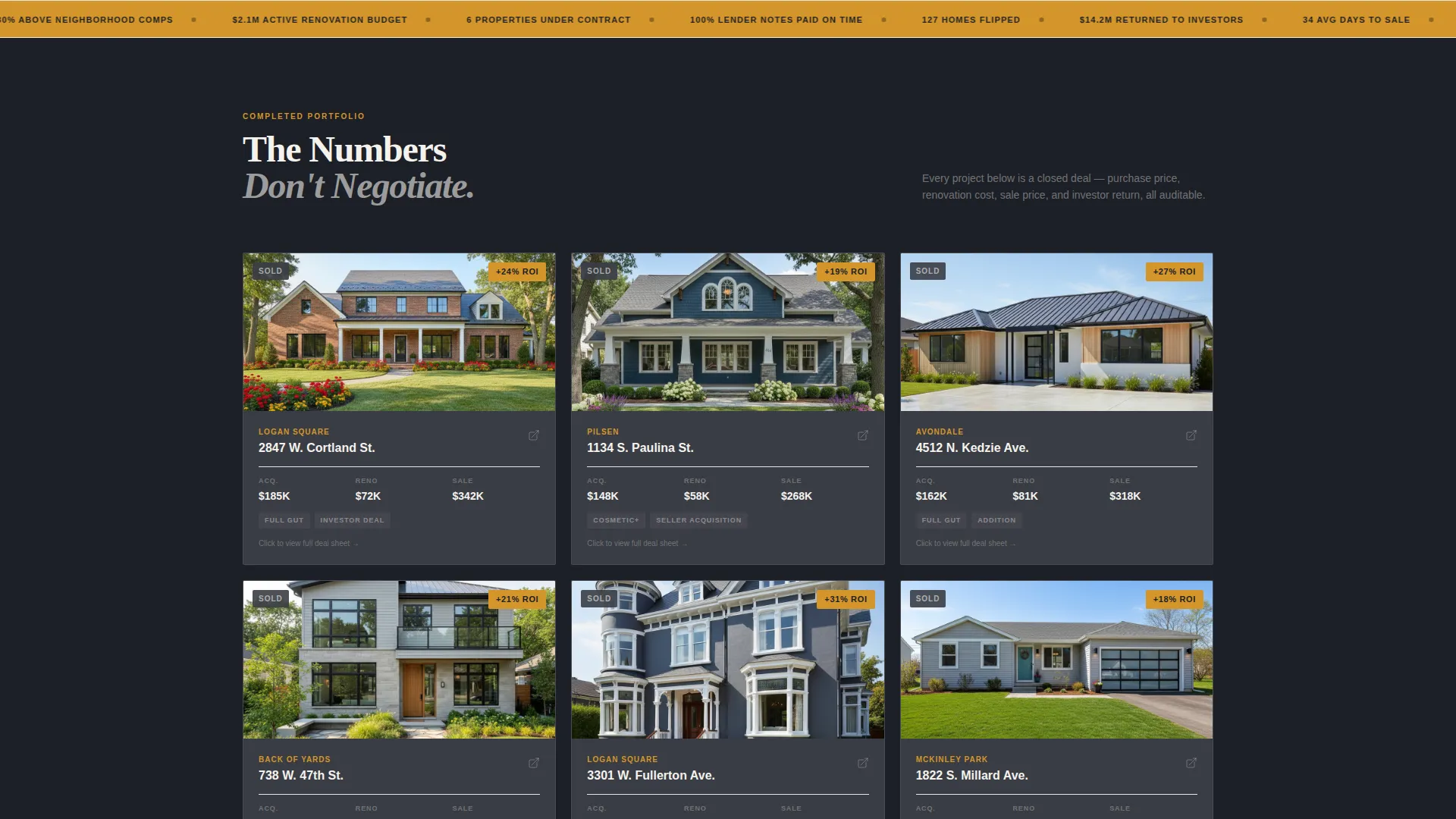
- A scrollable project gallery where each completed flip expands into a full deal sheet covering purchase price, renovation budget, sale price, days on market, and investor return
- A branching quiz that opens with a single question, routes three audience types through tailored follow-up paths, and closes with a "Get My Custom Deal Brief" submission screen
Feature list
This section covers the core functional components built into the Flip template.
Aerial Map Header with Animated Counters
The page opens with a satellite-style metro map overlaid in deep charcoal. Amber pins mark completed flips, active renovations, and properties under contract. As the page loads, three counters animate upward in large contract-white numerals, showing total homes flipped, aggregate profit returned to investors, and average days from acquisition to sale.
Project Gallery with Expandable Deal Sheets
Below the map, a grid of completed project thumbnails loads with amber ROI badges on each card. Clicking any card opens a structured detail panel displaying the full financials: purchase price, renovation budget, sale price, days on market, and investor return. The layout mirrors a professional deal sheet rather than a property listing.
Scroll-Paced Evidence Architecture
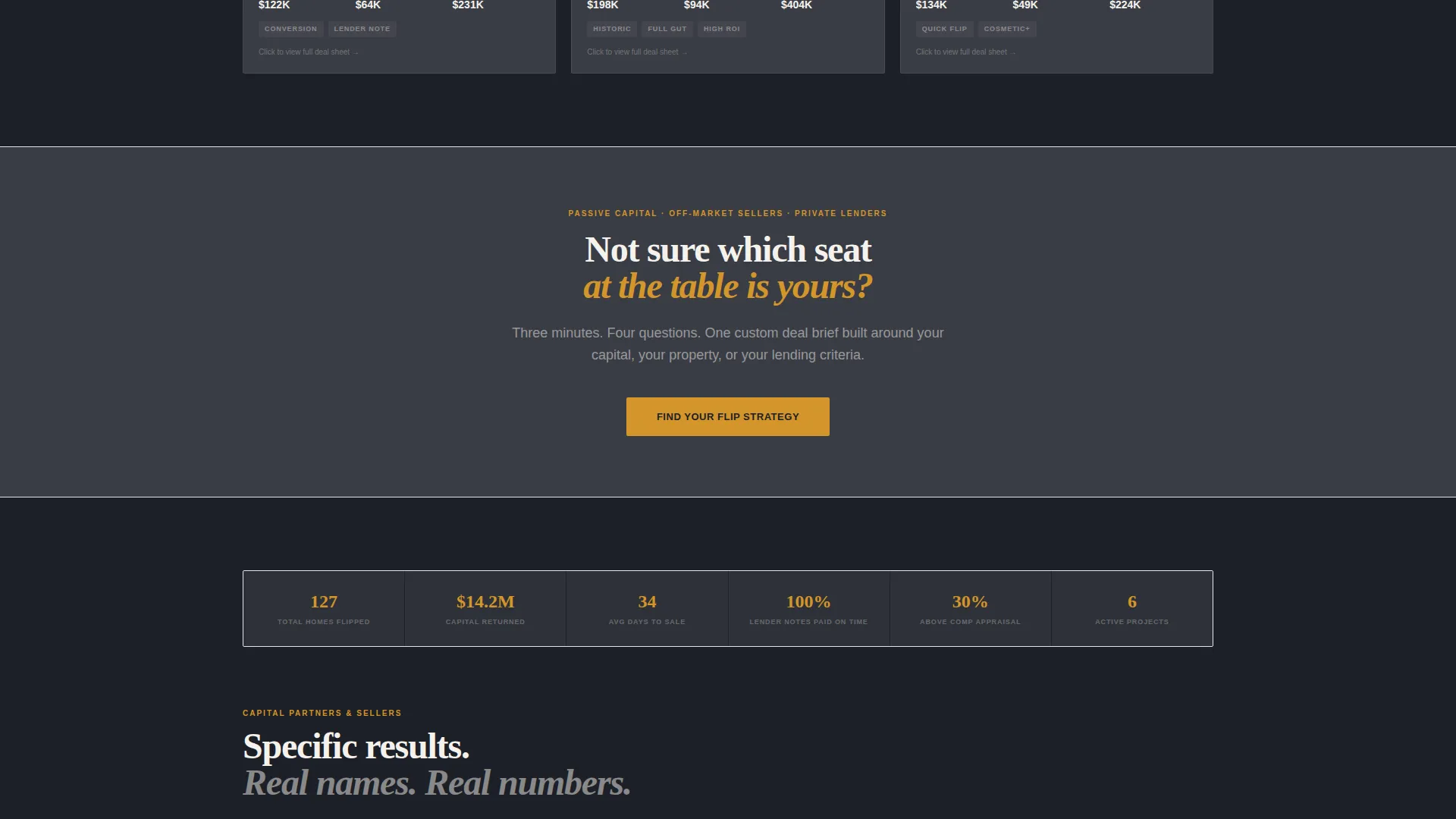
The page follows a deliberate gallery-then-evidence rhythm. After each set of project thumbnails, a proof layer reinforces the numbers before the next gallery block appears. By the time a visitor reaches the assessment section, the data has done the persuasion work without a single emotional appeal.
Branching Quiz Assessment
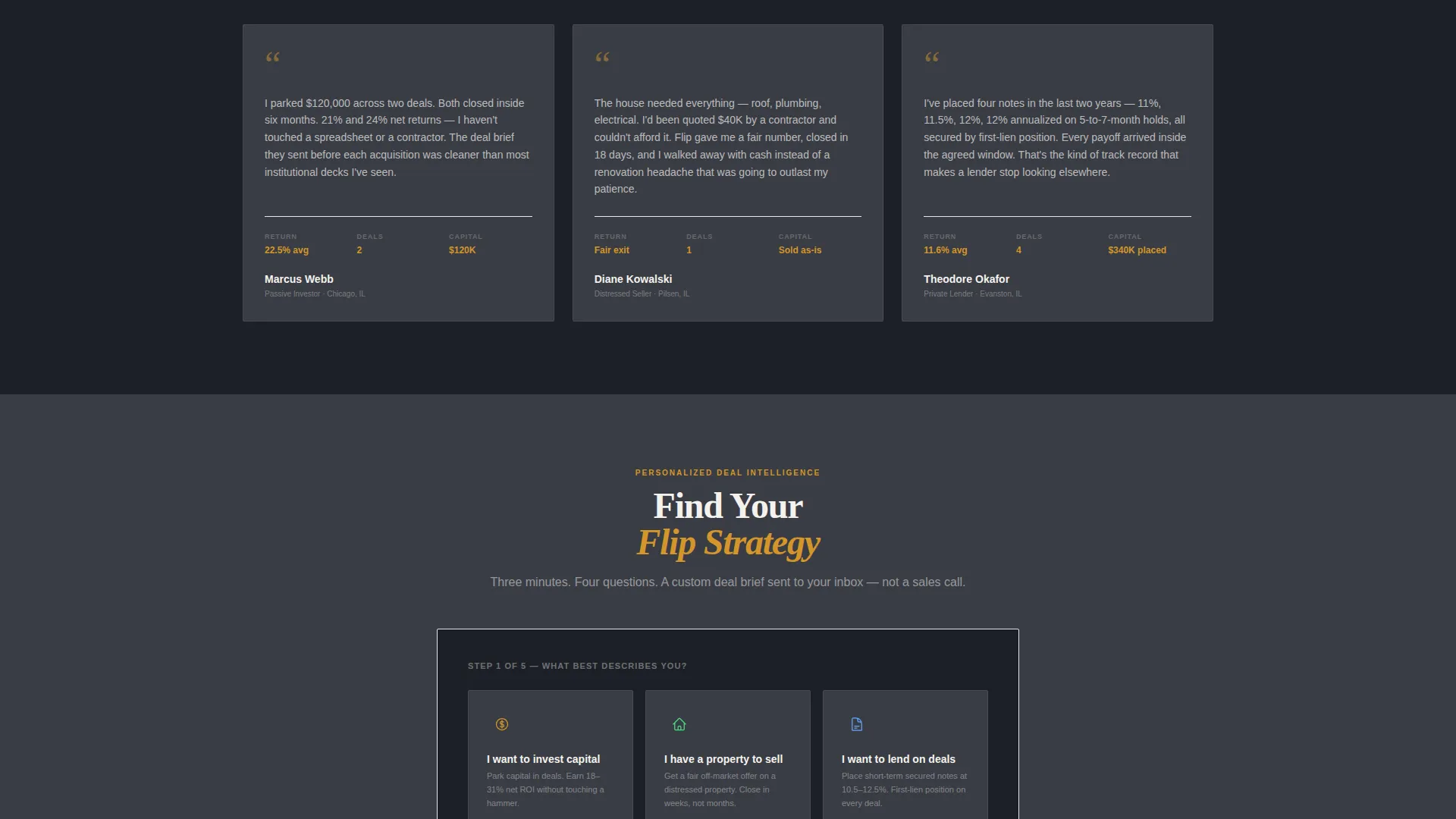
The primary conversion tool is a multi-path quiz triggered by an amber call-to-action button. Visitors choose from three illustrated tiles: investing capital, selling a property, or lending on deals. Each path branches into three to four tailored questions before reaching a contact collection screen with a "Get My Custom Deal Brief" submit button.
Pinned and Full-Width Call-to-Action Placements
The "Find Your Flip Strategy" call-to-action appears twice: once as an amber button pinned after the third project detail and again as a full-width section near the bottom of the page. Both placements are timed to catch visitors at peak engagement moments.
Executive Suite Visual System
The entire template uses a controlled four-color palette anchored by boardroom charcoal and warm amber. Card surfaces, section dividers, body text, and data callouts each have a designated color role. Nothing competes for attention; the amber highlights guide the eye exactly where the page needs it.
Page sections overview
| Section | Purpose |
|---|---|
| Aerial Map Header | Opens with geography, animated counters, and the headline |
| Stats Counter Row | Displays homes flipped, capital returned, and days to sale |
| Project Gallery Block | Thumbnail grid with amber ROI badges per completed flip |
| Deal Sheet Panel | Expandable financials for each selected project card |
| Pinned Quiz call to action | First "Find Your Flip Strategy" amber button placement |
| Evidence Layer | Proof section reinforcing project data between gallery blocks |
| Full-Width Quiz call to action | Second call-to-action section triggering the assessment |
| Branching Quiz Flow | Three-path assessment routing investors, sellers, and lenders |
| Contact Collection Screen | Final quiz screen with name, email, phone, and submit button |
Design & branding system
The visual identity follows an Executive Suite direction. The palette is built for boardroom credibility: nothing decorative, every color with a defined role. The amber accent works like gold leaf on a firm's lobby signage, catching the eye without demanding it.
- Deep boardroom charcoal (#1C1F26) as the primary background, brushed graphite (#3A3D45) for card surfaces and section dividers, warm amber (#D4952A) for calls-to-action and data highlights, and crisp contract white (#F5F2ED) for body text and stat callouts
- Typography and layout carry the weight of a private equity pitch deck printed on heavyweight stock, with wide spacing, clean data presentation, and no decorative imagery
- No lifestyle photography appears anywhere in the template; visual proof comes entirely from the map, project data, and structured deal sheets
Mobile & speed optimization
The Flip template is structured so that its data-heavy sections remain readable and navigable on smaller screens. The gallery grid and quiz flow adapt cleanly to portrait-orientation viewports without losing the executive tone of the desktop layout.
- The project gallery reflows into a single-column card stack on mobile, keeping ROI badges and expand interactions accessible on touch screens
- The branching quiz uses full-width illustrated tiles that are easy to tap, and the final contact screen keeps the form minimal with only three fields before the submit button
How this template helps you convert
The layout is engineered to replace skepticism with curiosity before asking for anything. Conversion happens because the visitor feels assessed rather than sold to.
- The map header and animated counters establish credibility in the first three seconds, before the visitor scrolls at all, anchoring trust with verifiable data points rather than claims
- The gallery-then-evidence scroll rhythm means each new project detail adds to a growing body of proof, so by the third deal sheet the visitor is already calculating their own potential return
- The branching quiz personalizes the experience at the moment of peak engagement, routing each visitor type toward a relevant outcome and framing the final form submission as receiving intelligence rather than triggering a sales call
Other information about this template
This template is suited to renovation businesses that operate in metro markets with multiple active projects at any given time. The map header and pin system are designed to reflect real portfolio depth, so the template is most effective when the firm has a meaningful track record to display.
- The template style is Gallery + Detail, making it well suited to businesses that want to show individual project performance rather than aggregate claims alone
- The quiz conversion path is built around three distinct visitor intents: capital investment, property sale, and private lending, making it one of the more audience-segmented single-page layouts in the real estate category
- The page pairs naturally with a follow-up deal brief document or investor packet, since the quiz submission promises personalized output rather than a generic callback
Theme
Executive Suite
Creative direction
Gallery Walk
Color system
Navy Authority
Style
Gallery + Detail
Direction
Direct Sales
Page Sections
Aerial Map Header with Animated Counters
Project Gallery with Deal Sheet Panels
Gallery-then-evidence Scroll Rhythm
Three-path Branching Quiz
Dual Call-to-action Placement
Executive Suite Color System
Related questions
Can this template work for a firm with fewer completed projects?
How does the branching quiz handle three different visitor types?
What makes this layout different from a standard real estate listing page?
Can the quiz submission path be customized for a specific offer?
Is any lifestyle photography included in the template?



