Specialist Specialty Construction Pricing & Packages Website Template
Float is a modular card-grid landing page built for floating home builders. It combines a stats-led hero, a Problem-to-Solution card arc, phase-by-phase build modules, a three-model lineup, and an inline configurator with live pricing. The Sunset Mesa palette and cinematic drone visuals make an unconventional product feel like engineered infrastructure buyers can actually reserve.
by Rocket studio
Quick summary
Float is a single-page landing page template for a floating home builder. It opens with four oversized metric counters, then walks visitors through a structured card grid: problems and solutions, build phases, and three model tiers. A live configurator lets buyers price their build in real time, while a gated spec sheet captures leads who need more time.
Who this template is for
This template is built for specialty construction businesses selling homes that sit on water rather than ground. It works best when the product is complex, the price tag is significant, and buyers need evidence before they act.
- Floating home builders offering custom or semi-custom structures
- Off-grid and waterfront housing operators targeting remote or coastal buyers
- Specialty contractors who need to qualify leads and collect reservation deposits online
What problem this template solves
Most construction landing pages bury the product behind generic copy. For a floating home builder, that is a serious problem. Buyers arrive with skepticism about cost, legality, and long-term livability. They need specific answers fast.
- Visitors have no frame of reference for floating home pricing or timelines
- The product sounds niche and risky without concrete specs and real build numbers
- Generic contact forms fail to convert buyers who are mid-research and not yet ready to call
What you get with this template
Float gives you a fully structured single-page layout with every section pre-built for a floating home sales flow. No placeholder intent here. Every card, counter, and call to action has a defined job.
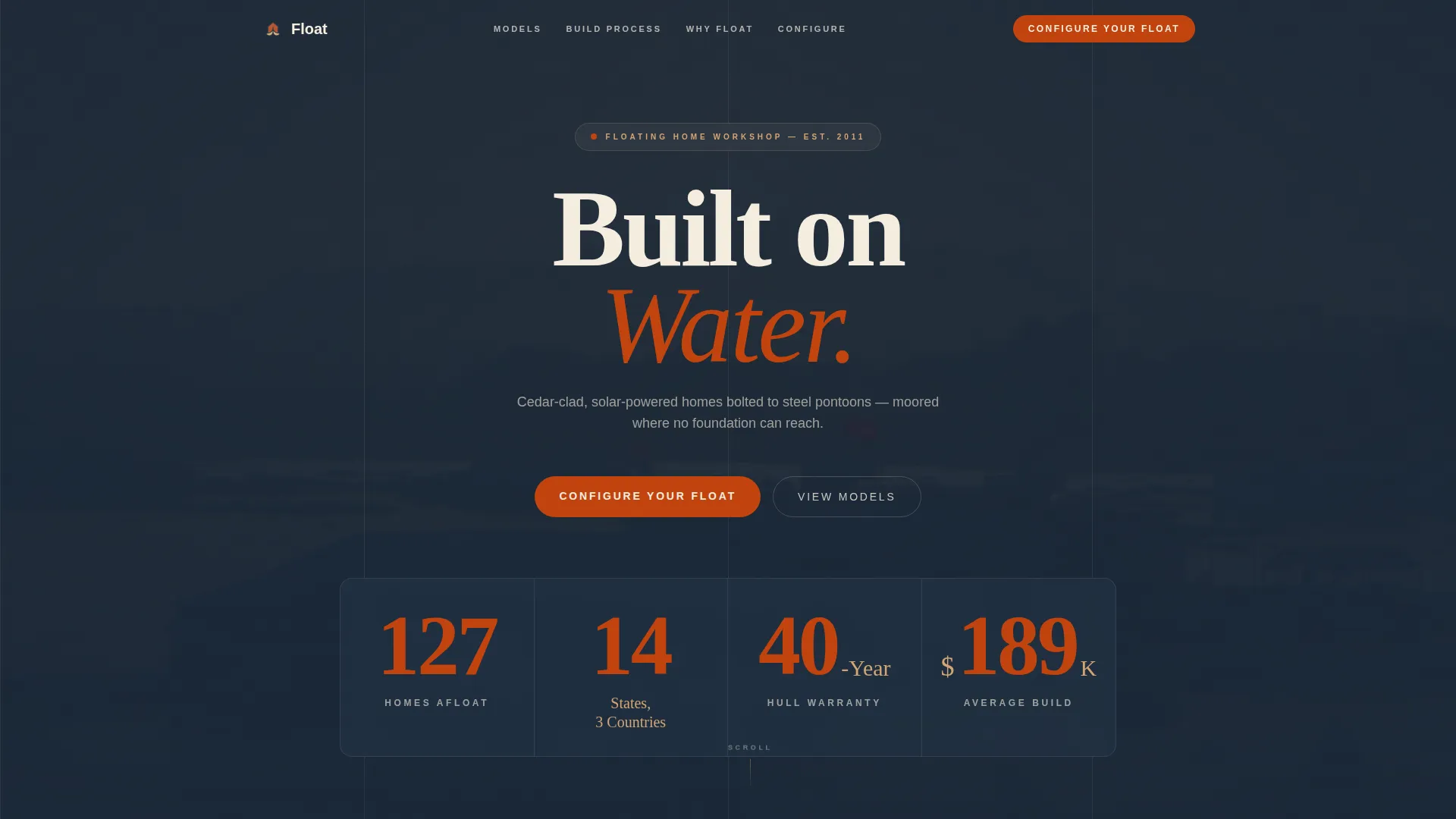
- A stats wall hero with four live counters, a drone video background, and terracotta-on-navy typography
- Three modular card rows covering problems and solutions, build phases, and a three-model lineup with specs accordions
- An inline price configurator, a gated spec-sheet download, and an embedded checkout for a refundable reservation deposit
Feature list
This section covers the core built-in capabilities of the Float template as described in the source brief.
Stats Wall Hero with Video Background
The header presents four oversized counters on a deep water navy field: 127 Homes Afloat, 14 States and 3 Countries, a 40-Year Hull Warranty, and a $189K Average Build. A slow-panning drone shot of a finished floating home at sunset plays behind the numbers, grounding the stats in real visual evidence.
Flip-Card Problem and Solution Row
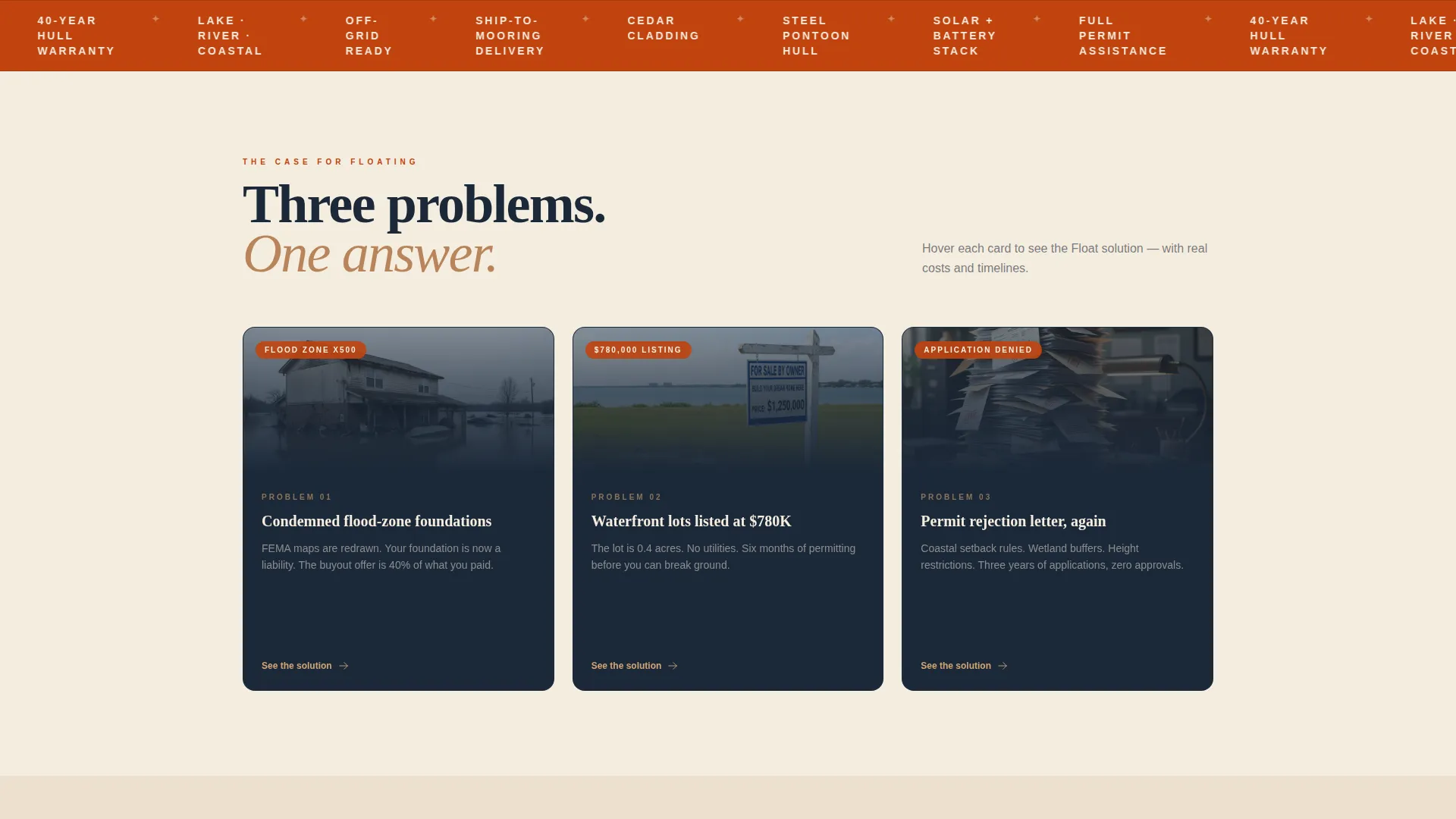
The first card row shows three physical problems as photographic evidence: a condemned flood-zone foundation, a $780K waterfront lot listing, and a permit rejection letter. Each card flips on hover to reveal the floating home solution with cost, timeline, and a thumbnail render.
Build Phase Mini Case Studies
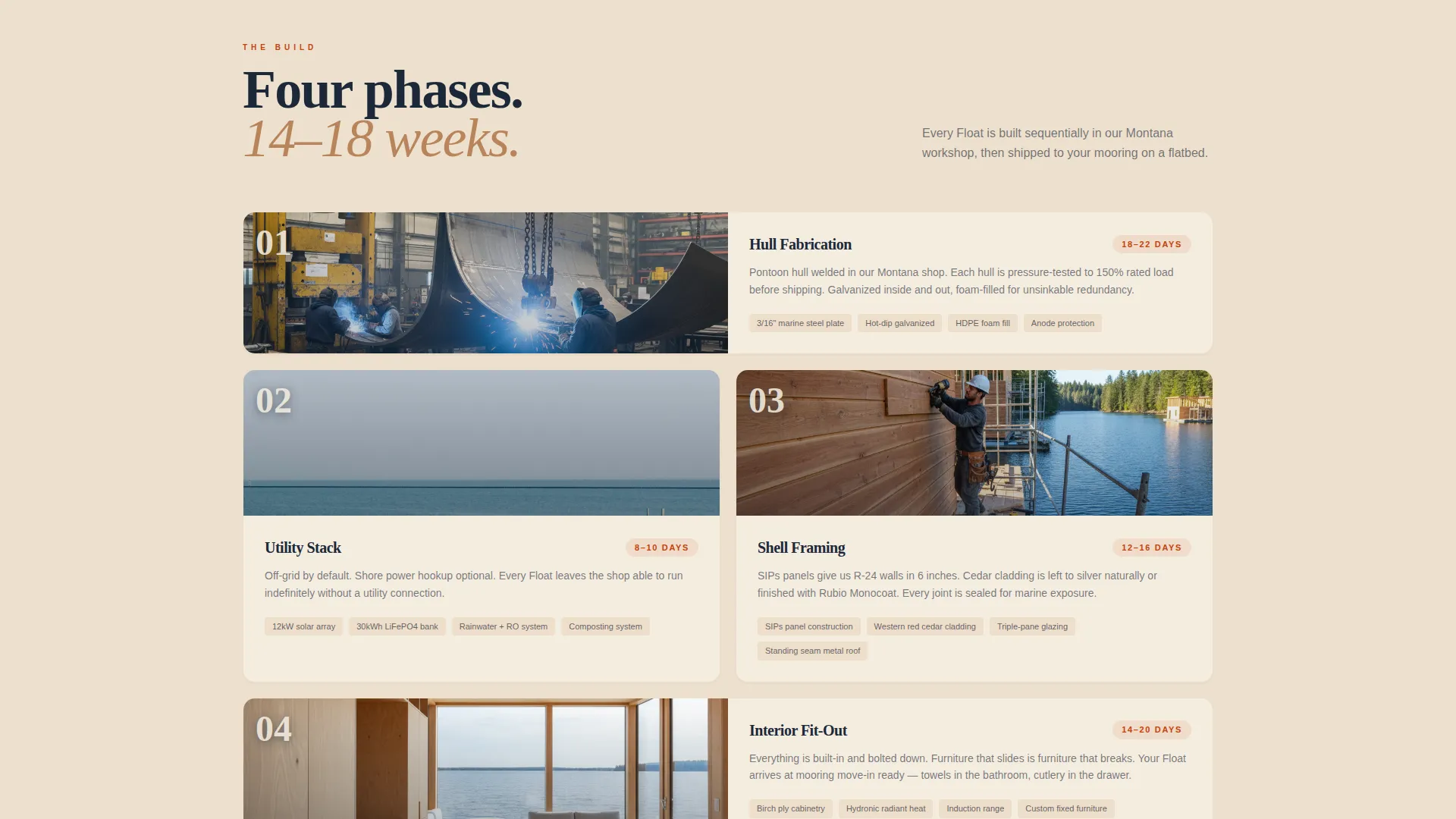
The second card row breaks the construction process into four modular phases: hull fabrication, utility stack, shell framing, and interior fit-out. Each card functions as a mini case study with listed materials, days to complete, and a single jobsite photo.
Three-Model Lineup with Specs Accordions
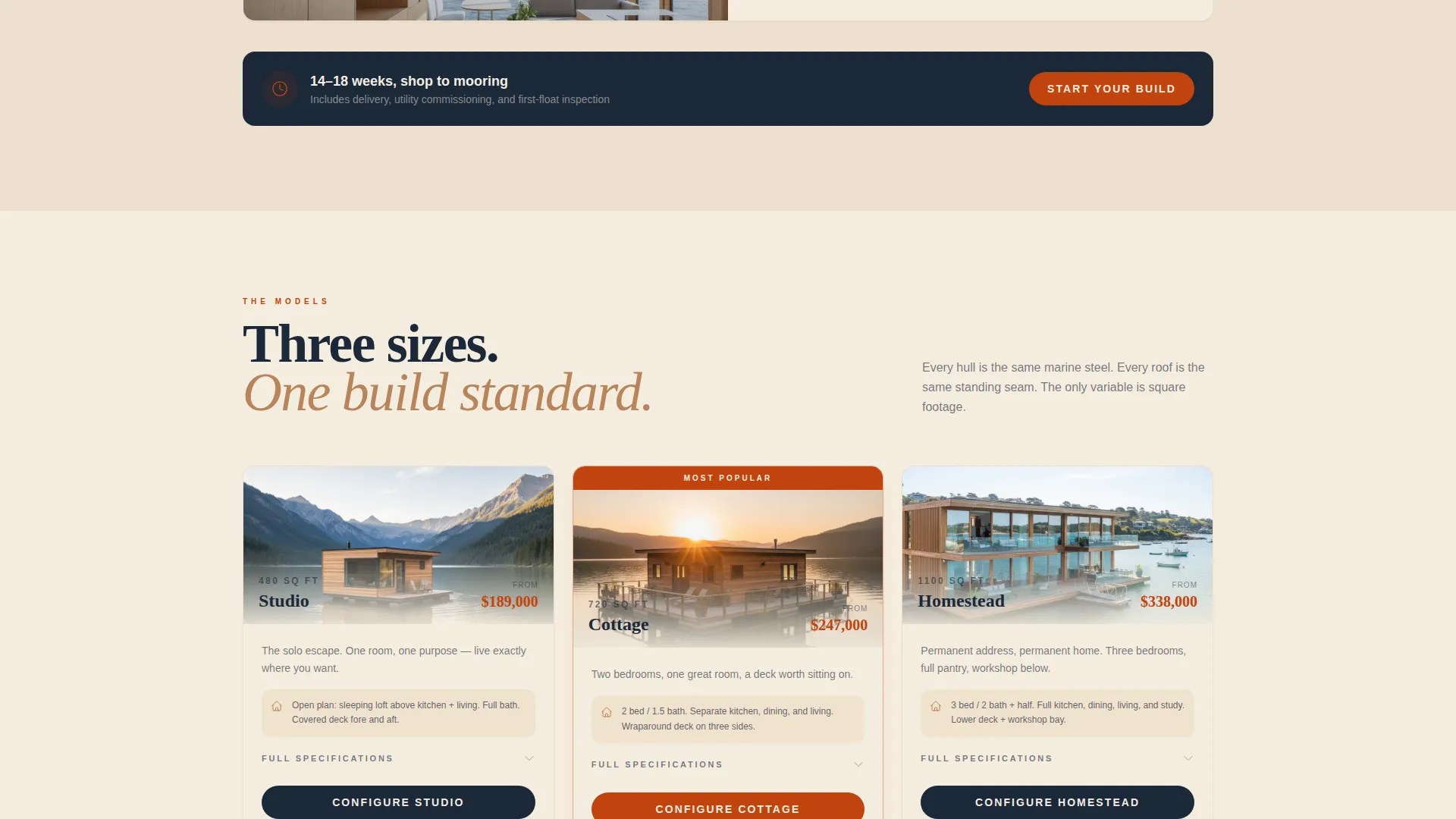
Three model cards sit side by side: Studio at 480 square feet, Cottage at 720 square feet, and Homestead at 1,100 square feet. Each card shows a floor plan, a base price, and an expandable specs accordion so buyers can compare without leaving the page.
Inline Price Configurator with Real-Time Updates
The primary call to action leads to an inline configurator where buyers select their model, mooring type (lake, river, or coastal), and finish package. The price updates in real time as options are chosen, making the cost transparent and the decision feel manageable.
Gated Spec Sheet and Deposit Checkout
Visitors not ready to configure can download the full specification sheet after entering their email address. Buyers who are ready can click through to reserve their build slot with a $2,500 refundable deposit collected through an embedded checkout directly on the page.
Page sections overview
| Section | Purpose |
|---|---|
| Stats Metrics Hero | Opens with four key counters and a drone video background |
| Problem Card Row | Shows three real-world problems with hover-flip solutions |
| Build Phase Cards | Breaks construction into four phase-level mini case studies |
| Model Lineup Cards | Presents three models with floor plans, pricing, and accordions |
| Inline Configurator | Lets buyers build and price their float in real time |
| Spec Sheet Gate | Captures emails from visitors not yet ready to configure |
| Reserve Build Slot | Collects a refundable $2,500 deposit via embedded checkout |
Design & branding system
The Sunset Mesa color system gives Float a palette that feels like a desert canyon flooding at dusk. Warm rock tones meet dark water, and every card breathes inside bleached driftwood white. The result is a visual identity that is industrial enough to communicate engineering, and warm enough to make the lifestyle feel real.
- Weathered terracotta (#C1440E) drives buttons, pricing highlights, and the oversized stat numerals
- Deep water navy (#1B2838) anchors the header, footer, and primary text hierarchy
- Sandstone warm (#D4A574) warms divider lines and secondary labels; bleached driftwood white (#F5EDE0) keeps each modular card airy and legible
Mobile & speed optimization
The modular card grid is designed to reflow cleanly at smaller screen sizes. Each card row adapts from a multi-column layout to a vertically stacked sequence, so the Problem-to-Solution arc and model lineup read correctly on any device without losing their logical order.
- Card-based layout structure makes column-to-stack reflow predictable and consistent
- The drone video header is structured to degrade gracefully on lower-bandwidth connections
- The inline configurator and embedded checkout are contained in single-column flows that work on touch screens
How this template helps you convert
Float is engineered around a specific buyer psychology: show the problem, prove the solution, let the price configurator do the convincing. Every scroll step adds a layer of evidence before asking for any commitment.
- The stats wall establishes immediate credibility with concrete numbers before a single word of sales copy appears.
- The flip-card problem row meets buyers at their actual objections and answers each one with a cost and a timeline.
- The real-time configurator makes the investment feel transparent and calculated, which is what earns the click to reserve a build slot.
Other information about this template
Float is built on a Service Utility theme, which prioritizes clear information hierarchy and functional layout over decorative elements. The template style is Card Grid (Modular), making it straightforward to reorder, replace, or expand card rows as the builder's model lineup evolves.
- The creative direction follows a Problem-to-Solution Arc, a proven structure for high-consideration purchases where buyers need to be walked through objections before they commit
- The Direct Sales landing page direction means every section has a downstream action: configure, download, or deposit
- The template targets the specialty construction category, specifically the floating home builder niche, making it purpose-built rather than adapted from a generic construction layout
Theme
Service Utility
Creative direction
Problem→Solution Arc
Color system
Sunset Mesa
Style
Card Grid (Modular)
Direction
Direct Sales
Page Sections
Stats Wall Hero with Drone Video
Hover-flip Problem and Solution Cards
Build Phase Mini Case Study Cards
Three-model Lineup with Specs Accordions
Inline Real-time Price Configurator
Gated Spec Sheet and Deposit Checkout
Related questions
Can I use this template for a different type of specialty housing?
How does the inline price configurator work?
What is the reservation deposit and is it refundable?
Who is the target audience for this landing page?
Can I add or remove card rows from the layout?



