Cinematic Commercial Real Estate Landing Page
Floorplan is a cinematic, dark-themed commercial real estate landing page built for office space brokerages. It features a split-screen layout, a location-search header, a gallery walk of curated listings, and a five-step "Find Your Fit" assessment. The design guides startup founders, operations managers, and finance leads from first impression to qualified conversation without a single wasted click.
by Rocket studio
Quick summary
Floorplan is a single-page commercial real estate template built for brokerages that match growing teams with the right office space. It opens with a split-screen location search, moves through a cinematic gallery of available listings, and closes with a five-step assessment that qualifies leads before a broker ever picks up the phone.
Who this template is for
This template is designed for commercial real estate brokerages that need a polished, high-converting presence online. It works especially well for teams that want to qualify prospects before the first conversation.
- Boutique and mid-size commercial brokerages showcasing available office inventory
- Operators targeting startup founders, operations managers, and finance leads ready to commit
- Brokers who want a curated, gallery-style experience rather than a generic property listing grid
What problem this template solves
Most commercial real estate pages dump every listing onto one screen and ask visitors to do the work of filtering. The result is high bounce rates and unqualified inquiries. This template reverses that dynamic.
- Visitors self-select through a location search and guided gallery before reaching any form
- The five-step assessment collects team size, neighborhood preference, amenities, lease length, and budget upfront
- The "Talk to a Broker" shortcut keeps impatient prospects in the funnel without forcing them through the full assessment
What you get with this template
You get a fully structured, single-page layout ready to represent a commercial office brokerage at a high visual standard. Every section is intentional and sequenced to move visitors forward.
- A split-screen location-input header with autofill for neighborhoods, zip codes, and landmark buildings
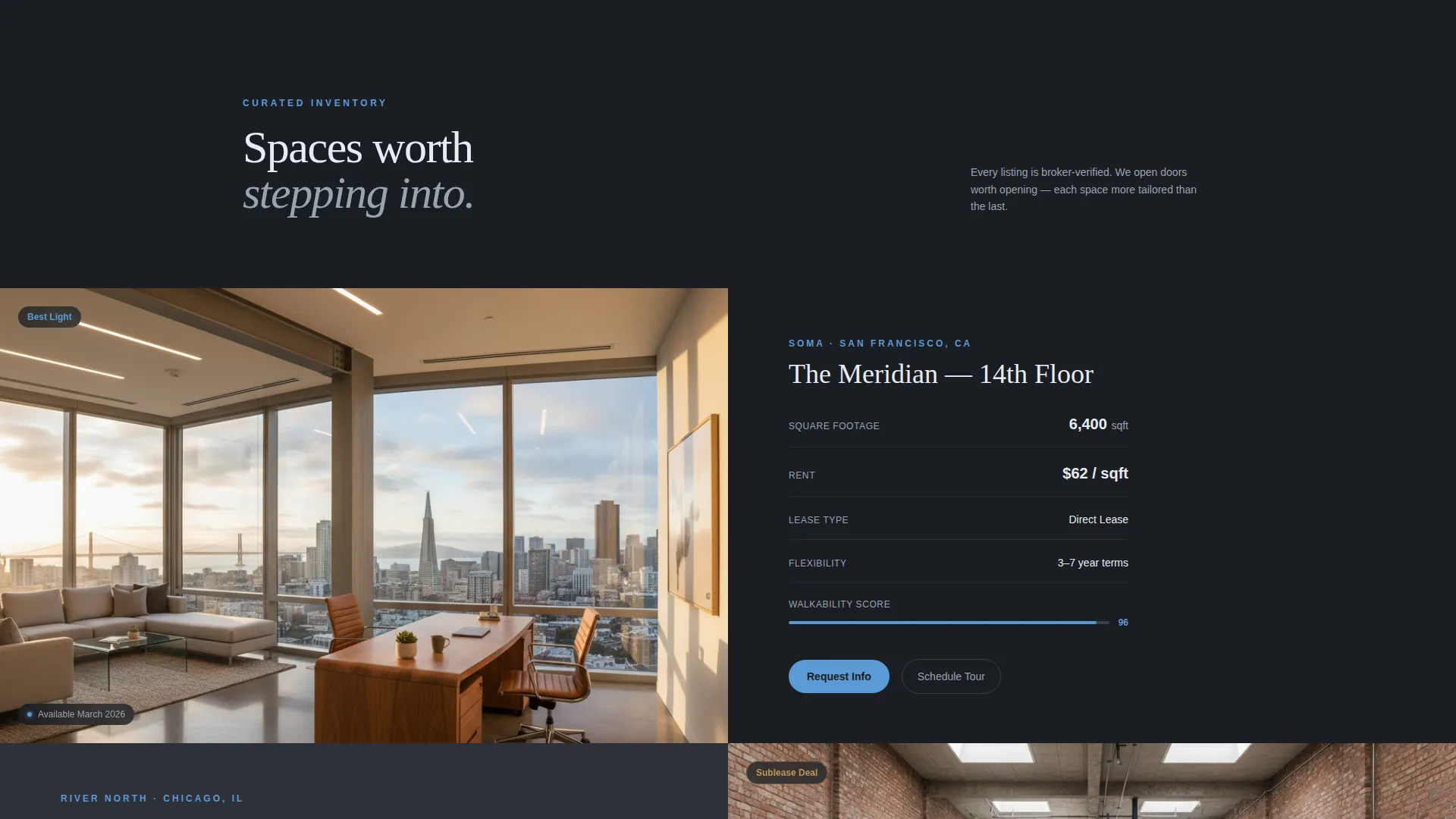
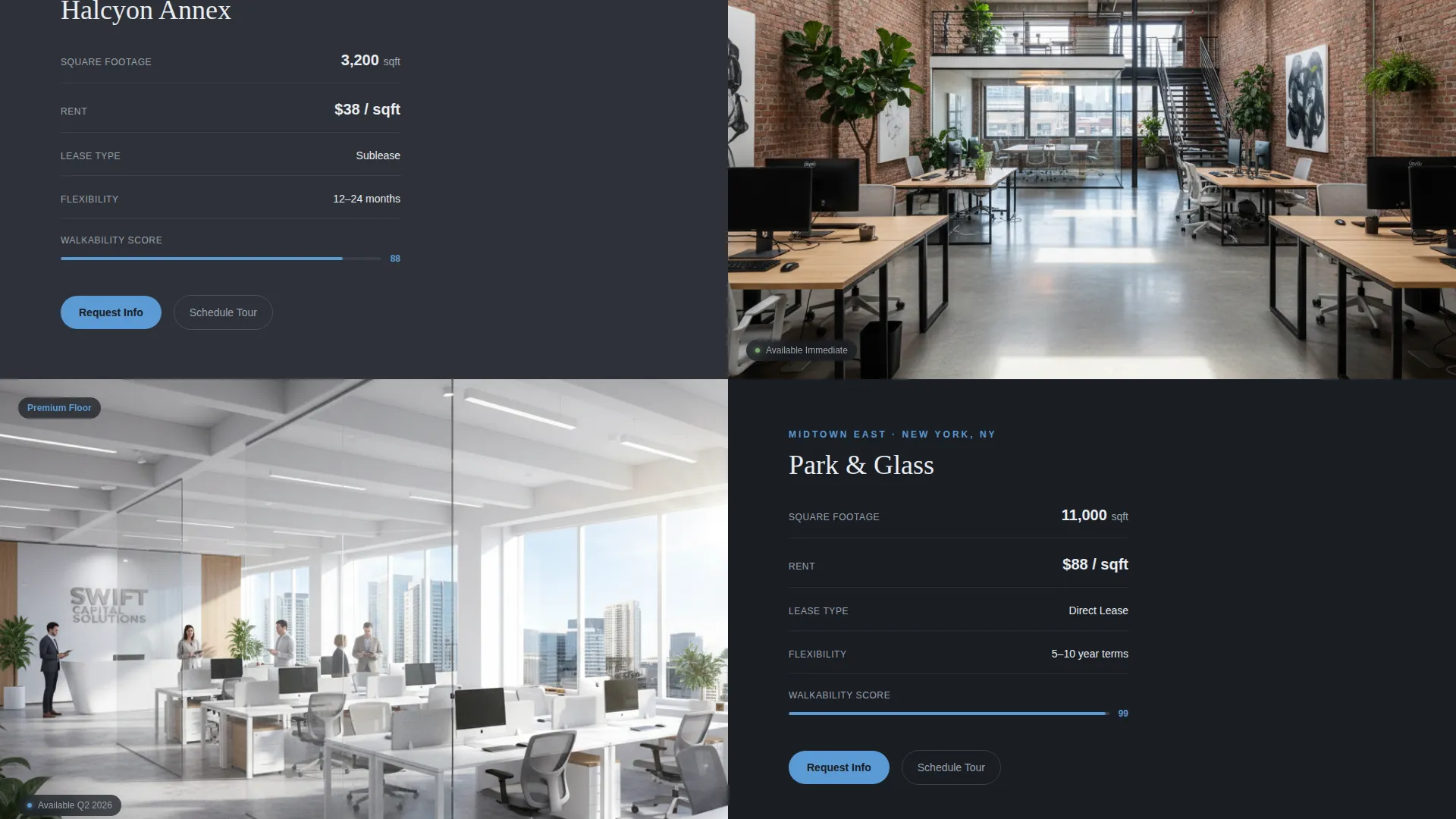
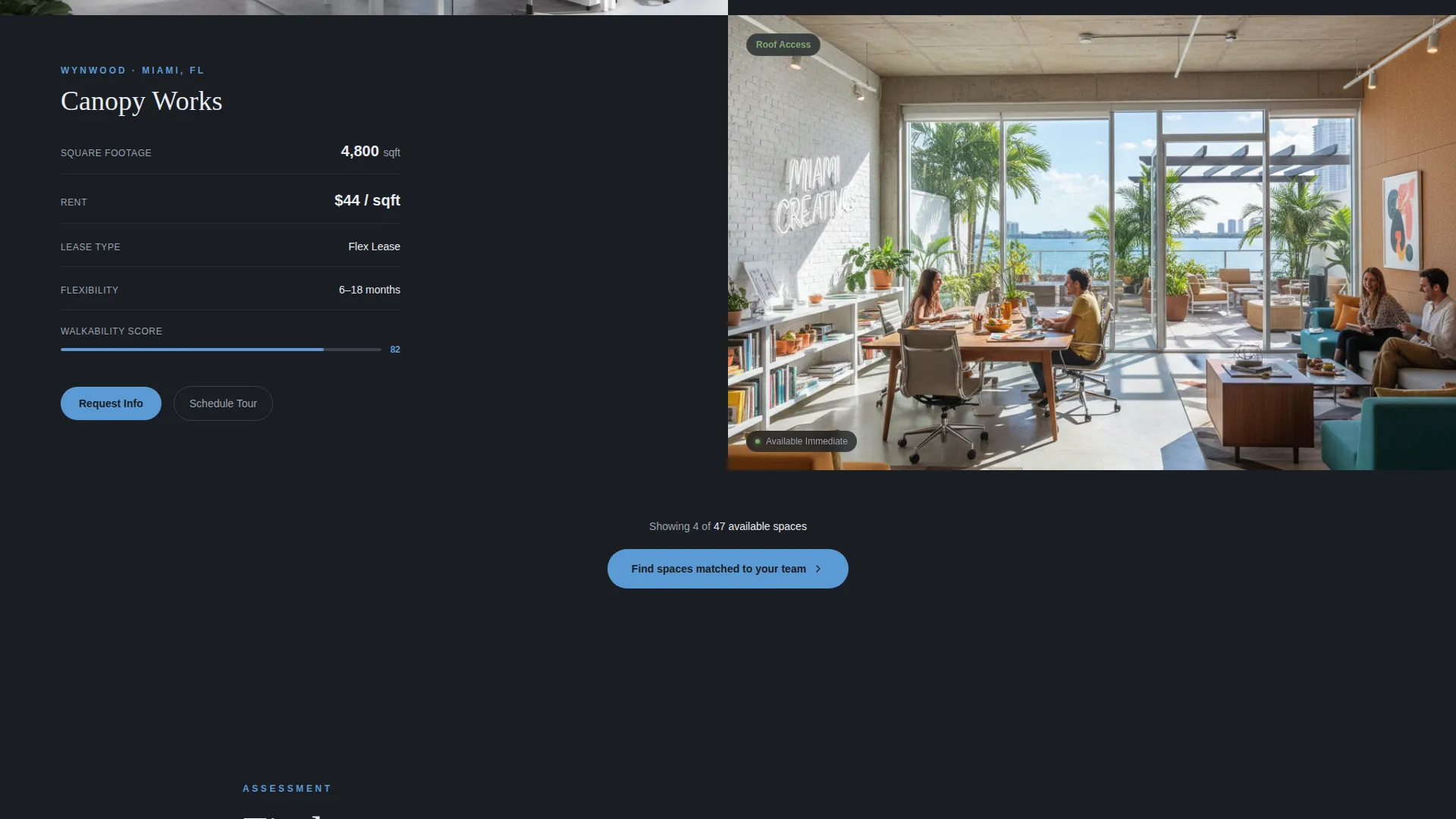
- A scrolling gallery section pairing cinematic listing photographs with clean spec panels
- A five-step qualifying assessment with a cerulean progress bar and a calendar-embed fallback path
Feature list
This template ships with six purpose-built sections that work together as a single guided experience. Each component earns the next scroll.
Split-Screen Location Header
The header divides the viewport into two equal halves. The left side holds a slowly panning desaturated aerial photograph of a city skyline at dusk. The right side presents a single search field with autofill that recognizes neighborhoods, zip codes, and landmark buildings. Three clickable location tags pulse softly below the input field.
Cinematic Gallery Walk
After a location is entered, the page scrolls into a curated sequence of office listings. Each listing occupies its own split panel: a large, low-angle photograph capturing volume and natural light on one side, and a clean typographic spec stack on the other. The spec panel shows rent per square foot, lease flexibility, and walkability score.
Five-Step Lead Assessment
The primary call to action launches a structured five-step assessment. Steps cover team headcount, preferred neighborhood, must-have amenities, lease length comfort, and monthly budget range. Each step fills one screen, and a cerulean progress bar tracks how far the visitor has come.
Amenity Checkbox Selection
Inside the assessment, visitors choose their must-have amenities from a set of checkboxes. Options include natural light, private entrance, roof access, and bike storage. This structured input replaces a freeform text field and makes every lead immediately actionable.
Broker Calendar Shortcut
A persistent secondary call to action labeled "Talk to a Broker" is available at every point during the assessment. Tapping it opens a calendar embed so impatient prospects can book time directly without completing all five steps.
Clickable Neighborhood Tags
Three soft-pulse tags sit beneath the location search field: Downtown, Midtown, and Flex/Suburban. Each tag acts as a one-tap shortcut that pre-fills the location input, reducing friction for visitors who already know their general target area.
Page sections overview
| Section | Purpose |
|---|---|
| Split-screen header | Location search entry point with autofill and neighborhood tags |
| Gallery listing one | First curated office space with photograph and spec panel |
| Gallery listing two | Second curated listing narrowing toward visitor preference |
| Gallery listing three | Third listing deepening inventory proof before the assessment |
| Find Your Fit assessment | Five-step qualifier covering headcount, neighborhood, amenities, lease, and budget |
| Talk to a Broker | Calendar embed shortcut for direct broker booking |
Design & branding system
The visual identity follows a Dark Immersive theme built around a cool, architectural color system. The palette is inspired by the mood of a floor-to-ceiling office window on an overcast morning.
- Base colors: deep charcoal (#1A1D23) and muted graphite (#2E3138) for backgrounds and panels
- Text and surface tones: soft cloud white (#E8ECF1) for all primary type and content areas
- Accent color: pale cerulean (#5B9BD5) used exclusively for interactive elements, hover states, progress bars, and pulsing tags
Mobile & speed optimization
The layout is designed to translate cleanly from a wide desktop split screen to a stacked single-column view on smaller screens. The cinematic photography and full-panel sections are structured to maintain visual impact at any viewport width.
- Split panels stack vertically on mobile so both the photograph and spec copy remain fully readable
- The five-step assessment is one screen per step, which works naturally on touch devices
- The calendar embed path provides a fast exit route for mobile visitors who prefer a direct booking over a multi-step flow
How this template helps you convert
Floorplan converts by building confidence before asking for anything. The gallery proves inventory depth, and the assessment collects qualification data without feeling like an interrogation.
- The location search and gallery sequence establish trust and relevance before any lead form appears, so visitors arrive at the assessment already engaged.
- The five-step assessment structures the qualification conversation upfront, giving brokers cleaner leads and giving prospects a sense that their specific needs are being taken seriously.
Other information about this template
Floorplan fits naturally into the commercial real estate investment and office leasing space. It is particularly effective for markets where sublease opportunities, flexible lease terms, and neighborhood-level targeting are strong selling points.
- The template suits brokerages operating in softening downtown markets where sublease inventory and lease flexibility are key differentiators
- The gallery-and-assessment structure supports a lead generation flow without requiring any additional pages or external tools beyond the calendar embed
- The Dark Immersive theme and Cloud Canvas color system give the template a premium, architectural feel that positions the brokerage above standard listing portals

Theme
Dark Immersive
Creative direction
Gallery Walk
Color system
Sunset Mesa
Style
Gallery + Detail
Direction
Lead Generation
Page Sections
Split-screen Location Search Header
Cinematic Gallery Walk Layout
Five-step Lead Assessment
Amenity Checkbox Selection
Broker Calendar Embed Shortcut
Dark Immersive Color System
Related questions
Can I customize the listing photographs in the gallery?
How does the five-step assessment collect lead information?
What if a visitor does not want to complete the full assessment?
Is this template built for a single brokerage or a larger operation?
Can the neighborhood tags be updated to match my target markets?



