Singapore Local Booking Website Template
Turf is an editorial-style landing page template built for Singapore landed-property lawn care services. It combines a Giant Headline Centered header, an Expert Panel scroll experience, and a three-step inline booking scheduler. The Cloud Canvas color system and clean serif typography give it the quiet authority of a specialist gardening journal, designed to turn serious homeowners into booked assessments.
by Rocket studio
Quick summary
Turf is a single-page template for tropical lawn care services targeting Singapore's landed-property market. It opens with a bold centered headline, scrolls through expert knowledge panels featuring named crew members, and closes every session with a friction-free booking flow. The design feels like a calm gardening editorial, not a sales brochure.
Who this template is for
This template is built for lawn care and landscaping professionals who work with private residential clients in Singapore. It suits operators who want to position themselves as knowledgeable specialists rather than budget contractors.
- Lawn care crews servicing bungalows, semi-detached houses, terraced houses, and black-and-white colonial rentals
- Property agents who need a camera-ready lawn arranged quickly before a sale listing goes live
- Expat families on monthly maintenance plans who want simple, commitment-light scheduling
What problem this template solves
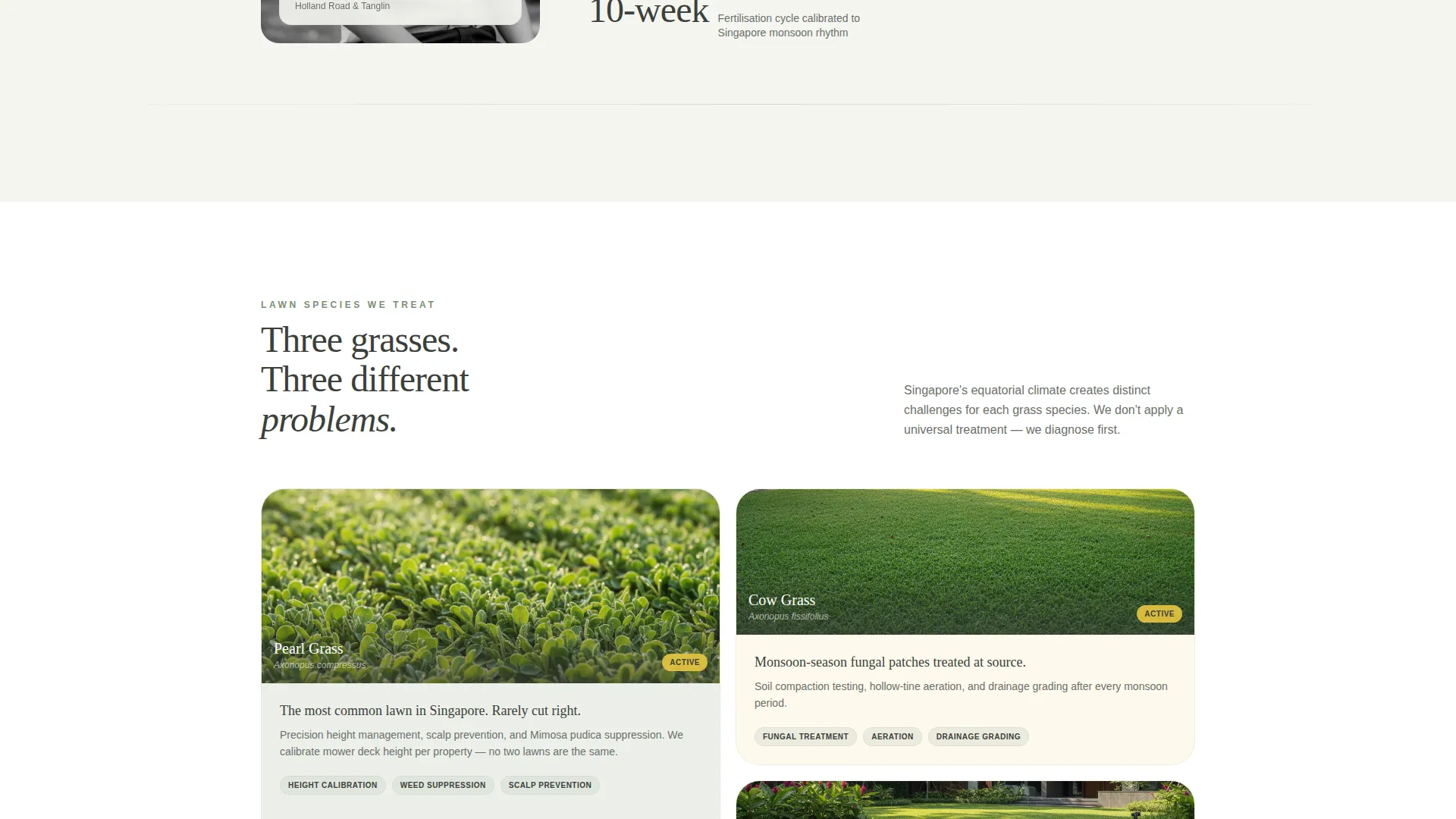
Generic landscaping pages look identical whether they serve HDB void decks or private Bukit Timah estates. Landed-property homeowners in Singapore have specific turf problems, Pearl grass scalping, Cow grass fungal patches after monsoon rain, Zoysia edging on narrow borders, and they trust crews who can name those problems clearly.
- Visitors leave pages that feel too broad and too salesy, with no evidence of local knowledge
- Booking friction caused by price-first pages that push a quote before a relationship is built
- A weak first impression that fails to distinguish specialist tropical lawn care from generic garden maintenance
What you get with this template
The template delivers a fully structured landing page that moves visitors from curiosity to a booked assessment in three clean steps. Every section is purposeful and editorially grounded.
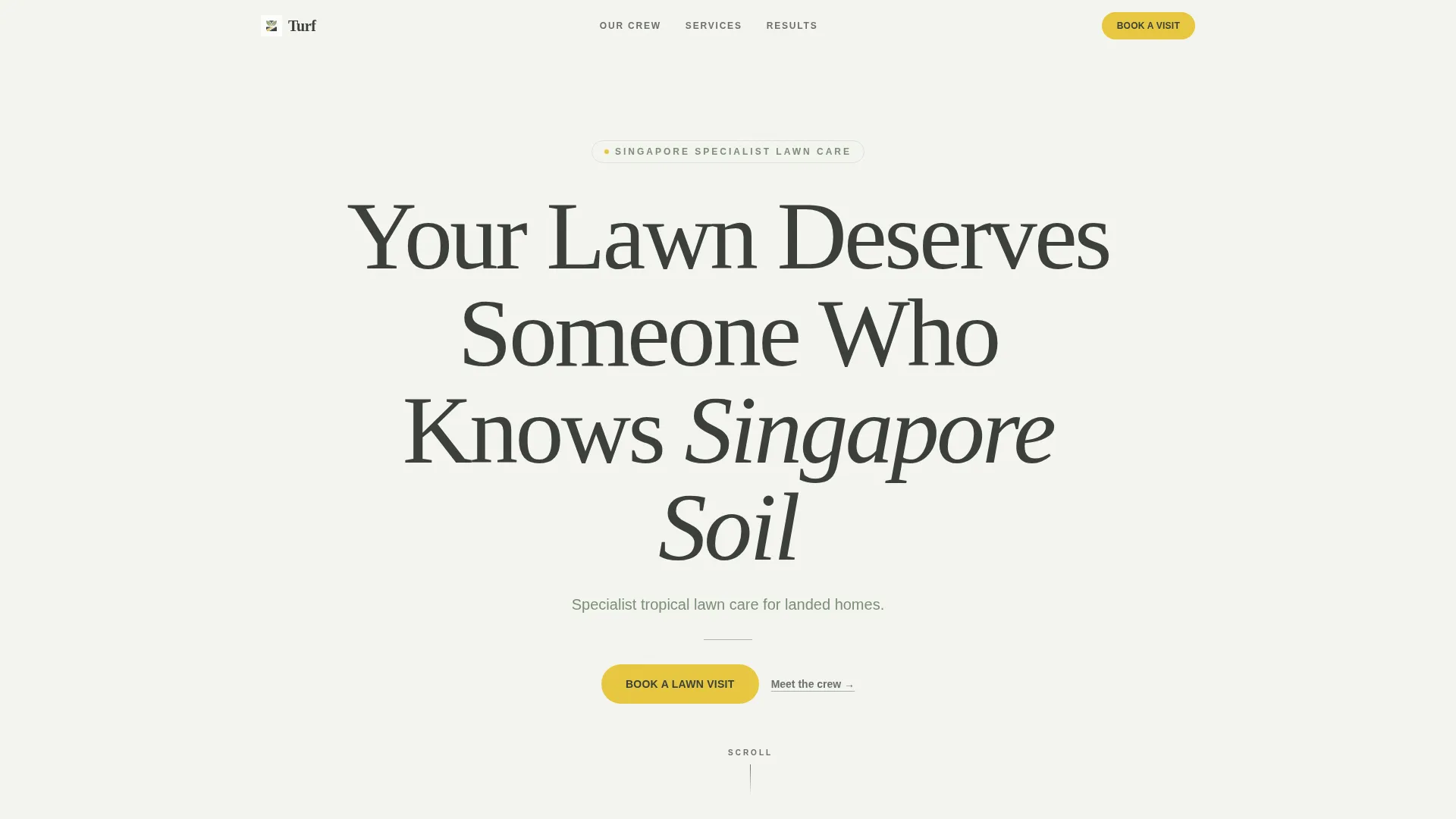
- A Giant Headline Centered header with a single subhead, horizontal rule, and a frangipani-yellow call-to-action button
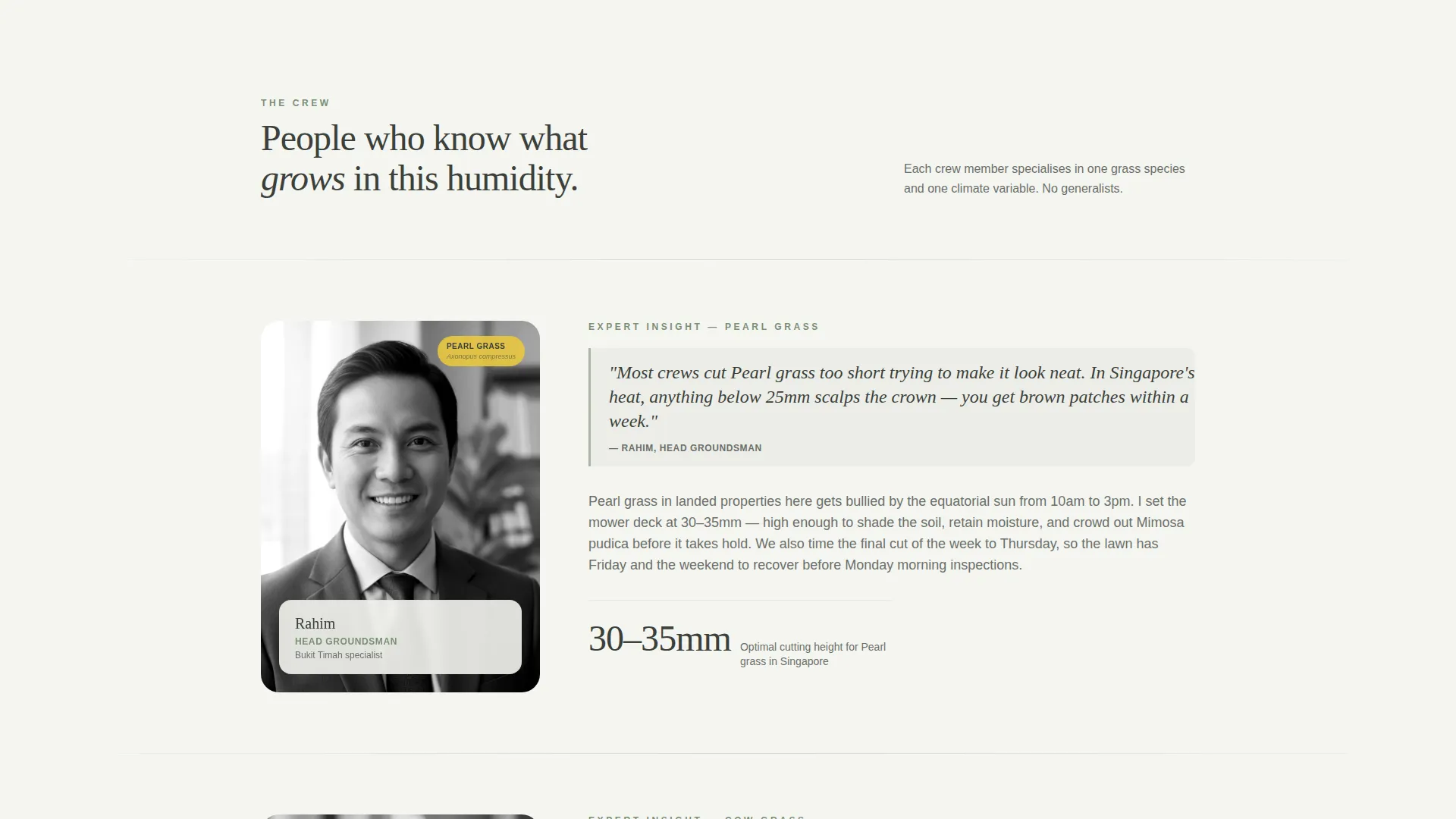
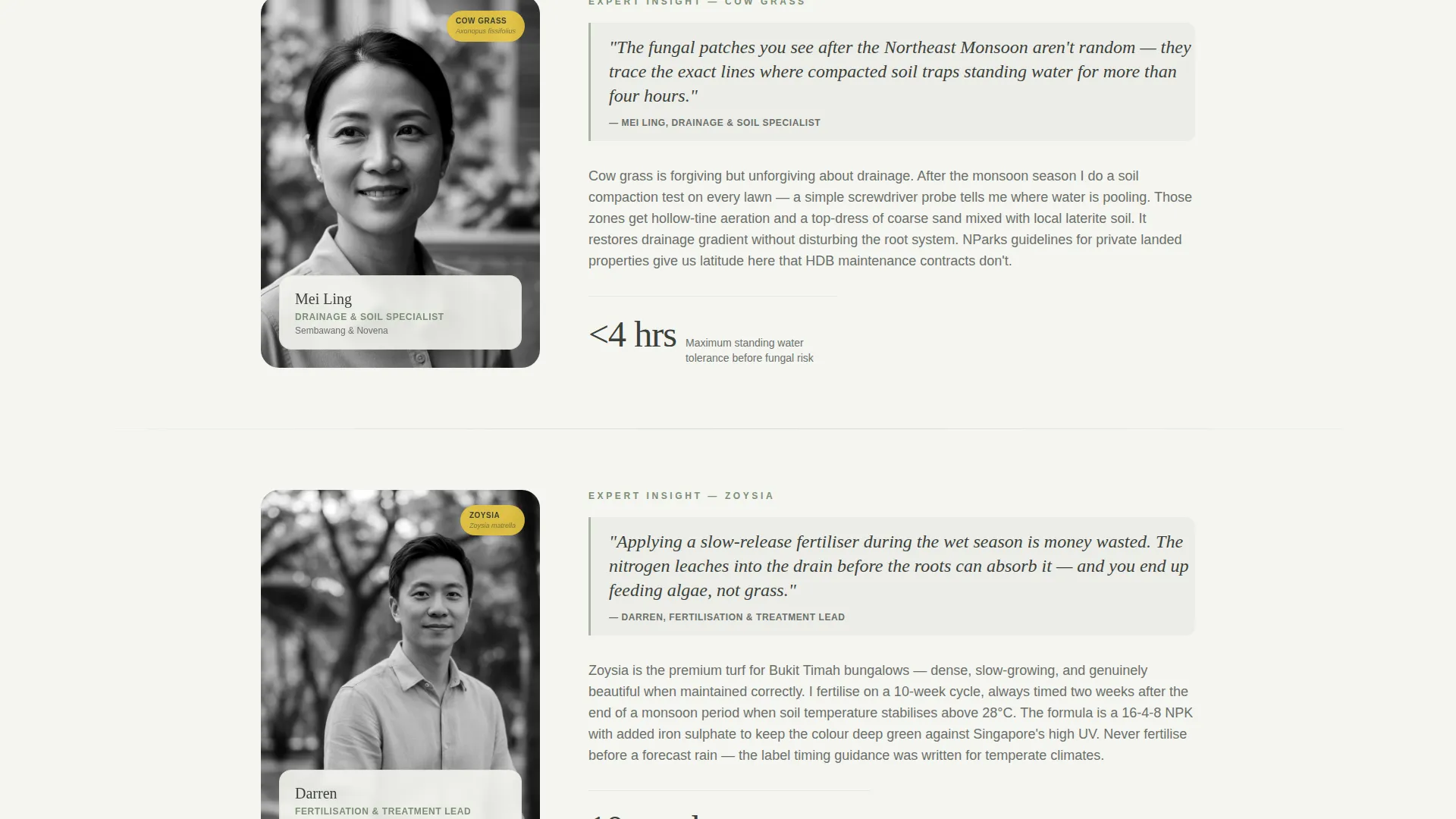
- An Expert Panel scroll section with named crew members, black-and-white portrait placeholders, and single-paragraph knowledge blocks
- A three-step inline booking scheduler covering property type, calendar slot selection, and optional photo upload
Feature list
A brief overview of the core capabilities built into this template, each grounded in the source brief.
Giant Headline Centered Header
The page opens with a large serif headline set against a soft overcast-white background. A one-line sage subhead, a thin horizontal rule, and a single yellow button sit directly beneath it. The layout has the confident stillness of a magazine cover.
Expert Panel Knowledge Blocks
Each scroll section is introduced by a crew member's first name, role title, and one focused paragraph on a specific Singapore lawn problem. Black-and-white portrait placeholders sit beside the text like contributor headshots in a broadsheet column. Visitors scroll because each panel teaches something useful.
Three-Step Inline Scheduler
Clicking the booking button opens a sequential inline form. Step one collects property type. Step two shows a calendar widget with available two-day assessment windows. Step three offers an optional photo upload so the crew arrives prepared.
Sticky Mobile Booking Bar
On smaller screens, a persistent bottom bar keeps the primary call to action visible at all times. Visitors never need to scroll back to the top to book a visit.
Cloud Canvas Color System
The palette uses soft overcast white for backgrounds, wet-earth charcoal for body text, rain-washed sage for dividers and pull-quote blocks, and tropical frangipani yellow reserved strictly for buttons and scheduling selectors. The result feels muted, grounded, and quietly competent.
No-Price Positioning Layout
The page deliberately withholds pricing and frames the initial visit as a free assessment. This reduces commitment friction and positions the crew as trusted assessors rather than vendors competing on rate.
Page sections overview
| Section | Purpose |
|---|---|
| Centered Headline Header | Anchors brand voice and frames the specialist proposition |
| Subhead and Rule | Provides context and creates visual breathing room |
| Primary call to action Button | Drives the first booking action above the fold |
| Expert Panel: Rahim | Demonstrates Pearl grass and scalping-height knowledge |
| Expert Panel: Mei Ling | Covers monsoon drainage grading insight |
| Expert Panel: Darren | Shares tropical fertiliser timing expertise |
| Inline Booking Scheduler | Captures property type, slot, and lawn photo |
| Sticky Mobile Bar | Keeps booking call to action accessible on small screens |
Design & branding system
The visual identity follows a Service Utility theme expressed through the Cloud Canvas color system. Every color choice is deliberate and tied to a specific function on the page.
- Soft overcast white (#F4F5F0) as the primary page background, rain-washed sage (#A8B5A2) for section dividers and pull-quote blocks, and wet-earth charcoal (#3B3F3A) for all body text
- Tropical frangipani yellow (#E8C840) used exclusively for buttons and scheduling selectors, ensuring the call to action is always the brightest element on screen
- Clean serif typography for headlines and a restrained type scale that keeps the page feeling like a printed gardening journal, not a promotional flyer
Mobile & speed optimization
The template is structured to keep the booking path short and thumb-friendly on mobile devices. No hero image competes with the headline, which reduces visual load at the top of the page.
- Sticky bottom bar keeps the "Book a Lawn Visit" button permanently visible on mobile without interrupting the reading flow
- The three-step inline scheduler is compact and sequential, so mobile visitors complete the form without switching screens or scrolling excessively
- Portrait placeholders and text blocks are stacked cleanly for single-column mobile reading
How this template helps you convert
The conversion strategy is built around trust-first sequencing. Visitors learn before they are asked to act.
- The Expert Panel panels build credibility organically as visitors scroll, so by the time they reach a call to action they already feel confident in the crew's local knowledge.
- The free-assessment framing removes the price barrier entirely, lowering the commitment threshold and attracting serious homeowners who are ready to qualify themselves through the booking flow.
Other information about this template
This template is designed specifically for the Singapore residential lawn care market and the nuances of tropical turf species common to the region.
- The template references Pearl grass, Cow grass, and Zoysia as the three primary turf species addressed by the crew's expertise, reflecting the actual grass varieties common to Singapore private estates
- NParks guidelines and HDB-adjacent drainage codes are referenced in the brief as knowledge areas covered by the Expert Panel, reinforcing the template's local regulatory awareness
- The editorial tone and black-and-white portrait style are inspired by broadsheet gardening columns, distinguishing this page from standard service-industry templates
- This template suits landed-property postcodes such as Bukit Timah and Sembawang, where private garden maintenance is a recurring homeowner need
Theme
Executive Suite
Creative direction
Expert Panel
Color system
Plum Executive
Style
Split Screen (50/50)
Direction
Lead Generation
Page Sections
Giant Headline Centered Header
Expert Panel Knowledge Blocks
Three-step Inline Scheduler
Sticky Mobile Booking Bar
No-price Assessment Framing
Cloud Canvas Color System
Related questions
Who is this landing page template designed for?
Does the booking scheduler require backend setup?
Can I update the crew member names and portrait images?
Is pricing shown anywhere on the page?
Can this template work for lawn care services outside Singapore?



