Flow — Authoritative Waste Management Landing Page Template
Pump is a split-screen landing page template built for Miami-Dade septic service companies. It pairs crew portraits with credentials on one side and a three-step booking form on the other. The Navy Authority color system, giant headline, and sticky mobile call-to-action give the page the authority and immediacy that property managers, restaurant owners, and homeowners need when the problem is underground and urgent.
by Rocket studio
Quick summary
Pump is a single-page, split-screen landing page template for Miami-Dade septic service providers. It opens with a commanding all-caps headline, introduces the crew face by face, and drives visitors directly into a three-step booking form. The design feels like a clean professional showing up at your door before you even had to ask.
Who this template is for
This template is built for septic and drain-field service companies operating in Miami-Dade County. It speaks directly to the people who pick up the phone when something goes wrong underground.
- Property managers overseeing multiple rental units with aging septic systems
- Restaurant owners preparing for or responding to health department inspections
- Homeowners dealing with drain-field odor or backup after heavy rain
What problem this template solves
Most local service pages look generic. Visitors can't tell who they're hiring, what the process looks like, or whether the company even covers their address. That uncertainty costs calls.
- No face or team identity, making the company feel like a faceless contractor
- No clear booking path, leaving urgent callers to hunt for a phone number or form
- No proof of local expertise, especially for a regulated market like Miami-Dade
What you get with this template
You get a fully structured landing page ready to represent a professional septic service. Every section has a defined purpose and a place in the conversion flow.
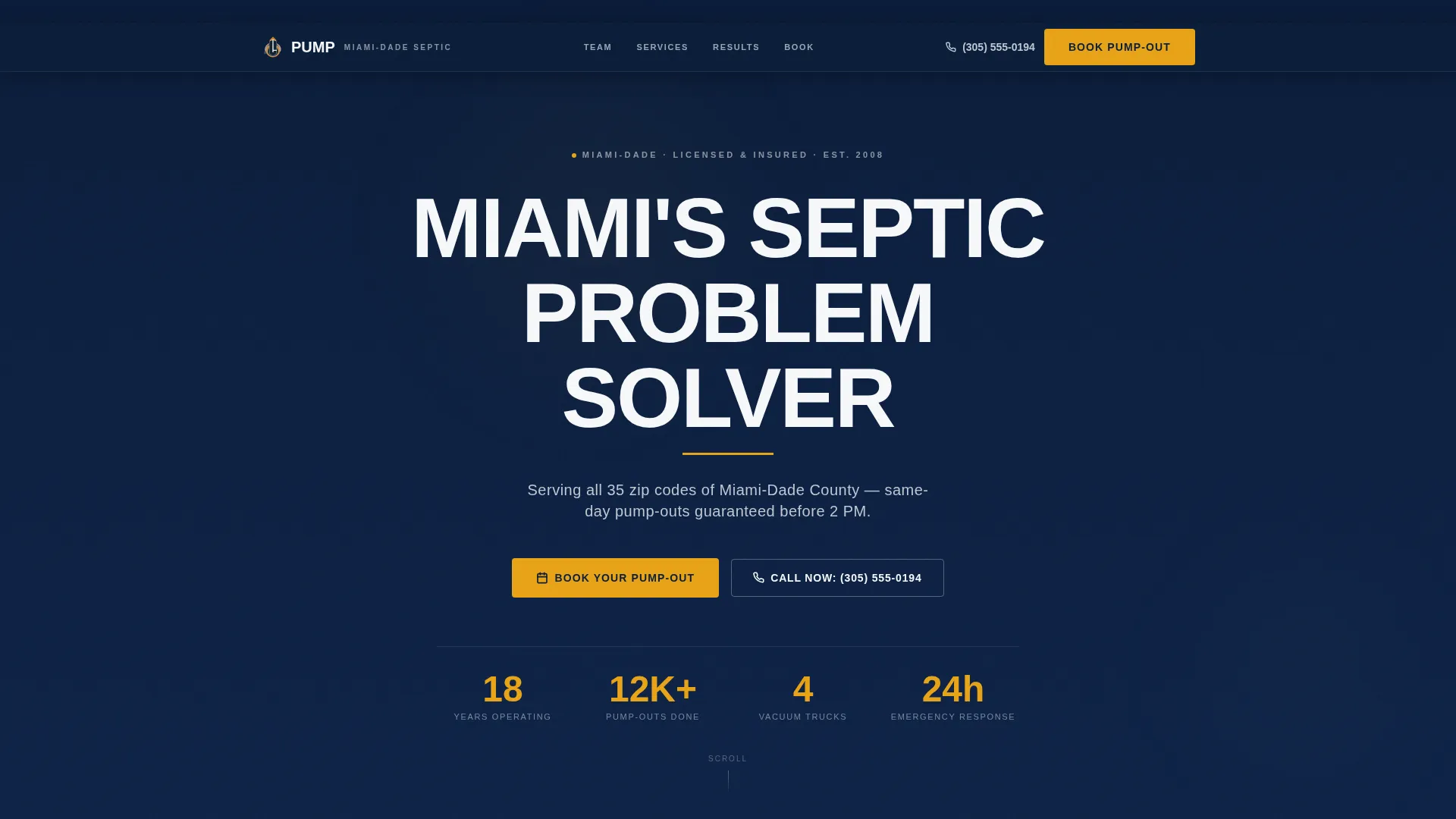
- A giant centered headline block with an amber underline rule and a one-line service-area subhead
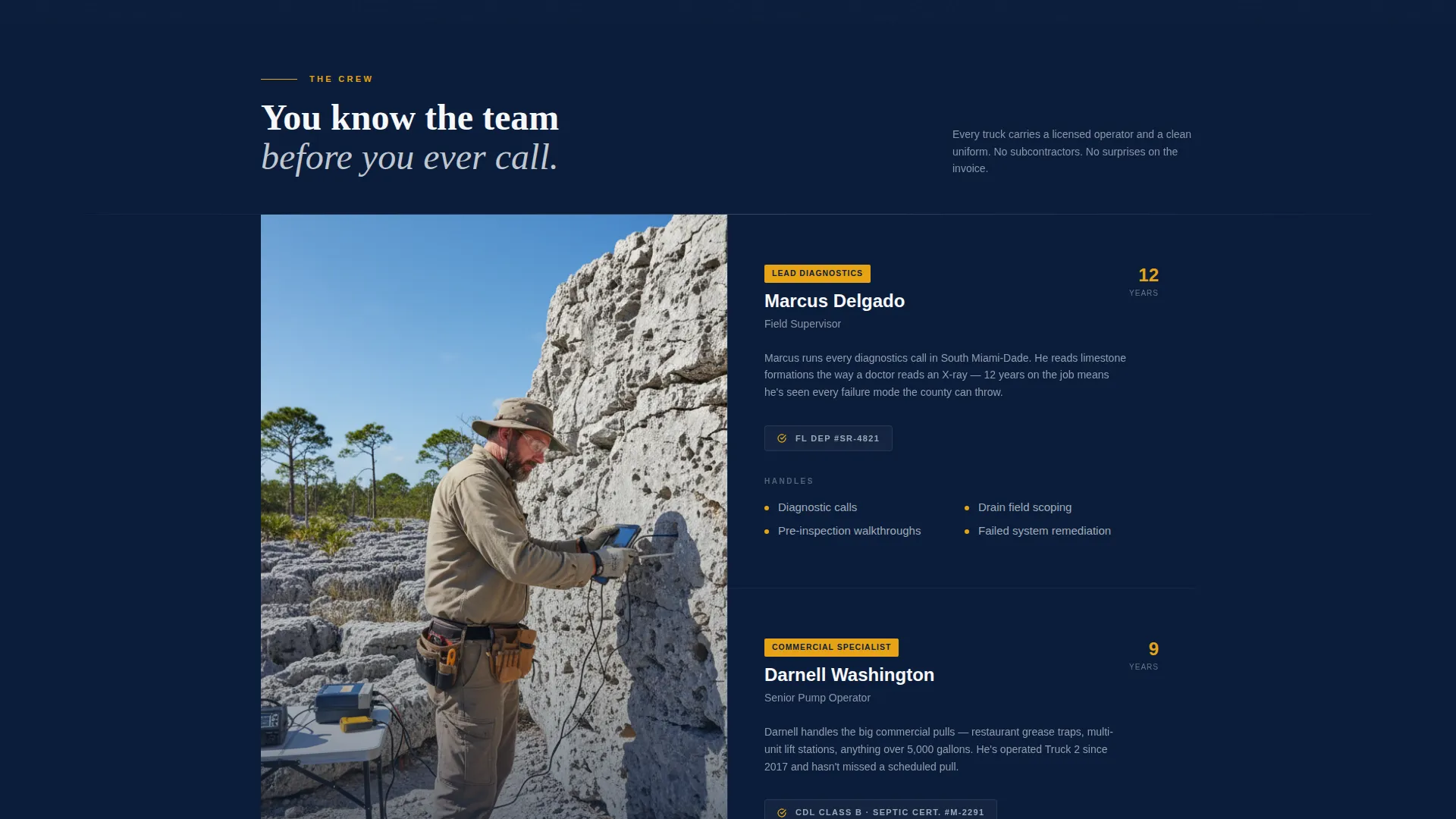
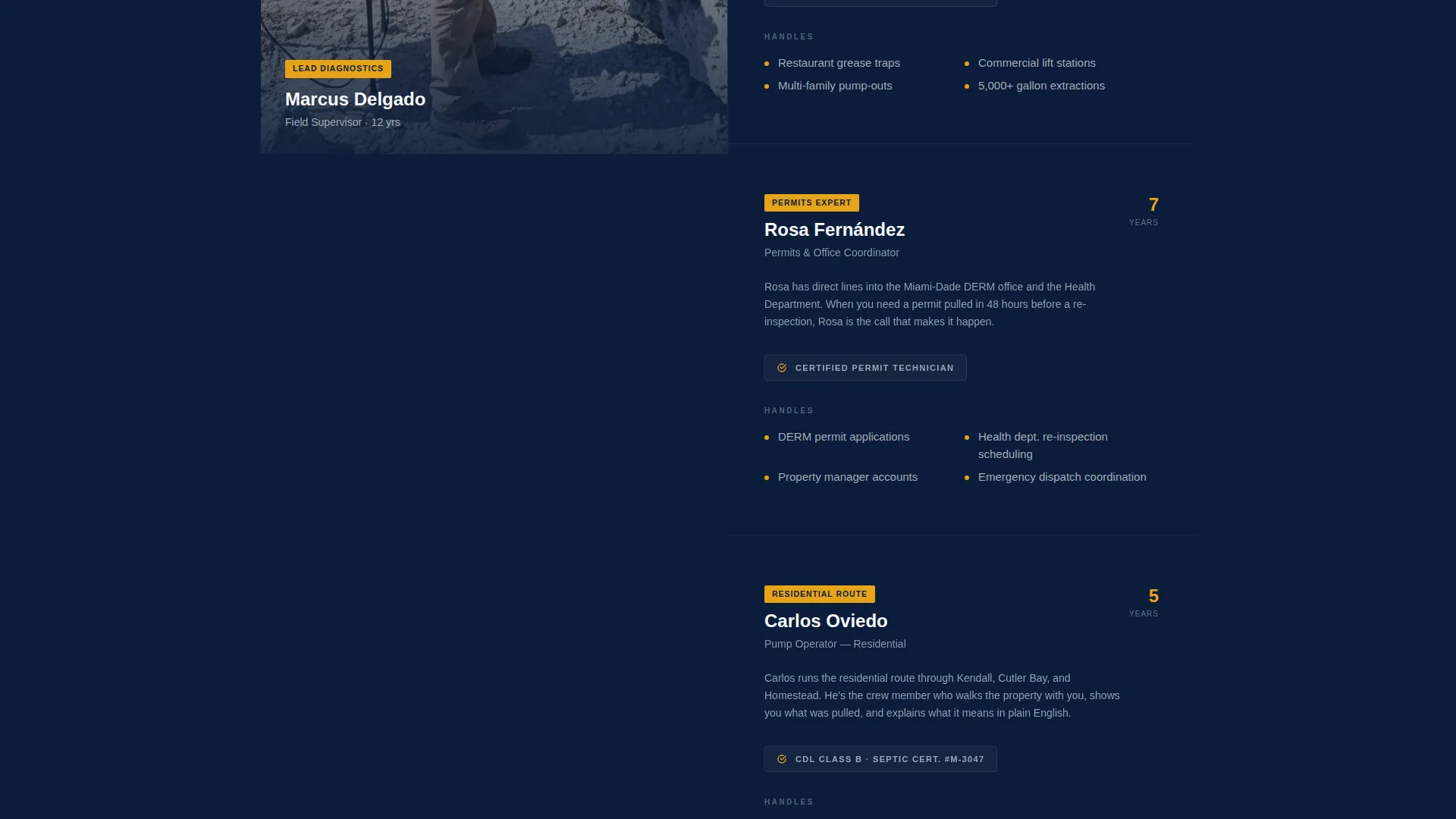
- A scrolling split-screen crew section pairing staff portraits with credentials and role descriptions
- A three-step booking form covering address validation, service type selection, and date picking
Feature list
This template is built around a small set of purposeful components. Each one does specific work toward getting a visitor to book or call.
Giant Centered Headline Block
The hero opens with all-caps white type set enormous against deep navy (#0B1D3A). A single hazard amber (#E8A317) underline rule sits beneath the headline. The scale communicates authority the same way lettering on the side of a service truck does.
Split-Screen Crew Presentation
The left panel locks on portraits of crew members in clean uniforms standing beside their rigs. The right panel carries each person's credentials, years of service, and specific role. Each scroll transition introduces the next team member, building trust before any form is filled.
Three-Step Booking Form
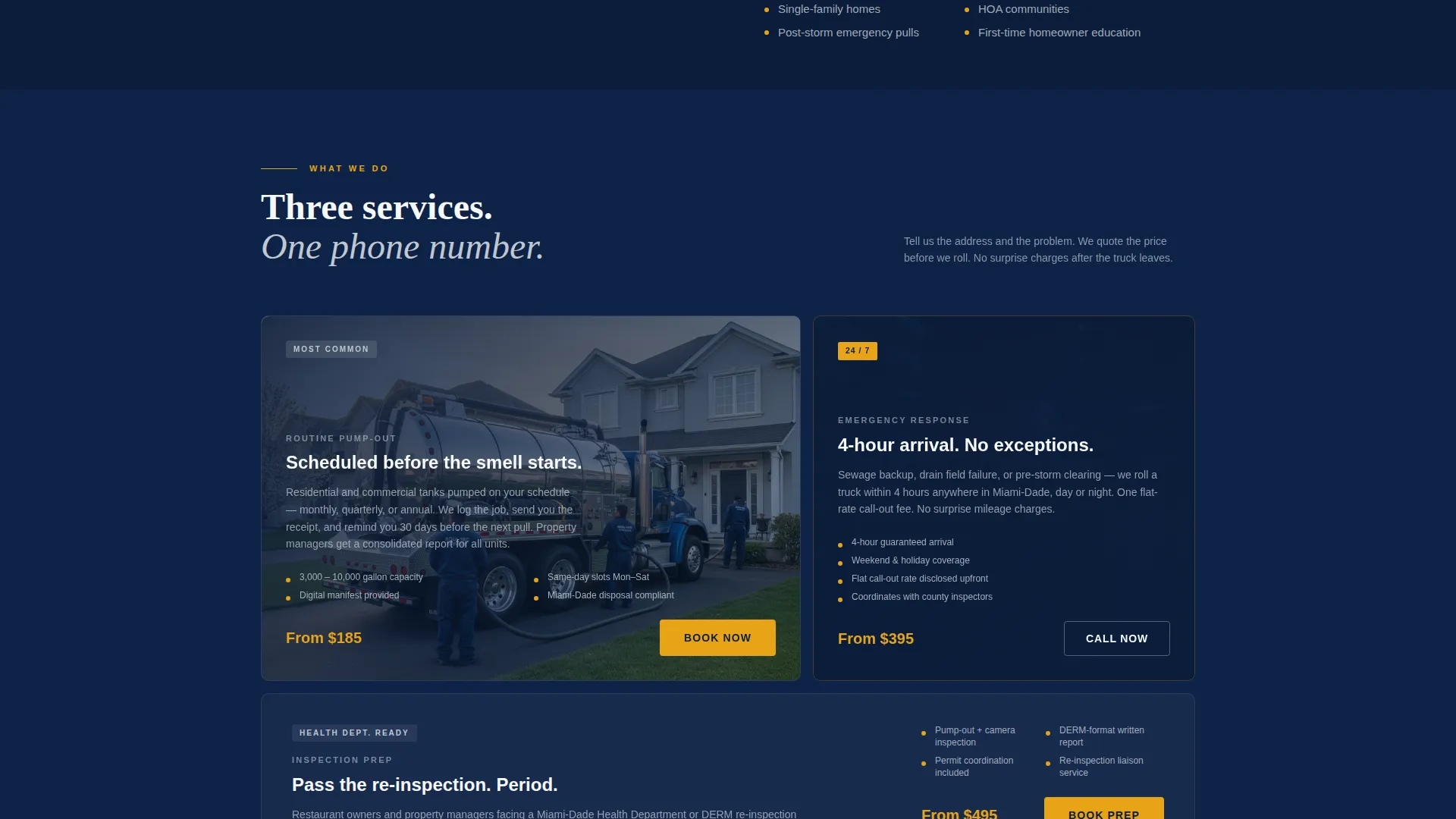
The booking flow is broken into three clear steps: a service address field with zip-code validation for Miami-Dade coverage, a service type toggle for routine pump-out, emergency service, or inspection preparation, and a preferred date picker showing next-available slots.
Dual Call-to-Action System
A primary "Book Your Pump-Out" button in amber on navy appears beneath the header. A secondary "Call Now" tap-to-dial link sits beside every call-to-action for visitors who need same-day help rather than a scheduled slot.
Sticky Mobile Bottom Bar
On mobile, the primary booking call-to-action persists as a fixed bottom bar. Visitors never have to scroll back up to take action, which matters most when someone is standing in a wet backyard.
Navy Authority Color System
The palette uses deep dress-blue for hero and section backgrounds, polished chrome silver for subheadings and rule lines, bright compliance white for text and card surfaces, and hazard amber reserved exclusively for calls-to-action and status indicators.
Page sections overview
| Section | Purpose |
|---|---|
| Hero Headline Block | Establish authority and name the service area |
| Service Area Subhead | Confirm Miami-Dade coverage and the guarantee |
| Crew Portrait Panel | Build trust through named, credentialed staff |
| Credentials Detail Panel | Show role, experience, and specialization per crew member |
| Booking Form Steps | Capture address, service type, and preferred date |
| Sticky Mobile Bar | Keep the primary call-to-action visible while scrolling |
| Secondary Call Path | Provide tap-to-dial access beside every call-to-action |
Design & branding system
The visual identity follows an Executive Suite theme. The palette is dark, clean, and designed to read as unmistakably professional against the Miami sun.
- Deep dress-blue (#0B1D3A) for hero backgrounds and primary section fills
- Polished chrome silver (#C0C7D1) for subheadings and decorative rule lines, with compliance white (#F7F8FA) for body text and card surfaces
- Hazard amber (#E8A317) used exclusively for call-to-action buttons and status indicators
Mobile & speed optimization
The template is structured for small-screen use cases, because a homeowner noticing a problem on a Saturday morning is almost always on a phone.
- Sticky bottom bar keeps the booking call-to-action fixed at the bottom of the screen throughout the entire scroll
- Tap-to-dial secondary link allows immediate phone contact without navigating away from the page
- Split-screen layout adapts to a single stacked column on mobile so crew portraits and credentials remain readable
How this template helps you convert
Every layout decision in this template is aimed at moving a hesitant visitor toward a booked appointment or a phone call.
- The giant headline and amber underline create immediate visual authority, reducing the instinct to keep searching for another provider.
- The face-by-face crew section replaces anonymous contractor anxiety with named, credentialed individuals the visitor feels they already know.
- The three-step form removes friction by breaking the booking process into small, clearly labeled stages rather than presenting a long single form.
Other information about this template
This template is part of a broader set of professional services landing page designs built for local service markets. A few additional points worth noting:
- The template style is Split Screen (50/50), making it well suited for services where showing the team visually is as important as listing the service details
- The booking form includes a zip-code validator scoped to Miami-Dade County, so the business only receives inquiries from within its actual service area
- The page is designed as a single-page flow, not a multi-page site, keeping all conversion elements within one scrollable experience
- The template can support any Miami-area septic, drain-field, or pump-out service company that needs to establish credibility quickly with a new visitor
Theme
Legal Shield
Creative direction
Testimonial Mosaic
Color system
Charcoal & Amber
Style
Split Screen (50/50)
Direction
Content/Resource
Page Sections
Giant Centered Headline Block
Split-screen Crew Presentation
Three-step Booking Form
Dual Call-to-action System
Sticky Mobile Bottom Bar
Navy Authority Color System
Related questions
Who is this landing page template designed for?
What does the three-step booking form include?
Can visitors call directly instead of booking online?
How does the crew section help build trust with new visitors?
Is this template designed as a single page or a full website?



