Certified Septic System Landing Page Template
Drain is a single-column landing page template built for Mumbai septic service providers. It uses a case study narrative format to educate housing society chairmen, restaurant owners, and builders before earning their click. The deep brinjal and aged brass visual system projects quiet municipal authority, while brass-accented calls to action guide visitors toward a dedicated booking page.
by Rocket studio
Quick summary
Drain is a single-column flow landing page template for Mumbai-based septic tank and drainage services. It unfolds three real-job case studies, each building the visitor's understanding before presenting a brass-accented booking call to action. The Educational Guide theme and Plum Executive color system give the page the sober authority of a municipal engineer's office.
Who this template is for
This template is built for septic and drainage service businesses operating in Mumbai's dense urban environment. It speaks directly to clients who face compliance deadlines, building complaints, and emergency pump-outs.
- Housing society chairmen dealing with late-night overflow complaints and aging tank infrastructure
- Restaurant and food-service owners who need to demonstrate grease trap compliance for Brihanmumbai Municipal Corporation (BMC) health inspections
- Builders and developers seeking pre-occupation clearance certificates before handing over new construction
What problem this template solves
Most septic service providers look identical online: a phone number, a price list, and a stock photo of a truck. That sameness destroys trust with clients who are already under pressure. This template solves the credibility gap.
- It replaces generic service claims with specific, narrative-driven case studies that mirror the visitor's own situation
- It removes friction by keeping the landing page education-only, sending motivated visitors to a dedicated booking page rather than trapping them in an on-page form
- It addresses the reality that Mumbai conversions happen on WhatsApp, so a floating bottom bar with a direct WhatsApp icon appears at the right scroll depth
What you get with this template
You get a fully structured single-column landing page designed around three escalating service scenarios. Every visual and copy element is pre-configured to the Plum Executive color system.
- A giant centered headline section, three scrollable case study narrative blocks, a floating conversion bar, and brass-accented call-to-action buttons throughout
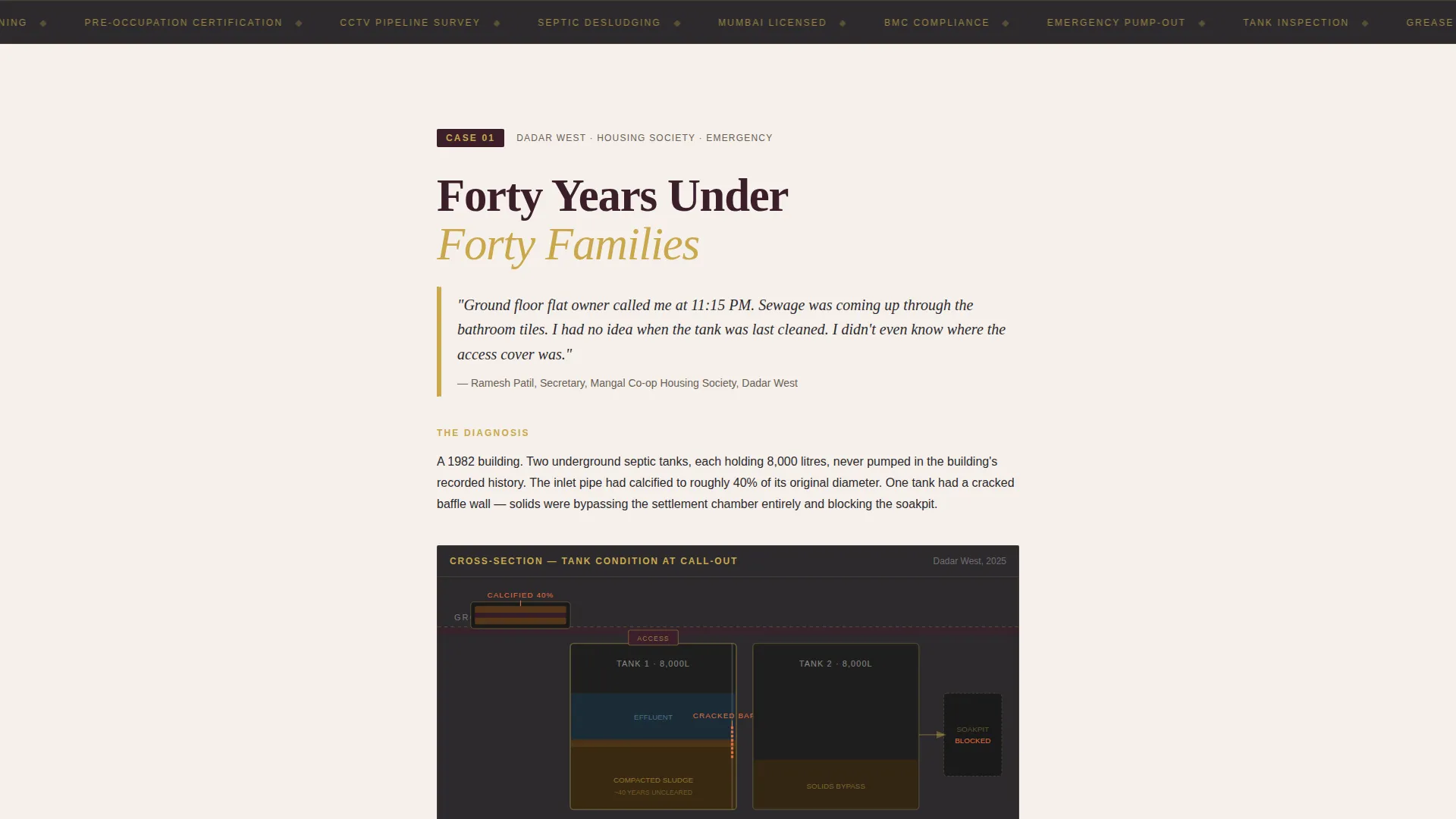
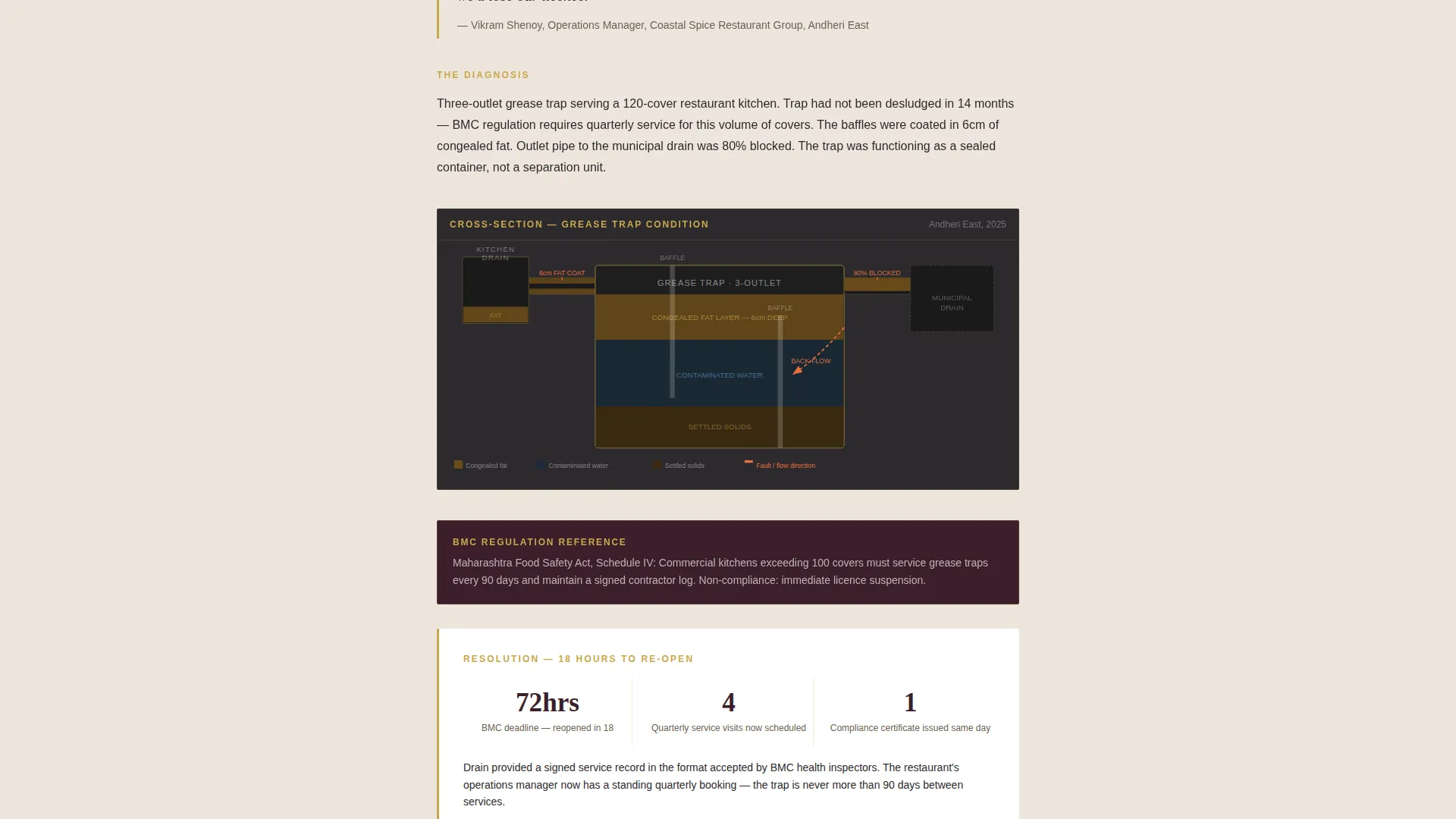
- Cross-section diagram placeholders within each case study, sized for blockage-point and tank-condition visuals
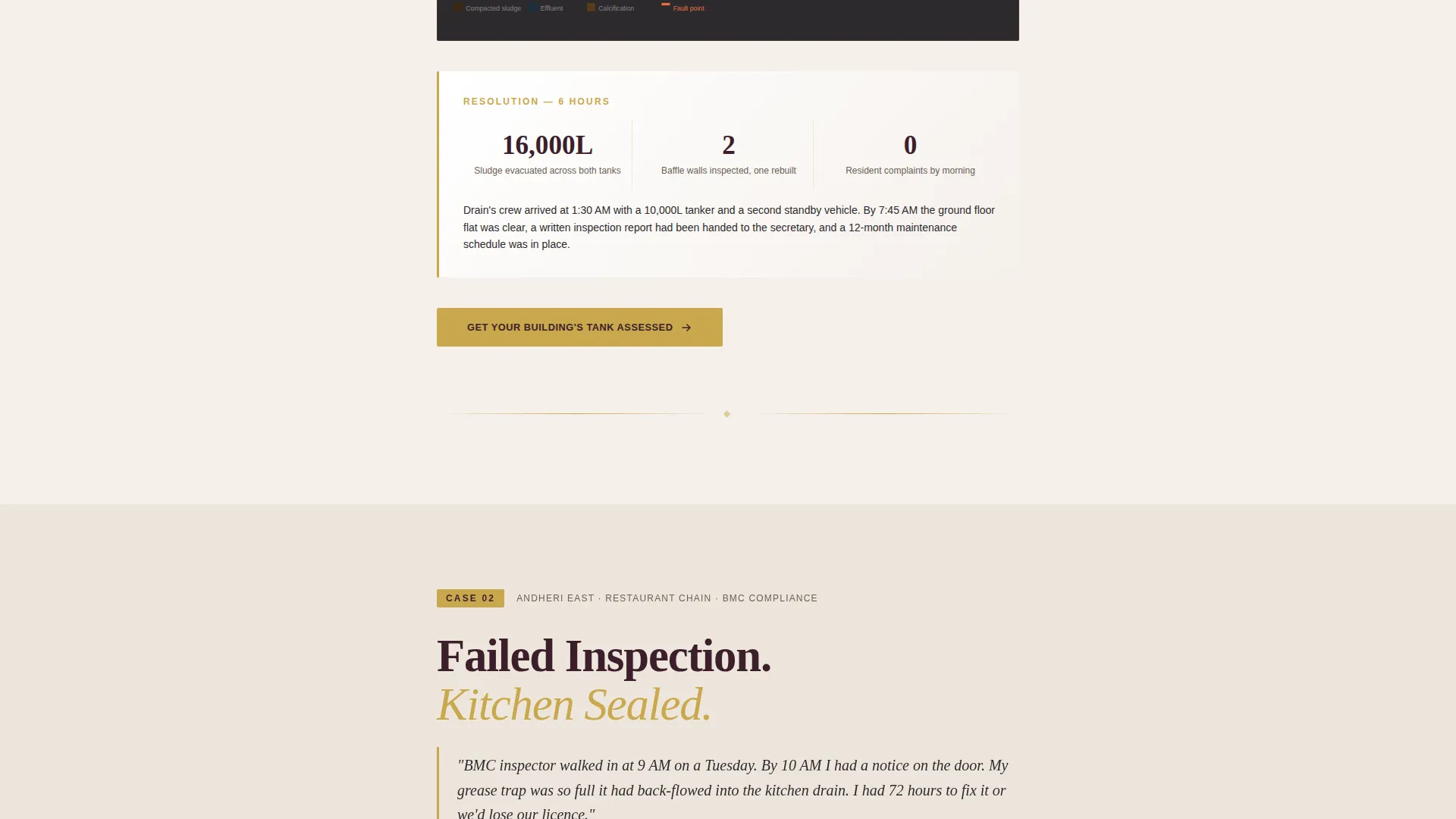
- Before-and-after inspection report display areas that give each case study a clear, evidence-based resolution
Feature list
A brief description follows each core capability included in this template.
Giant Headline Viewport Section
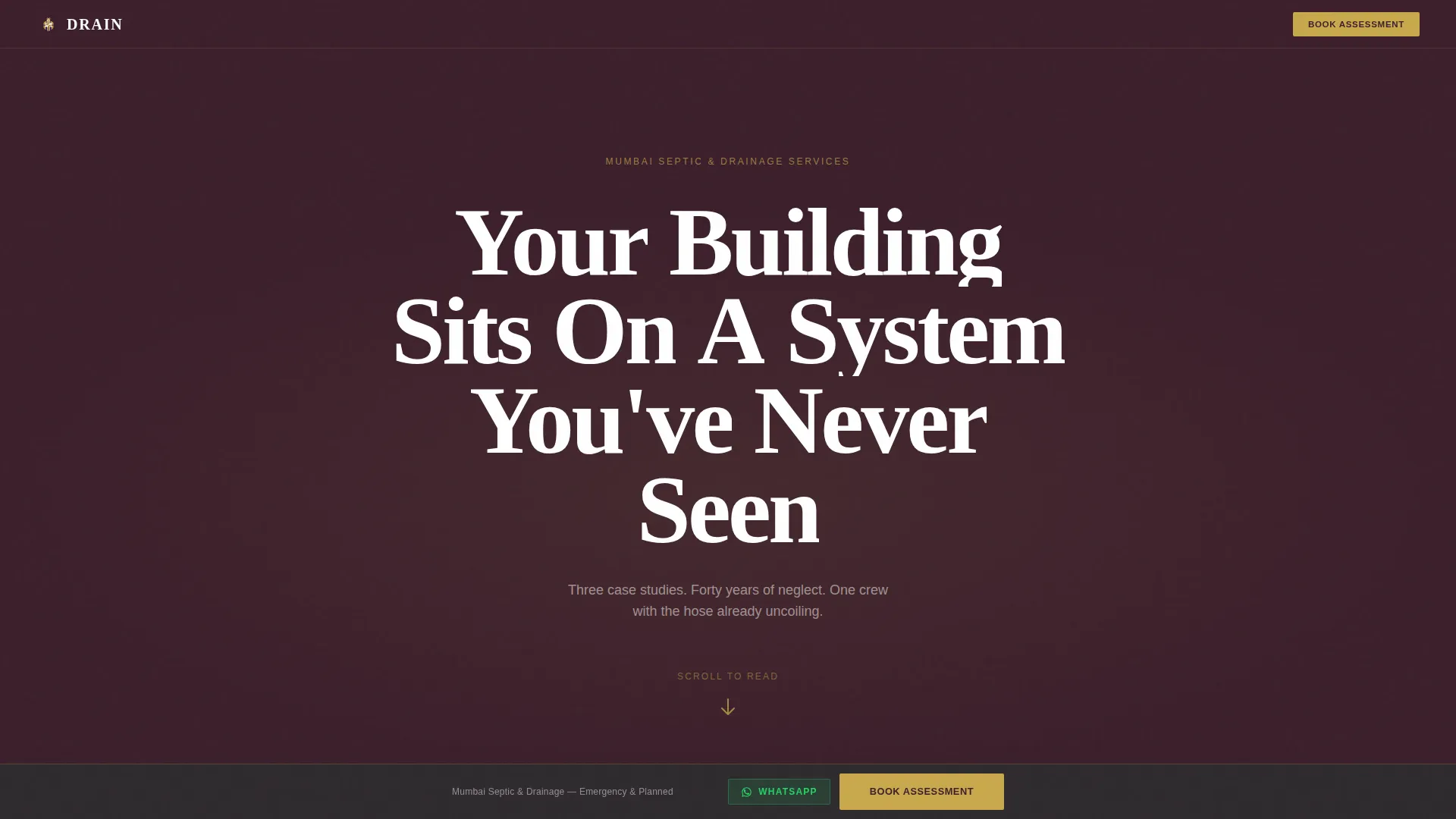
The header fills the full viewport with stark white type on deep brinjal reading "Your Building Sits On A System You've Never Seen." No image or illustration competes with the sentence. A single brass-colored pulsing down arrow guides the visitor into the first case study below.
Case Study Narrative Scroll Blocks
Three scroll sections each tell one real job in sequence: a Dadar housing society with 40-year-old tanks, an Andheri restaurant chain failing grease trap compliance, and a Navi Mumbai builder needing pre-occupation certification. Each block opens with a problem statement in the client's own voice, moves through a visual diagnosis section, and ends with a resolution outcome.
Cross-Section Diagram Placeholders
Each case study includes a dedicated diagram area sized to hold cross-section illustrations showing blockage points and tank conditions. These placeholders are positioned within the narrative flow so technical visuals land exactly where the reader needs them.
Brass-Accented Booking Call to Action
Every case study ends with the same call-to-action button reading "Get Your Building's Tank Assessed." The button is styled in aged brass and routes to a separate booking page. No form appears on the landing page itself, keeping the experience friction-free.
Floating WhatsApp Conversion Bar
After the visitor scrolls past the second case study, a floating bottom bar appears. It carries the primary call-to-action text alongside a direct WhatsApp icon. This matches how high-intent Mumbai clients prefer to make first contact.
Plum Executive Color System
The full palette is pre-applied across all sections: deep brinjal purple (#3B1F2B) for backgrounds, warm charcoal (#2D2A2E) for body text areas, aged brass (#C9A84C) for all accents and buttons, and clean off-white (#F5F0EB) for content card backgrounds.
Page sections overview
| Section | Purpose |
|---|---|
| Giant Headline Viewport | Anchors authority and pulls the visitor into the page |
| Case Study One | Dadar housing society emergency pump-out narrative |
| Case Study Two | Andheri restaurant grease trap compliance failure narrative |
| Case Study Three | Navi Mumbai builder pre-occupation certification narrative |
| Floating Conversion Bar | Persistent WhatsApp and booking call to action after second case study |
Design & branding system
The visual identity follows an Educational Guide theme expressed through the Plum Executive color system. The overall feel is the reception area of a municipal engineer's office: serious, earned, and quietly authoritative.
- Color palette: deep brinjal purple (#3B1F2B) for hero backgrounds, warm charcoal (#2D2A2E) for text sections, aged brass (#C9A84C) for all interactive accents and call to action buttons, and off-white (#F5F0EB) for content card backgrounds
- Typography and layout rely on stark contrast between white headlines and dark backgrounds, with brass details acting as visual anchors that guide the eye toward the next action
- The pulsing brass down arrow in the header and the repeated brass call to action button create a consistent visual rhythm that builds familiarity as the visitor scrolls deeper
Mobile & speed optimization
A Mumbai property manager checking their phone at 11 PM is the real test for this template. The single-column flow means every section stacks cleanly on a small screen without horizontal scrolling or pinch-zoom.
- The floating WhatsApp bar is touch-optimized, sitting above the mobile browser chrome so it remains accessible as the visitor scrolls
- Diagram placeholder areas are responsive containers that scale with the viewport, so cross-section visuals never overflow or break the column grid
How this template helps you convert
The template earns the click through education rather than friction. By the time a visitor reaches the third case study, they understand the scope of what they are responsible for, and they are primed to act.
- Each case study mirrors a specific client type, so housing society chairmen, restaurant owners, and builders each find a scenario that reflects their own situation before they reach the call to action
- Removing the on-page form eliminates hesitation; the only next step is a single button tap that routes to a clean booking page or opens WhatsApp directly
- The floating conversion bar ensures that a visitor who finishes reading but does not immediately tap the in-section button still sees the call to action without having to scroll back up
Other information about this template
This template is built as a single-column flow landing page, making it straightforward to deploy as a standalone service page. It is designed for the Professional Services category with a Mumbai Local Services focus, and the case study structure can support updates as new job narratives become available.
- The template style is Single Column Flow, meaning all sections are stacked vertically with no sidebar, grid, or multi-column interruptions
- The lp_direction is Booking and Scheduling: the entire page is engineered to produce a qualified tap on a booking or WhatsApp link, not a passive read
- The Educational Guide theme makes this template suitable beyond emergency services; planned maintenance programs and compliance consulting offerings can be introduced in future case study blocks following the same scroll narrative format
Theme
Executive Suite
Creative direction
Logo Wall Authority
Color system
Monochrome Steel
Style
Single Column Flow
Direction
Booking/Scheduling
Page Sections
Giant Headline Viewport Section
Case Study Narrative Scroll Blocks
Brass-accented Booking Call to Action
Floating Whatsapp Conversion Bar
Cross-section Diagram Placeholders
Plum Executive Color System
Related questions
Can I replace the three case studies with my own job stories?
Does the landing page include a contact form?
What is the floating bottom bar and when does it appear?
Can this template work for a service area outside Mumbai?
Is the Plum Executive color system easy to adjust for a different brand palette?



