DEI & Inclusion Advanced Professional Website Template
The Fluency Boardroom Culture Diagnostic landing page template is a split-screen, single-page layout built for DEI consultancies that sell measurable culture change to executive buyers. It leads with a search-driven diagnostic header, escalates through stat-paired evidence sections, and closes with a multi-step lead capture form. The design runs on deep charcoal and electric indigo for a sharp, boardroom-ready impression.
by Rocket studio
Quick summary
This template gives cultural competency training consultancies a high-conviction landing page that feels like an evidence brief, not a brochure. Every scroll delivers a stat, a training module, and a measured outcome. The design is dark, precise, and built to convert skeptical executive buyers into diagnostic consultation requests.
Who this template is for
This template is designed for B2B professional services firms operating in the DEI and organizational culture space. It speaks directly to the buyers who hold budget and carry risk, and it gives consultancies the language to reach them on their own terms.
- Chief Human Resources Officers (CHROs) managing anonymous survey complaints and culture risk exposure
- Learning and Development directors who need to rebuild credibility after ineffective training vendors
- General Counsel leaders treating harassment claims as signals of a deeper organizational culture problem
What problem this template solves
Most DEI training pages look like every other training page. They lead with warmth, list topics, and hope the reader connects the dots. That approach fails with executive buyers who assess risk for a living. This template solves the trust gap directly.
- Board-level buyers want evidence, not aspiration. The stat-first layout delivers sourced data before asking for anything.
- Leaders who have sat through ineffective training are skeptical. The paired module-and-outcome format shows the process, not just the promise.
- The form design reduces friction by starting with low-commitment inputs, helping consultancies capture leads who are researching before they are ready to talk.
What you get with this template
The template ships as a complete single-page layout structured to guide an executive buyer from awareness to action. Each section has a defined role in the conversion sequence, and no section is decorative.
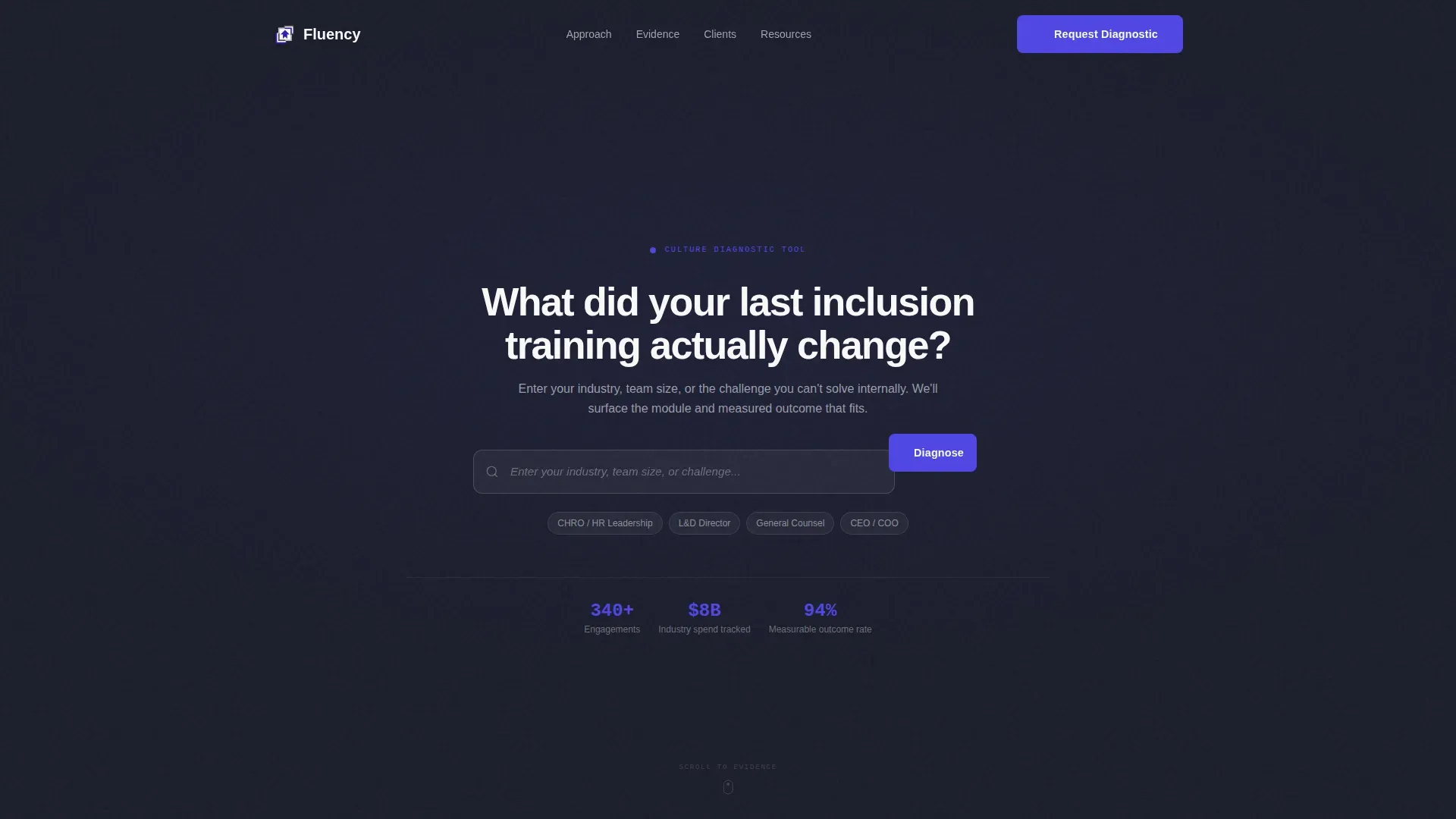
- A split-screen hero with a functional search diagnostic tool disguised as a header
- Escalating stat-and-module pairs that build an evidence case across multiple scroll sections
- A multi-step lead capture form plus a gated benchmarking report download path for secondary leads
Feature list
This template is built around a specific conversion strategy. Every feature below is directly grounded in the source brief.
Split-Screen Search Diagnostic Header
The hero fills the full viewport with a 50/50 split-screen layout on a deep charcoal field. A search box sits center stage with ghost text reading "Enter your industry, team size, or challenge..." Autocomplete suggestions surface real training modules and anonymized case outcomes, pulling visitors into the product before they scroll. It is a diagnostic tool that doubles as a first impression.
Stats-First Scrolling Evidence Brief
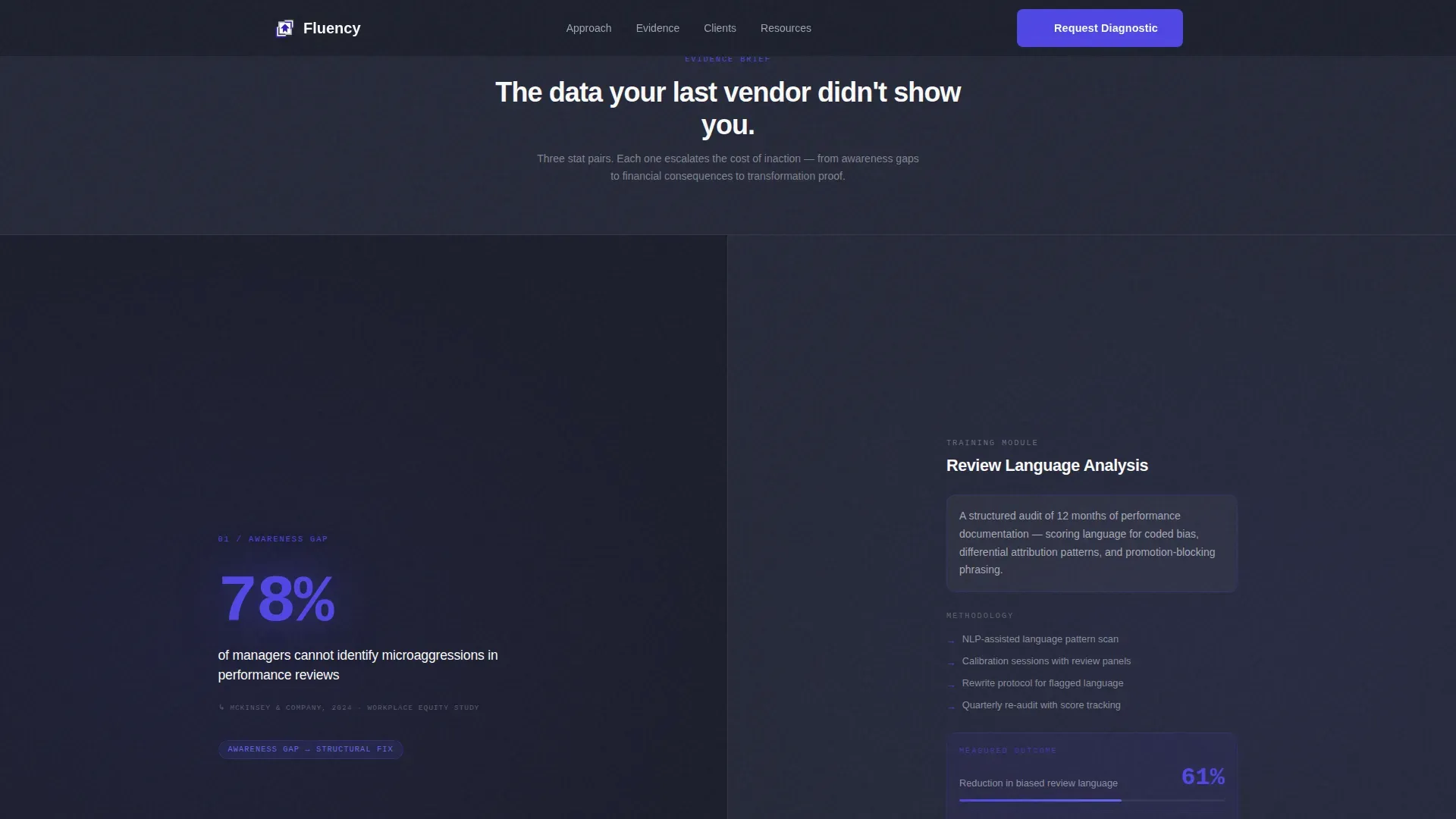
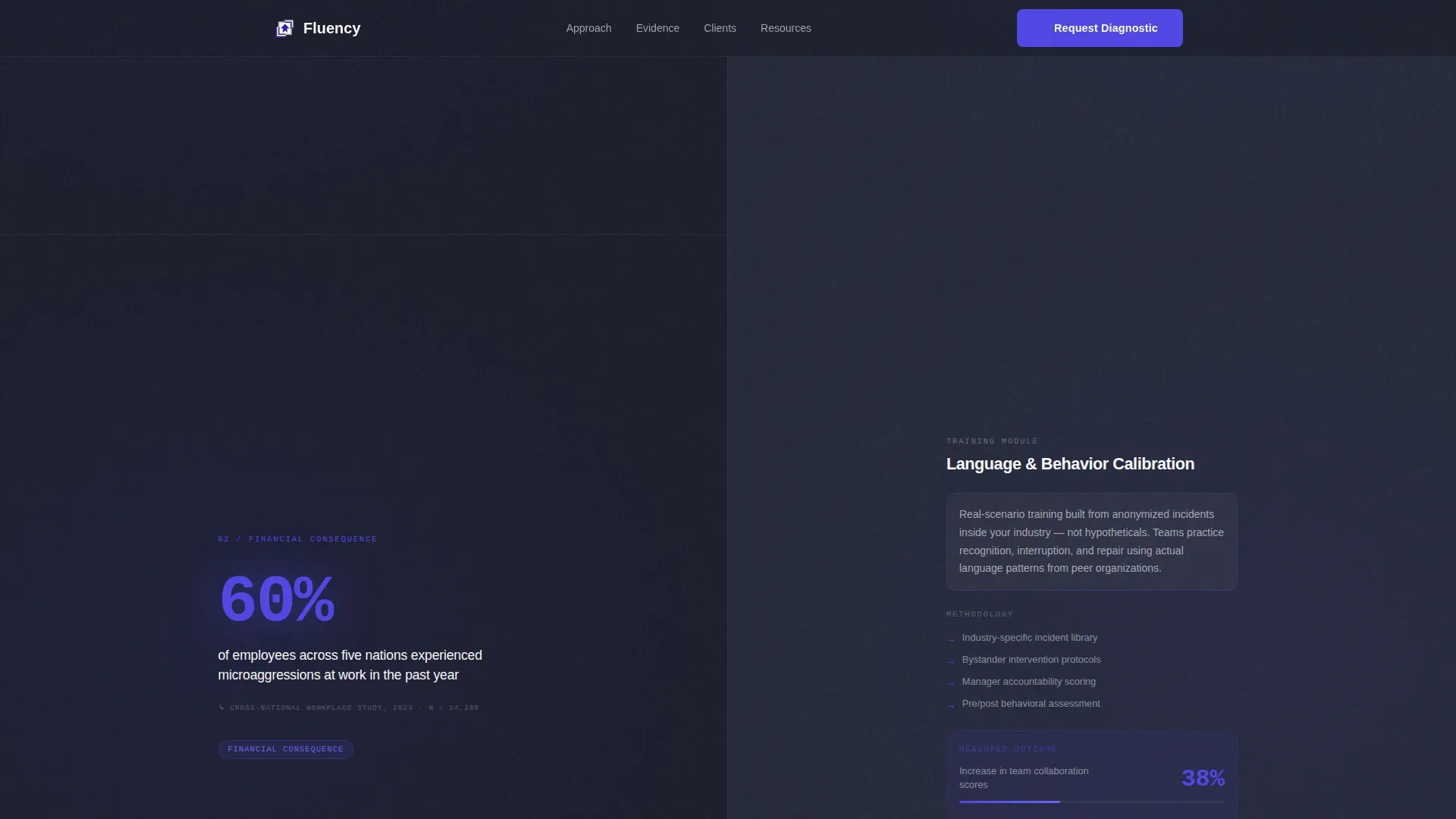
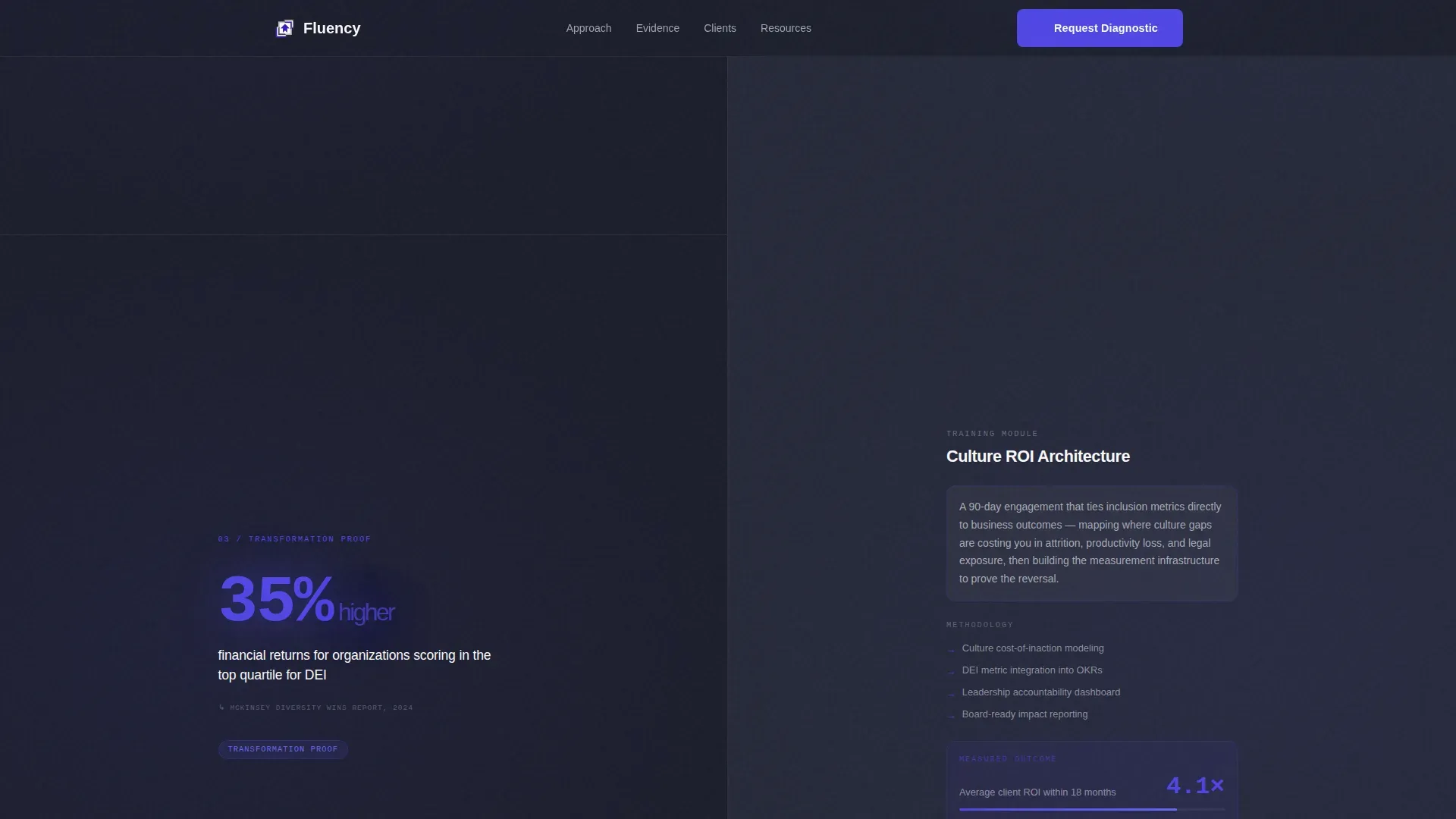
Each scroll section delivers a single, oversized indigo statistic on the left panel alongside a training module description and measured outcome on the right. The sections escalate in stakes: from awareness gaps to financial consequences to transformation proof. The structure helps boards assess the cost of inaction at every step. Visitors do not browse; they build a case.
Multi-Step Lead Capture Form
The primary call to action reads "Request a Culture Diagnostic." The form opens with company size range, then asks for industry, then invites a free-text description of the single biggest culture challenge. This sequence moves from low commitment to high specificity, helping the consultancy qualify leads and giving prospects a moment to articulate their own pain.
Gated Benchmarking Report Download
A secondary conversion path offers a downloadable benchmarking report locked behind a work email field. This path captures leads who are in research mode and not yet ready to speak with a consultant. It gives the organization two distinct lead types from one page without adding visual noise.
Role-Attributed Social Proof Section
The template includes a dedicated social proof section with quotes attributed by role, such as CHRO, General Counsel, and Learning and Development Director, rather than by name. The specificity of role attribution builds credibility with peers. Specific metrics are included alongside each quote to reinforce outcomes.
Fixed Mobile Call-to-Action Bar
On mobile, the primary call-to-action button persists as a fixed bottom bar throughout the entire scroll experience. This ensures that executive buyers reviewing the page on a phone or tablet always have a visible path to request a diagnostic without needing to scroll back to the form.
Page sections overview
| Section | Purpose |
|---|---|
| Hero Search Diagnostic | Captures attention and pulls visitors into product via autocomplete |
| Stats Brief Pairs | Builds an escalating evidence case through sourced data and outcomes |
| Methodology Process | Shows how the consultancy works differently from standard training vendors |
| Social Proof Voices | Delivers role-attributed quotes and specific metrics to build peer trust |
| Lead Capture Form | Converts ready buyers via multi-step diagnostic request form |
| Benchmarking Report Download | Captures research-stage leads via gated email download |
| Footer Minimal | Closes the page cleanly without distracting from the conversion path |
Design & branding system
The visual language is built on a Corporate Precision theme. The palette is designed to feel like a flagship consulting deck projected in a dim executive conference room. Typography uses DM Sans for headings and JetBrains Mono for statistics and data points.
- Deep boardroom charcoal (#1B1D2A) anchors all backgrounds, setting a serious and focused tone
- Electric indigo (#4F46E5) highlights every interactive element, statistic, and call-to-action button
- Cool silver-gray (#D1D5DB) handles body text and dividing lines for clean readability
- Clinical white (#FAFAFA) fills content panels to deliver contrast against the dark field
Mobile & speed optimization
The template is desktop-first, built for boardroom CHROs reviewing on a laptop. However, mobile performance is treated as a serious secondary requirement, not an afterthought. Interactive elements like the search autocomplete and multi-step form use client-side rendering, while static content sections use server components.
- Fixed bottom call-to-action bar on mobile keeps the "Request a Culture Diagnostic" button always visible
- Scroll-linked stat reveal animations and staggered data entries are structured to load progressively
- Static sections render as server components to support fast initial page loads on all devices
How this template helps you convert
This template is built around a specific conversion strategy that matches how executive buyers actually make decisions. The layout does not ask for trust upfront; it earns it through evidence before presenting any ask.
- The search diagnostic header creates immediate personal relevance by letting visitors define their own context before the page makes any claim.
- The escalating stat pairs build a rational case for action, with each section raising the cost of inaction until the "Request a Culture Diagnostic" call to action appears at peak urgency after the third stat pair.
- The dual conversion paths, a consultation request form and a gated report download, ensure the page captures both ready buyers and research-stage leads without splitting focus.
Other information about this template
This template sits at the intersection of agile fluency thinking and executive communication strategy. The underlying design philosophy draws from principles that matter to both organizational consultants and the teams they serve. Several frameworks inform how the page is structured and why it works.
- The Agile Fluency Model, developed by James Shore, describes four distinct zones that teams pass through as they develop agile practices. These fluency zones range from "Focus on Value" at Zone 1 to "Optimize for Systems" at Zone 4, which focuses on changing organizational culture to support collaboration and innovation. The model is not a maturity model; it describes a collection of choices that bring different benefits at each zone.
- Agile fluency is a trait of the team, not individual team members. Achieving a team's fluency requires deliberate practice, management support, and organizational investment over two to six months or more. Investments can include training, changes in management behavior, and redesigned workspaces.
- Agile teams that engage with the Optimizing fluency zone develop the business expertise needed to drive market cadence and respond to shifting business priorities faster than other teams. This is why an agile organization that invests in the right fluency zones can realize a measurable advantage.
- The agile movement draws from a range of practices including scrum, extreme programming, lean startup, and design thinking. James Shore has written extensively on how agile fluency cuts across all of these to define what genuine capability looks like in practice.
- The Enterprise Fluency Diagnostic is a customizable tool that assesses language proficiency within a corporate context. It helps HR and Learning and Development teams identify language skills gaps that could impact business productivity, create targeted training programs, and communicate more effectively across a globalized world. This template can support a similar diagnostic positioning for consultancies.
- Board governance fluency includes the ability of directors to speak the language of oversight, fiduciary duty, and strategic risk management. High governance fluency improves risk oversight and helps boards anticipate ethical lapses. A fluent board culture enables directors to be actively engaged in navigating complex challenges and driving long-term innovation.
- The diagnostic process typically involves confidential surveys, interviews by external consultants, benchmarking against industry standards, and action planning. Cultural styles of the board can be Inquisitive, Decisive, Collaborative, or Disciplined. How directors communicate with each other defines the culture of the board and shapes its effectiveness.
- This is a cutting edge template for consultancies that want to position their services with precision. A copyright notice should be included in the footer to protect the published page content.
- The fluency boardroom culture diagnostic landing page template is listed under the HR and Hiring category, within the DEI and Inclusion subcategory, and is matched to the Cultural Competency Training niche.
Theme
Corporate Precision
Creative direction
Stats-First Impact
Color system
Electric Indigo
Style
Split Screen (50/50)
Direction
Lead Generation
Page Sections
Split-screen Search Diagnostic Header
Stats-first Scrolling Evidence Brief
Multi-step Lead Capture Form
Gated Benchmarking Report Download
Role-attributed Social Proof Section
Fixed Mobile Call-to-action Bar
Related questions
Who is the primary target audience for this template?
Can this template capture two different types of leads?
What does the search box in the header actually do?
Is this template suitable for both desktop and mobile users?
How does the stats-first layout support lead generation?



