Orthodontist Free Assessment & Patient Education Website Template
Align is a zigzag orthodontist landing page template built for appointment booking and patient education. It guides visitors through a calm, editorial scroll journey, from understanding their bite to booking a free assessment. The Slate & Sky color system and alternating content sections make complex orthodontic information feel approachable, unhurried, and genuinely trustworthy.
by Rocket studio
Quick summary
Align is a single-page orthodontist appointment booking template designed around an educational scroll journey. Each alternating section pairs a clinical explainer with a real patient voice, dissolving doubt before asking for commitment. The layout builds from "Do I even need treatment?" all the way to a lightweight booking form, calm, confident, and built for conversion.
Who this template is for
This template is made for orthodontic practices that want to educate before they sell. It works especially well for clinics that serve both adults and families, and who want their website to feel like a thoughtful consultation rather than a sales pitch.
- Orthodontists and orthodontic clinics targeting adult patients researching invisible treatment options
- Practices serving parents booking consultations for children or teenagers
- Clinics that want a polished, content-led booking page without a complex multi-page build
What problem this template solves
Most orthodontic booking pages ask for a calendar slot before the visitor feels ready. Prospective patients arrive with real questions, about whether they even need treatment, what options exist, and what the process will feel like. This template answers those questions in order, building trust section by section before the primary call to action ever appears.
- Visitors bounce when they feel pushed rather than guided
- Parents and adults researching late at night need reassurance, not pressure
- A single unanswered objection can delay a booking by weeks
What you get with this template
You get a fully structured, single-page orthodontist landing page with five distinct content zones. Each zone has a defined purpose, a visual layout, and a conversion role. Nothing is decorative filler, every section earns its place in the patient journey.
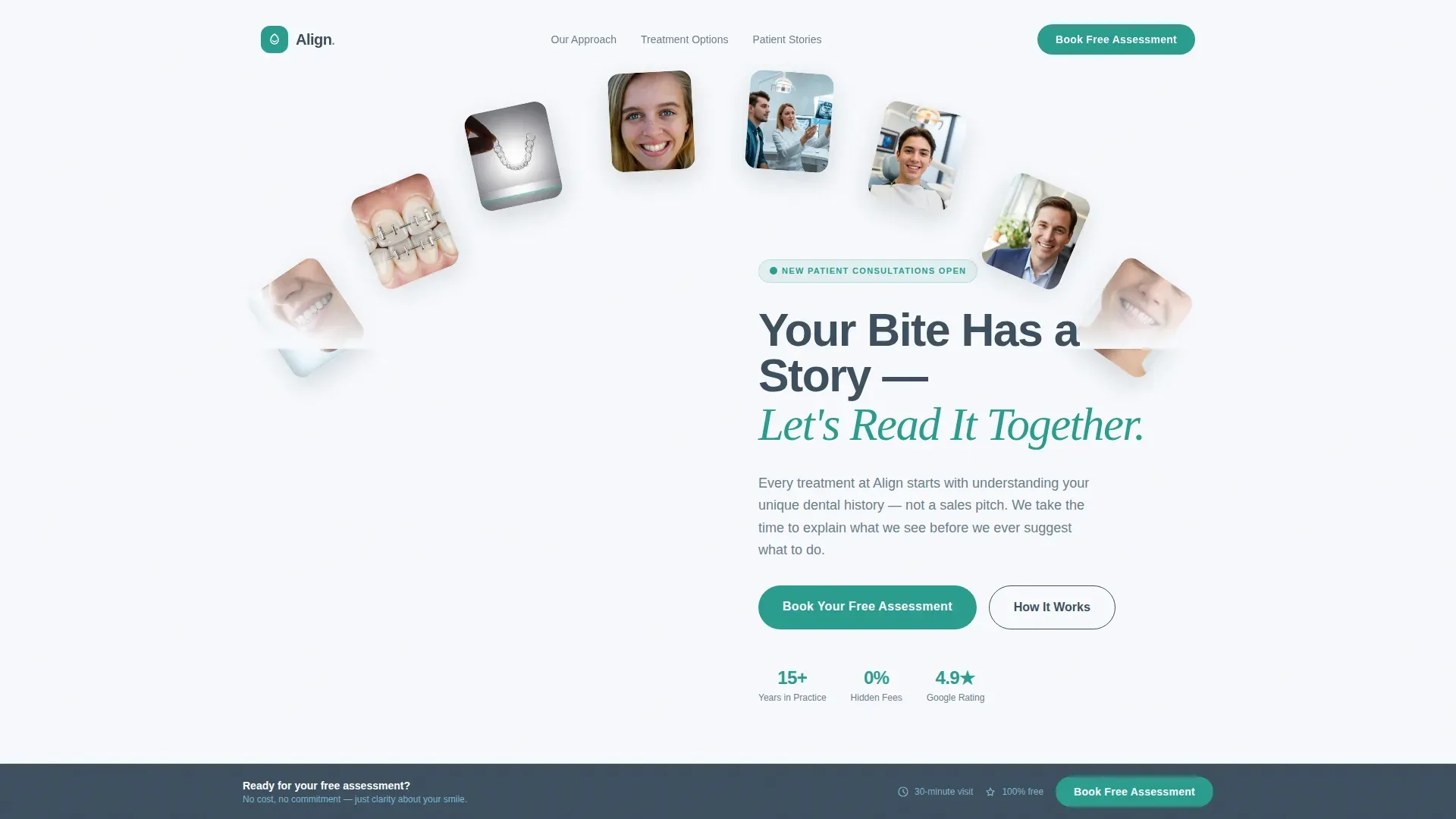
- A half-page hero split with headline, subhead, and animated scroll indicator
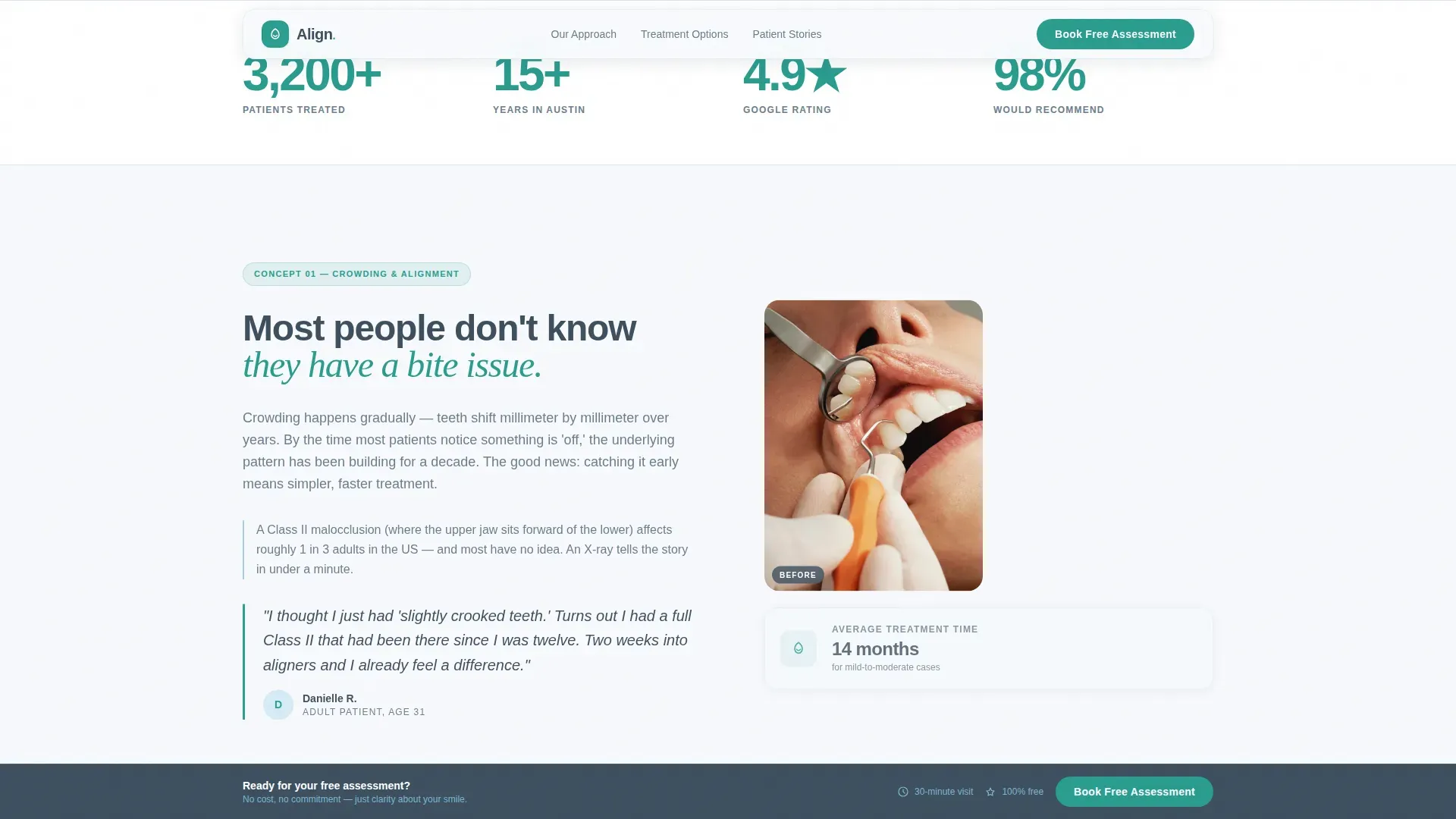
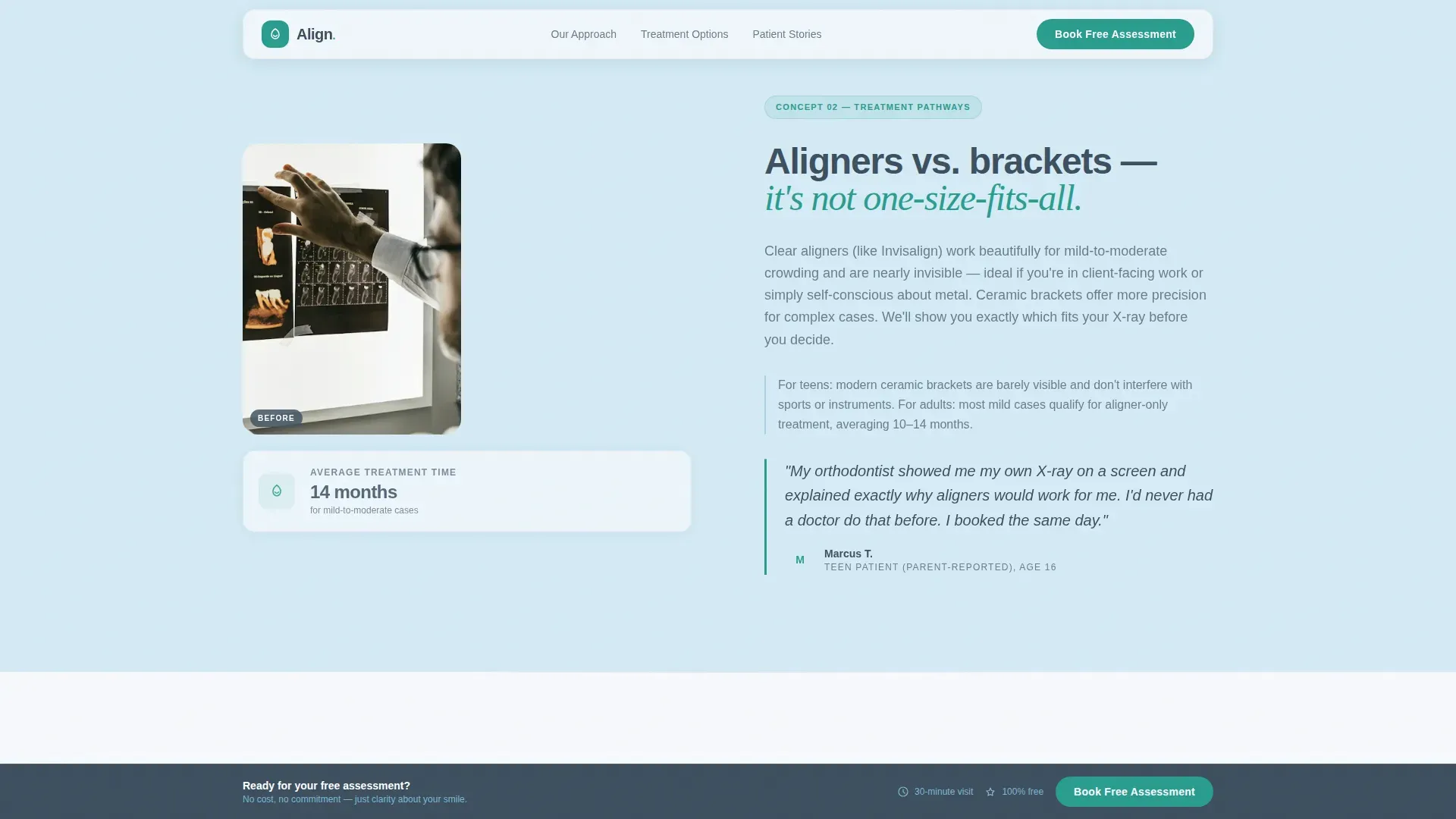
- Three alternating zigzag sections pairing educational content with patient quotes and before-and-after photo pairs
- A dual-path conversion section with a booking form and a gated treatment guide download
Feature list
This section describes the core built-in capabilities of the Align template as delivered.
Zigzag Educational Layout
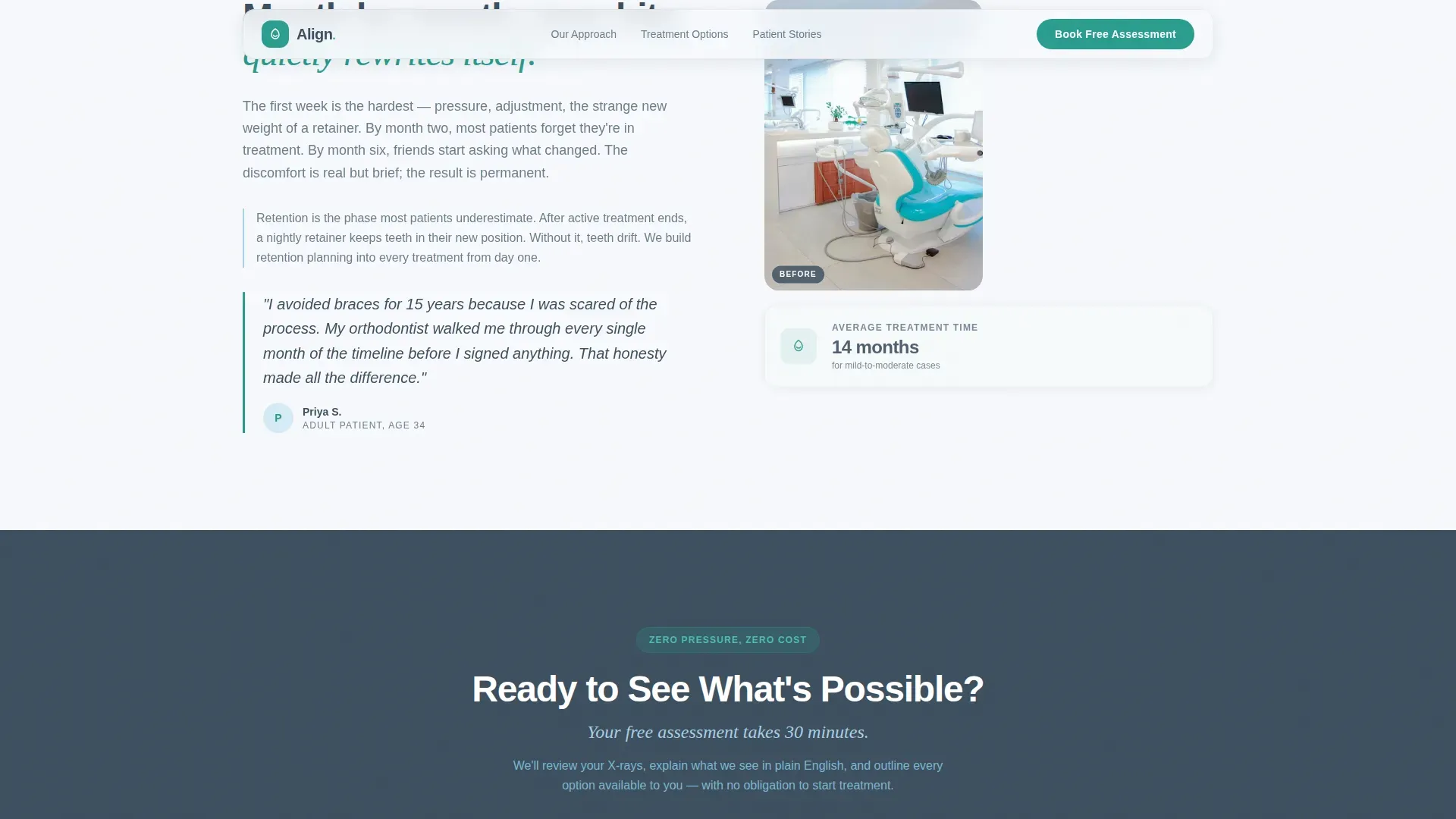
Each of the three main content sections alternates image and text position. One side holds a clinical explainer, covering topics like crowding, treatment options, and what a month-by-month journey looks like. The other side features a patient quote and before-and-after photo pair. The alternating rhythm keeps the page visually engaging across the full scroll.
Dual-Path Conversion Section
The booking section offers two distinct paths. The primary call to action reads "Book Your Free Assessment" and includes a lightweight form asking for preferred location, patient age range, and three time-slot preferences. A secondary path offers a downloadable treatment guide behind a first-name-and-email gate, capturing visitors who are not yet ready to schedule.
Sticky Call-to-Action Bar
After the third zigzag section, the "Book Your Free Assessment" button transitions into a sticky bottom bar. It follows the visitor through the remainder of the page without interrupting the reading experience in earlier educational sections.
Animated Hero Section
The hero uses a half-page photo and text split. The left side features a photograph of a gloved orthodontist holding a transparent aligner. The right side carries the headline and subhead. A small animated arrow pulses downward, inviting the scroll without demanding it.
FAQ Accordion Component
An interactive FAQ accordion is built into the page. It handles common patient questions without cluttering the main editorial flow, keeping answers accessible but out of the way until the visitor needs them.
Testimonial Mosaic Social Proof
Patient quotes appear alongside before-and-after photo grids throughout the zigzag sections. Each quote includes a first name and treatment type. This pairing of education with lived experience gives each section both clinical credibility and human relatability.
Page sections overview
| Section | Purpose |
|---|---|
| Hero Split | Introduce clinic tone, headline, and scroll invitation |
| Zigzag One | Address "Do I need treatment?" with crowding science and patient voice |
| Zigzag Two | Explain aligner versus. bracket options with a teen patient story |
| Zigzag Three | Walk through the month-by-month journey with an adult patient quote |
| Booking Section | Capture assessment bookings and guide download leads |
| Footer | Linear single-row links and practice contact information |
Design & branding system
The visual identity follows an Educational Guide theme. The palette draws from clinical environments, cool, clean, and trustworthy without feeling sterile or unwelcoming. Typography pairs a geometric sans-serif for body and interface text with a serif italic accent font for pull quotes and emotional moments.
- Slate (#3D4F5F) for headlines and navigation, Sky (#A8D0E6) as the section wash behind educational content, Enamel White (#F7F9FC) as the primary background, and Teal (#2A9D8F) on buttons and interactive progress indicators
- Plus Jakarta Sans for body text and interface elements, with Fraunces serif italic used for accent headings and patient quote highlights
- Clinical-editorial style: calm and unhurried, with GSAP ScrollTrigger reveals and staggered zigzag entry animations for medium-weight motion
Mobile & speed optimization
The template is built mobile-first. Parents booking between errands and adults researching late at night are the primary users, so the layout prioritizes legibility, touch-friendly targets, and form simplicity on small screens.
- The booking form is intentionally lightweight, asking only for location, age range, and three time-slot preferences so it can be completed quickly on a phone
- Static sections use Server Components and the interactive form and sticky bar use Client Components, separating rendering concerns for a cleaner experience
How this template helps you convert
The conversion strategy is sequential. Trust is earned before commitment is requested, and two distinct paths are offered at the moment of decision.
- The primary call to action, "Book Your Free Assessment," appears only after the third educational section, once the visitor has moved through the full objection-dissolving sequence from awareness to intent
- The secondary email gate for the treatment guide captures visitors who are still in research mode, giving the practice a low-friction way to stay in contact before a booking is made
Other information about this template
This template is categorized under Health & Medical, specifically the Orthodontist Website subcategory, with a niche focus on orthodontic appointment booking pages. It is designed for the US market with English copy, USD pricing references, and US date format conventions. The Intersection Match Score for this template's niche and design combination is 13.
- The page is localized for US geography and is intended for use by orthodontic practices serving patients in the United States
- The template style is Zigzag/Alternating with a Content/Resource landing page direction, meaning it prioritizes educational depth over quick promotional messaging
- Social proof elements include patient quotes with first name and treatment type, before-and-after photo pairs, and a years-in-practice stat to reinforce clinical credibility
Theme
Educational Guide
Creative direction
Testimonial Mosaic
Color system
Slate & Sky
Style
Zigzag/Alternating
Direction
Content/Resource
Page Sections
Zigzag Educational Layout
Dual-path Conversion Section
Sticky Call-to-action Bar
Animated Hero Section
Testimonial Mosaic Social Proof
FAQ Accordion Component
Related questions
Can I use this template for a multi-location orthodontic practice?
Is the treatment guide download connected to an email platform?
Can I update the educational content in the zigzag sections?
When does the sticky booking button appear during the scroll?
Is this template suitable for a practice that treats both children and adults?



