Full-Service Laundry Bundle Landing Page Template
Fold is a gallery-and-detail landing page template built for full-service laundry businesses. It uses a scroll-reveal unboxing experience to present service tiers, per-item pricing, and bundle upgrades. The design pairs a dopamine-pop color palette with a marketplace grid layout, guiding visitors from curiosity to checkout through progressive visual storytelling and sticky upsell mechanics.
by Rocket studio
Quick summary
Fold is a single-page landing page template designed for neighborhood laundry and garment care services. It opens with a flat-lay bundle hero, then guides visitors through service cards, animated tier comparisons, and a sticky upgrade prompt. The layout rewards scrolling, builds desire through visual layering, and makes the Premium bundle the obvious default choice.
Who this template is for
This template is built for service businesses that need to communicate quality, convenience, and clear pricing on one persuasive page. It fits operators who want to move customers toward higher-value bundles without a hard sell.
- Full-service laundry operators targeting busy urban households
- Airbnb and short-term rental hosts who need reliable, fast turnaround
- Apartment-dwelling clients and dual-income couples who value doorstep pickup and return
What problem this template solves
Most laundry service pages list prices in a table and stop there. They do not build desire, demonstrate quality, or explain why bundling is smarter than buying individual services. Fold fixes that.
- Visitors leave before understanding the value difference between tiers
- Per-item pricing feels abstract without a visual anchor showing real savings
- No single page template existed that combined a gallery, bundle comparison, and live cart in one scroll
What you get with this template
Fold delivers a complete, ready-to-customize landing page with every section pre-built and logically sequenced. You get a design system and layout that sells the upgrade before the visitor reaches the bottom of the page.
- A hero section with a flat-lay bundle scene and floating price tags
- An animated tier comparison that reveals bundle contents as the visitor scrolls
- A sticky cart bar, live running total, and pinned upgrade call-to-action button
Feature list
A brief orientation: the features below reflect what is built into this template based on the source design brief. Each one contributes directly to the unboxing experience and upsell flow.
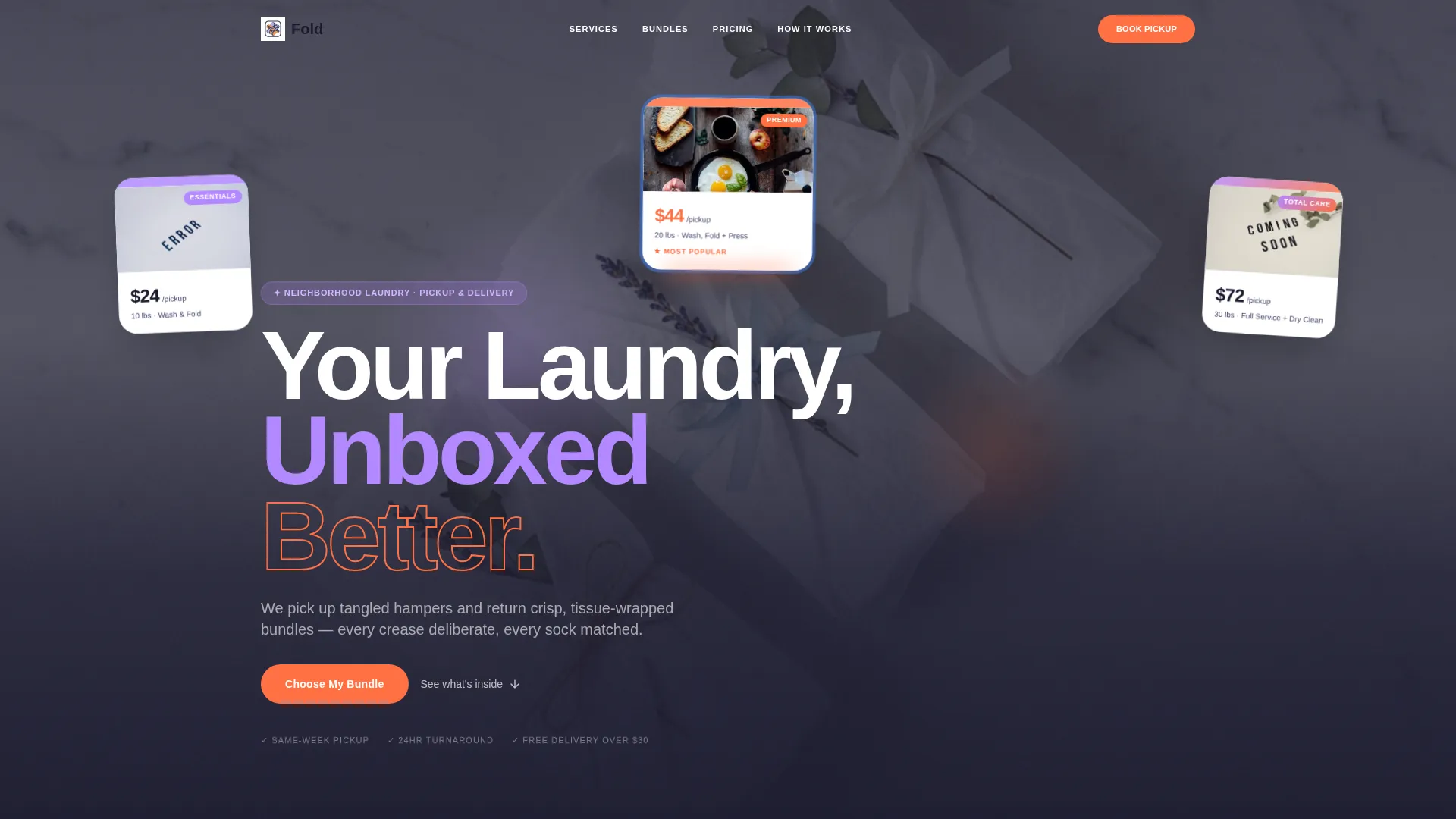
Flat-Lay Bundle Hero
The header presents three laundry bundles arranged on a marble countertop in a top-down photograph. Each bundle is wrapped in branded tissue paper and marked with a colored sticker. One bundle is mid-unwrap, and floating price tags identify each tier at a glance.
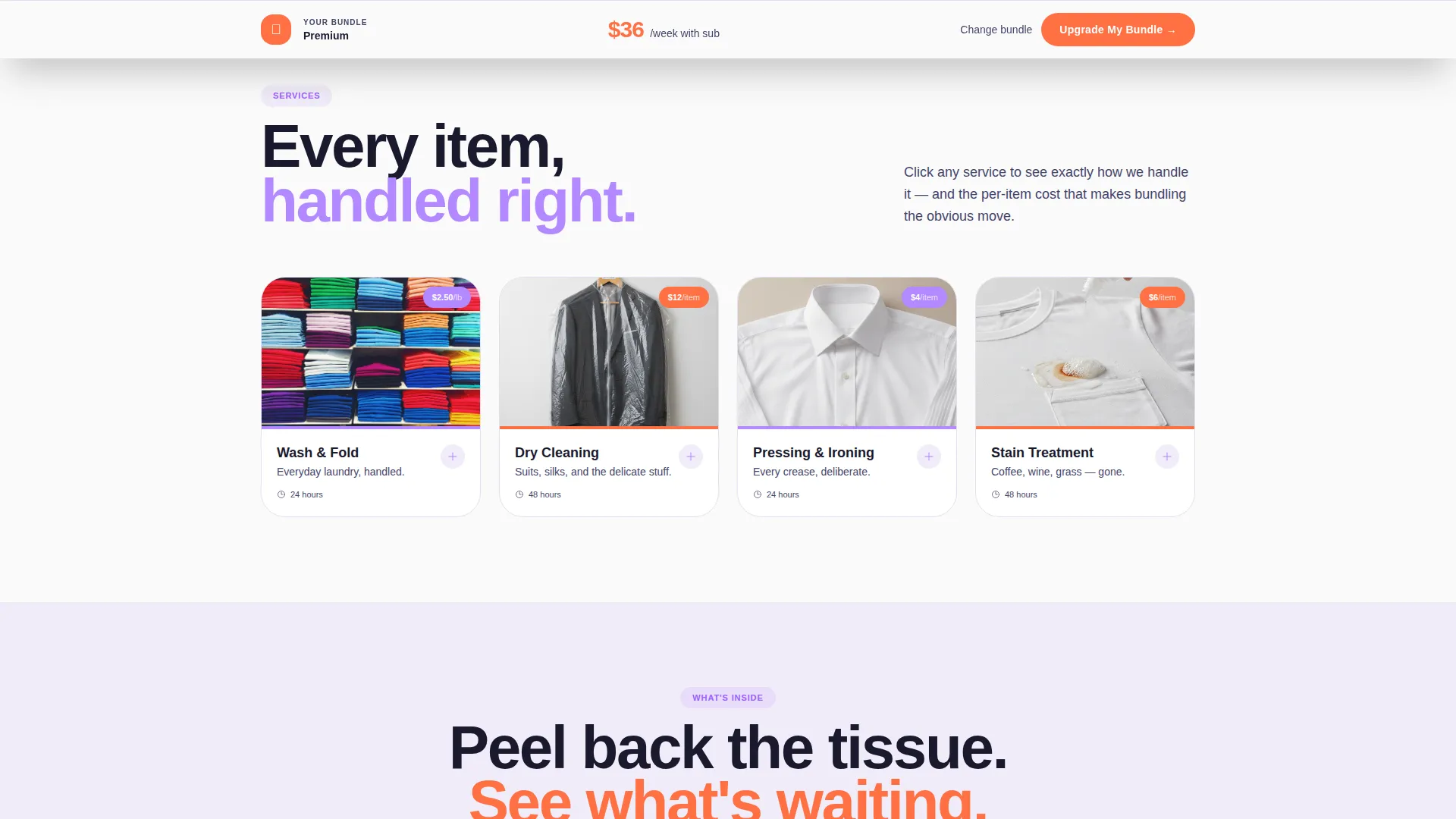
Scroll-Reveal Service Gallery
Square service cards for wash and fold, dry cleaning, pressing, and stain treatment fill a marketplace grid. Each card expands on click to reveal process detail shots and per-item pricing, giving visitors the product-page depth they expect without leaving the page.
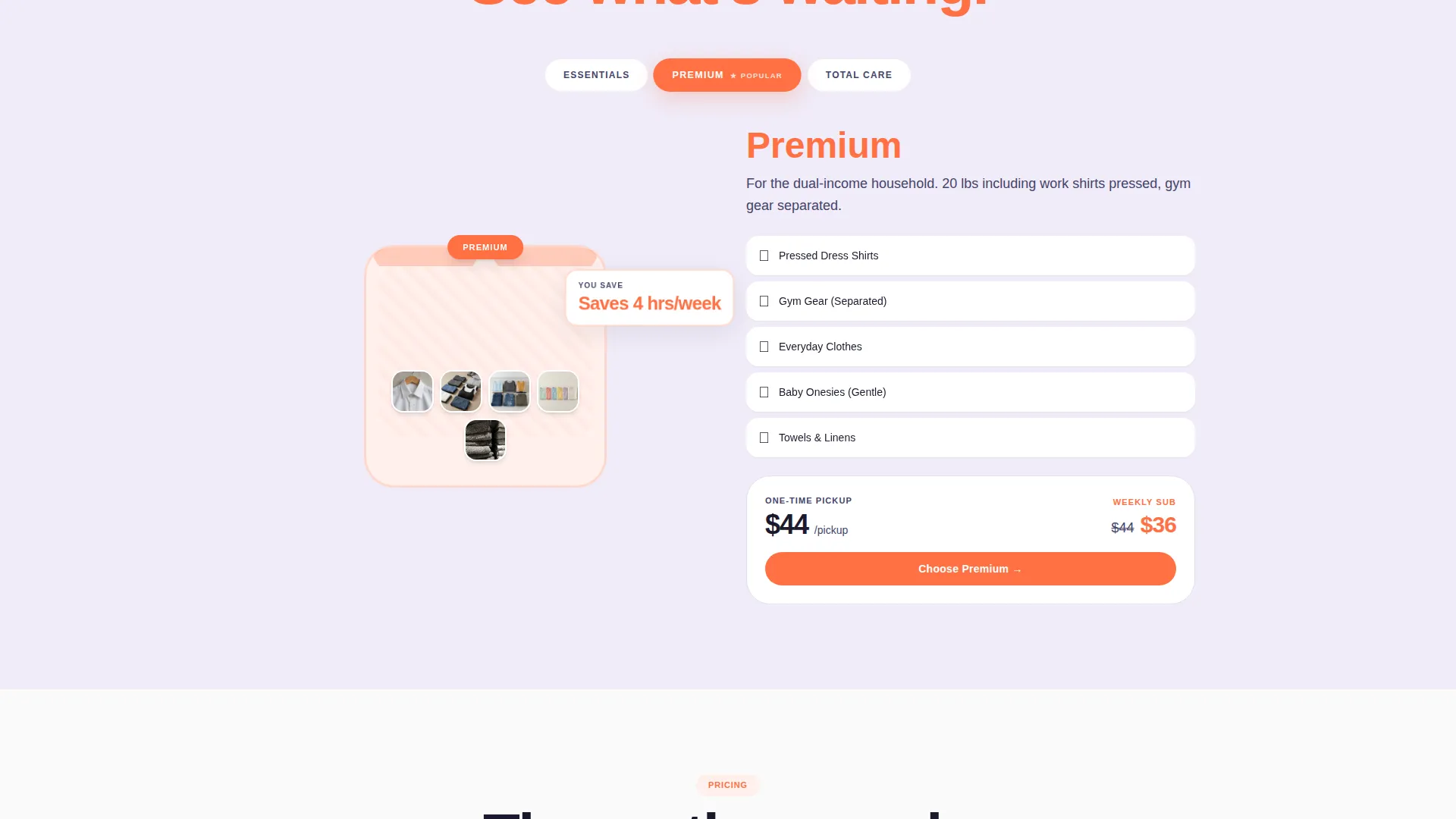
Animated Bundle Tier Comparison
As visitors scroll, individual service items animate out of an illustrated box and stack visually into combinations, then bundles. The rhythm moves from single items to subscriptions, building a clear visual argument that bundling delivers better value.
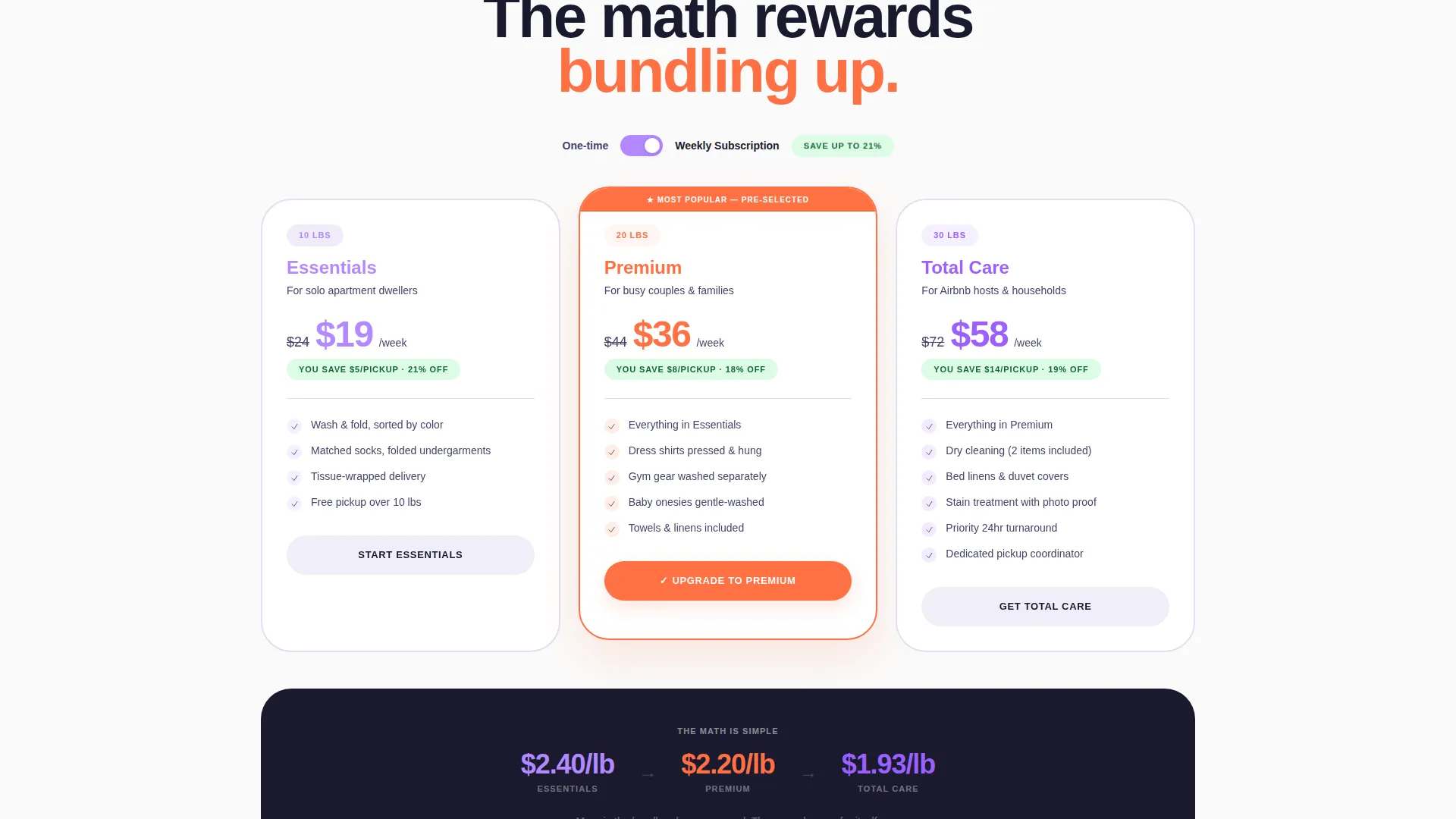
One-Time versus. Subscription Toggle
A pricing toggle lets visitors switch between one-time and weekly subscription rates. The subscription view shows a crossed-out original price alongside a highlighted savings tag, making the cost benefit immediately readable.
Sticky Upgrade Bar and Live Cart
A tangerine "Upgrade My Bundle" button pins to the bottom of the screen after the visitor scrolls past the tier comparison. Each service card carries an "Add This to My Bundle" prompt, and a sticky cart bar updates the running total live as selections change.
Pre-Selected Mid-Tier Default
The Premium bundle arrives pre-checked when the page loads. This anchors the visitor's starting point at the most profitable tier and makes upgrading feel like a natural next step rather than a cold decision.
Page sections overview
| Section | Purpose |
|---|---|
| Hero Bundle Header | Introduces the three service tiers with a flat-lay photograph and floating price tags |
| Service Gallery Grid | Displays individual service cards that expand to show process details and per-item pricing |
| Bundle Contents Reveal | Animates items out of an illustrated box as the visitor scrolls, building the bundle case visually |
| Tier Comparison Block | Presents Essentials, Premium, and Total Care side by side with the mid-tier visually prominent |
| Pricing Toggle | Lets visitors switch between one-time and subscription pricing with savings shown inline |
| Sticky Upgrade Bar | Pins the primary call-to-action and live cart total to the bottom of the viewport after scroll |
Design & branding system
The visual identity follows a Dopamine Pop color system built around four deliberate choices. The palette feels energetic but stays grounded, reading clean rather than chaotic thanks to the deep navy anchor.
- Electric lavender (#B388FF) fills alternating section backgrounds; serotonin tangerine (#FF7043) fires on buttons and price callouts
- Fresh-sheet white (#FAFAFA) breathes between grid cards to prevent visual crowding
- Deep laundry-bag navy (#1A1A2E) holds headlines steady and anchors the layout
Mobile & speed optimization
The marketplace grid layout scales naturally from desktop to narrower viewports. Cards reflow cleanly and the sticky upgrade bar remains accessible without overlapping critical content.
- Square service cards collapse to a single-column scroll on smaller screens
- The sticky cart bar and upgrade button stay pinned and tappable at all viewport sizes
- The pricing toggle and bundle tier selection remain functional and clearly readable on mobile
How this template helps you convert
Fold is built around a single commercial insight: visitors buy more when they can see the math working in their favor. Every design decision on this page supports that moment of clarity.
- The per-item cost drops visibly with each addition to the cart, so the upsell argument makes itself without any copywriting pressure on the operator.
- The pre-selected Premium bundle and the mid-tier visual prominence reduce decision friction and nudge visitors toward the highest-volume option from the first scroll.
- The sticky upgrade call-to-action stays in view throughout the session, so a visitor who decides to commit at any point in the scroll can act immediately without hunting for a button.
Other information about this template
Fold was designed for the Retail and E-Commerce category under the Full-Service Business subcategory. The template style is Scroll Reveal (Progressive), meaning each section introduces new information as the visitor moves down the page rather than presenting everything at once. The creative direction is an Unboxing Experience, and the header concept is Price-Anchored, with tier pricing visible in the very first viewport. The theme is a Marketplace Grid, which organizes services into scannable square cards before zooming into bundle details. This template is well suited to any neighborhood service business that sells tiered offerings and wants a single persuasive page to handle the full customer journey from awareness to order.
- Intersection match score for this template is 9 out of 10 against the Full-Service Business subcategory
- The template is built for single-page use; it is not a multi-page website structure
- Customizing colors, photography, and pricing copy requires only surface-level edits to the pre-built sections
Theme
Marketplace Grid
Creative direction
Curated Collection
Color system
Citrus Burst
Style
Scroll Reveal (Progressive)
Direction
Upsell/Upgrade
Page Sections
Flat-lay Bundle Hero Section
Scroll-reveal Service Gallery
Animated Bundle Contents Reveal
One-time and Subscription Pricing Toggle
Sticky Upgrade Bar with Live Cart
Pre-selected Mid-tier Default
Related questions
Can I use this template for a service business that is not a laundry provider?
Is the pre-selected bundle tier fixed, or can I change it?
Does the pricing toggle support both one-time and subscription pricing?
How does the sticky cart bar behave during the scroll?
What photography style fits this template best?



