Artisan Planner Landing Page Template for Makers
Folio is a bento grid landing page template for artisan notebook and planner makers. It uses a warm Sunset Gradient palette and an Unboxing Experience creative direction to guide visitors from brand story through product discovery to a personalized order. Three clear paths serve journalers, calligraphers, and corporate gift buyers alike.
by Rocket studio
Quick summary
Folio is a single-page bento grid template for handmade notebook and planner stores. Its Luxe Minimal visual identity pairs warm parchment tones with deep plum accents. The page guides visitors through a layered unboxing narrative, from maker story to product detail to a live cover customizer, encouraging a thoughtful, tactile browsing experience before the first click.
Who this template is for
This template is built for independent artisans and small studios selling handmade planners, notebooks, and journals. It suits makers who want their craftsmanship to speak clearly before a visitor ever reaches the cart.
- Bullet journalers and stationery enthusiasts running their own online storefront
- Executive gift buyers or corporate procurement teams sourcing personalized planners in volume
- Calligraphers and paper-focused artisans who need a page that communicates paper quality and binding craft
What problem this template solves
Selling handmade goods online is hard when a flat product grid strips away all tactile context. Visitors cannot feel linen thread, test ink absorption, or understand why a handbound planner justifies its price without the right visual storytelling.
- Mass-market store templates flatten artisan products into generic listings with no room for craft narrative
- Corporate gift buyers need a separate, frictionless inquiry path that does not disrupt the retail browsing flow
- Makers lose sales because visitors cannot visualize personalization options before committing
What you get with this template
You get a fully structured bento grid landing page with a clear narrative arc, three distinct conversion paths, and a visual system designed around warm, editorial photography.
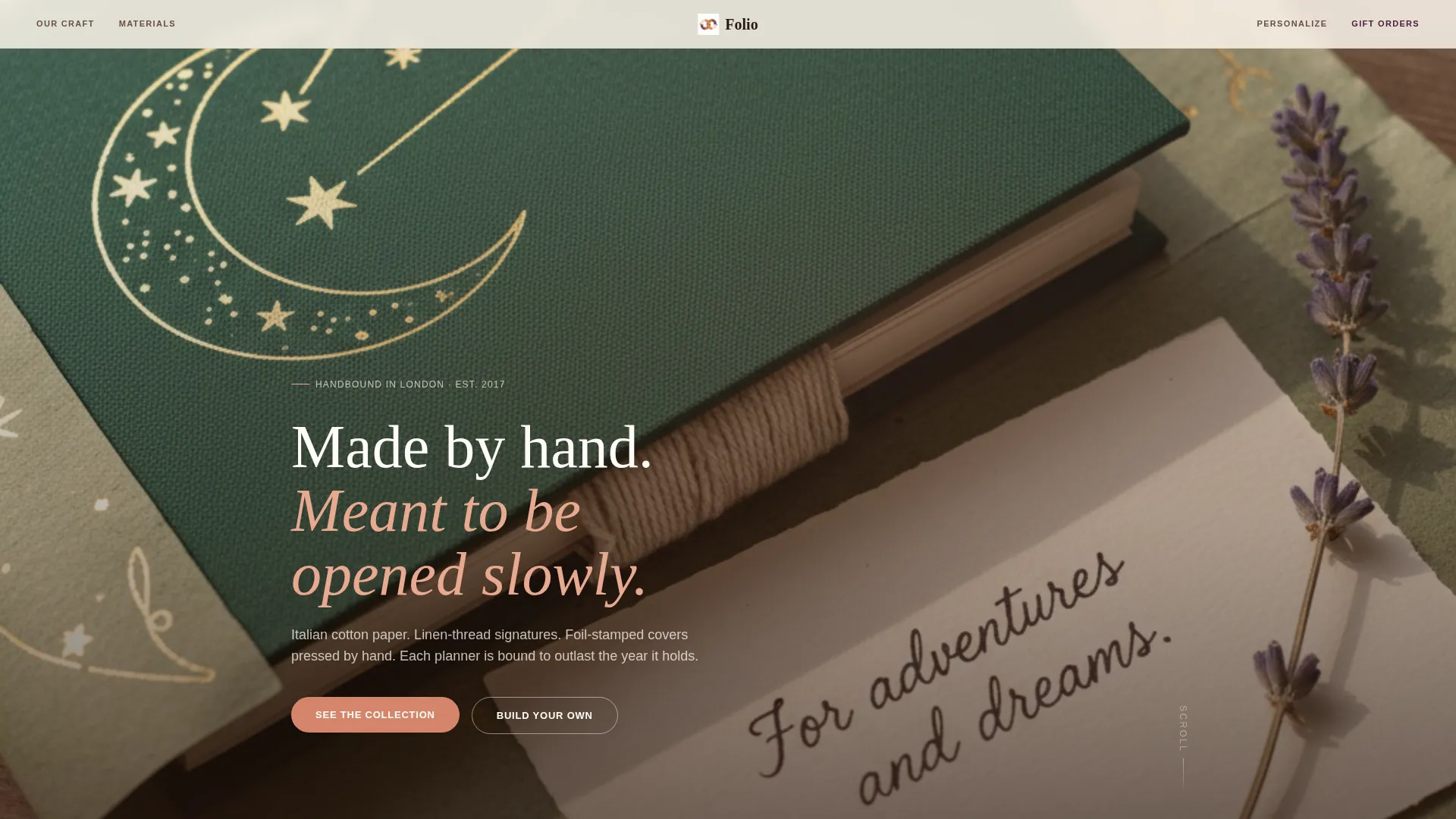
- A full-bleed hero header with a fade-in headline over macro product photography
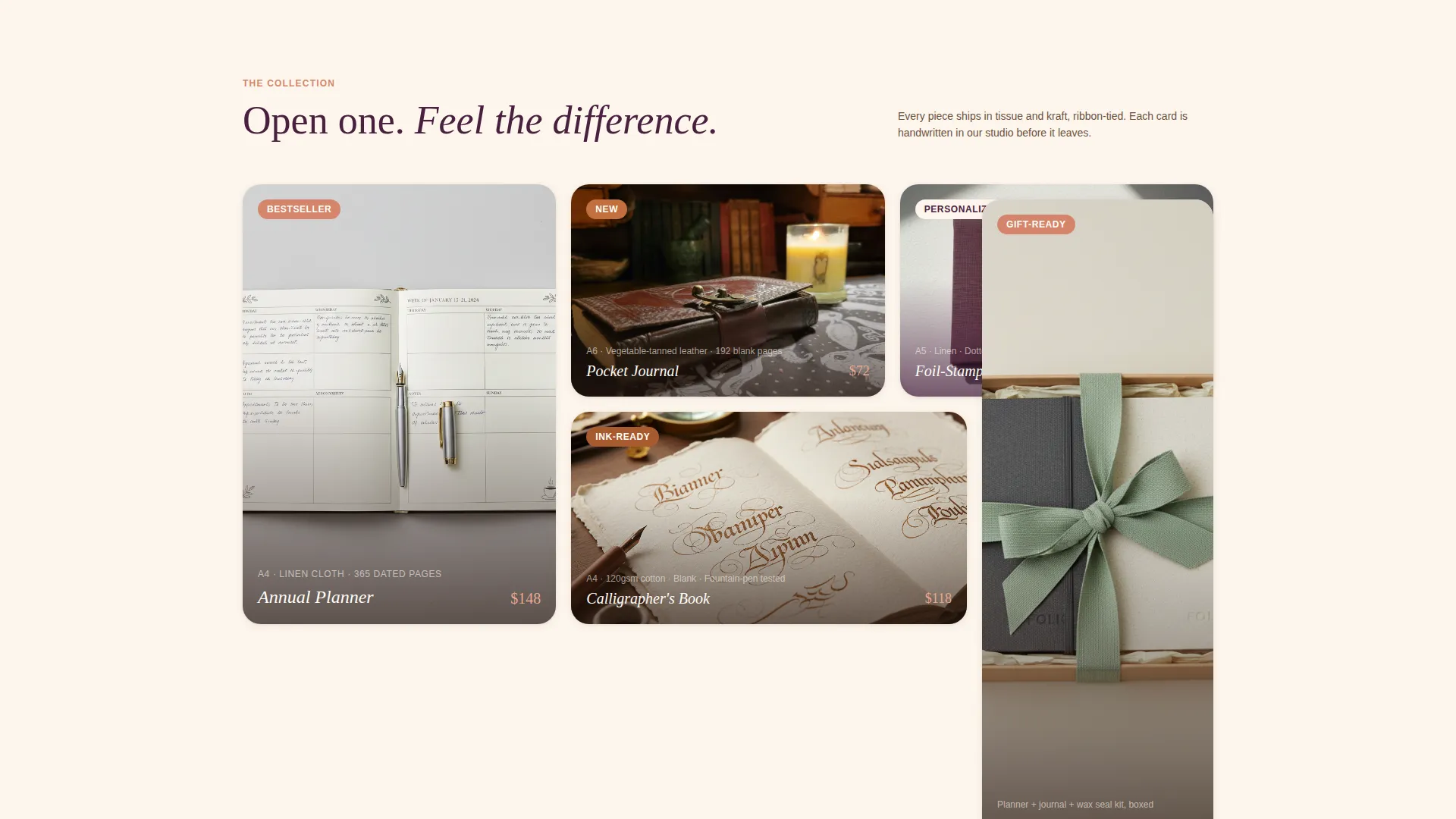
- An asymmetric bento product grid where each tile lifts on hover and links to individual product pages
- A four-step cover customizer flow ("Build Your Own"), a corporate inquiry path ("Gift Five or More"), and per-tile calls to action ("Open This One")
Feature list
This section covers the core built-in capabilities delivered by the Folio template.
Full-Bleed Hero Header
The header uses an overhead product photograph as a full-width backdrop. A single sans-serif headline fades in over the tissue paper negative space. The composition is deliberately still, warm, and unhurried, setting the editorial tone for the entire page.
Asymmetric Bento Product Grid
Products are displayed in an asymmetric bento tile layout. Each card floats on a white surface and lifts gently on hover, mimicking the sensation of raising a lid. Each tile carries its own "Open This One" call to action linking to a dedicated product page.
Four-Step Cover Customizer
A persistent floating "Build Your Own" button anchors to a sequential customizer. Visitors choose cover material, paper type, closure style, and debossed initials across four steps. The experience lets buyers design a personal planner before they commit to a purchase.
Corporate Gift Inquiry Path
A secondary conversion path labeled "Gift Five or More" opens a short form for corporate buyers. The form collects quantity, delivery deadline, and personalization details, keeping the bulk-order experience separate and frictionless from the retail flow.
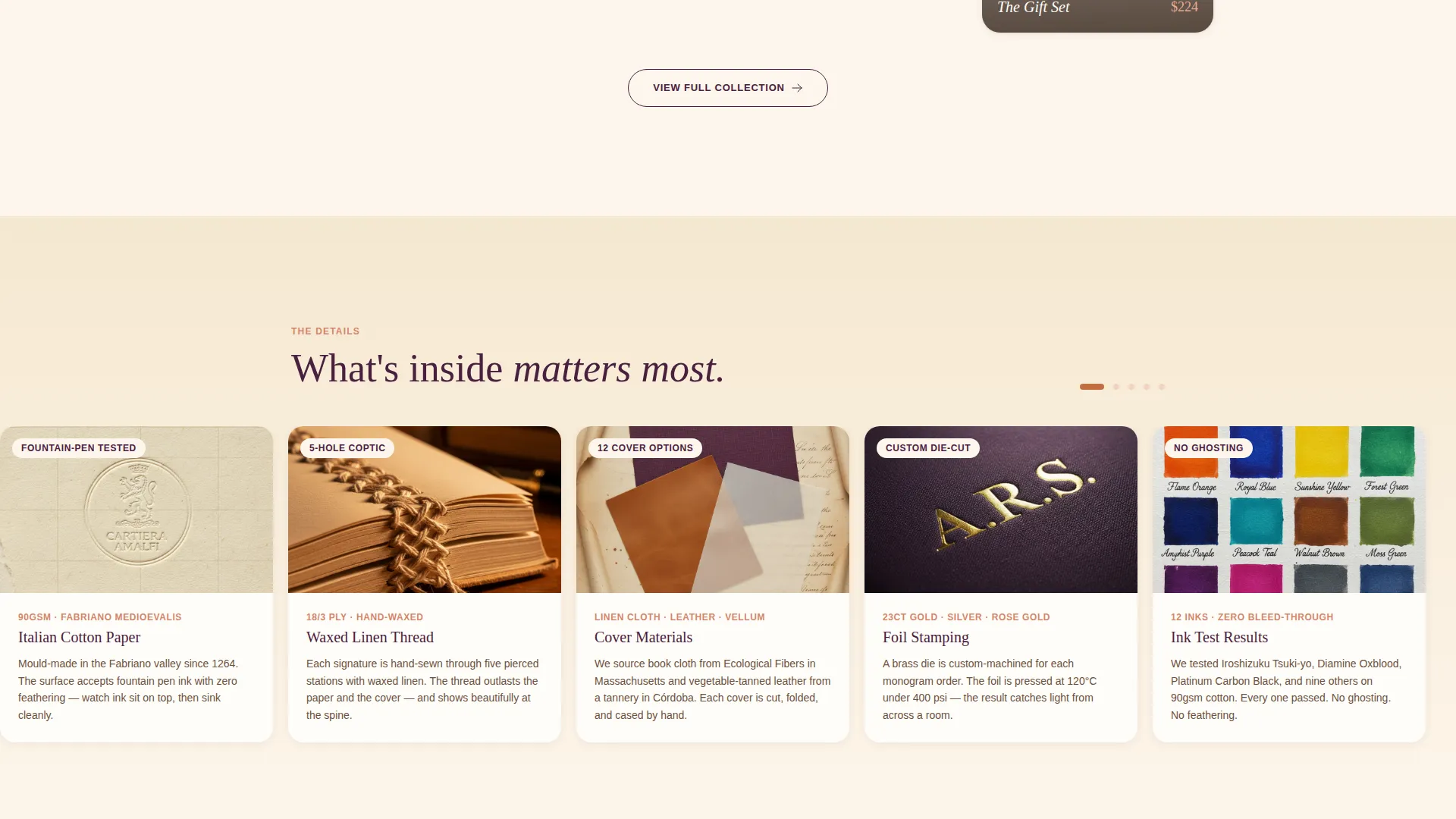
Interactive Paper Swatch Selectors
Macro photography of paper weights, binding techniques, and ink-test swatches sits within a dedicated detail section. Visitors can interact with paper swatch selectors to compare options before choosing, reducing purchase hesitation for quality-conscious buyers.
Soft Vertical Wipe Transitions
Each section transition uses a soft vertical wipe animation that mimics a page being turned. The effect reinforces the unboxing narrative by progressively revealing product layers: outer packaging, product reveal, interior details, and personalization.
Page sections overview
| Section | Purpose |
|---|---|
| Full-Bleed Header | Opens with editorial overhead photography and a fade-in headline |
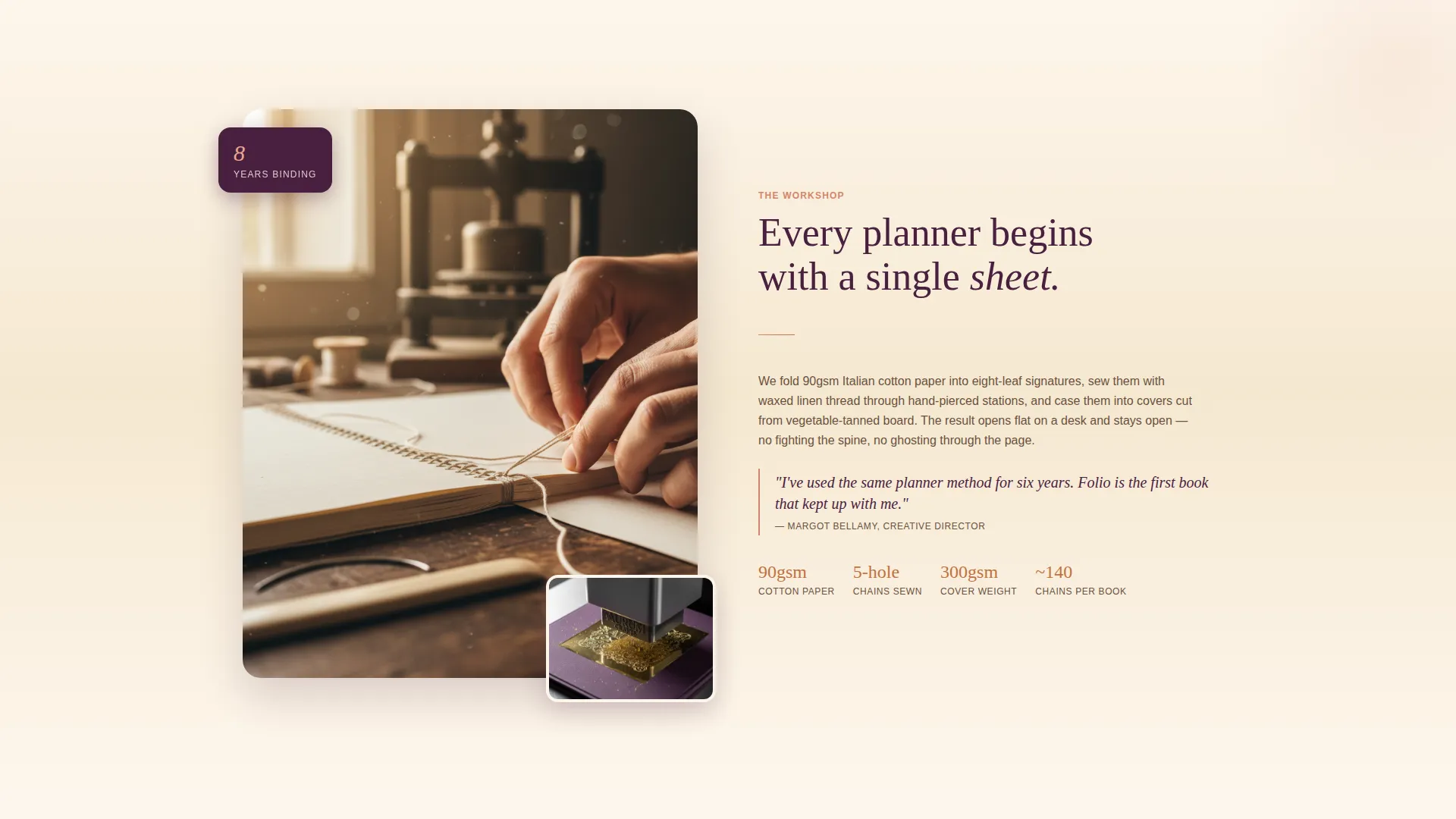
| Brand Story Block | Introduces the maker's hands, workshop, and craft process |
| Bento Product Grid | Displays the product range in asymmetric tiles with hover lift |
| Paper Detail Section | Shows paper weight close-ups, binding methods, and ink swatches |
| Live Cover Customizer | Guides visitors through four personalization steps |
| Corporate Gift Form | Captures bulk-order inquiries with quantity and deadline fields |
| Persistent Float Button | Keeps the "Build Your Own" customizer entry point always visible |
Design & branding system
The Folio template follows a Luxe Minimal theme built around a Sunset Gradient color system. Every color decision references the warmth of golden-hour light falling across a writing desk.
- Palette: warm parchment (#FDF6EC) and blush terracotta (#D4856B) for backgrounds, deep saffron (#C2703E) for accents, and dusky plum (#4A2040) reserved for typographic accents and hover states
- Product cards float on pure white surfaces; the gradient appears only in subtle washes behind section transitions and in the cart icon micro-animation
- Typography is set in a single clean sans-serif; all headlines use the fade-in entrance typical of unhurried editorial layouts
Mobile & speed optimization
The bento grid layout is structured to reflow cleanly across screen sizes. The asymmetric tile arrangement adapts so product cards remain legible and tappable on smaller viewports.
- Hover lift effects on product tiles translate to tap interactions on touch devices
- The persistent floating button stays accessible at all viewport sizes, keeping the customizer entry point within reach at every scroll position
- Section transitions use lightweight wipe animations designed to run smoothly without heavy asset loading
How this template helps you convert
Every scroll state is designed to deepen product confidence before presenting a call to action. The unboxing narrative structure earns the click rather than demanding it.
- Visitors enter through immersive editorial photography and a soft headline, which slows the pace and builds emotional connection to the product before any offer appears.
- The bento grid introduces individual products with tactile hover feedback and per-tile calls to action, giving buyers a clear next step without pressure.
- Three parallel conversion paths (retail, personalized, and corporate) ensure that a journaler, a calligrapher, and an executive gift buyer each find a route suited to their intent.
Other information about this template
Folio sits at the intersection of gallery-style presentation and detail-led storytelling. Its template style is Gallery plus Detail, which means product imagery and craft close-ups share equal weight with conversion mechanics.
- The template is categorized under Retail and E-Commerce with a focus on the Notebooks and Planners Store subcategory
- The header concept draws from a Device Mockup approach adapted for physical product staging, using overhead flat-lay composition rather than screen imagery
- The intersection match score for this template is 9 out of 10, reflecting a strong alignment between the Luxe Minimal theme, the Unboxing Experience creative direction, and the artisan planner niche
- The landing page direction referenced in the build brief is Quiz and Assessment style, reflected in the four-step customizer that guides visitors through sequential choices before a final personalization reveal
Theme
Luxe Minimal
Creative direction
Unboxing Experience
Color system
Sunset Gradient
Style
Gallery + Detail
Direction
Quiz/Assessment
Page Sections
Full-bleed Hero Header
Asymmetric Bento Product Grid
Four-step Cover Customizer
Corporate Gift Inquiry Form
Interactive Paper Swatch Selectors
Soft Vertical Wipe Transitions
Related questions
Can I change the color palette to match my own brand?
Does the Build Your Own customizer work out of the box?
Is this template suitable for a store selling only digital planners?
How does the corporate gift inquiry path work?
Can I add more product tiles to the bento grid?



