Sales Professional Executive Bio Landing Page Template
Folio is an asymmetric grid landing page built for elite sales professionals who need an executive bio that matches their actual career weight. The template uses a dark Atelier Studio aesthetic, case study narrative scrolling, and a single click-through flow to move visitors toward booking a bio crafting session. No forms, no clutter, just conviction.
by Rocket studio
Quick summary
Folio is a single-page, click-through landing page template designed for a sales professional executive bio service. It blends editorial visual design with a case study narrative structure to build trust scroll by scroll. The primary goal is one action: moving the right visitor to book a bio crafting session.
Who this template is for
This template is built for a specific kind of professional. These are high performers whose track records speak loudly in deal rooms but quietly everywhere else. If your career results outpace your personal brand, Folio was designed for you.
- Enterprise account executives breaking into vice president level roles
- Startup founders who sold their way to a Series B funding round
- Medical device sales representatives with seven-figure quarters and no personal brand to show for it
What problem this template solves
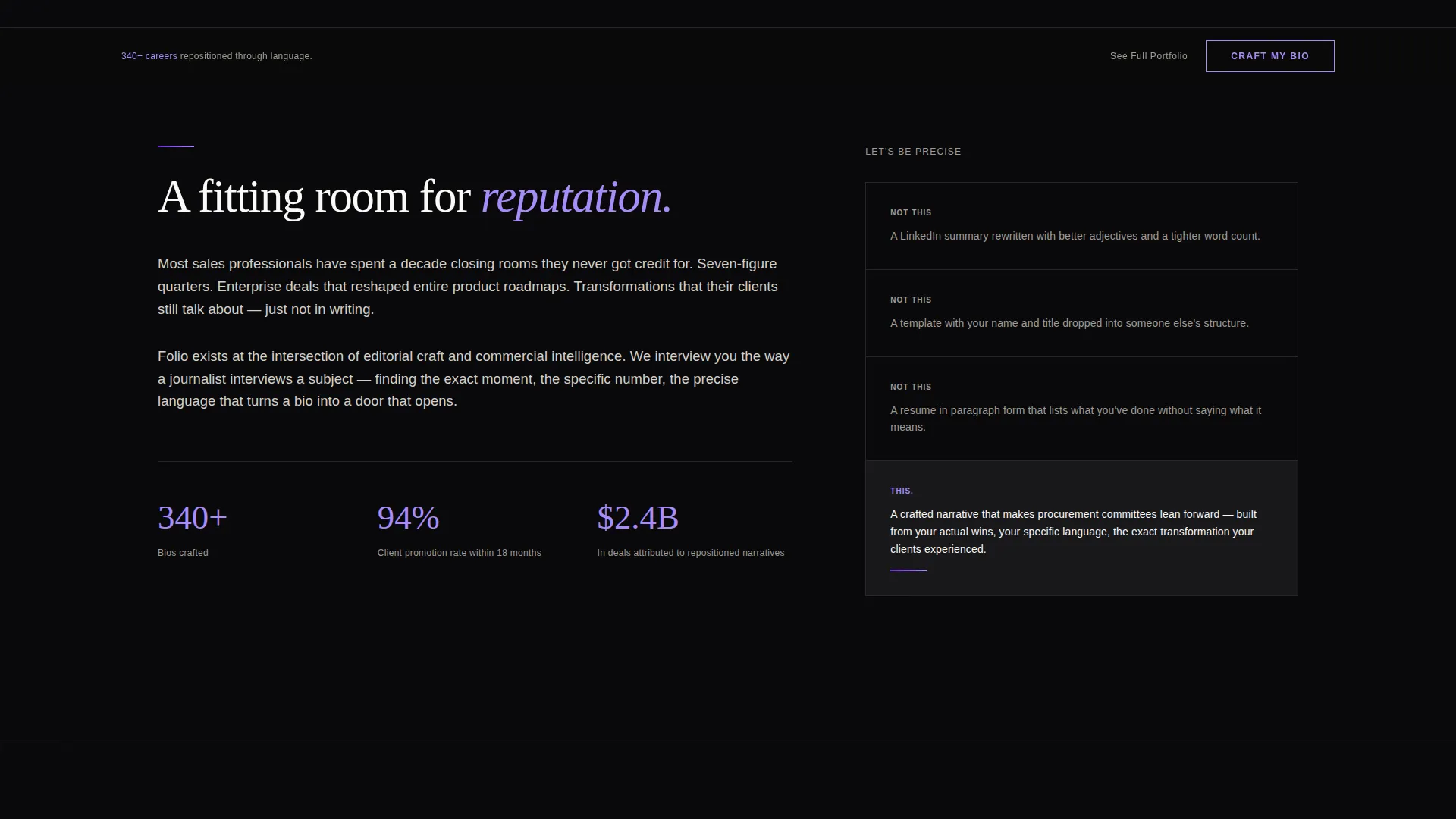
Most sales professionals have a LinkedIn summary that reads like a job description. It lists titles and quotas but never captures the quality of judgment, relationships, or transformation behind those numbers. Folio solves the gap between what you have achieved and how the world reads you.
- A polished bio service has no credible home without a page that feels as premium as the offer itself
- Visitors land with skepticism; without proof-led storytelling, they leave without booking
- Generic portfolio pages blend into noise and fail to earn the trust of executive-level buyers
What you get with this template
You get a fully structured, single-page landing page with a defined visual system, a narrative scroll architecture, and a clear conversion path. Every section has a purpose, and nothing is decorative without intent.
- An asymmetric 60/40 grid layout with a floating photo header and three escalating case study sections
- A fixed bottom call-to-action that appears after the first case study and stays visible through the rest of the scroll
- A secondary text link placed after the third case study for visitors who want to see a full portfolio before deciding
Feature list
This section describes the core template capabilities grounded directly in the source brief.
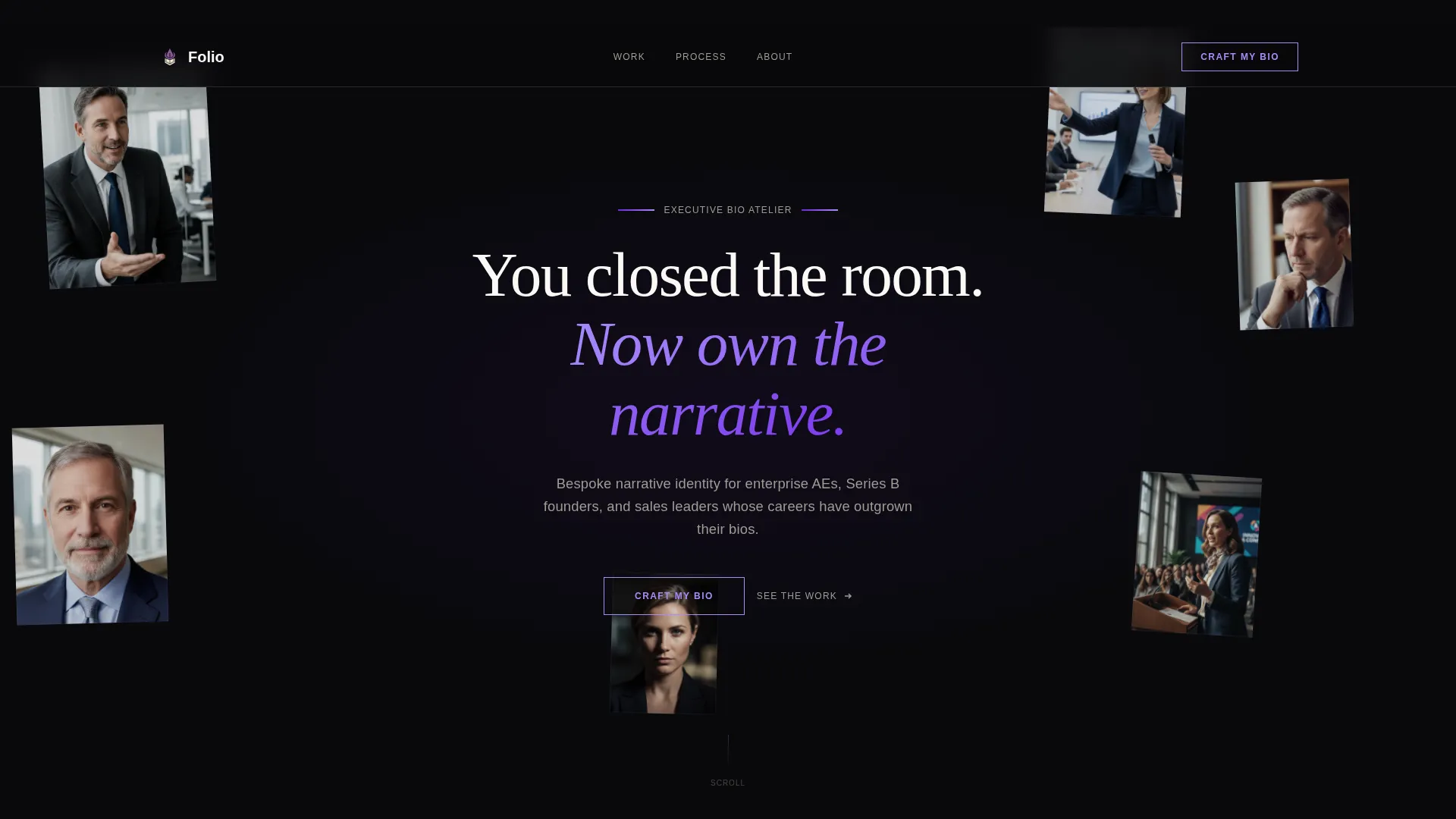
Floating Photo Constellation Header
Five or six editorial-grade professional portraits drift at different scales and slight rotations against a void-black canvas. The composition feels like a mood board pinned to a studio wall, with the headline materializing in orchid silk at the center of the orbit.
Asymmetric 60/40 Case Study Grid
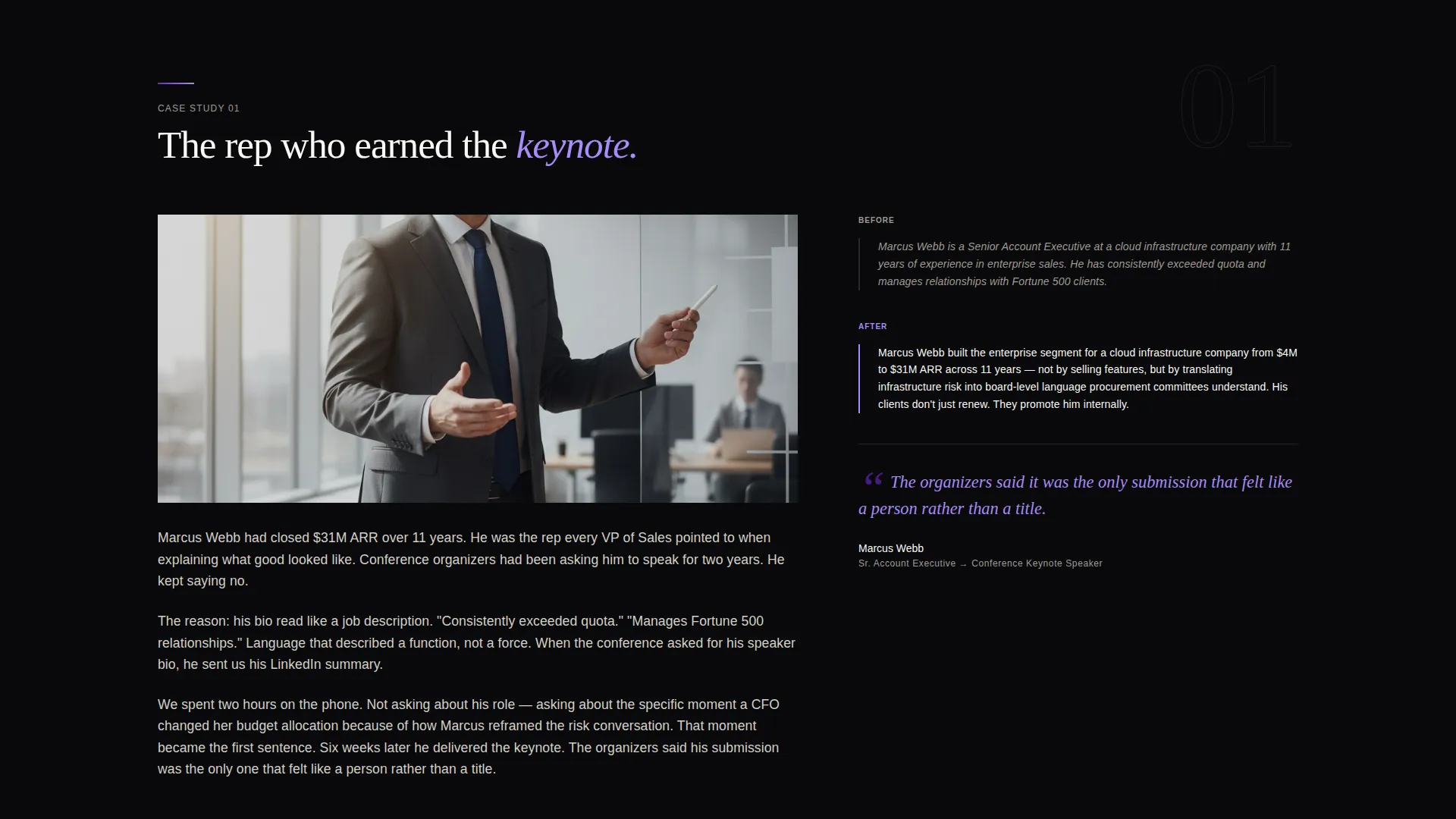
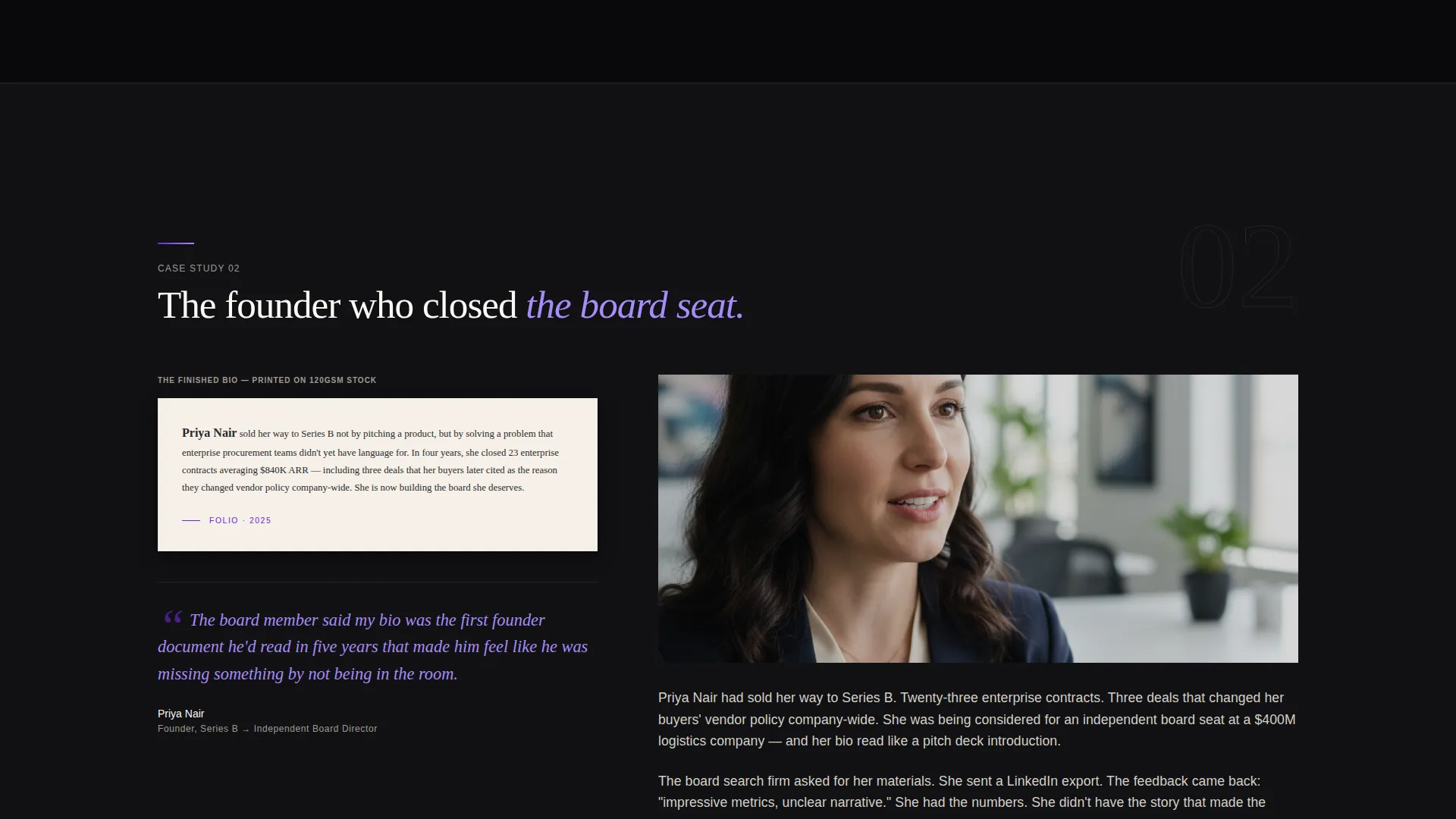
Each case study section splits into a 60-column story side and a 40-column evidence side. The story side covers who the client was and what changed. The evidence side holds a before/after text comparison, a client pull quote, or a detail shot of the finished bio.
Escalating Narrative Scroll
Three case studies build in stakes from section to section. The first features a rep who landed a speaking slot. The second features a founder who closed a board seat. The third features a vice president whose bio became the model for an entire sales organization.
Fixed Viewport Call-to-Action
The primary call-to-action button, labeled "Craft My Bio" in orchid silk against void black, appears first beneath the header. After the first case study it locks to the bottom of the viewport and remains visible for the rest of the page.
Secondary Portfolio Text Link
A plain text link reading "See Full Portfolio" appears after the third case study. It gives proof-seeking visitors a secondary path without cluttering the primary conversion flow.
Void and Violet Color System
The palette uses absolute void black as the dominant background, deep amethyst for accent structure, muted orchid silk for headlines and hover states, and parchment white for body text. Every color decision reinforces the premium, atelier feel of the service being sold.
Page sections overview
| Section | Purpose |
|---|---|
| Floating Photo Header | Establishes editorial tone and surfaces the core headline |
| Primary call to action Block | Converts early visitors before case studies begin |
| Case Study One | Demonstrates value through a speaking slot win story |
| Case Study Two | Escalates proof with a founder board seat narrative |
| Case Study Three | Peaks with a sales org-wide bio adoption story |
| Secondary Portfolio Link | Offers additional proof for hesitant visitors |
| Fixed Bottom call to action | Keeps the booking action visible throughout scroll |
Design & branding system
The visual identity follows an Atelier Studio theme. The design language borrows from high-end editorial print, private gallery spaces, and luxury brand monographs. Nothing feels rushed or mass-produced.
- Color system uses void black (#09090B), deep amethyst (#6D28D9), muted orchid silk (#A78BFA), and parchment white (#FAF9F6) with violet reserved for hover states and pull quotes
- Typography uses generous letter-spacing on parchment white text to read like a monograph rather than a webpage
- Portrait images are editorial-grade and shot mid-gesture, placed at varied scales and slight rotations to create a constellation effect
Mobile & speed optimization
The template is designed with a deliberate single-page structure that keeps the layout focused and load-light by design. The asymmetric grid adapts to narrower viewports while preserving the narrative hierarchy of each case study section.
- The 60/40 grid stacks vertically on smaller screens so story and evidence remain readable without horizontal scrolling
- The fixed bottom call-to-action stays accessible on mobile, keeping the booking path visible regardless of scroll position
- Portrait images are sized and positioned to maintain the constellation effect without overwhelming smaller display widths
How this template helps you convert
Every structural decision in Folio is aimed at one outcome: the visitor clicking "Craft My Bio" with confidence. The page earns that click through evidence, not pressure.
- The case study narrative builds compounding proof across three sections, each one raising the stakes and making the visitor think the next story could be their own.
- The fixed bottom call-to-action removes the need to scroll back up, so the decision to book is never more than one tap away at any point in the page.
- The "See Full Portfolio" secondary link captures visitors who need more proof without sending them away from the conversion path.
Other information about this template
Folio fits naturally into a service business workflow where the landing page is the first impression before a short intake questionnaire. The template is built for a single-page click-through flow, meaning no embedded forms live on this page. The click routes directly to a booking and package selection experience.
- This template belongs to the Personal and Resume category, specifically the Sales Professional Career subcategory
- The Atelier Studio theme and Void and Violet color system are original to this template design and are not shared with generic portfolio or resume page templates
- The page is optimized for a single call to action, making it well-suited for service providers who want a focused, distraction-free conversion path
Theme
Atelier Studio
Creative direction
Case Study Narrative
Color system
Void & Violet
Style
Asymmetric Grid (60/40)
Direction
Click-Through
Page Sections
Floating Photo Constellation Header
Asymmetric 60/40 Case Study Grid
Escalating Three-part Narrative
Fixed Viewport Call-to-action
Secondary Portfolio Text Link
Void and Violet Color System
Related questions
Is there a contact form built into this template?
How many case studies does the template include?
Can I use this template for a different personal branding service?
Does this template work for solo practitioners, or is it only for agencies?
What does the secondary 'See Full Portfolio' link do?



