Model Management Agency Landing Page Template
Folio is a single-column landing page template built for model management agencies. It combines a cinematic editorial aesthetic with a clear app-download conversion path. From a full-bleed darkroom header to sequenced model cards and a sticky download prompt, every section is designed to turn a late-night phone scroll into a submitted portfolio.
by Rocket studio
Quick summary
Folio is a single-column landing page template for boutique model management agencies. It opens with a full-bleed dark header, flows through a cinematic model roster, and closes with a sticky app-download call to action. The Ruby and Chrome color system and editorial magazine theme give the page an immediate, high-fashion authority that earns trust before a single word is read.
Who this template is for
Folio was designed for agencies that need to attract talent and business simultaneously. The layout speaks to multiple audiences at once without losing focus.
- Boutique model management agencies launching or relaunching a digital presence
- Mother agents in secondary markets looking for a credible partner to present to prospective talent
- Casting directors who need quick access to verified model profiles and clean digitals
What problem this template solves
Most agency websites feel like either a generic portfolio or a cold corporate brochure. Neither builds the emotional trust that makes an aspiring model hit download at two in the morning. Folio solves the gap between visual credibility and practical conversion.
- The cinematic scroll sequence builds proof before the call to action appears
- The sticky app-download prompt arrives only after the roster has been shown, so the ask feels earned
- The two-step download flow reduces friction by letting talent choose their platform first and add context second
What you get with this template
Folio delivers a fully structured single-page layout built around editorial tension and a clear conversion goal. Every section serves the story and the download.
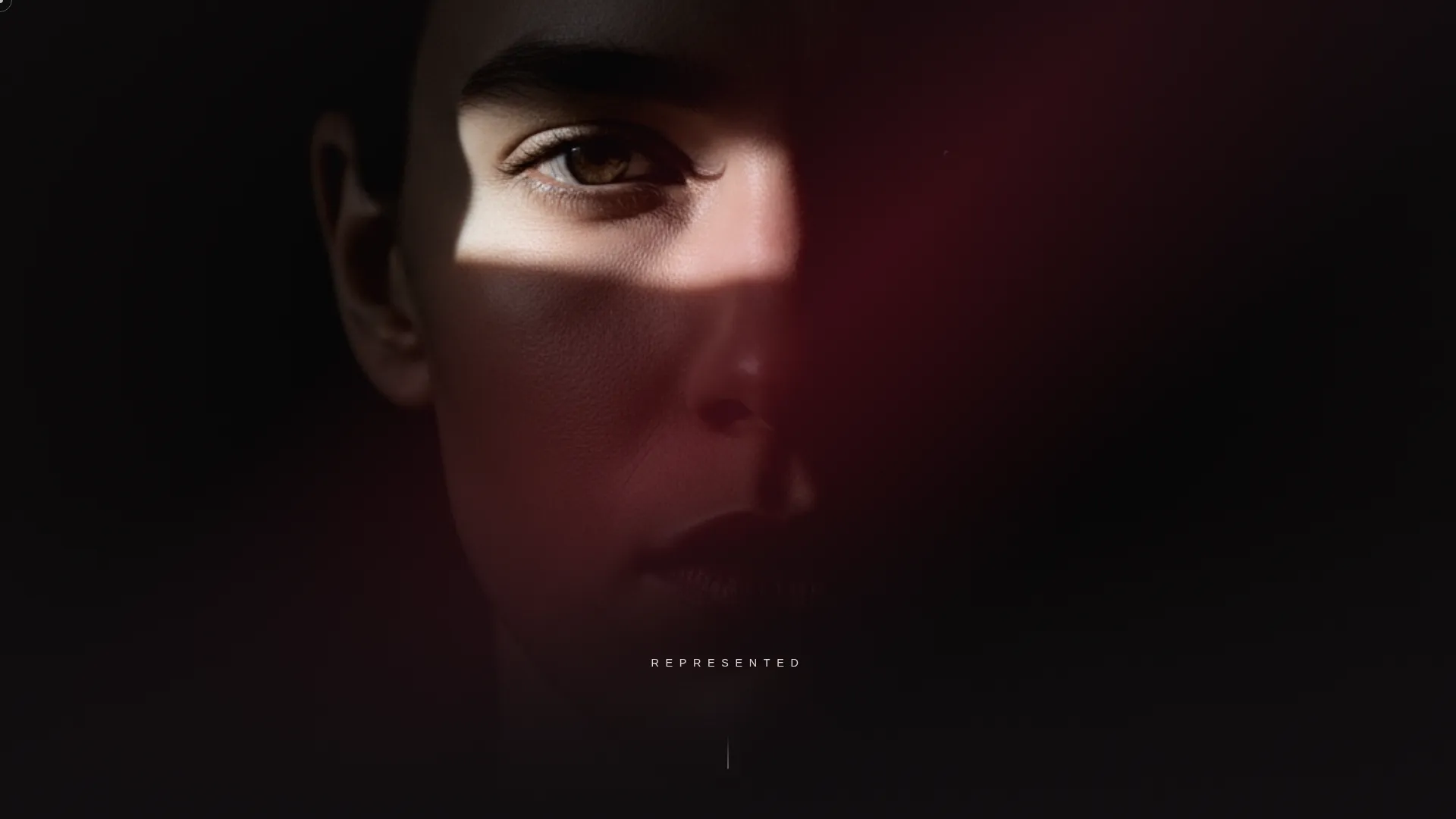
- A dark full-bleed header with a ruby-tinted face reveal and a single typed word, REPRESENTED
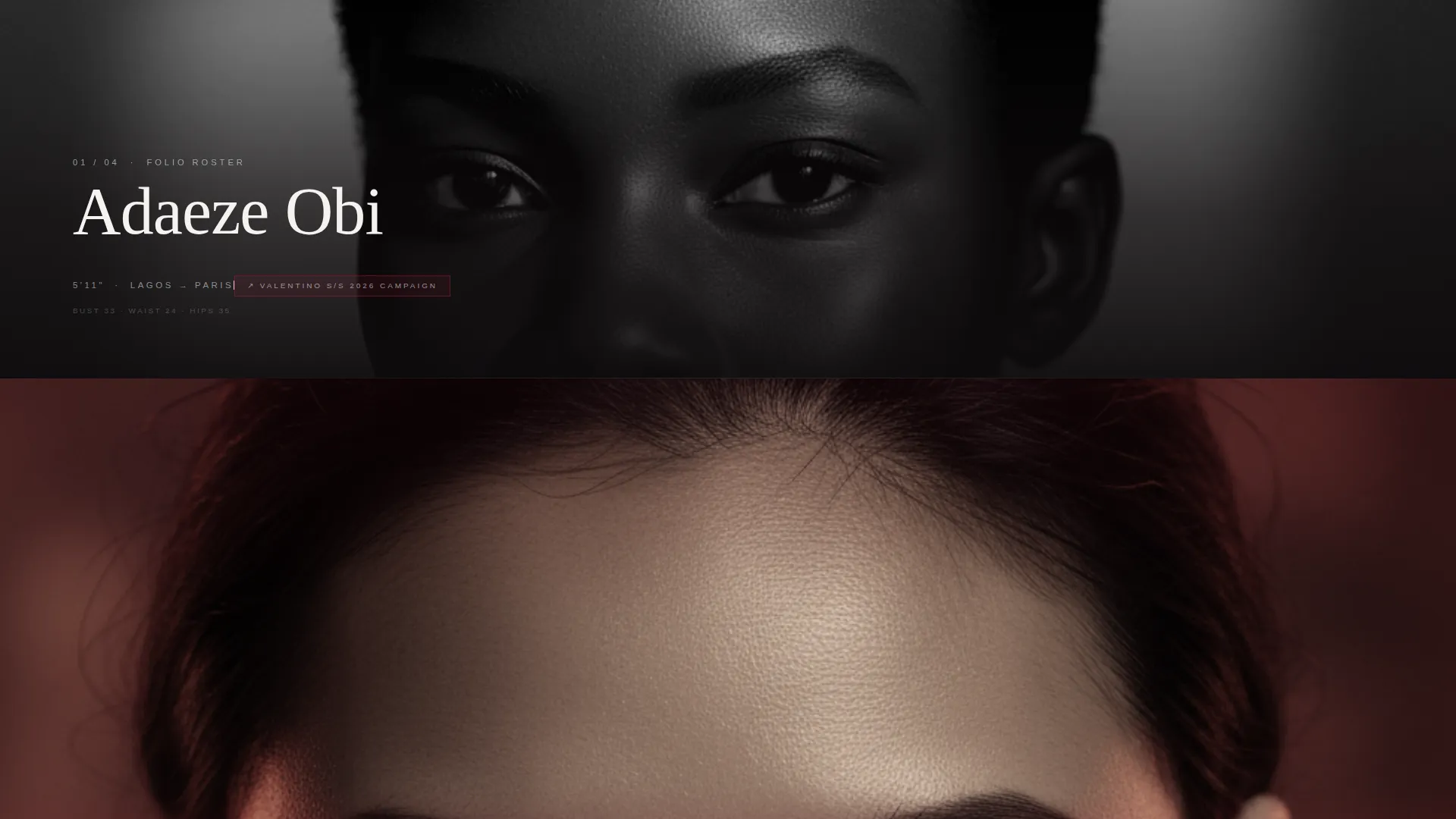
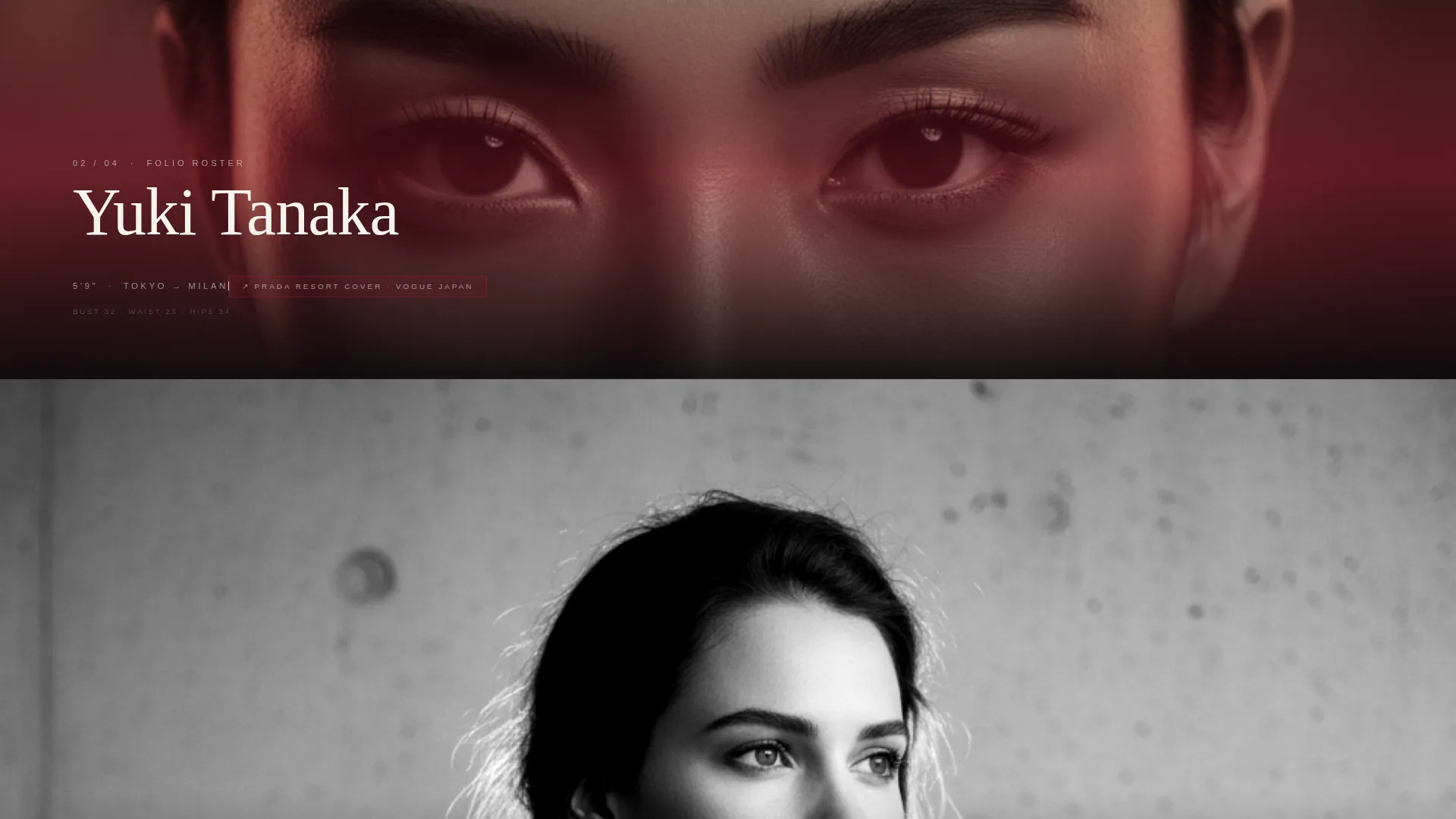
- A cinematic model sequence alternating black-and-white portraits with ruby-washed color frames, each with a typed stat line
- A behind-the-scenes reel break, three signed-model testimonial cards, and a sticky chrome app-download pill with a two-step platform selection flow
Feature list
This template packages a complete conversion-ready layout inside one scrollable editorial experience. Each component was specified for the model management agency use case.
Full-Bleed Darkroom Header
The viewport opens on pure black. A single face fades in under a narrow diagonal strip of ruby-tinted light. The word REPRESENTED appears in ultra-thin extended tracking, holds for three seconds, then a chrome scroll cue pulses at the bottom edge. No navigation, no clutter.
Cinematic Model Roster Sequence
Each scroll increment reveals one model as a full-viewport editorial moment. A brief stat line showing name, height, city, and recent booking types on like a film credit. The rhythm alternates stark black-and-white portraits with ruby-washed color frames, creating paced tension and release.
Behind-the-Scenes Reel Break
Midway through the scroll, the editorial sequence pauses for a handheld footage segment. Casting sessions, fittings, and travel moments prove the agency is an active working operation, not just a curated gallery.
Signed-Model Testimonial Cards
Three testimonial cards from signed models close the roster section. Each card quotes the exact moment the model knew this was the agency for them. The cards build personal trust at the point just before the download ask.
Sticky App-Download Call to Action
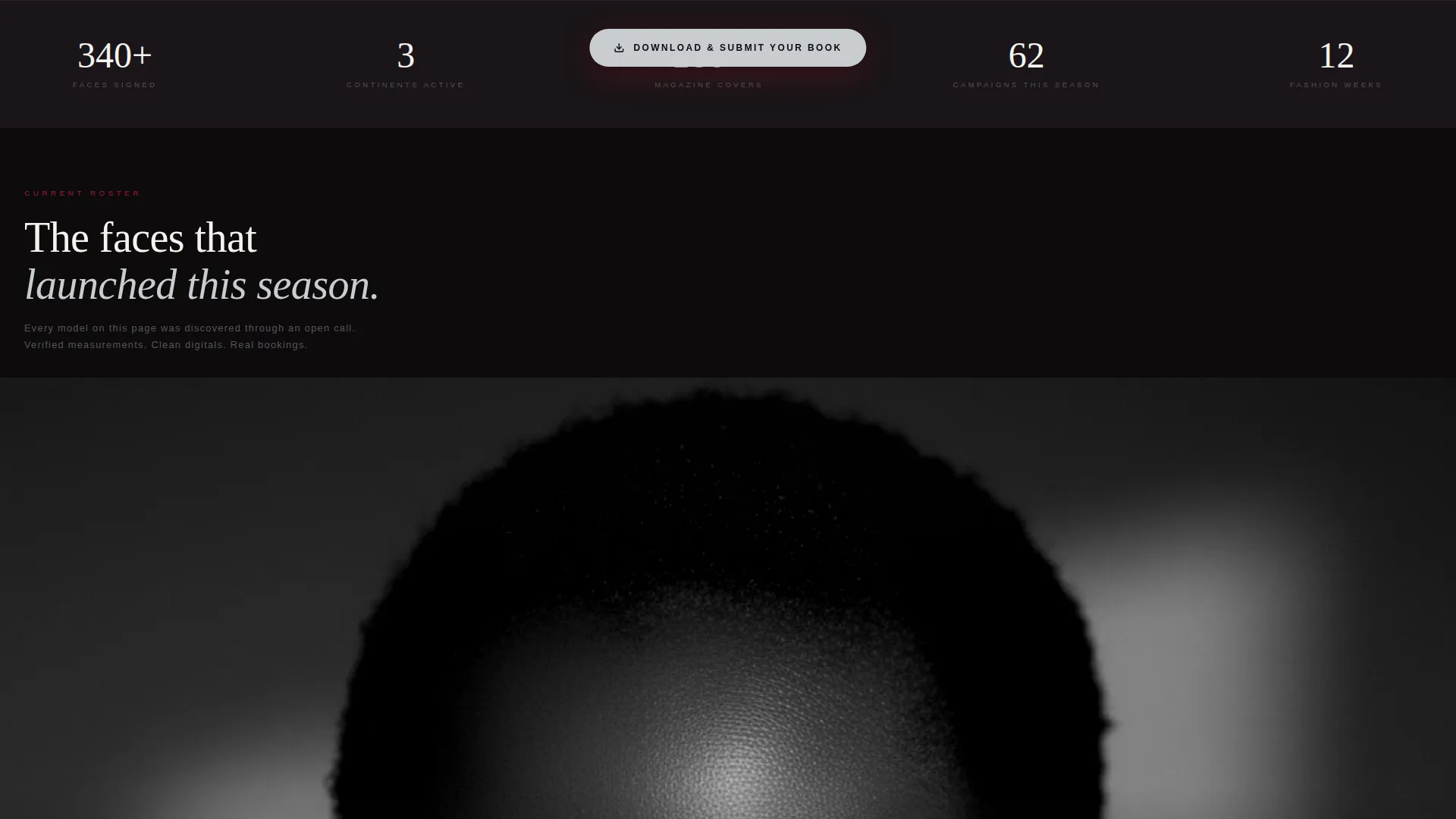
A chrome pill button locks to the screen after the third model card. It remains visible through the rest of the scroll without obscuring content. Tapping opens the two-step download flow.
Two-Step Platform Selection Flow
The first step shows iOS and Android icons for a single tap. The second step offers an optional field to enter an Instagram handle so the scouting team can review it before onboarding is complete. The flow keeps commitment low and momentum high.
Page sections overview
| Section | Purpose |
|---|---|
| Dark bleed header | Introduce agency identity with a single face and the word REPRESENTED |
| Model roster sequence | Show active roster through full-viewport editorial moments with typed stat lines |
| Behind-the-scenes reel | Prove the agency is operational with handheld casting and fitting footage |
| Testimonial cards | Build personal trust through direct quotes from three signed models |
| Sticky download pill | Anchor the app-download call to action after the third model card |
| Platform selection flow | Guide talent through iOS or Android choice and optional Instagram handle entry |
Design & branding system
The Ruby and Chrome color system is built around a near-black backdrop that lets every other element command the frame. The result feels like a high-fashion editorial spread shot on black seamless.
- Near-black backdrop (#0E0B0D) absorbs the background; liquid chrome silver (#C8CDD0) carries typography and the sticky pill; deep ruby (#9B1B30) appears only in interactive states, accent glows, and the header light strip
- Editorial white (#F5F3F0) keeps body typography clean and legible against the dark field
- The ultra-thin extended tracking on headlines and the film-credit typing animation reinforce the editorial magazine theme across every scroll position
Mobile & speed optimization
The single-column flow is the natural format for vertical mobile scrolling. Every section was conceived as a phone-screen moment first.
- Full-viewport editorial frames scale to any screen size without breaking the cinematic pacing
- The sticky chrome pill is positioned to remain accessible on small screens without blocking the content behind it
- The two-step download flow uses large tap targets for iOS and Android selection, keeping the action easy on a small display
How this template helps you convert
Folio earns the conversion by building desire and proof before the call to action ever appears. The layout follows a deliberate sequence that mirrors how trust actually forms.
- The roster section runs first, showing real careers and verified model details before any ask is made, so the download feels like access rather than a sign-up form
- The sticky app-download pill appears only after the third model card, timed to the moment when a viewer has seen enough proof to act
- The two-step platform flow keeps the commitment minimal, with the Instagram handle field marked optional so talent can start the process without feeling obligated to share everything immediately
Other information about this template
Folio fits naturally within the Media and Entertainment category and specifically the Talent and Artist Management niche. A few additional details worth noting before you start customizing.
- The template is categorized under Model Management Agency use cases and is ready for boutique operations working across multiple markets
- The Editorial Magazine theme and single-column flow make the layout equally effective for agencies presenting to both talent and industry contacts in one page
- The header concept is classified as Dark Full-Bleed and Glow, and the creative direction follows a Cinematic Sequence structure throughout the scroll
- The landing page direction is App Download, meaning the entire editorial story is engineered to make the download feel like the obvious and natural next step
Theme
Editorial Magazine
Creative direction
Cinematic Sequence
Color system
Ruby & Chrome
Style
Single Column Flow
Direction
App Download
Page Sections
Full-bleed Darkroom Header
Cinematic Model Roster Sequence
Behind-the-scenes Reel Break
Signed-model Testimonial Cards
Sticky App-download Call to Action
Two-step Platform Selection Flow
Related questions
Who is the primary audience for the Folio landing page?
Can I use this template without an app to promote?
How many models can I feature in the roster sequence?
Does the template include the behind-the-scenes video section?
What makes the two-step download flow different from a standard sign-up form?