Immersive Architect Portfolio Landing Page Template
Folio is a full-width immersive landing page built for architects who treat photography as the first act of design. It uses a Before/After Slider header, a scrolling Gallery Walk structure, and a warm Cloud Canvas palette to present built work with gallery-level intention. The page collects early-access signups ahead of a full portfolio launch.
by Rocket studio
Quick summary
Folio is a single-page, waitlist-focused architect portfolio landing page. It presents built projects as curated exhibition photographs, guiding visitors through a slow, immersive scroll before inviting them to reserve early access. The Cloud Canvas color system, Lens and Frame visual theme, and Before/After Slider header work together to make the work feel like an opening night worth attending.
Who this template is for
This template suits architects and architectural photographers who want to build anticipation before a full portfolio goes live. It speaks clearly to a discerning audience that values restraint, careful framing, and editorial presentation over feature lists.
- Architects preparing a staged portfolio launch who want to collect qualified leads in advance
- Architectural photographers building an editorial client base among developers and press
- Award-cycle entrants who need a focused, high-impact single page for jury review
What problem this template solves
Most portfolio pages compete on quantity. They load every project, every plan, and every credential at once. That approach works against architects whose strongest asset is how their buildings photograph. Folio solves the problem of the forgettable first impression.
- Visitors scroll passively and leave without acting, because nothing earns their attention
- Portfolio launches happen without a lead list, so early momentum is lost
- The work gets buried in layout noise instead of being presented with the calm it deserves
What you get with this template
You get a carefully structured single-page layout that moves like a curated exhibition. Every decision, from section rhythm to button color, is made to serve the photographs first and the conversion second.
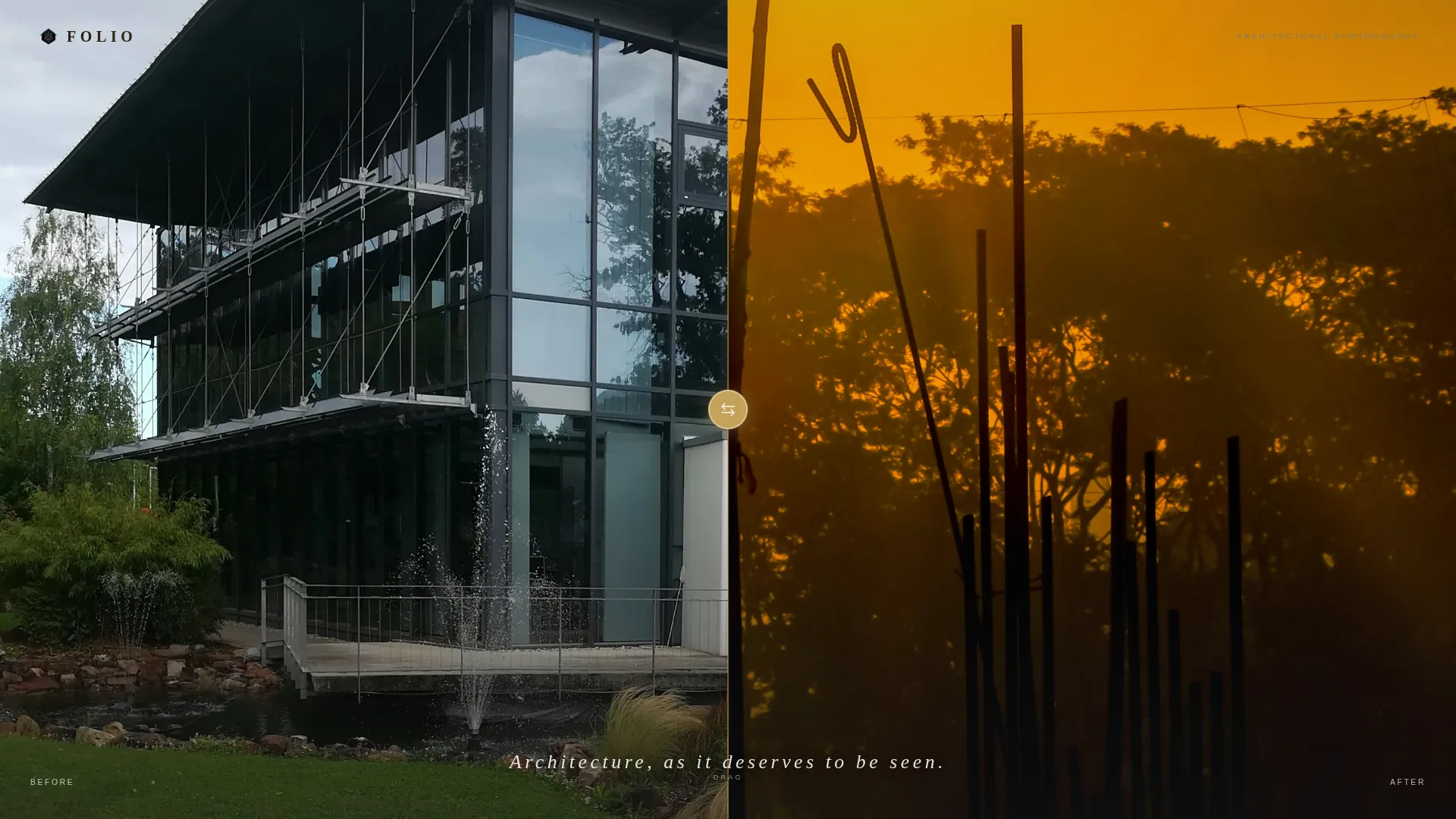
- A full-viewport Before/After Slider header with a brass-colored drag handle and a headline that appears only at center
- A Gallery Walk scroll structure where each project occupies the full viewport with interstitial process cards
- A dual-placement waitlist form collecting email and role, with a live signup counter for quiet social proof
Feature list
This template is built around a focused set of intentional components. Each one earns its place by serving either the visual presentation or the early-access goal.
Before/After Slider Header
The header splits the full viewport between a raw construction photograph and the finished building in identical framing. The visitor drags a thin brass-colored handle to reveal the transformation. A single headline in light tracking appears only when the handle reaches center, making the reveal feel earned.
Gallery Walk Scroll Structure
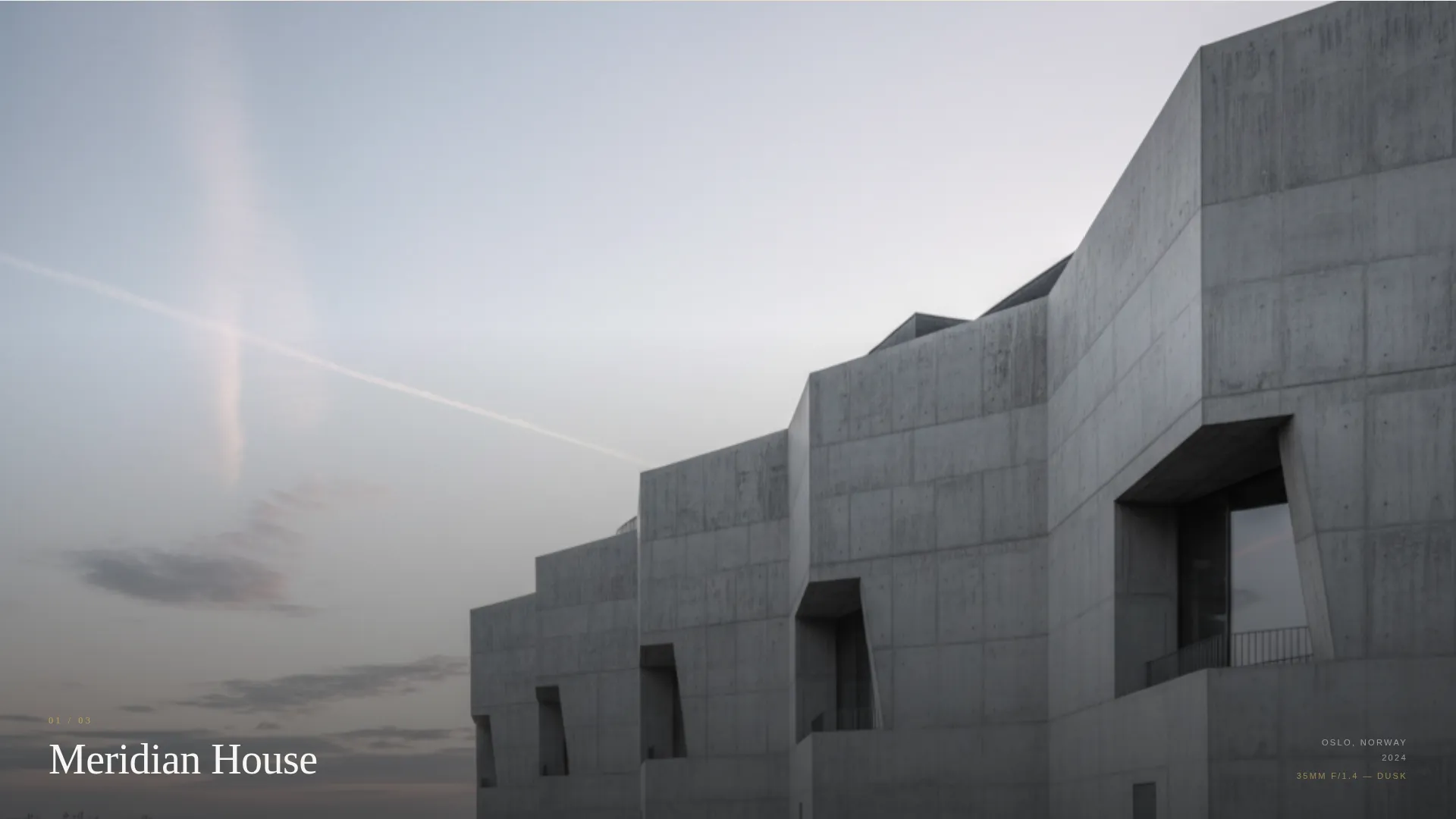
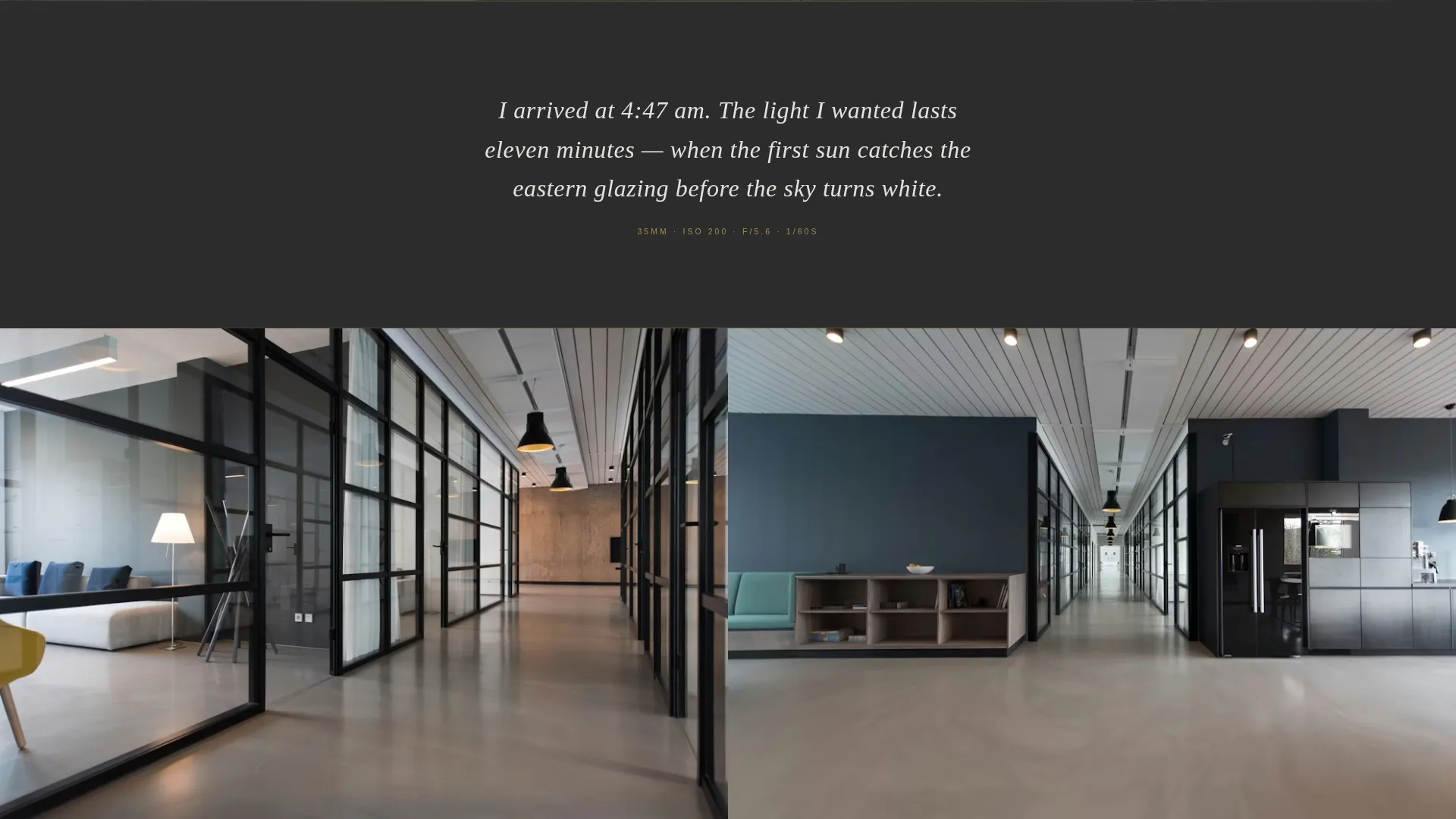
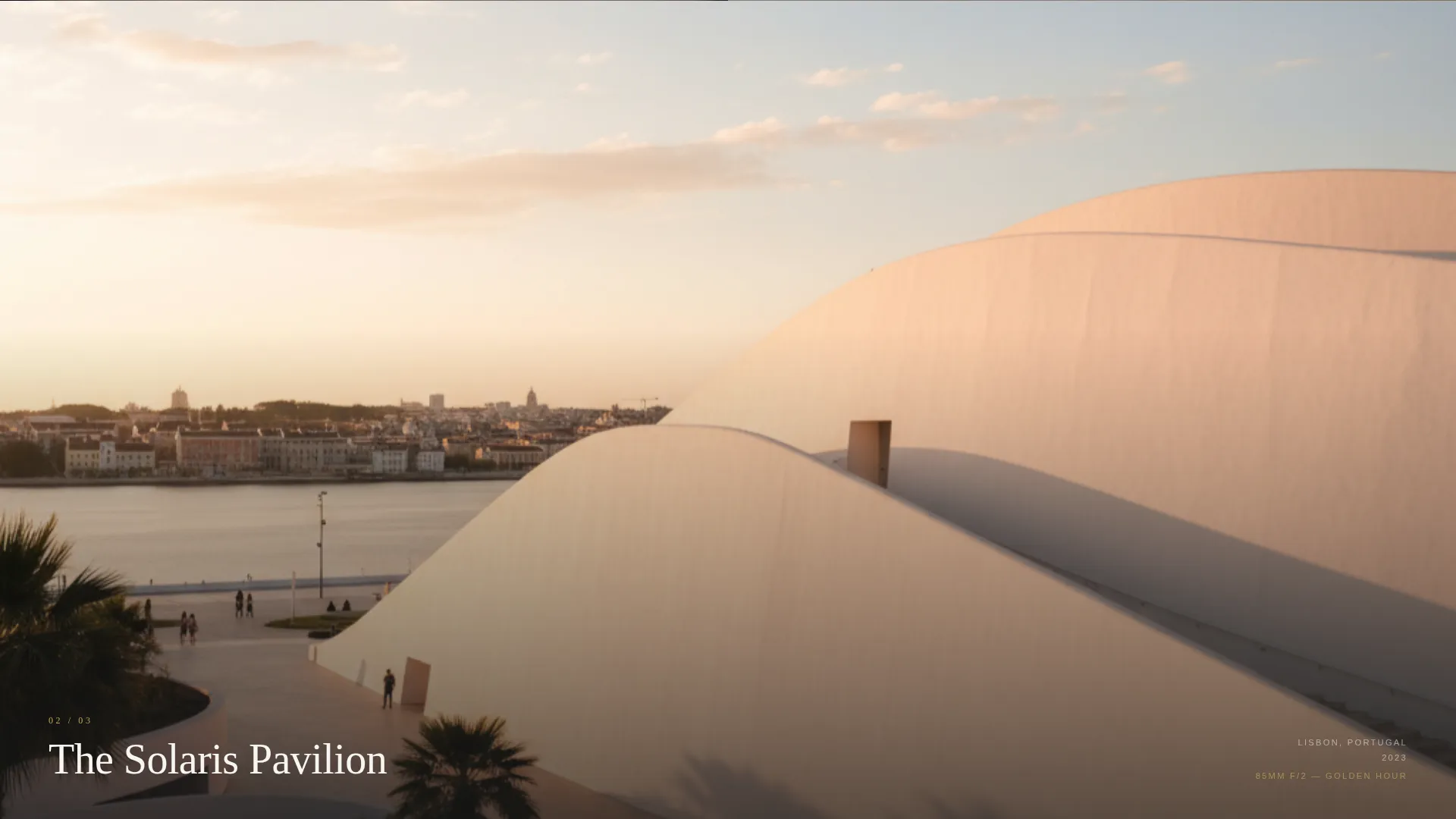
Each project section occupies the full viewport and enters with a slow parallax rise, like a framed print being lifted onto a wall. The rhythm alternates between full-scale views and intimate detail crops. Between projects, matte charcoal interstitial cards carry a single first-person sentence about lens choice, time of day, or angle rationale.
Dual-Placement Waitlist Form
The "Reserve Your Preview" call to action appears twice: once after the third project and once at the final frame. Each instance shows the same compact form asking only for email and a role dropdown. The role options are Architect, Developer, Editor, and Admirer.
Signup Counter Social Proof
A small numeric counter sits below the waitlist button showing how many visitors have already joined. It creates quiet momentum without aggressive language or inflated claims.
Cloud Canvas Color System
The palette uses gallery white, soft fog, matte charcoal for typography and thin framing borders, and a single warm aged brass accent reserved only for interactive states and the primary call-to-action button. Nothing competes with the photographs.
Lens and Frame Visual Theme
The Lens and Frame theme treats every layout decision as a photographic choice. Spacing, proportion, and cropping follow the logic of an exhibition print rather than a typical web grid. The result is a page that feels hand-curated.
Page sections overview
| Section | Purpose |
|---|---|
| Before/After Slider | Opens the page with a construction-to-completion reveal and introduces the headline |
| Project One | Presents the first featured building at full viewport scale with parallax entry |
| Interstitial Card One | Delivers a first-person process note on lens or light between projects |
| Project Two | Continues the gallery rhythm with the second featured work |
| Interstitial Card Two | Offers a second process sentence to maintain editorial voice |
| Project Three | Completes the pre-call to action gallery sequence |
| First Waitlist Form | Invites early-access signup after the third project with role dropdown and counter |
| Final Project Frame | Closes the gallery sequence at full-viewport scale |
| Final Waitlist Form | Repeats the signup prompt at the last frame to capture late-deciding visitors |
Design & branding system
The Cloud Canvas palette is built around restraint. Every color serves the photographs, not the interface. The result feels like a linen-wrapped photography book left open on a marble surface.
- Gallery white (#F7F5F2) and soft fog (#E2DFD9) form the neutral field that lets images breathe
- Matte charcoal (#2C2C2C) handles all typography and the thin framing borders that separate sections
- Aged brass (#C4A35A) appears only on interactive states and the waitlist button, making every call to action feel considered and warm
Mobile & speed optimization
The full-width immersive layout is designed to scale down without losing the gallery feeling. Large images and viewport-filling sections require careful handling at smaller screen sizes to stay readable and fast.
- Full-viewport project sections reflow to prioritize image impact on narrower screens
- The Before/After Slider handle remains draggable on touch screens so mobile visitors get the same reveal experience
- The minimal form structure, two fields and one dropdown, keeps the waitlist interaction frictionless on any device
How this template helps you convert
Folio earns the signup rather than demanding it. The page withholds just enough of the full collection to make early access feel like a genuine privilege.
- The Before/After Slider creates immediate investment. Visitors interact before they read, which builds personal engagement with the work before any ask appears.
- The Gallery Walk rhythm alternates scale and detail, keeping attention active throughout the scroll so visitors arrive at the waitlist form already convinced.
- The signup counter adds peer signal without pressure. Seeing that others have already reserved a preview makes the decision feel natural rather than transactional.
Other information about this template
Folio is categorized under Portfolio and Agency templates, specifically within the Architect Portfolio and Architect Gallery Portfolio niche. It is designed as a full-width immersive landing page with a Waitlist and Coming Soon direction, making it well suited for pre-launch campaigns that need to build a list before the main portfolio goes live.
- The template style is Full-Width Immersive, optimized for visual-first industries where the work itself is the primary sales argument
- The Lens and Frame theme and Gallery Walk creative direction are specifically matched to this niche for editorial coherence
- This template works equally well as a standalone pre-launch page or as a temporary holding page while a full multi-project site is being built
- The aged brass accent color and matte charcoal typography create a palette that reads as premium and considered across both light and dark viewing environments
Theme
Lens & Frame
Creative direction
Gallery Walk
Color system
Cloud Canvas
Style
Full-Width Immersive
Direction
Waitlist/Coming Soon
Page Sections
Before/after Slider Header
Gallery Walk Scroll Structure
Dual-placement Waitlist Form
Signup Counter Social Proof
Cloud Canvas Color System
Related questions
Can I add more projects to the gallery scroll?
Is the waitlist form connected to an email platform by default?
Can I use Folio as a live portfolio instead of a pre-launch page?
How does the headline on the Before/After Slider work?
Who is this landing page template designed to impress?



