Photographer Portfolio Portfolio Website Template
Folio is a full-width immersive photographer landing page built around cinematic case study storytelling. Each project sequence unfolds with a full-bleed establishing shot, a staggered detail triptych, a client pull-quote, and a closing hero image. The Atelier Studio design and Monochrome Steel palette strip away distraction so the work commands every frame.
by Rocket studio
Quick summary
Folio is an immersive single-page photographer portfolio template built to present case studies like gallery rooms. Each project sequence pulls visitors through tension, reveal, reflection, and a hard visual reset before the next story begins. Three to four case studies build trust before any conversion ask is made.
Who this template is for
This template is built for photographers who need to attract high-intent creative clients. It is designed for practitioners whose work carries a strong narrative thread and whose clients judge on vision, not just technical output.
- Commercial and editorial photographers presenting campaign or long-form visual work
- Independent photographers pitching to creative directors, editorial teams, and brand managers
- Portfolio owners who want their page to feel like a curated gallery showing rather than a standard grid
What problem this template solves
Most photographer portfolio pages display images without context. They show what a photographer can shoot but not how they think, pace a story, or carry a visual idea from brief to final frame. Folio solves the credibility gap between showing images and demonstrating creative range.
- Visitors leave standard portfolio grids without a clear sense of a photographer's narrative control
- Creative directors need proof of range and editorial judgment before they reach out
- A flat image grid gives no emotional rhythm, so clients feel no pull toward the next project
What you get with this template
Folio delivers a complete single-page case study portfolio with a cinematic scrolling structure. Each element is purposefully sequenced so visitors move naturally from one project to the next and arrive at the contact call to action already convinced.
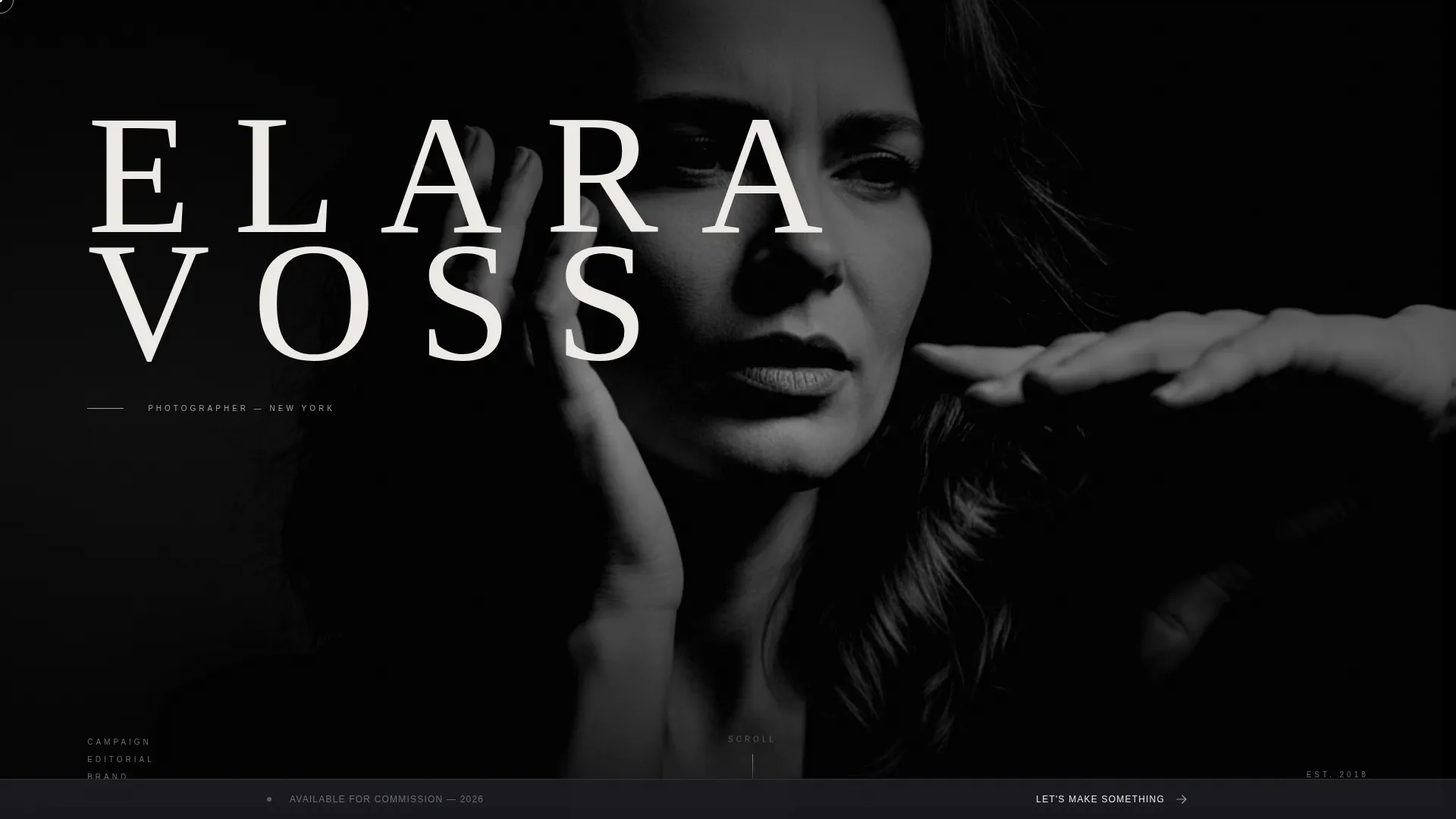
- A full-viewport header with oversized ultra-light serif type set over a high-contrast black-and-white photograph
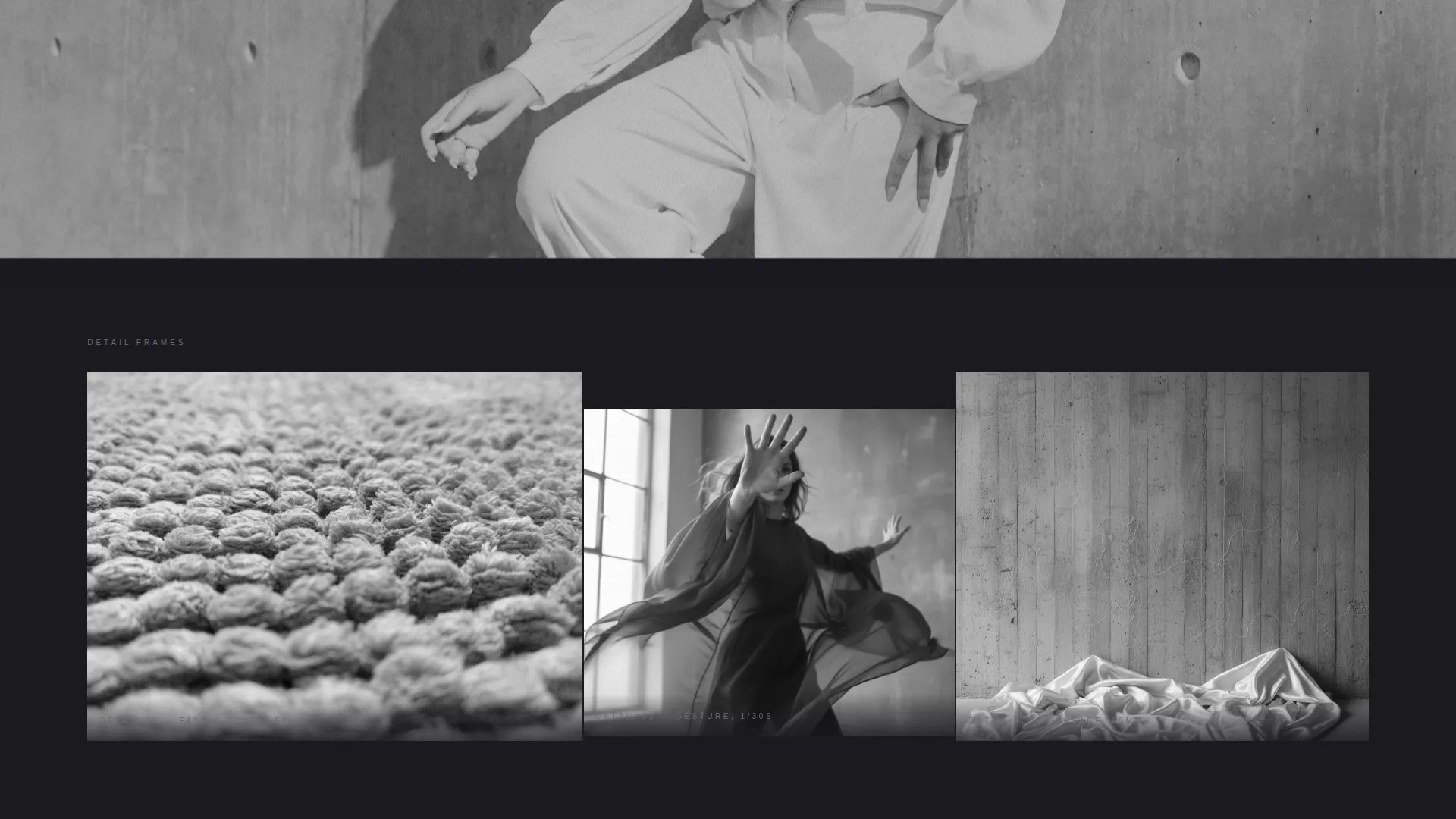
- Three to four complete case study sequences, each containing a full-bleed establishing shot, staggered detail triptych, client pull-quote, and closing hero image
- A persistent bottom bar with a commissioning call to action that appears after the second case study
Feature list
This template includes a focused set of structural and visual features drawn directly from the brief. Each one serves the larger goal of turning a portfolio page into a persuasive, immersive experience.
Full-Viewport Header with Type Over Image
The header occupies the entire screen on load. A high-contrast, shallow-depth-of-field photograph fills the frame while the photographer's name sits in oversized, wide-letterspaced ultra-light serif type. No navigation appears until the visitor begins to scroll, keeping the opening statement clean and undivided.
Cinematic Case Study Sequences
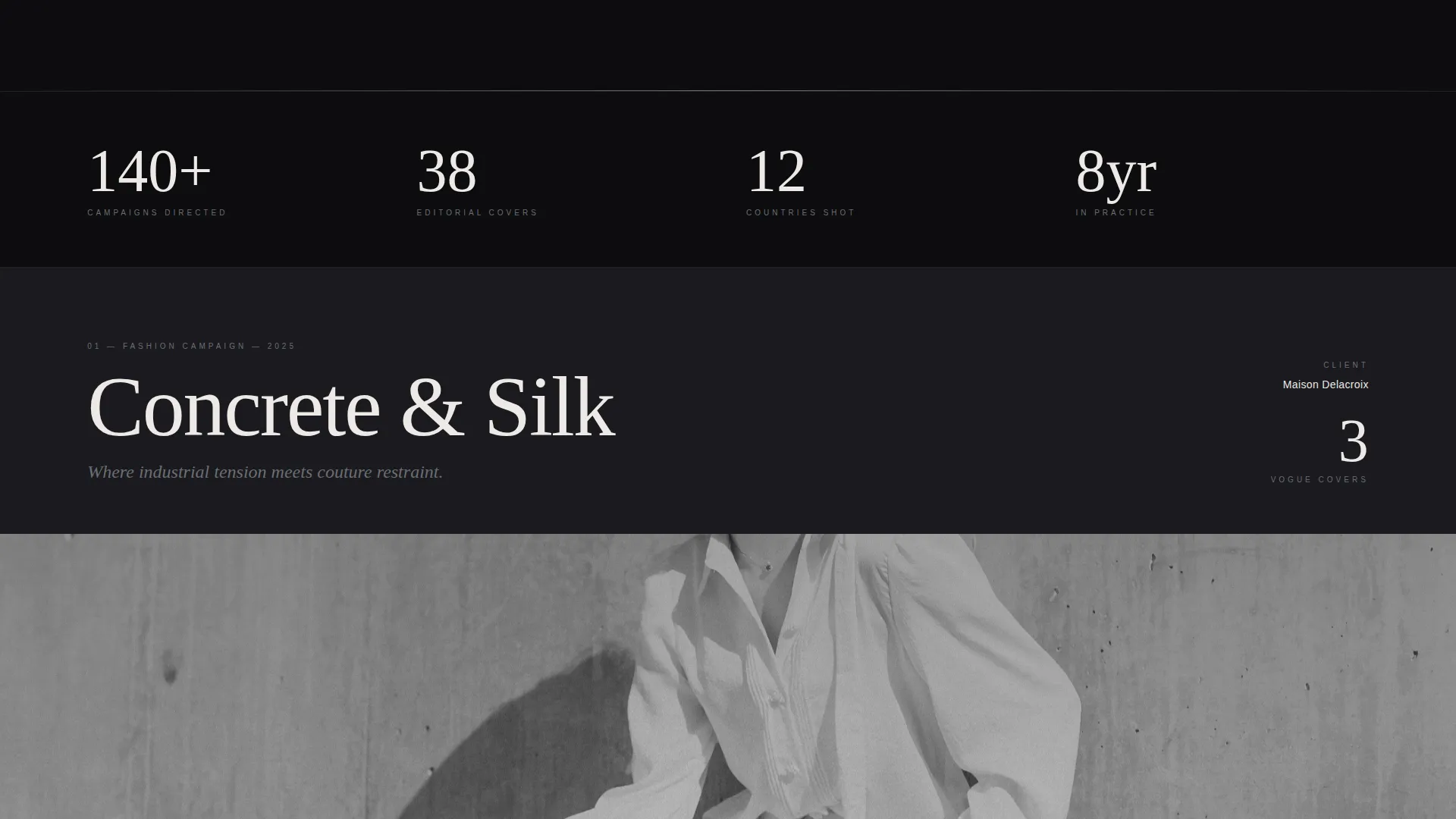
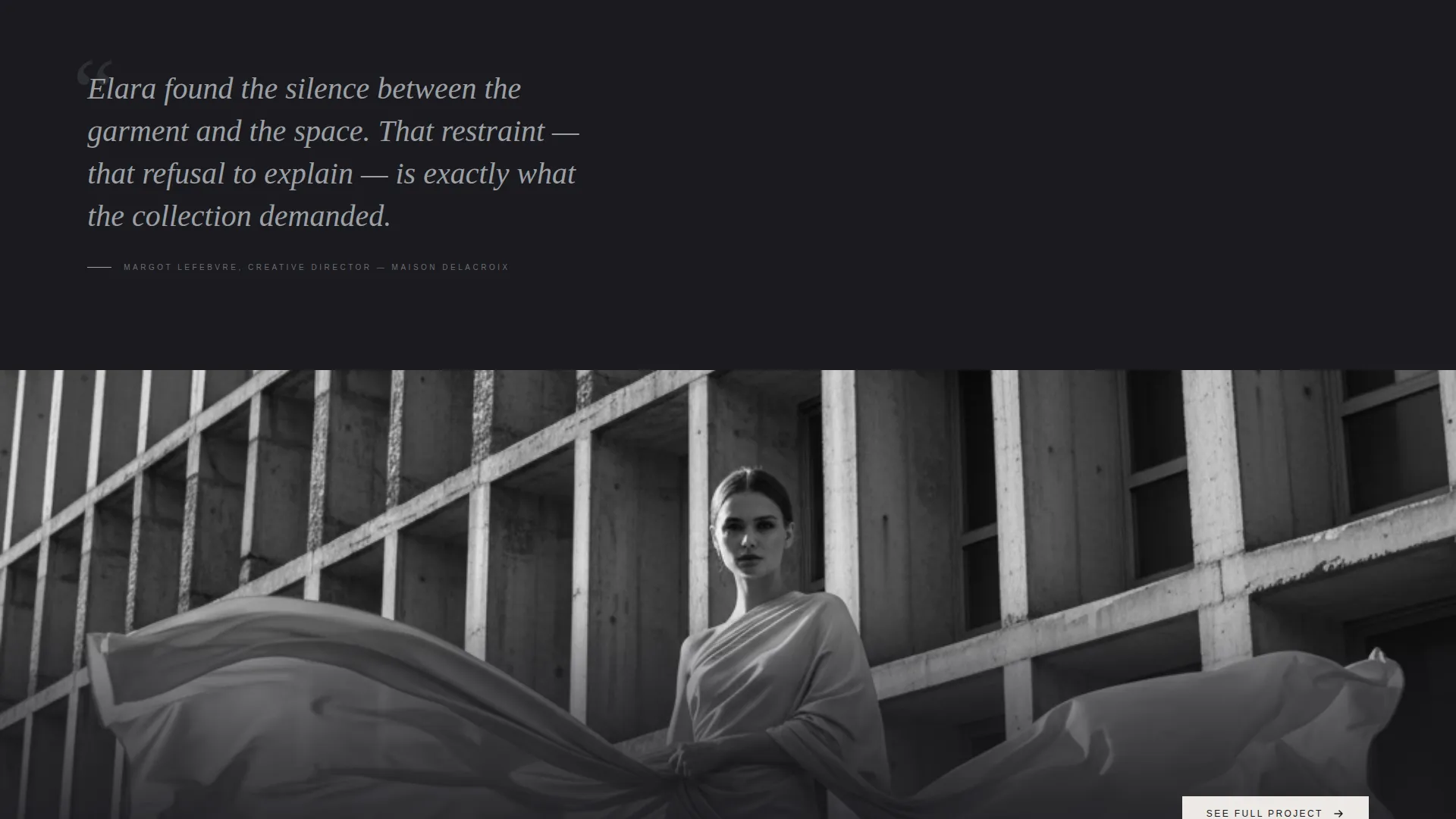
Each project follows a four-part editorial rhythm: a full-width establishing shot, a staggered-entry detail triptych, a tarnished silver pull-quote from the client, and a closing hero image followed by a hard cut to black. The structure mimics the pacing of editorial magazine spreads.
Staggered Triptych Detail Frames
Within each case study, three detail frames slide into the viewport on staggered timing. This controlled reveal builds tension and trains the visitor to expect a reward with every scroll, reinforcing engagement across the full page.
Persistent Commissioning Bottom Bar
After the second case study, a fixed bottom bar appears with a "Let's Make Something" call to action linking to a contact or commissioning page. It stays in view through the remaining sequences so the invitation is always accessible without interrupting the visual story.
Per-Sequence Project Call to Action
Each case study closes with a "See Full Project" button that leads to a dedicated long-form project page. The placement is deliberate: the ask comes only after the full sequence has delivered its narrative payoff.
Monochrome Steel Branding System
The entire layout uses a four-tone palette of deep charcoal, brushed steel mid-tone, warm paper white, and tarnished silver reserved for hover states and navigational cues. Color is withheld from the interface so the photographic work carries the only visible spectrum on the page.
Page sections overview
| Section | Purpose |
|---|---|
| Full-Viewport Header | Establishes photographer identity with name over image |
| Case Study One | Opens with establishing shot and triptych reveal |
| Client Pull-Quote | Adds social proof within the first project sequence |
| Case Study Closing Hero | Resets the scroll rhythm with a hard cut to black |
| Case Studies Two to Four | Escalate visual complexity across remaining projects |
| Persistent Bottom Bar | Keeps commissioning call to action visible after scroll |
Design & branding system
The visual identity follows an Atelier Studio theme using the Monochrome Steel color system. The palette is intentionally narrow so every hue on screen belongs to the photography, not the interface.
- Four-tone color system: deep charcoal (#1A1A1E), brushed steel mid-tone (#6B6E74), warm paper white (#EDEAE5), and tarnished silver (#9CA0A6) used only for hover states and navigational cues
- Typography uses an oversized, ultra-light serif in the header with wide letter spacing; the type sits over imagery like a gallery placard pressed against glass
- Layout style is full-width immersive with industrial-intimate contrast, suggesting a converted warehouse gallery rather than a digital grid
Mobile & speed optimization
The full-width immersive layout is structured to translate across screen sizes without losing its cinematic quality. High-contrast imagery and generous white space preserve the editorial feel at smaller viewports.
- Full-bleed sections and the triptych detail layout are built to reflow gracefully on narrower screens
- The persistent bottom bar and per-sequence call-to-action buttons remain accessible and tappable on mobile viewports
- Monochrome palette and minimal interface chrome reduce visual noise on smaller displays, keeping focus on the photographs
How this template helps you convert
Folio earns the conversion before it asks for one. The page is structured so that trust accumulates with each scroll, and by the final case study the visitor is already engaged and oriented toward action.
- The page withholds every call to action until the visitor has moved through at least two complete case study sequences, so the "See Full Project" and "Let's Make Something" invitations feel like natural next steps rather than interruptions.
- The client pull-quote within each sequence introduces third-party social proof at the precise moment the visitor has just seen the work that earned it, reinforcing credibility when it is most persuasive.
- The escalating visual complexity across three to four case studies trains the visitor to trust that the next scroll will reward them, building forward momentum that carries through to the commissioning call to action.
Other information about this template
Folio is suited to photographers working at the intersection of commercial, editorial, and brand photography. The template's structure supports a portfolio built around depth over volume, where three to four well-sequenced case studies outperform a gallery of fifty uncontextualized images.
- The "Type Over Image" header concept is designed as the photographer's primary identity statement, combining name and signature image in a single opening frame
- The hard-cut-to-black transitions between case studies create clear psychological breaks, helping visitors register each project as a distinct creative statement
- The template's Click-Through landing page direction means every design decision, from scroll pacing to call-to-action placement, is oriented toward moving high-intent visitors to dedicated project pages or a commissioning conversation
- Template style is Full-Width Immersive, theme is Atelier Studio, and the creative direction is Cinematic Sequence
Theme
Atelier Studio
Creative direction
Cinematic Sequence
Color system
Monochrome Steel
Style
Full-Width Immersive
Direction
Click-Through
Page Sections
Full-viewport Type Over Image Header
Cinematic Four-part Case Study Sequences
Staggered Detail Triptych Reveal
Persistent Commissioning Bottom Bar
Per-sequence Project Click-through Button
Monochrome Steel Four-tone Palette
Related questions
How many case studies does this template support?
When does the persistent bottom bar appear on the page?
Does each case study link out to a separate project page?
Can the Monochrome Steel color palette be customized?
Is this template suited to photographers at any career stage?



