Technical Writer Portfolio Landing Page Template
Folio is an iridescent technical writer landing page template built on an asymmetric 60/40 grid. It presents case studies as immersive scroll experiences, pairing narrative columns with live artifact rails. Designed for the craftsperson who turns complex systems into clear documentation, it earns trust before asking for contact, proving depth through the work itself.
by Rocket studio
Quick summary
Folio is a single-page technical writer portfolio template. It uses a 60/40 asymmetric grid to separate storytelling from evidence. Visitors scroll through case studies built like studio projects, annotated drafts, before-and-after docs, and synchronized artifact rails. The design feels like a craftsperson's atelier lit by holographic color, making complex documentation work instantly legible and genuinely impressive.
Who this template is for
This template is built for technical writers who work at the complex end of the craft, people whose work lives inside developer portals, internal wikis, and product docs that actually move the needle on support tickets. If your clients judge you by the clarity of your thinking before they see your rates, this is your page.
- Freelance technical writers pitching engineering directors at growth-stage startups
- Documentation leads at developer tool companies launching a public docs site for the first time
- Technical writing consultants who work with enterprise product and platform teams on ambiguous, high-stakes documentation projects
What problem this template solves
Most portfolio pages for technical writers look like resume attachments, a list of companies, some bullet points about deliverables, and a contact form. That format fails the people hiring for complex documentation work. Decision-makers want to see the thinking, not just the output.
- Visitors cannot evaluate documentation quality from a title and a company logo alone
- Writers with strong process and editorial judgment have no visual format to show that depth
- Generic portfolio layouts create no sense of the writer's craft identity, making it hard to stand out against cheaper alternatives
What you get with this template
Folio gives you a fully structured landing page that leads with evidence and earns conversion through demonstrated craft. Every layout decision supports the goal of showing, not telling.
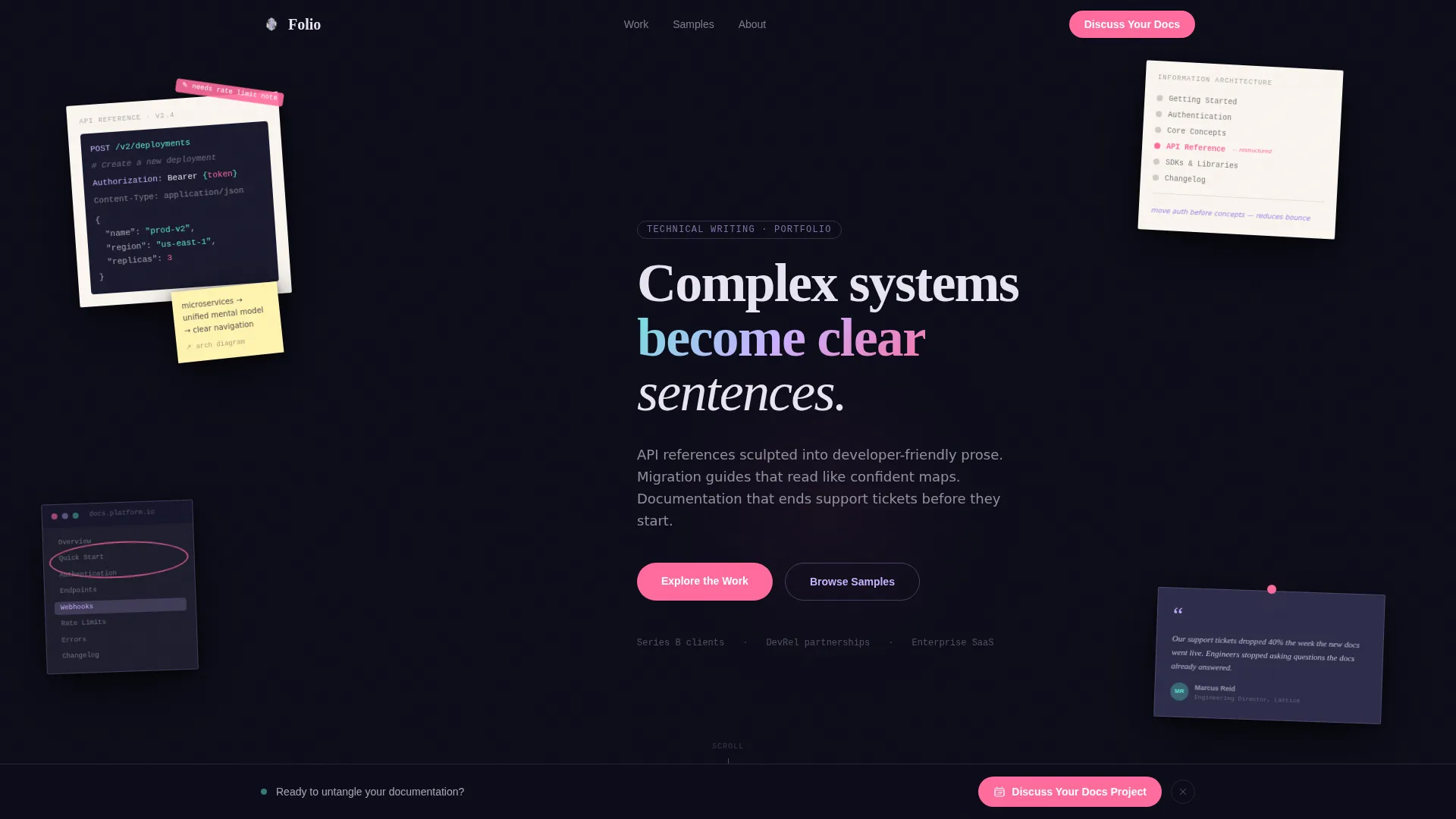
- A collage-style header using overlapping deliverable fragments, code tables, architecture diagrams, annotated drafts, and developer testimonial pull quotes, arranged at slight rotations for studio-wall texture
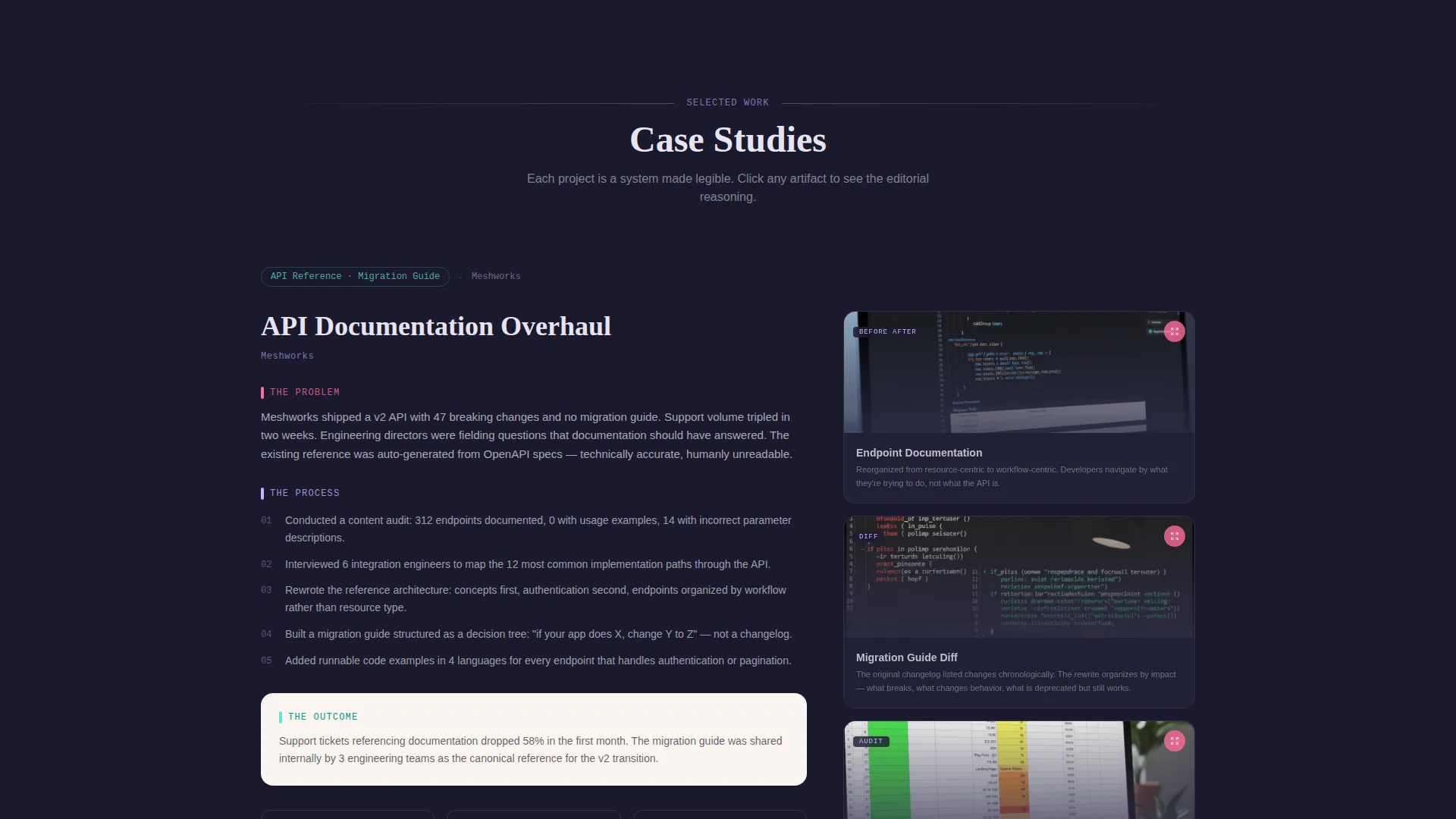
- A 60/40 asymmetric grid body where the left narrative column and the right artifact rail scroll in parallax, with lightbox expansions for annotated editorial reasoning
- A gated case study PDF download triggered after one full case study scroll, a filterable documentation samples archive, and a persistent Calendly-linked bottom bar for project inquiries
Feature list
Folio ships with a tightly designed set of interactive and visual components drawn directly from the brief. Each one serves the primary goal: making complex documentation work feel tangible and trustworthy to the people evaluating it.
Collage Scrapbook Header
The header arranges real deliverable fragments across the viewport at slight rotations. A cropped API endpoint table, a torn-edge information architecture diagram with handwritten annotations, a docs sidebar screenshot with a red-pen circle, and a developer testimonial pull quote overlap like materials pinned to a studio wall. A subtle cursor-driven parallax separates foreground scraps from background sheets.
Asymmetric 60/40 Case Study Grid
Each case study occupies a wide 60-column narrative section on the left and a 40-column synchronized artifact rail on the right. The artifact rail displays before-and-after documentation screenshots, structural diff views, content audit spreadsheets, and style guide excerpts scrolling in parallax alongside the written story.
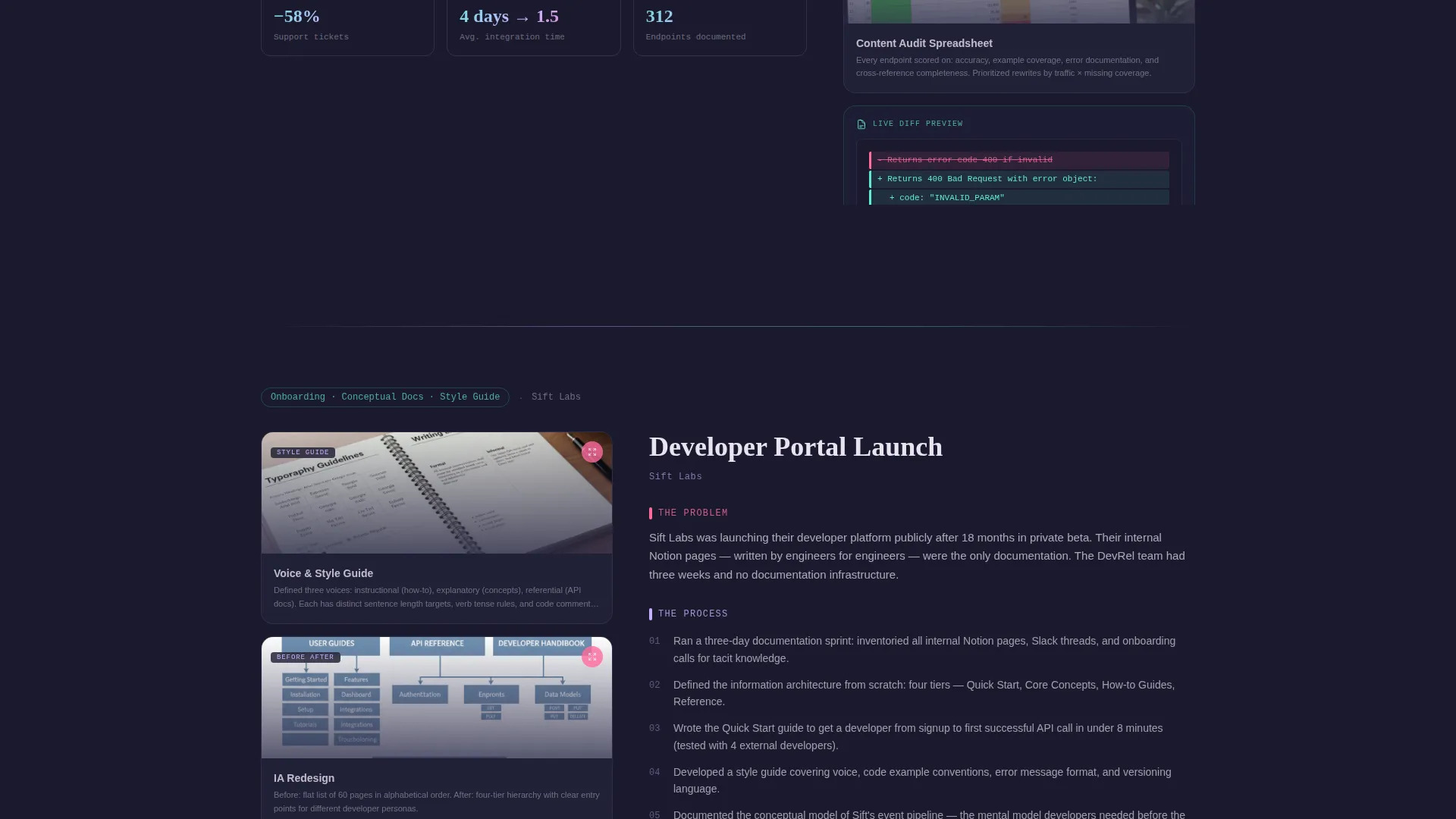
Alternating Grid Orientation
On every alternate case study, the layout flips to a 40/60 orientation, artifact rail left, narrative right. This keeps the visitor's eye recalibrating through the scroll and prevents the page from settling into a predictable rhythm.
Iridescent Gradient Case Study Transitions
Each case study section transitions into the next through an iridescent gradient wipe. The shift between projects feels like turning a page in a handmade book under shifting light, giving the portfolio a sense of craft continuity rather than slide-deck mechanics.
Gated PDF Download with Scroll Trigger
The primary call to action is a case study PDF download gated behind an email-only field. The gate appears only after the visitor has scrolled through at least one complete case study, making the ask feel earned rather than intrusive.
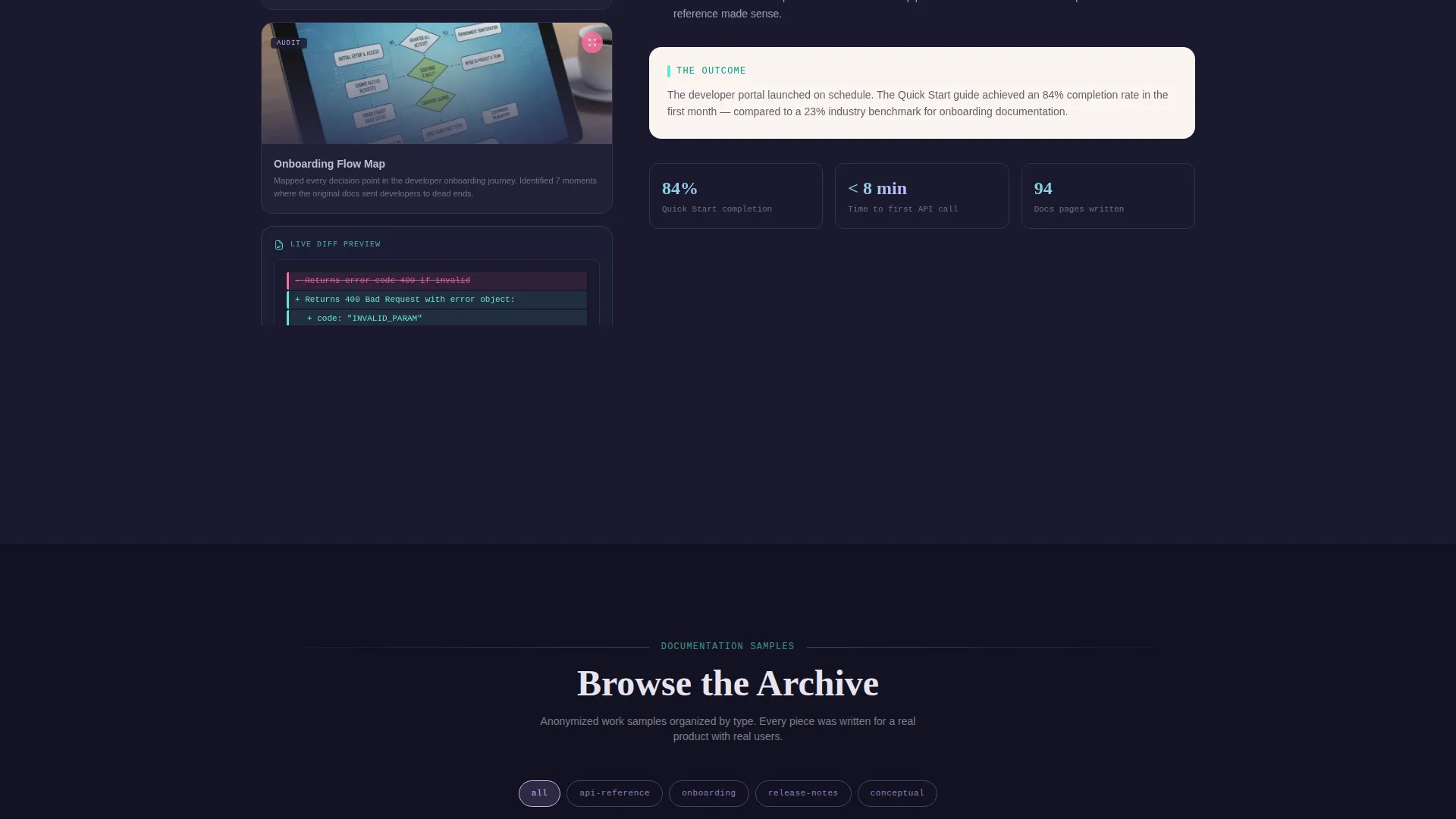
Filterable Documentation Samples Archive
A secondary, ungated link opens a filterable archive of anonymized work samples. Visitors can filter by documentation type, API reference, onboarding guide, release notes, or conceptual overview, giving them a direct way to evaluate format-specific expertise before any commitment.
Page sections overview
| Section | Purpose |
|---|---|
| Collage Header | Sets craft identity with layered deliverable fragments and parallax depth |
| Case Study Grid | Presents narrative and artifact evidence in a synchronized 60/40 layout |
| Alternating Layout Block | Flips grid orientation on alternate projects to maintain visual tension |
| Artifact Lightbox | Expands individual artifacts with editorial annotations on click |
| Gradient Transition Wipe | Marks passage between case studies with an iridescent color wipe |
| PDF Download Gate | Converts engaged visitors with an email-only ask after full scroll |
| Docs Samples Archive | Offers ungated filterable work samples organized by documentation type |
| Persistent Bottom Bar | Provides always-visible project inquiry link tied to a calendar embed |
Design & branding system
The visual identity follows an Atelier Studio theme expressed through an AI Iridescent color system. The palette sits at the intersection of analog craft and synthetic luminosity, every color shift suggests a mind moving between human intuition and something more precise.
- Deep graphite (#1A1A2E) as the primary background, holographic lilac (#C9B1FF) and spectral teal (#5EEAD4) as shimmer accents on hover states and section transitions, warm parchment (#FAF5EF) for content panels, and signal pink (#FF6B9D) reserved exclusively for interactive affordances
- Collage and scrapbook visual language throughout, rotated fragments, red-pen annotations, torn edges, and sticky note connectors give the page a studio-in-progress energy
- The palette reads like ink drying on handmade paper under a ultraviolet lamp, keeping the overall feel analog in texture but luminous in accent
Mobile & speed optimization
The template is designed with the mobile reading context in mind. A portfolio page that earns trust through scroll must work just as well on a phone screen as on a wide desktop viewport.
- The asymmetric grid adapts gracefully to narrower viewports, stacking the narrative and artifact rail into a single readable column without losing the parallax and annotation logic
- Hover-state shimmer transitions and lightbox interactions are touch-friendly, so artifact exploration works on both pointer and touch devices
How this template helps you convert
Every conversion element in Folio is sequenced to match how a serious client actually evaluates a technical writer. The page does not ask for contact until it has already answered the main objections.
- The collage header and case study grid build immediate credibility by showing real-looking deliverables and editorial process before any call to action appears, visitors arrive to evaluate and stay because the work holds their attention.
- The scroll-triggered PDF gate earns the email ask at the exact moment a visitor has demonstrated genuine interest, while the ungated docs archive gives lower-commitment visitors a frictionless path to deeper evaluation.
Other information about this template
Folio is built for a specific type of technical writer: one whose clients need more than clean sentences and a style guide. The template is engineered around the sales conversation that happens before a contract is signed.
- The template suits writers whose project types include API reference documentation, developer onboarding guides, migration guides, release notes, and conceptual overviews for complex software products
- The Calendly-embed bottom bar keeps a project inquiry option visible throughout the entire scroll journey without interrupting the reading experience
- The filterable samples archive is organized by documentation type, making it practical for prospective clients to locate exactly the kind of work most relevant to their immediate need
- This template is well suited for use on platforms that support custom HTML, CSS, and JavaScript landing page deployments, including popular website builders and portfolio hosting tools
Theme
Atelier Studio
Creative direction
Interactive Explorer
Color system
AI Iridescent
Style
Asymmetric Grid (60/40)
Direction
Content/Resource
Page Sections
Collage Scrapbook Header with Parallax
Asymmetric 60/40 Case Study Grid
Alternating Grid Layout Per Project
Annotated Artifact Lightbox
Scroll-triggered PDF Download Gate
Filterable Documentation Samples Archive
Related questions
Who is Folio designed for?
Can I show multiple case studies on this template?
How does the gated PDF download work?
Do visitors need to sign up to browse documentation samples?
What types of documentation work can I feature in this template?



