Graphic Designer Portfolio Landing Page Template
Folio is a single-page graphic designer portfolio landing page built on a dark Tech Glass aesthetic. It uses a masonry grid to display brand identities, editorial layouts, and packaging systems as expandable case studies. A Before/After Slider opens the page, two persistent calls to action guide visitors toward contact, and every design decision is framed with narrative to build trust fast.
by Rocket studio
Quick summary
Folio is a single-page portfolio landing page for graphic designers who need to show process, not just pretty pictures. A full-viewport Before/After Slider opens the experience, a masonry grid carries the work, and each card unfolds inline into a three-beat case study story. The Void & Violet color system keeps everything sharp and atmospheric.
Who this template is for
This template is designed for senior-level graphic designers who work across brand identity, editorial design, and packaging. It speaks directly to the people hiring them and gives the designer a powerful first impression in a competitive field.
- Freelance graphic designers pitching creative directors and startup founders
- Senior designers building a shortlist-ready portfolio for agency recruitment
- Brand specialists whose work deserves context, not just a gallery scroll
What problem this template solves
Most portfolio pages show the final work and stop there. Clients and recruiters are left guessing about the thinking behind each piece. Folio solves that gap by turning every project into a structured argument for the designer's decision-making.
- Work without context looks like decoration; this template frames each piece as a solved problem
- Generic grid layouts fail to hold attention; the masonry format and inline expansion keep visitors exploring
- Passive portfolios lose leads; the two-call-to-action system captures both ready buyers and early-stage browsers
What you get with this template
You get a complete single-page portfolio landing page with every section pre-built and ready to fill with your own work. The layout, interaction patterns, and visual hierarchy are all defined from the start.
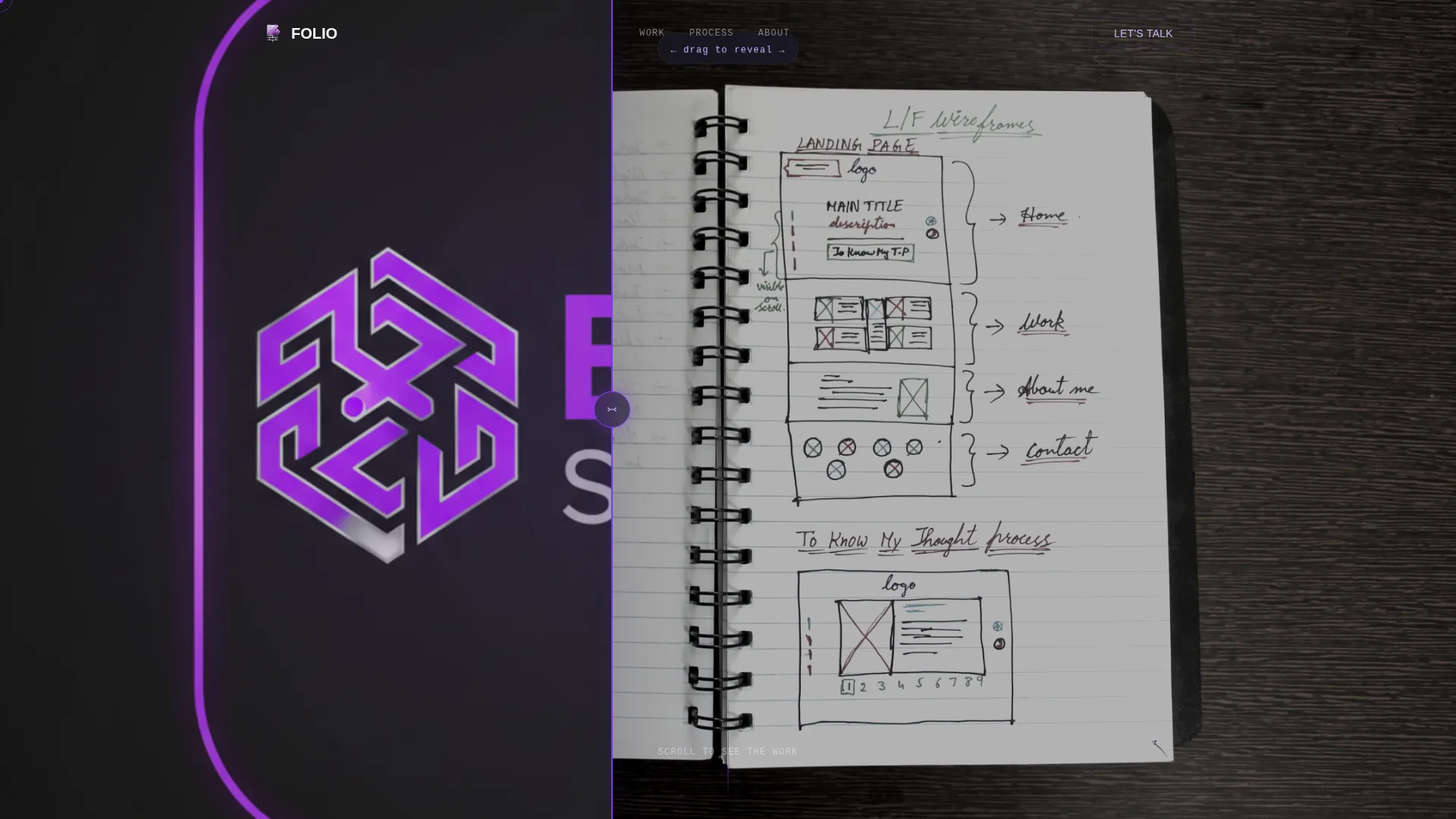
- A full-viewport Before/After Slider as the header, showing raw brief versus finished brand system
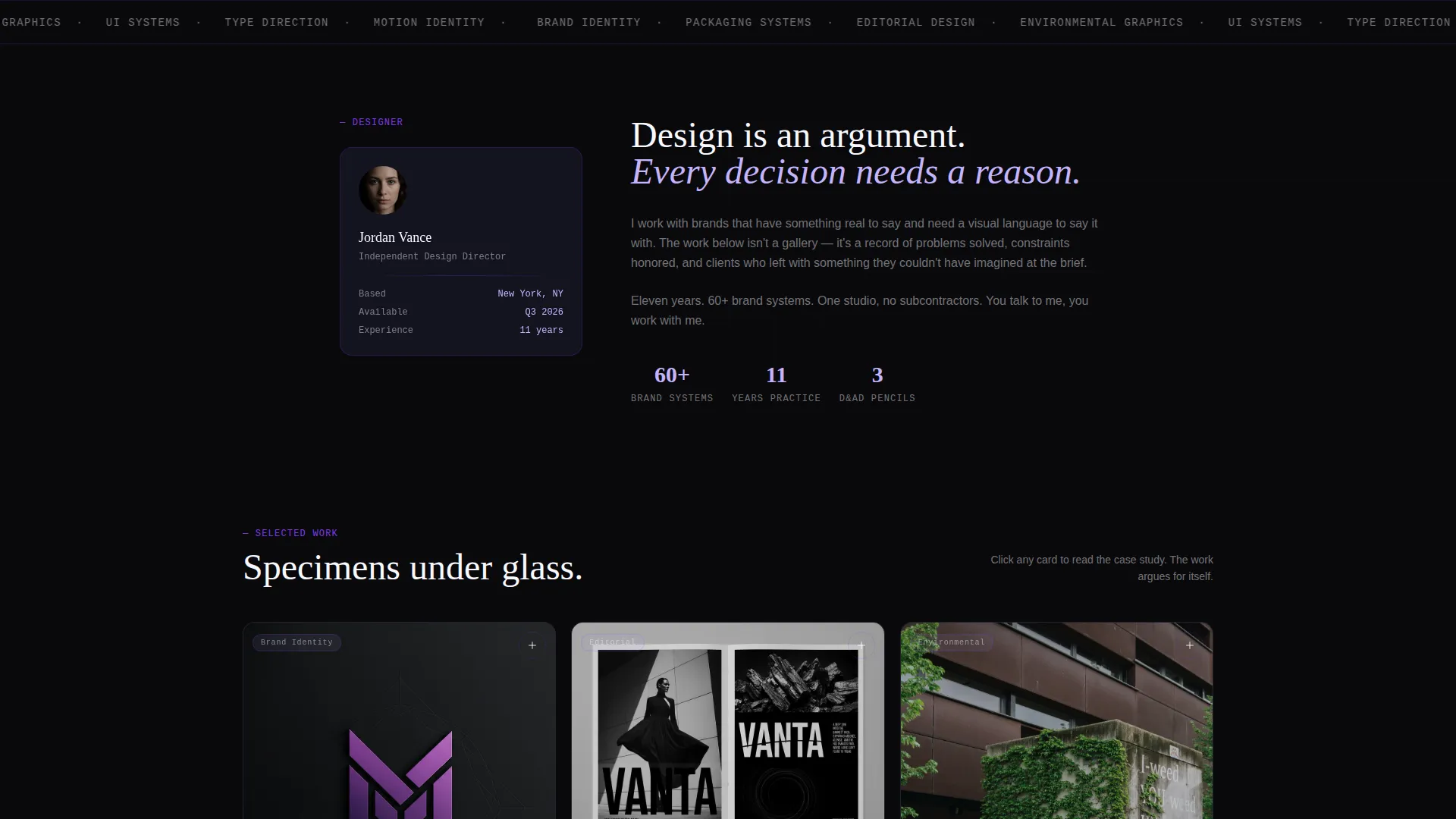
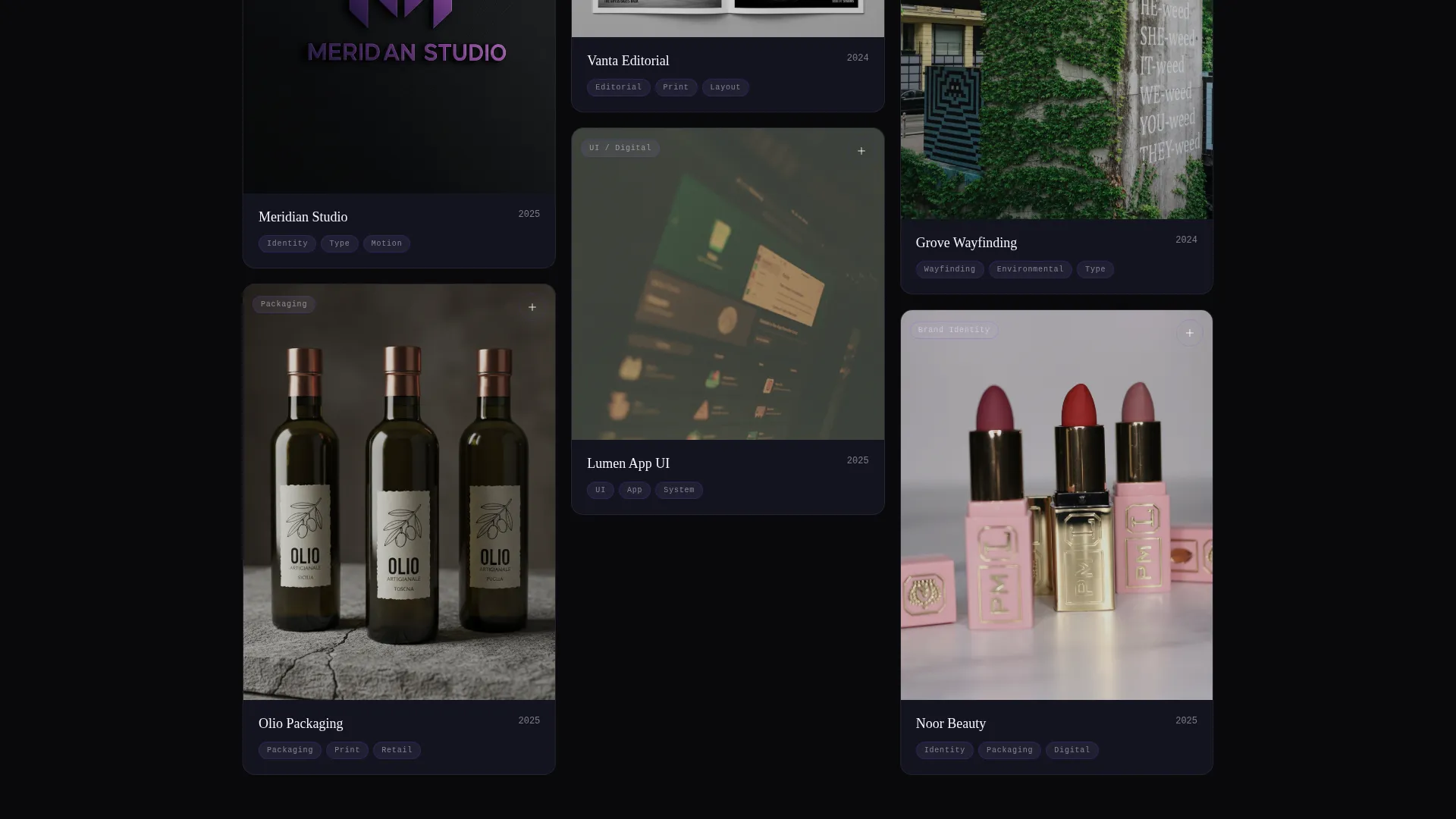
- A masonry grid of project cards, each expandable inline into a full case study narrative
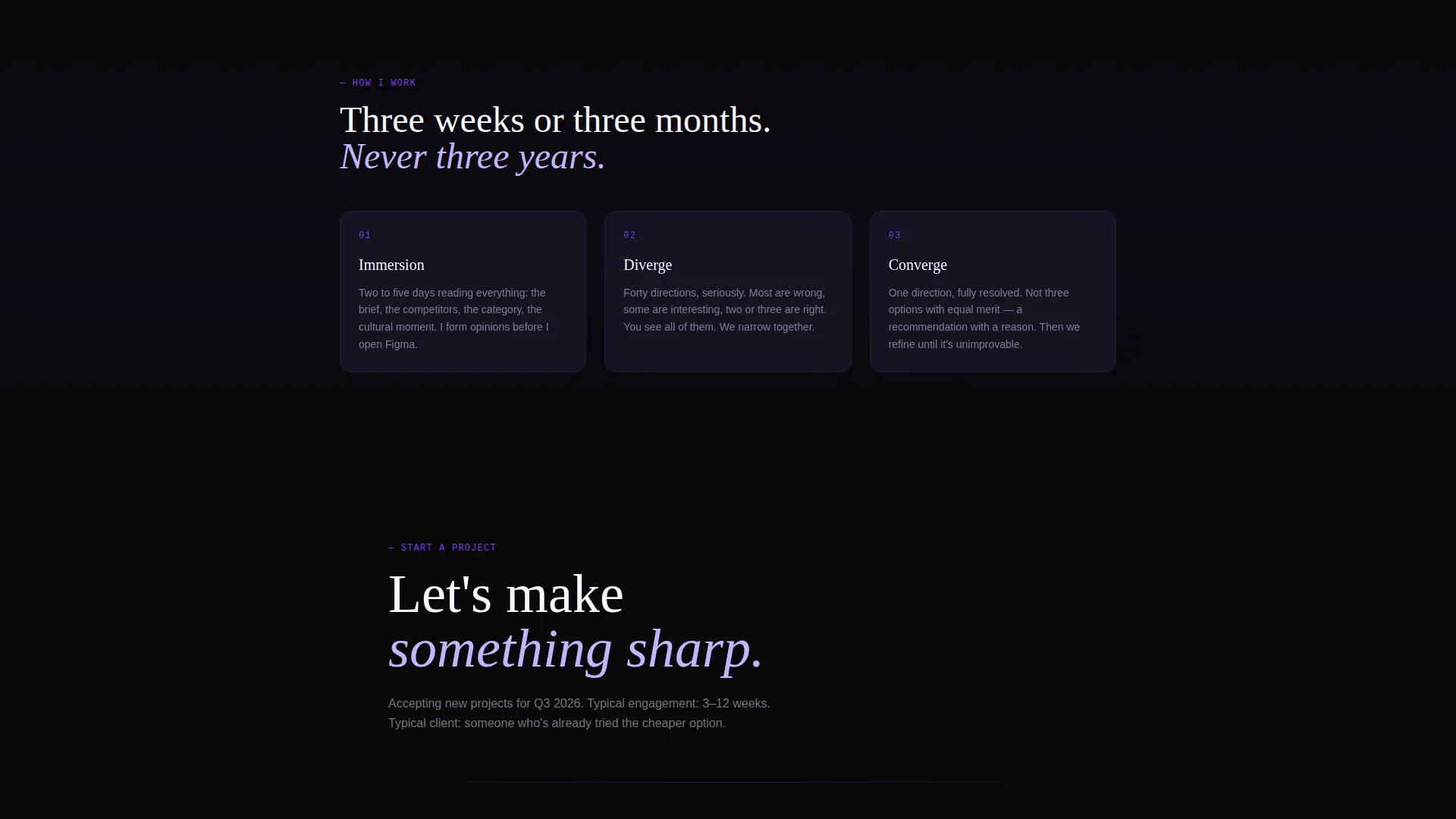
- Two strategically placed calls to action: a persistent floating button and an email-gated PDF offer
Feature list
This template includes a focused set of built-in features drawn directly from its design brief. Each one serves a specific purpose in the visitor's journey from curious scroll to confident contact.
Before/After Slider Header
The header occupies the full viewport and splits it into two states: a raw client brief on the left and the polished brand system on the right. A violet glass-morphic drag handle lets visitors pull the slider themselves, making the transformation feel tactile and immediate.
Inline Case Study Expansion
Each masonry card expands in place when clicked, unfolding a three-part story: the problem (client quote and brief constraints), the process (sketches, type explorations, and moodboard), and the payoff (final deliverables shown in real context). The scroll argues for every decision rather than simply displaying results.
Masonry Grid with Parallax Stagger
Project cards are arranged in a masonry layout that shifts subtly as the visitor scrolls, pulling the strongest work toward visual center. Cards stagger in with a light parallax effect, giving the page depth and a sense of deliberate curation.
Persistent Floating Call to Action
A glass-morphic "Let's Make Something" button sits fixed in the bottom-right corner throughout the entire scroll. It activates with a violet glow once the visitor scrolls past forty percent of the page, rewarding depth of engagement with a clear next step.
Email-Gated Case Study Download
After the third expanded project, a secondary call to action appears offering a downloadable PDF case study deck in exchange for an email address. This captures mid-funnel visitors who are interested but not yet ready to reach out directly.
Tech Glass Visual System
Frosted glass panels with backdrop-blur float on a void black background. Electric violet marks active states and selection indicators, while phantom lavender traces typography on hover. The palette and interaction language are consistent across every component on the page.
Page sections overview
| Section | Purpose |
|---|---|
| Before/After Slider | Opens with the raw-to-finished transformation to anchor creative credibility immediately |
| Masonry Project Grid | Displays brand, editorial, and packaging work in a dynamic, scrollable layout |
| Inline Case Study | Expands each card into problem, process, and payoff narrative beats |
| PDF Download Prompt | Captures email addresses from engaged visitors after the third project |
| Floating Contact Button | Keeps the primary call to action visible and accessible throughout the scroll |
Design & branding system
The visual identity uses a Void & Violet color system built for dark-mode creative portfolios. Every color, surface, and interaction state is defined and consistent across the full page.
- Background is absolute void black (#09090B); project cards sit on frosted glass panels (#1A1A2E) with backdrop-blur for depth
- Electric violet (#7C3AED) marks active states, the slider handle, and the glowing call-to-action button; phantom lavender (#C4B5FD) traces hover states and typography highlights
- The overall theme is Tech Glass: dark, precise, and atmospheric without sacrificing legibility
Mobile & speed optimization
The template is structured to translate well from desktop to smaller screens, keeping the masonry grid and inline expansions functional at every viewport size.
- The masonry layout reflows for mobile, maintaining the card-based browsing experience on narrower screens
- The floating call-to-action button stays accessible at mobile viewport sizes without covering content
- Frosted glass effects and backdrop-blur are applied at the component level, keeping visual weight controlled across devices
How this template helps you convert
Folio is built around a specific conversion logic: earn trust through visible process, then offer two clear paths to act. The page does not ask for contact before proving value.
- The Before/After Slider creates an immediate emotional hook by showing transformation, giving visitors a reason to keep scrolling before they have read a single word of copy.
- Inline case study expansion builds trust progressively, letting each visitor decide how deep to go before the floating call-to-action button lights up and invites them to connect.
- The email-gated PDF offer gives hesitant visitors a low-friction next step, converting interest into a lead without requiring a full commitment to reach out.
Other information about this template
Folio sits at the intersection of graphic designer portfolio and creative agency presentation. It is a single-page layout, which means everything lives in one continuous scroll with no page-load interruptions between sections.
- The template is categorized under Portfolio & Agency and is specifically scoped to the Graphic Designer One-Page Portfolio niche
- The creative direction is Case Study Narrative, meaning the structure is built to argue for decisions, not merely display outcomes
- The header concept is a Before/After Slider, a format particularly effective for brand identity and packaging designers whose work involves visible transformation
- The landing page direction is Click-Through, meaning every design choice from scroll depth triggers to the persistent button is oriented toward driving a direct action
Theme
Tech Glass
Creative direction
Case Study Narrative
Color system
Void & Violet
Style
Masonry/Pinterest
Direction
Click-Through
Page Sections
Before/after Slider Header
Masonry Grid with Parallax Stagger
Inline Case Study Expansion
Persistent Floating Call to Action
Email-gated PDF Download
Tech Glass Visual System
Related questions
Who is this template best suited for?
Can I use this template to show different types of design work?
How does the email-gated PDF download work?
Is this a multi-page template or a single-page layout?
Do I need to rebuild the layout or just replace the content?



