Model Digital Business Card Landing Page Template
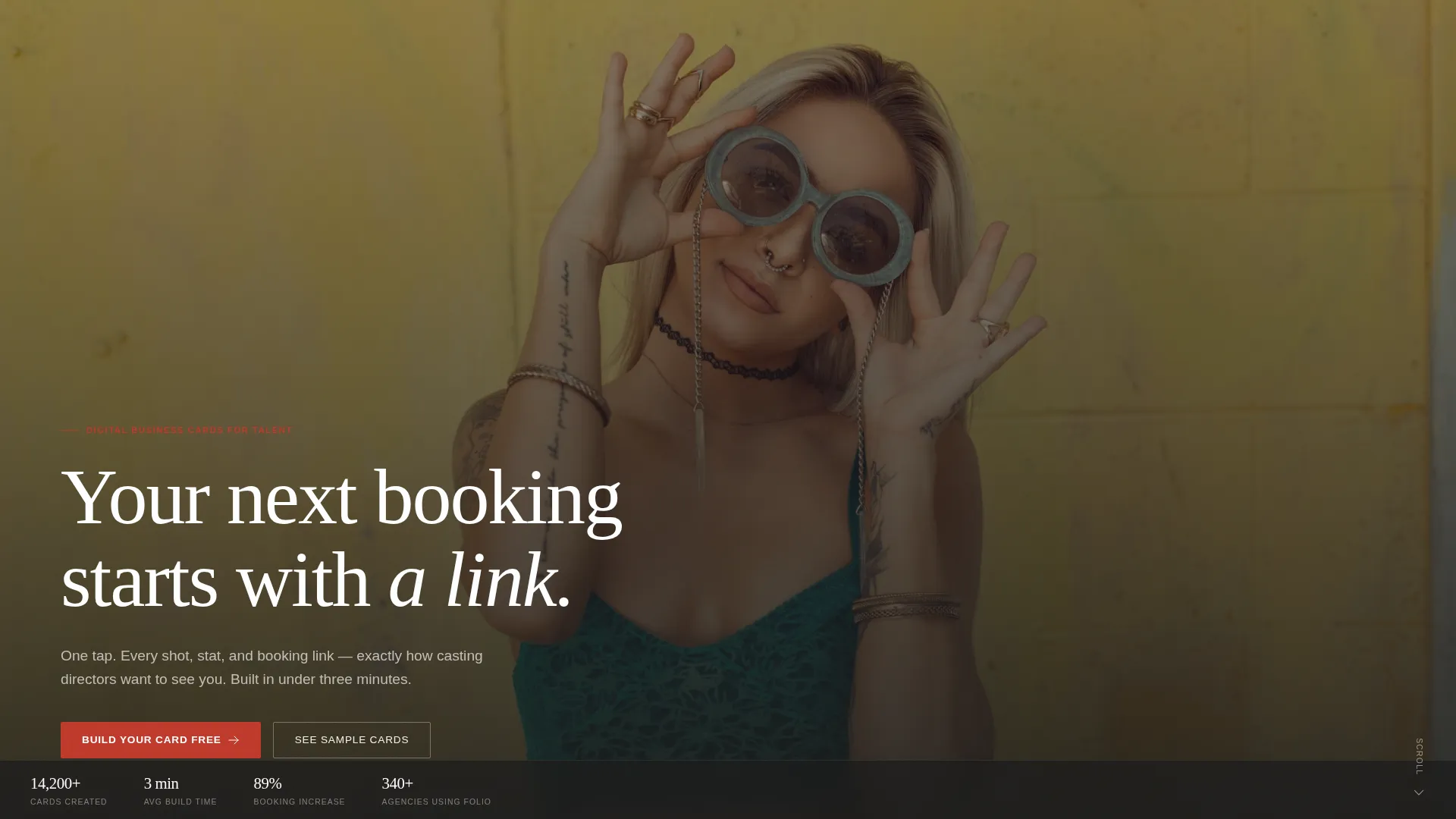
Folio is a single-page model digital business card landing page built for freelance fashion models and commercial talent. A full-screen video header, masonry portfolio grid, and a three-step progressive sign-up form work together to turn a single shareable link into a bookable first impression that casting directors can swipe through in seconds.
by Rocket studio
Quick summary
Folio is a model digital business card landing page designed for freelance fashion models, commercial talent, and aspiring faces who need a single shareable link that opens a portfolio. The masonry grid layout, full-screen video header, and a progressive lead-capture form give visitors a polished, lookbook-style experience from the first frame.
Who this template is for
Folio is built for anyone whose career depends on being seen quickly and remembered clearly. If your comp card currently lives only in an agent's inbox, this template gives you a shareable, always-on alternative.
- Freelance fashion and editorial models looking for a professional digital presence
- Commercial talent and aspiring faces who need a portfolio casting directors can browse on a phone
- Models represented by agencies who want a personal page that complements their official listing
What problem this template solves
Most models share their work through static PDF comp cards, Instagram grids, or emailed image folders. None of those options feel intentional, and none of them move a casting director toward a booking action. Folio replaces that scattered approach with a single focused page.
- A fragmented digital presence that makes it hard for decision-makers to find key stats and images in one place
- No clear call to action for visitors who want to book, inquire, or shortlist a talent
- A missed opportunity to make an instant impression before a callback list is even opened
What you get with this template
Folio delivers a complete single-page layout with every section a model needs to present their work and invite contact. The template is structured so visitors move naturally from a dramatic first impression through portfolio imagery to a sign-up or booking action.
- A full-screen video header section with headline copy and a fixed call-to-action bar
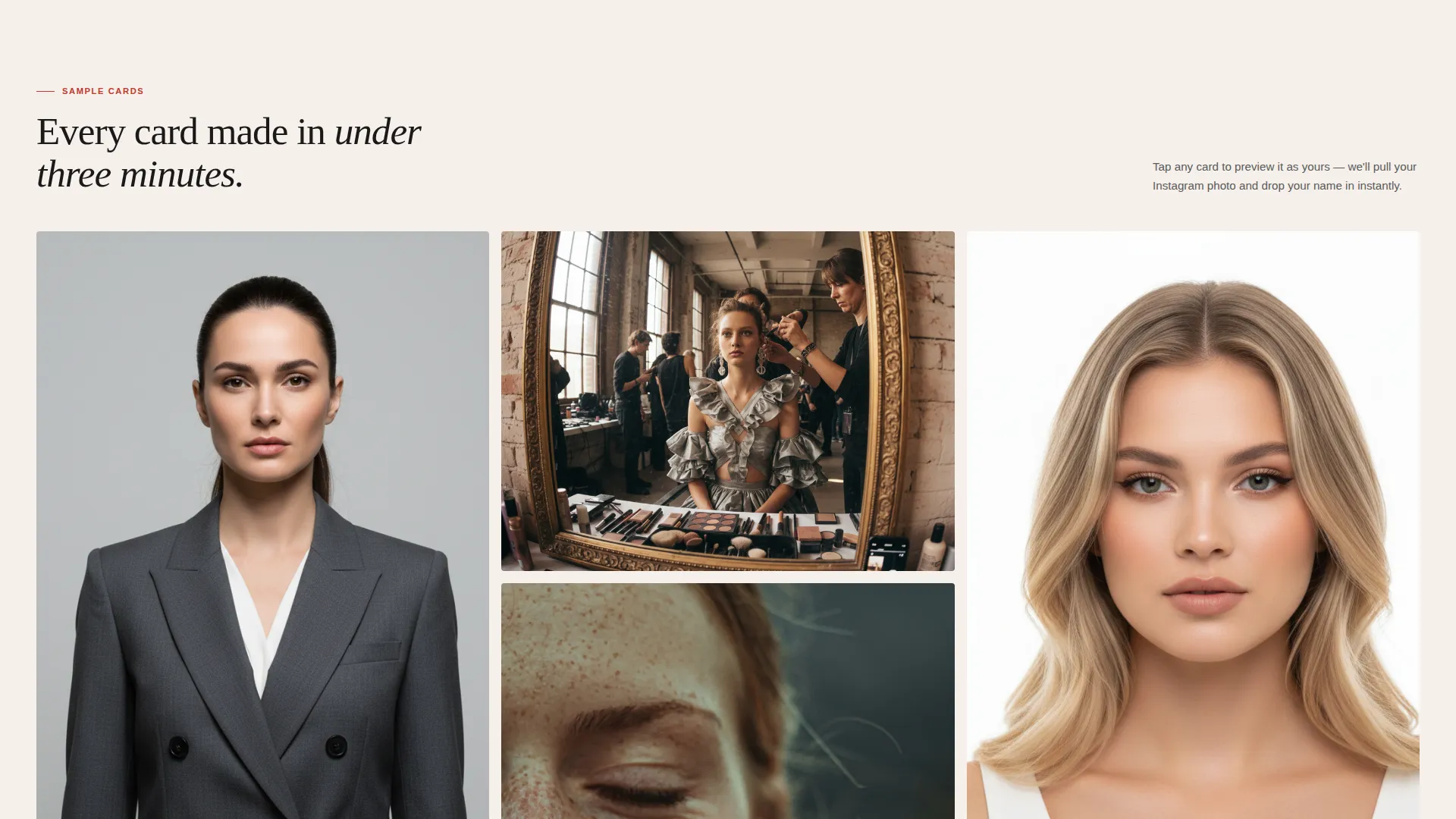
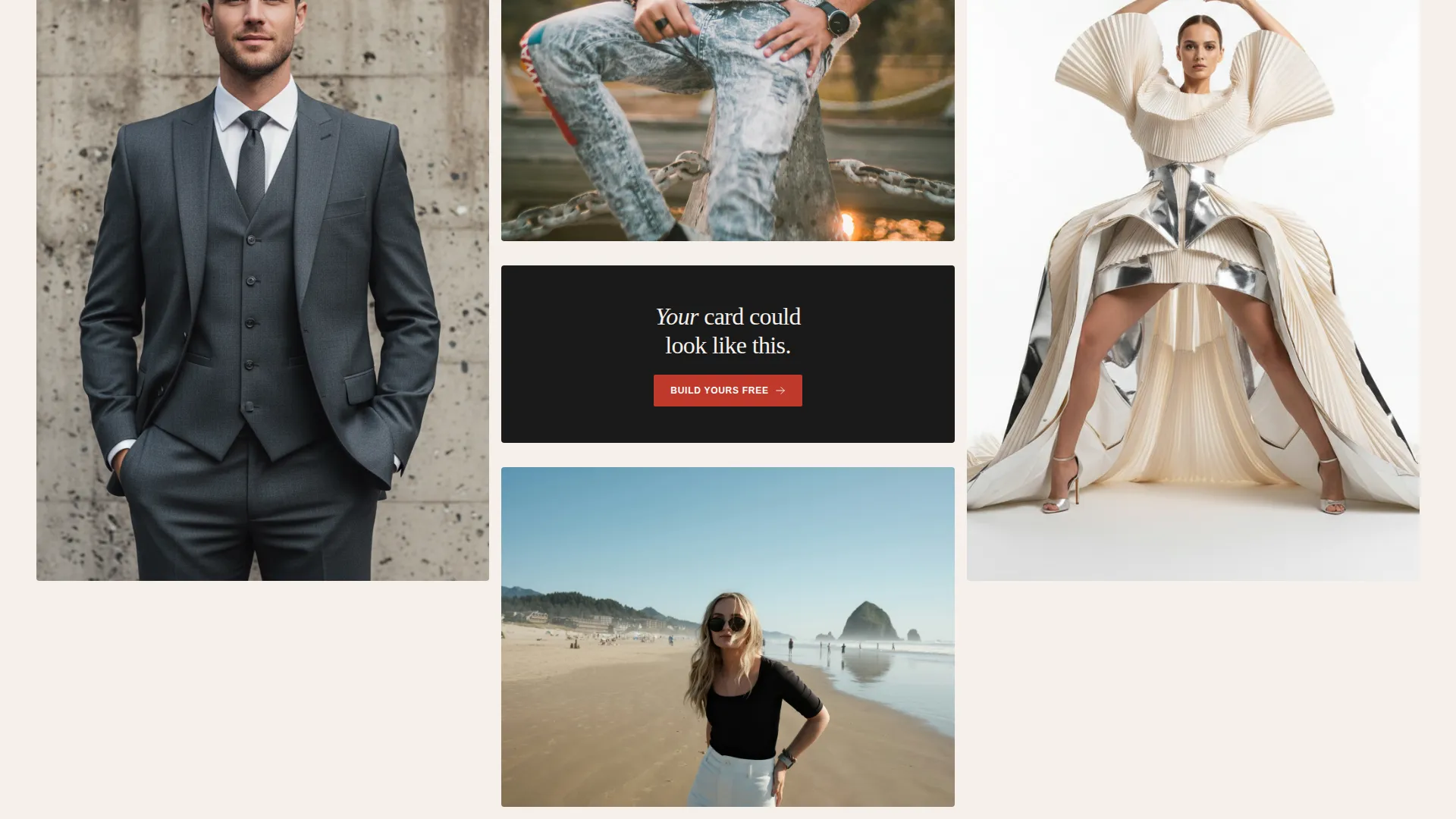
- A masonry portfolio grid that mixes portrait and landscape cards, some with stats overlays and some pure editorial imagery
- A three-step progressive lead-generation form that captures email, Instagram handle, and card style preference in sequence
Feature list
This template combines visual storytelling with practical lead capture. Every section earns its place the way a Polaroid earns its spot on a mood board.
Full-Screen Video Header
The header opens on a slow-motion studio reel showing a model walking, camera racking focus from subject to phone screen. A single line of knockout white type reads "Your Next Booking Starts With a Link." No navigation is visible until the visitor scrolls or taps, keeping full attention on that opening frame.
Masonry Portfolio Grid
The gallery uses a Pinterest-style masonry layout where each card is pinned at a different size. Some cards are portrait, some landscape, some carry stats overlays showing height, shoe size, and agency details. Others are pure editorial imagery. The variety makes scrolling feel like moving through a physical exhibition rather than a static web page.
Progressive Three-Step Form
The lead-generation form is built in stages to reduce friction. Step one captures an email address only. Step two asks for an Instagram handle and auto-pulls a profile photo as immediate visual feedback. Step three lets the visitor choose a card style, so they see a result before they commit to signing up.
"Preview as Yours" Personalized Mockup
Visitors can tap any sample card in the grid and trigger a "Preview as Yours" flow. The template generates a personalized mockup using the visitor's pulled profile photo and chosen card style. This shows the finished result before any account is created, earning the click through demonstrated value.
Fixed Mobile Call-to-Action Bar
On mobile viewports, a "Build Your Card Free" call-to-action bar stays fixed at the bottom of the screen throughout the scroll. This keeps the primary conversion prompt visible at all times without interrupting the gallery browsing experience.
Behind-the-Scenes Reveal Section
As visitors scroll deeper into the masonry grid, the cards transition from polished finished examples to views of the tool itself. Drag-and-drop editors, font pickers, and analytics dashboards appear, showing how each finished card was built. The creative direction communicates that every gorgeous result was produced in under three minutes.
Page sections overview
| Section | Purpose |
|---|---|
| Full-Screen Header | Opens with video and headline copy |
| Hero call to action Bar | Anchors the primary sign-up prompt |
| Masonry Grid (Rows 1-3) | Showcases finished model card examples |
| Inline call to action Block | Repeats "Build Your Card Free" after row three |
| Stats Overlay Cards | Displays sample talent stats on card mockups |
| Behind-the-Scenes Cards | Reveals the drag-and-drop editor and tools |
| Progressive Sign-Up Form | Captures email, handle, and card style |
| Mobile Fixed Bar | Keeps call to action visible during full-page scroll |
Design & branding system
The visual identity follows a Lens & Frame theme using an Ink & Paper color palette. Every color choice references the tactile feel of a contact sheet fresh from a darkroom fixer bath: high contrast, intentional, and nothing wasted.
- Deep darkroom black (#1A1A1A) for backgrounds, warm cotton stock (#F5F0EB) for surface areas, and soft graphite (#4A4A4A) for body text
- A single developer-red (#C0392B) accent applied to hover states and call-to-action elements, keeping the palette disciplined and striking
- Typography and layout choices mirror a freshly printed lookbook on a light table, where each image is precise and every element earns its place
Mobile & speed optimization
The template is designed to perform as a mobile-first experience because casting directors and agents browse between appointments on their phones. The layout adapts so the masonry grid, video header, and fixed call-to-action bar all function cleanly on small screens.
- The "Build Your Card Free" button stays fixed at the bottom of the viewport on mobile so the conversion action is always one tap away
- The progressive form breaks a longer sign-up into three short steps, reducing the cognitive load of completing a form on a small screen
How this template helps you convert
Every design and layout decision in Folio points toward one outcome: turning a curious visitor into a signed-up user or a booked talent.
- The "Preview as Yours" feature generates a personalized mockup before sign-up, so visitors experience the product's value before they are asked to commit, removing the biggest barrier to action.
- The inline call-to-action block placed after the third masonry row catches visitors at the moment of peak engagement, when they have seen enough finished cards to be convinced but have not yet started scrolling away.
- The fixed mobile call-to-action bar ensures that no matter how deep a visitor scrolls through the gallery, the primary conversion prompt is always visible and one tap away.
Other information about this template
Folio sits at the intersection of the Personal and Resume category and the Model Profile subcategory, making it a focused solution for the model digital business card niche. The template style is Masonry and Pinterest-inspired, and the landing-page direction is Lead Generation.
- The template is suited for use on platforms that support single-page HTML or no-code builders where video backgrounds and masonry grids are supported
- The creative direction is Gallery Walk, meaning the scroll journey is intentionally paced to move from finished inspiration to behind-the-scenes process, building desire and then revealing ease
- The header concept is a Full-Screen Video Background, which requires a short looping video asset from the user to activate the full visual effect described in the brief

Theme
Lens & Frame
Creative direction
Gallery Walk
Color system
Ink & Paper
Style
Masonry/Pinterest
Direction
Lead Generation
Page Sections
Full-screen Video Header
Masonry Portfolio Grid
Progressive Three-step Form
Preview as Yours Mockup Flow
Fixed Mobile Call-to-action Bar
Behind-the-scenes Reveal Section
Related questions
Who is the Folio template designed for?
Can visitors see what their card looks like before signing up?
What does the three-step sign-up form collect?
Does the template include a persistent call to action for mobile visitors?
What visual style and color palette does this template use?



