Tech Professional Personal Website Landing Page
Folio is a masonry-style landing page template built for tech professionals who want their work to feel like an exhibition, not a résumé. It combines an animated illustration header, an iridescent color system, and a staggered project grid to create a curated digital showcase. A sticky "Get Early Access" bar and a build-in-public subscription path make it ideal for a soft-launch waitlist strategy.
by Rocket studio
Quick summary
Folio is a single-page landing page template designed for tech professionals launching a personal portfolio with a waitlist. It opens with a real-time animated illustration, flows into a masonry project grid, and closes with a soft-launch call to action. The Atelier Studio theme gives it the feel of a curated gallery, not a corporate profile page.
Who this template is for
Folio is built for senior engineers, technical architects, and makers who want their online presence to reflect the depth of their craft. It suits professionals who are not yet ready to go fully public but want to capture interest and build an audience before they do.
- Software engineers and technical architects building a personal brand
- Builders launching a portfolio as a waitlist or coming-soon landing page
- Tech professionals targeting startup founders, engineering managers, or conference organizers
What problem this template solves
Most portfolio templates look like formatted documents. They list skills and job titles but fail to communicate the texture of someone's work. Folio solves this by presenting projects as a curated body of work that accumulates as the visitor scrolls, making the volume and variety itself the argument.
- A standard résumé layout undersells deep technical contributors
- A blank portfolio page wastes early traffic before the full site is ready
- Generic templates do not signal craftsmanship or creative technical identity
What you get with this template
You get a complete single-page landing page layout with every major section pre-built and ready to customize. The design system is cohesive from header to footer, and the waitlist mechanics are already structured into the page flow.
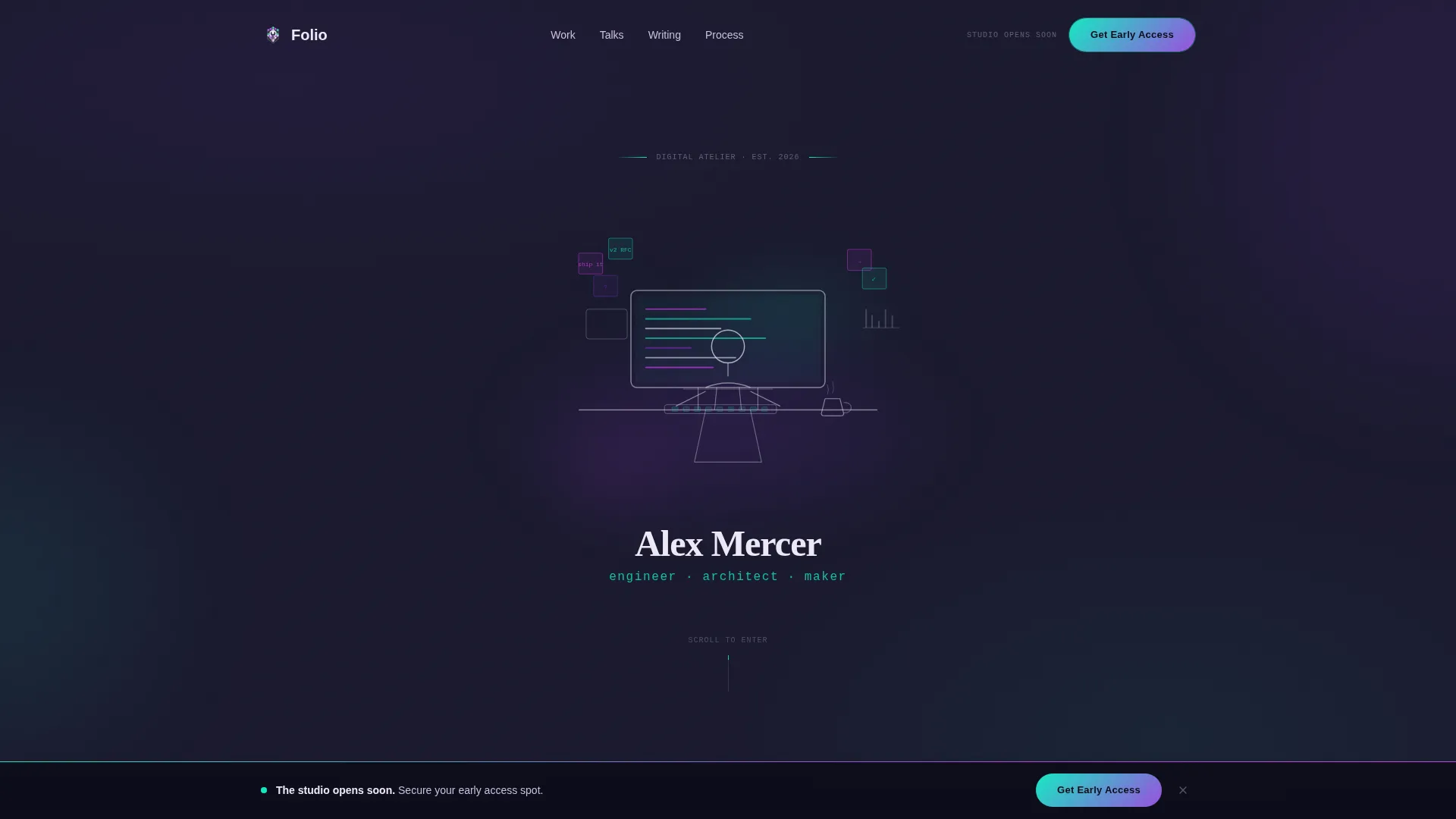
- An animated illustration header that draws itself on page load, complete with a workspace scene and hand-lettered name treatment
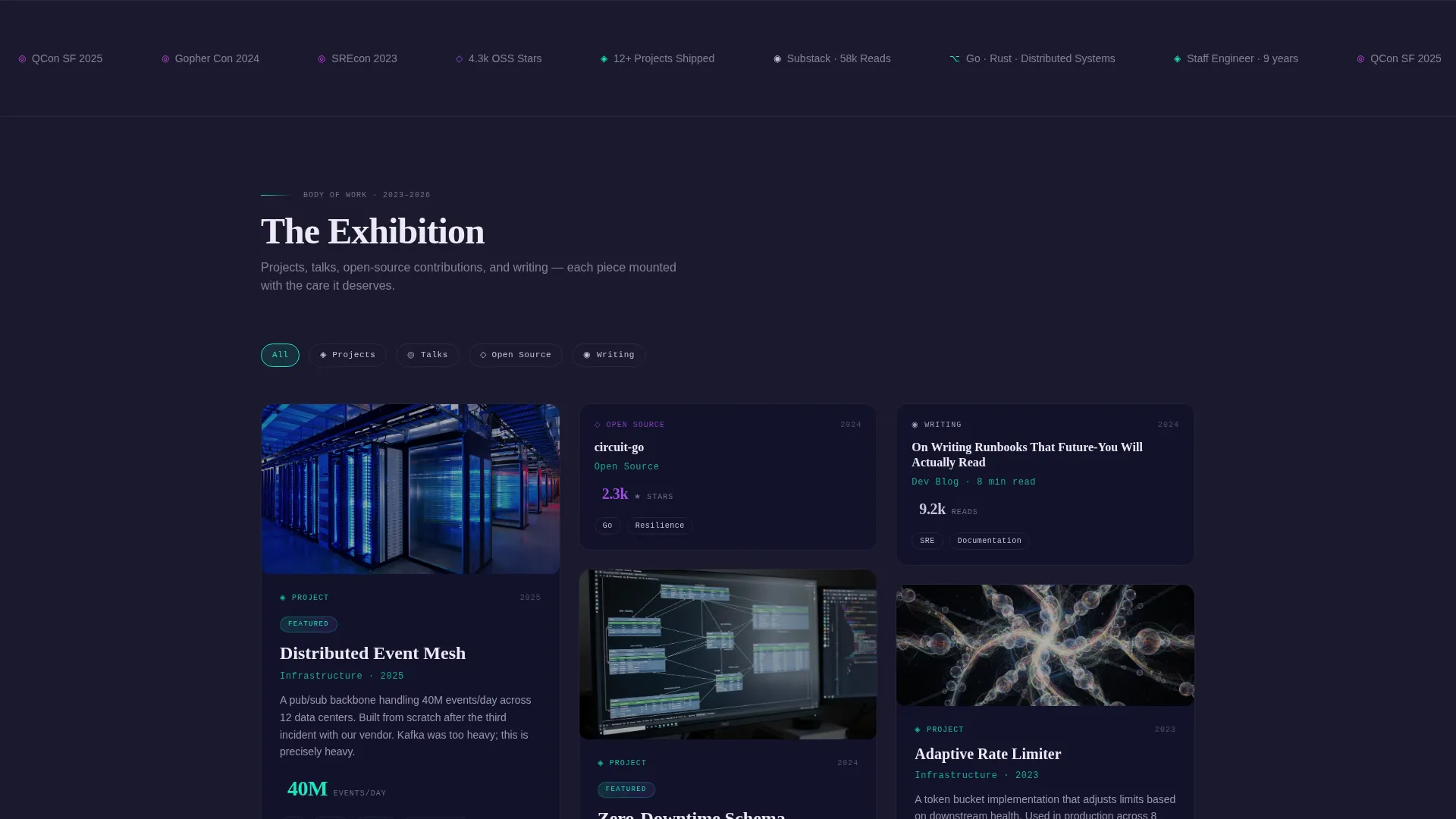
- A masonry project grid with variable tile sizes, hover states, and staggered load animations
- A sticky bottom bar with the primary "Get Early Access" call to action and a secondary "Follow the Process" subscription path
Feature list
This section describes the core built-in capabilities of the Folio template as defined by its design and layout system.
Real-Time Animated Illustration Header
The header features a line-drawn figure at a workstation that sketches itself as the page loads. Each stroke appears with the cadence of actual drawing. Monitors flicker on with code fragments, a coffee cup materializes, and sticky notes bloom on the wall behind the figure. The illustration style uses precise, single-weight architectural lines with iridescent watercolor washes bleeding in behind them.
Masonry Project Grid
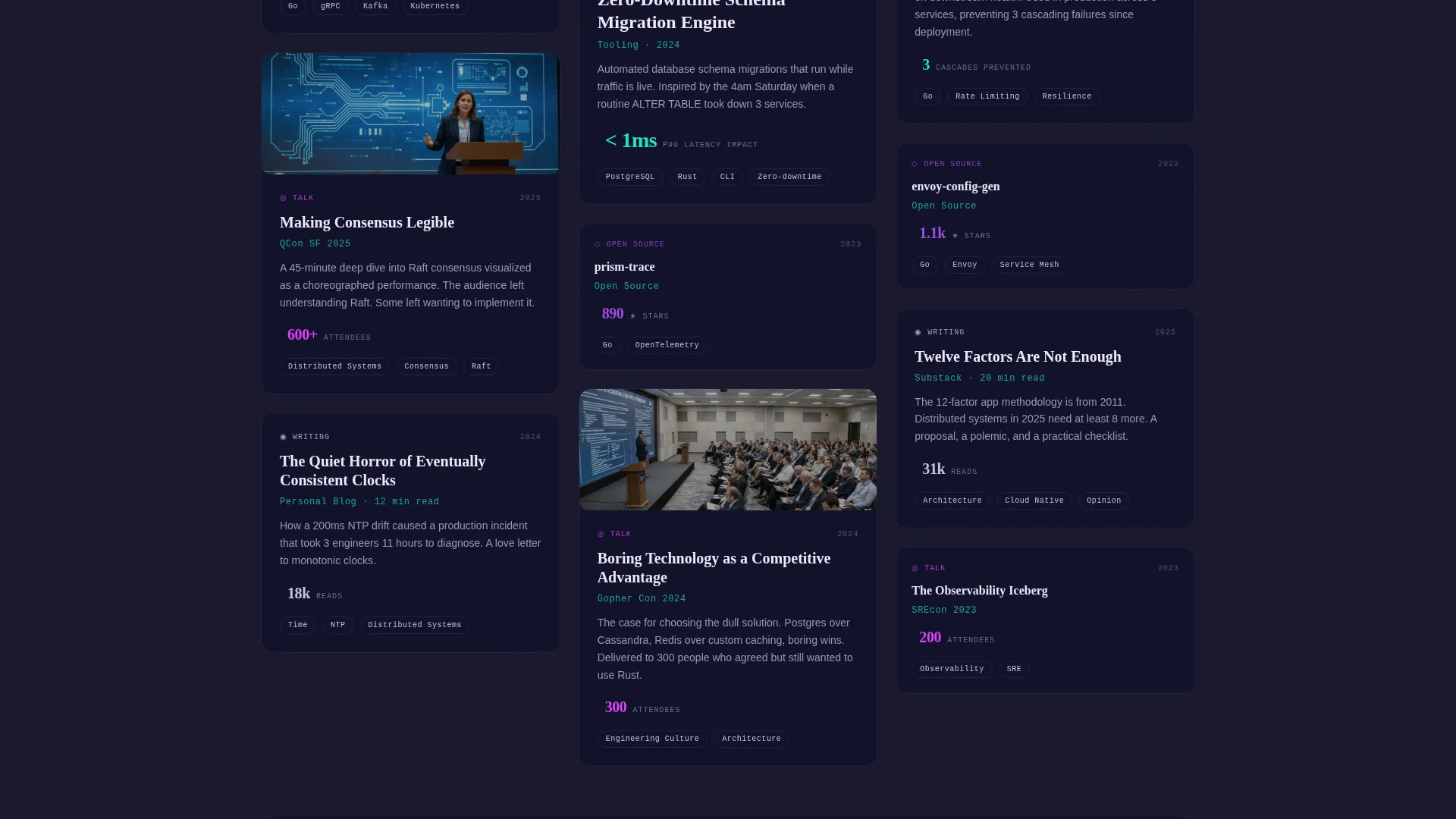
The main content area uses a Pinterest-style masonry layout where each tile represents a project, talk, open-source contribution, or written piece. Flagship projects occupy double-width cards with animated previews. Smaller contributions sit as compact thumbnails that expand with an iridescent border glow on hover. Tiles load in staggered cascades to simulate frames being hung on a gallery wall.
AI Iridescent Color System
The template uses a five-tone palette built around deep graphite, shifting violet, holographic teal, soft pearl white, and a molten iridescent accent. Backgrounds stay in the graphite-to-pearl range. Iridescent tones emerge only on interaction, keeping the visual system calm until the visitor engages with it.
Sticky Waitlist Call-to-Action Bar
A persistent bottom bar anchors the primary conversion action on every scroll position. The bar pulses with a faint iridescent gradient to draw attention without disrupting reading. It holds the "Get Early Access" button and the supporting email capture form.
Dual Conversion Paths
The template supports two distinct audience capture flows. The primary path is an email form with a single qualifying field asking what brings the visitor: hiring, collaborating, or just curious. The secondary path is a build-in-public journal subscription labeled "Follow the Process," targeting an audience that wants to watch the work before the full portfolio launches.
Soft-Launch Framing and Gated Portfolio Tease
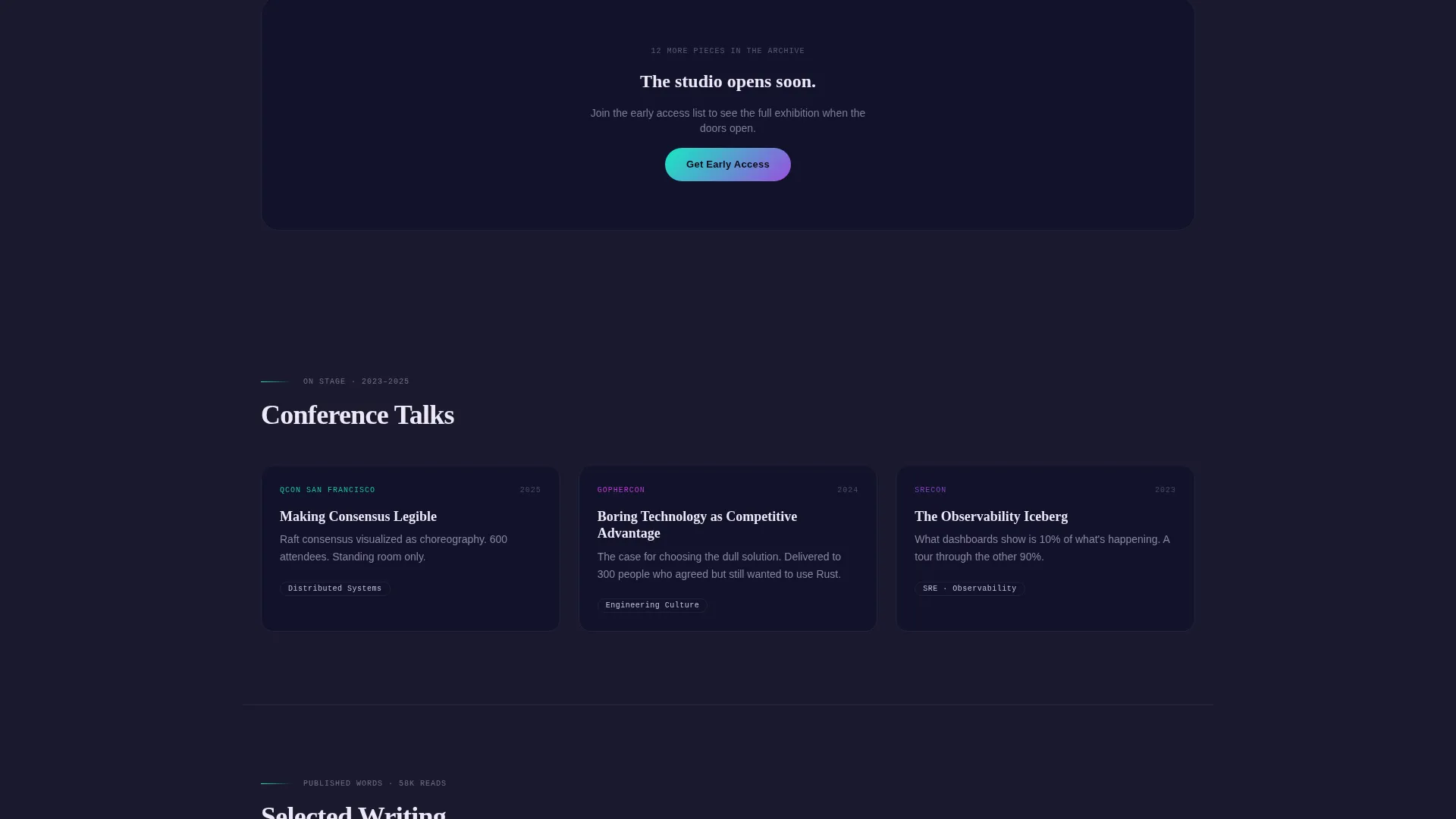
The full portfolio is teased but gated, with copy framed around "The studio opens soon." This positions the page as an intentional preview rather than an unfinished site. The framing builds anticipation and encourages sign-ups from visitors who would otherwise leave without acting.
Page sections overview
| Section | Purpose |
|---|---|
| Animated Illustration Header | Introduces the professional with a self-drawing workspace scene and hand-lettered identity |
| Name and Role Reveal | Types the professional's name and a single-line role description as the header animation completes |
| Masonry Project Grid | Displays projects, talks, contributions, and writing as a curated, scrollable gallery |
| Flagship Project Cards | Highlights the most significant work in double-width tiles with animated previews |
| Compact Contribution Thumbnails | Shows smaller work items that expand with iridescent hover effects |
| Gated Portfolio Tease | Signals that the full body of work is coming, using soft-launch framing |
| Get Early Access Form | Captures visitor email and intent with a minimal two-field form |
| Follow the Process Path | Offers a secondary subscription for the build-in-public journal audience |
| Sticky Bottom Bar | Keeps the primary call to action visible at all scroll depths |
Design & branding system
The Folio template uses an Atelier Studio theme that blends the precision of technical drafting with the warmth of a craftsperson's workshop. The AI Iridescent color system is restrained by design: shimmer appears only when the visitor interacts, keeping the page legible and focused at rest.
- Five-tone palette: deep graphite (#1A1A2E), shifting violet (#7B2FBE), holographic teal (#16E8C2), soft pearl white (#EDE8F5), and molten iridescent accent (#E040FB) reserved for hover and interactive edge states
- Typography uses hand-lettered name treatment for the hero identity and clean, readable body type; text alternates between pearl on dark and graphite on light backgrounds
- Visual language draws from architectural illustration: single-weight lines, iridescent watercolor washes, and a matte-meets-luminous contrast that feels handmade and synthetic at once
Mobile & speed optimization
The Folio template is structured with a mobile-first layout in mind. The masonry grid and sticky bar are designed to reflow cleanly across screen sizes, keeping the core conversion actions accessible on smaller displays.
- The masonry grid adapts column count to screen width, preserving the gallery feel on mobile without sacrificing tile readability
- The sticky bottom bar remains anchored and legible on mobile viewports, keeping the call to action reachable without excessive scrolling
- Animated elements are scoped to the header sequence, limiting motion to the initial load rather than repeating it throughout the scroll
How this template helps you convert
Folio is built around a deliberate conversion architecture. Every scroll depth has a reason to act, and two distinct audience segments have a path designed for them.
- The staggered masonry grid creates an accumulation effect: the further a visitor scrolls, the more compelling the body of work feels, which naturally increases the motivation to sign up before the full portfolio launches.
- The dual-path form design separates hiring and collaboration intent from general curiosity, giving the template owner useful signal about who is interested while lowering the barrier for every type of visitor.
Other information about this template
Folio sits in the Personal and Resume category, specifically within the Tech Professional Career subcategory. It is designed for the tech professional personal website niche, where the audience expects both creative confidence and technical credibility.
- Template style: Masonry or Pinterest grid layout
- Theme: Atelier Studio with AI Iridescent color system
- Header concept: Animated Illustration with real-time drawing sequence
- Creative direction: Creator Spotlight, presenting work as a curated exhibition
- Landing page direction: Waitlist and Coming Soon with soft-launch framing
- The template is suited for use on platforms that support custom HTML, CSS, and JavaScript animation sequences
Theme
Atelier Studio
Creative direction
Creator Spotlight
Color system
AI Iridescent
Style
Masonry/Pinterest
Direction
Waitlist/Coming Soon
Page Sections
Real-time Animated Illustration Header
Masonry Project Grid with Staggered Load
AI Iridescent Color System
Sticky Waitlist Call-to-action Bar
Dual-path Audience Capture
Soft-launch Gated Portfolio Framing
Related questions
Can I use this template before my full portfolio is ready?
What does the 'What brings you here?' field do?
How does the masonry grid handle different types of work?
Who is the typical visitor this template is designed to attract?
Is the animated header part of the template or a separate add-on?



