Fordlease - Immersive Automotive Landing Page Template
Fordlease is a dark immersive automotive landing page built for Ford leasing specialists. It opens with a vehicle floating in a black void, rim-lit in electric blue, with live odometer-style stat counters ticking into place. Every scroll reveals a number before a word of copy, guiding fleet managers, business buyers, and personal lease customers toward a three-step lease configurator.
by Rocket studio
Quick summary
Fordlease is a single-page automotive lease template built around a Stats-First philosophy. Visitors land on live monthly pricing, scroll through an animated leasing-versus-buying comparison, explore model-specific panels, and reach a three-step configurator entry point. The dark showroom aesthetic keeps attention on the numbers and moves buyers toward an enquiry without a form in sight until they are ready.
Who this template is for
This template is designed for Ford leasing specialists who need a digital storefront that converts visitors before they bounce. It serves both business-to-business and personal lease audiences within a single page flow.
- Fleet managers replacing multiple commercial vehicles before a quarter deadline
- Small business owners comparing lease costs against outright purchase on models like a pickup or compact crossover
- Personal lease customers looking for a fast, transparent monthly price with minimal friction
What problem this template solves
Most automotive lease pages lead with forms and follow with prices. Visitors leave before they see a number. This template reverses that order entirely, showing cost data first and asking for contact details second.
- Buyers leave when they cannot find a clear monthly figure within seconds of landing
- Fleet managers need a side-by-side cost breakdown, not a brochure, to justify a procurement decision
- Configurator drop-off happens when visitors face too many steps before seeing any output
What you get with this template
You get a fully structured, single-page lease landing page with five distinct sections, high-motion scroll animations, and a three-step configurator entry point. Every component is built around the principle of leading with data.
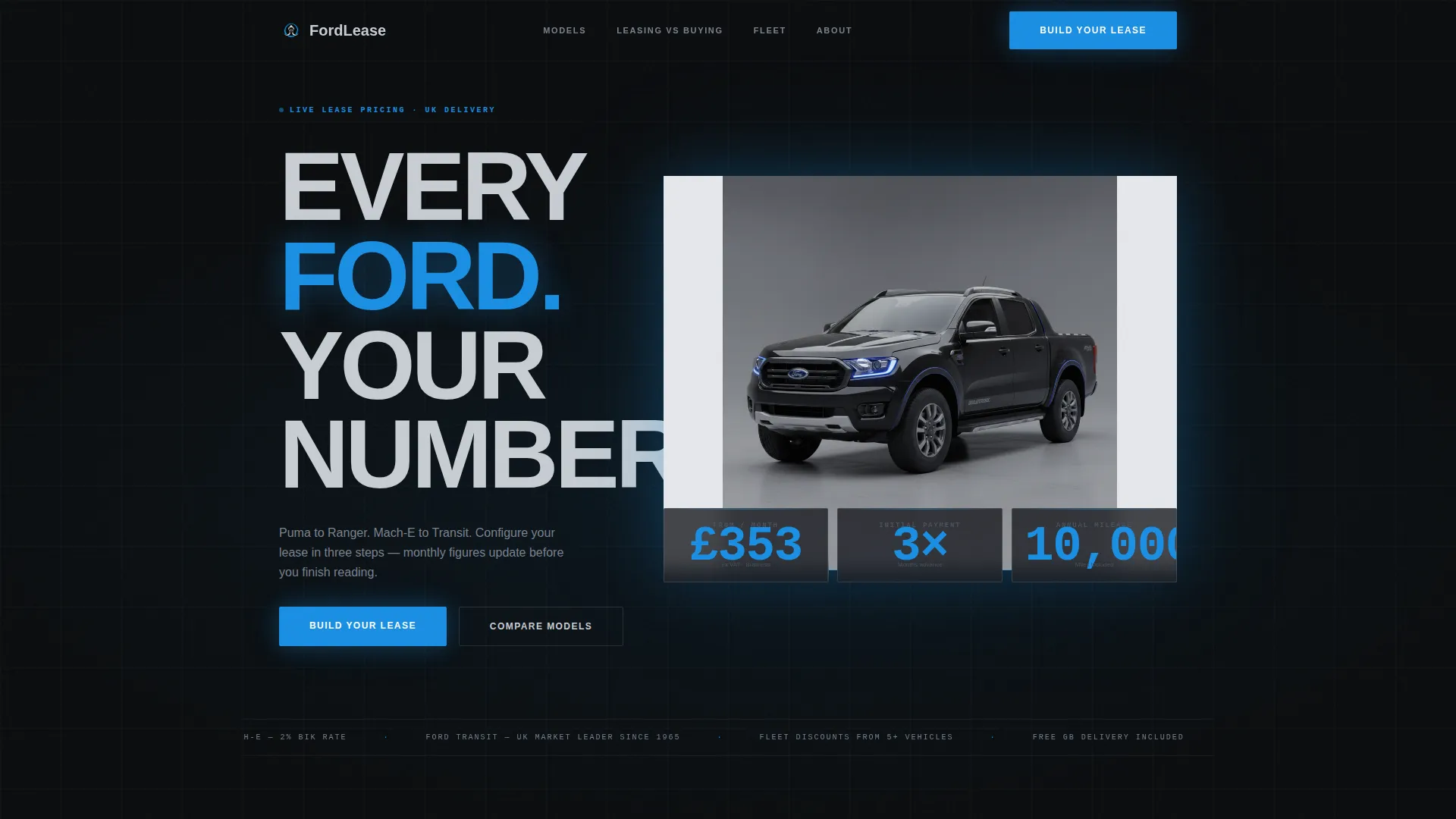
- A hero section with a floating vehicle, razor-thin blue rim lighting, and three animated odometer stat counters
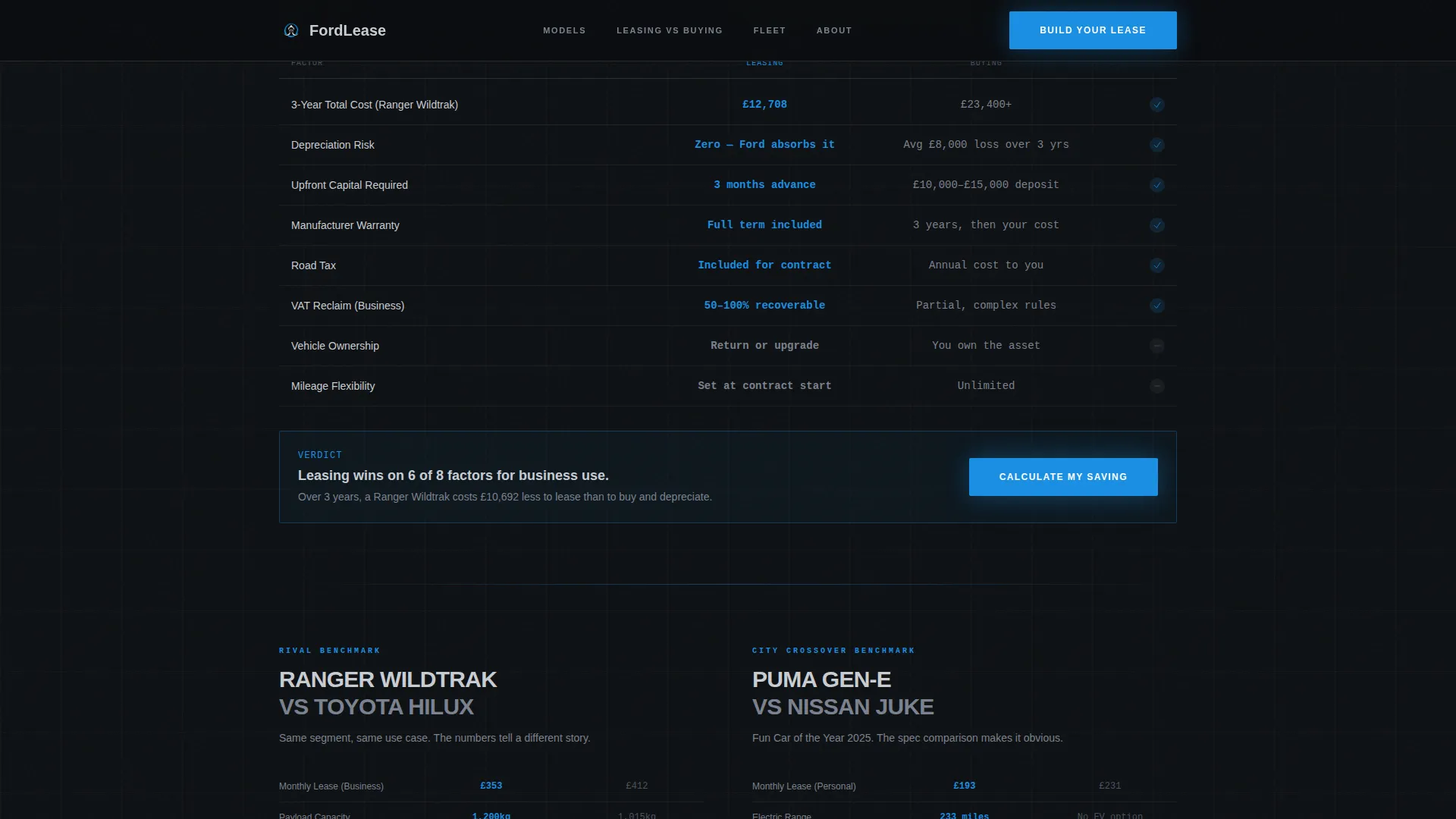
- A leasing-versus-buying comparison module with animated row reveals and class-rival benchmarks per model
- A fleet volume section with discount tier logic and a business case stat block
Feature list
This template ships with six purpose-built features that work together to move a visitor from price discovery to lease enquiry.
Odometer Stat Counter Hero
Three glowing counters tick into place below the vehicle: monthly price, initial payment, and annual mileage. Each figure animates like an odometer rolling forward, making the numbers feel live rather than static.
Animated Leasing versus Buying Comparison
A stark two-column module places lease cost against purchase cost over a three-year period. Rows cover total cost, maintenance inclusion, and depreciation absorbed. Each row animates as it enters the viewport using scroll-triggered reveals.
Model Showcase Panels
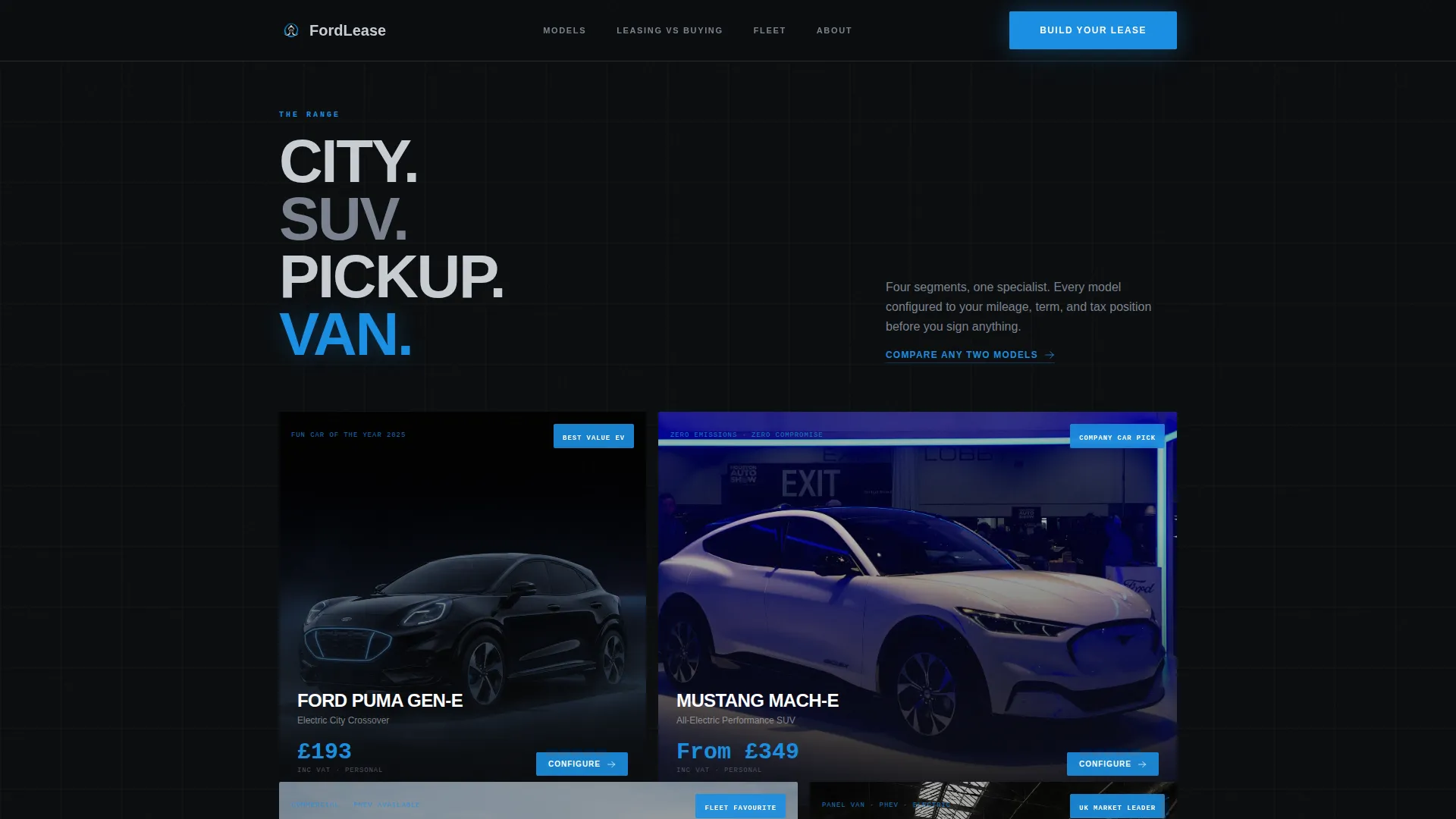
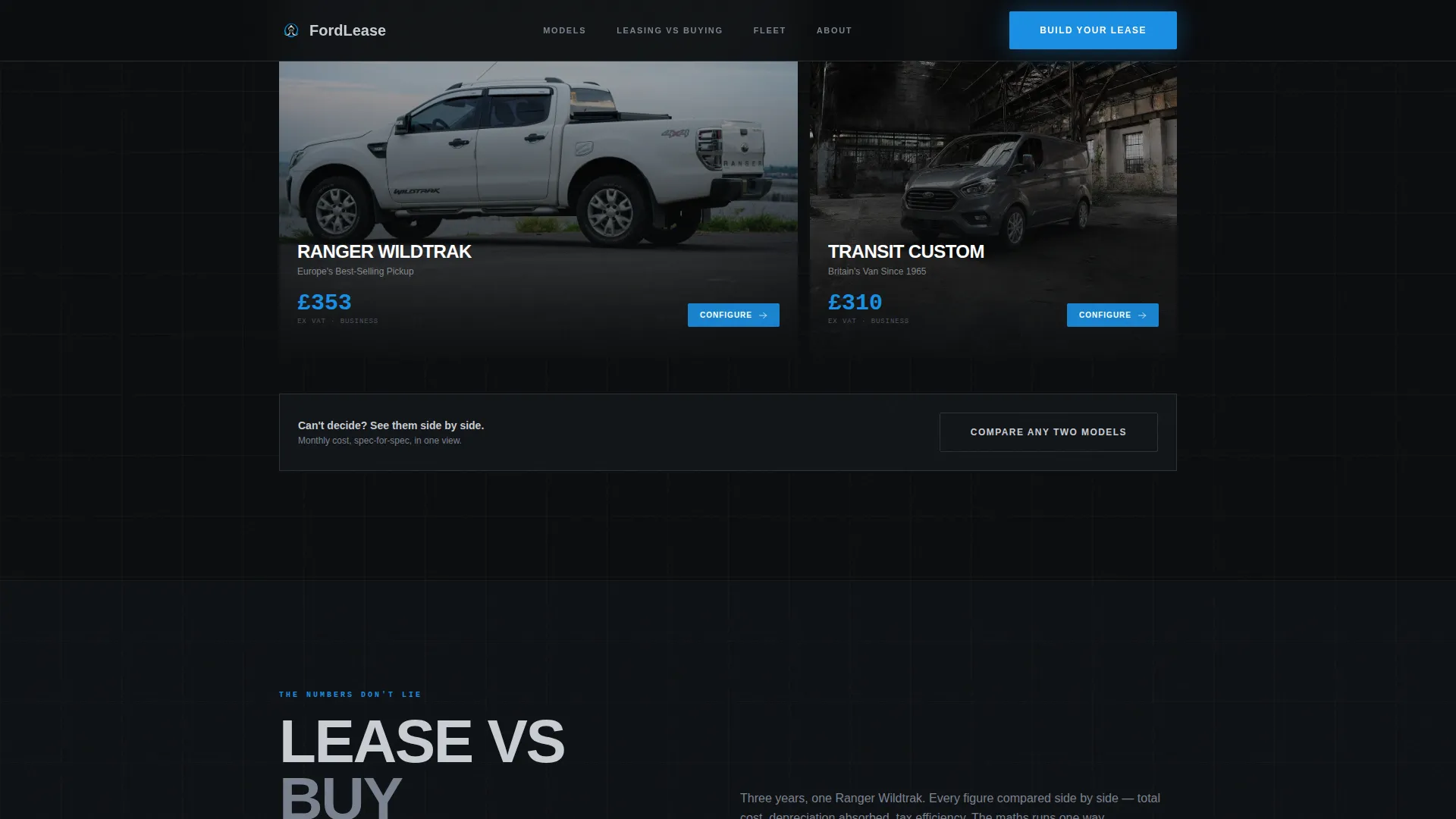
Four full-page panels cover a city crossover, a family SUV, a commercial van, and a performance variant. Each panel grows progressively darker. Every panel carries its own stat block and a class-rival benchmark on monthly cost, spec for spec.
Three-Step Lease Configurator Entry
A sequential three-step flow lets visitors select model, mileage, and term length before seeing a live quote figure. The form appears only after the visitor has already processed the numbers, reducing cold-form friction.
Fleet Volume Discount Tier Table
A dedicated fleet section displays volume discount tiers with supporting business case statistics. The layout is built to support VAT-recoverable fleet procurement decisions at the twenty-plus vehicle level.
Dark Full-Bleed Vehicle Header
The hero positions a vehicle in a pure black void, edge-lit by a thin blue rim light that traces the bodywork. No horizon, no background clutter. The vehicle appears to float, anchoring the dark showroom mood from the first frame.
Page sections overview
| Section | Purpose |
|---|---|
| Hero with counters | Open with live pricing and a floating vehicle in a dark void |
| Leasing versus Buying | Compare total cost, maintenance, and depreciation side by side |
| Model Showcase Panels | Present four models with stats and class-rival benchmarks |
| Fleet Volume Tiers | Show volume discounts and build the business case for fleets |
| Build Your Lease | Guide visitors through a three-step configurator entry point |
| Footer row | Provide contact and legal reference in a single linear row |
Design & branding system
The visual identity uses a Monochrome Steel palette that feels like cold aluminium in low light. Every surface is matte except the interactive elements, where electric blue catches the eye and pulls focus.
- Base colours: forge black (#0B0D0F) for backgrounds, brushed gunmetal (#3A3F47) for surface layers, cool chrome (#C8CDD3) for body text and labels
- Accent colour: electric blue (#1A8FE3) used exclusively for interactive elements, glowing calls to action, and live numeric figures
- Typography: Manrope for headings and Jetbrains Mono for all numbers and stat displays, keeping data visually distinct from narrative copy
Mobile & speed optimization
The template is built desktop-first to serve fleet managers working on large screens, with full mobile support for personal lease customers browsing on their phones. Animations are handled through GPU-accelerated transforms to keep scroll performance smooth.
- Scroll-triggered reveals use Intersection Observer to fire animations only when elements enter the viewport, avoiding unnecessary load
- Layout is designed to prevent cumulative layout shift, keeping stat counters and comparison rows visually stable as they animate in
- Odometer counter animations and parallax transitions are GPU-offloaded to keep frame rates consistent across devices
How this template helps you convert
The conversion logic is built into the page sequence itself. By the time a visitor reaches the configurator, they have already processed pricing, comparisons, and model benchmarks. The call to action feels like a natural next step rather than a cold ask.
- The hero counters establish a specific monthly figure in the first seconds, giving visitors an immediate anchor point before any copy appears
- The leasing-versus-buying comparison resolves the most common objection, total cost uncertainty, with animated data that builds confidence row by row
- The three-step configurator surfaces a personalised quote only after the visitor has selected their preferences, making the final number feel earned rather than arbitrary
Other information about this template
This template is structured for UK-market leasing operations. Pricing displays use GBP (pound sterling) and VAT-inclusive figures are noted where relevant. Date formatting follows the DD/MM/YYYY convention used in the United Kingdom.
- The footer uses a Pattern 1 Linear Single-Row layout, keeping legal and contact references compact without breaking the immersive page flow
- The template supports both business-to-business fleet enquiries and personal contract hire use cases within the same page structure
- A secondary call-to-action path labelled "Compare Any Two Models" sits alongside the primary configurator entry, giving undecided visitors a lower-commitment next step
- Social proof elements include a live fleet count display and versus-rival benchmark stats positioned within model panels
Theme
Dark Immersive
Creative direction
Stats-First Impact
Color system
Monochrome Steel
Style
Storybook/Full-Page
Direction
Comparison/Versus
Page Sections
Odometer Stat Counter Hero
Animated Leasing Versus Buying Comparison
Model Showcase Panels
Three-step Lease Configurator
Fleet Volume Discount Tiers
Dark Full-bleed Vehicle Header
Related questions
Who is this landing page template designed for?
Can I use this template for both business and personal lease offers?
How does the three-step configurator work?
What animation features does this template include?
Is this template suitable for a UK leasing business?



