Defense Rapid Prototyping Landing Page Template
Forge is a modular card grid landing page built for defense prototype and rapid prototyping firms. It pairs an Engineering Blueprint visual identity with a Stats-First Impact creative direction, opening with a dramatic before-and-after case study header. Every section is designed to front-load hard metrics and build the evidence wall a program manager needs before committing to a partner.
by Rocket studio
Quick summary
Forge is a single-page, card grid landing page template purpose-built for defense prototype and rapid prototyping firms. It leads with a split-viewport case study header, escalates through modular capability cards, and closes with two targeted conversion paths. The Navy Authority color system and Engineering Blueprint theme give every section the authority of a classified briefing folder.
Who this template is for
This template is designed for small-to-mid-size engineering firms and machine shops that serve the defense sector. If your customers are evaluating you against a deadline, this layout speaks their language before you say a word.
- Program managers at defense prime contractors racing Small Business Innovation Research deadlines
- Department of Defense acquisition officers who need a functional demonstrator before a gate review
- Startup chief technology officers building dual-use autonomy hardware who cannot wait on a traditional integrator
What problem this template solves
Defense buyers vet vendors fast and drop them faster. A generic portfolio page cannot carry the weight of a sole-source justification. Forge solves the credibility gap that costs technical firms qualified leads.
- Buyers arrive needing turnaround timelines, tolerance specs, and compliance credentials before they will fill out any form
- Standard templates bury proof points in long paragraphs instead of surfacing them as scannable metrics
- Two-path conversion funnels are rarely built in, leaving high-intent visitors with no lightweight entry point
What you get with this template
You get a complete, ready-to-customize landing page structured to match how defense buyers actually evaluate vendors. Every section earns its place through information density rather than decoration.
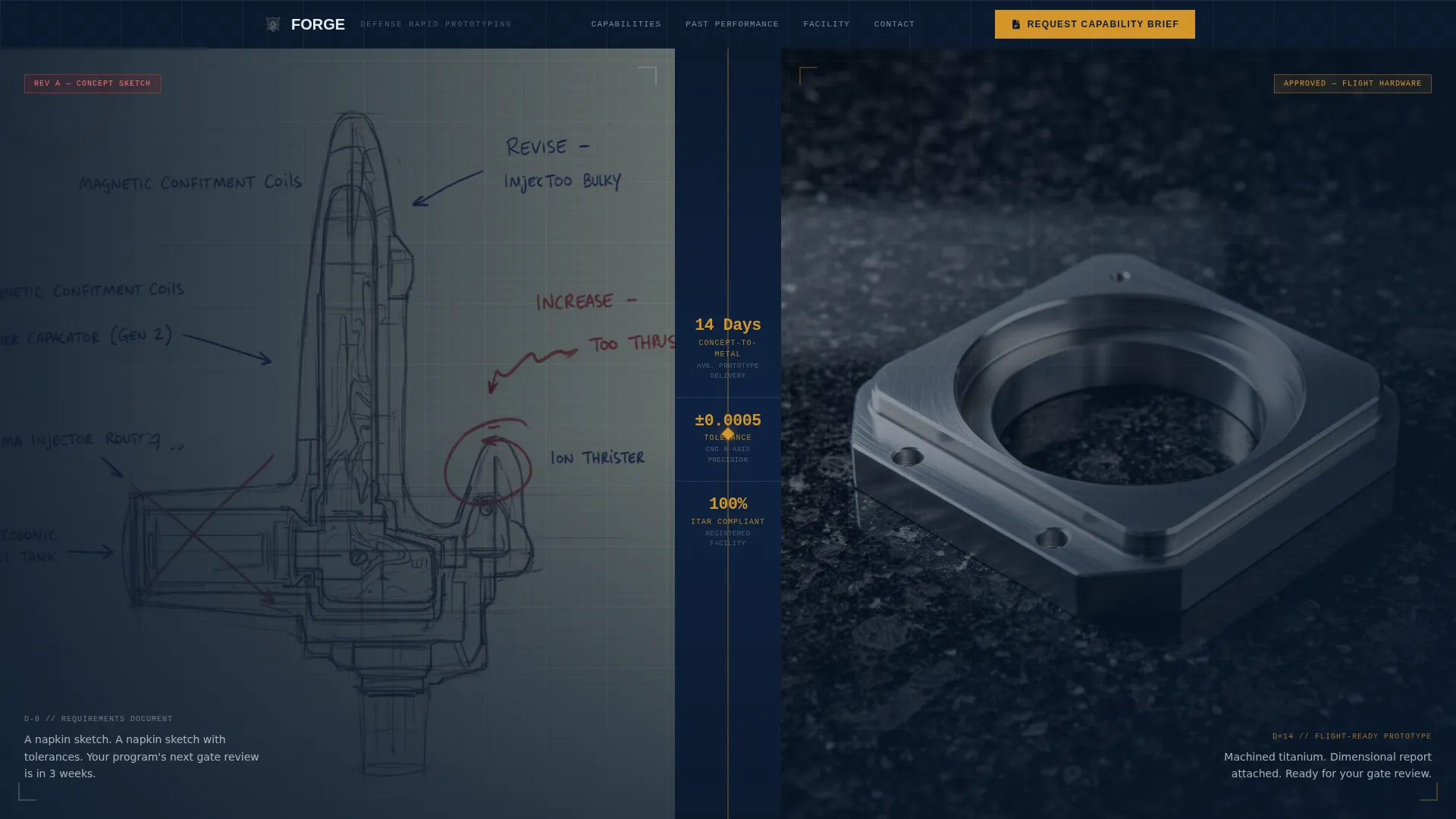
- A split-viewport before-and-after header with three count-up stat animations in amber
- A modular capability card grid where each card flips on hover to reveal a case study thumbnail and project summary
- A dual-path conversion system with a primary "Request Capability Brief" form and a secondary gated "Download Past Performance PDF" path
Feature list
This template is built around one principle: relentless, sequenced proof. Each feature below serves that goal directly.
Split-Viewport Case Study Header
The header divides into two halves. The left shows a rough concept sketch with handwritten annotations and redline markups. The right shows the finished machined prototype on a granite surface plate with calipers. A vertical divider between them displays three amber stats that count up on page load, each number ticking into place like an instrument calibrating.
Modular Flip-Card Capability Grid
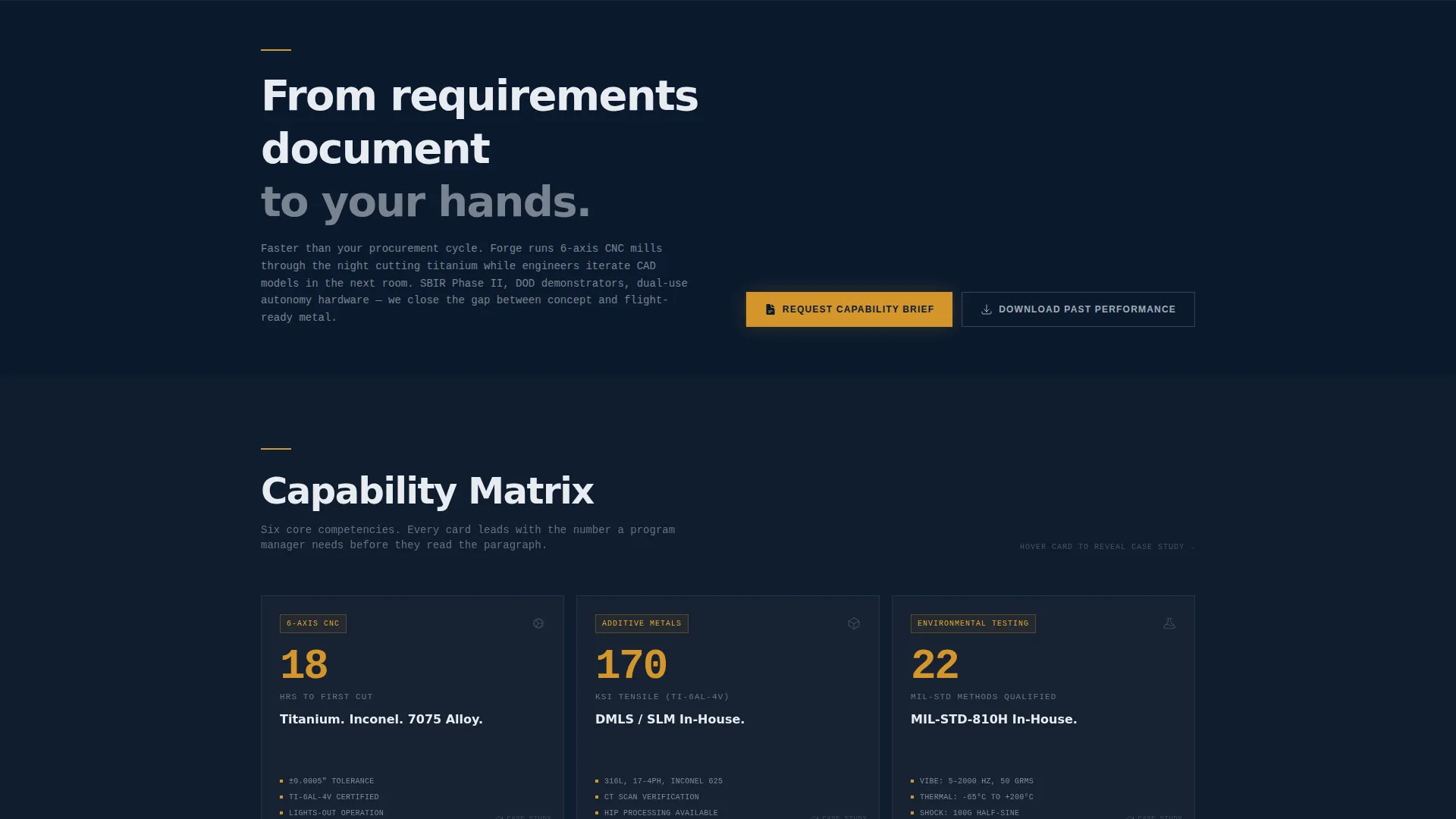
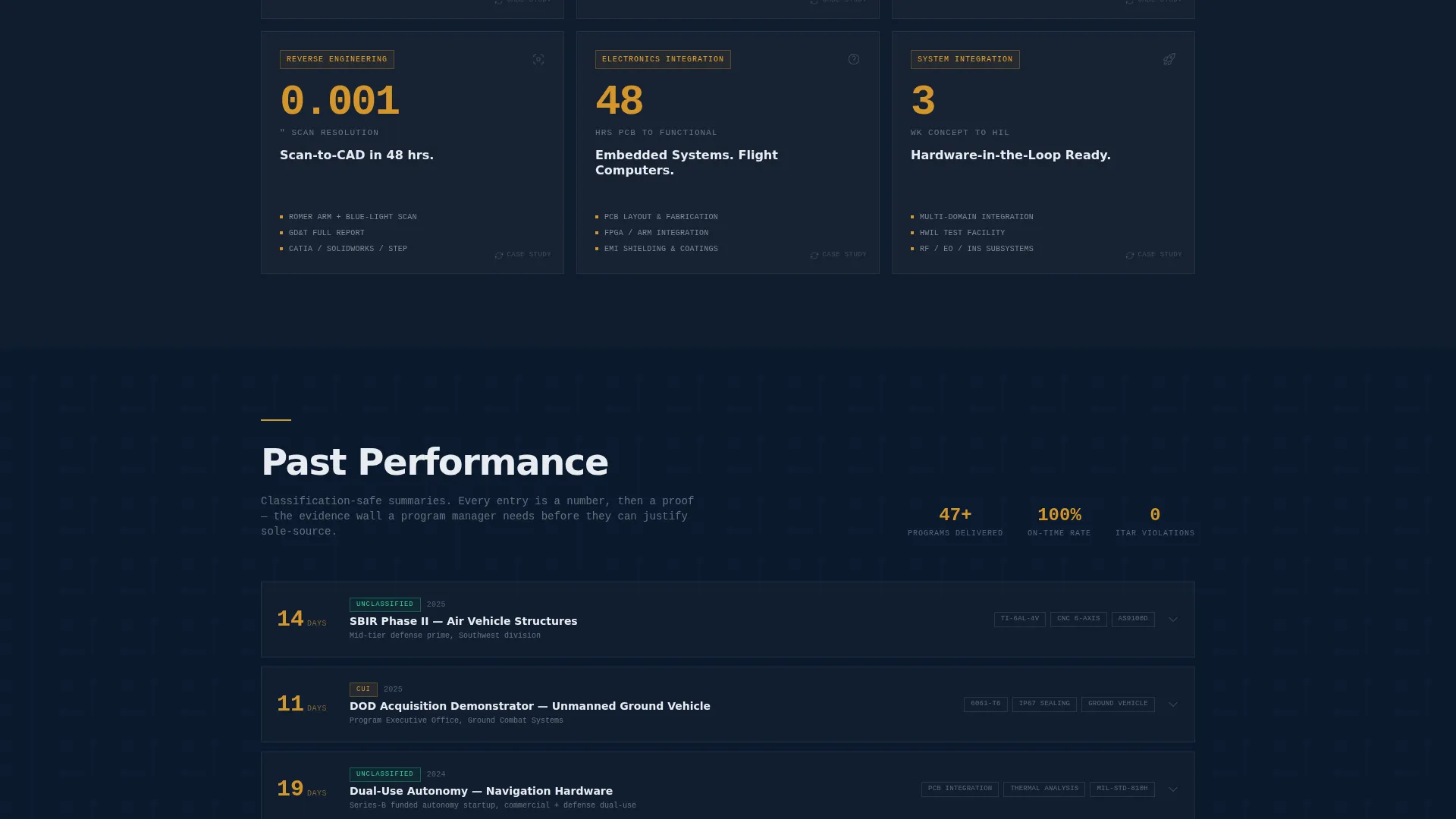
Capability cards lead with a single oversized metric before revealing context. On hover, each card flips to show a case study thumbnail and a classification-safe project summary. Example cards include six-axis computer numerical control machining with hours-to-first-cut data, additive metals with material tensile specs, environmental testing with Military Standard ratings, and reverse engineering with scan-to-computer-aided design turnaround times.
Dual-Path Conversion Forms
The primary conversion path captures name, organization, Contractor and Government Entity code (optional), a free-text program description, and a required dropdown for classification level covering Unclassified, Controlled Unclassified Information, and Secret. The secondary path gates a Past Performance PDF behind a lighter form requiring only name and a verified government or military email address, qualifying leads by domain before the first call.
Persistent Amber call to action Navigation
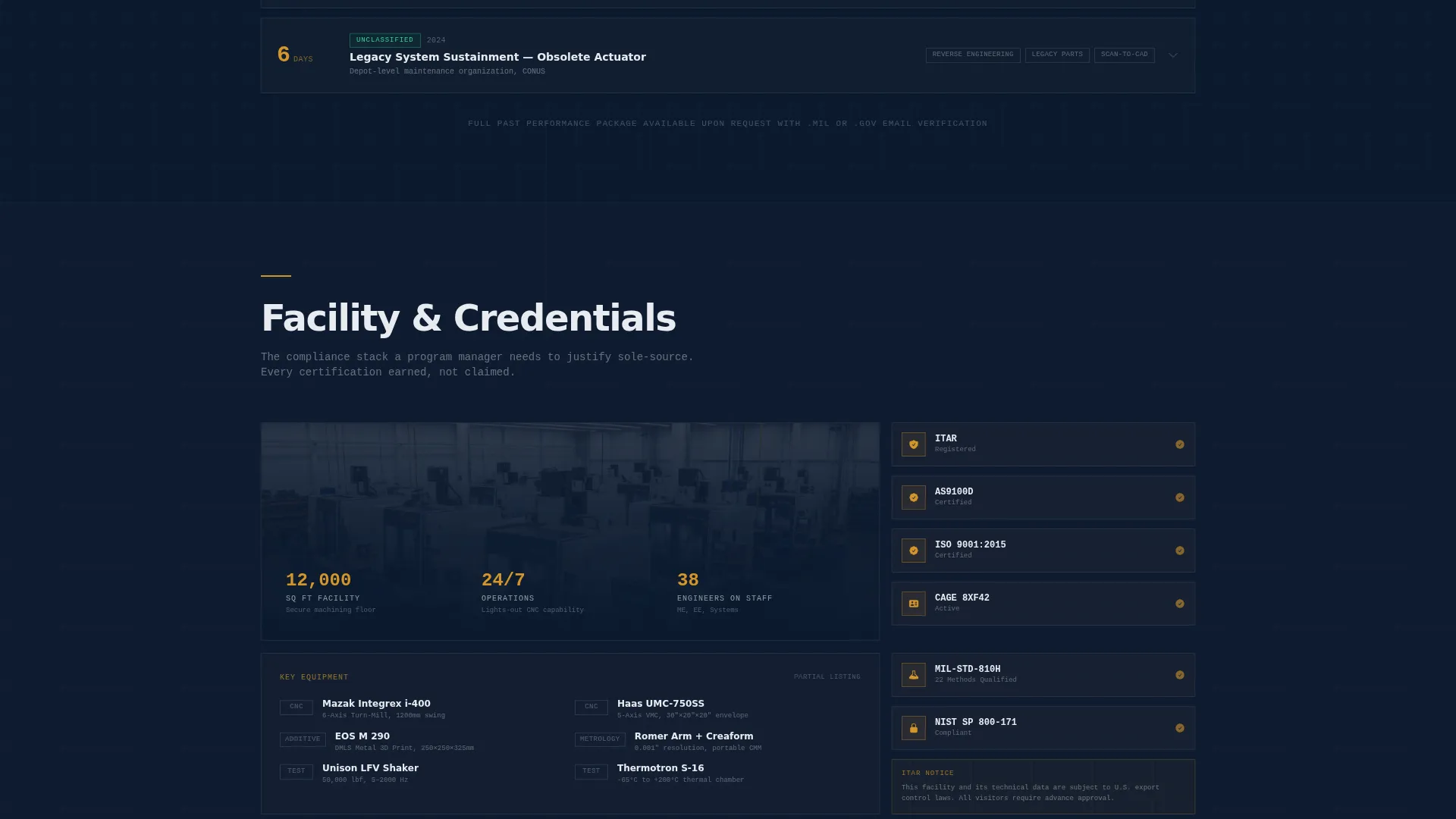
A persistent amber "Request Capability Brief" button lives in the navigation bar throughout the full page scroll. It remains visible as visitors move through capability cards, past performance evidence, and facility credentials, keeping the primary action reachable at every moment.
Stats-First Scrolling Rhythm
The page is structured as an escalating evidence wall. Sections progress from capability proof to past performance to facility credentials. Each content block follows a number-then-proof pattern so skepticism has no room to settle before the next metric arrives.
Page sections overview
| Section | Purpose |
|---|---|
| Split-Viewport Header | Opens with concept-to-prototype visual proof and three count-up amber stats |
| Tagline Strip | Delivers a single anchor line reinforcing speed over procurement timelines |
| Capability Card Grid | Showcases core services as metric-led modular cards with flip-reveal case studies |
| Past Performance Block | Builds the evidence wall with completed program summaries and outcomes |
| Facility Credentials | Presents compliance certifications, equipment specs, and facility qualifications |
| Capability Brief Form | Primary conversion form capturing program context and classification level |
| Past Performance Download | Secondary gated path qualifying leads by government or military email domain |
Design & branding system
The visual identity follows an Engineering Blueprint theme that feels like a classified briefing folder opened under fluorescent light. Every color choice is deliberate and information-driven.
- Command-grade navy (#0B1A2E) and technical graphite (#3A4250) alternate as section backgrounds, with specification white (#E8ECF1) carrying all body text
- Clearance-level amber (#D4952A) appears only on calls to action, stat highlights, and active card borders, so each amber element reads as a priority flag
- The overall aesthetic avoids decoration entirely, favoring tight information density and the visual language of engineering documentation
Mobile & speed optimization
The modular card grid is built to reflow cleanly across screen sizes without breaking the metric-first reading order. Defense buyers review vendors on mobile devices at trade shows and during travel, so layout integrity at smaller viewports matters.
- Cards stack vertically on smaller screens while preserving the flip-reveal interaction and oversized metric hierarchy
- The count-up stat animation in the header is lightweight and does not rely on heavy external libraries, keeping initial load lean
- Alternating navy and graphite section backgrounds maintain contrast and readability across all display conditions
How this template helps you convert
Forge earns the click by sequencing proof before the ask. By the time a visitor reaches either form, the template has already answered the three questions every defense buyer carries: how fast, how precise, and how compliant.
- The header stat trio (concept-to-metal timeline, tolerance band, and facility compliance status) immediately speaks the buyer's technical language, reducing early drop-off before they scroll into capabilities.
- The flip-card grid turns passive browsing into active discovery, and the dual-path form system captures both high-intent leads ready for a brief and early-stage evaluators willing to share only a verified email address.
Other information about this template
This template is designed as a single landing page with a modular card grid layout, making it straightforward to add or remove capability cards as your service offering evolves. It is categorized under Manufacturing and Industrial, Defense Manufacturing, with a niche focus on defense prototype and rapid prototyping work.
- The template style is Card Grid (Modular) and the partnership-focused landing page direction makes it well suited for business-to-business defense manufacturing contexts
- The Engineering Blueprint theme and Navy Authority color system are consistent with the visual expectations of defense industry audiences familiar with technical documentation
- Classification dropdown options in the primary form (Unclassified, Controlled Unclassified Information, and Secret) are built into the layout to signal operational awareness to qualified buyers
Theme
Engineering Blueprint
Creative direction
Stats-First Impact
Color system
Navy Authority
Style
Card Grid (Modular)
Direction
Partnership/B2B
Page Sections
Split-viewport Before and After Header
Metric-led Flip Card Grid
Dual-path Lead Capture Forms
Persistent Navigation Call to Action Button
Escalating Evidence Wall Structure
Related questions
What type of business is this template built for?
Can I customize the capability cards to match my own services?
What are the two conversion paths included in this template?
Why does the template use a count-up animation in the header?
Is this template suited for firms that work on classified programs?



