Defense Welding & Joining Service Landing Page Template
Forge is a hub-and-spoke anchor-navigation landing page built for certified defense welding and joining facilities. It pairs a credential-forward Logo Bar header with a Timeline Progression narrative and side-by-side comparison tables. Every spoke section layers performance metrics against industry benchmarks, building a data-driven case that drives procurement engineers toward two clear conversion paths.
by Rocket studio
Quick summary
Forge is a single-page, anchor-navigated landing page template for defense welding and joining services. It opens with a logo-bar credential wall, moves through a timeline of capability milestones, and closes each spoke section with a versus comparison table. Two conversion paths, a weld comparison report request and a qual package download, capture procurement-ready buyers at different stages.
Who this template is for
This template is built for certified industrial welding facilities that serve defense prime contractors and military procurement channels. It speaks directly to the people who vet vendors on paper before they ever pick up a phone.
- Defense welding shops pursuing or holding NADCAP compliance and AWS D17.1 certification
- Military depot maintenance teams requalifying battle-damaged vehicles and structural assemblies
- Procurement engineers comparing certified welding vendors on cost-per-inch, first-pass yield, and non-destructive testing rejection rates
What problem this template solves
Most industrial service pages list capabilities without proving them. Defense procurement officers need evidence, not marketing copy. They arrive with spec numbers in hand and leave if the data is not visible immediately.
- Credibility is buried: certifications and prime contractor relationships are hidden in footer text instead of leading the page
- No structured comparison: visitors cannot quickly measure this facility against published industry benchmarks
- Conversion paths are vague: procurement officers need a documentation download option, not just a generic contact form
What you get with this template
Forge delivers a fully structured, single-page layout with everything a defense welding facility needs to convert a skeptical procurement engineer. The design system, content architecture, and dual conversion paths are all built in.
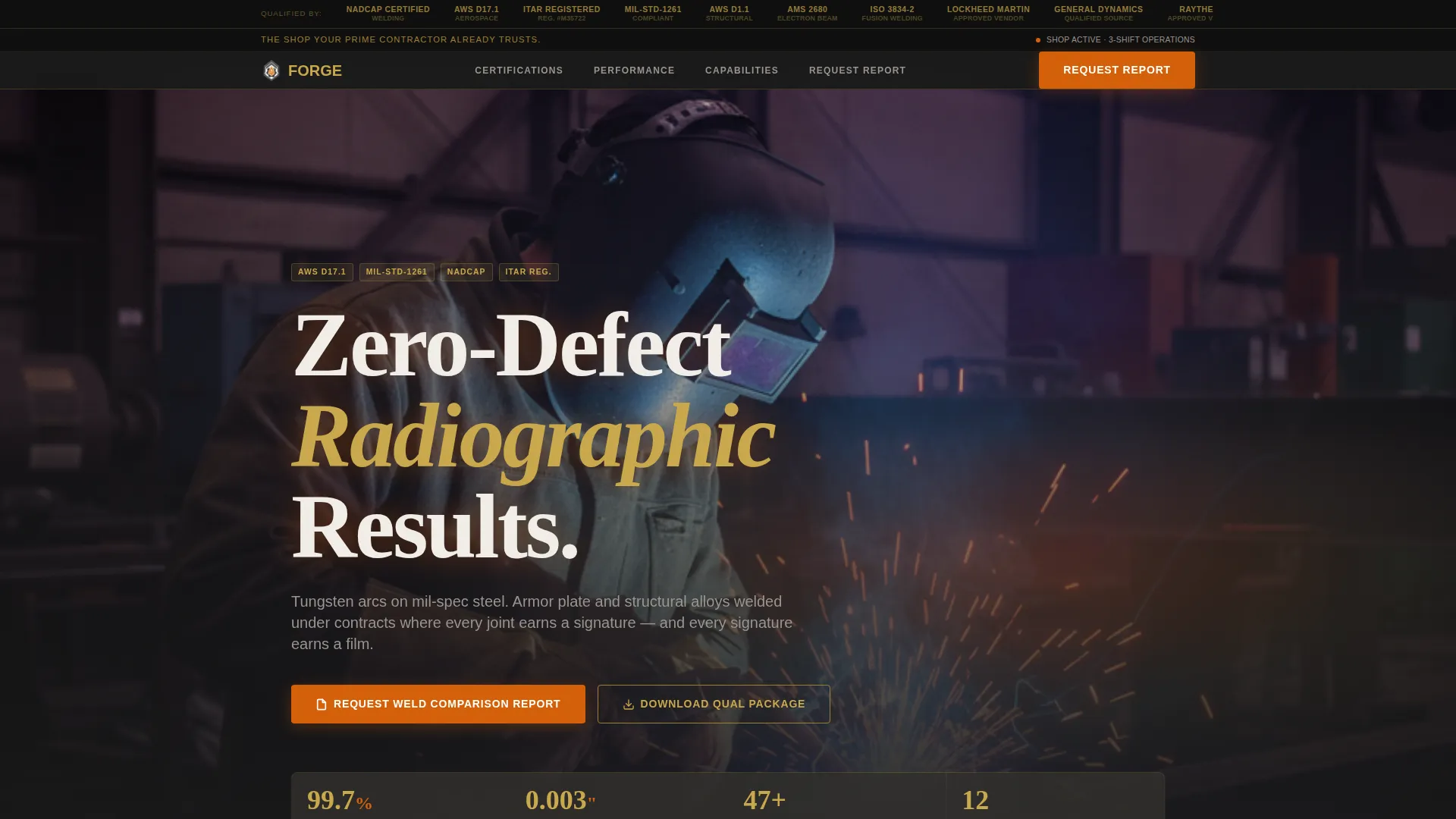
- A Logo Bar header section displaying defense prime and certification body marks on a soot-black field
- Hub-and-spoke anchor navigation linking to capability milestone spokes across the page timeline
- Two-column comparison tables inside each spoke section contrasting facility metrics against published industry medians
- A primary call to action form capturing alloy type, joint configuration, governing spec number, and annual volume range
- An email-gated secondary call to action for procurement officers downloading the qualification package
Feature list
A paragraph introducing the feature blocks below: every feature in Forge is drawn directly from the defense procurement context, so nothing on the page feels like a generic industrial template dressed up with military colors.
Logo Bar Credential Header
The header opens with a horizontal strip of defense prime and certification body marks rendered in monochrome straw on a soot-black field. No photography competes. The logos carry the credibility, and the restraint communicates clearance-level seriousness before a single line of body copy appears.
Hub-and-Spoke Anchor Navigation
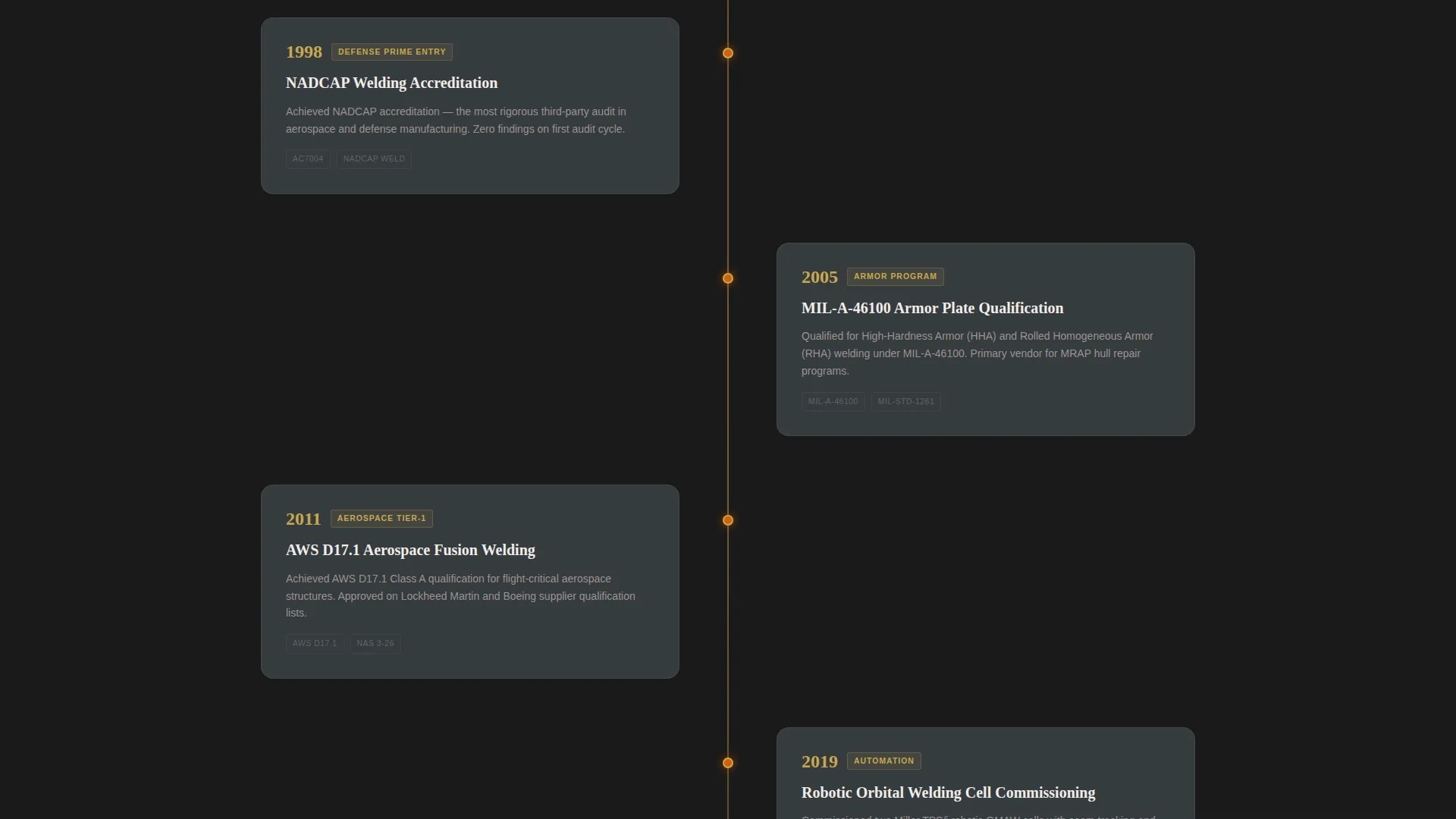
Each navigation node represents a capability milestone, from initial certifications through exotic alloy qualifications to robotic orbital welding cells. Visitors jump directly to the section most relevant to their procurement question without scrolling through content that does not apply to them.
Timeline Progression Narrative
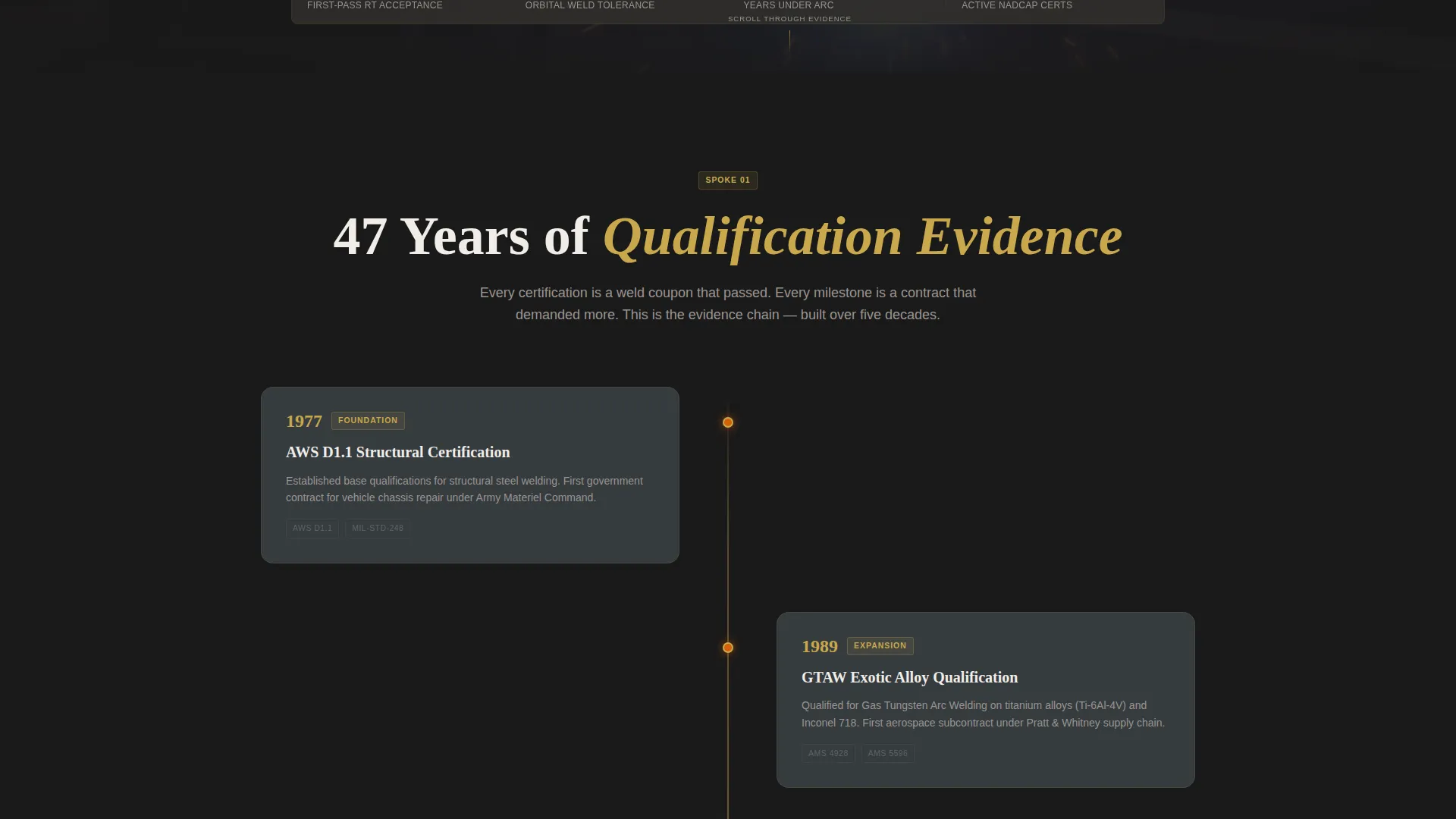
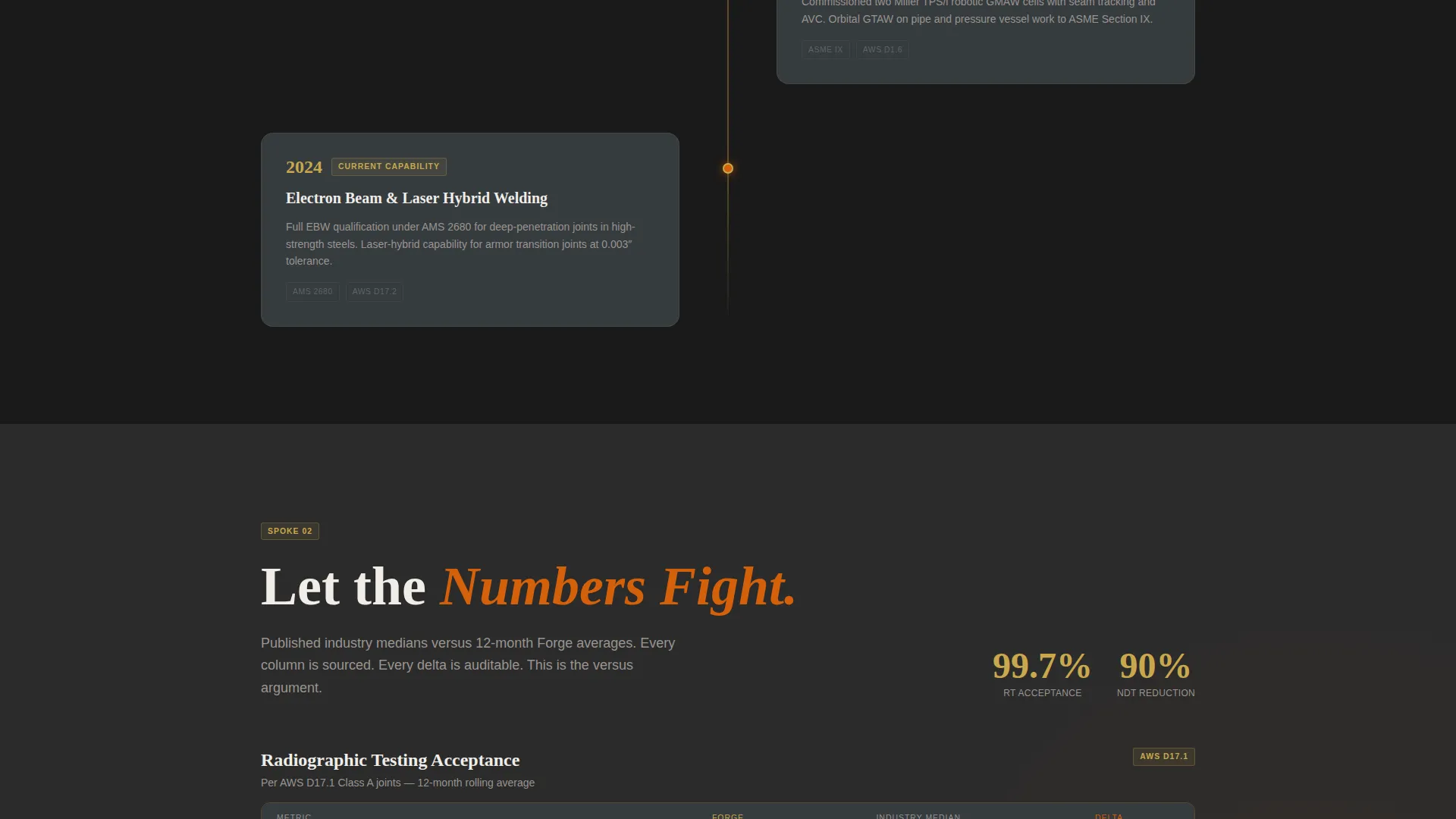
The page scrolls as an evidence chain. Each spoke advances from early AWS certification history through increasingly specialized capabilities. By the time a visitor reaches the final section, the facility's institutional depth is demonstrated through sequence, not assertion.
Side-by-Side Comparison Tables
Every spoke section contains a two-column table contrasting this facility's metrics, cycle time, first-pass acceptance rate, non-destructive testing rejection rate, against published industry medians. The numbers do the arguing so the copy does not have to.
Dual Conversion Path System
The primary call to action requests a Weld Comparison Report with fields for alloy type, joint configuration (butt, fillet, or orbital), governing spec number, and annual volume range. A secondary path offers the qualification package behind an email gate, capturing procurement officers who need documentation before committing to a call.
Industrial Raw Design System
The Fire and Earth color palette uses molten arc orange for calls to action, slag-crust charcoal for full-bleed section backgrounds, heat-tint straw for data point highlights and spec callouts, and mill-scale gunmetal for navigation and card surfaces. Every color decision reinforces shop-floor authenticity.
Page sections overview
| Section | Purpose |
|---|---|
| Logo Bar Header | Display prime contractor and certification marks as instant credibility proof |
| Anchor Nav Bar | Link each capability milestone spoke for direct jump navigation |
| Hero Spoke | Introduce the facility's position and primary conversion offer |
| Certification Milestone | Document AWS and NADCAP qualification history on the timeline |
| Alloy Capability Spoke | Detail exotic alloy and armor plate welding qualifications |
| Orbital Welding Spoke | Present robotic orbital welding cell capabilities and metrics |
| Comparison Table Row | Benchmark facility metrics against published industry medians |
| Primary call to action Form | Capture report requests with alloy, joint, spec, and volume fields |
| Qual Package Gate | Collect email in exchange for the qualification documentation download |
| Footer Section | Hold ITAR registration notice and secondary contact information |
Design & branding system
The Industrial Raw theme treats the page like a freshly cracked weld coupon. Dark base metal dominates, then heat-affected zones break through in straw, and arc orange fires only where action is required. Every visual decision references the shop floor without mimicking it literally.
- Color system: molten arc orange (#D4600A) for calls to action and active anchor indicators, slag-crust charcoal (#2B2B2B) for full-bleed backgrounds, heat-tint straw (#C9A84C) for data callouts and spec highlights, mill-scale gunmetal (#4A4F54) for navigation bars and card surfaces
- Typography: welding-grade industrial typefaces that carry authority without decorative distraction, paired with the header tagline "The shop your prime contractor already trusts"
- Visual restraint: no photography competes with the logo bar; the credential marks and metric tables carry all visual weight
Mobile & speed optimization
Forge is structured for procurement engineers who may be reviewing vendor shortlists on a tablet in a program office or on a phone between site visits. The layout adapts cleanly across screen sizes without losing table legibility or form usability.
- Anchor navigation collapses gracefully on smaller screens so spoke-jump functionality remains accessible on mobile devices
- Comparison tables are formatted to remain scannable at reduced widths, keeping the benchmark data readable without horizontal scrolling
How this template helps you convert
Forge is built as a Comparison/Versus conversion engine. Every design and layout decision is oriented toward moving a procurement engineer from skeptical visitor to qualified lead.
- The Logo Bar removes the credibility question immediately, so visitors spend their attention on capability evidence rather than wondering whether the facility is legitimate
- The Timeline Progression builds institutional weight incrementally, each spoke adds a layer of proof, and by the final section the data delta between facility metrics and industry medians makes requesting the Weld Comparison Report feel like a logical confirmation rather than a speculative inquiry
Other information about this template
Forge fits naturally into a broader vendor qualification workflow. Procurement teams typically cross-reference multiple certified welding vendors before issuing a request for quote, and this template is structured to hold up under that kind of side-by-side scrutiny.
- The template is categorized under Manufacturing and Industrial, with a specific focus on Defense Manufacturing and the Defense Welding and Joining Service niche
- The Hub and Spoke anchor navigation style keeps the page organized as a single-scroll experience while giving procurement engineers the ability to jump directly to the spoke most relevant to their current evaluation criteria
- The dual call to action system accommodates two distinct buyer behaviors: the engineer who is ready to talk and requests a comparison report, and the procurement officer who needs documentation first and downloads the qual package
Theme
Industrial Raw
Creative direction
Timeline Progression
Color system
Fire & Earth
Style
Hub & Spoke (Anchor Nav)
Direction
Comparison/Versus
Page Sections
Logo Bar Credential Header
Hub-and-spoke Anchor Navigation
Timeline Progression Narrative
Side-by-side Comparison Tables
Dual Conversion Path System
Industrial Raw Color System
Related questions
What types of welding facilities is this landing page template designed for?
Can I customize the comparison table metrics for my facility's actual data?
What fields does the primary call to action form include?
Is there a secondary conversion option for procurement officers who are not ready to request a report?
How does the anchor navigation work across the page?



