Game Designer Portfolio Pre-Launch Website Template
Forge is a masonry-style game designer portfolio landing page built for the waitlist era. It combines a viewport-filling animated headline, a hover-reactive frosted-glass gallery grid, and a sticky sign-up bar into one cohesive experience. Studio art directors, indie developers, and publishers can explore work by discipline while designers claim their spot in a growing creative gallery.
by Rocket studio
Quick summary
Forge is a single-page game designer gallery portfolio template built on a masonry grid layout. It opens with a typographic headline that doubles as a portfolio preview, moves into an interactive frosted-glass card grid, and closes with a low-friction waitlist form. The page is designed to attract serious creative collaborators and convert them before the gallery goes live.
Who this template is for
Forge is built for game designers who want to build an audience before their full portfolio launches. It works equally well for solo contractors and small studios preparing a pre-launch presence.
- Game designers and concept artists ready to collect early interest from studios and publishers
- Visual effects artists, environment artists, and user interface designers with a body of work ready to tease
- Indie developers seeking collaborators and wanting to signal credibility before a project goes public
What problem this template solves
Most portfolio templates treat the work as static images on a white background. That approach loses the attention of art directors who scroll dozens of pages a day. Forge solves the engagement problem by making the gallery itself feel like an interactive experience worth exploring.
- Visitors leave flat portfolio pages quickly because nothing holds their focus long enough to build trust
- Designers struggle to collect qualified leads before a full portfolio is ready to publish
- Generic waitlist pages fail to communicate creative depth, which filters out the most valuable collaborators
What you get with this template
Forge delivers a complete single-page layout with every section pre-built and ready to customize. The visual system, animation behaviors, and form structure are all defined in the template so you spend time on your content rather than your code.
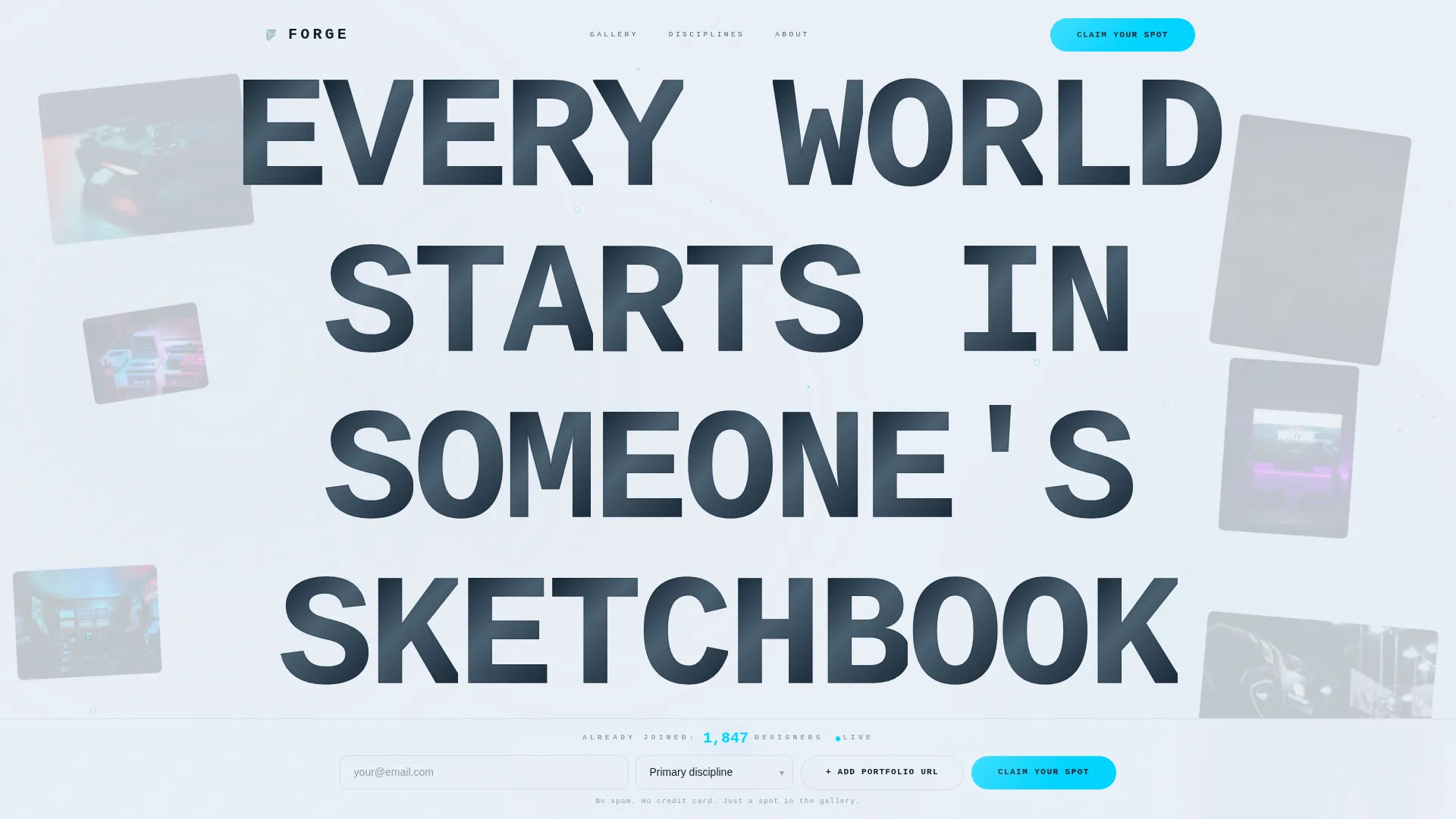
- A viewport-filling animated headline section where each letterform carries live visual content
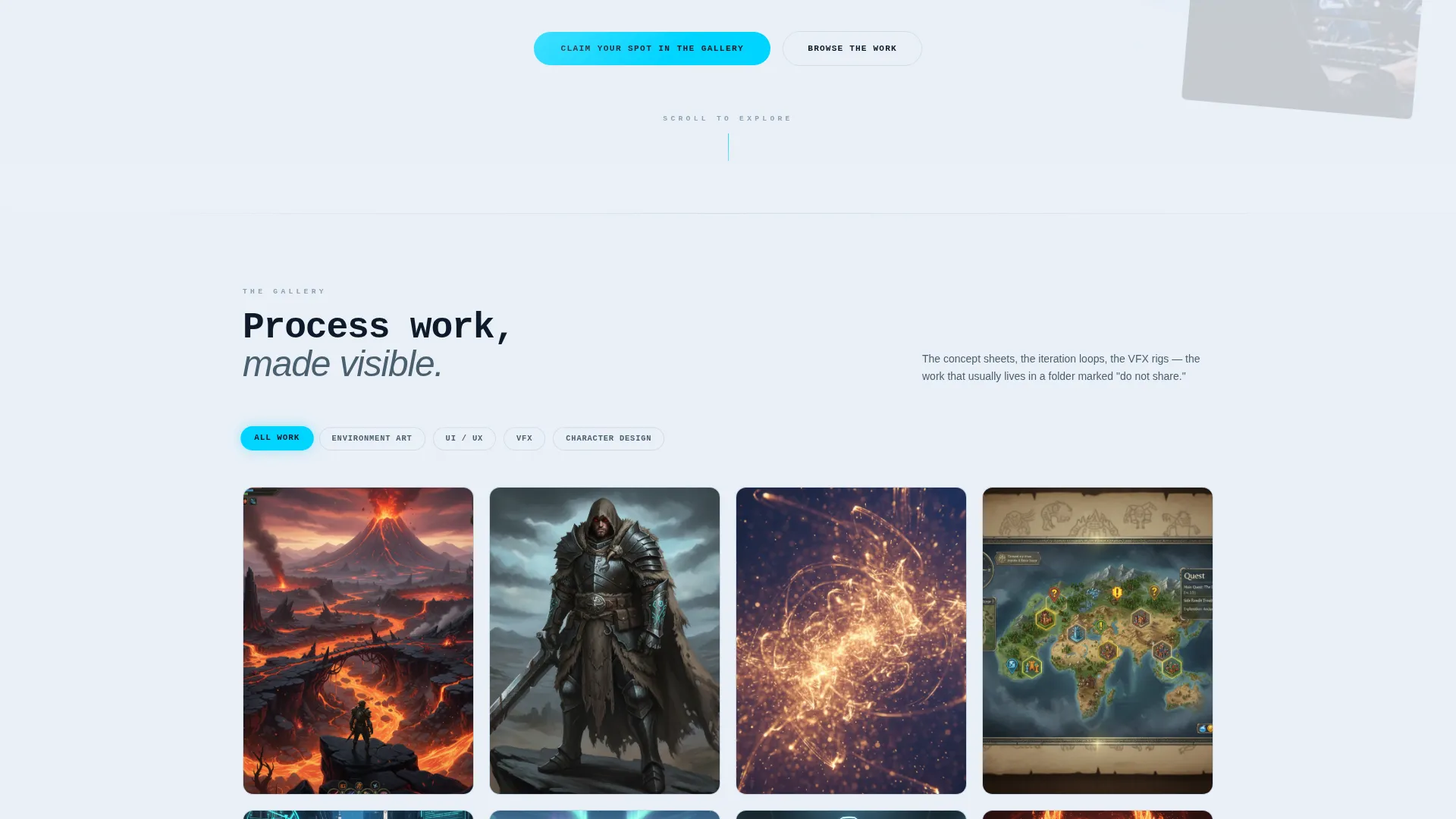
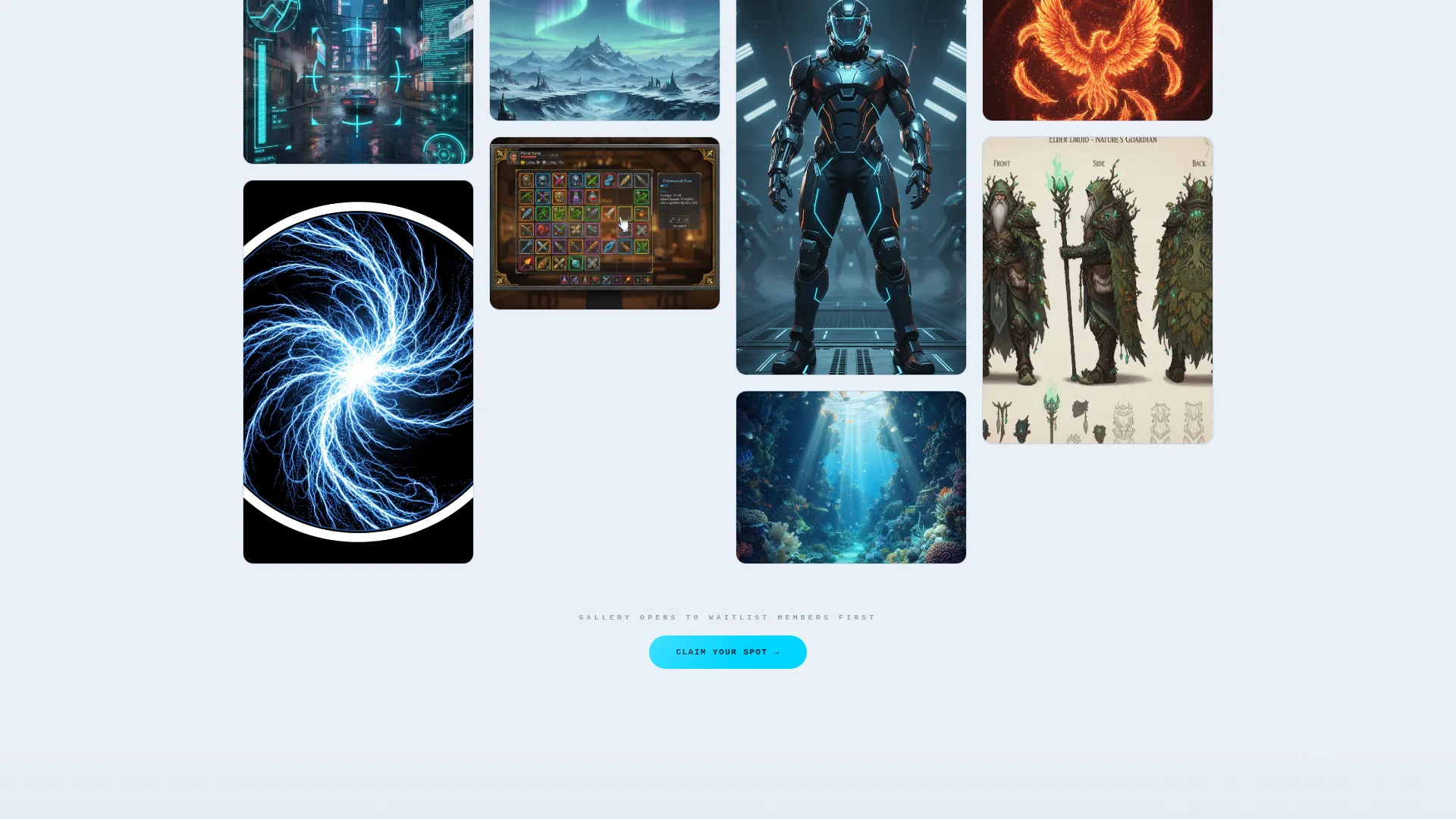
- A scrollable masonry grid of frosted-glass project cards with hover depth effects and engine tag labels
- A sticky waitlist bar at the bottom of the viewport with an email field, discipline dropdown, and optional portfolio URL input
Feature list
A single paragraph introduces the feature depth before items are broken down individually. Forge packs a precise set of interactive and structural features into one focused landing page. Each feature serves the core goal: turn a first-time visitor into a waiting collaborator.
Animated Typographic Headline
The header renders the phrase "EVERY WORLD STARTS IN SOMEONE'S SKETCHBOOK" at viewport scale using a condensed mono-geometric typeface. Each letter is filled with a parallax loop of concept art fragments, particle systems, and low-poly mesh visuals that drift behind the glass of the letterforms. The typography itself functions as the portfolio preview.
Masonry Gallery Grid with Hover Reactions
The project grid uses a masonry layout where each card is a frosted-glass tile. On hover, cards shift in depth and reveal the project name, engine tag (such as Unreal, Unity, or Godot), and a looping three-second motion clip. The grid reacts to the cursor rather than waiting to be clicked.
Biome-Shifting Scroll Background
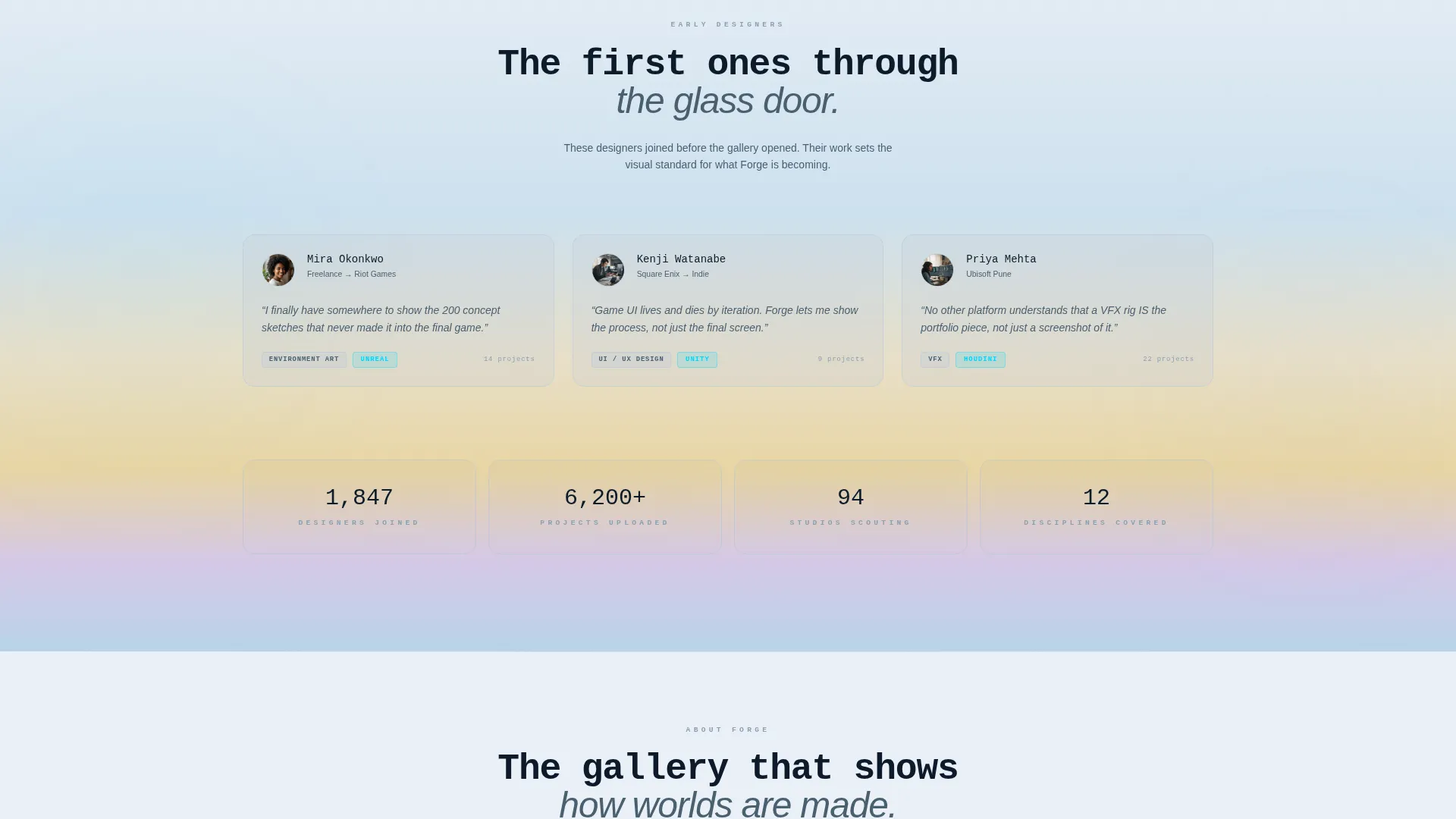
As visitors scroll through the gallery, the ambient background gradient transitions between distinct atmospheric zones. The page opens in a cool tundra palette, moves through warm desert gold in the middle, and settles into deep ocean tones at the bottom. The gallery feels like traversing a game world rather than reading a web page.
Discipline Filter Toggles
Floating pill-style toggles let visitors filter the grid by discipline: environment art, user interface and user experience design, visual effects, and character design. The toggles animate into place with a tactile clink response, keeping navigation lightweight and satisfying.
Sticky Waitlist Bar
A frosted bar anchors to the bottom of the viewport at all times. It holds the primary call to action ("Claim Your Spot in the Gallery"), an email field, a discipline dropdown, and an optional field for an ArtStation or portfolio URL. The form stays visible without interrupting the browsing experience.
Live Designer Counter
A real-time counter above the waitlist form displays how many designers have already joined. This element creates visible social proof and a sense of limited availability without requiring any additional copywriting effort.
Page sections overview
| Section | Purpose |
|---|---|
| Animated Headline Hero | Introduces the gallery concept through living typographic letterforms |
| Masonry Gallery Grid | Displays project cards with hover depth, engine tags, and motion clips |
| Discipline Filter Bar | Lets visitors narrow the grid by creative specialty |
| Biome Scroll Background | Shifts ambient atmosphere as the visitor moves down the page |
| Sticky Waitlist Bar | Captures email, discipline, and optional portfolio URL at any scroll point |
| Live Signup Counter | Shows total joined designers to build social proof and urgency |
Design & branding system
The visual identity follows a Tech Glass theme built on the Cloud Canvas color system. Every surface, card, and interface element is designed to feel translucent, cool, and layered, as though the portfolio exists one step behind a pane of frosted glass.
- Core palette: frosted white (#EAF0F7) for backgrounds, vapor gray (#C4CDD8) for card surfaces with subtle blur-glass borders, translucent panel blue (#A8C4E0) on card face fills, and signal cyan (#00D4FF) for hover states and interactive highlights
- Typography: a condensed mono-geometric typeface used at headline scale, chosen to reinforce the grid precision and structural quality of game design work
- Interactive color behavior: cyan activates wherever the cursor lands, giving the page a live, responsive quality that reflects the game design discipline it showcases
Mobile & speed optimization
Forge is structured to work across screen sizes without sacrificing its visual character. The masonry grid and glass-surface effects are designed to adapt to smaller viewports while keeping the core interaction model intact.
- The sticky waitlist bar and discipline filter toggles remain accessible at mobile viewport widths
- Card hover behaviors adapt gracefully to touch interactions so mobile visitors still experience the depth-reveal mechanic
- The biome-gradient scroll transition is handled through lightweight CSS so the atmospheric effect does not depend on heavy media files
How this template helps you convert
Forge is built around a single conversion goal: get qualified game designers and collaborators onto a waitlist before the gallery opens. Every section moves the visitor toward that one action.
- The animated headline stops the scroll immediately, creating enough curiosity to keep the visitor on the page and moving downward through the grid.
- The masonry grid with motion clips and engine tags communicates real creative depth fast, building the trust that drives a serious collaborator to leave their contact details.
- The sticky waitlist bar with a live counter removes friction from the sign-up moment by staying visible, keeping the form short, and using the counter to make the decision feel time-sensitive.
Other information about this template
Forge is a focused template for one specific purpose: launching a game designer gallery portfolio as a waitlist experience. It does not include a multi-page site structure, a blog section, or a full portfolio case-study layout. It is intentionally lean so the pre-launch moment carries maximum impact.
- The optional portfolio URL field in the waitlist form allows high-intent visitors to self-identify without making that step mandatory
- The template is categorized under Portfolio and Agency, with a specific focus on the game designer gallery portfolio niche
- Forge pairs naturally with platforms and tools that game designers already use for sharing work publicly, making it easy to reference existing profiles rather than uploading new assets to the template itself
Theme
Tech Glass
Creative direction
Interactive Explorer
Color system
Cloud Canvas
Style
Masonry/Pinterest
Direction
Waitlist/Coming Soon
Page Sections
Animated Typographic Headline
Masonry Grid with Hover Depth
Biome-shifting Scroll Gradient
Discipline Filter Pill Toggles
Sticky Waitlist Form Bar
Live Joined-designer Counter
Related questions
Is Forge a full portfolio site or a waitlist page?
Can I show real project work inside the masonry grid?
What disciplines does the filter toggle system support?
Do visitors have to submit a portfolio URL to sign up?
Who is the target audience visiting a Forge-powered page?



