Enterprise Web Development Agency Landing Page Template
Forge is a masonry-style enterprise landing page template built for digital ateliers and web development studios. It uses a moody Electric Indigo color system, a Photo Grid Mosaic header, and a Case Study Narrative scroll experience to turn complex project portfolios into compelling proof. A pinned waitlist bar with a live slot counter drives qualified intake conversions.
by Rocket studio
Quick summary
Forge is a single-page landing page template designed for enterprise web development studios. It combines a staggered Photo Grid Mosaic header, a scrolling Case Study Narrative grid, and a pinned waitlist conversion bar. The Atelier Studio visual identity uses deep workshop black and electric indigo to create a precise, high-trust atmosphere for serious enterprise clients.
Who this template is for
This template is built for studios and independent teams who work at the complex end of web development. It speaks directly to the craft-forward agency that needs its work to do the persuading before a single sales call.
- Enterprise web development studios and digital ateliers targeting mid-market clients
- Founding technical teams or boutique agencies positioning for Series B and growth-stage clients
- Portfolio studios that convert visitors through proof, not promises
What problem this template solves
Most agency landing pages look the same. They lead with services, stack logos, and vague process diagrams. For an enterprise-grade studio, that approach fails to communicate depth, confidence, or capability at the level CTOs and VP Engineering leads require.
- Lack of a structured narrative that escalates client confidence with each scroll
- No mechanism to create qualified scarcity and drive intake without fabricating urgency
- Generic layouts that dilute the perception of craft and specialized expertise
What you get with this template
Forge delivers a complete, single-page layout that covers every stage of the enterprise buyer journey. From first impression to form submission, each section is purposeful and sequenced.
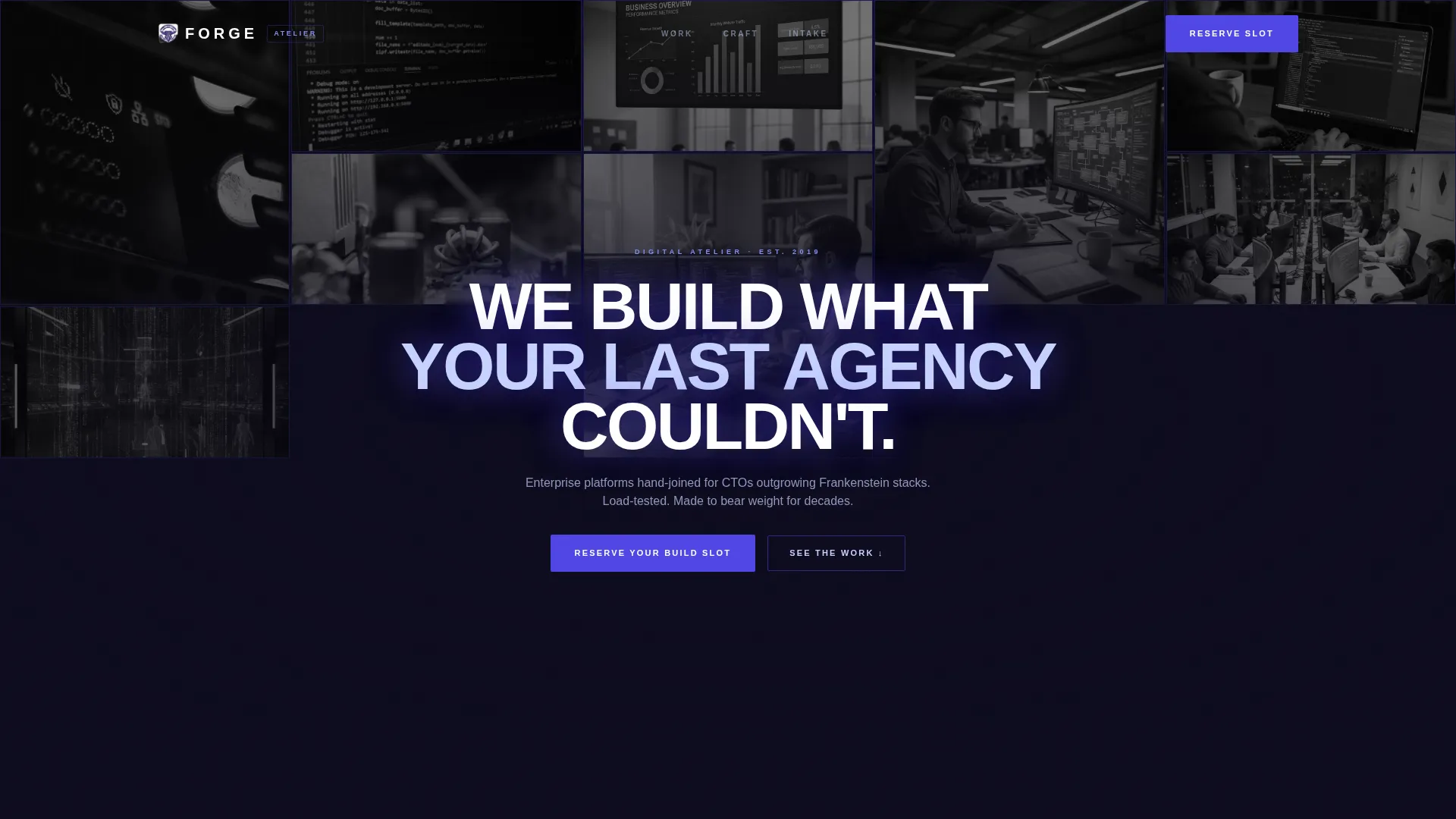
- A staggered Photo Grid Mosaic header that fills the viewport with project screenshots, terminal windows, and architecture diagrams
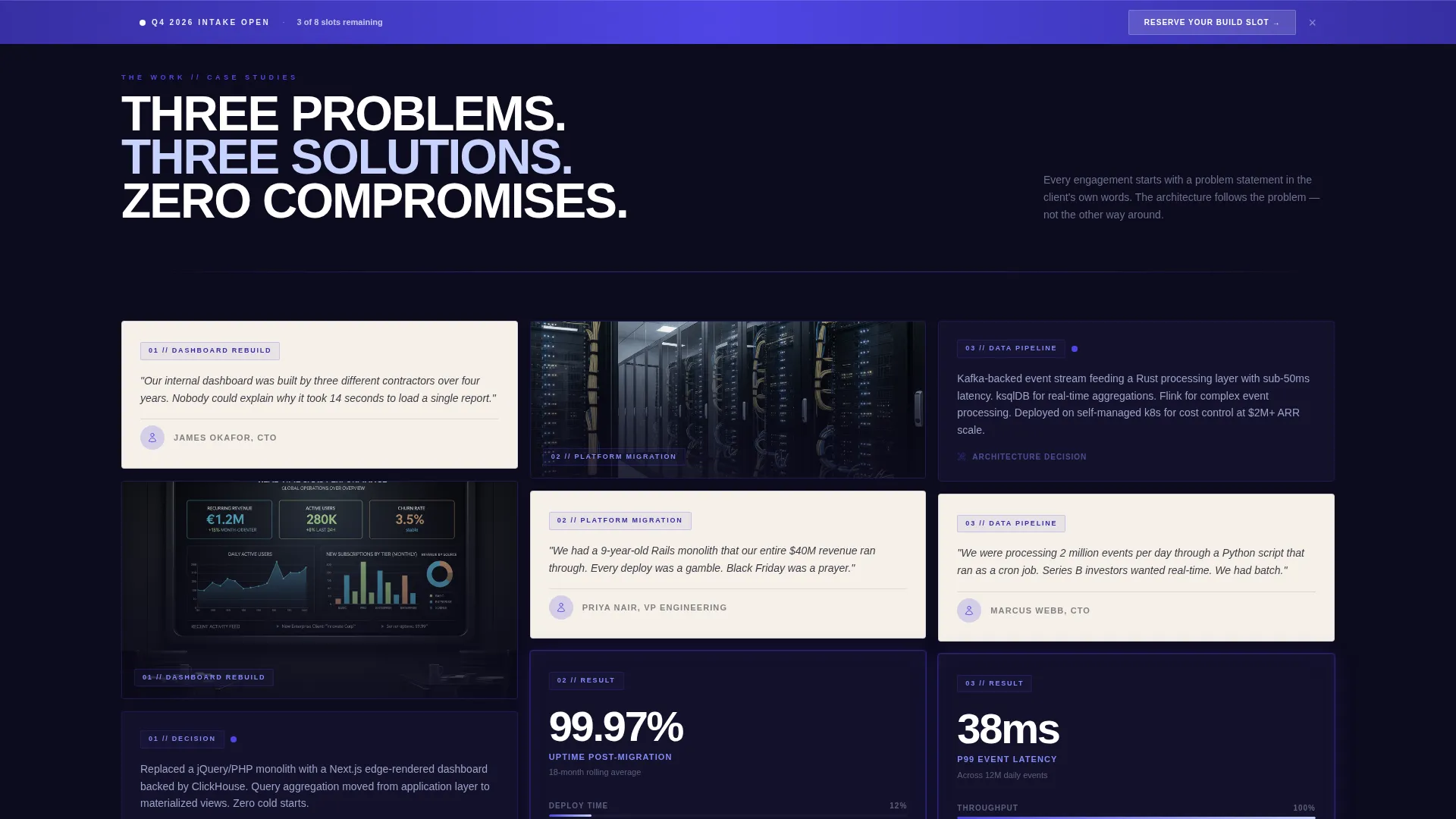
- A scrolling masonry grid that reorganizes into client story columns, each showing problem, architecture decision, and live performance metric
- A pinned waitlist bar with a live slot counter, a named CTO testimonial with headshot and company logo, and a compact intake form
Feature list
This template was designed around a clear set of structural and visual capabilities grounded in the source brief.
Photo Grid Mosaic Header
The header fills the full viewport with a staggered grid of cropped project visuals. Each tile is desaturated by default and blooms into full electric indigo luminance on cursor hover. The density of the grid communicates volume of work before the visitor reads a single word.
Scrolling Masonry Case Study Grid
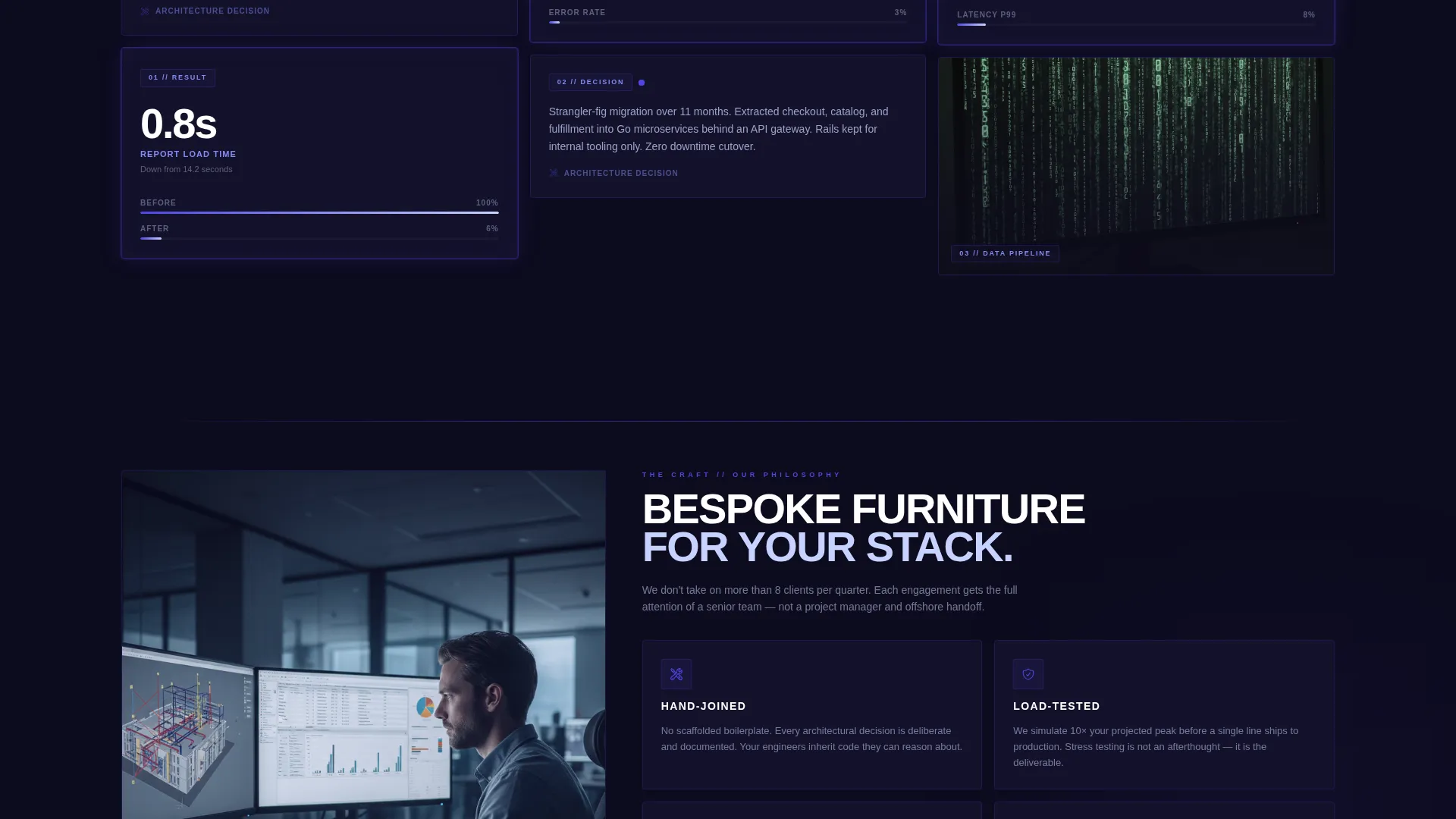
As the visitor scrolls, the chaotic mosaic reorganizes into ordered columns. Each column tells a single client story across three sequential cards: the client's problem in their own words, the architecture decision made, and a live performance metric. Projects escalate in complexity from a dashboard rebuild to a full platform migration to a real-time data pipeline.
Pinned Waitlist Conversion Bar
A slim indigo bar stays fixed at the bottom of the viewport throughout the entire scroll. It holds the primary call to action, "Reserve Your Build Slot", and never competes with the content above it. It is always one click away without interrupting the narrative.
Live Slot Counter
A live-updating counter displays remaining intake slots in plain language, for example "3 of 8 slots open for Q4". This creates genuine scarcity based on real capacity without manufactured pressure or countdown timers.
Qualified Intake Form
The waitlist form collects three focused inputs: company name, current stack as a free-text field, and project timeline via a dropdown with Q3, Q4, and Next Year options. This pre-qualifies leads before any discovery call.
Peer Credibility Block
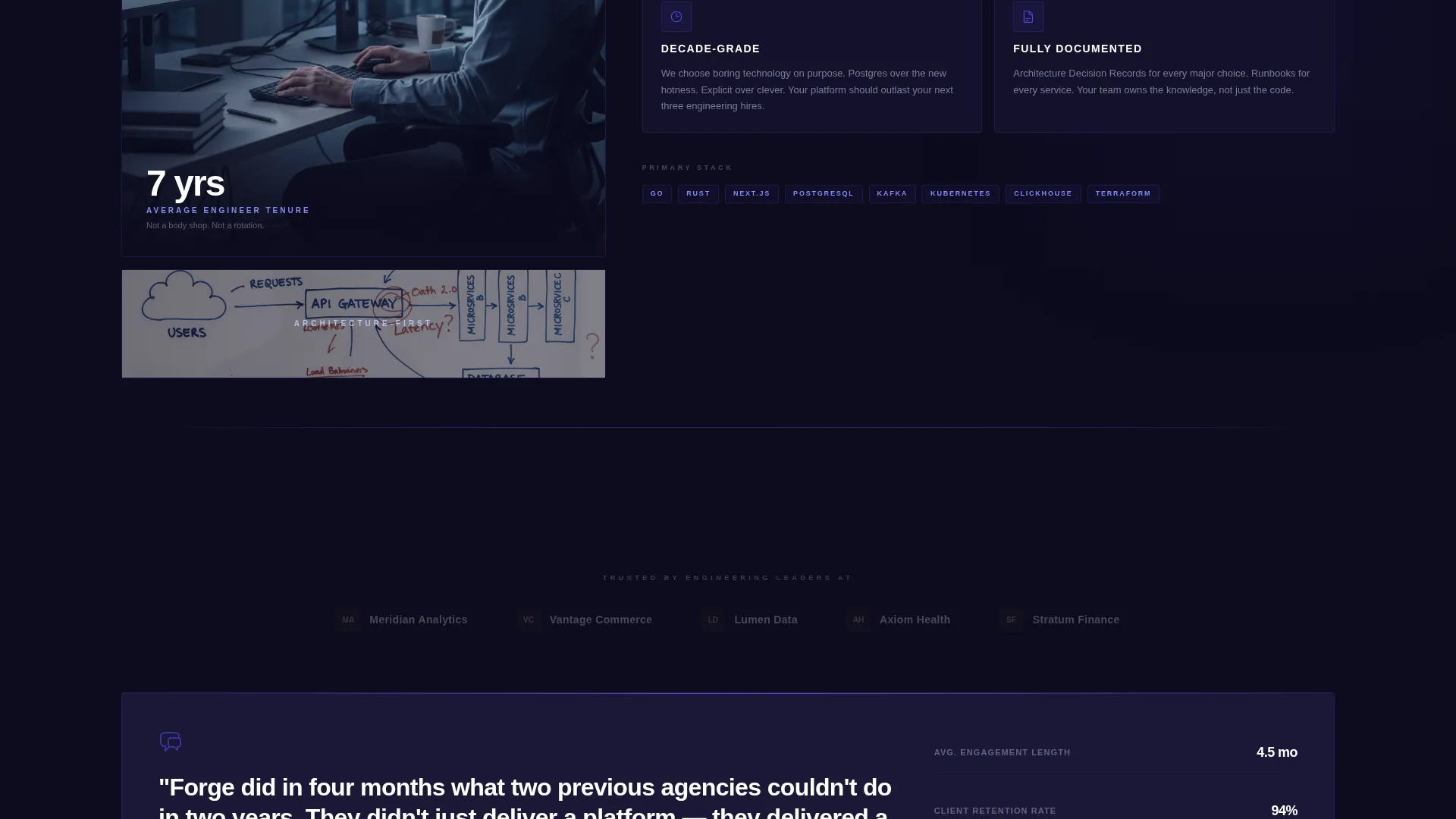
Above the intake form, a single testimonial from a named CTO with their headshot and company logo provides direct peer-to-peer trust. It is positioned deliberately at the moment of conversion to earn the click through recognition rather than rhetoric.
Page sections overview
| Section | Purpose |
|---|---|
| Photo Grid Mosaic Header | Fill viewport with project reference tiles and headline |
| Centered Headline Block | Deliver the positioning statement in tight uppercase type |
| Masonry Case Study Grid | Narrate client projects in escalating complexity columns |
| Peer Credibility Block | Build trust with a named CTO testimonial before the form |
| Pinned Waitlist Bar | Collect intake leads with a persistent, low-friction call to action |
Design & branding system
The visual identity follows an Atelier Studio theme. Every color and typographic choice reinforces the feeling of a master craftsperson's workshop: purposeful, moody, and unmistakably intentional.
- Deep workshop black (#0D0B1E) as the base background, electric indigo (#4F46E5) as the primary accent, warm parchment (#F5F0E8) for content cards, and sharp violet-white (#C7D2FE) for hover states and secondary type
- Tight uppercase tracking on headlines and a single indigo pendant-lamp atmosphere created through color contrast and card illumination
- Hover states that shift desaturated tiles into full indigo luminance, giving the layout an interactive, breathing quality
Mobile & speed optimization
The template is structured so that its masonry grid and pinned bar adapt gracefully to smaller viewports. The layout prioritizes content clarity at every screen size.
- The masonry grid collapses from multi-column to single-column on mobile without losing the card sequence or narrative order
- The pinned waitlist bar remains accessible on small screens, keeping the conversion path clear throughout the scroll
- Image tiles use desaturation as a default state, which keeps the initial page render visually light before interaction
How this template helps you convert
Forge is structured around a conversion logic that compounds trust with every scroll. It does not rely on a single hero moment; it builds confidence progressively and then captures intent at the point of peak belief.
- The Photo Grid Mosaic creates immediate visual authority. The volume and variety of project tiles signals experience before the visitor reads anything.
- The escalating Case Study Narrative increases confidence with each row. By the time the visitor reaches the last project card, they have seen proof at multiple complexity levels.
- The live slot counter and peer testimonial remove hesitation at the conversion point. Real scarcity and peer recognition convert qualified visitors into waitlist submissions.
Other information about this template
Forge is purpose-built for the enterprise web development niche within the Portfolio and Agency category. It is a masonry-style, single-page layout that does not require a multi-page site structure to communicate depth.
- The template style is Masonry and Pinterest-inspired, making it well suited to studios with a rich visual archive of project work
- The landing page direction is Waitlist and Coming Soon, which makes it equally useful for studios launching a new service tier or reopening intake after a closed period
- The Atelier Studio theme and Electric Indigo color system are designed to differentiate the studio from generic agency templates that use neutral palettes and stock photography
Theme
Atelier Studio
Creative direction
Case Study Narrative
Color system
Electric Indigo
Style
Masonry/Pinterest
Direction
Waitlist/Coming Soon
Page Sections
Photo Grid Mosaic Header
Scrolling Case Study Narrative Grid
Pinned Waitlist Conversion Bar
Live Intake Slot Counter
Peer Credibility Testimonial Block
Qualified Three-field Intake Form
Related questions
Who is this landing page template built for?
Can I use this template if I do not have many case studies yet?
How does the live slot counter work?
Is the pinned waitlist bar visible throughout the entire page?
What information does the intake form collect?



