Industrial Equipment & Machinery Directory Website Template
Forge is a card grid landing page built for industrial machine manufacturers. It combines a full-bleed production-bay header, a timeline-driven card layout, and a Monochrome Steel color system to guide production engineers, plant managers, and procurement directors from technical spec to confident action. Two clear conversion paths make every visit count.
by Rocket studio
Quick summary
Forge is a single-page, card grid template designed for industrial machine manufacturers. It opens with a full-bleed production-bay photograph and guides visitors through a four-phase timeline, Design, Build, Commission, Operate. The layout mixes spec cards, video loops, white papers, and case-study snapshots into a living technical library that builds the purchase argument card by card.
Who this template is for
This template is built for manufacturers and industrial suppliers who need to speak directly to technical buyers. It works best when the audience already knows what a cycle time is and wants proof, not a pitch.
- Production engineers comparing stamping lines, CNC lathes, or forming systems before making a capital investment
- Plant managers working against end-of-quarter replacement timelines who need fast, credible specifications
- Procurement directors running parallel bids and needing structured cycle-time and throughput data in one place
What problem this template solves
Industrial buyers distrust brochure-style pages. They arrive with specific questions, tolerance ratings, uptime percentages, throughput per shift, and leave quickly when those answers are buried or missing. A generic template cannot carry the weight of a capital equipment sale.
- Visitors cannot find technical proof fast enough, so they request competitor quotes instead
- Scattered content across PDFs, datasheets, and sales decks slows down the evaluation process
- No clear next step means warm leads go cold before a conversation starts
What you get with this template
Forge delivers a fully structured, conversion-ready landing page that feels like a technical resource hub rather than a marketing page. Every layout decision serves the industrial buyer's evaluation process.
- A full-bleed hero with an embedded precision metric set in signal yellow, immediately establishing credibility
- A four-phase card grid (Design, Build, Commission, Operate) mixing spec sheets, short video loops, downloadable white papers, and case-study snapshots
- Two distinct conversion paths: a "Download the Spec Pack" primary call to action and a "Request a Cycle-Time Comparison" secondary form
Feature list
This template ships with a tightly defined set of components, each chosen to support a technical sales conversation.
Full-Bleed Production-Bay Hero
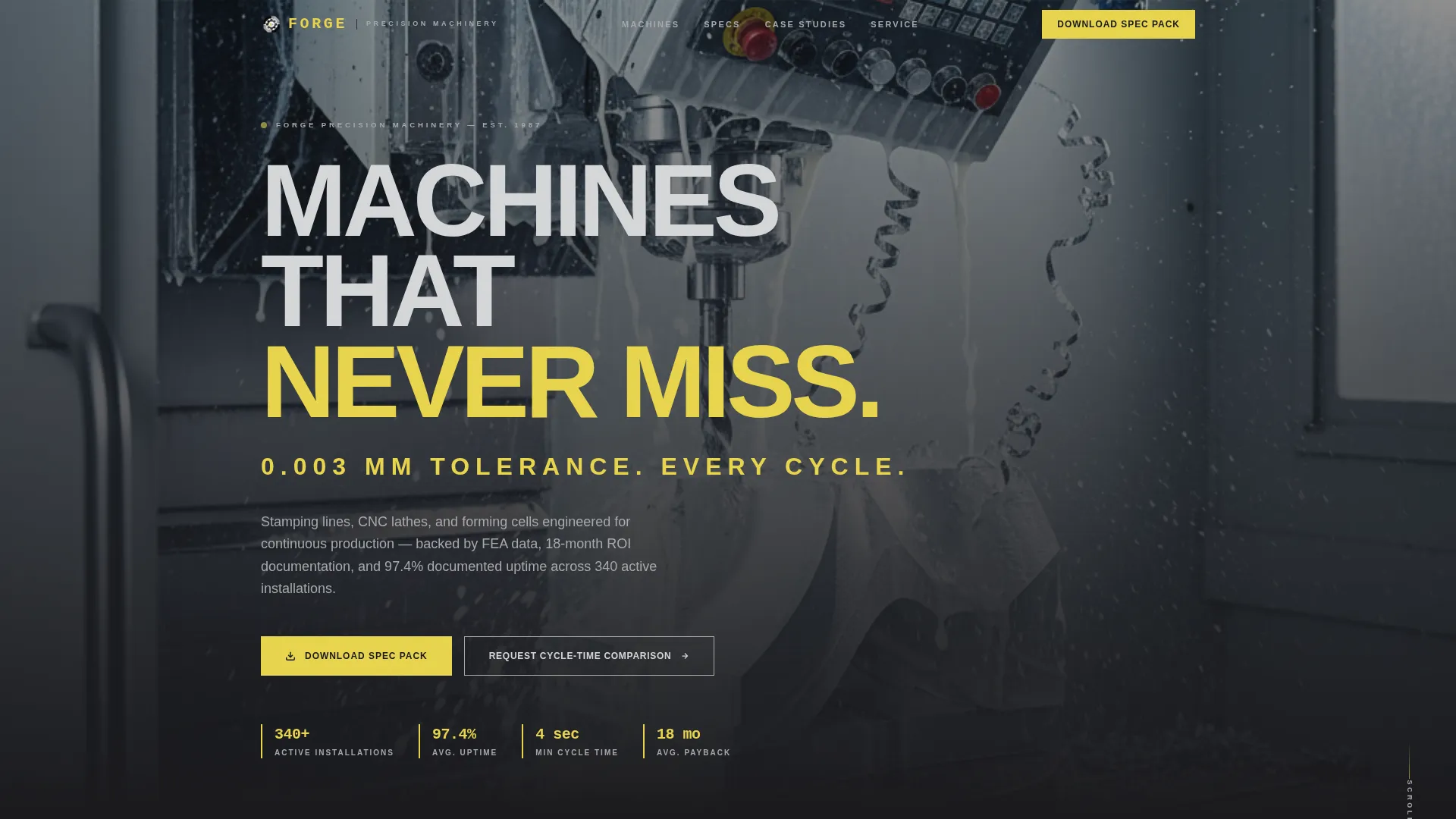
A low-angle, high-depth-of-field photograph fills the header. A precision metric, "0.003 mm tolerance. Every cycle.", fades in over the image in signal yellow condensed type. The opening sets the standard before the visitor scrolls.
Four-Phase Timeline Card Grid
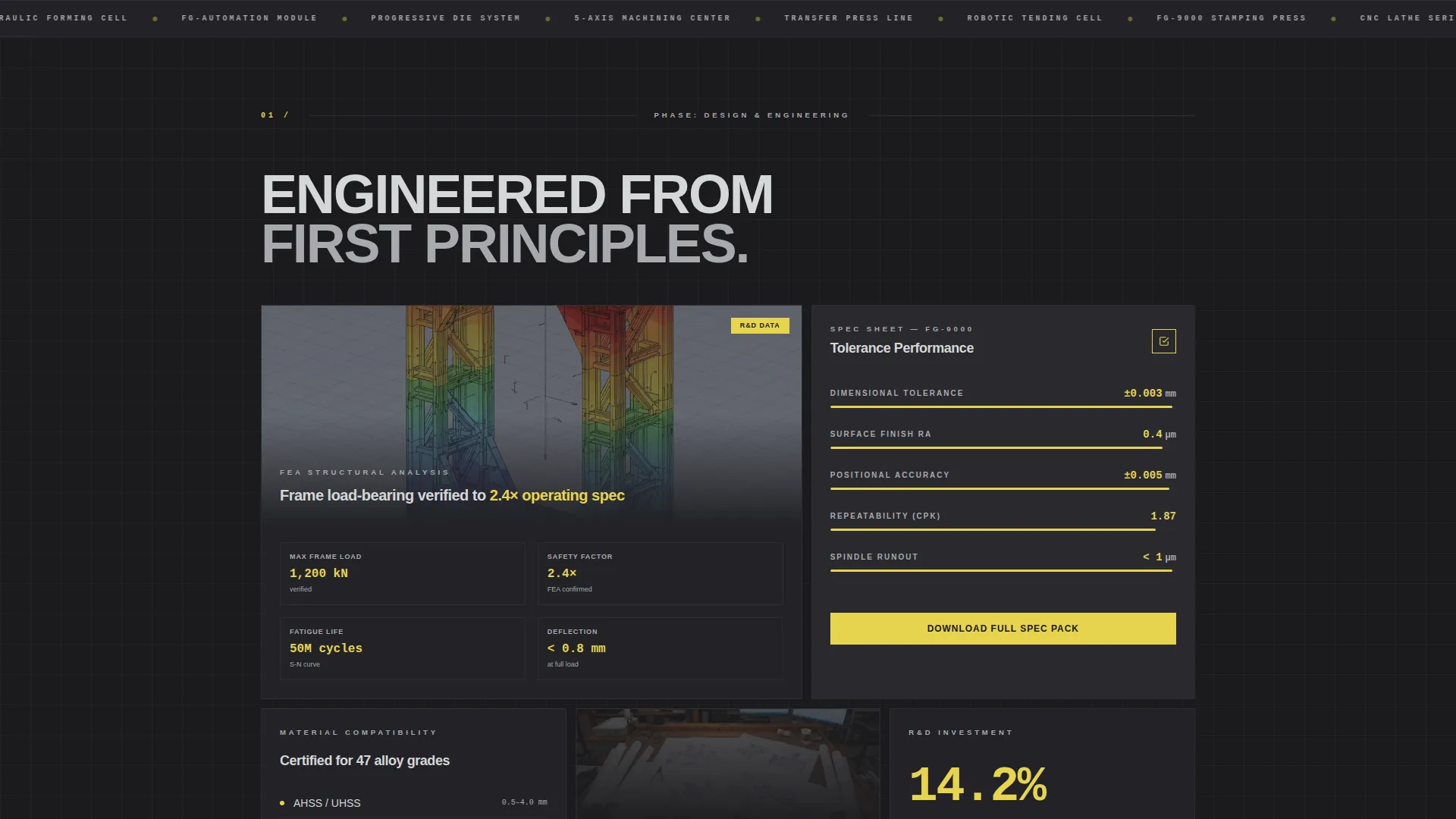
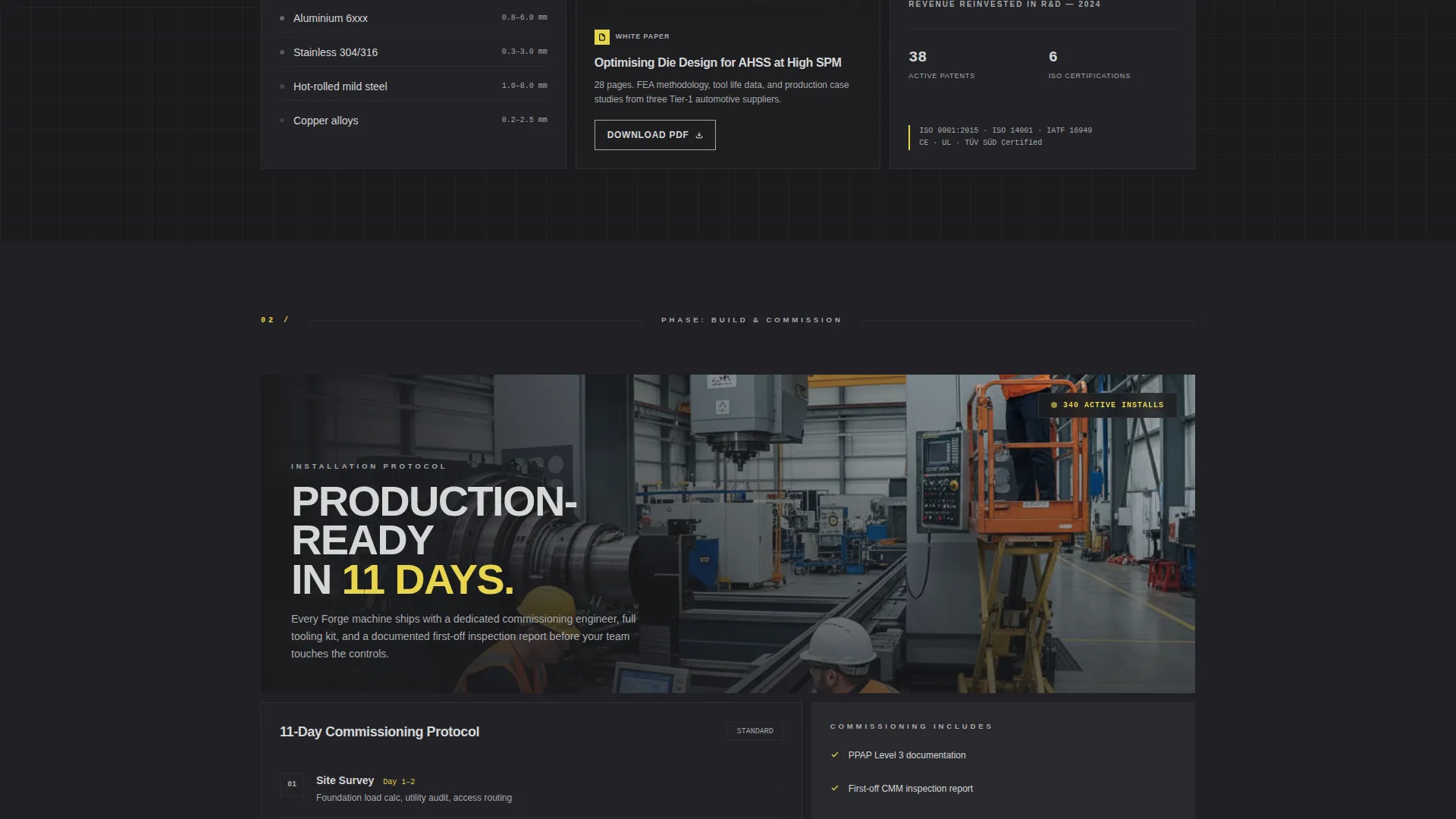
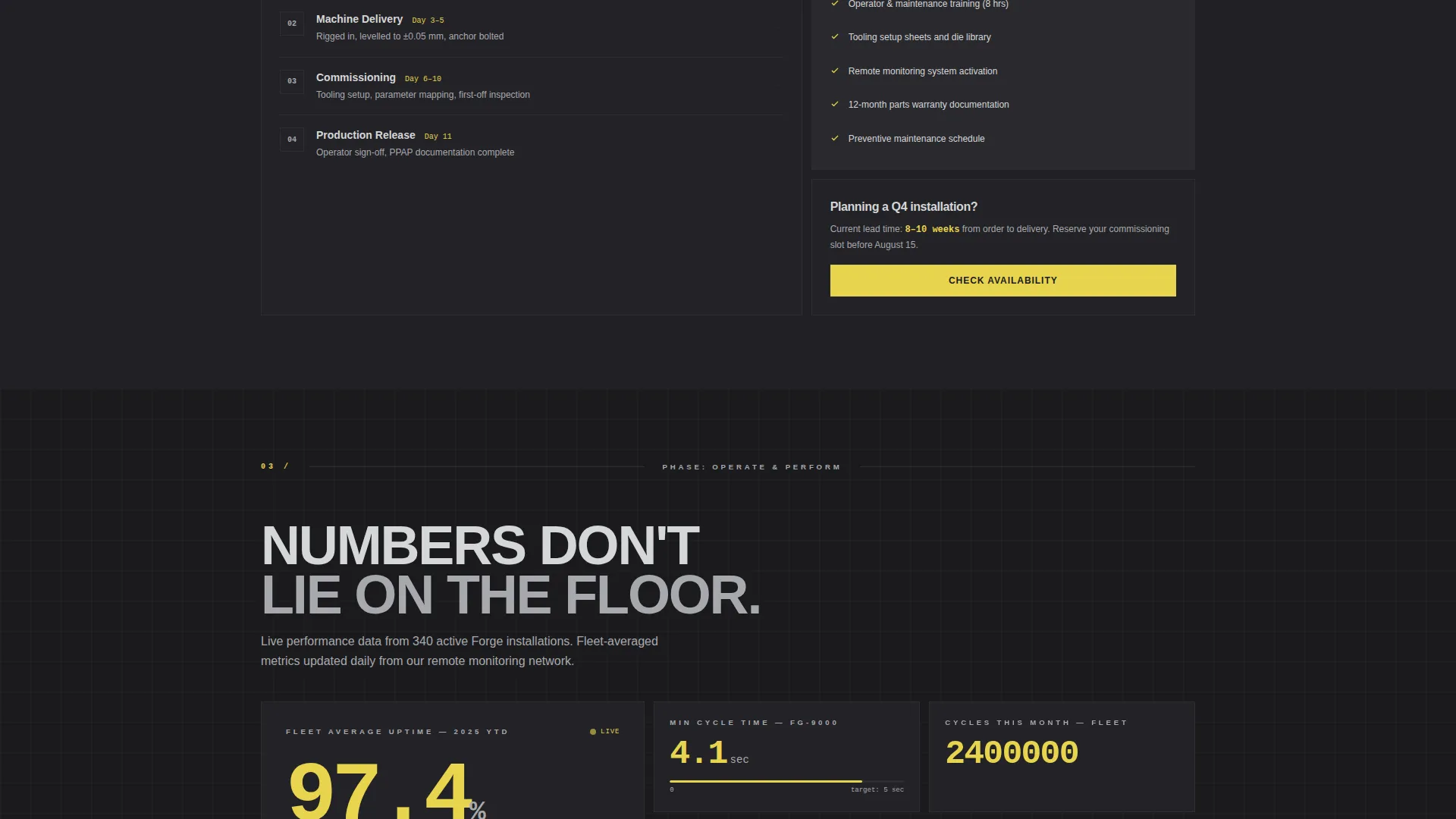
Cards are organized into four rows: Design, Build, Commission, and Operate. Each row represents a stage in the machine's life. The rhythm moves from dense engineering detail in early rows to real output numbers and uptime data in later rows.
Mixed-Format Content Cards
Within each phase row, cards vary in format. Visitors encounter specification sheets, looping machine-run videos, downloadable white paper links, and customer case-study snapshots in the same grid. The variety keeps the page feeling like a working technical library.
Dual Conversion Path Layout
The primary call to action, "Download the Spec Pack," appears on every third card and as a sticky bar at the bottom of the screen on mobile. A secondary path, "Request a Cycle-Time Comparison," opens a short guided form. Both paths are built into the template structure.
Monochrome Steel Color System
Backgrounds alternate between mill-scale black (#1B1B1E) and machined aluminum (#A8A9AD). Body text uses bright-drawn steel (#D5D6D8) on dark cards and flips to black on light cards. Signal yellow (#E8D44D) is reserved strictly for calls to action, live data callouts, and hover states.
Data Command Typography and Dividers
Headings use a condensed industrial sans with wide tracking. Single-pixel aluminum-tone dividers separate sections. Every typographic choice is engineered for legibility under high-contrast conditions, matching the visual language of a control panel rather than a consumer website.
Page sections overview
| Section | Purpose |
|---|---|
| Full-Bleed Hero | Open with a precision metric over a production-bay photograph |
| Sticky call to action Bar | Keep "Download the Spec Pack" reachable on mobile at all times |
| Design Phase Row | Present R&D engineering data and finite element analysis stress-test cards |
| Build Phase Row | Show production-floor installation photography and build specifications |
| Commission Phase Row | Deliver cycle-time data, setup documentation, and configuration details |
| Operate Phase Row | Display live uptime percentages, cycle counts, and performance dashboards |
| Spec Pack Download | Capture company email and machine category with a minimal form |
| Cycle-Time Comparison | Qualify warm leads with current machine model, throughput, and material inputs |
Design & branding system
The visual identity follows a Data Command theme. Every color and typographic choice has a functional reason, mirroring the discipline of a German-engineered control panel where nothing is decorative.
- Color palette: mill-scale black (#1B1B1E) and machined aluminum (#A8A9AD) alternate as card backgrounds; bright-drawn steel (#D5D6D8) carries body text; signal yellow (#E8D44D) is reserved exclusively for calls to action, live data callouts, and hover states
- Typography: condensed industrial sans with wide tracking for headings; body text sized for legibility under fluorescent-lit screen conditions; single-pixel aluminum dividers replace decorative separators
Mobile & speed optimization
The template is structured with a mobile-first conversion path. The sticky bottom bar ensures the primary call to action stays visible without interrupting the technical content above it.
- The "Download the Spec Pack" call to action appears as a sticky bottom bar on mobile, keeping the conversion path accessible at every scroll position
- The card grid layout adapts from a multi-column desktop view to a single-column stack on smaller screens, preserving the phase-by-phase reading order
How this template helps you convert
Forge converts because it respects how technical buyers actually evaluate capital equipment. It gives them the data they need, in the order they need it, with minimal friction at the point of decision.
- The timeline structure earns trust progressively, engineering proof first, output results last, so the visitor's confidence grows as they scroll toward the call to action
- Two conversion paths serve two buyer stages: the Spec Pack download captures early-stage researchers with immediate value, while the Cycle-Time Comparison form qualifies decision-ready buyers with a short guided input
Other information about this template
Forge is built specifically for the industrial equipment and machinery market, where sales cycles are long and trust is earned through technical evidence rather than visual polish. The template is designed to sit at the intersection of content marketing and lead generation for capital equipment sellers.
- The card grid style works equally well for stamping lines, CNC machining centers, metal forming systems, and industrial automation equipment
- The white paper and case-study card formats are built into the grid structure, supporting a content-led sales approach without requiring a separate resource page
- The guided comparison form fields, current machine model, target throughput, and material type, are pre-defined in the template, ready to connect to a form handler of your choice
- This template is suited to manufacturers presenting at trade events or running targeted campaigns where a focused, single-page technical resource replaces a full product catalog
Theme
Data Command
Creative direction
Timeline Progression
Color system
Monochrome Steel
Style
Card Grid (Modular)
Direction
Content/Resource
Page Sections
Full-bleed Production-bay Hero
Four-phase Timeline Card Grid
Mixed-format Content Cards
Dual Conversion Path Layout
Monochrome Steel Color System
Data Command Typography System
Related questions
Who is the Forge template designed for?
Can I use this template for multiple machine product lines?
What do the two conversion forms collect?
Does the template include actual performance data or video content?
How does the sticky call to action bar work on mobile?



