Aerospace Welding & Joining Services Website Template
Forge is a hub-and-spoke anchor-nav landing page template built for aerospace welding and joining services. It leads with statistics, carries visitors through evidence-rich spoke sections, and closes with a technical lead-capture form. The Corporate Precision design uses a charcoal and amber palette that mirrors the intensity of a precision weld pool on flight-critical metal.
by Rocket studio
Quick summary
Forge is a single-page, anchor-nav template designed for aerospace welding and joining service providers. It opens with a full-bleed macro weld photo, fades in three amber-type statistics, and then pulls visitors through interconnected spoke sections built entirely on quantified proof. The lead-generation goal is clear: every number earns trust, and the form closes the deal.
Who this template is for
This template is built for technically credible shops that need to convert high-stakes engineering and procurement visitors. The audience already knows what they want; the page just needs to prove you can deliver it.
- Precision aerospace welding and joining service providers seeking flight-certified work
- Shops holding Nadcap accreditation targeting propulsion engineers, procurement leads at defense contractors, and Maintenance, Repair, and Overhaul (MRO) directors
- Service teams that win contracts through certified credentials and verifiable process data, not general marketing
What problem this template solves
Generic industrial service pages fail aerospace buyers. A propulsion engineer or defense procurement lead arrives with a specific alloy, a tight milestone, and zero patience for vague capability claims. The page needs to speak their language before they scroll past the fold.
- Aerospace buyers distrust pages that lead with prose over proof, so this template leads with numbers instead
- Procurement leads need to verify Nadcap certification quickly, so a secondary download path for the certification package is built into the form panel
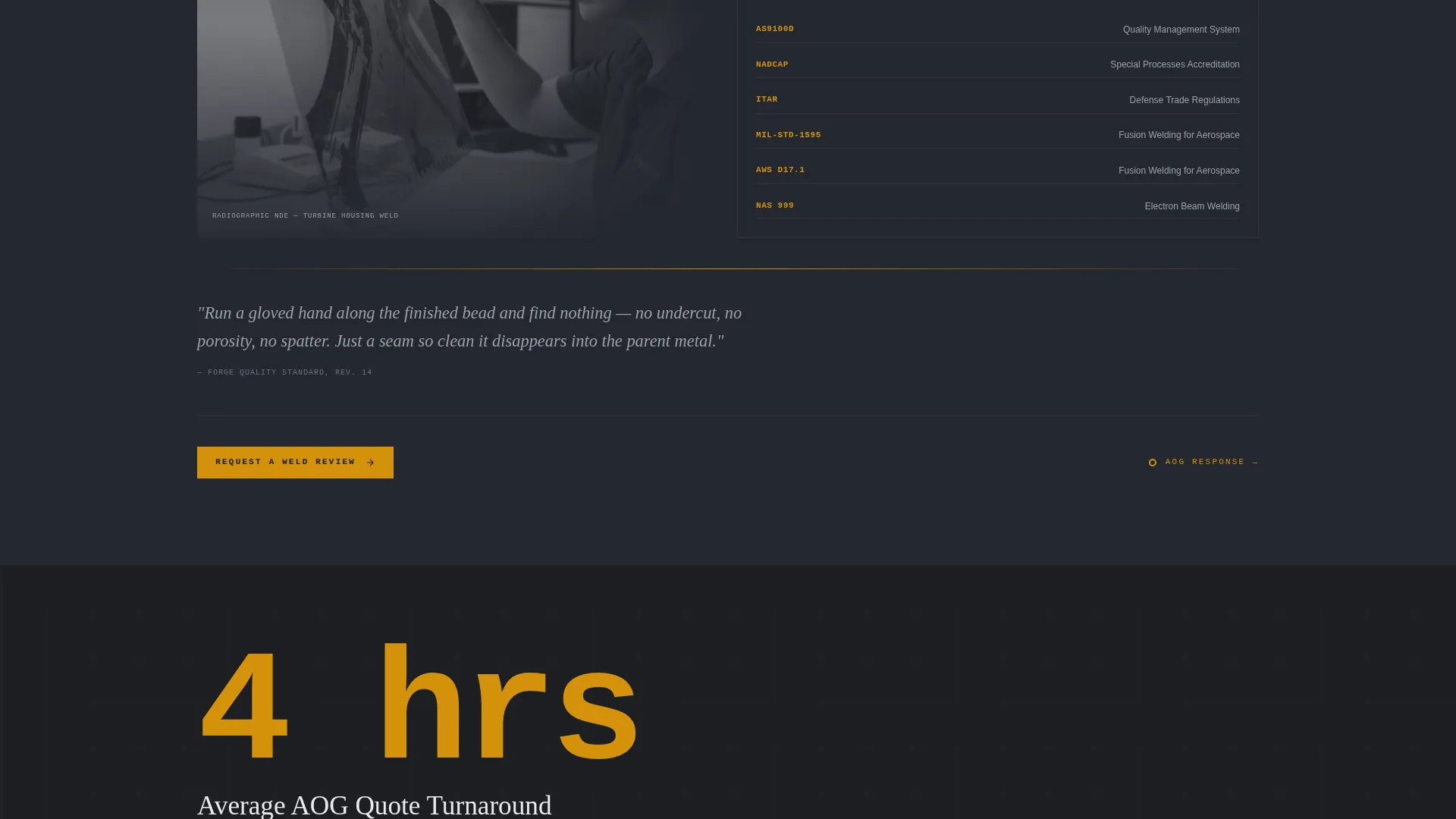
- MRO directors facing Aircraft on Ground (AOG) situations need a fast quote path, so average turnaround time is surfaced as a spoke-level statistic before the form appears
What you get with this template
Forge delivers a complete, production-ready landing page layout structured around a central hub navigation and multiple content spokes. Every component is purpose-built for an aerospace welding and joining audience.
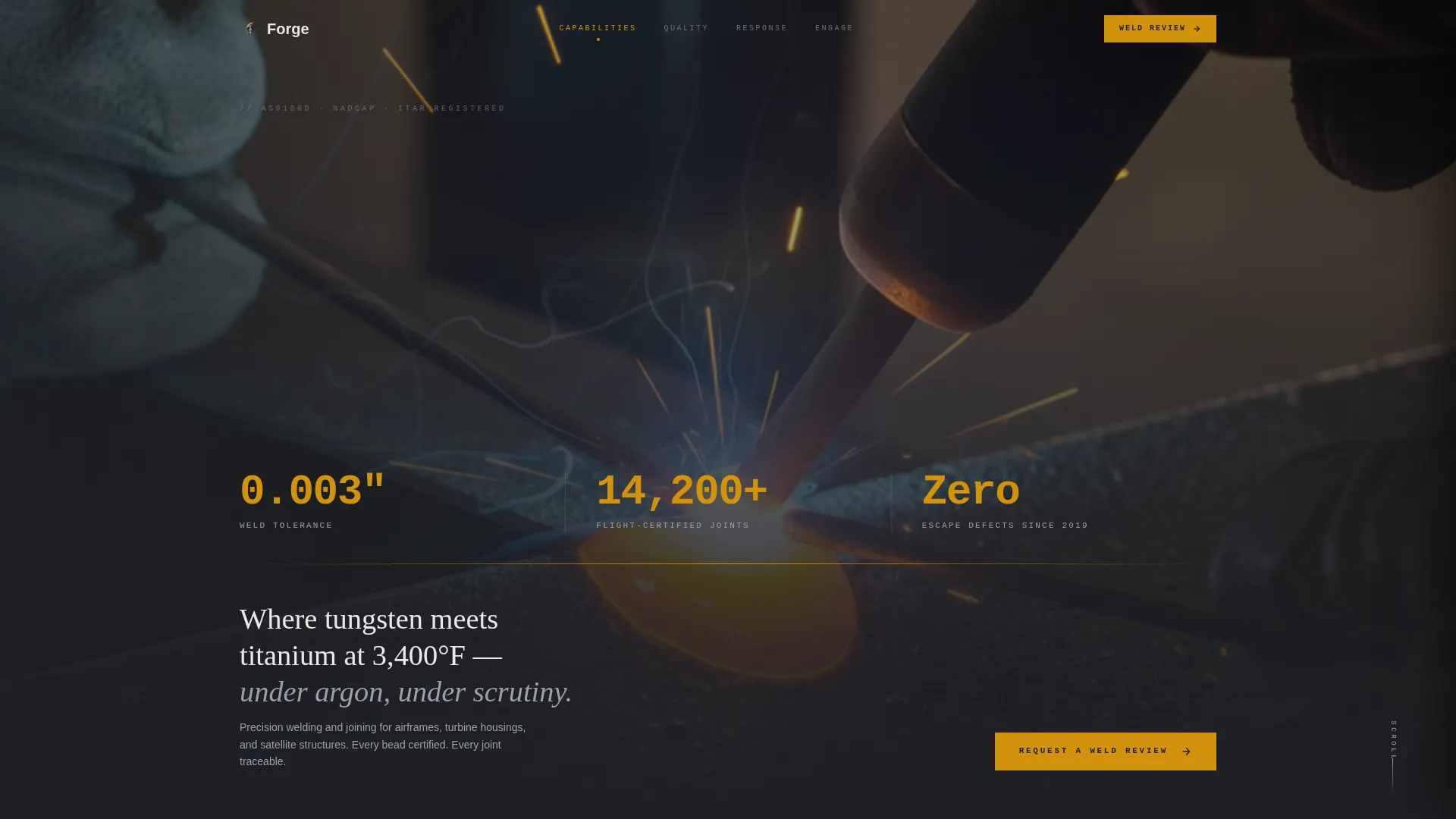
- A full-bleed header with a three-statistic amber fade-in sequence and a persistent anchor navigation bar
- Five evidence-first spoke sections, each opening with an oversized amber number, followed by contextual prose, a proof image, and a micro-interaction link to the next spoke
- A slide-over lead form with four technical fields and a secondary email-gated Nadcap certificate download path
Feature list
Forge ships with a focused set of layout and interaction components that support the Stats-First Impact creative direction from the first pixel to the final form submission.
Full-Bleed Macro Header
The header section displays a full-bleed macro photograph of a TIG weld in progress on a flight-critical joint. A timed fade-in sequence reveals three amber monospace statistics across the lower third of the frame. The anchor navigation bar then materializes at the top, giving visitors instant orientation.
Hub-and-Spoke Anchor Navigation
A persistent anchor nav bar sits fixed at the top of the page throughout the visitor's journey. Each nav node links directly to its spoke section. An active amber indicator marks the current spoke, and a subtle amber pulse on each spoke's closing element guides the visitor to the next node.
Stats-First Spoke Sections
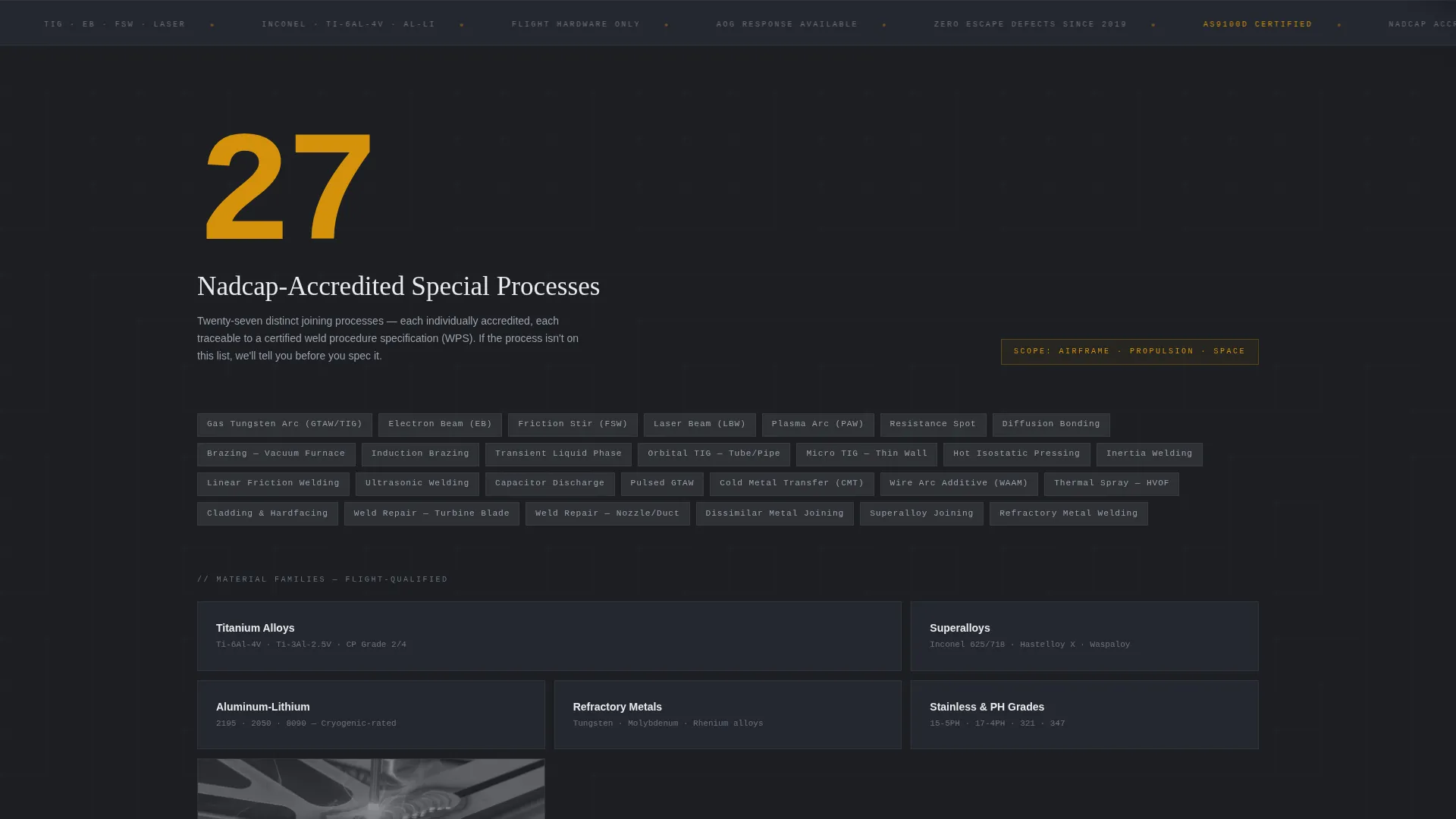
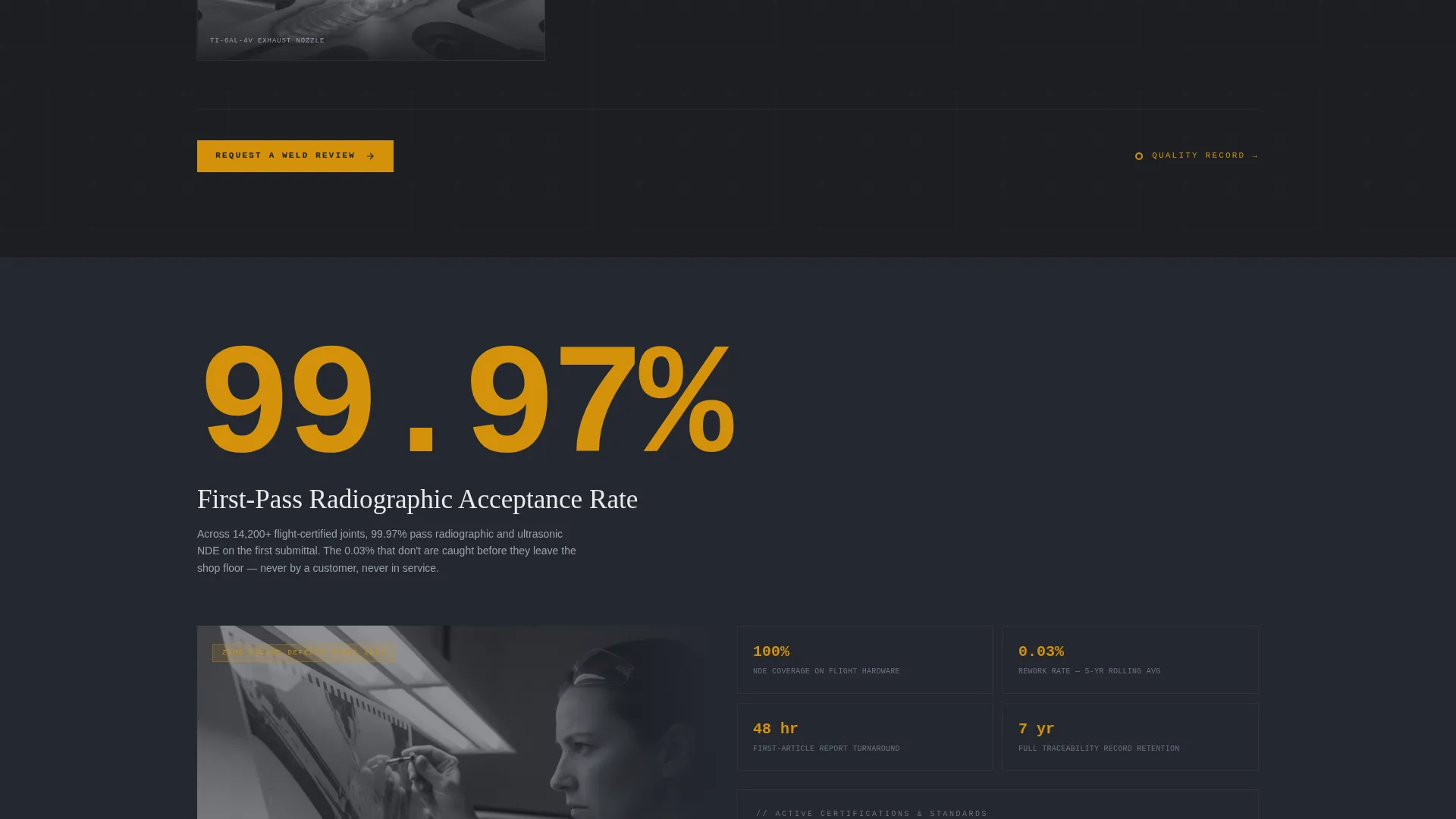
Each spoke section opens with a single oversized amber number before any paragraph text appears. Context, proof imagery, and a spoke-transition micro-interaction follow in a structured rhythm. The layout ensures the data lands before the explanation, building cumulative credibility across every section.
Technical Slide-Over Lead Form
The primary Call to Action (call to action), "Request a Weld Review," opens a slide-over panel containing four targeted fields: alloy or material type, process interest, a free-text joint description field, and a work email address. The field design signals process fluency and filters for qualified, ready-to-engage leads.
Nadcap Cert Package Download Path
A secondary conversion path sits as a text link beneath the main form. It is gated by email only and delivers the Nadcap certification package to visitors who need to verify credentials before entering a procurement conversation. This path captures early-stage buyers without interrupting the primary form flow.
Persistent Amber call to action Button
The "Request a Weld Review" button appears in amber against charcoal inside the pinned anchor nav and again at the terminal spoke. Its color never appears as decoration elsewhere, so every instance registers as an immediate action signal to the visitor.
Page sections overview
| Section | Purpose |
|---|---|
| Full-Bleed Header | Open with macro weld photo and three timed amber statistics |
| Anchor Nav Bar | Provide persistent hub navigation with active amber indicator |
| Quality Spoke | Surface 99.97% first-pass radiographic acceptance rate |
| Capabilities Spoke | Present 27 Nadcap-accredited special processes |
| Responsiveness Spoke | Highlight 4-hour average AOG quote turnaround |
| Lead Form Panel | Capture qualified leads via slide-over technical form |
| Cert Download Path | Gate Nadcap cert package behind email for early-stage buyers |
Design & branding system
The Corporate Precision theme is built on a tight four-color system. The palette is structured so that color itself carries meaning: background tones recede, body text sits in high contrast, and amber appears only where action or data demands attention.
- Backgrounds cycle through deep shop-floor charcoal (#1C1E22) and machined graphite (#3A3D42); body text uses brushed aluminum white (#E8EAED) for sustained readability against dark fields
- Molten amber (#D4920B) is reserved exclusively for statistics, active navigation indicators, and call to action elements, so it functions as a visual temperature spike rather than decoration
- Typography uses monospace amber type for all statistical callouts, reinforcing a precision instrument panel aesthetic that resonates with an engineering audience
Mobile & speed optimization
The template layout is structured to remain fully navigable and readable on smaller screens. The hub-and-spoke navigation and slide-over form panel are designed to adapt to touch-based browsing without losing the statistical impact of the header sequence.
- The persistent anchor nav and amber call to action button remain accessible on mobile viewports throughout the scroll journey
- Spoke sections maintain their stats-first hierarchy on narrow screens, keeping the oversized number visible before prose and imagery load beneath it
- The slide-over form panel is sized and positioned to work comfortably as a full or near-full screen overlay on mobile devices
How this template helps you convert
Every structural decision in Forge is oriented toward a single outcome: moving a skeptical technical buyer from first impression to a submitted "Request a Weld Review" form. The page earns the click by making credibility visible before it asks for anything.
- The header statistics land before the visitor reads a single sentence, establishing quantified trust at the highest-attention moment on the page and reducing early bounce from high-intent visitors.
- The spoke-by-spoke rhythm of number, context, proof image, and next-node pulse keeps visitors moving deliberately through the page rather than skimming and leaving, so they arrive at the form having absorbed the full evidence case.
- The slide-over form uses technical language in its fields (alloy type, process interest, joint description) to signal process fluency, which lowers the perceived risk of engaging and increases the likelihood that a qualified lead completes and submits the form.
Other information about this template
Forge is suited to any aerospace welding and joining service provider that competes on certified quality and process discipline. The template structure also supports related positioning needs that come up during procurement cycles.
- The template style is Hub and Spoke with Anchor Navigation, making it straightforward to adapt spoke content for different service lines such as electron beam welding, friction stir welding, or laser beam welding without rebuilding the page architecture
- The Stats-First Impact creative direction pairs well with shops that hold Nadcap accreditation, AS9100 certification, or similar quality credentials, as the oversized number format puts those credentials front and center immediately
- The secondary Nadcap certificate download path can be repurposed to gate other documents, such as capability statements, weld procedure specifications, or process qualification records, depending on what your procurement audience requests most
Theme
Corporate Precision
Creative direction
Stats-First Impact
Color system
Charcoal & Amber
Style
Hub & Spoke (Anchor Nav)
Direction
Lead Generation
Page Sections
Full-bleed Macro Weld Header
Hub-and-spoke Anchor Navigation
Stats-first Spoke Sections
Technical Slide-over Lead Form
Nadcap Cert Package Download
Persistent Amber Call to Action Button
Related questions
Can I update the statistics to match my own shop's numbers?
How does the slide-over lead form work?
Can I align individual spokes with specific welding processes?
Can I swap the header photograph for my own weld imagery?
Who is the secondary certificate download path designed for?



