Millwright Business Appointment Booking Website Template
Millwright is a precision industrial landing page template built for heavy-equipment alignment and rigging crews. It presents your service area, process workflow, and scheduling form in a clean editorial layout. Plant managers, maintenance supervisors, and capital-project engineers can quickly assess your capabilities and book a site visit without wading through generic contractor copy.
by Rocket studio
Quick summary
Millwright is a single-page editorial template designed for industrial millwright services. It walks site visitors through a documented job process, maps the service area to named industrial corridors, and closes with a focused scheduling form. The layout feels authoritative and precise, matching the expectations of plant-floor decision-makers who need to trust a contractor before the first call.
Who this template is for
This template is built for millwright contractors and industrial service crews who want a web presence that speaks directly to operations and engineering buyers. It is not a general trades template. Every section is written for the industrial procurement mindset.
- Plant managers fielding urgent vibration alarms who need to qualify a crew fast
- Maintenance supervisors planning a scheduled outage and comparing service providers
- Capital-project engineers building a millwright hours line into an installation bid
What problem this template solves
Most millwright contractors use generic service pages that fail to communicate the precision, documentation, and process discipline that industrial buyers actually require. The result is lost bids and skeptical procurement teams.
- No visible process means no buyer confidence, even for technically capable crews
- A vague service radius and unspecific testimonials do nothing for a plant manager who needs regional coverage confirmed
- No clear scheduling path forces buyers to leave the page and search for a contact number
What you get with this template
You get a fully structured, single-page editorial layout that takes a visitor from first impression to completed inquiry in one smooth scroll. Every section earns the next click before asking for a commitment.
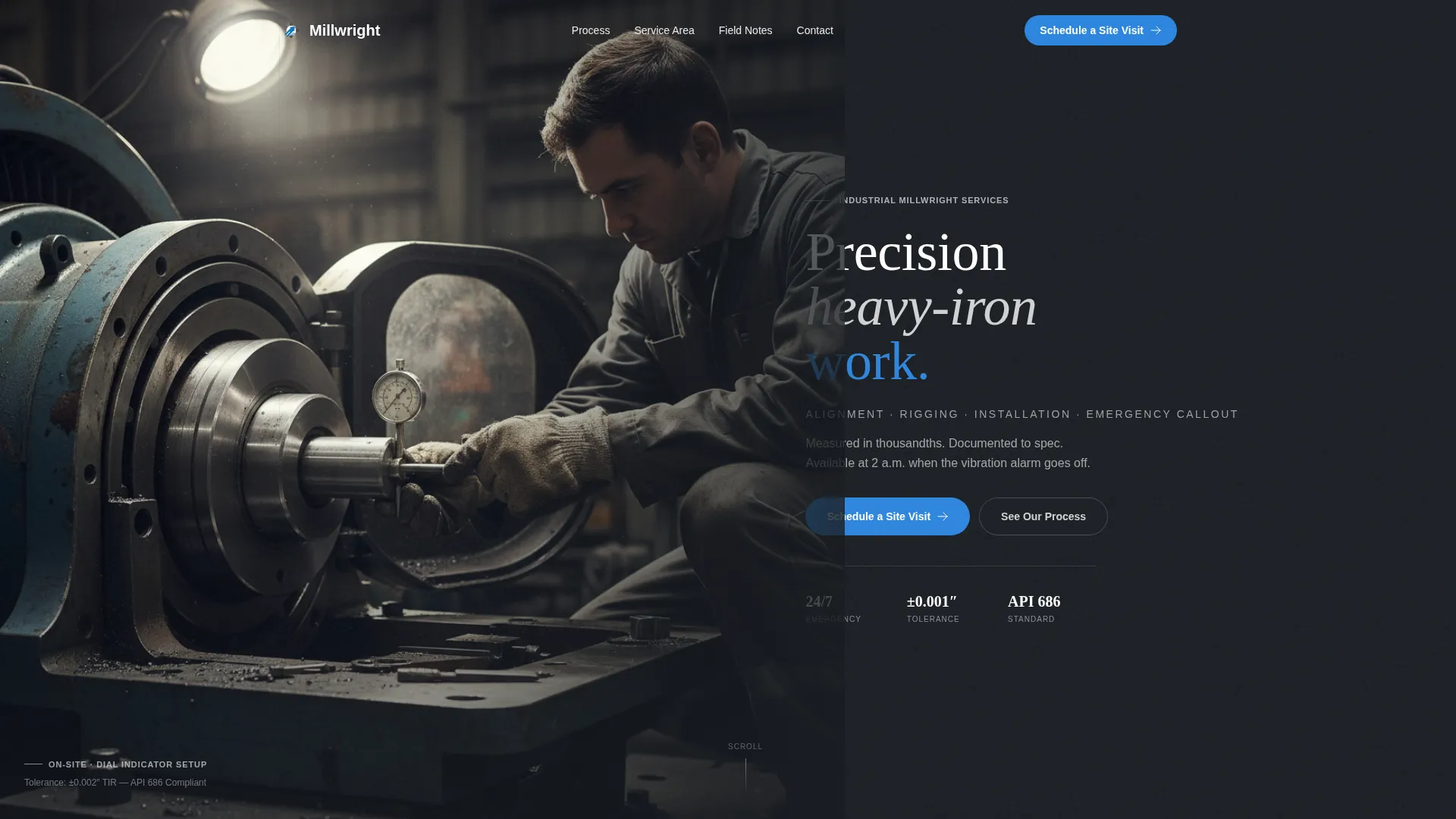
- A split header with a photo slot, oversized service headline, and a prominent primary call-to-action
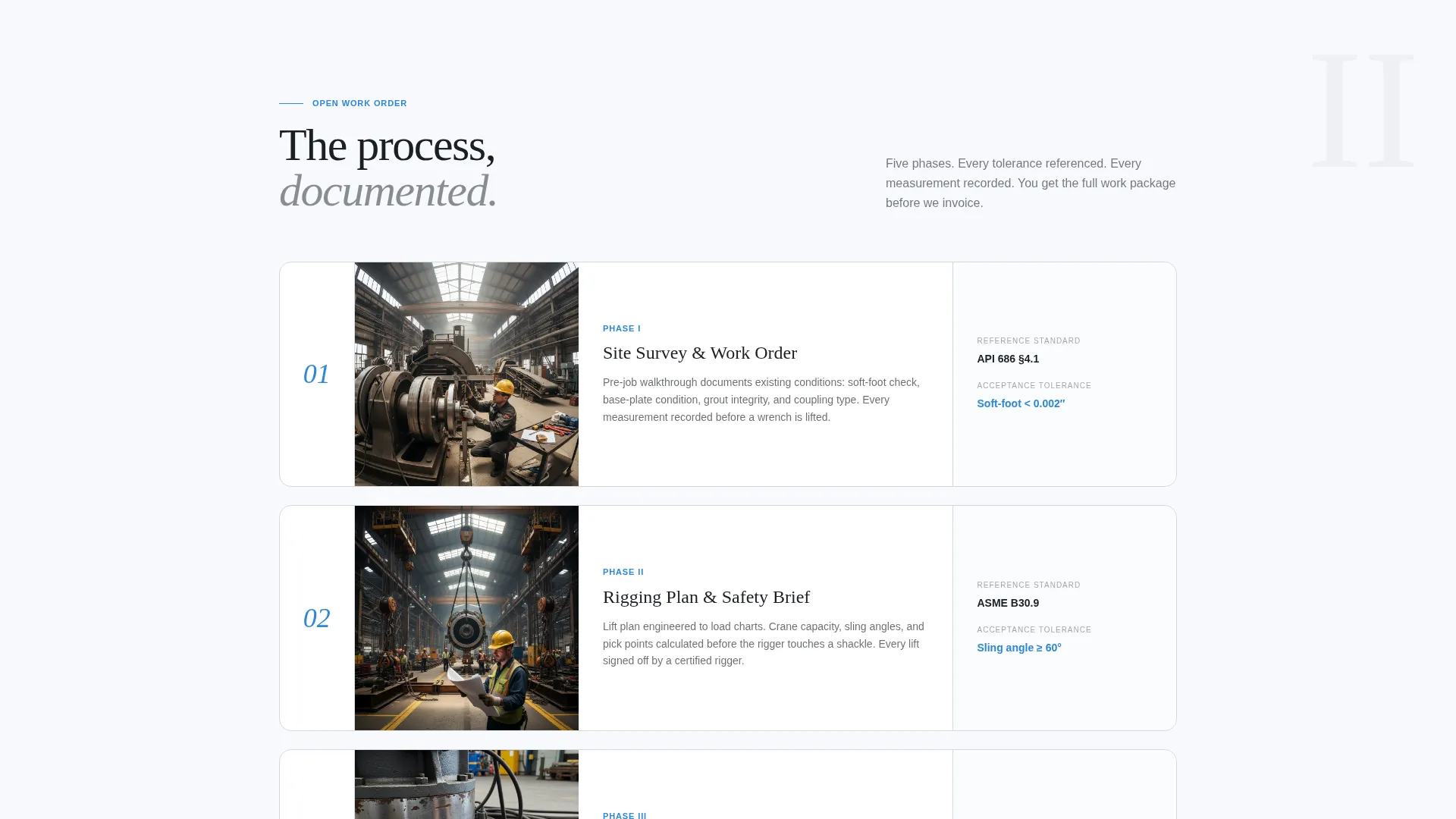
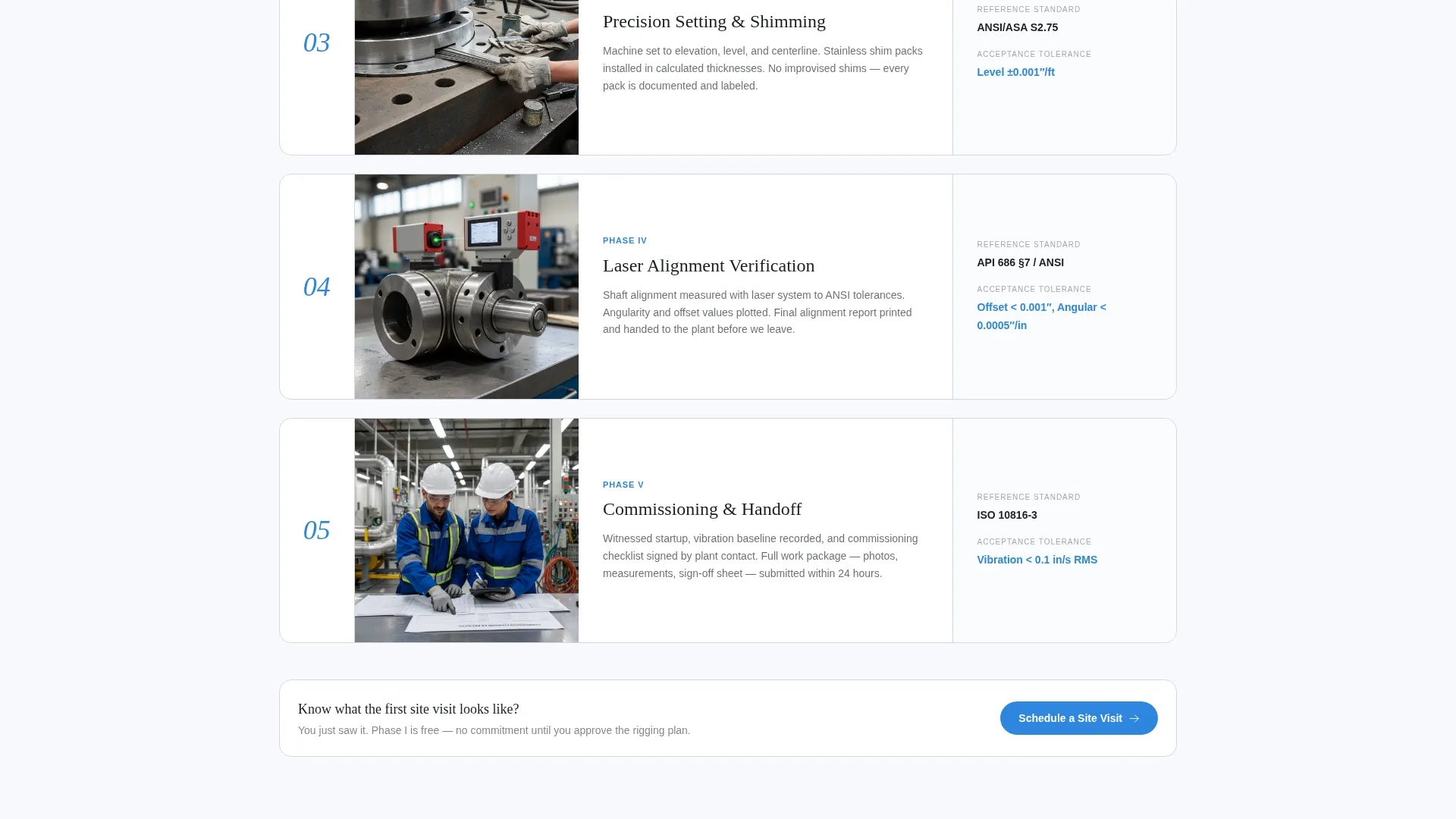
- A numbered process breakdown covering site survey through commissioning, with cards for standards references such as API 686 and ANSI shaft alignment specifications
- A scheduling form that collects equipment type, job urgency, preferred date window, and a plant contact number
Feature list
A paragraph introduces the feature set below. This template packages the editorial depth and functional components that industrial service pages typically lack. Each feature is designed around how millwright buyers actually evaluate a contractor.
Split Header with Photo and Headline Block
The header divides the screen into two equal halves. The left side holds a full-bleed equipment photograph with hard directional lighting. The right side carries an oversized gunmetal serif headline, a one-line scope summary reading "Alignment · Rigging · Installation · Emergency Callout," and the primary call-to-action button positioned flush to the text block.
Numbered Process Breakdown Cards
Section one maps a typical millwright engagement into five sequential phases: site survey, rigging plan, precision setting, laser verification, and commissioning. Each phase appears as an editorial card with a captioned photograph and a callout for the relevant tolerance standard or specification. This structure turns your process into visible proof of discipline.
Service Area Map Section
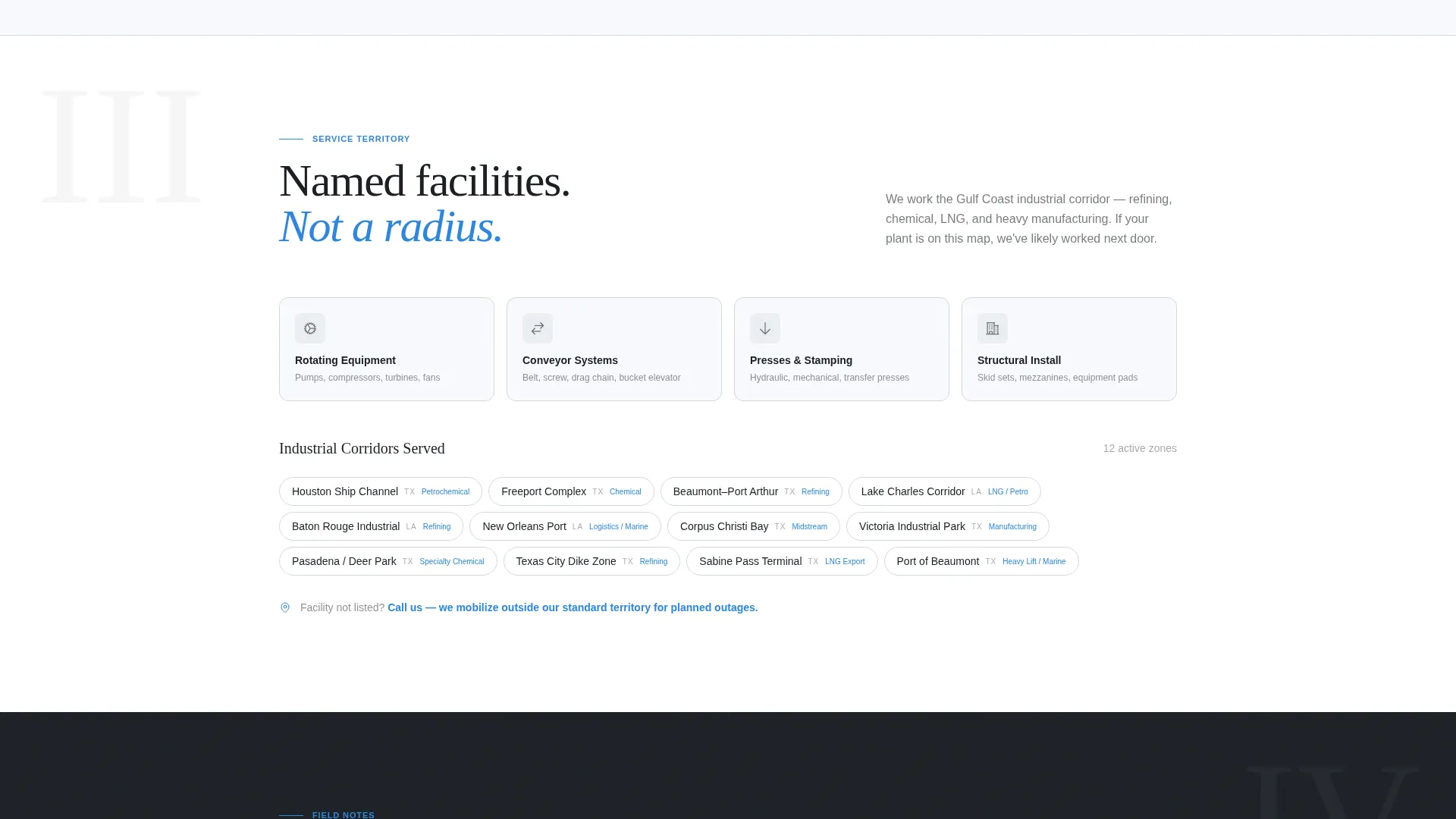
Rather than a generic radius circle, this section names specific facilities, industrial parks, or production corridors in your region. The format signals local knowledge and gives procurement teams a fast, credible answer to "do they cover our site?"
Scheduling and Inquiry Form
The primary form collects four fields: equipment type via dropdown (rotating equipment, conveyor, press, or structural), job urgency level (planned outage, next available, or emergency), a preferred date window, and a plant contact number. The form is placed after the process section, so visitors arrive with context before they fill it out.
Capabilities Sheet Secondary Path
A secondary conversion path offers a downloadable capabilities sheet gated behind a single email field. This targets engineers and procurement leads who are still in the bid-writing phase and not yet ready to schedule a visit.
Shift-Supervisor Style Testimonial Section
Testimonials are formatted as brief, technical field notes rather than marketing quotes. Each entry reads like a credible shift-supervisor observation, reinforcing that this crew documents its work and delivers within spec.
Page sections overview
| Section | Purpose |
|---|---|
| Split Header | Establish credibility and direct to primary call to action |
| Scope Summary Line | Communicate full service range at a glance |
| Process Phase Cards | Show documented workflow with standards references |
| Service Area Map | Confirm geographic and facility coverage |
| Testimonials Block | Build trust through technical, field-voice reviews |
| Scheduling Form | Capture qualified leads with structured intake |
| Capabilities Sheet Gate | Convert bid-phase researchers via email capture |
| Mobile call to action Bar | Persist primary action button across the full scroll |
Design & branding system
The visual identity follows an Executive Suite theme built on an Arctic White color system. The palette is clinical and exacting, designed to match the standards-driven mindset of industrial buyers. Every color choice has a functional role.
- Clinical white (#F7F9FC) dominates all backgrounds; machined aluminum (#D4D8DD) handles section dividers and card borders; deep gunmetal (#1B1F24) carries all headlines and body text
- A single precision-blue accent (#2E86DE) is reserved exclusively for call-to-action buttons and tolerance callouts, so the eye always knows where to act
- Typography uses oversized serif type for headlines to convey authority, paired with clean body text for process cards and form labels
Mobile & speed optimization
The template is structured for clean rendering across device sizes. The fixed bottom call-to-action bar on mobile ensures the "Schedule a Site Visit" action stays reachable without the visitor needing to scroll back to the header.
- The split header collapses gracefully on smaller screens, keeping the headline and call to action prominent without requiring horizontal scroll
- Process cards reflow into a single vertical stack on mobile, preserving the numbered sequence and photograph captions
- The scheduling form fields are sized for touch input, with the dropdown and date window fields remaining easy to select on a phone screen
How this template helps you convert
The page is engineered to build trust first and ask for a commitment second. By the time a visitor reaches the scheduling form, they have already reviewed your process, your standards references, and your service coverage.
- The numbered process section answers the buyer's biggest unstated question: "How does this crew actually work?" Showing documented phases with referenced specifications removes doubt before the form appears.
- The dual conversion path captures two buyer types in one layout. Ready-to-book plant managers go straight to the scheduling form. Bid-phase engineers take the capabilities sheet download, giving you a qualified email lead from a contact who is not yet ready to commit.
Other information about this template
This template is a strong fit for millwright service businesses that compete on documented precision rather than price alone. It is designed for the industrial professional services market where procurement decisions involve multiple stakeholders and a longer evaluation window.
- The editorial card layout supports adding real job photographs and site-specific tolerance callouts without redesigning any section
- The testimonial format can accommodate short technical notes from plant supervisors, quality managers, or maintenance leads
- This template works well as a service-area page within a larger site or as a standalone landing page for a specific region or facility type
Theme
Executive Suite
Creative direction
Testimonial Mosaic
Color system
Ink & Paper
Style
Split Screen (50/50)
Direction
Click-Through
Page Sections
Split Header with Photo and Headline
Numbered Process Breakdown Cards
Industrial Service Area Section
Structured Scheduling and Inquiry Form
Capabilities Sheet Download Gate
Technical Testimonial Block
Related questions
Can I use this template for multiple service locations?
What equipment types does the scheduling form cover?
Does the template include a secondary lead capture option?
Who is this landing page template designed for?



