Specialty Construction Booking Website Template
Forge is a split-screen landing page template built for shipping container conversion businesses. It guides visitors through a visual Problem-to-Solution arc, resolving cost, speed, and complexity objections before asking for anything. The result is a beautiful, high-converting landing page that earns the booking click through accumulated evidence, not a single sales pitch.
by Rocket studio
Quick summary
Forge is a premium split-screen landing page template designed for container conversion businesses. It walks visitors from doubt to decision using a structured Problem-to-Solution arc, a draggable before-and-after hero, and a focused booking flow. Every design choice serves one goal: turning interested visitors into booked site visits.
Who this template is for
This template is built for businesses operating in the container conversion industry. It suits anyone who needs to generate qualified leads from landowners, couples, or commercial buyers quickly and without extensive coding work.
- Container conversion companies targeting rural and semi-rural UK markets
- Small business owners offering bespoke cabin, studio, or commercial unit builds
- Specialist construction services that need to convert cold traffic into scheduled site visits
What problem this template solves
Most construction landing pages bury the value proposition. They ask for a name and email before the visitor has seen a single reason to trust the business. Forge flips that sequence entirely.
- High build costs and planning confusion push potential customers away before they enquire
- Generic landing page layouts fail to address real objections around price, speed, and compliance
- Without a clear conversion path, pages generate traffic but lose leads before the booking stage
What you get with this template
Forge delivers a fully structured landing page ready to customize and launch. You get a design system, interactive components, and a persuasion-led page flow all in one place.
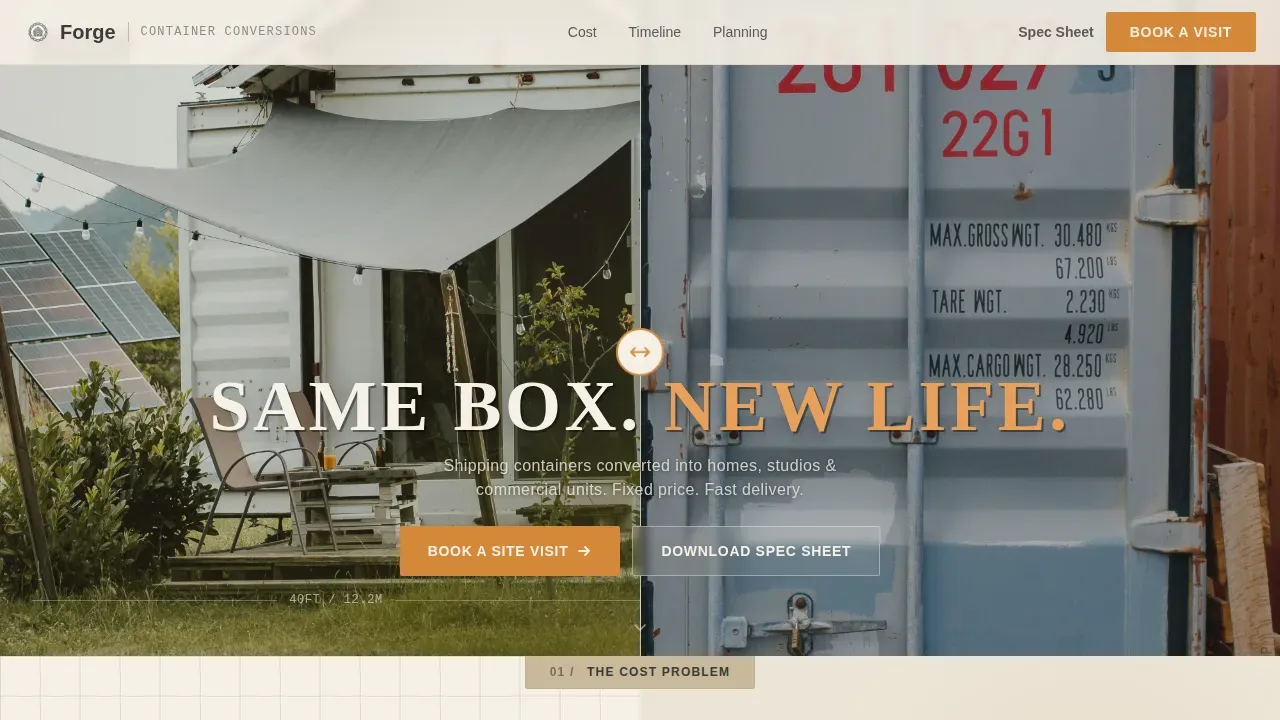
- A draggable before-and-after hero section with a stencil headline reveal
- A three-stage Pain versus Solution arc covering cost, speed, and complexity
- A dual call-to-action merge point with a booking form and a PDF spec sheet download path
Feature list
This template is packed with purposeful features. Each one is chosen to help you build high converting landing pages that move visitors toward action without distracting them.
Draggable Split-Screen Hero
The hero section divides the screen between a rusted depot container and a finished micro-cabin interior. Visitors drag a central handle to reveal the transformation, making the value proposition tactile and immediate before a single word of copy appears.
Problem-to-Solution Arc Sections
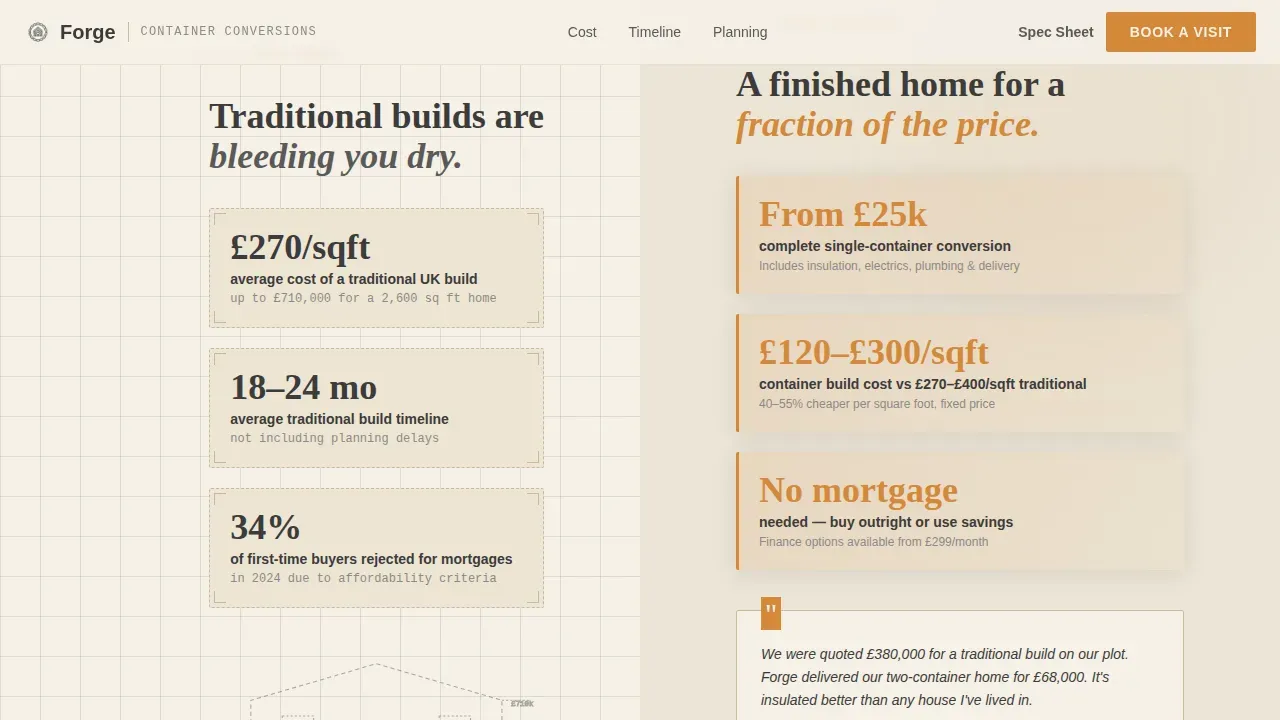
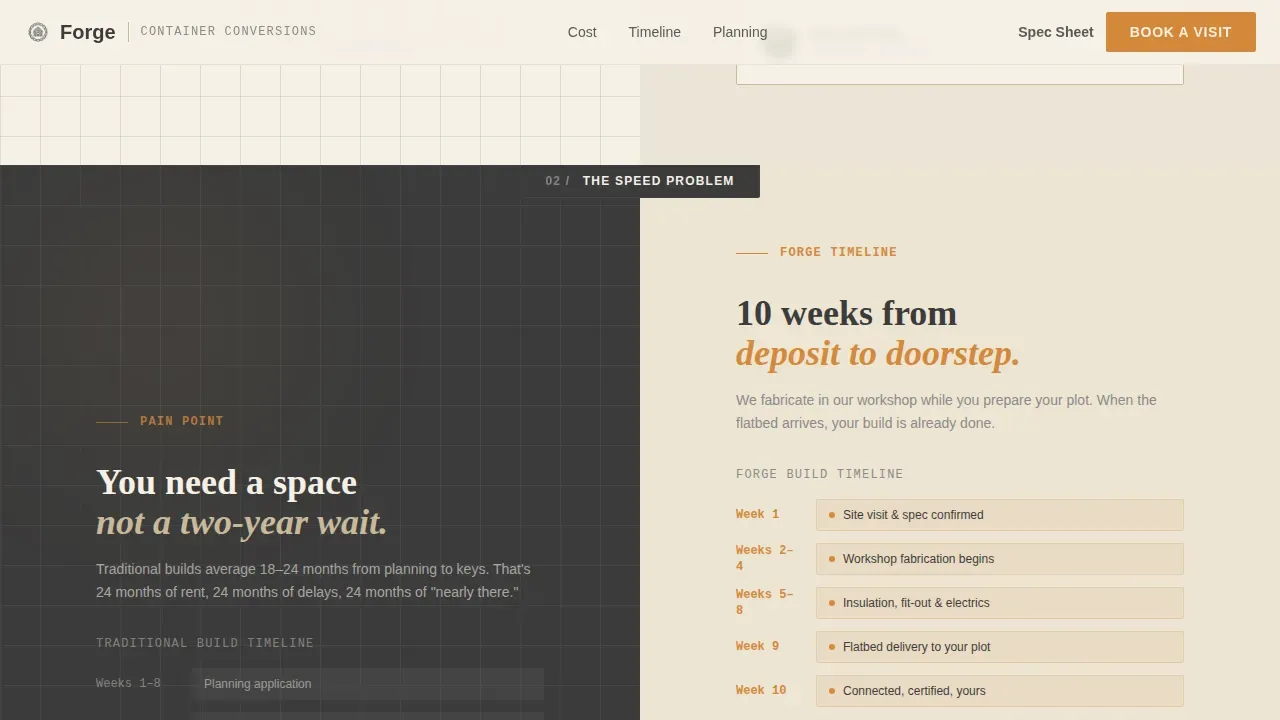
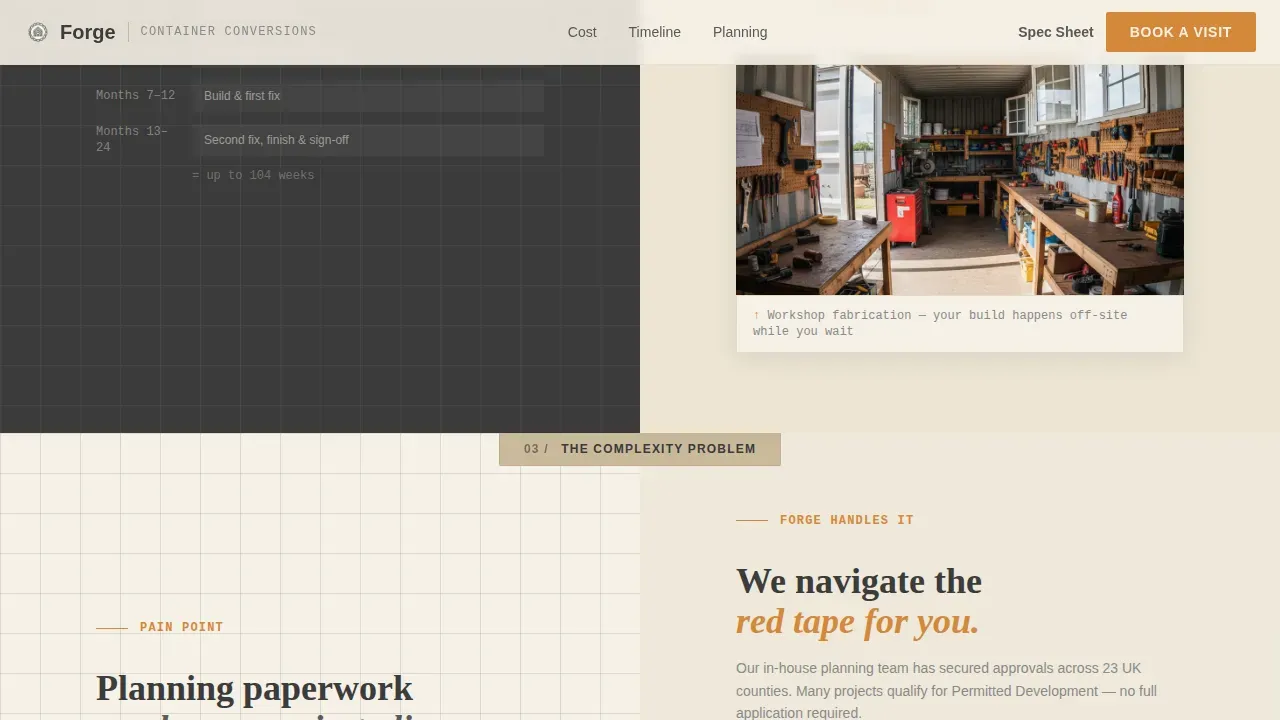
Three sequential landing sections pair blueprint-style illustrations on the left with warm project photography on the right. Each section escalates the stakes, from cost to speed to planning complexity, and resolves each objection with evidence. This structure is designed to improve conversion rate by handling doubt visually.
Dual Call-to-Action Merge Point
At the point where the split layout becomes full-width, two calls to action appear side by side. The primary button drives visitors to book a site visit. The secondary path lets leads download a spec sheet as a PDF, capturing emails from buyers who are not yet ready to commit.
Booking Form with Calendar Picker
The booking form is intentionally simple. It asks for postcode first, then intended use, then a preferred visit week via a calendar picker. Keeping the form short reduces friction and helps you capture more qualified leads from each landing page campaign.
Scroll-Triggered Reveal Animations
Stagger animations and scroll-triggered reveals bring blueprint illustrations and photography to life as visitors read down the page. The animated design keeps pages feeling dynamic without slowing the experience.
Warm Stone Design System
The full color palette, Fraunces display typography, and Manrope body text are pre-built into the template. Every element, from sandstone card surfaces to amber call-to-action buttons, is consistent and ready to customize with your own content.
Page sections overview
| Section | Purpose |
|---|---|
| Split-screen hero | Draggable before-and-after reveal with stencil headline |
| Cost pain arc | Blueprint illustration versus. price comparison photography |
| Speed pain arc | Timeline comparison versus. build process photography |
| Complexity pain arc | Planning stats versus. permitted development solution |
| Full-width video | Completed unit walkthrough and dual call-to-action merge |
| Booking form | Postcode, use type, and calendar picker lead capture |
| Spec sheet download | Email capture for leads not ready to book |
| Single-row footer | Linear copyright row with essential links |
Design & branding system
Forge uses an Engineering Blueprint visual identity built on the Warm Stone color system. The palette feels like an architect's desk inside a fabrication yard, technical and warm at the same time.
- Cream (#F5F0E6) backgrounds, charcoal (#3B3B3B) body text, and sandstone (#C9B99A) card surfaces create a clean, legible reading experience
- Torch-tip amber (#D4883A) marks every clickable button and hover state, making calls to action impossible to miss
- Fraunces in stencil weight handles display headlines; Manrope carries all body and user interface text for sharp readability across devices
Mobile & speed optimization
The template is built desktop-first to support the split-screen hero, but every section adapts for smaller devices. The booking experience stays smooth whether visitors arrive from ads on a phone or browse from a desktop.
- A sticky call-to-action button stays fixed on mobile screens so the booking path is always one click away
- Sections reflow cleanly for tablet and phone viewports without losing the visual hierarchy
- The simple, focused design avoids heavy decorative elements that would slow landing page performance on mobile devices
How this template helps you convert
Forge is structured to build trust before asking for anything. The page earns the click by resolving every major objection through visual evidence first. This approach is central to making high converting landing pages that produce real results.
- The Problem-to-Solution arc handles cost, speed, and planning objections in sequence, so visitors arrive at the form already persuaded rather than still uncertain.
- The dual call-to-action merge point offers two conversion paths at once, capturing both ready-to-book customers and earlier-stage leads who want to learn more before committing.
- The minimal booking form asks only for essentials, reducing friction and helping you optimize lead capture across all your paid campaigns.
Other information about this template
Forge works well as a starting point for businesses running paid ads, social media campaigns, or organic search traffic in the construction and specialty build industry. The template is easy to adapt for different use case scenarios without starting from scratch.
- The drag and drop builder makes it easy to customize layouts, swap text, add your own photography, and choose new section orders without coding
- Users can access the editor to update colors, headlines, and button labels in minutes, making it practical to create multiple campaign-specific pages from a single starting template
- Thousands of businesses across the construction industry use pre-designed templates to streamline their sales process and grow their pipeline faster; Forge follows the same proven page structure used in successful landing page examples across specialty construction services
- The template supports social proof placement, including testimonials with project names, build numbers, and cost savings, as well as space for client logos to enhance credibility and reduce visitor hesitation
- Landing page builders that offer drag and drop editing tools help users deploy beautiful, ready-to-use pages without needing a developer, and Forge is built to work within those platforms from the moment you get started
Theme
Engineering Blueprint
Creative direction
Problem→Solution Arc
Color system
Warm Stone
Direction
Booking/Scheduling
Page Sections
Draggable Before-and-after Hero
Three-stage Problem-to-solution Arc
Dual Call-to-action Merge Point
Minimal Booking Form with Calendar Picker
Scroll-triggered Reveal Animations
Warm Stone Design System
Related questions
Can I customize the colors and typography in this template?
Is the before-and-after slider included in the template?
Does the template include the booking form and the spec sheet download?
Can I use this template for different types of container conversion projects?
Do I need coding skills to get started with this template?



