Ironworker Business Pricing & Packages Website Template
Forge is an editorial-style landing page template built for certified ironworker crews. It leads with oversized performance stats, candid crew portraits, and project-specific tonnage data before asking for anything in return. The layout guides general contractors, facility managers, and project engineers toward downloading a capabilities package or checking a live service-area coverage map.
by Rocket studio
Quick summary
Forge is a single-page editorial template for ironworker businesses operating across a regional service area. It opens with load-bearing stats, flows through crew profiles by trade specialty, and closes with two clear conversion paths. Every section is built to earn trust through verifiable credentials and real project proof before a visitor ever sees a form.
Who this template is for
This template is designed for established ironworker crews who win work through credibility, not price. It speaks directly to the decision-makers those crews need to impress.
- Certified ironworker contractors marketing structural steel services to general contractors
- Facility managers and project engineers evaluating specialty subcontractors for commercial, industrial, or infrastructure projects
- Ironworker business owners who want a professional web presence that reflects the scale and quality of their work
What problem this template solves
Most ironworker businesses rely on word of mouth or bare-bones websites that fail to communicate the depth of their crew, the range of their certifications, or the breadth of their project history. That gap costs real bids.
- Visitors leave without understanding the crew's qualifications, trade specialties, or service radius
- General contractors cannot quickly verify mobilization speed, certification status, or equipment capability
- There is no clear path to request credentials or confirm coverage before a phone call is needed
What you get with this template
Forge delivers a fully designed, editorial-style landing page that replaces vague claims with documented proof points and human faces. The layout is structured to hold attention from the first scroll to the final call to action.
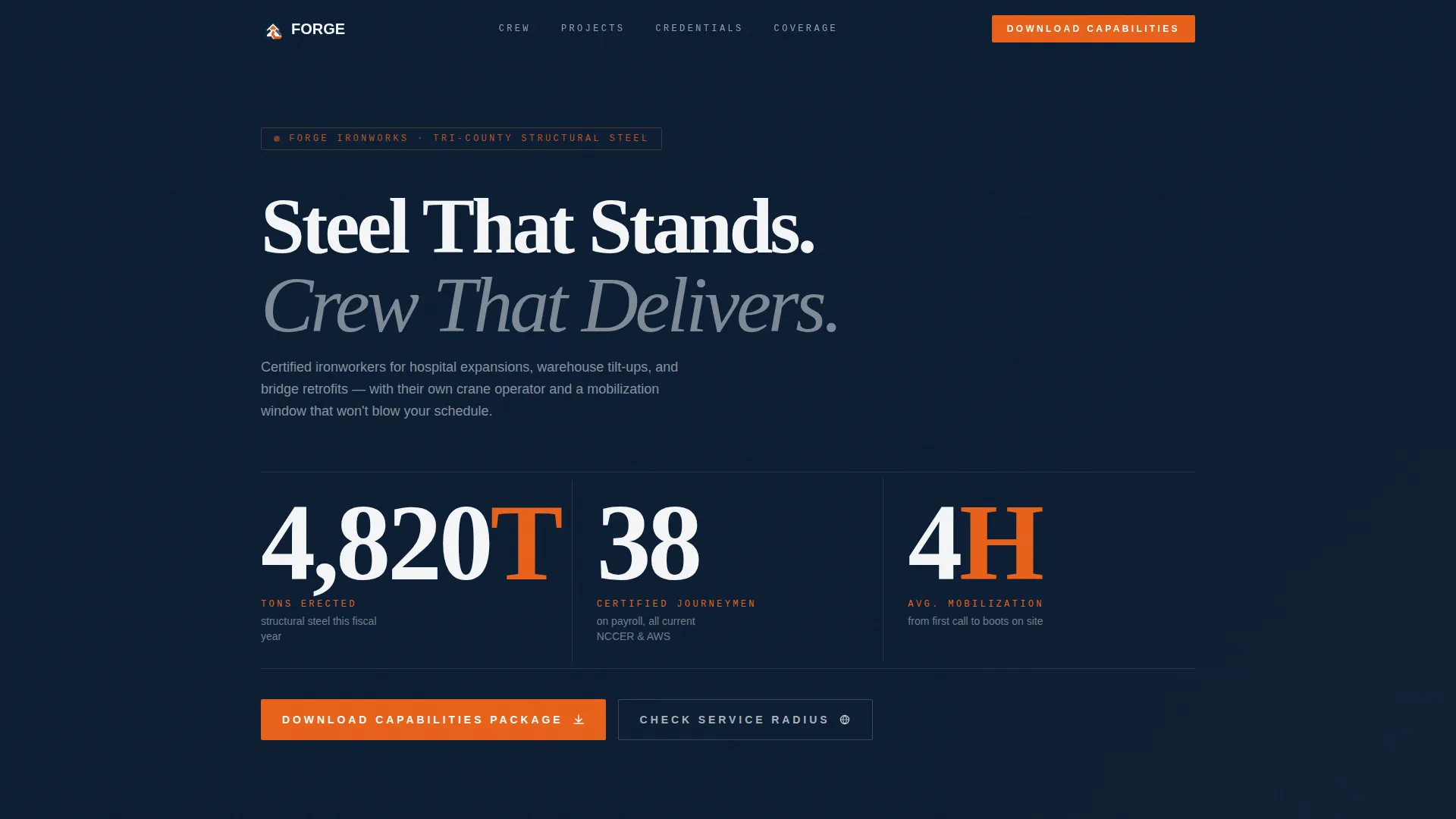
- A stats-led header with three oversized performance figures set in a condensed industrial typeface
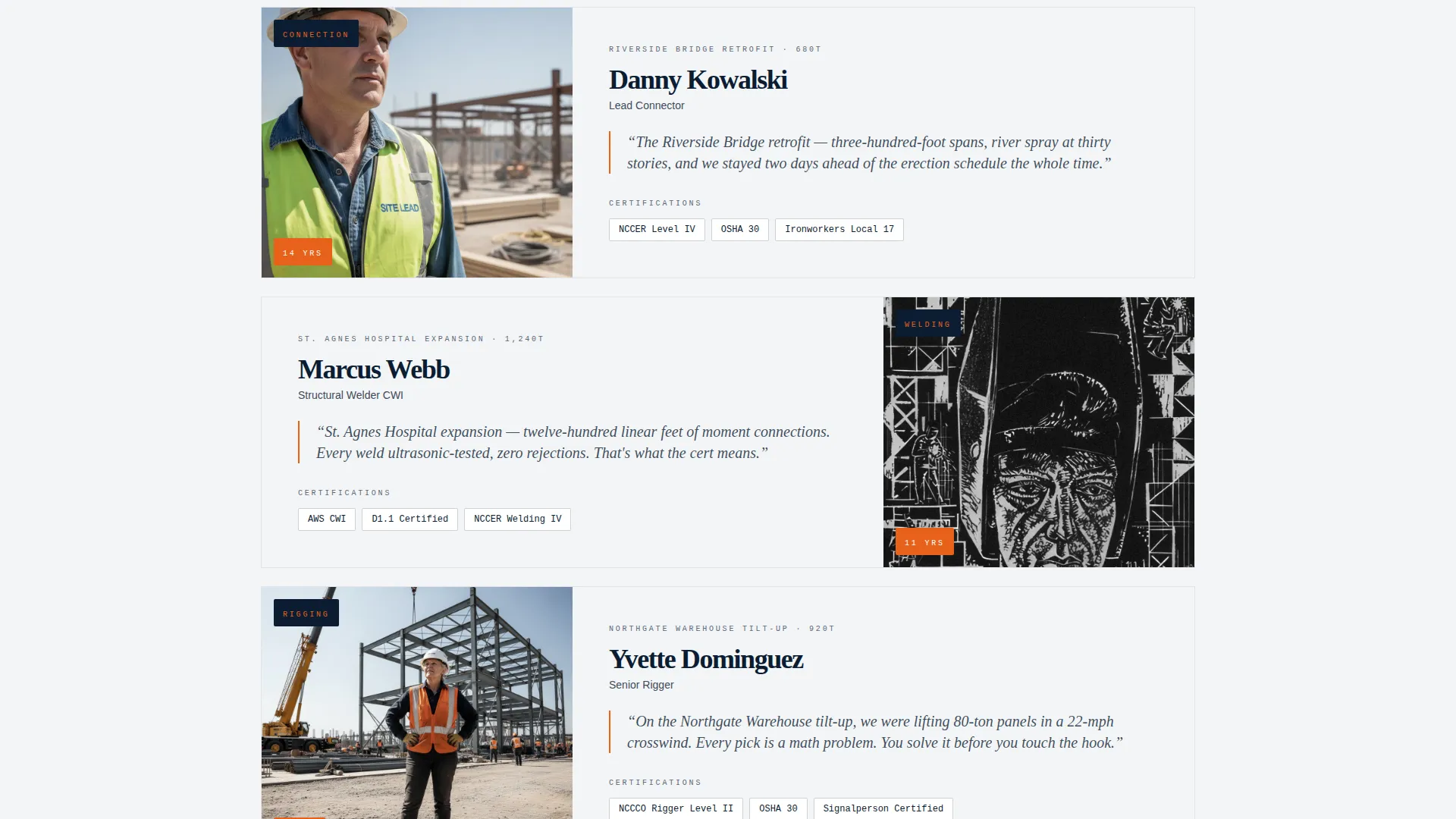
- Crew profile sections organized by trade specialty, each pairing an editorial portrait with a first-person pull quote
- Two conversion paths: a capabilities package download form and a service-radius coverage map link
Feature list
A paragraph introducing the features section: Forge packages every trust-building element an ironworker business needs into one cohesive editorial layout. Each feature below reflects a deliberate design and content decision drawn directly from the brief.
Oversized Stats Header
Three bold performance figures span the full viewport width against a deep structural navy background. Tons of steel erected, certified journeymen on payroll, and average mobilization time are displayed in a condensed industrial typeface. The numbers feel structural because they are meant to carry weight before a single word of copy is read.
Candid Photo Strip
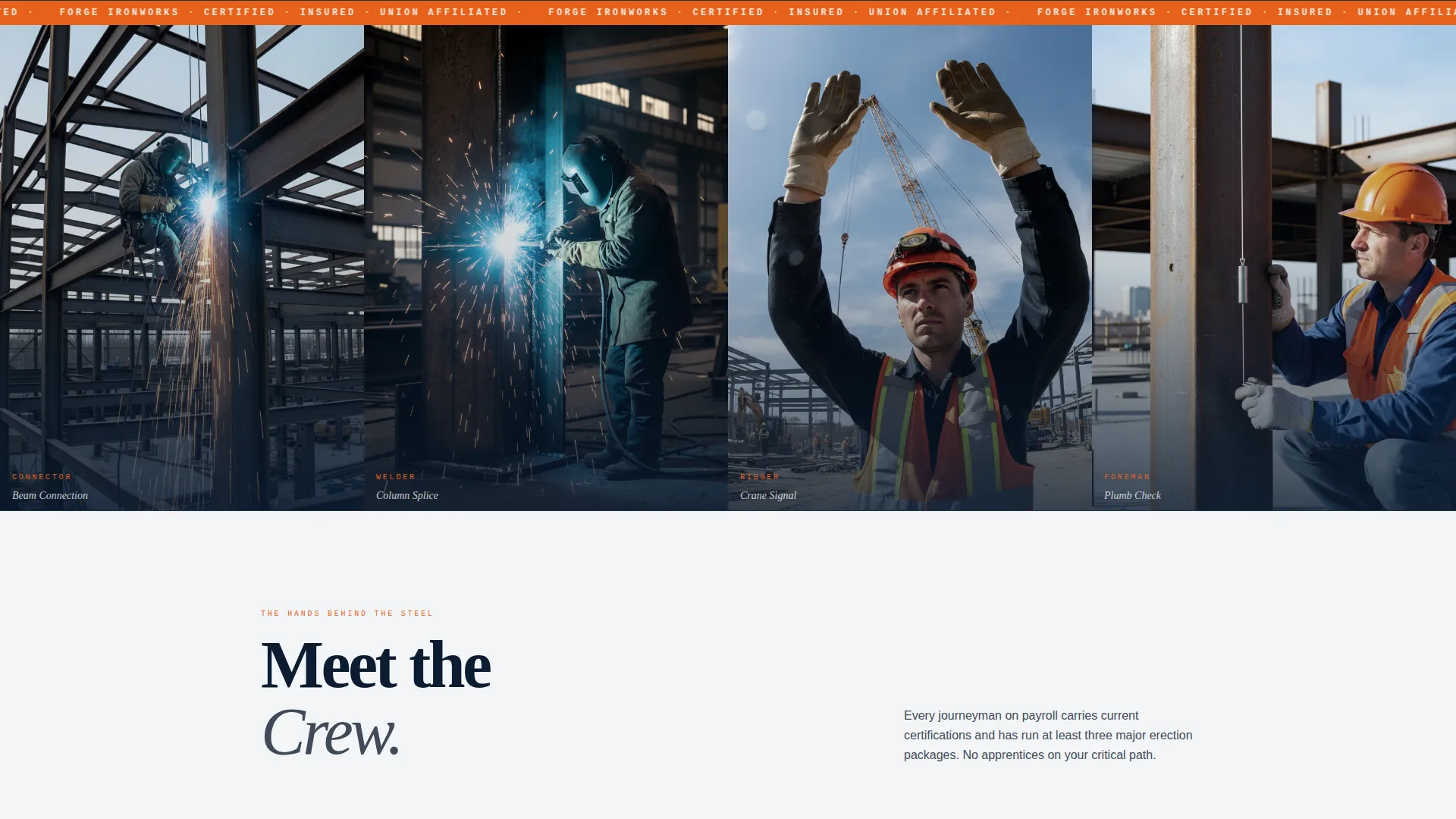
A full-width photographic strip sits below the header stats, showing four ironworkers mid-task: connecting a beam, running a weld bead, signaling a crane, and reading a plumb bob. Real faces and real personal protective equipment replace stock imagery. This visual establishes authenticity at the most critical scroll position on the page.
Trade Specialty Crew Profiles
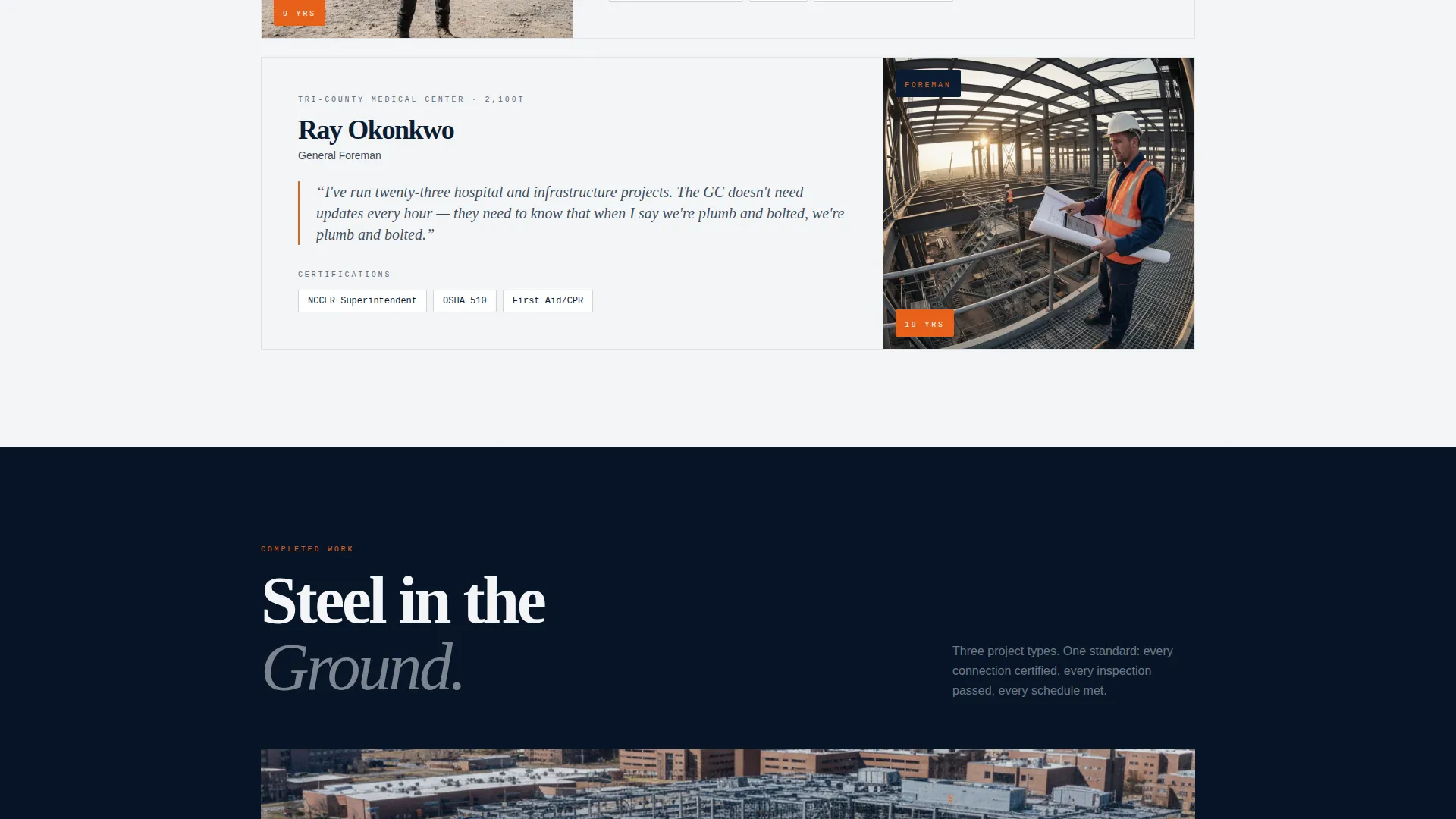
Scrolling past the header reveals editorial-style profiles organized by specialty: connectors, welders, riggers, and foremen. Each profile pairs a portrait with a first-person pull quote drawn from the crew member's toughest project. This section builds the kind of human proof that a project engineer or general contractor actually wants before awarding a subcontract.
Full-Bleed Project Photography
Between crew profiles, full-bleed drone photography of completed steel frames breaks the scroll rhythm. Service-area city names are typeset large across each aerial image. The sequence communicates regional reach and project scale without requiring a separate portfolio page.
Capabilities Package Download Form
The primary conversion path asks only for company name, project type (commercial, industrial, or infrastructure), and email address. Keeping the form to three fields lowers friction while capturing the lead qualification data most useful for follow-up. The download is earned by the credibility content above it, not demanded upfront.
Service Radius Coverage Map
A secondary call to action links visitors to an interactive coverage map showing mobilization zones across the tri-county service area. This gives general contractors and project engineers a fast way to confirm eligibility before committing to a conversation.
Page sections overview
| Section | Purpose |
|---|---|
| Stats header block | Display three oversized performance metrics |
| Candid photo strip | Establish crew authenticity through real imagery |
| Connectors profile | Profile connecting specialists with pull quote |
| Welders profile | Profile welding crew with first-person quote |
| Riggers profile | Profile rigging team with project context |
| Foremen profile | Profile site leadership with authority quote |
| Project photo break | Show completed steel frames by service city |
| Capabilities download | Capture leads via low-friction three-field form |
| Service radius map | Link to interactive mobilization coverage tool |
Design & branding system
The Forge template uses a Navy Authority color system that feels like a job-site trailer wall: functional, authoritative, and earned. Every color carries a purpose tied to the visual hierarchy of the page.
- Deep structural navy (#0B1D33) backgrounds and rivet-head gunmetal (#3E4A59) surface tones anchor the page in industrial authority
- Safety-orange accents (#E8611A) are reserved for calls to action and callout numbers, creating high-contrast focal points that draw the eye without decoration
- Beam-chalk white (#F4F5F7) is used for body backgrounds and body text, keeping long-form crew and project copy easy to read at any scroll depth
Mobile & speed optimization
The editorial layout is structured so every section stacks cleanly on smaller screens without losing its visual hierarchy. Stats remain dominant, portraits stay readable, and both conversion paths stay accessible without horizontal scrolling.
- The condensed industrial typeface scales down proportionally, keeping oversized figures legible on mobile viewports
- Full-bleed project photography and the candid photo strip are framed to remain impactful at portrait orientation
How this template helps you convert
Forge is built around a content-first conversion strategy. Trust is established through verifiable proof before the visitor is ever asked to act.
- The stats header and crew profiles qualify the crew's capability upfront, so general contractors and project engineers arrive at the form already convinced rather than skeptical.
- The capabilities package download requires only three fields, making it easy for busy project professionals to complete between site visits or during a bid review.
Other information about this template
Forge is a strong fit for ironworker businesses that compete for structural steel subcontracts across multiple project types and need a single page that works as a leave-behind, a bid supplement, and a first impression all at once.
- The template is categorized under Professional Services, specifically within the Ironworker Business subcategory, and is optimized for an ironworker service area page use case
- The editorial and magazine layout style is intentionally unconventional for the trades, which helps the page stand out when a general contractor is comparing multiple subcontractor websites
- The Service Utility theme ensures the design never crosses into decorative territory; every visual element earns its place by reinforcing crew competence and project credibility
Theme
Service Utility
Creative direction
Team & People
Color system
Navy Authority
Style
Editorial/Magazine
Direction
Content/Resource
Page Sections
Oversized Stats Header Block
Candid Crew Photo Strip
Trade Specialty Crew Profiles
Full-bleed Project Photography
Three-field Capabilities Download
Interactive Service Radius Map Link
Related questions
Who is the Forge template designed for?
What are the two conversion paths on this landing page?
Can this template represent different types of structural steel projects?
How does the page build trust before asking for contact information?
Does the template support real photography instead of stock images?



