Wood & Furniture Manufacturing Specialist Professional Website Template
Forge is a card grid landing page built for industrial office furniture makers. It pairs a shop-floor video header with spec-sheet product cards that flip to reveal exploded-view joinery illustrations. A sticky "Configure Your Floor" bar and per-card quote requests give buyers two clear paths to engage, from casual browsing to full floor fitout inquiry.
by Rocket studio
Quick summary
Forge is a single-page, card-grid landing page template for industrial office furniture makers. It opens with a slow-pan workshop video, then delivers product information as engineering-style spec cards. Two lead capture paths serve different buyer stages: a stepped floor-configuration form and a low-friction per-card pricing request.
Who this template is for
This template is built for makers and sellers of high-craft, specification-grade office furniture. It speaks directly to buyers who want materials data before they book a meeting.
- Office managers fitting out new floors and needing reliable lead times and product specs
- Interior designers sourcing statement pieces for tech startups or creative studios
- Facilities directors replacing worn-out furniture with pieces built to last a decade or more
What problem this template solves
Most furniture landing pages look like digital catalogues. They show products but give buyers little reason to trust the craft or take the next step. Forge closes that gap.
- Buyers leave without enough information to justify a purchase decision or inquiry
- Product photography alone does not communicate material quality, load ratings, or finish options
- Generic contact forms create friction for browsers who only want a quick price and lead time
What you get with this template
You get a fully structured, single-page layout designed around the industrial office furniture buying journey. Every section serves a specific conversion purpose, from first impression to final form submission.
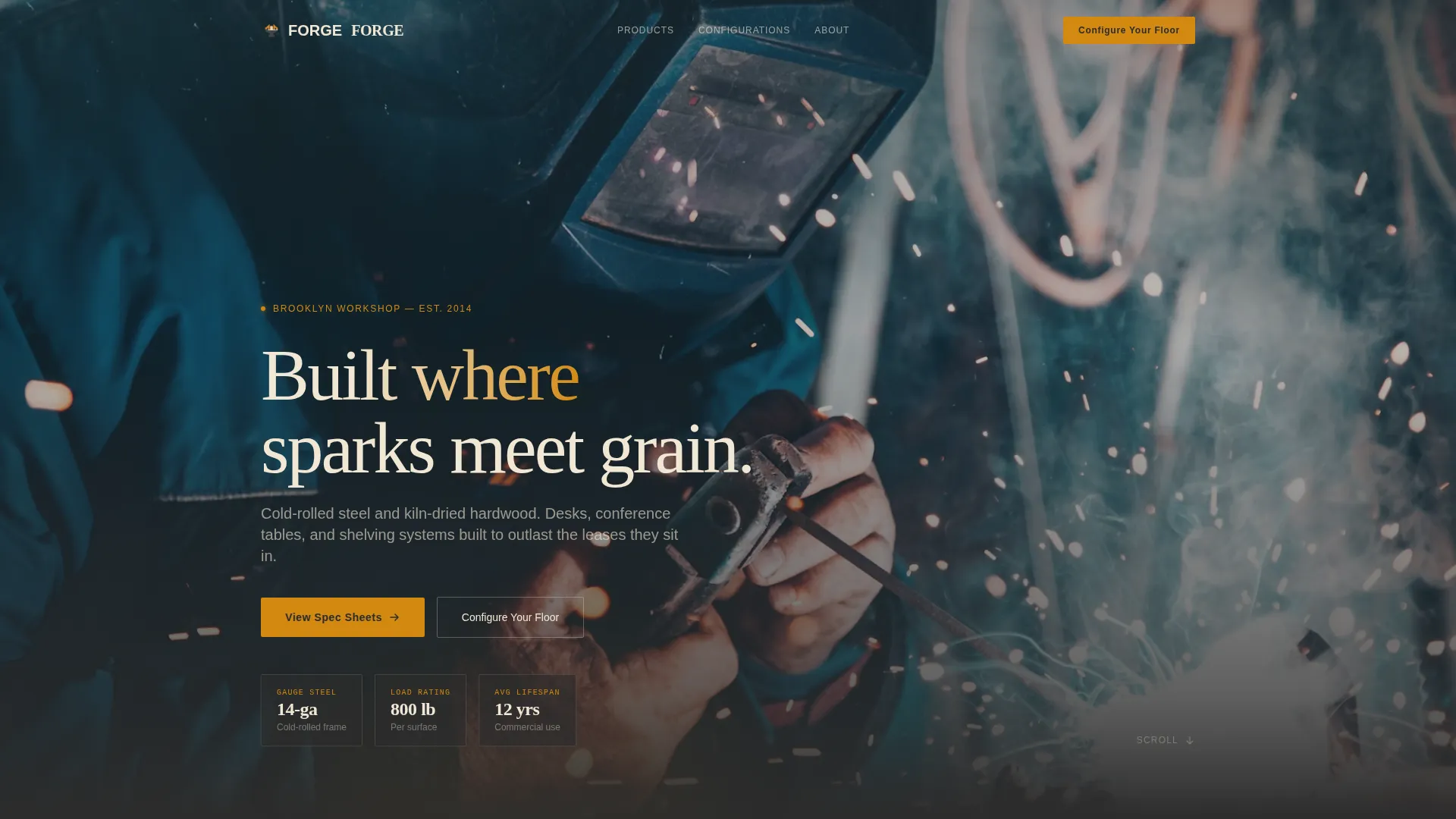
- A behind-the-scenes workshop video header that sets material credibility in the first seconds
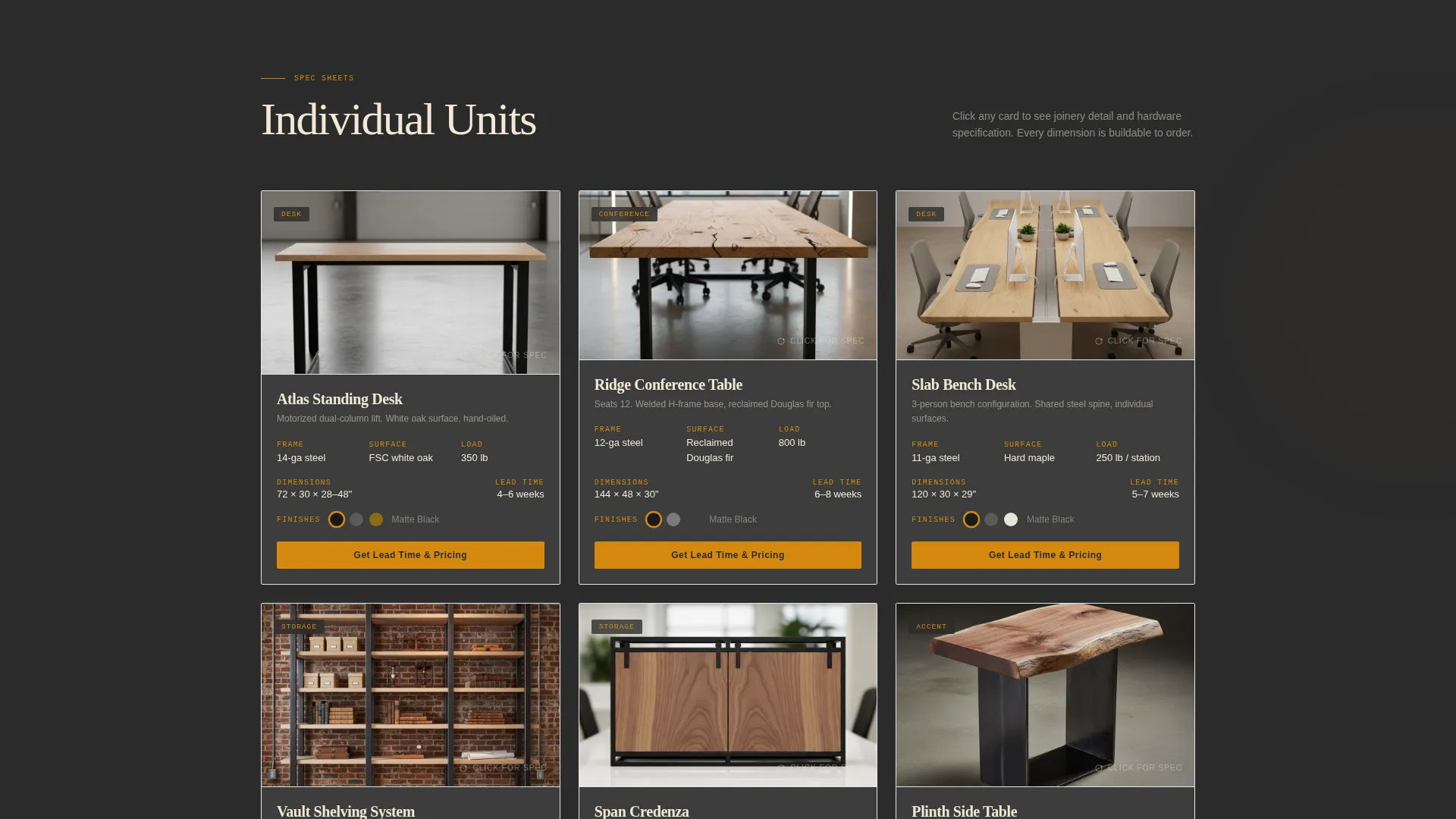
- A modular card grid where each product is presented with spec callouts, dimensions, finish options, and a flip-reveal joinery illustration
- A sticky bottom bar with a stepped floor-configuration form and a secondary per-card quote request path
Feature list
This template is built around a handful of tightly designed components. Each one handles a specific job in the buyer's decision process.
Workshop Video Header
The header plays a slow-pan shop-floor video at workbench level. It moves past a plasma cutter mid-arc, over rough-sawn white oak planks, and settles on a finished standing desk being wiped with linseed oil. The headline "Built where sparks meet grain" appears after the wipe-down moment.
Spec Sheet Product Cards
Each card in the grid presents a single piece of furniture like an engineering document. The top half shows a clean product photograph on concrete. The bottom half lists material callouts, load rating, dimensions, and available powder-coat finishes as clickable color dots.
Flip-Reveal Joinery Illustrations
Clicking any product card flips it to show an exploded-view illustration of the piece. The illustration highlights joinery details and hardware choices, giving technically minded buyers the construction transparency they need before requesting a quote.
Escalating Grid Scope
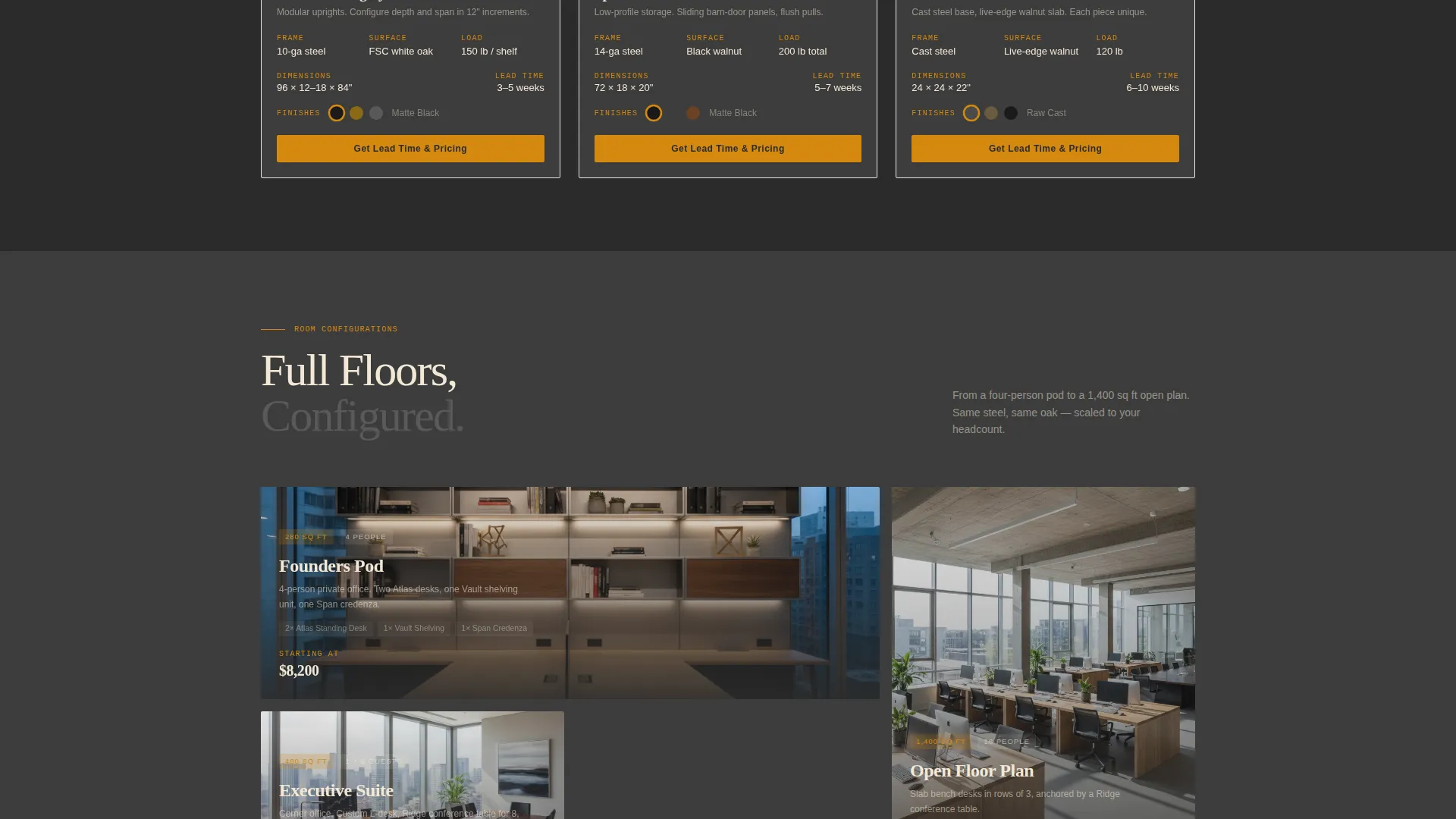
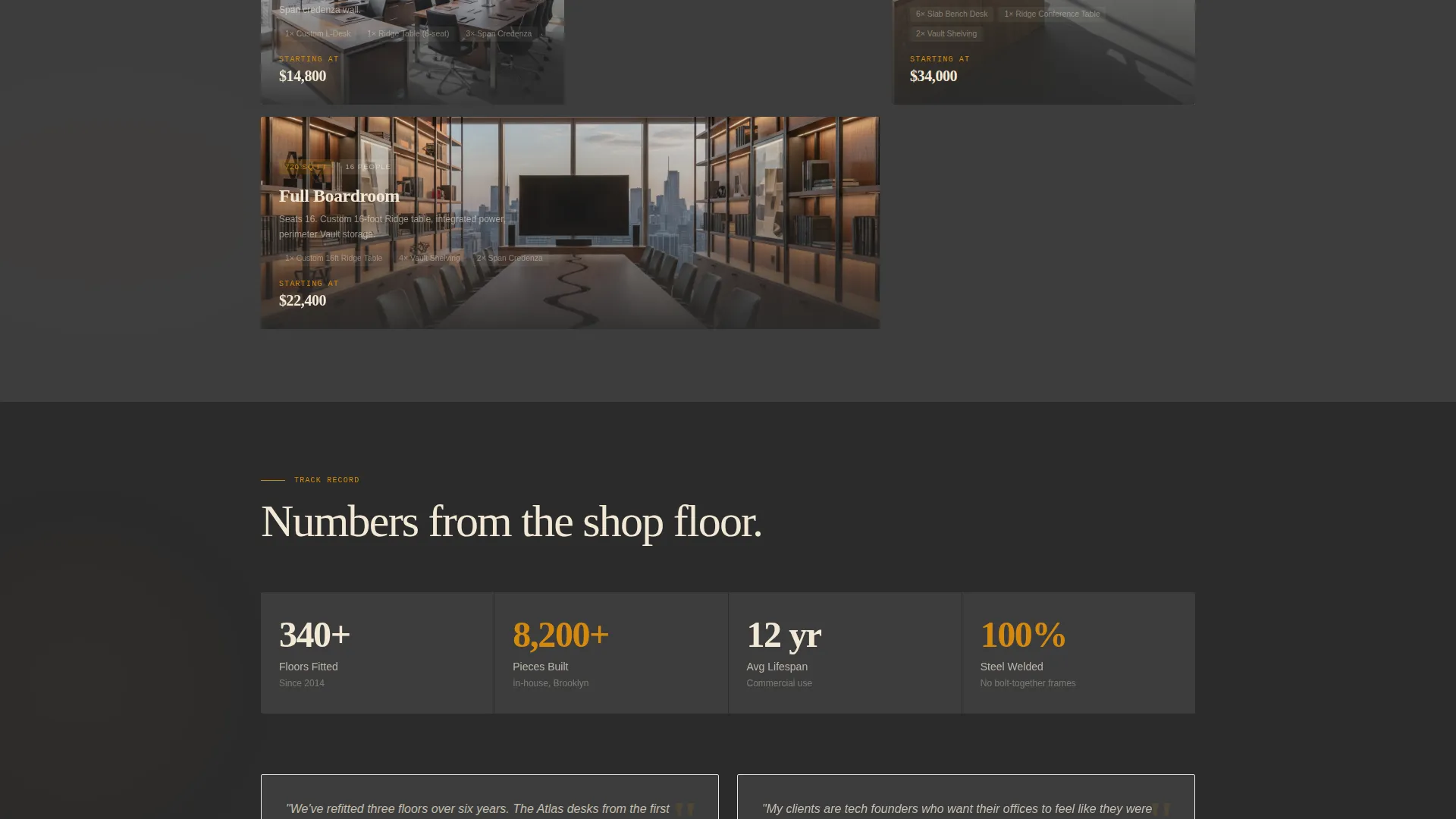
As the visitor scrolls deeper, the card grid shifts from individual desks to full-room installations. Single units give way to configured offices. The scope escalates naturally without changing the visual rhythm or the spec-sheet logic.
Sticky Configure Your Floor Bar
After the third card row, a sticky bottom bar appears with a "Configure Your Floor" call to action. Clicking opens a stepped three-stage form: square footage and headcount first, product category checkboxes second, and an optional floor plan file upload third.
Per-Card Quote Request
Every product card includes a "Get Lead Time and Pricing" button. It opens a minimal form capturing only email address and quantity, keeping the friction low for visitors who are browsing rather than buying a full floor fitout.
Page sections overview
| Section | Purpose |
|---|---|
| Video Header | Establish craft credibility and set the industrial tone |
| Headline Block | Deliver the core brand statement after the video settles |
| Individual Product Cards | Present single pieces as spec-sheet documents with flip-reveal |
| Configured Office Cards | Escalate scope to full-room installations |
| Sticky call to action Bar | Anchor the floor-configuration lead form after scroll depth |
| Configure Your Floor Form | Capture square footage, headcount, categories, and floor plan |
| Per-Card Quote Form | Low-friction email and quantity capture from any product card |
Design & branding system
The visual identity follows an Industrial Raw theme. The palette is built around four specific values that work together like a metalworking shop at golden hour.
- Base tones use shop-floor charcoal (#2B2B2B) and mill-scale dark gray (#3D3D3D) for backgrounds and card surfaces
- Raw birch plywood (#F2E8D5) handles text and structural contrast, keeping the layout readable against dark grounds
- Molten amber (#D4890F) is reserved for hover states, call-to-action buttons, and price-quote callouts only
Mobile & speed optimization
The card grid layout is designed to reflow cleanly across screen sizes. The spec-sheet card structure keeps content compact and scroll-friendly on smaller devices.
- Product cards stack vertically on mobile while retaining the spec callout layout and color-dot finish selector
- The sticky bottom bar remains accessible on mobile without obscuring the card content below it
- The stepped form breaks into clearly separated stages, making it easy to complete on a phone screen
How this template helps you convert
Forge is built around two conversion paths that serve different types of buyers. The layout guides visitors toward one of them based on how deep they scroll and how ready they are to commit.
- The sticky "Configure Your Floor" bar captures high-intent buyers who have scrolled past the product range and are ready to scope out a full floor fitout, pulling them into a detailed three-stage form.
- The per-card "Get Lead Time and Pricing" button gives early-stage visitors a low-commitment entry point, collecting only an email address and quantity so the ask matches the buyer's current level of intent.
Other information about this template
Forge is part of a broader set of templates designed for the manufacturing and industrial category, with a specific focus on wood and furniture manufacturing businesses. A few additional details worth noting:
- The template style is Card Grid (Modular), meaning individual cards can be reordered or expanded as the product range grows
- The creative direction follows a Spec Sheet logic throughout, keeping product information structured and scannable rather than editorial
- The header concept is a Behind-the-Scenes video sequence, which is distinct from a static hero image and requires a short workshop footage clip to be supplied
- The color system is Charcoal and Amber, with amber used exclusively as an accent rather than a dominant background color
- This template is suited to office furniture makers who sell to business clients and need to communicate material quality, lead times, and custom configuration options before a sales conversation begins
Theme
Industrial Raw
Creative direction
Spec Sheet
Color system
Charcoal & Amber
Style
Card Grid (Modular)
Direction
Lead Generation
Page Sections
Workshop Video Header with Headline
Spec Sheet Product Card Grid
Flip-reveal Joinery Illustrations
Escalating Grid From Units to Offices
Sticky Configure Your Floor Call to Action
Per-card Quote Request Button
Related questions
What kind of business is this template built for?
Do I need a video clip to use the header section?
Can I add more product cards as my range grows?
How do the two lead capture forms work differently?



