Manufacturing Company Professional Website Template
Forge is a hub-and-spoke landing page template built for private label manufacturers. It guides serious B2B buyers through a structured facility tour, section by section, using a checklist-driven layout that proves capability before asking for contact details. The Forest Trust color system and Industrial Raw visual theme give every screen the weight of a factory floor.
by Rocket studio
Quick summary
Forge is a single-page, anchor-nav landing page template designed for private label manufacturers ready to attract serious B2B clients. It walks every visitor through a methodical readiness assessment, using scrolling checklists, MOQ tiers, and a Gantt-style timeline to prove production fit before any form appears. The result feels less like a website and more like a facility walkthrough.
Who this template is for
This template is built for manufacturers who need to earn trust fast with buyers who have real production questions. It speaks directly to the people already handling volume, compliance, and shelf deadlines.
- Direct-to-consumer founders who have outgrown a small co-packer and need a scalable production partner
- Amazon sellers growing from hundreds of units to tens of thousands and seeking white-label production
- Retail buyers at regional chains sourcing a private label line with a firm quarterly deadline
What problem this template solves
Most manufacturer websites make buyers do the research themselves. Visitors have to dig through vague service pages to figure out whether the facility actually handles their product category, compliance needs, or order volume. Forge eliminates that friction by organizing every answer into a pre-qualified scroll flow.
- Buyers leave generic manufacturer sites without converting because key questions go unanswered
- Vague capability claims fail to convince DTC founders and retail buyers who need specific proof
- No clear path from "just browsing" to "ready to start a production run" costs manufacturers qualified leads
What you get with this template
Forge delivers a complete, ready-to-customize landing page built around five anchor-linked spoke sections. Each section is self-contained and answers one critical buyer question before moving to the next.
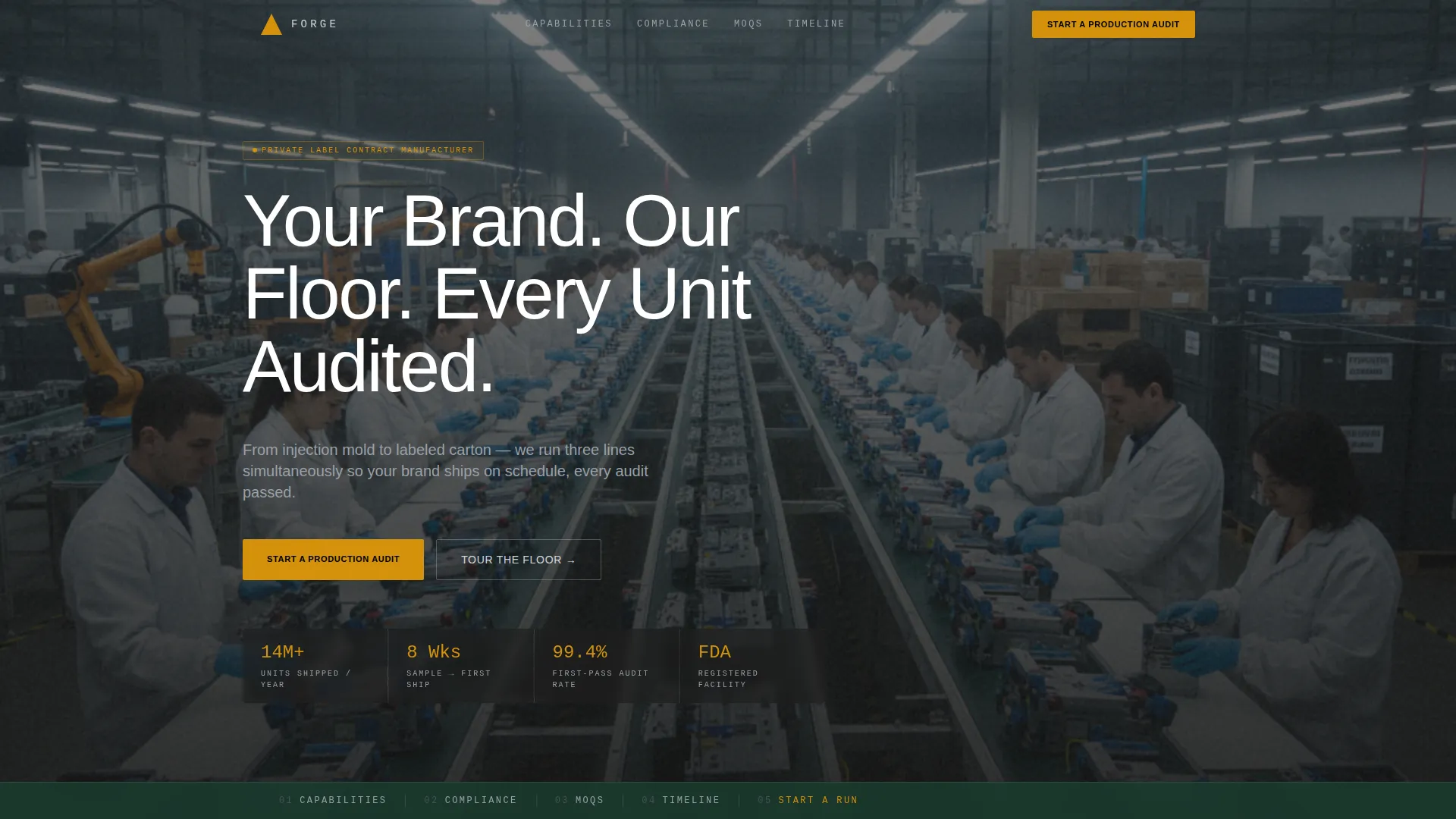
- A panoramic header with a cinematic production-floor photograph and a typewriter-style headline overlay
- Five named anchor sections: Capabilities, Compliance, MOQs, Timeline, and Start a Run
- A three-step progressive contact form, a gated capabilities deck download, and a pinned anchor navigation bar
Feature list
This section covers the core built-in components that make Forge work as a B2B conversion tool for private label manufacturers.
Panoramic Production Floor Header
The header uses an edge-to-edge elevated mezzanine photograph showing three production lines running simultaneously. A translucent dark overlay carries the headline "Your Brand. Our Floor. Every Unit Audited." rendered in a typewriter animation. The foreground shows gloved hands on a finished unit, midground reveals labeled cartons on a conveyor, and the background fades into floor-to-ceiling racked raw materials.
Pinned Anchor Navigation Bar
A sticky navigation bar locks itself beneath the header after the visitor scrolls past the hero. It holds five spoke labels: Capabilities, Compliance, MOQs, Timeline, and Start a Run. The primary call to action, "Start a Production Audit," sits inside the nav in safety-stripe amber, staying visible at every scroll depth.
Scrolling Checklist Sections
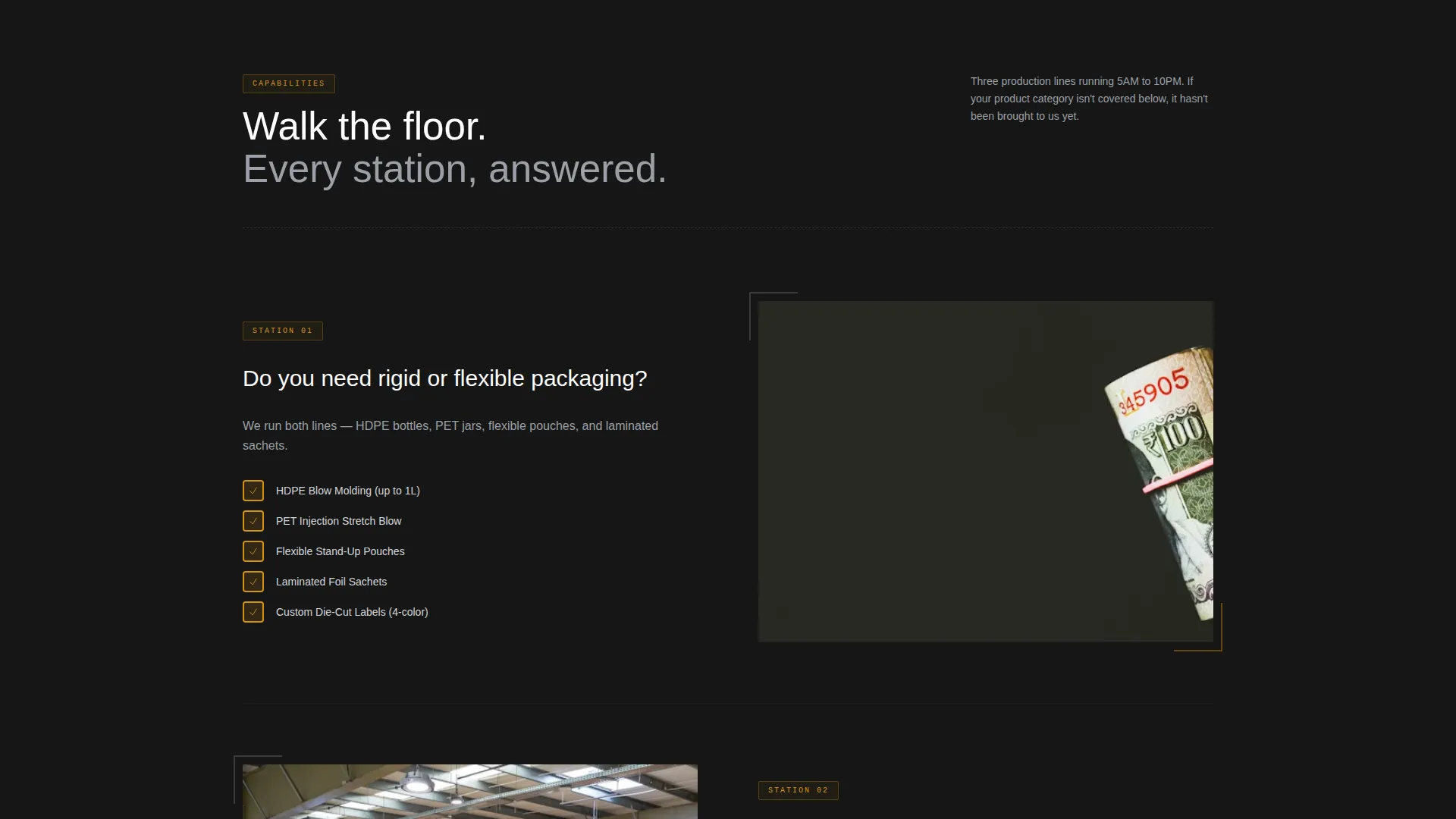
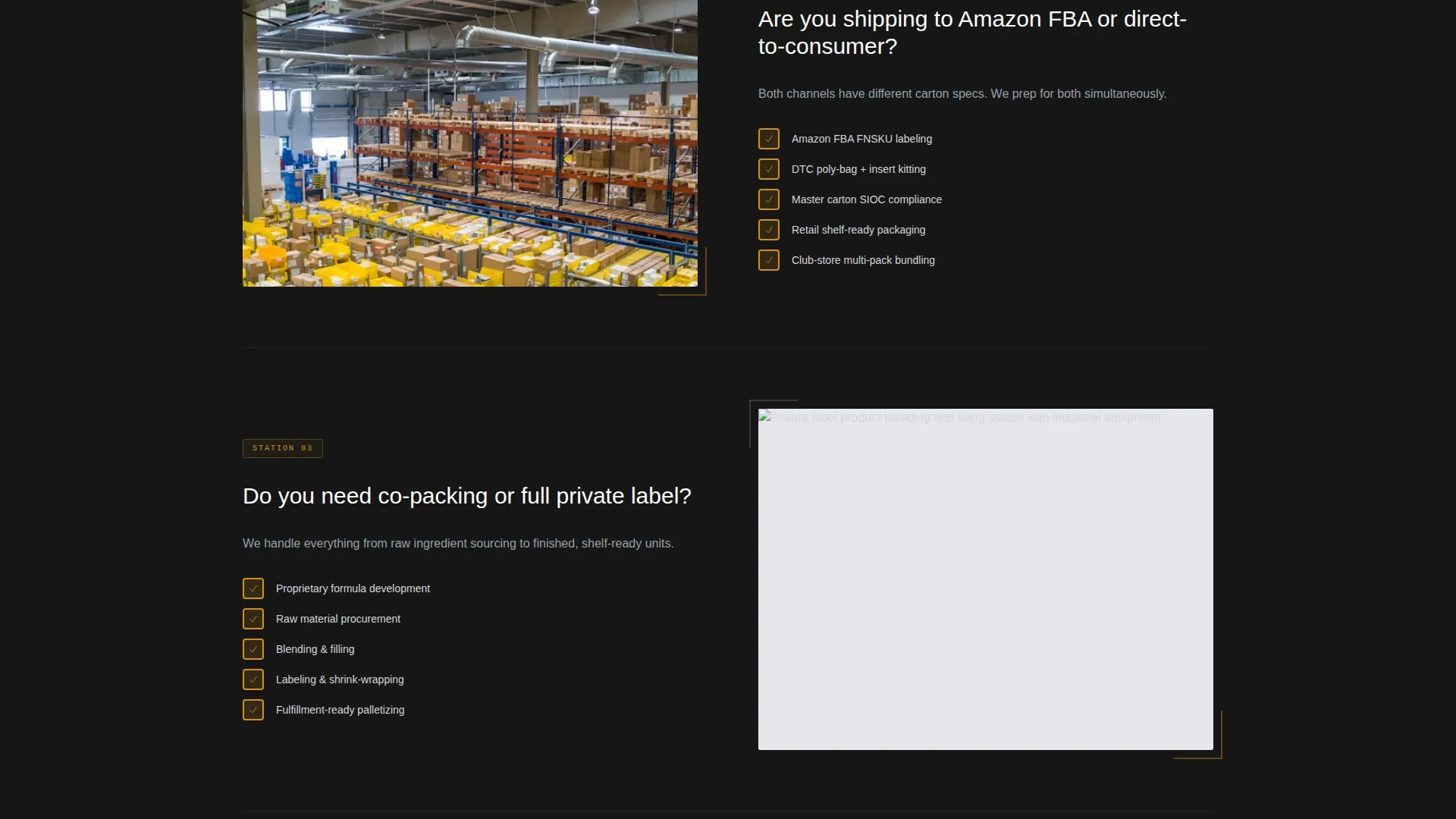
Each spoke section opens with a bold yes-or-no question the visitor is already asking, such as whether they need FDA-compliant packaging or whether they are shipping to Amazon FBA or direct. A visual checklist then fills in with green checkmarks as the visitor scrolls, confirming the facility already handles each requirement.
MOQ Tiers with Unit-Cost Bands
The MOQ section presents transparent minimum order quantity tiers alongside unit-cost bands. Buyers can immediately see which volume tier matches their current scale, removing the friction of back-and-forth email inquiries before a conversation even starts.
Gantt-Style Production Timeline
A visual timeline maps the full 8-to-12-week journey from sample approval to first shipment. It gives buyers a realistic production calendar they can take back to their own planning meetings without needing a custom quote first.
Three-Step Progressive Contact Form
The lead capture form is split into three focused steps. Step one collects product category and current monthly volume. Step two uses toggles for packaging type and compliance needs. Step three gathers company name, contact information, and an optional file upload for existing artwork or specification sheets.
Page sections overview
| Section | Purpose |
|---|---|
| Panoramic Header | Establish scale and credibility with a full-width production-floor photograph and animated headline |
| Pinned Anchor Nav | Keep all five spoke destinations and the primary call to action visible throughout the entire scroll |
| Capabilities Spoke | Answer basic product and category fit questions using a scrolling visual checklist |
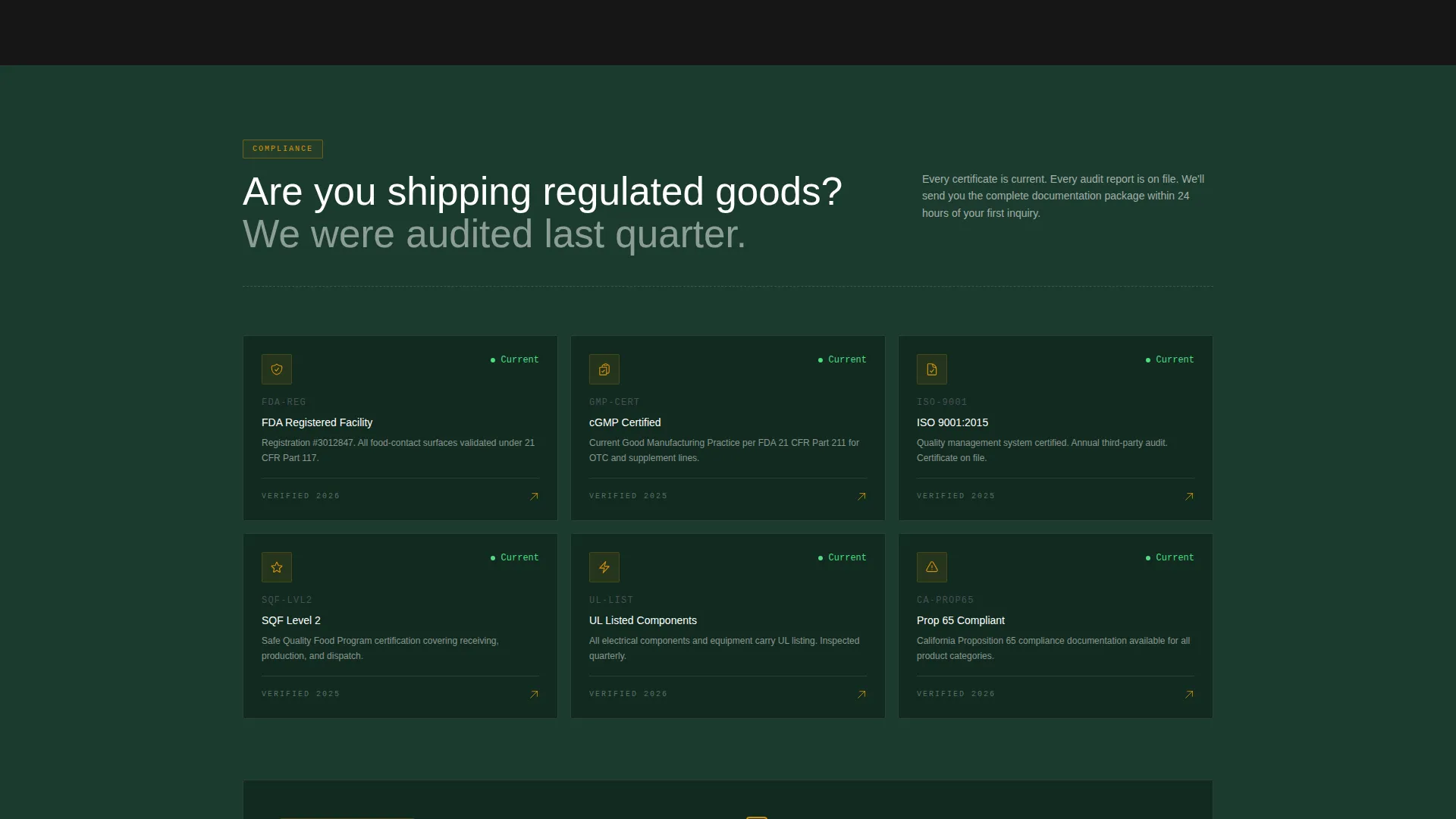
| Compliance Spoke | Display certifications and audit documentation as checkmarks visitors earn by scrolling |
| MOQs Spoke | Present volume tiers and unit-cost bands transparently so buyers self-qualify |
| Timeline Spoke | Show the 8-to-12-week production Gantt so buyers can plan before they inquire |
| Start a Run | Deliver the three-step progressive form and the gated capabilities deck download |
Design & branding system
Forge follows an Industrial Raw theme built on the Forest Trust color palette. Every color choice references something physically present on a factory floor, making the page feel authoritative without being cold.
- Deep mill green (#1B3A2D), machine-oil black (#0F0F0F), and raw aluminum (#D4D7DC) rotate as section backgrounds and body text carriers, alternating so the page reads like a spec sheet that breathes
- Safety-stripe amber (#D4920B) is reserved exclusively for calls to action, progress indicators, and audit checkmarks, making every actionable element immediately identifiable
- The overall visual identity feels like a clipboard hanging on a factory wall, combining the green of a passed inspection sticker, the black of stamped lot numbers, and the amber of a highlighted action item
Mobile & speed optimization
Forge is structured to remain fully readable and navigable on smaller screens. The anchor navigation and checklist animations are designed to translate from desktop to mobile without losing the step-by-step qualification logic.
- The pinned anchor nav condenses cleanly for mobile viewports, keeping the primary call to action reachable without excessive scrolling
- Checklist fill animations and the Gantt timeline are built to render clearly at reduced widths so mobile visitors complete the same qualification journey as desktop visitors
How this template helps you convert
Forge is built around a single principle: prove fit before asking for anything. By the time a visitor reaches the form, they have already confirmed that the facility handles their product, their compliance needs, and their volume tier.
- The checklist scroll structure means visitors self-qualify section by section, arriving at the form already convinced rather than still skeptical
- The two-path conversion design gives ready buyers a direct route through the three-step audit form while giving comparison-stage buyers a low-friction email-gated capabilities deck download
Other information about this template
Forge sits at the intersection of industrial manufacturing presentation and structured B2B lead generation. A few additional details worth noting for anyone evaluating this template.
- The template style is Hub and Spoke with anchor navigation, meaning all five spokes link back to a single page flow rather than separate pages
- The creative direction is Checklist and Audit, a format that mirrors how serious buyers already evaluate manufacturing partners
- The header concept is Panoramic and Wide, requiring a high-resolution production-floor photograph for the best visual result
- The landing page direction is Partnership and B2B, so all copy and form logic is calibrated for longer-consideration buyers rather than impulse conversions
- This template is categorized under Manufacturing and Industrial, specifically the Private Label Manufacturer niche, making it relevant for contract manufacturers, co-packers, and white-label production facilities of similar scale
Theme
Industrial Raw
Creative direction
Checklist & Audit
Color system
Forest Trust
Style
Hub & Spoke (Anchor Nav)
Direction
Partnership/B2B
Page Sections
Panoramic Production Floor Header
Pinned Anchor Navigation Bar
Scrolling Checklist Sections
MOQ Tiers with Unit-cost Bands
Gantt-style Production Timeline
Three-step Progressive Contact Form
Related questions
Who is the primary audience for the Forge template?
What are the five anchor navigation sections included?
How does the three-step contact form work?
Can a visitor access information without completing the full form?
What visual assets does this template require?



