Safety & PPE Manufacturing Professional Website Template
Forge is a hub and spoke anchor-nav landing page built for hard hat and helmet manufacturers targeting industrial procurement at scale. A Stats-First Impact design floods each section with measurable evidence before a single sentence of prose. The Data Command visual identity, progressive lead-capture form, and persistent "Request a Fleet Quote" call-to-action make this template purpose-built for high-volume B2B conversions.
by Rocket studio
Quick summary
Forge is a single-page, anchor-navigated landing page template for helmet and hard hat manufacturers. It opens with a behind-the-scenes production-line header, then guides visitors through five evidence-loaded spoke sections. Every data point is one click from a downloadable third-party lab report. The template ends with a progressive two-screen lead form designed to qualify fleet buyers efficiently.
Who this template is for
This template is built for industrial safety equipment manufacturers who sell in bulk to professional procurement buyers. If your sales cycle involves spec sheets, compliance documentation, and volume pricing conversations, Forge fits naturally.
- Procurement officers at construction companies ordering thousands of units per quarter
- Safety directors at mining operations who evaluate shells against measurable impact standards
- Military logistics coordinators sourcing helmets certified to multiple international standards
What problem this template solves
Most safety equipment pages lead with adjectives. Procurement buyers do not buy adjectives. They buy verified test data, third-party certification evidence, and clear fleet pricing paths. Forge replaces persuasive language with structured proof, so your page works as hard as your product.
- Generic product pages bury certifications in PDFs that visitors never find
- Buyers who cannot locate test methodology data quickly move to a competitor who shows it
- Long single-form lead captures lose engineers who are not yet authorized to request pricing
What you get with this template
Forge delivers a complete, production-ready landing page structured around five interactive spoke sections anchored from a persistent navigation bar. Every major claim in the layout is backed by an expandable data card that opens the test methodology and lab report download.
- A full hub and spoke anchor navigation with five labeled sections: Impact Lab, Materials, Certifications, Fleet Programs, and Contact
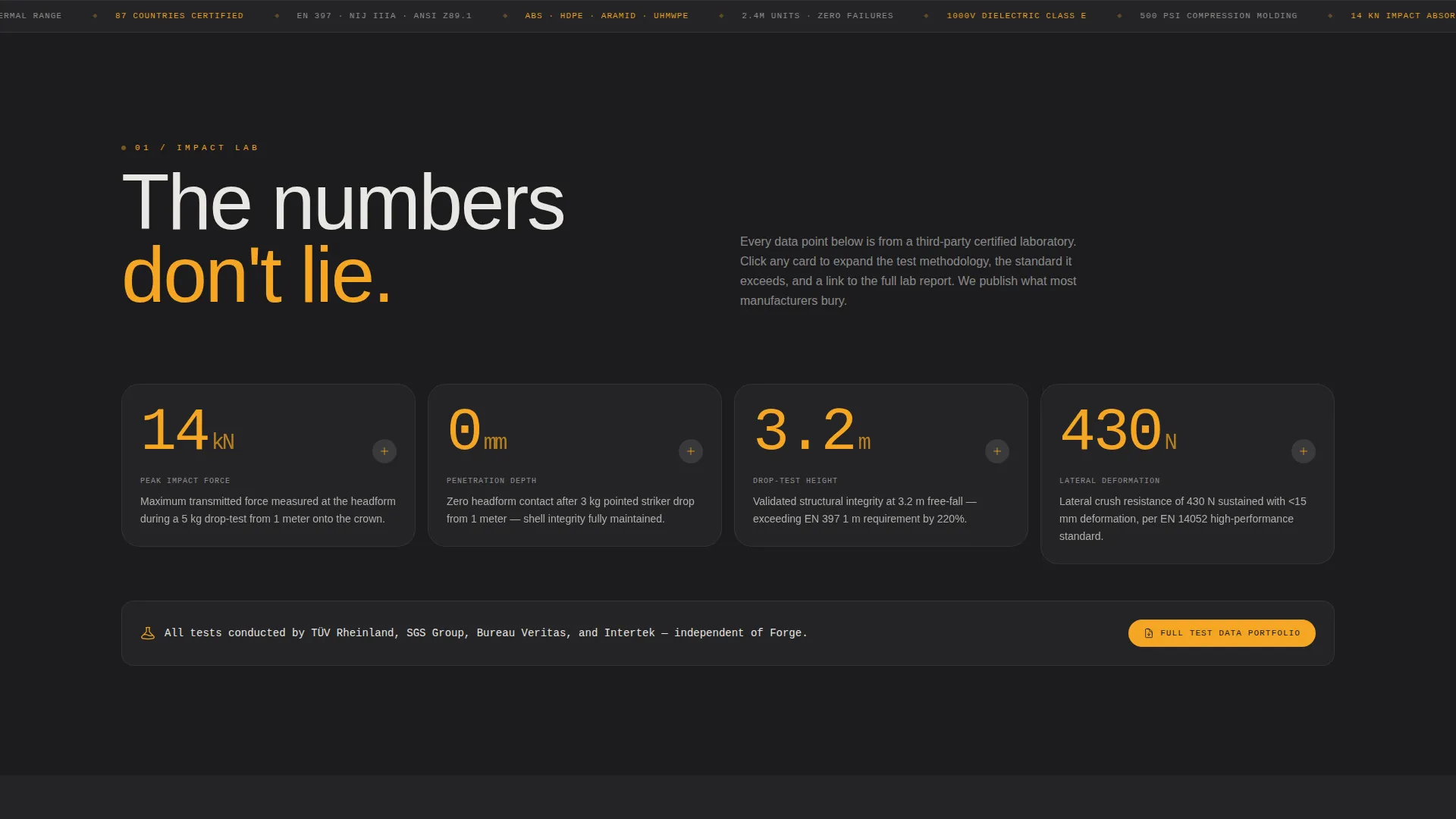
- An interactive data card system where each stat expands into methodology detail and a downloadable PDF of third-party test results
- A two-screen progressive lead form that qualifies buyers by industry vertical and volume before capturing contact details
Feature list
This section covers the core functional components built into the Forge template.
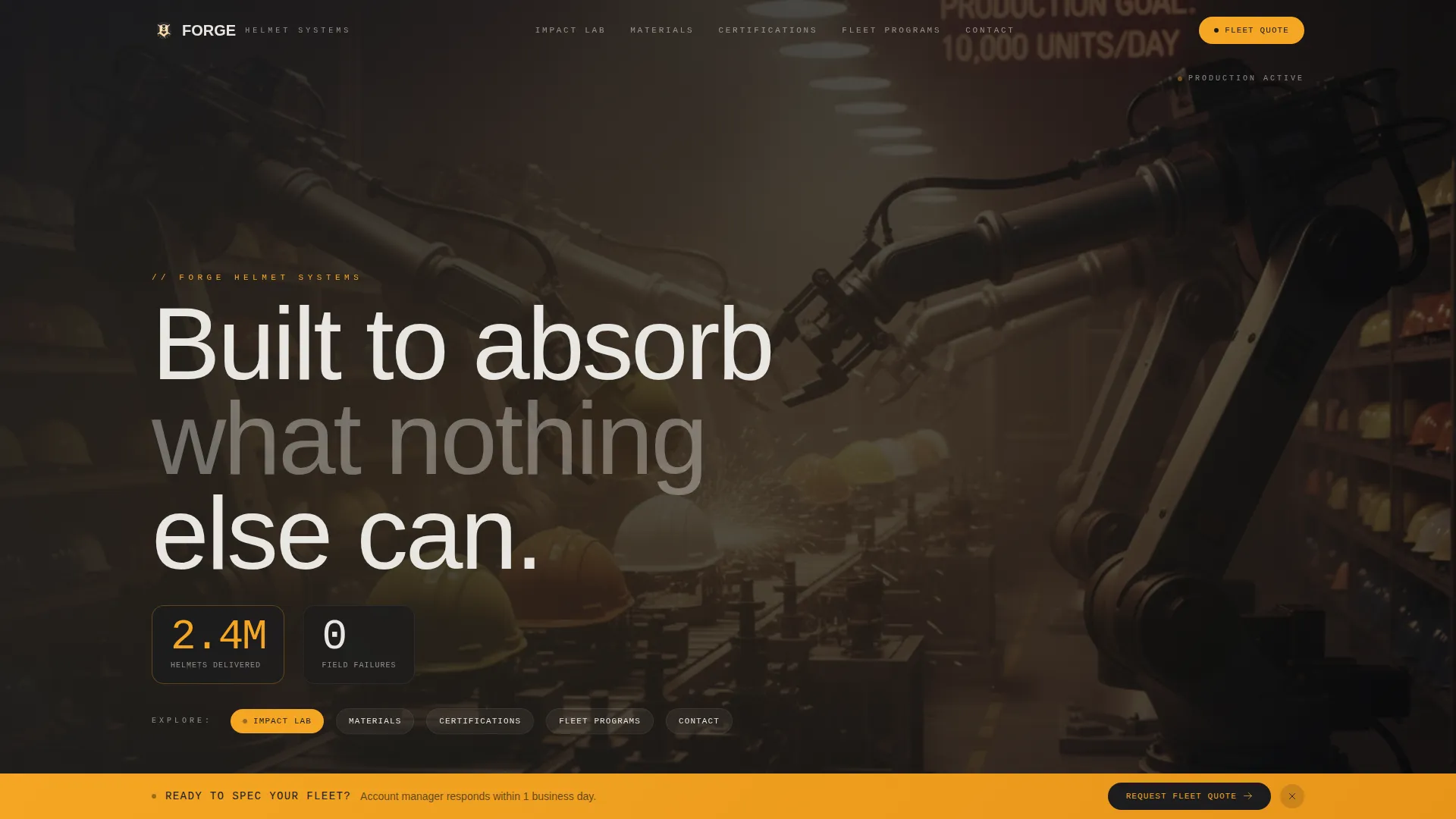
Behind-the-Scenes Production Header
The header runs a slow dolly shot across an active production line at waist height. Robotic arms press thermoplastic shells, UV curing tunnels glow amber, and a gloved hand pulls a finished helmet from a mold. Factory ambience plays in place of music. A single data point fades in over the footage: "2.4 million helmets. Zero field failures."
Hub and Spoke Anchor Navigation
Five spoke labels appear in amber after the header sequence: Impact Lab, Materials, Certifications, Fleet Programs, and Contact. The anchor nav is persistent and lets visitors jump directly to any section without scrolling from the top. Each label corresponds to a full spoke section with its own opening stat block.
Stats-First Section Architecture
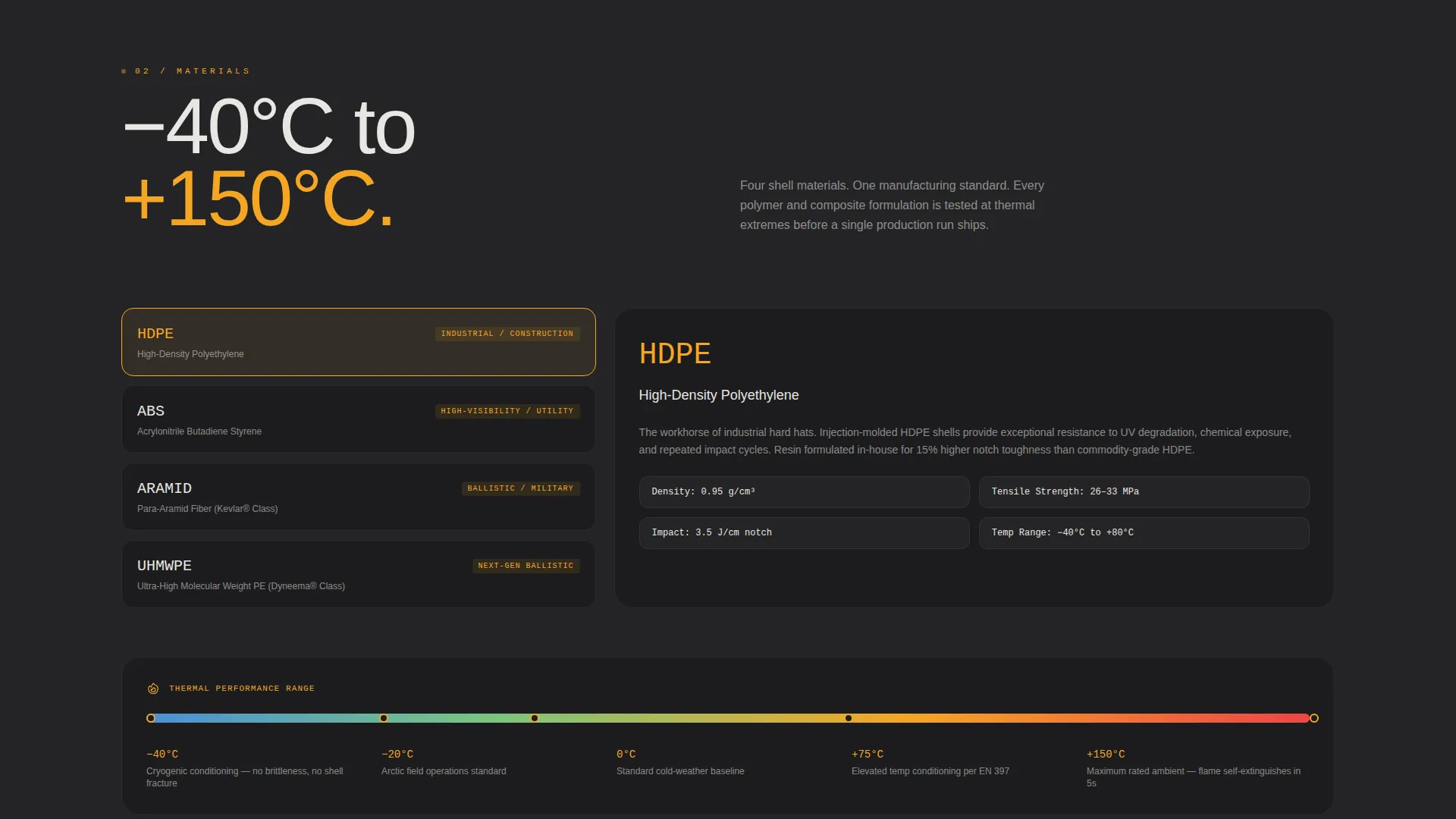
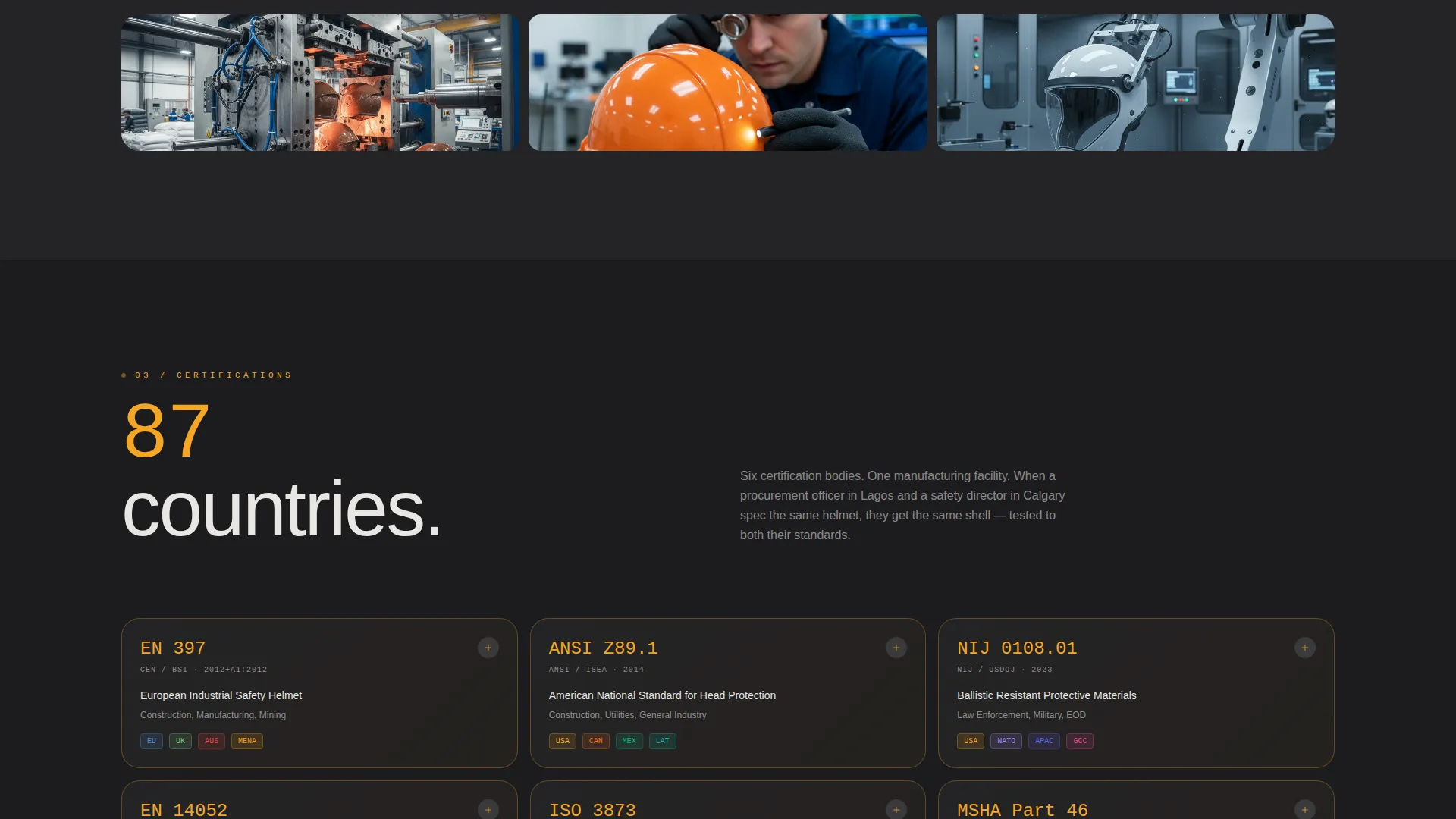
Every spoke section opens with a massive typographic number before any prose. Examples built into the layout include "14 kN" above impact absorption, "-40°C to +150°C" above thermal performance, and "87 countries" above the certifications map. The accumulation of hard figures builds credibility through evidence rather than language.
Interactive Expandable Data Cards
Each spoke section includes at least one interactive data card. Clicking a stat expands a panel that shows the test methodology, the standard the result exceeds, and a link to download the third-party lab report PDF. Buyers can verify every claim without leaving the page.
Progressive Two-Screen Lead Form
The "Request a Fleet Quote" form is two screens. The first screen asks only for industry vertical via a dropdown and estimated annual volume via a slider. The second screen captures company name, contact information, and an optional field to upload a current helmet specification sheet. This staged approach reduces abandonment and pre-qualifies leads before they reach your sales team.
Secondary Gated PDF Conversion Path
A second conversion option, "Download the Full Test Data Portfolio," captures an email address in exchange for a comprehensive test data PDF. This path is designed for engineers who are not yet authorized to request pricing but will bring the documentation to the decision-maker who is.
Page sections overview
| Section | Purpose |
|---|---|
| Production Line Header | Opens with behind-the-scenes footage and a hero data point |
| Anchor Nav Bar | Persistent five-spoke navigation in amber labels |
| Impact Lab Spoke | Displays impact absorption data with expandable test cards |
| Materials Spoke | Covers composite and polymer material performance figures |
| Certifications Spoke | Shows international certification coverage with a data map |
| Fleet Programs Spoke | Addresses volume pricing and fleet order qualification |
| Contact and Quote Form | Hosts the two-screen progressive lead capture form |
| PDF Download Gate | Secondary conversion path for engineers and specifiers |
Design & branding system
The Forge template uses a Data Command visual identity built around a Charcoal and Amber color system. The palette is designed to read like a control room at midnight: dark instrument panels with amber indicators that the eye finds before the brain decides to look.
- Deep foundry black (#1C1C1E) and mill-scale charcoal (#3A3A3C) form the primary background and panel surfaces
- Molten amber (#F5A623) is reserved exclusively for data points, interactive hotspots, anchor nav labels, and the persistent call-to-action bar
- Ash white (#E8E6E1) handles all body text, giving it the feel of a specification sheet printed on shop-floor paper
Mobile & speed optimization
The Forge landing page layout is structured for clarity at every screen size. Anchor navigation collapses cleanly on smaller screens, and stat blocks reflow without losing hierarchy.
- Full-width stat typography scales down to remain readable without wrapping awkwardly on mobile viewports
- The progressive form screens are optimized for touch input, with the volume slider and dropdown controls sized for finger interaction
- Heavy header video is positioned to load progressively so the anchor nav and first spoke section appear quickly for visitors on slower connections
How this template helps you convert
Forge is structured to move industrial buyers from passive scrolling to active lead submission. The conversion architecture is deliberate and layered.
- The persistent amber "Request a Fleet Quote" bar activates only after the visitor engages two spoke sections, so it appears when intent is already demonstrated rather than interrupting cold visitors
- The two-screen progressive form reduces friction by asking only for industry vertical and volume first, then collecting contact details once the buyer has committed to the conversation
- The secondary "Download the Full Test Data Portfolio" path catches specifiers and engineers who need internal approval before requesting a quote, keeping them in the pipeline at a lower commitment level
Other information about this template
Forge was designed specifically for the hard hat and helmet manufacturing segment within the broader safety and personal protective equipment industry. The template reflects the buying behavior of industrial procurement professionals who rely on documented evidence rather than brand storytelling.
- The template style is Hub and Spoke with Anchor Navigation, suited to single-page layouts that cover multiple product or compliance topics without requiring separate pages
- The creative direction is Stats-First Impact, meaning large typographic data points lead every section before explanatory prose
- The header concept is Behind-the-Scenes, grounding the brand in the manufacturing process rather than polished lifestyle imagery
- The primary lead generation direction is fleet quote requests, with a secondary path for test data downloads targeting specifiers earlier in the buying cycle
- This template is categorized under Manufacturing and Industrial, with a subcategory focus on Safety and Personal Protective Equipment manufacturing
Theme
Data Command
Creative direction
Stats-First Impact
Color system
Charcoal & Amber
Style
Hub & Spoke (Anchor Nav)
Direction
Lead Generation
Page Sections
Behind-the-scenes Production Header
Hub and Spoke Anchor Navigation
Stats-first Section Architecture
Interactive Expandable Data Cards
Progressive Two-screen Lead Form
Secondary Gated PDF Download Path
Related questions
Who is the Forge template designed for?
Can I customize the spoke section labels and data stats?
How does the progressive lead form work?
What is the secondary PDF download path for?
Does the template include slots for third-party lab report downloads?



