Warehouse & Factory Construction Appointment Booking Website Template
Forge is a hero-dominant landing page template built for warehouse and factory interior designers. It opens with a drone-shot hero section displaying four animated performance counters, then guides visitors through a three-chapter case study narrative before presenting a booking form. The design uses an Industrial Raw visual identity to reflect honest, purposeful transformation work.
by Rocket studio
Quick summary
Forge is a single-page booking template designed for warehouse and factory interior design firms. The hero fills ninety percent of the viewport with a panning drone shot and four animated counters. A case study narrative builds trust through transformation evidence before the primary call to action asks visitors to book a facility walkthrough.
Who this template is for
This template is built for interior design firms that specialize in industrial spaces. It speaks directly to the professionals managing those spaces and the firms that transform them.
- Warehouse and factory interior designers pitching complex facility redesign projects
- Operations managers and logistics directors evaluating design partners for aging or raw facilities
- Factory owners who have secured budget approval and need to move quickly toward a scoping conversation
What problem this template solves
Industrial design firms struggle to communicate the scale and credibility of their work through generic portfolio layouts. A standard template cannot capture the weight of a facility transformation or justify a significant project investment.
- Visitors leave before understanding the full scope of a firm's capability
- There is no structured path from passive browsing to an active booking commitment
- Case study evidence is buried or presented without narrative context that earns trust
What you get with this template
Forge delivers a complete, structured landing page that moves a visitor from first impression to scheduled walkthrough. Every section is sequenced to build confidence before making an ask.
- A full-viewport hero section with four animated metric counters and a slow-pan drone video background
- A three-chapter flagship case study block plus two compressed side-by-side expandable case study cards
- A booking form with facility type selector, square footage slider, timeline dropdown, and embedded calendar picker
- A secondary lead capture path offering a downloadable retrofit checklist for visitors not ready to book
Feature list
A paragraph introducing the feature set: Forge packages the visual weight and functional depth that an industrial design firm needs to convert serious facility operators into booked consultations. Each feature is grounded in the brief and built into the template structure.
Animated Stats Hero Section
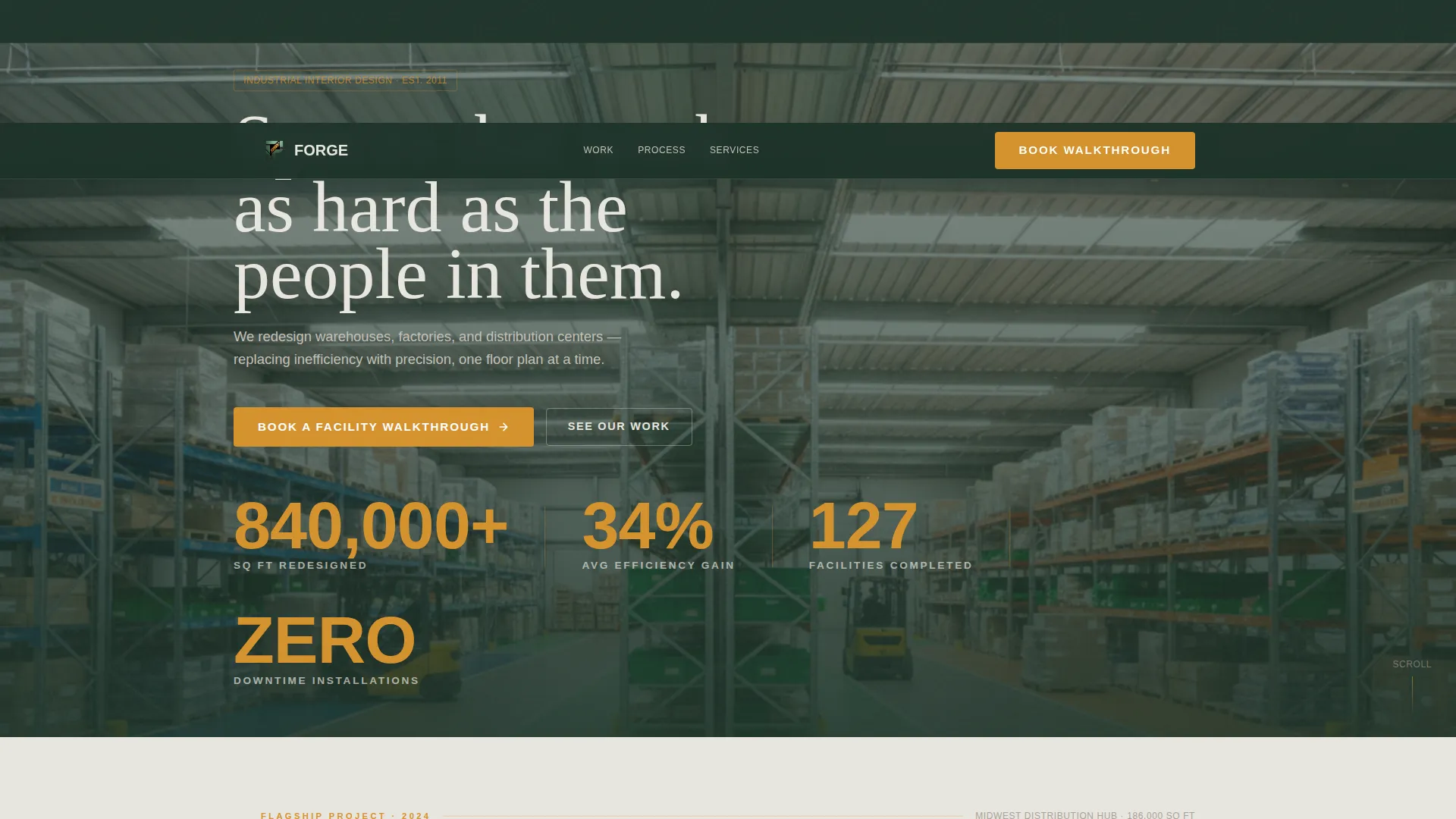
The hero occupies ninety percent of the viewport and displays a slowly panning drone shot inside a completed warehouse redesign. Four large counters animate upward showing square footage redesigned, average efficiency gain, facilities completed, and zero-downtime installations. The numbers are set in a condensed industrial typeface in amber on semi-transparent mill green, positioned like stenciled container markings.
Three-Chapter Case Study Narrative
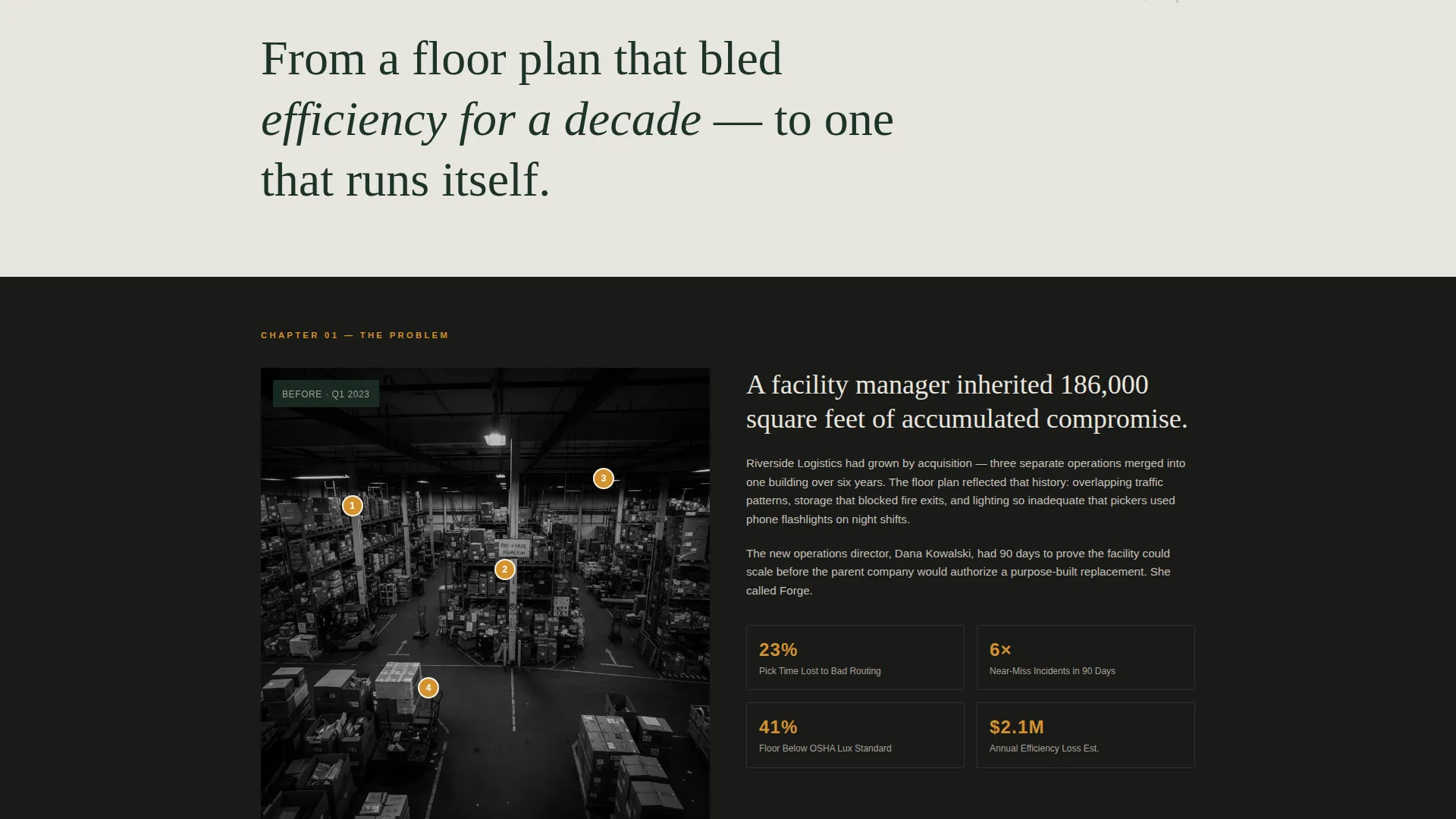
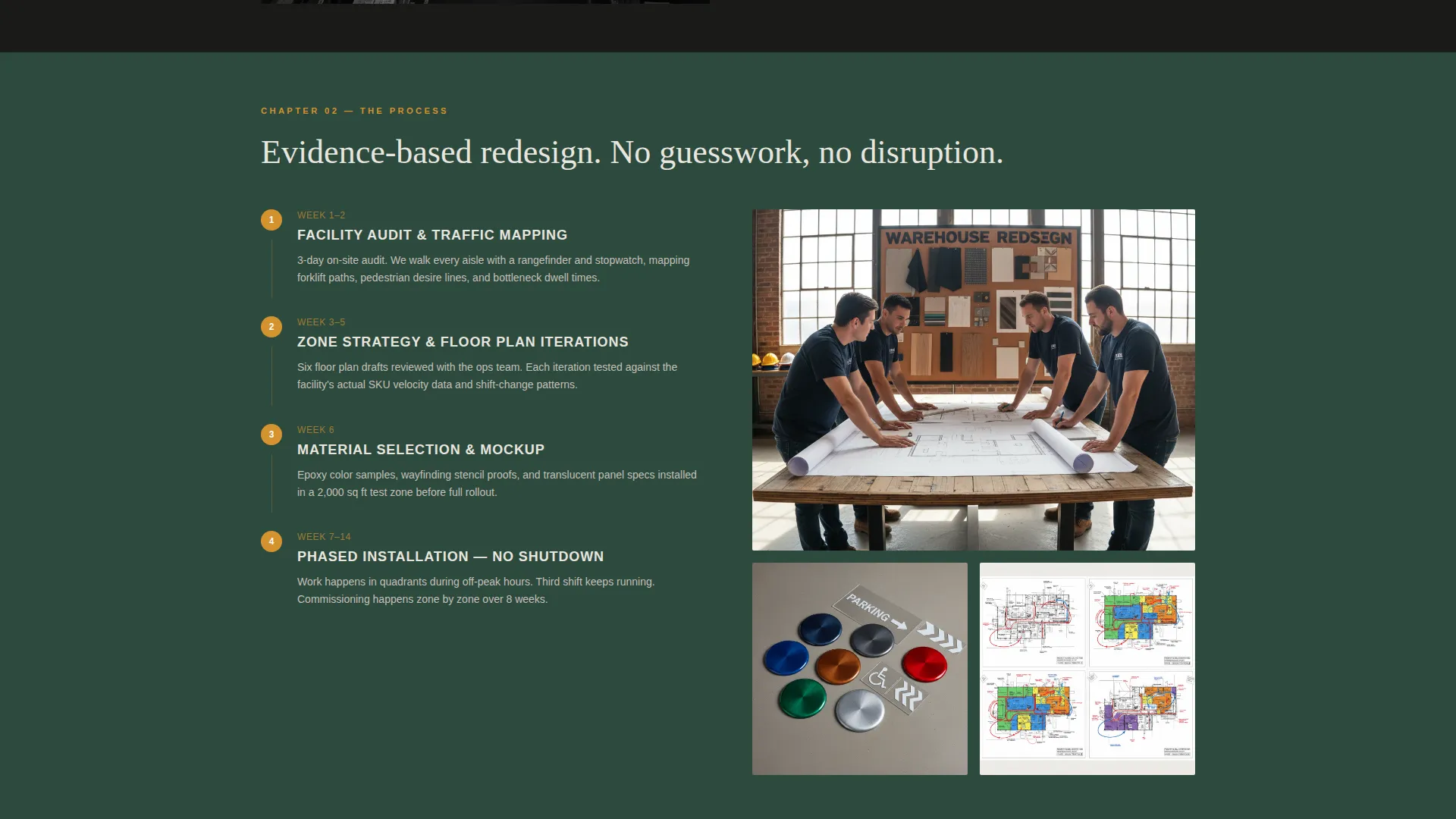
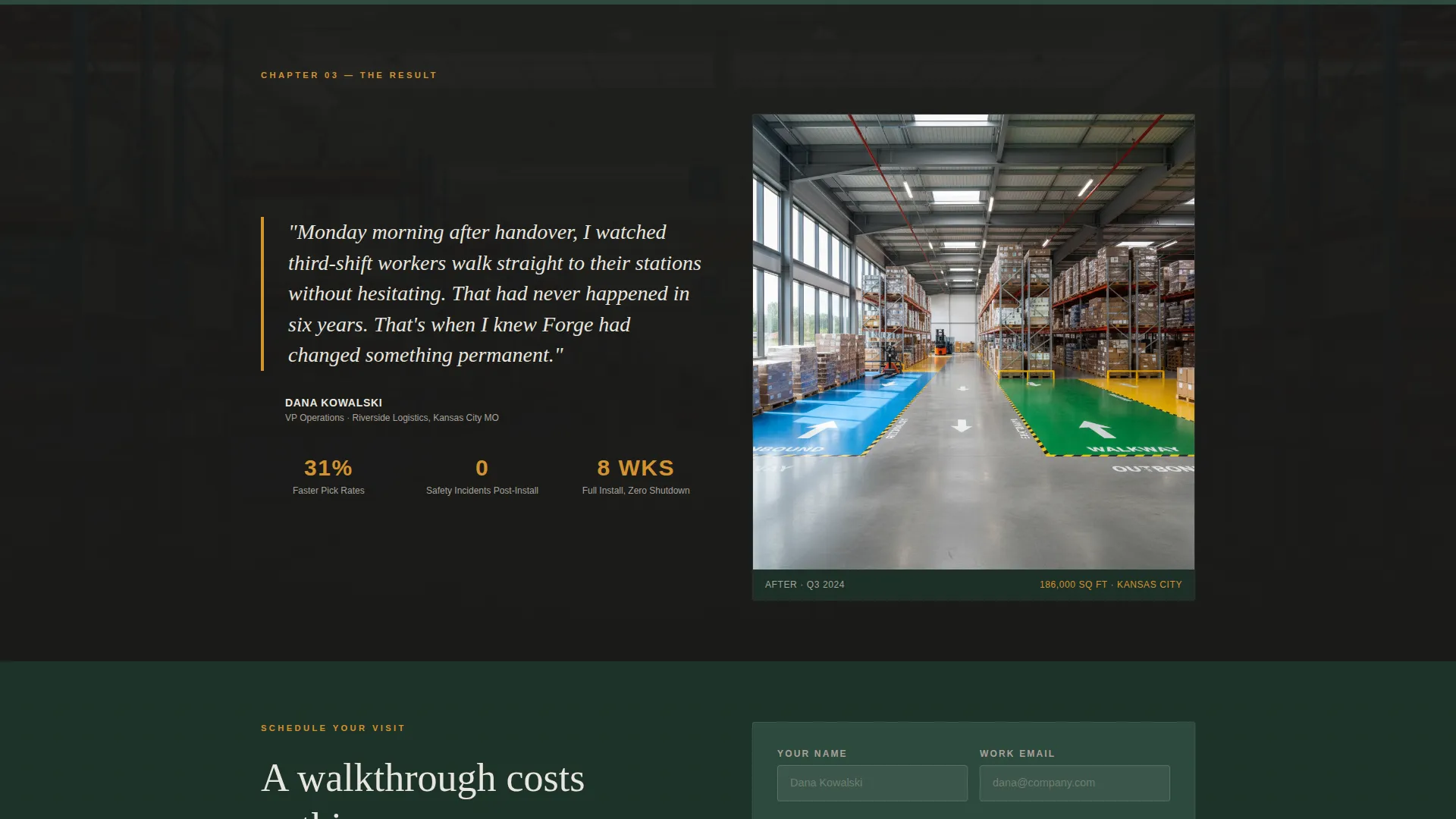
Scrolling past the hero drops the visitor into a single flagship project told in three distinct chapters. Chapter one presents an aerial photo of the original cluttered layout with annotated pain points. Chapter two shows process evidence including zoning workshop stills, floor-plan iterations, and material samples. Chapter three delivers full-bleed photography of the transformed space alongside a pull-quote from the operations manager.
Expandable Case Study Cards
After the flagship narrative, two additional case studies appear as side-by-side cards. Each card is expandable, letting visitors explore further without leaving the page flow. This format lets the template present multiple proof points without overwhelming the scroll.
Booking Form with Calendar Picker
The primary call to action collects facility type, approximate square footage via a slider, project timeline status, and a preferred walkthrough date through an embedded calendar picker. The form appears pinned after the first case study and again at the bottom of the page.
Secondary Lead Capture Path
Visitors who are not ready to book can download a retrofit checklist instead. This path captures an email address and facility size, creating a nurture entry point for prospects still in the research phase.
Pinned Dual Call-to-Action Placement
The primary "Book a Facility Walkthrough" call to action appears twice: once pinned after the first case study and again at page bottom. This dual placement ensures the booking prompt is always within reach regardless of how far a visitor has scrolled.
Page sections overview
| Section | Purpose |
|---|---|
| Hero Stats Wall | Establishes scale and credibility with animated counters and drone footage |
| Flagship Case Study | Builds trust through a three-chapter before-and-after project narrative |
| Expandable Case Cards | Reinforces proof with two additional compressed project examples |
| Pinned Booking call to action | Converts engaged visitors by prompting a facility walkthrough booking |
| Booking Form | Collects facility type, square footage, timeline, and preferred date |
| Retrofit Checklist Capture | Nurtures early-stage visitors with a downloadable resource and email opt-in |
| Footer call to action | Provides a final booking prompt for visitors who reach the page bottom |
Design & branding system
The visual identity follows an Industrial Raw theme built around a Forest Trust color system. The palette feels honest and grounded, like nature pressing through a steel structure at its own pace.
- Deep mill green (#2D4A3E) dominates section backgrounds and primary typography anchors, weathered concrete (#A8A299) carries body text and dividers, and lichen white (#E8E6DF) opens breathing room between case study sections
- Safety-signal amber (#D4922E) is reserved exclusively for calls to action and pull-quotes, ensuring every interactive or high-priority element is immediately recognizable
- Typography uses a condensed industrial typeface for counters and headings, reinforcing the warehouse environment without sacrificing readability
Mobile & speed optimization
The template is structured to remain legible and navigable on smaller screens without losing the visual impact of the hero section or the case study photography.
- The hero video background and animated counters are designed to scale cleanly across viewport sizes
- The booking form components, including the square footage slider and calendar picker, are laid out for touch-friendly interaction on mobile devices
How this template helps you convert
Forge is sequenced deliberately to earn the booking before asking for it. The page does not present a form until it has already shown the visitor what transformation looks like in practice.
- The animated stats hero immediately establishes scale and track record, giving a first-time visitor a reason to keep scrolling rather than bounce
- The three-chapter case study narrative provides layered proof across problem, process, and result, so the visitor arrives at the booking form already convinced the firm can deliver
Other information about this template
Forge is built for a specific kind of industrial design practice: one that takes on complex, high-stakes facility projects and needs a landing page that reflects the seriousness of that work. The template is purpose-built for the warehouse and factory interior designer niche within the broader construction and home improvement category.
- The template theme is Industrial Raw and the color system is Forest Trust, making it a strong visual fit for firms working in manufacturing, logistics, and distribution environments
- The hero-dominant layout (90/10 split) prioritizes impact over information density at the top of the page, then earns depth through the narrative sections below
- The booking-and-scheduling direction means the page is optimized for converting visitors into scheduled consultations, not passive portfolio views
- The secondary checklist download path makes this template useful for firms with longer sales cycles, capturing early-stage leads who need more time before committing to a walkthrough
Theme
Industrial Raw
Creative direction
Case Study Narrative
Color system
Forest Trust
Style
Hero-Dominant (90/10)
Direction
Booking/Scheduling
Page Sections
Animated Stats Hero with Drone Background
Three-chapter Flagship Case Study
Expandable Side-by-side Case Cards
Booking Form with Integrated Calendar Picker
Secondary Retrofit Checklist Download
Dual Pinned Call-to-action Placement
Related questions
Who is the Forge template designed for?
What does the booking form collect from visitors?
Can the template capture leads who are not ready to book yet?
How many case studies does the template include?
Can I update this template with my own project photography and data?



