Industrial Welding Service Landing Page Template
Forge is a dashboard-style industrial welding landing page template built for consumer-facing welding and fabrication shops. It uses a raw Fire & Earth color system, bay-by-bay spatial layout, and data grid comparison cards to showcase MIG, TIG, brazing, and custom fabrication services. A sticky quote call to action and before/after header turn browsers into booked clients.
by Rocket studio
Quick summary
Forge is a single-page welding service landing page template with a dashboard and data grid layout. It opens with a split before/after case study header, walks visitors through four service bays, and closes every section with a method-comparison toggle. The molten orange, forge-black, and slag gray palette gives the page an honest, shop-floor identity that builds trust fast.
Who this template is for
This template is built for independent welding shops and fabricators who serve everyday clients rather than industrial contracts. It is a strong fit for any operator who needs to communicate craft, capability, and turnaround time without a lengthy brochure.
- Mobile welders and small shop owners offering repair services to homeowners and small fleet operators
- Fabricators who take on custom steel, aluminum, or stainless work including brackets, railings, and trailer hardware
- Artists and makers who commission one-off metalwork and need a clear way to request a quote
What problem this template solves
Most welding shops have no structured way to show potential clients which process fits their repair. Visitors arrive with a broken part but leave confused because nothing on the page maps their material to the right service.
- Clients cannot tell the difference between MIG, TIG, and brazing without guidance, so they hesitate to book
- Shops lose quick wins because the quote process is unclear or buried behind a generic contact form
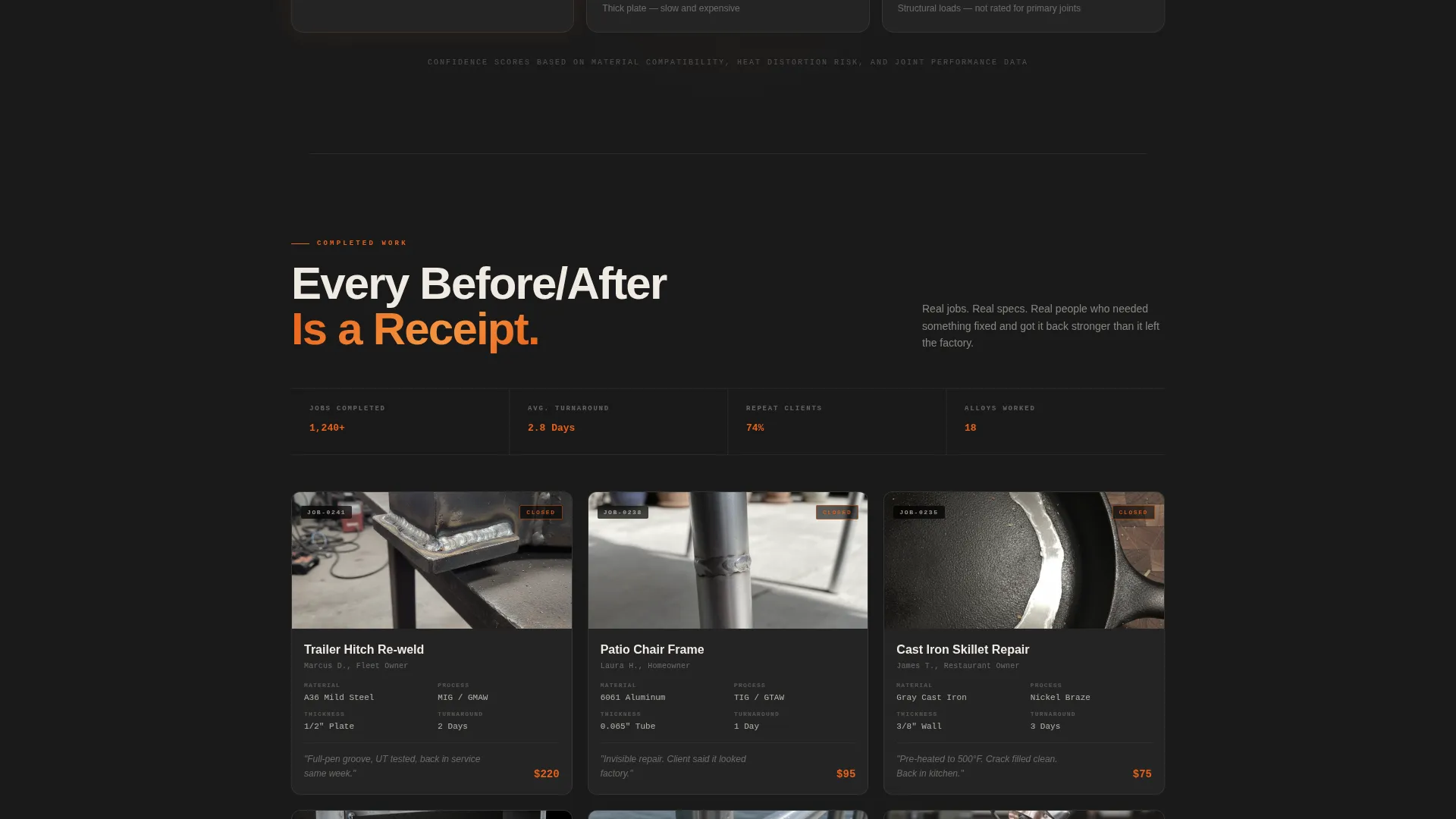
- Before/after proof is rarely displayed in a way that feels like a real work credential rather than a casual photo post
What you get with this template
The template delivers a complete, ready-to-customize single-page layout structured around four welding service bays. Every section is built for fast scanning and confident decision-making.
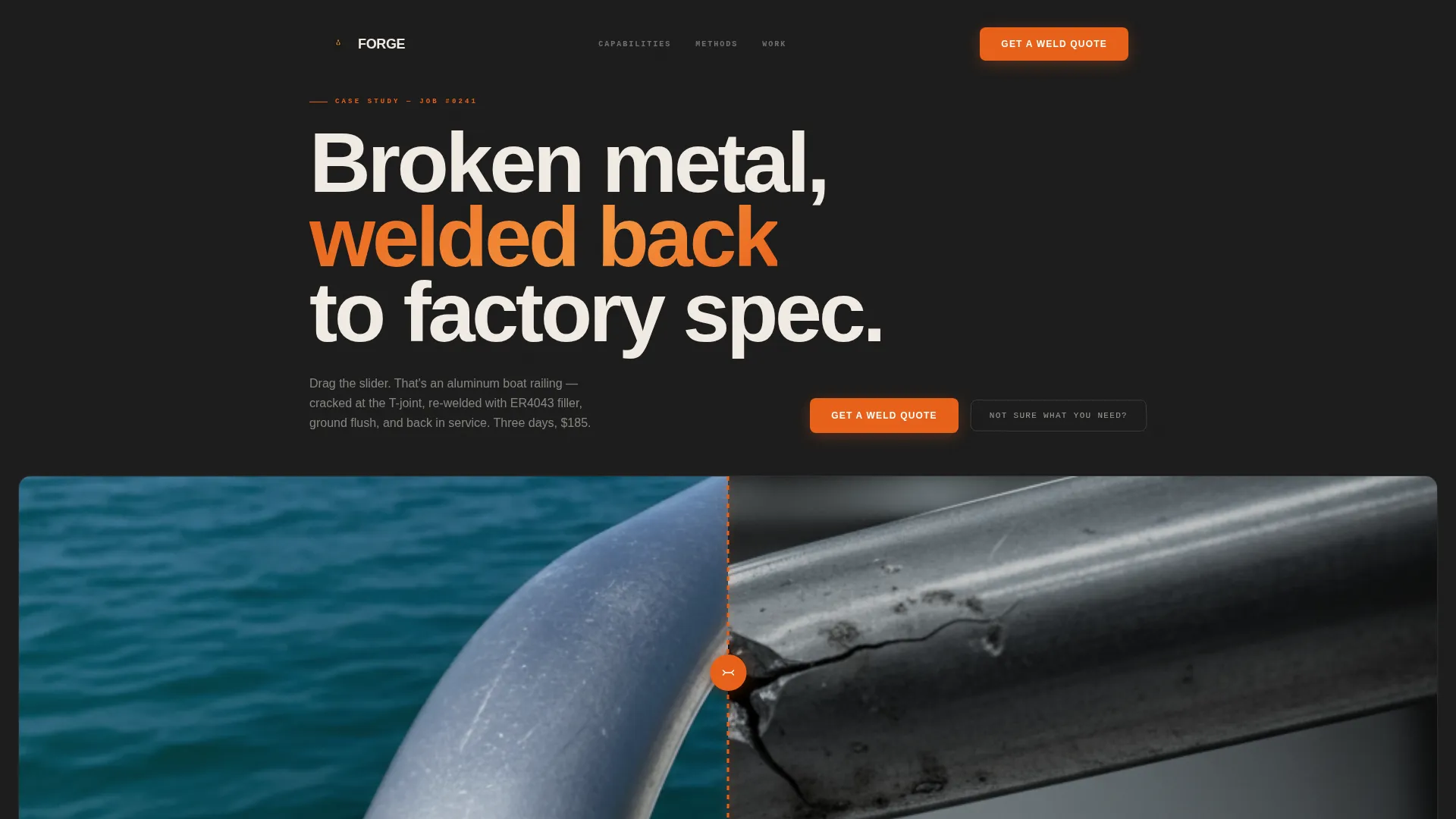
- A split-viewport before/after header with a drag-slider, job-spec data strip, and monospaced work-order typography
- Four bay sections, each containing a data grid comparing process strengths, materials, thickness ranges, and household applications
- A sticky "Get a Weld Quote" button, a slide-out quote form with photo upload and material dropdown, and a diagnostic quiz path for undecided visitors
Feature list
This template packs a focused set of purpose-built components. Each one earns its place by moving a visitor one step closer to submitting a quote.
Split Before/After Case Study Header
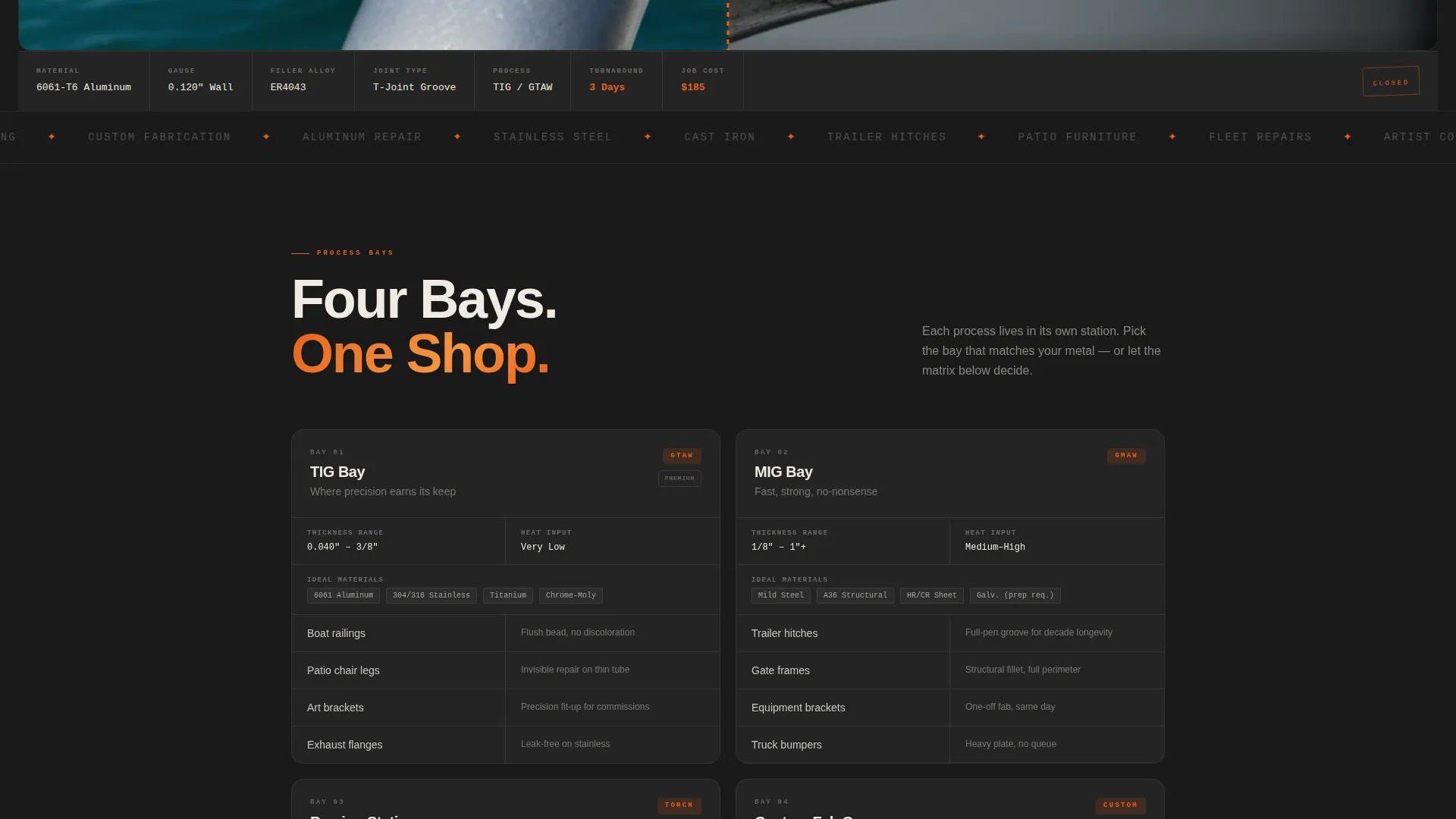
A split viewport shows a damaged aluminum boat railing on the left and the finished re-weld on the right. A drag-slider textured like a welding rod separates the two halves. Below the images, a data strip displays job specs in monospaced type: material gauge, filler alloy, joint type, turnaround time, and cost.
Bay-by-Bay Service Architecture
The page scrolls like a walk through the shop. Each section represents a distinct service bay: TIG Bay, MIG Bay, Brazing Station, and Custom Fabrication Corner. The layout escalates from simple household repairs to complex fabrication so visitors understand the full range without reading dense prose.
Data Grid Comparison Cards
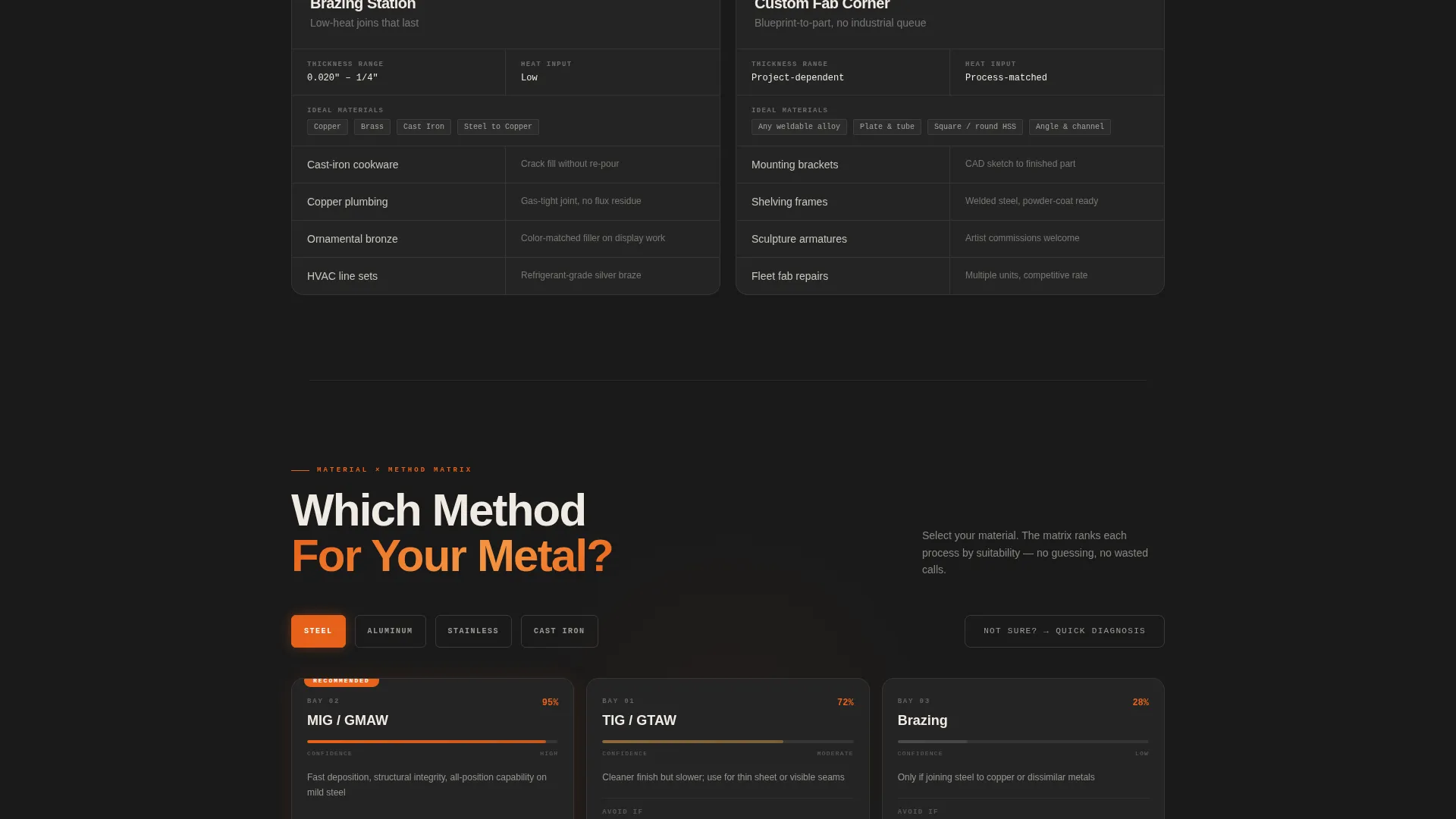
Inside every bay, a comparison grid lists process strengths, ideal materials, thickness range, and typical applications side by side. Visitors can see at a glance where MIG beats brazing and where TIG justifies the higher rate.
Which Method Toggle Filter
Each bay section includes a "Which Method?" toggle. Visitors select their material, such as steel, aluminum, stainless, or cast iron, and the toggle filters the grid to show the recommended process with a confidence bar.
Sticky Quote call to action and Slide-Out Form
A molten orange "Get a Weld Quote" button stays fixed as visitors scroll. Clicking it opens a slide-out form with three sequential inputs: a photo upload of the broken or desired piece, a material dropdown, and a preferred turnaround option covering same-week, standard, or no-rush timing.
Diagnostic Quiz Path
A secondary call to action, "Not Sure What You Need?", links to a quick quiz that identifies the joint type and routes the visitor to the matching comparison card. It removes friction for undecided clients and keeps them on the page.
Page sections overview
| Section | Purpose |
|---|---|
| Before/After Header | Opens with split case study and job-spec data strip |
| TIG Bay Grid | Compares TIG strengths and ideal materials |
| MIG Bay Grid | Highlights MIG speed and household applications |
| Brazing Station Grid | Shows brazing range and lower-heat use cases |
| Custom Fabrication Corner | Presents one-off steel and metal fabrication capability |
| Which Method Toggle | Filters recommendations by visitor material choice |
| Diagnostic Quiz call to action | Routes undecided visitors to the right service bay |
| Sticky Quote Button | Persistent call to action that opens the slide-out quote form |
| Slide-Out Quote Form | Collects photo, material, and turnaround preference |
Design & branding system
The visual identity follows an Industrial Raw theme built around a Fire & Earth color system. Every color choice references the physical reality of a welding shop, not a generic dark-mode aesthetic.
- Forge-black (#1A1A1A) sets the primary background, slag gray (#4A4A4A) surfaces the card and data grid cells, and kiln white (#F0EBE3) keeps body text warm and readable
- Molten orange (#E8611A) appears only on hover states, active toggles, and primary buttons so each interaction feels like striking an arc
- Monospaced typography in the header data strip reinforces the work-order aesthetic and makes job specs feel like real shop documentation
Mobile & speed optimization
The template layout is designed to translate the data grid and bay architecture cleanly to smaller screens. Compact cards and sticky elements are structured to remain functional at mobile viewport widths.
- Comparison grids stack vertically on narrow screens so no data cell is cropped or hidden from view
- The sticky quote button and slide-out form are sized for thumb interaction, keeping the conversion path accessible on any device
How this template helps you convert
Every design and layout decision in Forge is tied to one outcome: turning a visitor with a broken part into a booked quote. The page earns trust before it asks for anything.
- The before/after header with raw job-spec data establishes credibility in the first scroll, so visitors arrive at the quote form already confident in the shop's skill
- The comparison grids and material toggle remove the single biggest friction point, confusion about which service to request, so visitors can self-qualify and submit a more informed quote request
- The dual call to action path, direct quote for ready buyers and diagnostic quiz for uncertain ones, keeps both types of visitor moving forward rather than bouncing
Other information about this template
Forge is categorized under Manufacturing & Industrial, specifically Consumer Goods Manufacturing, with a niche focus on consumer goods welding and joining services. It is designed as a standalone landing page, not a multi-page site.
- The template style is Dashboard and Data Grid, suited for service businesses that communicate value through structured comparison rather than long-form copy
- The creative direction is Spatial & Architectural, meaning the page flow mimics a physical journey through a real workspace
- The header concept is a Case Study Before/After, one of the most trust-building formats available for skilled trade and repair services
- The conversion direction is Comparison versus, optimized for visitors who arrive with a specific repair need and need help selecting the right process before committing
Theme
Industrial Raw
Creative direction
Spatial & Architectural
Color system
Fire & Earth
Style
Dashboard/Data Grid
Direction
Comparison/Versus
Page Sections
Split Before/after Case Study Header
Bay-by-bay Service Layout
Data Grid Comparison Cards
Which Method Toggle Filter
Sticky Quote Call to Action and Slide-out Form
Diagnostic Quiz Secondary Path
Related questions
Who is this template designed for?
Can I customize the service bays for my specific offerings?
How does the slide-out quote form work?
Is this template suitable for a repair-only shop with no custom fabrication?
Does the template include working toggle and quiz logic?



