Specialist Metal & Steel Fabrication Professional Website Template
Forge is a dashboard and data grid landing page built for foundry and casting operations targeting B2B buyers. It leads with an infographic header displaying real production metrics, walks visitors through a full case study narrative, and closes with a structured three-step RFQ form. The Industrial Raw design system uses Monochrome Steel tones to match the weight of the work.
by Rocket studio
Quick summary
Forge is a single-page B2B landing page template built for foundry and casting businesses. It opens with an infographic-style header packed with real production data, then guides procurement managers and engineers through a case study narrative that proves capability before asking for commitment. A three-step RFQ form and a secondary lead-capture path complete the conversion flow.
Who this template is for
This template is built for foundry operations that sell to industrial buyers, not general consumers. If your sales cycle starts with a technical specification and ends with a purchase order, Forge fits your workflow.
- Procurement managers at heavy equipment original equipment manufacturers sourcing custom castings
- Mechanical engineers specifying replacement castings for legacy machinery and reviewing material compliance
- Operations directors at water utilities who need ductile iron valve bodies with full traceability documentation
What problem this template solves
Industrial buyers arrive at a foundry's page with specific questions: Can they pour my alloy? What are their tolerance limits? Do they have documented quality results? Most foundry websites answer those questions too slowly or not at all. The result is a short visit and a lost quote request.
- Visitors leave before they reach the form because the page offers no verifiable production evidence
- Procurement teams need material specs and quality data before they will submit a drawing for review
- Generic service-page layouts do not match the professional tone that B2B industrial buyers expect
What you get with this template
Forge gives you a structured, data-forward landing page designed around the buying process of industrial procurement professionals. Every section earns trust before it asks for action.
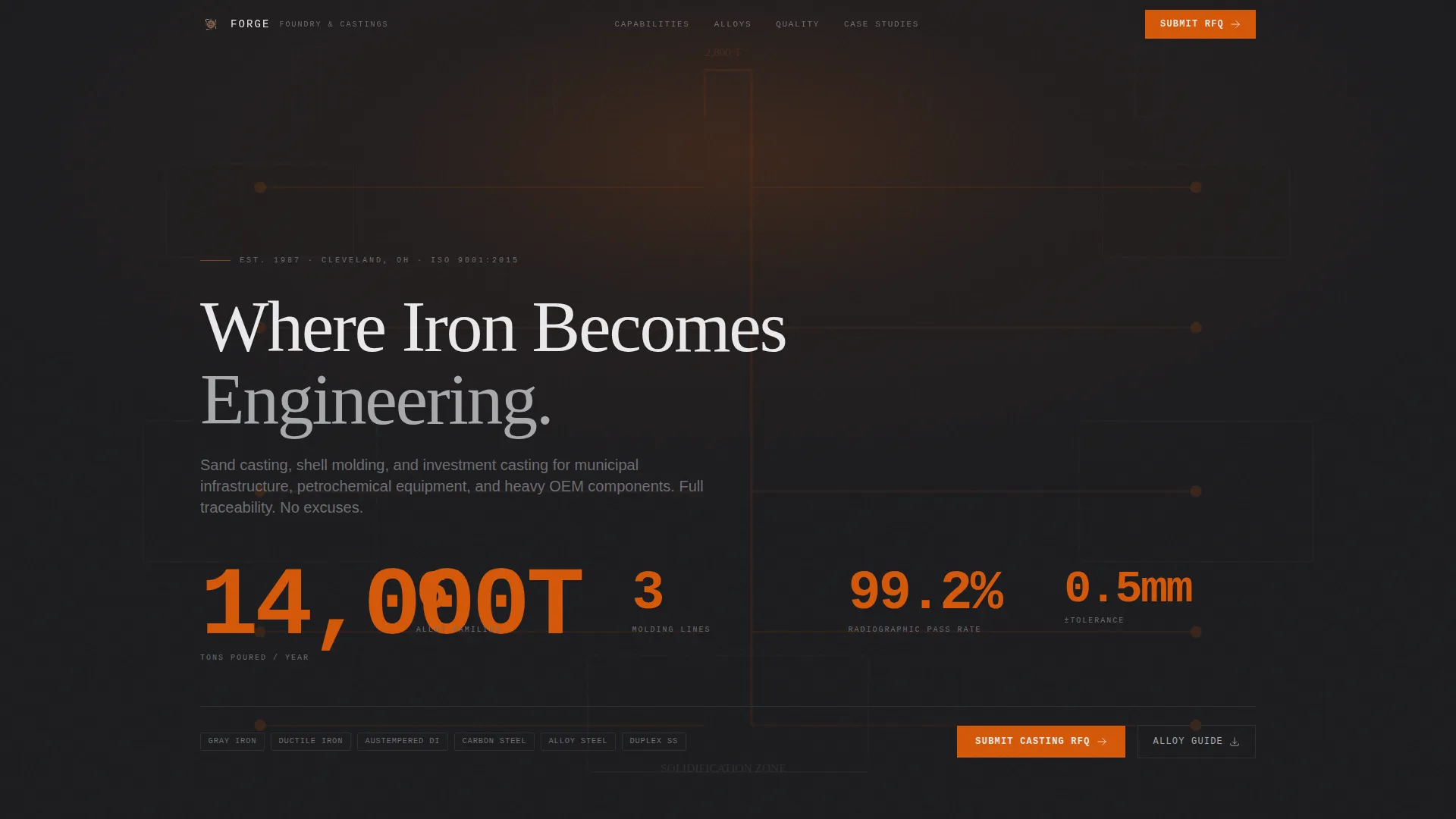
- A full-width infographic header displaying annual output, alloy families, molding lines, tolerances, and radiographic pass rates as a visual data layout
- A three-section case study narrative moving from engineering review through the pour to final quality inspection
- A three-step sequential RFQ form and a secondary email-gated guide download for leads who are still in the specification phase
Feature list
Forge delivers a focused set of layout components, each serving a specific role in the B2B conversion sequence.
Infographic Production Header
The header replaces photography with data. Key figures including 14,000 tons poured annually, six alloy families, three molding lines, tolerances to plus or minus 0.5mm, and a 99.2 percent radiographic pass rate are arranged inside the silhouette of a gate-and-runner system. Numbers are typeset in a condensed industrial face so the data literally flows through the layout like metal through channels.
Case Study Narrative Scroll
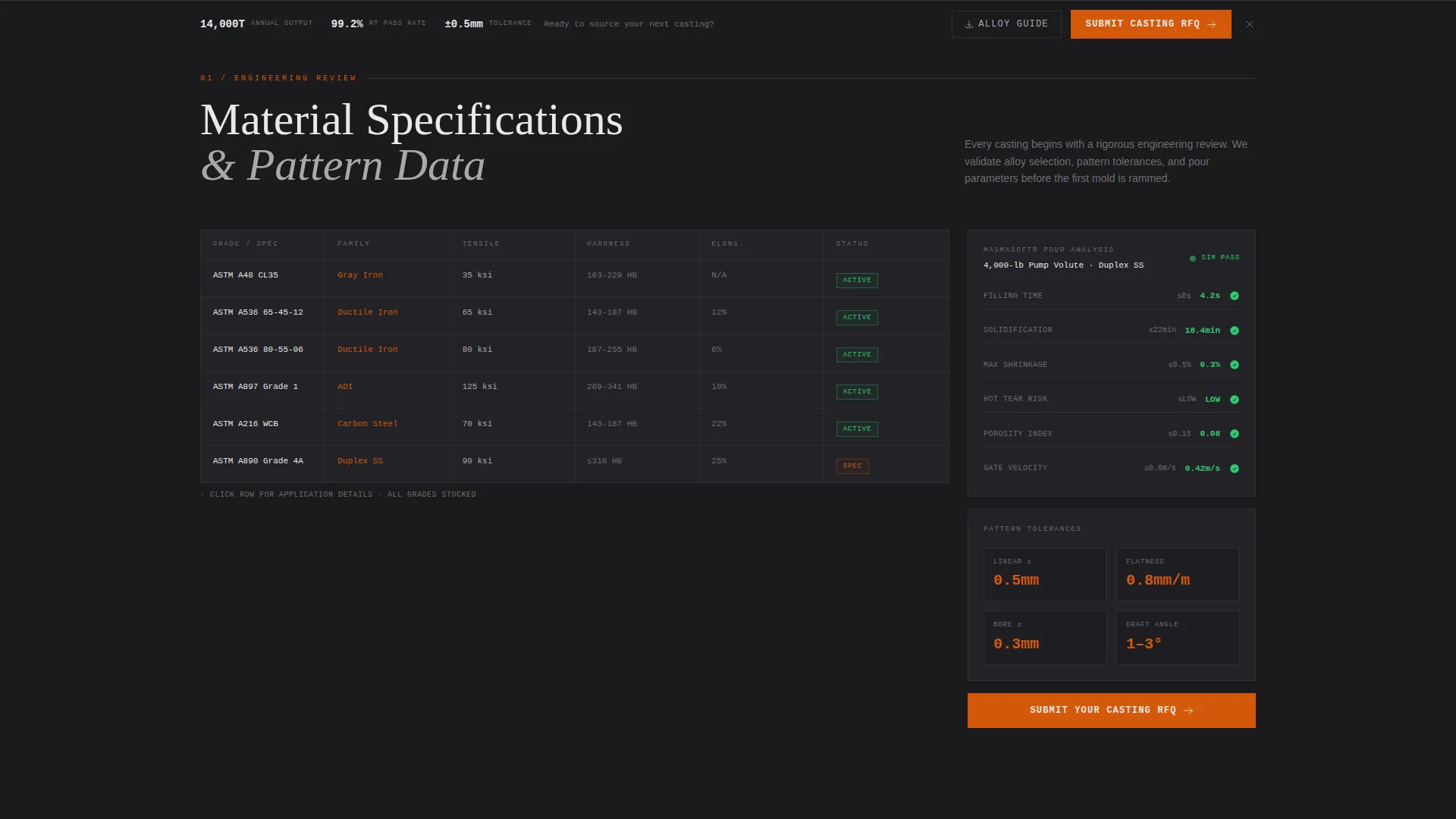
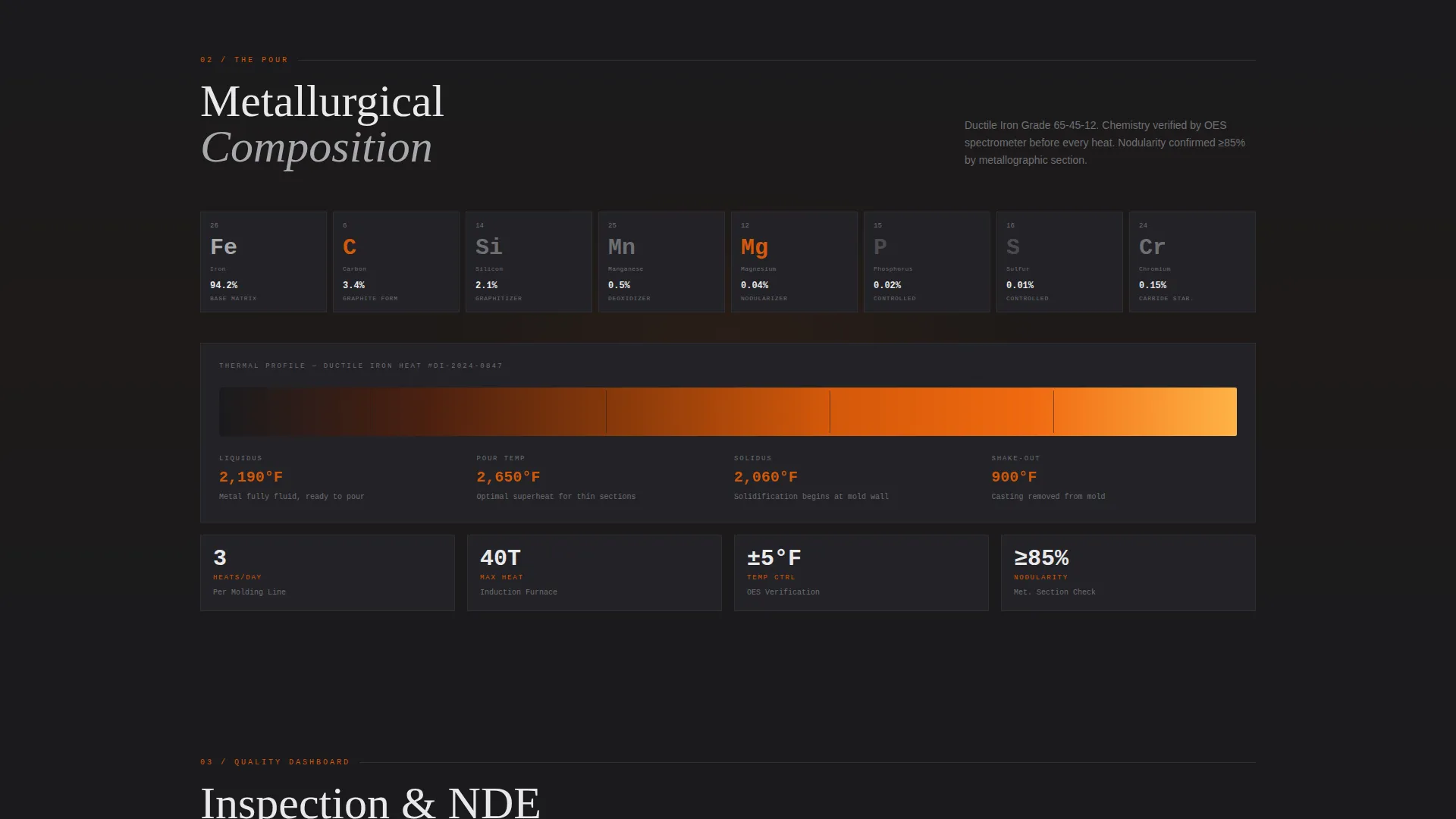
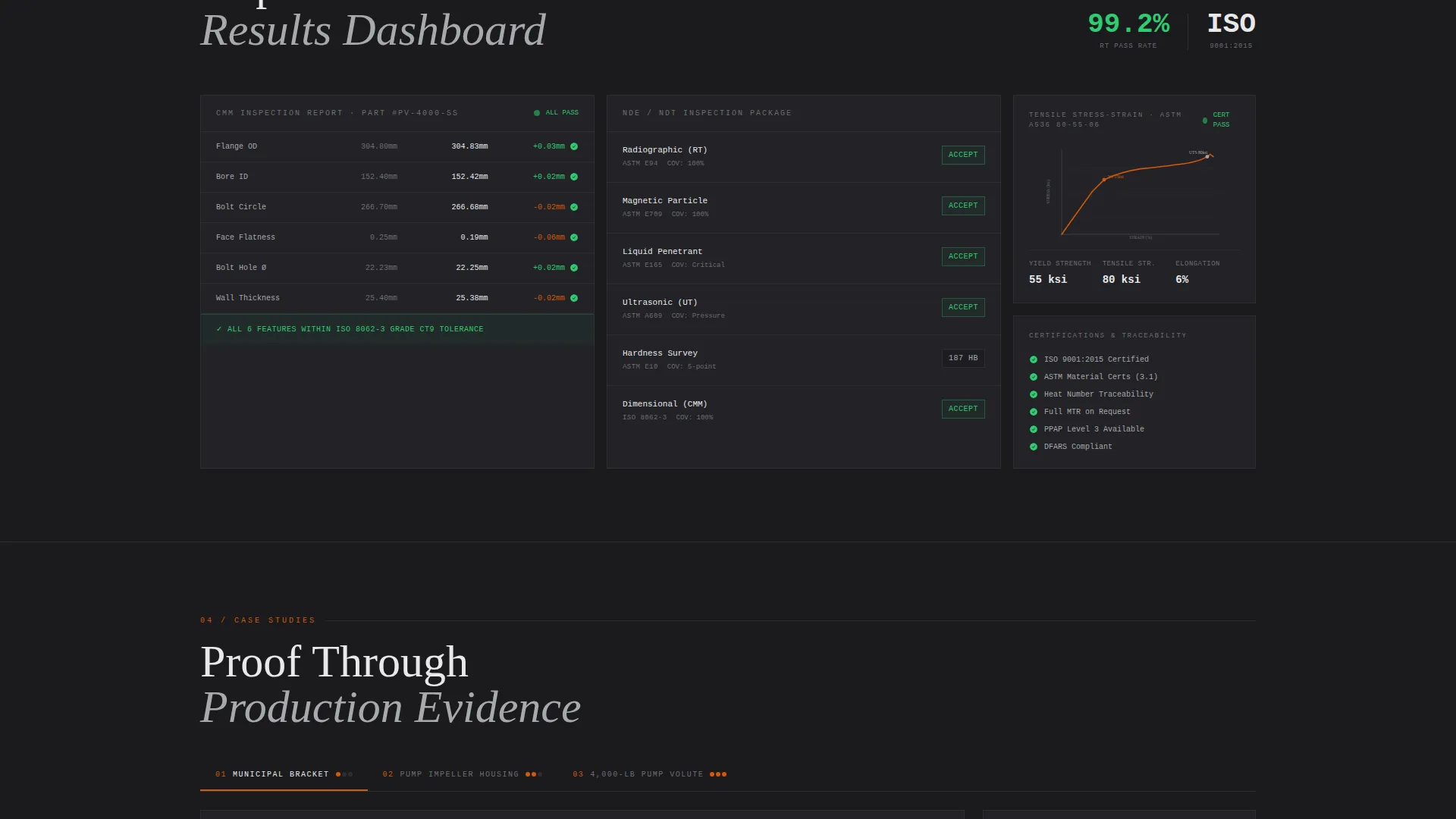
The page body follows a production traveler structure moving through three escalating sections. Section one presents engineering review data in a grid format covering material specs, pattern tolerances, and pour simulation results. Section two displays thermal imaging stills and metallurgical composition breakdowns in periodic-table-styled cards. Section three shows quality results including coordinate measuring machine inspection reports, tensile test curves, and non-destructive examination results in dashboard widgets with pass indicators.
Three-Step RFQ Form
The primary conversion path uses sequential disclosure to reduce form friction. Step one captures alloy family and estimated weight range. Step two collects annual volume, drawing upload support for STEP and PDF files, and the buyer's current pain point across lead time, quality, or cost. Step three gathers company name, role, and direct phone number.
Persistent Bottom Bar call to action
After the second scroll, a fixed bottom bar locks the primary call to action into view. The bar carries the "Submit Your Casting RFQ" prompt continuously so the visitor never has to scroll back to convert. It uses the molten pour orange color so it reads as an active, thermal element against the dark page background.
Secondary Lead Capture Path
A gated guide download labeled "Download Our Alloy and Tolerance Guide" provides a lower-commitment conversion option. It requires only an email address, warming leads who are actively specifying but not yet ready to submit a drawing for quotation.
Dashboard Quality Widgets
The quality section presents inspection and test results as styled dashboard widgets. Each widget uses green pass indicators to communicate conformance at a glance. The display mirrors the kind of structured report format that quality engineers and procurement reviewers already understand from their daily workflows.
Page sections overview
| Section | Purpose |
|---|---|
| Infographic Data Header | Display key production metrics as a visual data layout |
| Header RFQ call to action | First conversion prompt directly below the header |
| Engineering Review Grid | Material specs, tolerances, and pour simulation data |
| Pour Section Cards | Thermal stills and metallurgical composition breakdown |
| Quality Dashboard Widgets | CMM reports, tensile curves, and NDE pass indicators |
| Persistent Bottom Bar | Locks the RFQ call to action after the second scroll |
| Three-Step RFQ Form | Sequential drawing upload and qualification form |
| Alloy Guide Download | Email-gated secondary lead capture for spec-phase buyers |
Design & branding system
The visual identity follows an Industrial Raw theme built on a Monochrome Steel color system. The palette reads like a freshly broken casting: deep graphite on the surface with one bright edge where the grinder has just touched the metal.
- Mill scale black (#1A1A1D) runs as the primary background, slag gray (#4A4A4F) provides mid-level contrast, and machined surface silver (#A8A9AD) lifts data cards off the dark base
- Molten pour orange (#D4580A) is reserved exclusively for calls to action, active data points, and critical callouts so every interactive element reads as thermally charged against the cool background
- Typography uses a condensed industrial face for all large numerics and headlines, giving the data header the weight and presence of a production floor display board
Mobile & speed optimization
The layout is structured to remain readable and functional on smaller screens. Data grids and dashboard widgets are organized so key figures stay legible when the viewport narrows.
- The persistent bottom bar and sequential RFQ form are designed to work in a vertical single-column flow on mobile devices
- The infographic header scales its spatial data layout so the most critical production figures remain prominent without requiring horizontal scrolling
How this template helps you convert
Forge is structured around the logic of an industrial buying decision. Trust is built through evidence before any commitment is requested.
- The infographic header front-loads verifiable production data so the procurement manager already understands capability before scrolling to the form, reducing the need for a follow-up discovery call.
- The case study narrative escalates from a simple gray iron bracket to a 4,000-pound duplex stainless steel pump volute, demonstrating range of capability through documented evidence rather than claims.
- The three-step sequential form and the gated guide create two matched conversion paths for buyers at different stages of their specification process, capturing both ready-to-quote leads and early-stage specifiers.
Other information about this template
Forge is part of a growing library of Manufacturing and Industrial templates designed for niche B2B use cases. A few additional details worth noting:
- The template sits within the Metal and Steel Fabrication subcategory, making it directly applicable to iron casting, alloy casting, and precision sand casting operations
- The case study scroll structure can support multiple casting examples, allowing the page to demonstrate capability across product families such as pump housings, valve bodies, and structural castings
- The design system and layout are built on an Industrial Raw theme, which pairs naturally with other heavy industry visual identities if you are adapting the template for a related operation
- The Intersection Match Score for this template is 13, reflecting a precise alignment between the dashboard and data grid template style, the Partnership and B2B landing page direction, and the Foundry and Casting niche
Theme
Industrial Raw
Creative direction
Case Study Narrative
Color system
Monochrome Steel
Style
Dashboard/Data Grid
Direction
Partnership/B2B
Page Sections
Infographic Production Data Header
Three-section Case Study Narrative
Three-step Sequential RFQ Form
Persistent Bottom Bar Call to Action
Email-gated Guide Download
Quality Dashboard Widgets
Related questions
Who is the primary audience for this landing page template?
What does the three-step RFQ form collect?
Can the case study section support multiple casting examples?
What is the secondary conversion path on this page?
Does the page use any photography?



