Aerospace Rapid Prototyping Shop Website Template
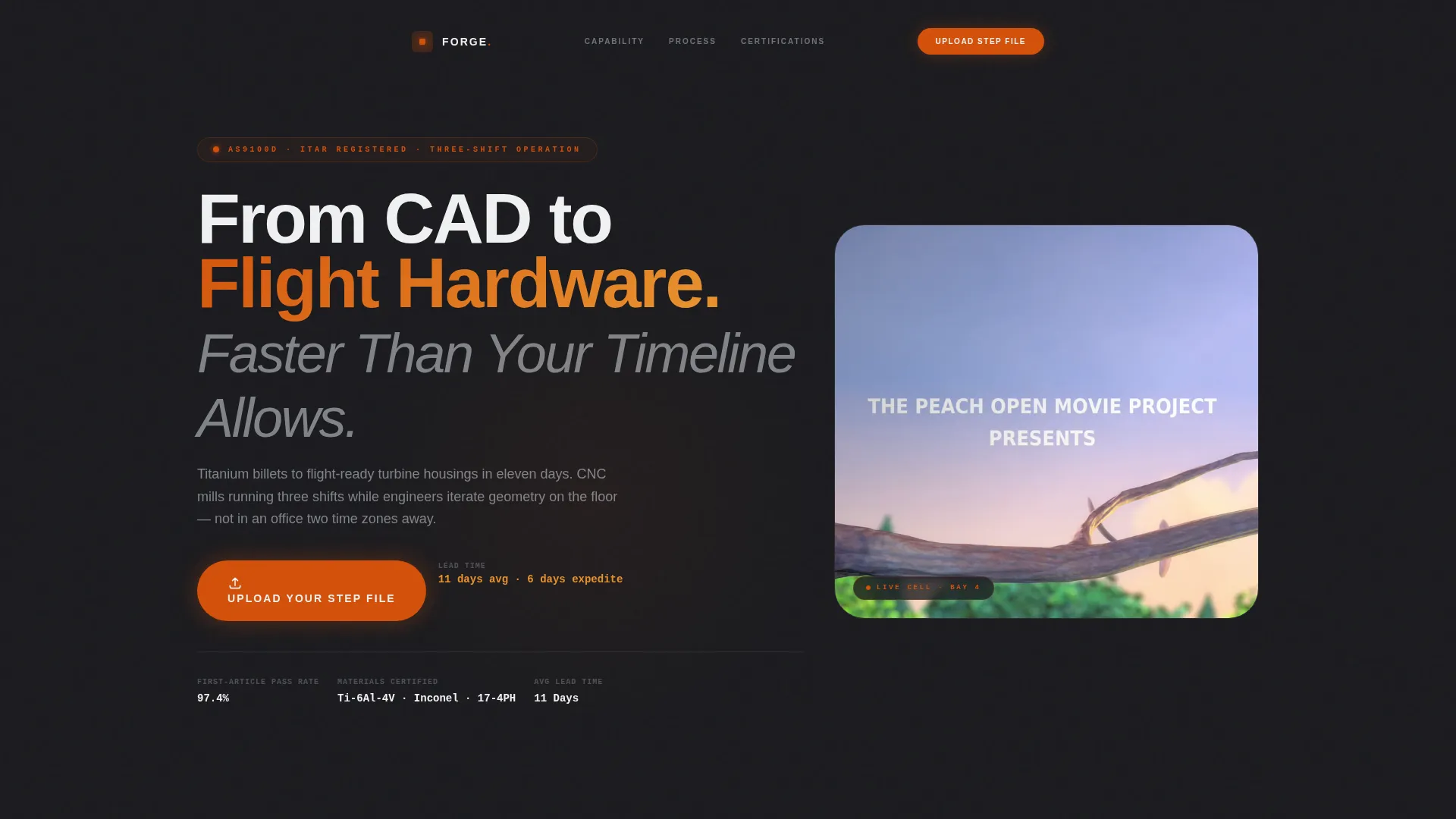
Forge is a single-page landing page template built for aerospace rapid prototyping shops. It combines a full-screen video header, zigzag case study sections, and click-through calls to action to move serious buyers toward a quoting portal. The Fire & Earth color system and Dashboard Pro theme give it the authority that propulsion leads and defense program managers expect.
by Rocket studio
Quick summary
Forge is a precision-engineered landing page template for aerospace machining and rapid prototyping businesses. It opens with a full-screen video header and flows through three escalating case study sections. Every design choice reinforces credibility, and every call to action drives visitors to upload their files and start a quote.
Who this template is for
This template is built for shops and suppliers operating at the sharp end of aerospace manufacturing. It speaks directly to businesses where speed, precision, and compliance are non-negotiable.
- CNC machine shops and contract manufacturers serving aerospace and defense clients
- Aerospace rapid prototyping suppliers targeting NewSpace startups and tier-one aerostructure firms
- Industrial manufacturers who need to prove competence before a buyer clicks away
What problem this template solves
Aerospace buyers do not trust a generic website. They arrive with a tight deadline, an exotic material spec, and a short list of questions. A plain template cannot answer those questions fast enough or credibly enough to earn the click to quote.
- Visitors leave before reaching the call to action because the page feels too generic for their high-stakes decision
- Shops struggle to communicate lead times, inspection standards, and compliance credentials in a scannable format
- There is no clear path from landing on the page to submitting a file for a quote
What you get with this template
You get a complete, single-page layout designed specifically for aerospace prototyping and precision machining. Everything from the header loop to the final call to action is structured to build trust and drive action.
- A full-screen video background header with a headline overlay and a primary "Upload Your STEP File" call to action
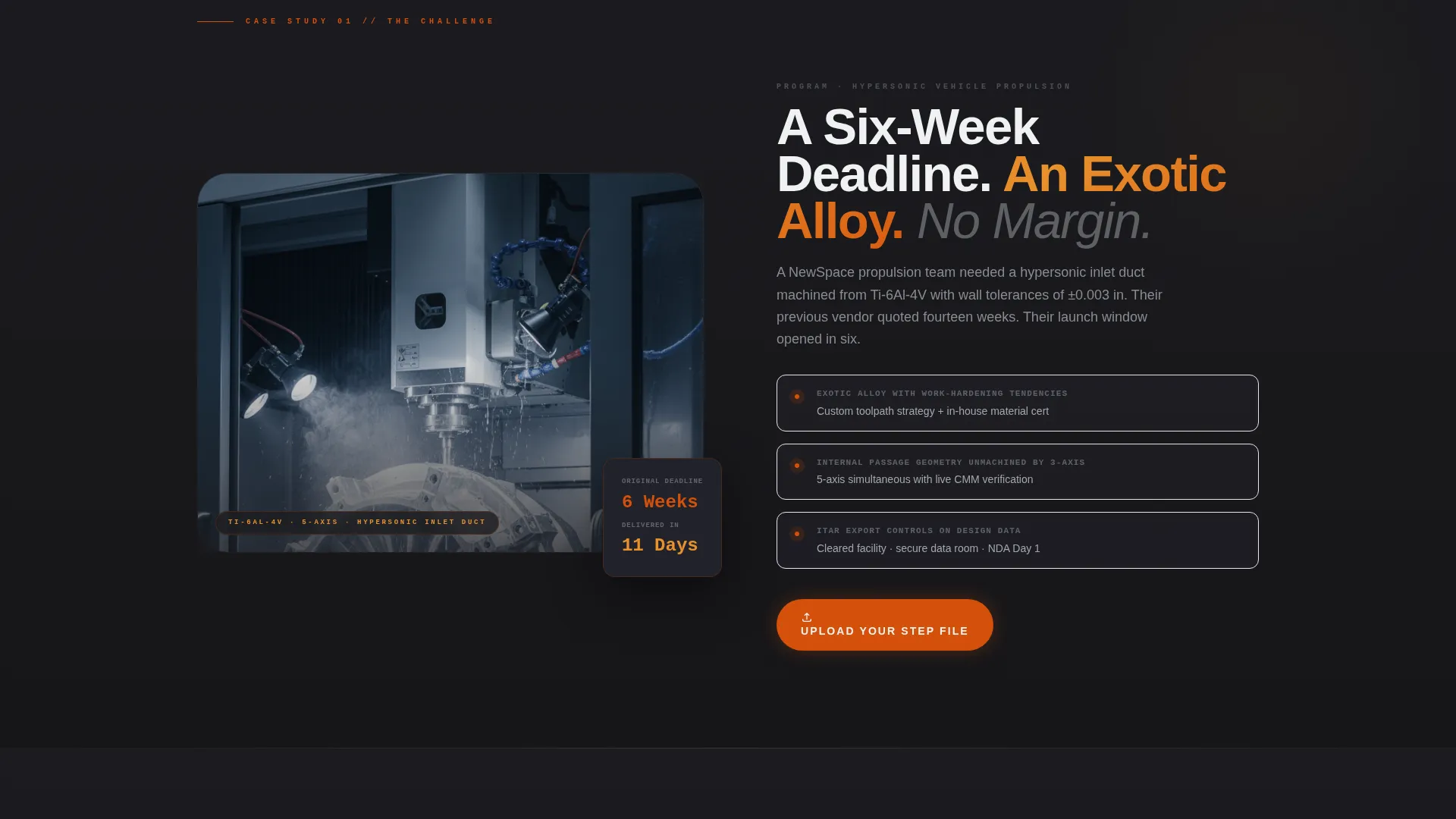
- Three zigzag case study sections, each telling a real project story with image and text alternating sides
- A persistent floating bar at the bottom of the page carrying a secondary condensed call to action
Feature list
This template includes a focused set of layout and content features drawn directly from the brief. Each one serves the core goal of converting a skeptical aerospace buyer into a qualified lead.
Full-Screen Video Header
The header fills the entire viewport with a 15-second looping video. The footage opens on a five-axis mill cutting a titanium compressor housing, then pulls back to reveal the full cell before cutting to a coordinate measuring machine probe touching the finished part. A single headline fades in over the footage with no voiceover.
Zigzag Case Study Layout
Three alternating sections each tell one complete project story. The layout flips image-left/text-right, then reverses, giving each story its own visual weight. Scroll transitions shift the background from deep charcoal to near-black, creating a sense of moving deeper into the shop floor narrative.
Live Dashboard Data Cards
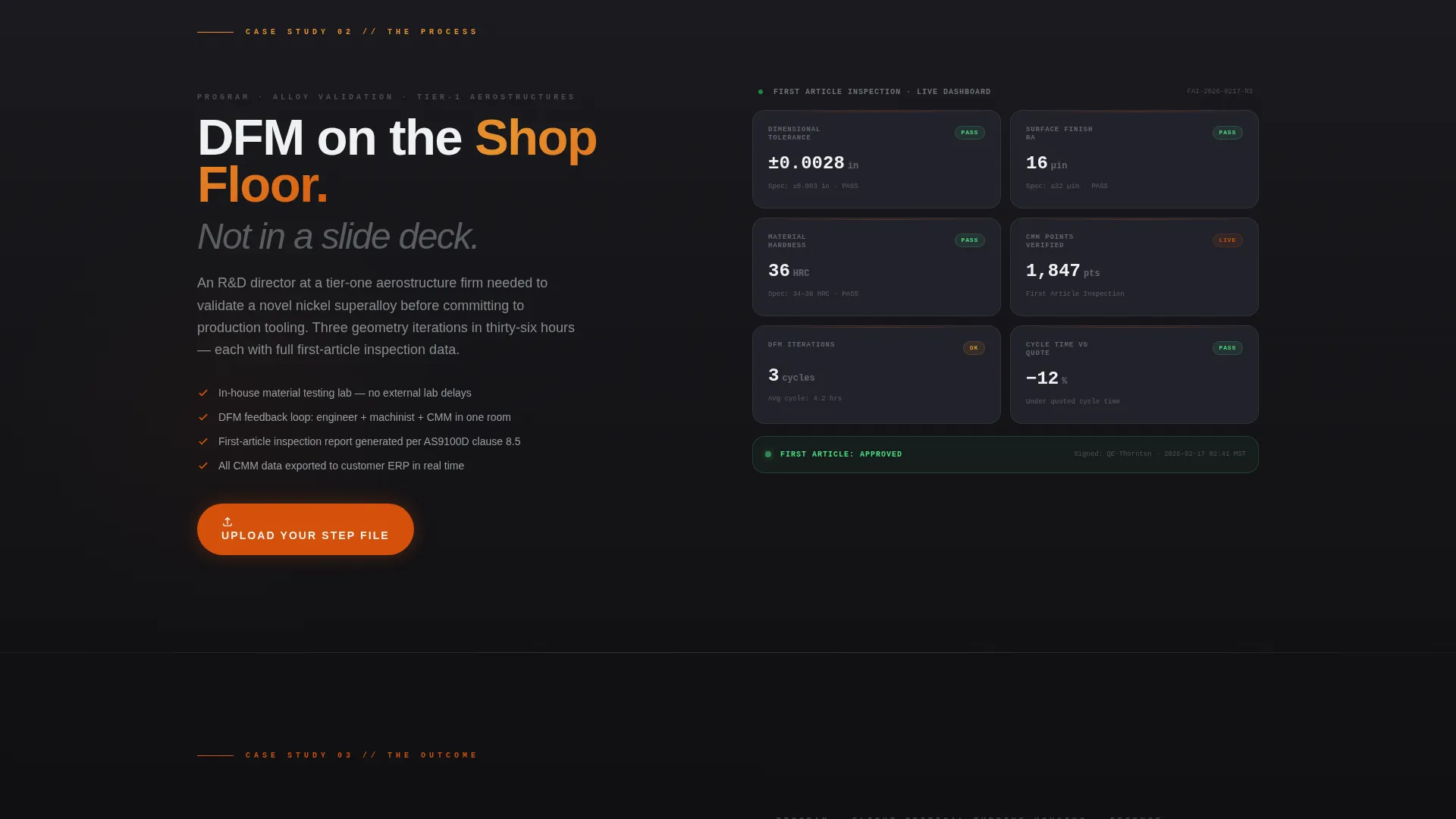
The second case study section displays first-article inspection data as dashboard-style cards. Each card shows a pass/fail metric in a format that mirrors real production reporting, reinforcing the shop's precision and transparency to technically literate buyers.
Repeating Click-Through calls to action
The primary call to action, "Upload Your STEP File," appears first beneath the header and repeats after each case study section. This placement means a buyer who is convinced at any point in the story always has an immediate next step within reach.
Floating Secondary call to action Bar
A condensed secondary call to action bar sits fixed at the bottom of the page. It reads "Get a DFM Review in 24 Hours," giving impatient buyers a direct shortcut without interrupting the main narrative flow.
Trust and Compliance Badges
The page displays AS9100 certification and ITAR compliance badges alongside measurable project data such as lead times in days and inspection pass rates. These elements answer the compliance question before it is asked.
Page sections overview
| Section | Purpose |
|---|---|
| Video header | Establishes shop credibility immediately |
| Primary call to action block | Drives first file upload click |
| Case study one | Presents hypersonic inlet duct challenge |
| call to action repeat one | Re-engages buyers after first story |
| Case study two | Shows DFM process and inspection data |
| call to action repeat two | Captures mid-page conversion intent |
| Case study three | Delivers outcome with program manager quote |
| Final call to action block | Closes the page with strongest conversion prompt |
| Floating call to action bar | Persistent shortcut to DFM review portal |
Design & branding system
The visual identity uses the Fire & Earth color system applied through a Dashboard Pro theme. The palette is built around industrial contrast: incandescent heat tones against dense dark metal backgrounds.
- Furnace orange (#D4500A) for primary calls to action and data highlights; molten amber (#E8912D) for secondary accents and progress indicators
- Deep foundry charcoal (#1B1B1F) for section backgrounds with a scroll-driven shift toward near-black as the page deepens
- Machined-aluminum silver (#C4C9CF) for body text and divider lines, keeping technical content readable against dark backgrounds
Mobile & speed optimization
The template is structured with a mobile-first layout in mind. Each zigzag section stacks cleanly on smaller screens, and the floating call to action bar remains accessible without obscuring content.
- The video header is designed as a looping background layer, allowing fallback handling on devices where autoplay is restricted
- Dashboard data cards and compliance badges reflow into single-column stacks on narrow viewports
- The floating call to action bar repositions to avoid overlapping key content on mobile screen sizes
How this template helps you convert
Every structural decision in this template is aimed at reducing hesitation and shortening the path to a submitted file. The page earns the click by presenting proof before asking for action.
- The case study narrative escalates in complexity across three sections, so by the final call to action the visitor is mentally mapping their own project onto the shop's capabilities and timeline
- Measurable data points including lead times in days, inspection pass rates, and compliance credentials answer buyer objections inline, removing friction that would otherwise delay or prevent the click to the quoting portal
Other information about this template
This template is part of the Dashboard Pro theme family and uses the Fire & Earth color system as its foundational palette. It is categorized under Manufacturing & Industrial, specifically the Aerospace Manufacturing subcategory and the Aerospace Prototype and Rapid Prototyping niche.
- The template style is Zigzag/Alternating with a Case Study Narrative creative direction, making it well suited for shops that have real project data to share
- The landing page direction is Click-Through, meaning no form lives on the page itself; all data capture happens on the linked quoting portal
- The header concept is Full-Screen Video BG, which requires a prepared 15-second video asset shot at high frame rate to match the visual brief

Theme
Dashboard Pro
Creative direction
Case Study Narrative
Color system
Fire & Earth
Style
Zigzag/Alternating
Direction
Click-Through
Page Sections
Full-screen Video Background Header
Zigzag Alternating Case Study Sections
Dashboard-style Inspection Data Cards
Repeating Click-through Call to Action Placement
Persistent Floating Call to Action Bar
Compliance and Credential Badges
Related questions
Does this template include a contact form or quote form?
Can I replace the video in the header with a static image?
Is the case study content editable?
What kind of businesses fit this template best?
Does the floating call to action bar link to the same portal as the primary calls to action?



