Automotive Manufacturing Directory Website Template
Forge is a dashboard-style landing page template built for automotive contract manufacturers. It leads with animated production counters, a sortable active-programs table, and a pulsing capability matrix, all styled as an industrial control room. The layout is designed to convert procurement directors and operations leads into qualified inquiries before they ever scroll to a form.
by Rocket studio
Quick summary
Forge is a single-page, data-command landing page template for automotive contract manufacturers. It replaces traditional brochure layouts with live-style production metrics, sortable program tables, and a capability matrix that reads like a factory floor dashboard. The goal is clear: prove manufacturing scale through numbers, then convert serious prospects with a qualification form.
Who this template is for
This template is built for B2B industrial operations that need to demonstrate capacity before a buyer picks up the phone. It speaks directly to teams that live inside spreadsheets and operations data.
- EV startups that need a contract manufacturing partner with proven EV line throughput and volume history
- Procurement directors at legacy automakers looking for overflow capacity backed by quality yield data
- Fleet operators commissioning purpose-built commercial vehicles at scale who need hard proof of delivery performance
What problem this template solves
Most contract manufacturers lead with photography and paragraph copy. Qualified buyers, VP-level operations and procurement directors, do not have time for that. They want throughput numbers, program diversity, and yield rates on the first screen.
- No photograph hero means no ambiguity: the data speaks before a salesperson does
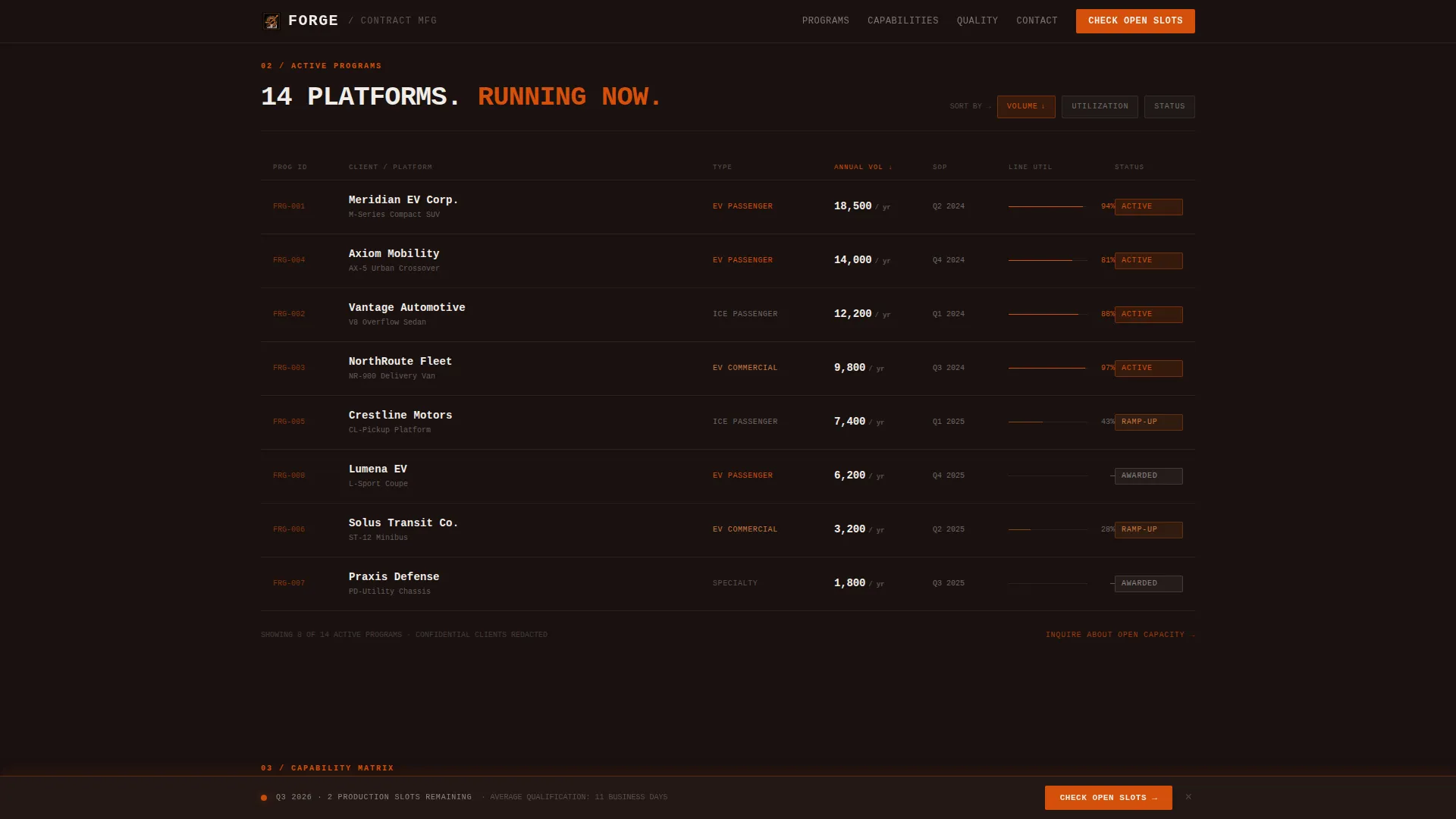
- A sortable program table lets prospects filter active contracts by platform type, volume, and status at a glance
- Capability cards with downloadable plant spec sheets serve engineers who need tonnage and tolerance data before any meeting is scheduled
What you get with this template
Forge delivers a fully structured, single-page layout with every section purpose-built for industrial lead conversion. The design system, animation logic, interactivity, and conversion flow are all defined and ready to deploy.
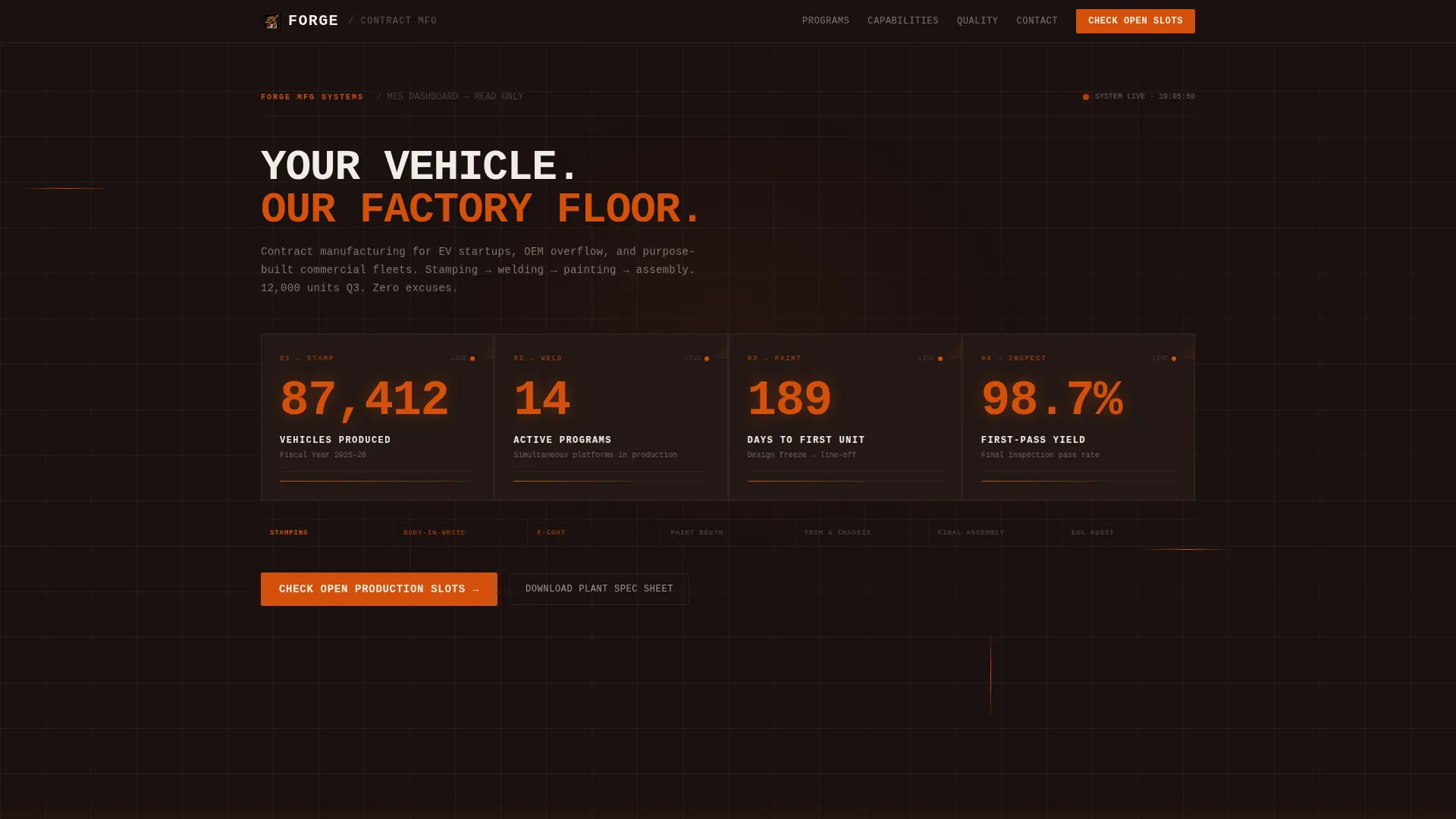
- Animated counter header grid with four live-style production statistics rendered in oversized monospace type
- Sortable active-programs table, pulsing capability matrix cards, a persistent call-to-action bar, and a three-field qualification form
- Fire and Earth color system with foundry black backgrounds, molten orange live-data highlights, clay secondary panels, and readout white typography
Feature list
A brief overview of the core capabilities built into this template.
Animated Production Counter Header
The header loads with four count-up statistics: vehicles produced this fiscal year, simultaneous active programs, average days from design freeze to first unit off line, and first-pass quality yield. Numbers render in oversized monospace type with molten orange highlights and are connected by subtle flow lines mapping the production sequence from stamping to final inspection. There is no hero photograph. The data is the visual.
Sortable Active Programs Table
Below the header, a live-table layout displays current client program cards showing platform type, annual volume, and contract status. Visitors can sort the table to filter by the criteria most relevant to their own program needs. It reads less like a brochure and more like read-only access to a real manufacturing execution system.
Pulsing Capability Matrix
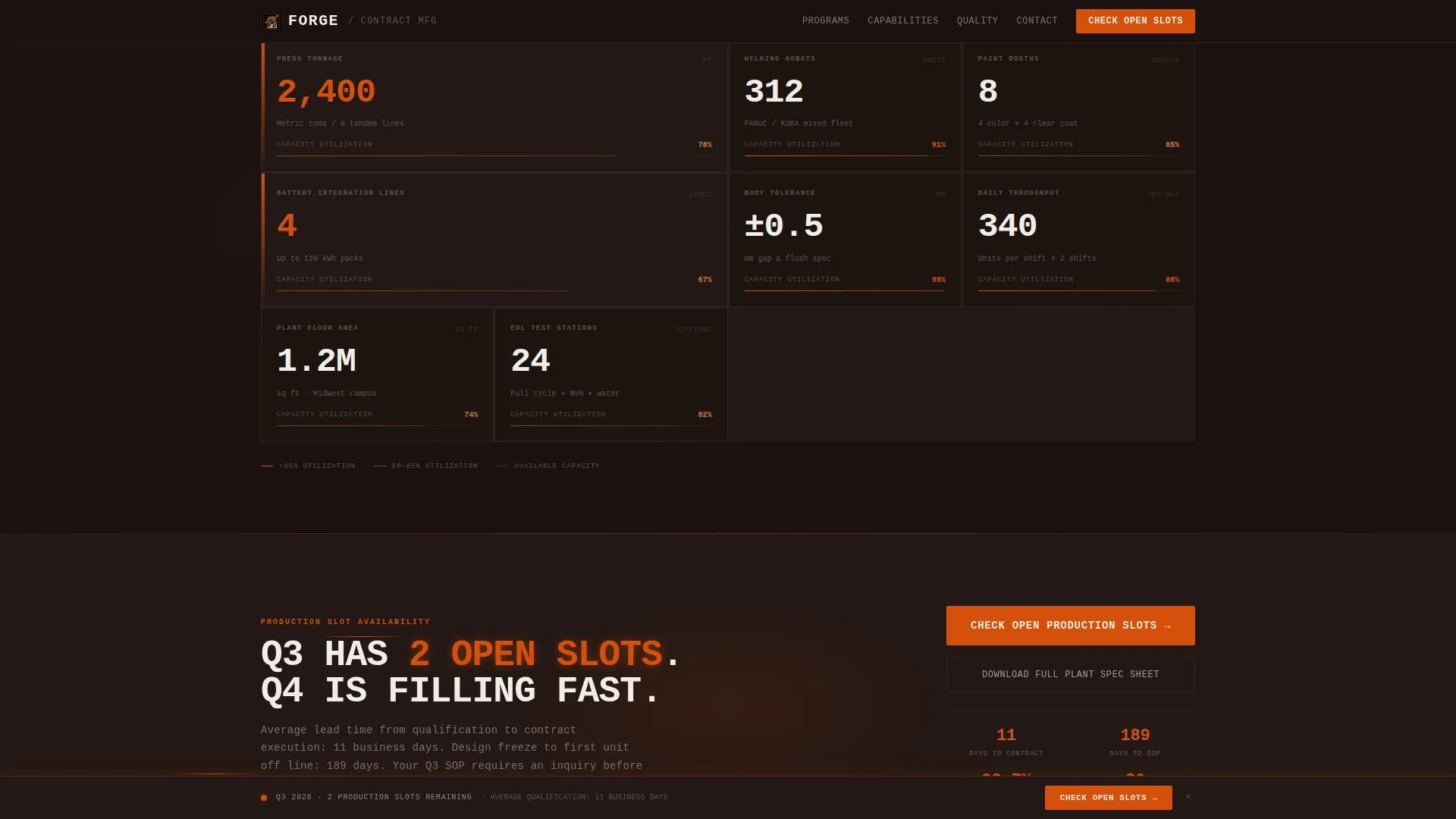
A full capability matrix covers press tonnage, welding robot count, paint booths, and battery pack integration lines. Each cell pulses with real capacity utilization percentages. Secondary capability cards include a downloadable plant spec sheet path for engineers who need technical data before committing to a conversation.
Persistent Call-to-Action Bar
After the header clears, a persistent bottom bar carrying the primary call to action appears and stays in view as the visitor scrolls. The same call to action repeats as a full-width section break after the capability matrix, creating two intentional conversion moments without interrupting the data flow.
Three-Field Qualification Form
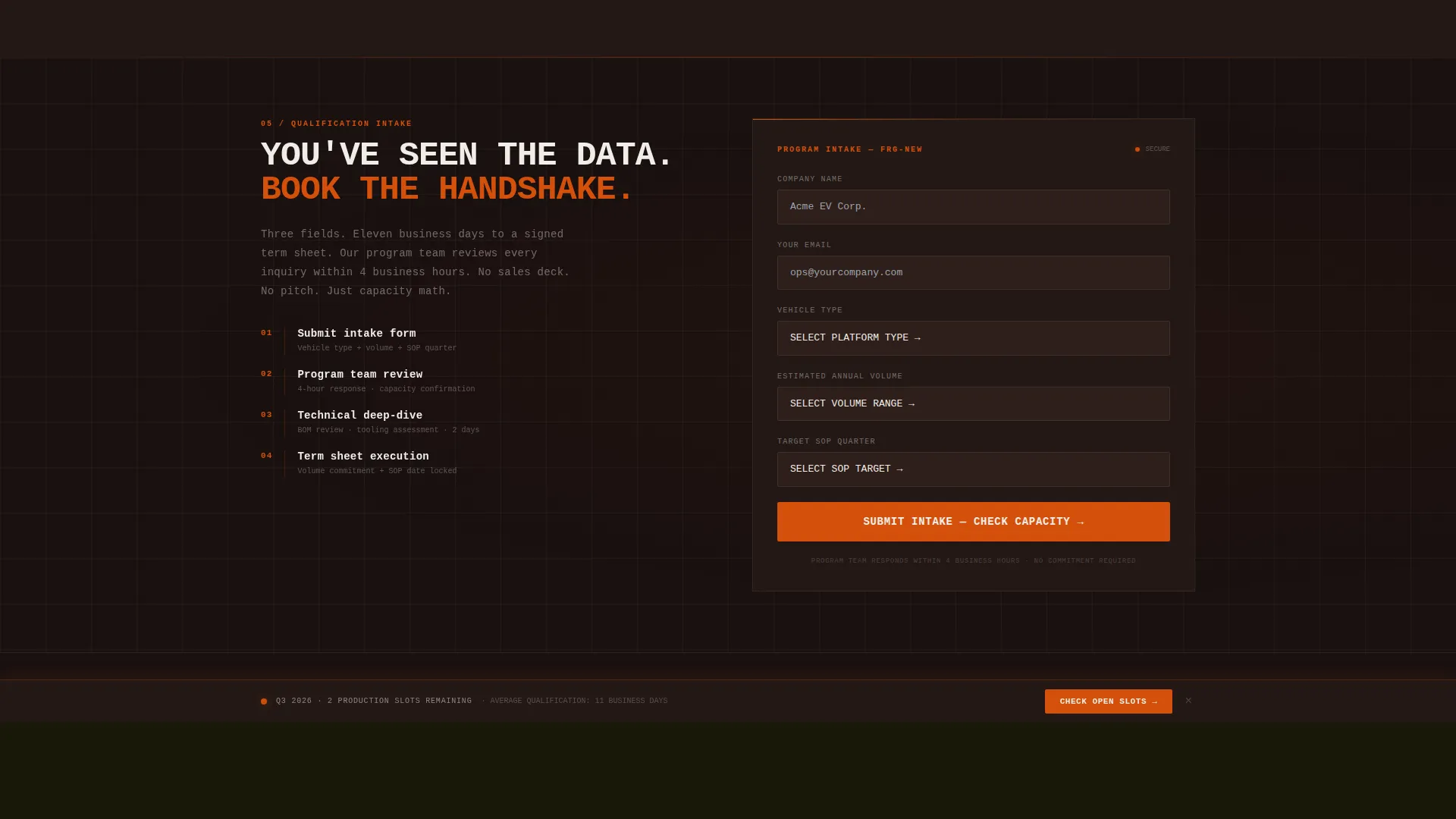
The qualification form keeps friction low with just three inputs: vehicle type (passenger, commercial, or specialty), estimated annual volume via dropdown, and target start-of-production quarter. The form is positioned as the natural next step after the visitor has reviewed the production data, not before.
Scroll-Linked Animation System
The template uses scroll-linked reveals, count-up number animations triggered by an Intersection Observer, GPU-accelerated transforms, and an animated SVG grid background. Capacity bars pulse on entry. Capability card hover states respond on interaction. Every animation is tied to a production-data moment rather than decoration.
Page sections overview
| Section | Purpose |
|---|---|
| Animated Counter Header | Opens with four live-style production stats in a tight card grid |
| Active Programs Table | Sortable client program list showing platform, volume, and status |
| Capability Matrix | Pulsing capacity cards for press, robots, paint, and battery lines |
| Call-to-Action Break | Full-width conversion section with primary slot-check prompt |
| Qualification Form | Three-field intake capturing vehicle type, volume, and SOP target |
| Footer | Linear single-row footer pattern closing the page |
Design & branding system
The visual identity follows a Data Command theme built on a Fire and Earth color system. Every color choice references the physical reality of a foundry floor: spent carbon, liquid metal, and stamped serial numbers on cooling steel.
- Foundry black (#1A1110) dominates all backgrounds and card surfaces; molten orange (#D4500A) fires on live counters, progress bars, and primary calls to action
- Kiln-fired clay (#8B4513) grounds secondary panels and divider rules; readout white (#F0EDE8) sits clean against every dark surface for typography and data labels
- JetBrains Mono handles all numbers and data labels; Manrope covers body text and headings for a clear contrast between operational data and narrative copy
Mobile & speed optimization
The template is designed desktop-first, reflecting the reality that procurement and operations teams review vendor pages on workstations. The layout is built to scale responsively to tablet without breaking the data grid structure.
- GPU-accelerated transforms keep animation performance stable across the high-interactivity sections
- Intersection Observer triggers count-up animations only when each section enters the viewport, avoiding unnecessary processing on load
- The desktop-priority layout ensures the sortable table, capability matrix, and persistent call-to-action bar all behave as intended on larger screens
How this template helps you convert
Forge earns the click by making the visitor feel they have already toured the plant. The conversion architecture follows a stats-first, commitment-last sequence.
- The animated counter header immediately establishes scale and proof before the visitor reads a single line of body copy, reducing the need to convince and increasing the likelihood of a scroll-through
- The persistent call-to-action bar and full-width break after the capability matrix create two deliberate conversion moments, while the secondary plant spec sheet download path captures engineers who are not yet ready to book a meeting
Other information about this template
Forge is a Click-Through landing page template optimized for a B2B industrial audience in the automotive contract manufacturing space. A few additional details worth noting:
- The primary call to action, "Check Open Production Slots," is designed to filter for qualified prospects by implying scarcity and specificity rather than a generic contact prompt
- The secondary path, "Download Plant Spec Sheet," is embedded inside each capability card and serves engineers who need technical documentation before any sales conversation begins
- The template style is classified as Dashboard and Data Grid, fitting within the Manufacturing and Industrial category with a specific focus on the Automotive Manufacturing subcategory
- The Stats-First Impact creative direction means every scroll depth delivers another layer of evidence before any ask is made, matching the decision-making style of VP Operations and procurement director personas
- The Infographic header concept replaces conventional hero photography entirely, a deliberate structural choice suited to B2B industrial buyers who respond to operational proof over brand imagery
Theme
Data Command
Creative direction
Stats-First Impact
Color system
Fire & Earth
Style
Dashboard/Data Grid
Direction
Click-Through
Page Sections
Animated Production Counter Header
Sortable Active Programs Table
Pulsing Capability Matrix Cards
Persistent Call-to-action Bar
Three-field Qualification Form
Scroll-linked Animation System
Related questions
Who is the primary audience for this template?
Can the qualification form be customized for different intake needs?
Does the template require a hero image or photography?
What makes this template different from a standard industrial brochure layout?
Is this template better suited for desktop or mobile viewing?



