Precision Chain & Belt Manufacturer Landing Page Template
Forge is a hub-and-spoke landing page template built for chain and belt manufacturers. It leads with an exploded-view technical illustration, stats-first section openers, and a fixed anchor navigation rail. A progressive-disclosure specification form and a gated engineering catalog work together to capture both ready-to-buy procurement contacts and early-stage engineers still in research.
by Rocket studio
Quick summary
Forge is a single-page, hub-and-spoke landing page template designed for precision chain and belt manufacturers. It opens with an isometric exploded-view header, anchors every spoke section with an oversized performance number, and drives two conversion paths: a multi-step chain specification request form and a gated engineering catalog download.
Who this template is for
This template is built for industrial manufacturers who need to speak directly to technical buyers, not general consumers. It suits teams that sell on specification data and need a page that earns trust before asking for contact details.
- Plant maintenance managers sourcing replacement roller chain under time pressure
- Original equipment manufacturer engineers specifying custom silent chain for new powertrain designs
- Procurement directors negotiating annual supply contracts for heavy-use operations
What problem this template solves
Most industrial product pages bury the performance data that technical buyers need first. Engineers and procurement managers arrive with specific questions about tolerances, materials, and lead times. A generic brochure layout forces them to hunt for answers, and they leave before converting.
- No clear hierarchy puts proof before promotion, losing trust with specification-driven buyers
- A single contact form misses engineers who are researching but not yet ready to specify
- Bland layouts fail to communicate manufacturing precision and product authority
What you get with this template
Forge delivers a fully structured hub-and-spoke landing page where every design decision reflects manufacturing credibility. The layout, color system, and conversion architecture come ready to deploy for a chain or belt manufacturer.
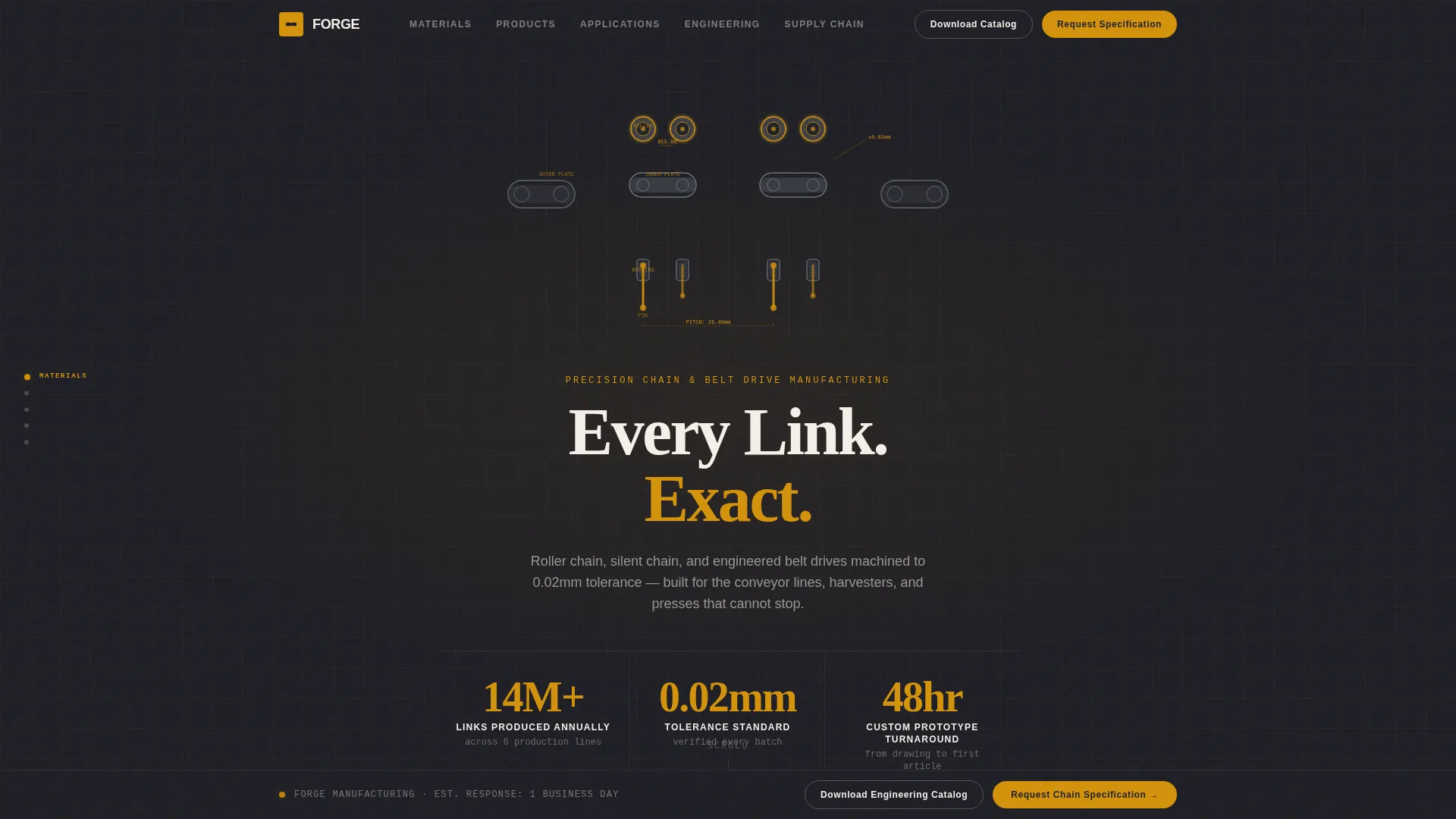
- An isometric exploded-view header section with scroll-triggered component rotation and three stat callouts
- Five anchor-linked spoke sections (Materials, Products, Applications, Engineering, Supply Chain) with a fixed left-rail navigation
- A progressive-disclosure specification form and a separate gated catalog download path
Feature list
This template packages several purpose-built components that work together to move industrial buyers from curiosity to conversion.
Exploded View Hero Header
A detailed isometric technical illustration detonates a roller chain assembly into its individual components: inner plates, outer plates, bushings, rollers, and pins. Each part floats in precise spatial relationship with faint amber dimension lines annotating every gap. Three oversized stats fade in around the composition as the visitor arrives.
Fixed Anchor Navigation Rail
A vertical navigation rail stays fixed to the left edge of the viewport throughout the entire page. Each spoke label (Materials, Products, Applications, Engineering, Supply Chain) lights up in molten amber as the visitor scrolls into its section, giving the experience of navigating a technical reference document.
Stats-First Spoke Openers
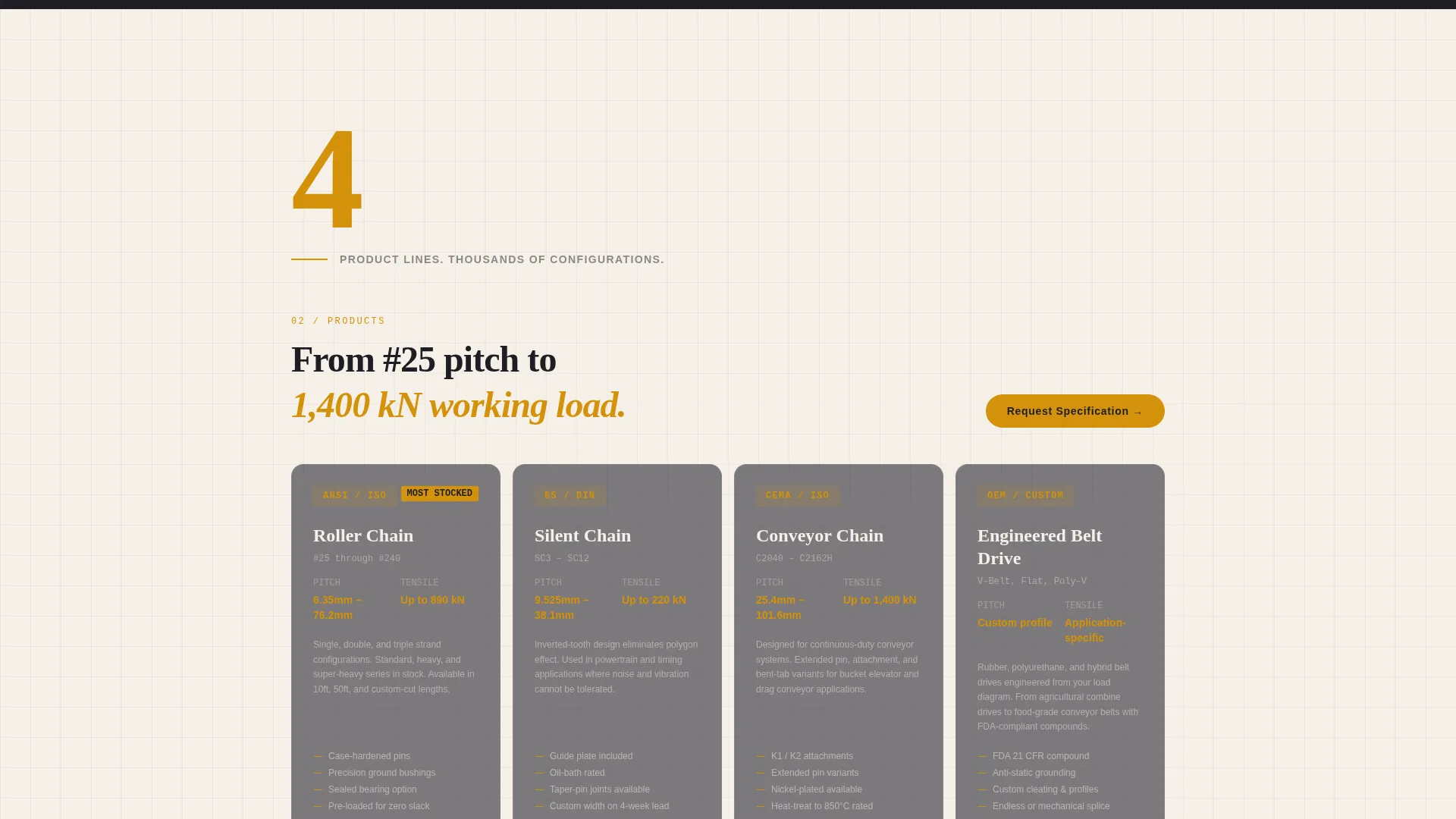
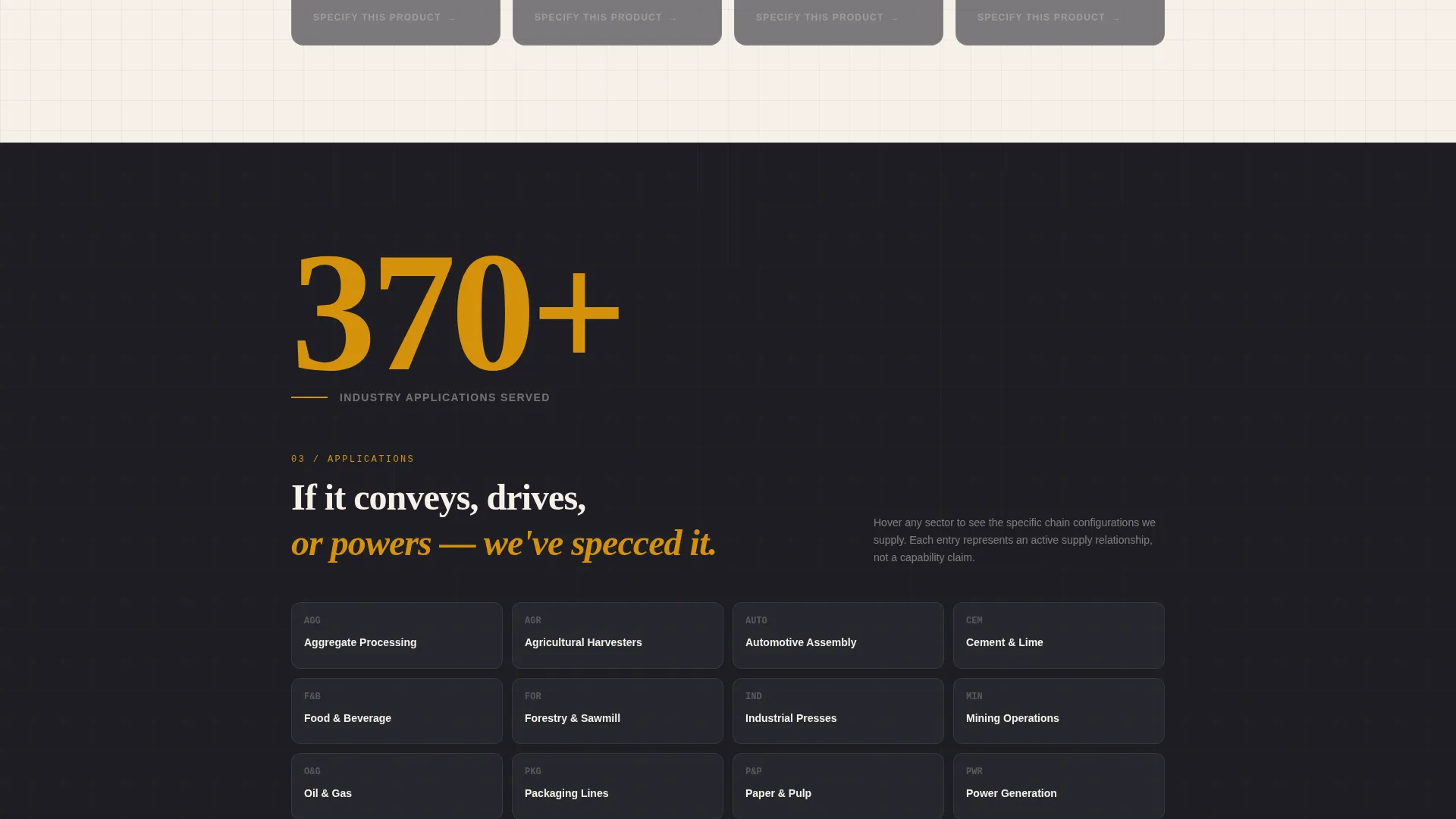
Every spoke section opens with a single, oversized amber number before any paragraph text appears. Examples include hardness ratings filling the viewport before methodology text, and an industry count preceding an interactive application grid. The rhythm of data-then-story runs consistently across all five spokes.
Progressive-Disclosure Specification Form
The primary conversion form uses a four-step progressive disclosure flow. The visitor first selects chain type, then application environment, then quantity range. Only after those selections does the form reveal fields for name, company, and email. A persistent bottom bar slides up after the first spoke to keep the call to action visible.
Gated Engineering Catalog Download
A secondary conversion path captures engineers in the research phase. Visitors enter only their email address to unlock a downloadable engineering catalog, lowering the barrier for contacts who are not yet ready to submit a full specification request.
Blueprint Color and Typography System
The charcoal-and-amber palette uses deep shop-floor charcoal, machined gunmetal, technical drawing cream, and molten amber. Backgrounds alternate between charcoal and cream across spokes to create visual rhythm. Amber appears sparingly so every instance signals a data point or interactive element worth attention.
Page sections overview
| Section | Purpose |
|---|---|
| Exploded View Header | Establishes product authority with isometric illustration and three key performance stats |
| Anchor Navigation Rail | Provides persistent left-rail spoke navigation that highlights the active section in amber |
| Materials Spoke | Opens with hardness rating callout and covers material specification and testing methodology |
| Products Spoke | Presents the chain and belt drive product range with specification-level detail |
| Applications Spoke | Leads with industry count stat and displays an interactive grid of sector use cases |
| Engineering Spoke | Covers custom design capabilities, tolerance standards, and prototype turnaround data |
| Supply Chain Spoke | Addresses sourcing reliability, contract supply options, and lead time expectations |
| Specification Request Form | Progressive four-step form for chain type, environment, quantity, and contact details |
| Catalog Download Gate | Single email-field form that unlocks the downloadable engineering catalog |
| Persistent Bottom Bar | Slides up after the first spoke and keeps the primary call to action always visible |
Design & branding system
The visual identity follows an Engineering Blueprint theme that feels like a dog-eared specification binder left open under a halogen work lamp. Every color and layout choice reinforces manufacturing precision without feeling cold or sterile.
- Four-color palette: deep charcoal (#1E1E24), machined gunmetal (#3A3F47), technical drawing cream (#F5F0E8), and molten amber (#D4920B) reserved for data callouts, hover states, and active navigation highlights
- Alternating charcoal and cream section backgrounds create a clear visual rhythm across spokes
- Amber is used sparingly throughout so each appearance signals a meaningful data point or interactive state
Mobile & speed optimization
The template is structured to maintain the stats-first visual hierarchy and anchor navigation clarity across screen sizes. Heavy illustration elements are handled with scroll-trigger restraint to keep the experience responsive on smaller devices.
- The fixed left-rail anchor navigation adapts for mobile viewports so spoke labels remain accessible without blocking content
- Oversized stat callouts reflow cleanly into single-column layouts without losing their visual impact
- The progressive-disclosure form reduces cognitive load on mobile by revealing one step at a time rather than presenting all fields simultaneously
How this template helps you convert
Forge is built around the insight that industrial buyers convert on data, not promises. Every structural decision prioritizes proof before the ask.
- The stats-first spoke structure earns credibility early by leading with specific performance numbers, giving procurement managers and engineers the evidence they need before the specification form appears.
- Two distinct conversion paths serve two buyer mindsets simultaneously: the persistent bottom bar targets buyers ready to specify now, while the low-friction catalog download captures researchers who need more time before committing.
Other information about this template
Forge is categorized under Manufacturing and Industrial, specifically within the Component and Equipment Manufacturing subcategory for the chain and belt manufacturer niche. It carries an intersection match score of 13, reflecting a precise alignment between the hub-and-spoke template style, the Engineering Blueprint theme, and the lead generation objective.
- The template style is Hub and Spoke with Anchor Navigation, suited for manufacturers with multiple distinct product or service categories to present on a single page
- The header concept is an Exploded View isometric illustration, a format well recognized in industrial and engineering contexts for communicating product complexity and manufacturing precision
- The creative direction is Stats-First Impact, meaning every spoke section is built around a single dominant data point before narrative text follows
- The lead generation direction supports two paths: a specification request form for active buyers and a catalog download gate for researchers at an earlier stage of their procurement process
- This template does not include pre-built integrations, backend logic, or form-processing infrastructure; those elements are connected by the team implementing the template

Theme
Engineering Blueprint
Creative direction
Stats-First Impact
Color system
Charcoal & Amber
Style
Hub & Spoke (Anchor Nav)
Direction
Lead Generation
Page Sections
Exploded View Isometric Hero
Fixed Left-rail Anchor Navigation
Stats-first Spoke Architecture
Progressive-disclosure Specification Form
Gated Engineering Catalog Download
Charcoal and Amber Blueprint Palette
Related questions
Who is this landing page template designed for?
What are the two conversion paths included in this template?
Can I adapt the spoke sections to match my specific product categories?
Does the template include the actual illustrations and statistics shown in the design?
What makes the stats-first design effective for industrial buyers?



