Construction Contract Manufacturer Landing Page Template
Forge is a hub-and-spoke landing page template built for construction contract manufacturers. It leads with oversized production metrics, a fixed anchor navigation, and a three-step capacity request form. The Data Command design uses a Monochrome Steel palette to communicate industrial authority. Every section stacks proof before persuasion, helping procurement directors qualify your shop before they ever touch the form.
by Rocket studio
Quick summary
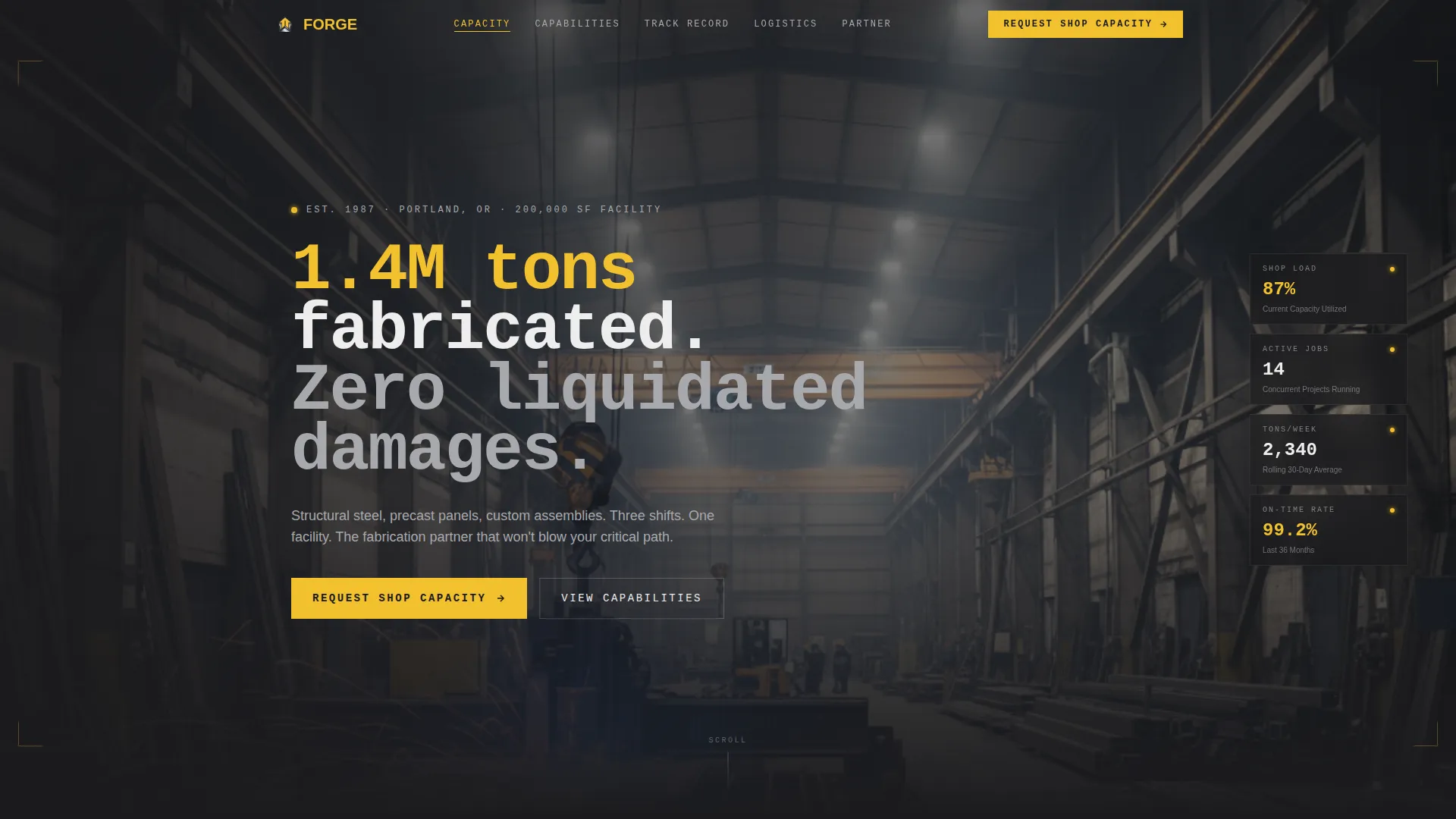
Forge is a single-page, anchor-nav landing page template designed for construction contract manufacturers. It opens with a panoramic fabrication bay photograph and a bold production stat, then guides visitors through five spoke sections: Capacity, Capabilities, Track Record, Logistics, and Partner. The layout is built to convert high-intent procurement contacts by front-loading every metric they need to qualify a fabrication partner.
Who this template is for
This template was built for contract manufacturers operating at industrial scale. It speaks directly to the buyers those manufacturers need to win.
- Structural steel fabricators, precast panel producers, and custom assembly shops looking to attract general contractor clients
- Mid-tier and national builders whose procurement teams vet fabrication partners through qualification questionnaires
- Project managers and procurement directors who need proof of capacity, on-time delivery records, and certified capabilities before committing to a partner
What problem this template solves
Fabrication shops often lose bids not because of poor output, but because their web presence fails to communicate production credibility. Buyers skim a generic page and move on.
- Procurement directors need tonnage numbers, delivery records, and welding certifications visible before they pick up the phone
- General contractors managing multiple active jobsites cannot afford a partner who quotes low and delivers late, and your page needs to prove you are not that partner
- A blank or brochure-style page forces buyers to request information they could have found themselves, adding friction and losing deals
What you get with this template
Forge gives you a complete, production-ready landing page with every structural and visual decision already made for your fabrication business.
- A panoramic header with an oversized stat overlay, a pinned anchor navigation bar, and five fully structured spoke sections covering Capacity, Capabilities, Track Record, Logistics, and Partner
- A three-step progressive capacity request form collecting project type, estimated tonnage, delivery window, jobsite location, and contact details with an optional drawing upload field
- A secondary lead capture path for lighter-intent visitors, collecting just an email and company name in exchange for a downloadable capabilities deck
Feature list
This section covers the core components and structural decisions built into the Forge template.
Panoramic Header with Stat Overlay
The header uses an ultra-wide fabrication bay photograph stretching edge to edge. An oversized 72-pixel bold stat fades in over the image, establishing production scale as the opening argument before any descriptive copy appears.
Pinned Anchor Navigation Bar
A sticky navigation bar pins to the top of the viewport and links directly to each of the five spoke sections: Capacity, Capabilities, Track Record, Logistics, and Partner. The primary call to action, labeled "Request Shop Capacity," lives inside this bar for persistent visibility.
Stats-First Spoke Sections
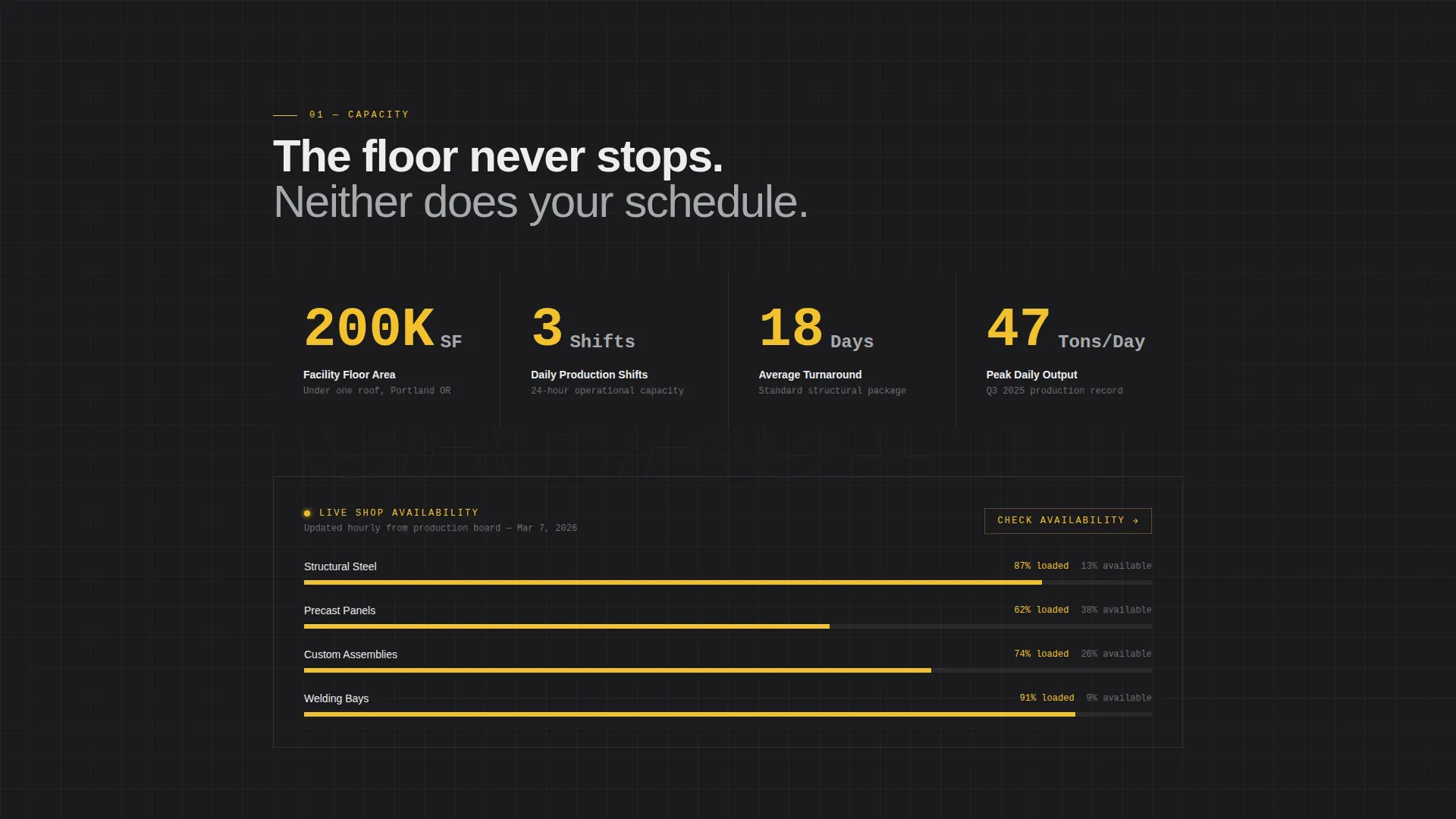
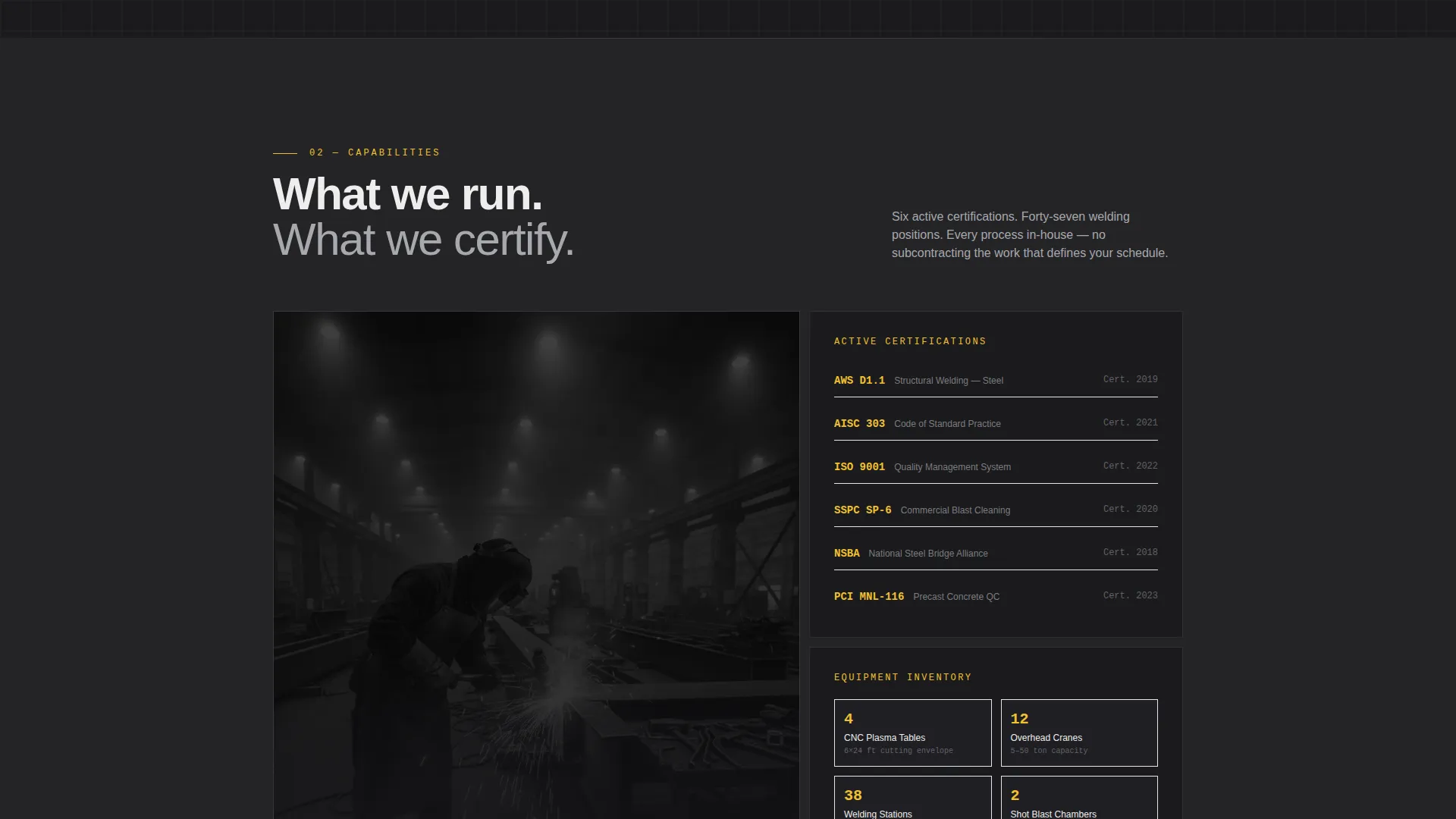
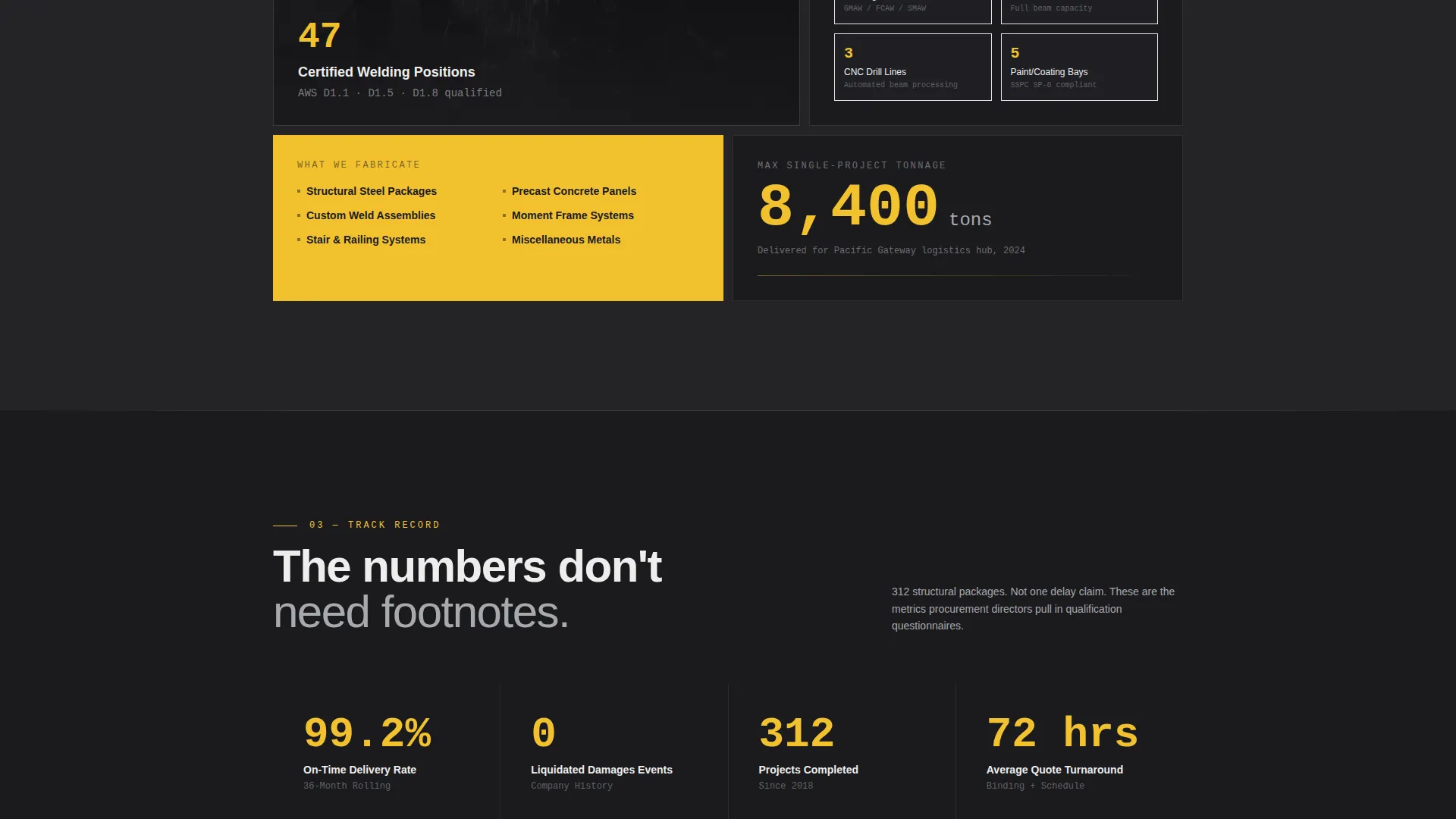
Each spoke section opens with an oversized metric rendered in safety yellow against a mill-scale black background. Supporting paragraphs, project photography, and documentation thumbnails appear only after the number registers, following a proof-before-narrative scroll structure.
Three-Step Capacity Request Form
The primary conversion form uses a progressive three-step sequence. Step one collects project type and estimated tonnage via dropdown and slider. Step two captures required delivery window and jobsite postal code. Step three takes company name, contact details, and an optional file upload for drawings or specifications.
Live Capacity Gauge
A live capacity gauge component shows current shop availability. This gives visiting procurement contacts real-time production context and removes a common qualification question before it is asked.
Secondary Lead Capture Path
A lighter-intent path offers a downloadable capabilities deck. Visitors provide only an email address and company name, lowering the barrier for contacts who are not yet ready to request capacity but are actively evaluating fabrication partners.
Page sections overview
| Section | Purpose |
|---|---|
| Panoramic Header | Opens with scale-setting fabrication bay image and bold production stat overlay |
| Anchor Navigation Bar | Pins to top; links all five spokes and houses the primary call to action |
| Capacity Spoke | Displays shop size, shift schedule, and available tonnage metrics |
| Capabilities Spoke | Lists fabrication services: structural steel, precast panels, custom assemblies |
| Track Record Spoke | Shows on-time delivery percentage, project photography, and certification thumbnails |
| Logistics Spoke | Covers delivery windows, jobsite coordination, and turnaround data |
| Partner Spoke | Hosts the three-step capacity request form and secondary deck download |
Design & branding system
The visual identity follows a Data Command theme built on a Monochrome Steel color system. Every design decision reinforces the feeling of a working plant floor, not a marketing brochure.
- Color palette: mill-scale black (#1B1B1E) for primary backgrounds, galvanized silver (#A8A9AD) for alternating sections, weld-spark white (#EDEDED) for body text, and safety yellow (#F2C12E) reserved exclusively for calls to action, live data points, and navigation highlights
- Typography and layout: oversized bold numerals at 72 pixels for spoke metrics, thin one-pixel section dividers that mimic engineering drawing borders, and no decorative elements that compete with the production data
Mobile & speed optimization
The Forge template is structured to remain functional and readable across screen sizes without sacrificing the industrial visual weight of the desktop layout.
- The panoramic header image and anchor navigation adapt to smaller viewports, keeping the pinned nav and primary call to action accessible on mobile screens
- The three-step form sequence works as a stepped flow on mobile, preventing the full form from overwhelming smaller displays and reducing abandonment
How this template helps you convert
Forge is engineered specifically for partnership-driven, business-to-business conversion in the construction manufacturing space. It earns the click by eliminating the qualification gap.
- Front-loading every metric a procurement director needs means buyers arrive at the form already convinced, reducing the need for follow-up calls and shortening the sales cycle
- The persistent "Request Shop Capacity" call to action in the fixed nav keeps the conversion path visible at every scroll position, so high-intent visitors are never more than one click away from engaging
- The two-path conversion structure, combining the full capacity request form with the lighter-touch capabilities deck download, captures both decision-ready buyers and contacts still in the evaluation phase
Other information about this template
Forge sits at the intersection of industrial manufacturing credibility and direct business-to-business lead generation. A few additional details worth noting:
- The template is categorized under Manufacturing and Industrial, with a specific focus on the Construction Contract Manufacturer niche
- The hub-and-spoke anchor navigation format is particularly effective for buyers who arrive with a specific question (capacity, certifications, logistics) and need to navigate directly to that answer
- Section backgrounds alternate between mill-scale black and galvanized silver to create visual rhythm without introducing color warmth or decorative motifs
- The optional drawing and specification upload field in the form step three is designed to pre-qualify project complexity before first contact, helping shops prioritize inbound leads
Theme
Data Command
Creative direction
Stats-First Impact
Color system
Monochrome Steel
Style
Hub & Spoke (Anchor Nav)
Direction
Partnership/B2B
Page Sections
Panoramic Header with Stat Overlay
Pinned Anchor Navigation Bar
Stats-first Spoke Sections
Three-step Capacity Request Form
Live Capacity Gauge
Secondary Lead Capture Path
Related questions
Who is this landing page template built for?
What does the three-step capacity request form collect?
Does the template support two different lead capture paths?
How does the Stats-First layout structure each spoke section?
Is this template suited for a shop offering multiple fabrication services?



