Metal & Steel Fabrication Professional Website Template
Forge is a hub-and-spoke landing page template built for metal fabrication shops. It leads with an isometric facility illustration, count-up amber statistics, and a three-step quote form. Designed for general contractors, mechanical engineers, and facility managers, it turns precision credentials into qualified leads through a data-first layout on a dark, industrial-grade visual foundation.
by Rocket studio
Quick summary
Forge is a single-page, anchor-navigated template for welding and metal fabrication businesses. It opens with a vector isometric cutaway of a fabrication floor, drives trust through large count-up statistics, and closes the deal with a sequenced three-step quote form. Every design decision reflects shop-floor precision: dark backgrounds, amber data callouts, and proof before copy.
Who this template is for
This template is built for fabrication shops that serve industrial and commercial buyers. If your business ships weldments, custom railings, structural assemblies, or precision-cut metal components, this layout speaks your buyers' language before you write a single word.
- General contractors who need railing specs fulfilled against a tight punch-list deadline
- Mechanical engineers sourcing weldment prototypes held to tight dimensional tolerances
- Facility managers replacing corroded pipe runs before a compliance inspection
What problem this template solves
Most fabrication shop websites bury their best credentials inside blocks of plain text. Buyers who are under deadline pressure scan fast and leave fast. Forge puts proof first: statistics lead every section, certifications are visible without scrolling, and the quote path is never more than one click away.
- Credentials and capacity get lost below the fold on generic templates
- Visitors leave before they find the information they need to write a specification
- There is no clear path from "I need a quote" to a structured, actionable inquiry form
What you get with this template
You get a complete, fully structured landing page that sequences a buyer through credibility, capability, and conversion. Every section is purpose-built and ready to populate with your shop's real numbers and project history.
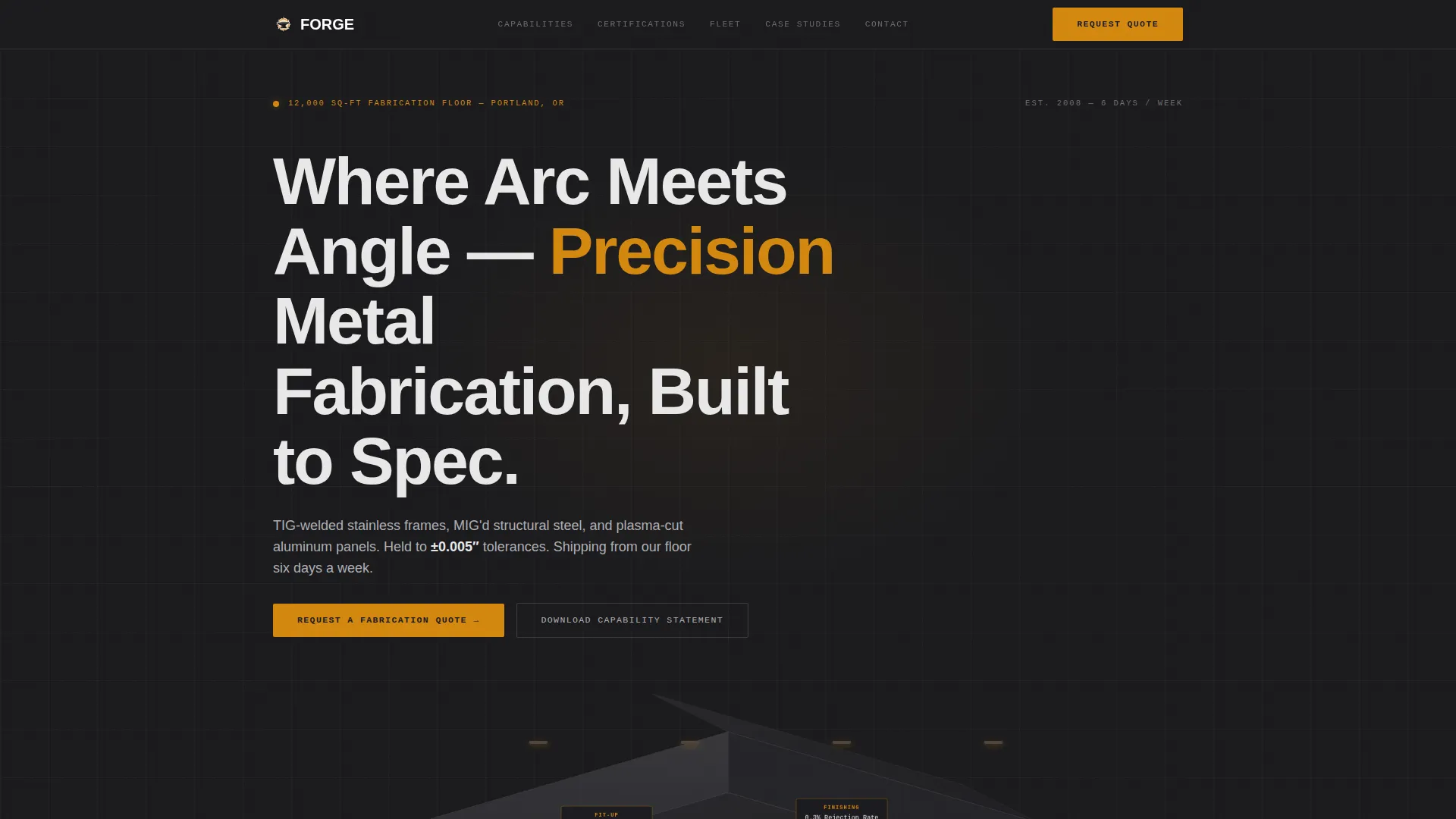
- An isometric hero illustration with five labeled fabrication zones and embedded amber stat callouts
- Six anchor-navigated spoke sections covering Capabilities, Certifications, Fleet, Case Studies, Contact, and a footer
- A three-step quote form plus a secondary capability statement capture path for earlier-stage leads
Feature list
Isometric Fabrication Facility Hero
The header replaces photography with a precise vector illustration rendered in forge-black. Five labeled zones explode outward: cutting, fit-up, welding, finishing, and quality control inspection. Each zone carries a single amber data point that communicates process mastery at a glance. The illustration itself functions as a credential before any paragraph is read.
Count-Up Amber Statistics
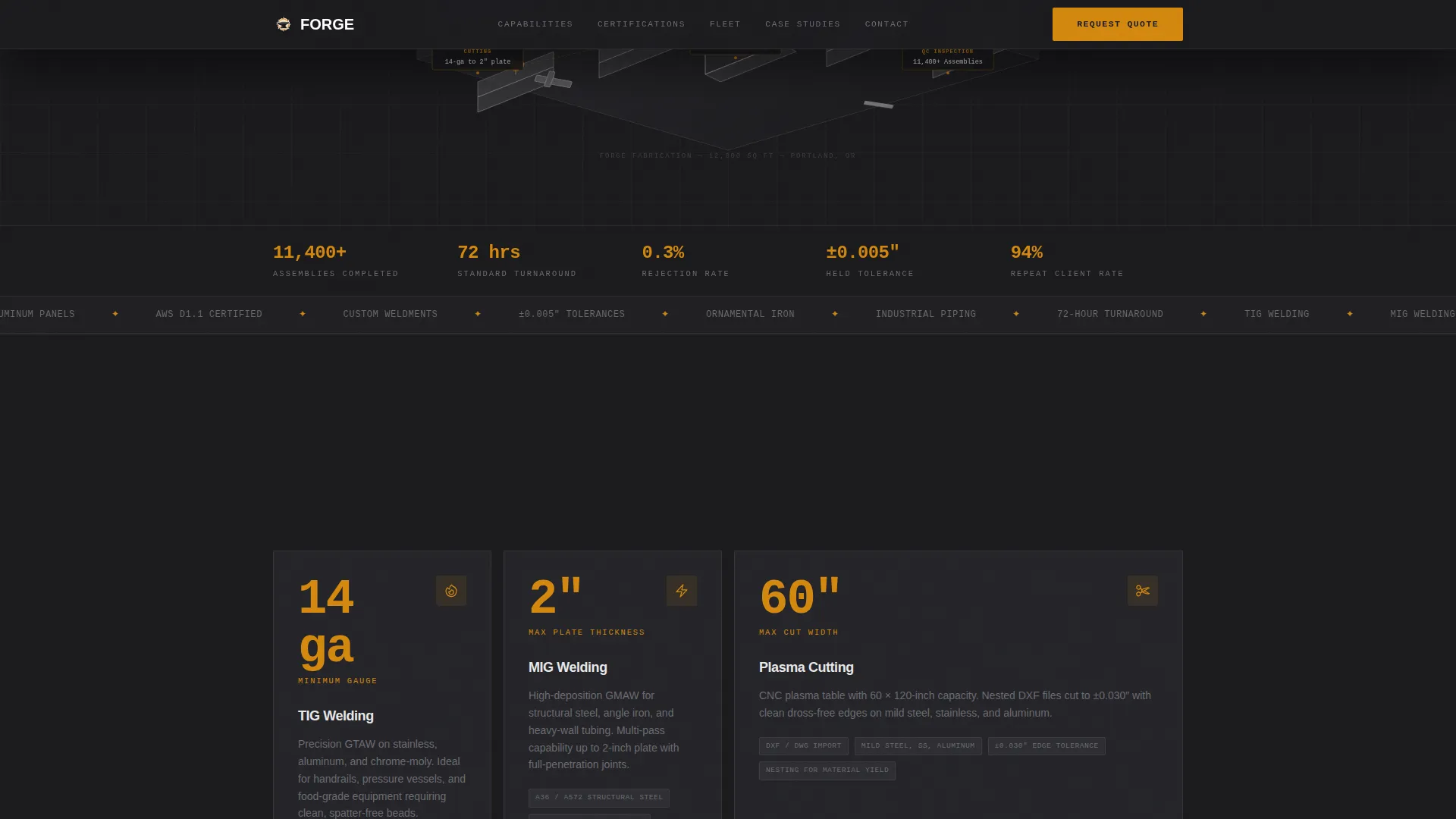
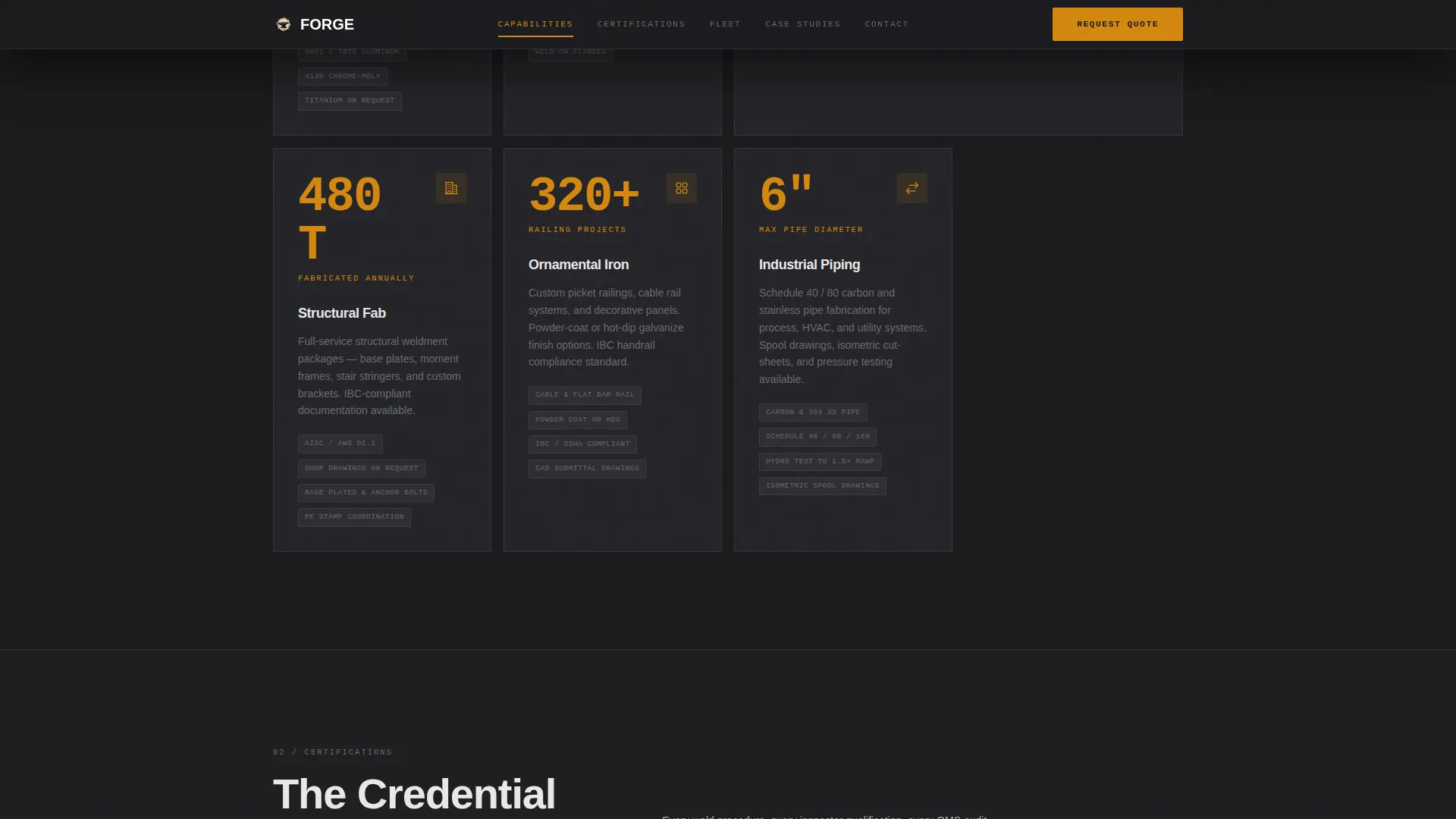
Every spoke section opens with a large amber number that animates upward on scroll entry. Stats such as tonnage fabricated annually, repeat-client percentage, and average project value load first. The supporting narrative text appears beneath, contextualizing the data rather than replacing it.
Three-Step Sequenced Quote Form
The primary conversion path walks buyers through three focused steps. Step one presents project type checkboxes covering structural, ornamental, industrial piping, and custom prototype work. Step two offers material and thickness selectors with an optional drawing upload field for DXF or PDF files. Step three collects name, company, and preferred contact method.
KPI Flip Cards for Case Studies
Case study cards display a single key performance indicator on their face. On hover or tap, the card flips to reveal a full project brief on the reverse. This keeps the rhythm of proof-then-story consistent as the visitor moves through the page.
Fixed Anchor Navigation Rail
A persistent navigation bar links directly to each spoke section: Capabilities, Certifications, Fleet, Case Studies, and Contact. The primary call-to-action button "Request a Fabrication Quote" is anchored in this bar so it stays visible throughout the entire scroll journey.
Secondary Lead Capture Path
A "Download Our Capability Statement" option sits alongside the main quote form. It captures an email address from visitors who are still in the specification or vendor-shortlisting phase. This gives the template two distinct lead paths serving buyers at different stages of readiness.
Page sections overview
| Section | Purpose |
|---|---|
| Hero Isometric Header | Establish credibility with labeled facility zones and amber stat callouts |
| Capabilities Bento Grid | Showcase fabrication process capabilities with count-up data numbers |
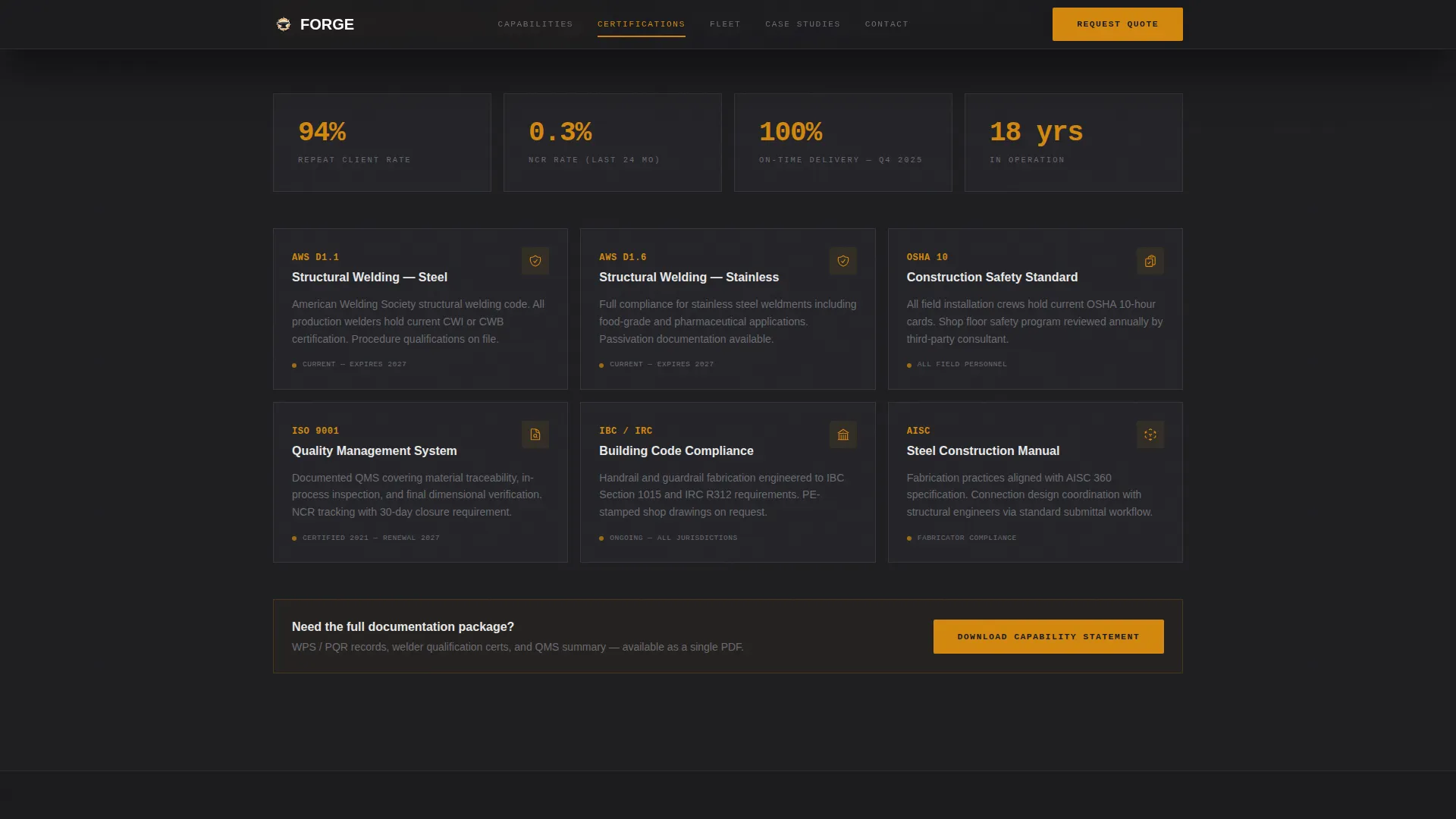
| Certifications Editorial Grid | Display certification badges and compliance credential callouts |
| Fleet Equipment Cards | Present equipment inventory with hover-reveal details and tonnage stats |
| Case Studies Flip Cards | Deliver project proof via KPI-first, brief-reverse card interactions |
| Contact Quote Form | Convert visitors with a three-step form and capability statement capture |
| Footer Linear Row | Provide navigation links and closing shop information |
Design & branding system
The visual identity follows a Corporate Precision theme built for a dark industrial environment. The palette evokes a clean shop floor under halogen bays: organized, no wasted space, with a precise glow reserved for moments that matter.
- Core palette: forge-black (#1A1A1D) for backgrounds, mill-scale gray (#3D3D40) for surfaces, brushed-plate silver (#B0B0B4) for secondary text, and molten amber (#D4880F) exclusively for data callouts, navigation highlights, and call-to-action states
- Typography: Plus Jakarta Sans for headings and body copy, JetBrains Mono for statistics and data fields to reinforce a precision-instrument aesthetic
- No photography or stock imagery; the isometric vector illustration carries the entire visual credibility of the hero section
Mobile & speed optimization
The template is designed desktop-first, with the most complex data visualizations and animations optimized for wider viewports. On mobile, a floating bottom bar keeps the primary conversion action permanently accessible.
- A floating "Request a Fabrication Quote" call-to-action bar anchors to the bottom of the screen on mobile devices throughout the entire scroll journey
- Static content sections use server-rendered components while animation-heavy elements such as count-up numbers, card flips, and parallax transitions are handled client-side
- The three-step form collapses into a clean single-column flow on smaller screens without losing any of the input steps
How this template helps you convert
Forge is built around a single principle: data closes deals faster than copy does. The layout is structured so that every credibility signal appears before the visitor reads a paragraph of explanation.
- The isometric hero delivers five quantified credentials at first glance, establishing shop scale and certification status before the visitor scrolls.
- Count-up statistics open each spoke section, pulling attention to proof points like rejection rate and completed assemblies before the narrative context loads.
- The three-step quote form reduces friction by breaking a complex fabrication inquiry into three focused, logical steps, with a secondary email-capture path holding visitors who are not yet ready to commit.
Other information about this template
Forge is categorized under Manufacturing and Industrial, specifically within the Metal and Steel Fabrication subcategory and the Welding and Metalwork niche. It carries a high intersection match score reflecting strong alignment between its design system, template style, and intended buyer audience.
- Template style: Hub and Spoke with a fixed anchor navigation rail
- Creative direction: Stats-First Impact, where quantified proof drives each section before supporting copy loads
- Header concept: Isometric vector illustration, no photography required
- Landing-page direction: Lead Generation with dual capture paths for ready-to-quote and specification-phase visitors
- Localization: United States market, imperial measurements, and United States dollar pricing conventions
- Animation level: High, including count-up numbers, card flip interactions, text reveals, parallax scrolling, and a marquee element
- Interactivity level: High, covering the three-step form, flip cards, anchor navigation, and a floating mobile call-to-action bar
Theme
Corporate Precision
Creative direction
Stats-First Impact
Color system
Charcoal & Amber
Style
Hub & Spoke (Anchor Nav)
Direction
Lead Generation
Page Sections
Isometric Fabrication Facility Hero
Count-up Amber Statistics
Three-step Sequenced Quote Form
KPI Flip Cards for Case Studies
Fixed Anchor Navigation Rail
Dual Lead Capture Paths
Related questions
What kind of fabrication business is this template designed for?
Can I use this template without custom photography?
How does the three-step quote form work?
What is the secondary lead capture path for?
Does the template support two different calls to action at the same time?



