Farrier Booking Website Template
Forge is a single-page farrier landing page template built for mobile farriers who want to book more clients without extra friction. It uses a zigzag alternating layout, a dark Monochrome Steel palette, and a transparent process approach to walk barn managers and horse owners through exactly what to expect, from the first evaluation to the final clinch.
by Rocket studio
Quick summary
Forge is a click-through farrier landing page template designed to qualify visitors before they ever reach your booking page. The alternating image-and-copy layout, ember-orange calls to action, and service-area map work together to answer every practical question a barn manager asks before picking up the phone.
Who this template is for
This template suits farriers who run a mobile operation and need a focused web presence that earns trust fast. It speaks directly to the people who decide which farrier gets the call.
- Barn managers overseeing large multi-horse rotations who need to confirm service area coverage quickly
- Dressage riders and performance horse owners who want evidence of technical precision before committing
- Hobby farmers with a single horse or small herd who are ready to book and just need a straightforward way to do it
What problem this template solves
Most farrier websites either look too generic or bury the practical details visitors actually need. Barn managers and horse owners want to know: do you cover my area, what does the process look like, and how do I schedule a trim? This template answers all three before the visitor has to ask.
- No clear service-area map means visitors leave without knowing if you travel to their barn
- Lack of process photos or step-by-step copy leaves cost-conscious clients comparing you on price alone
- No obvious call to action forces interested visitors to dig for contact information they should never have to hunt
What you get with this template
Forge delivers a complete single-page layout with every section already structured and sequenced. You get a professional starting point that shows your craft visually and moves visitors toward booking with minimal friction.
- A full-bleed dark header with headline overlay, followed by three zigzag process sections pairing large photos with plain-spoken copy
- A horizontal service-area map section with ember-orange location pins showing covered counties at a glance
- A sticky mobile bottom bar and repeated calls to action so the booking prompt is always within reach
Feature list
This template is built around a handful of tightly focused design decisions. Each one serves the single goal of getting a qualified barn manager to click "Schedule Your Trim."
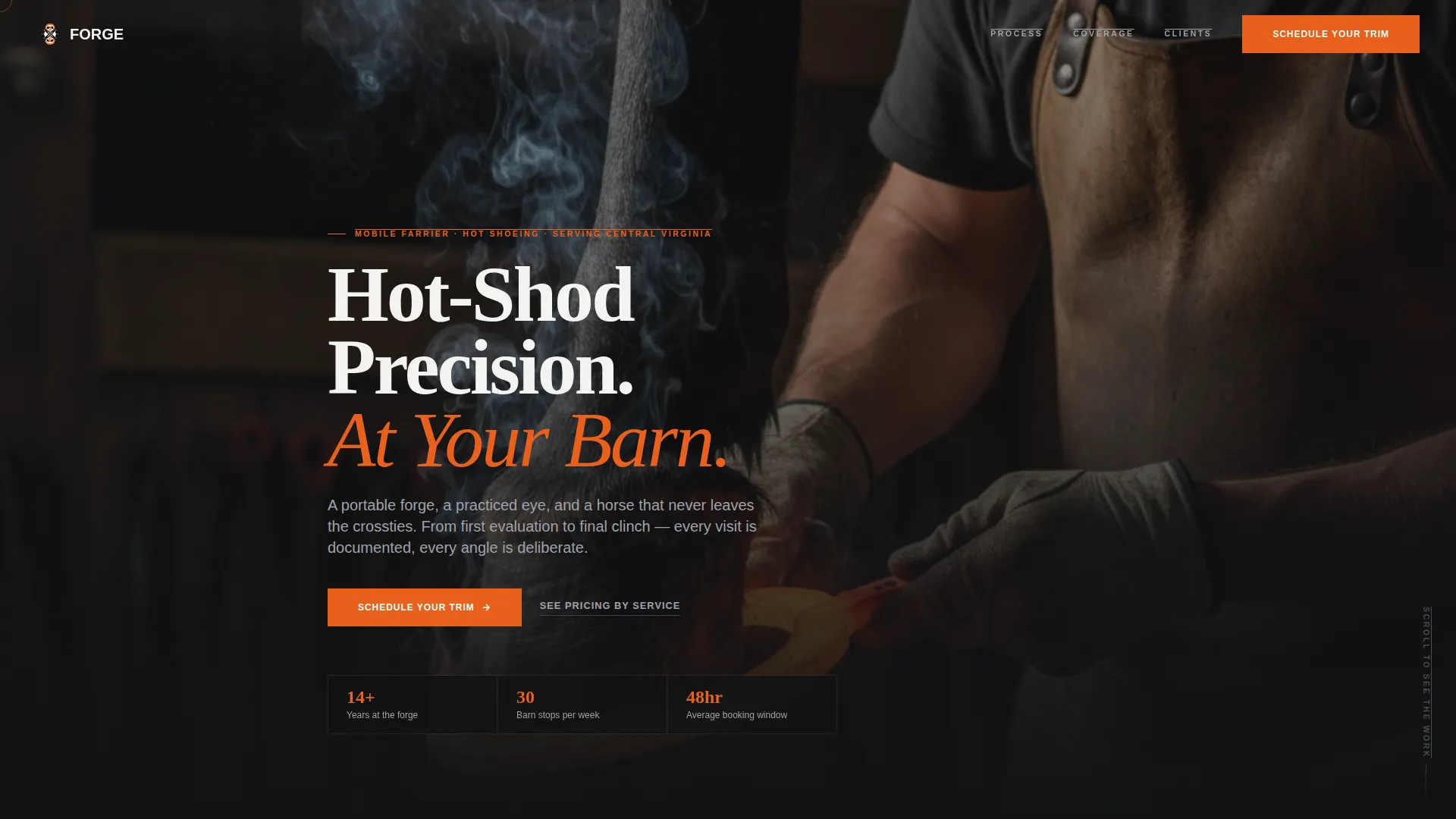
Full-Bleed Dark Header with Headline Overlay
The header uses a low-angle barn photograph, leather apron, lifted hoof, glowing shoe, with a single overhead work light creating a warm rim glow. The headline "Hot-Shod Precision. At Your Barn." fades in over the scene, setting tone and service promise in one frame.
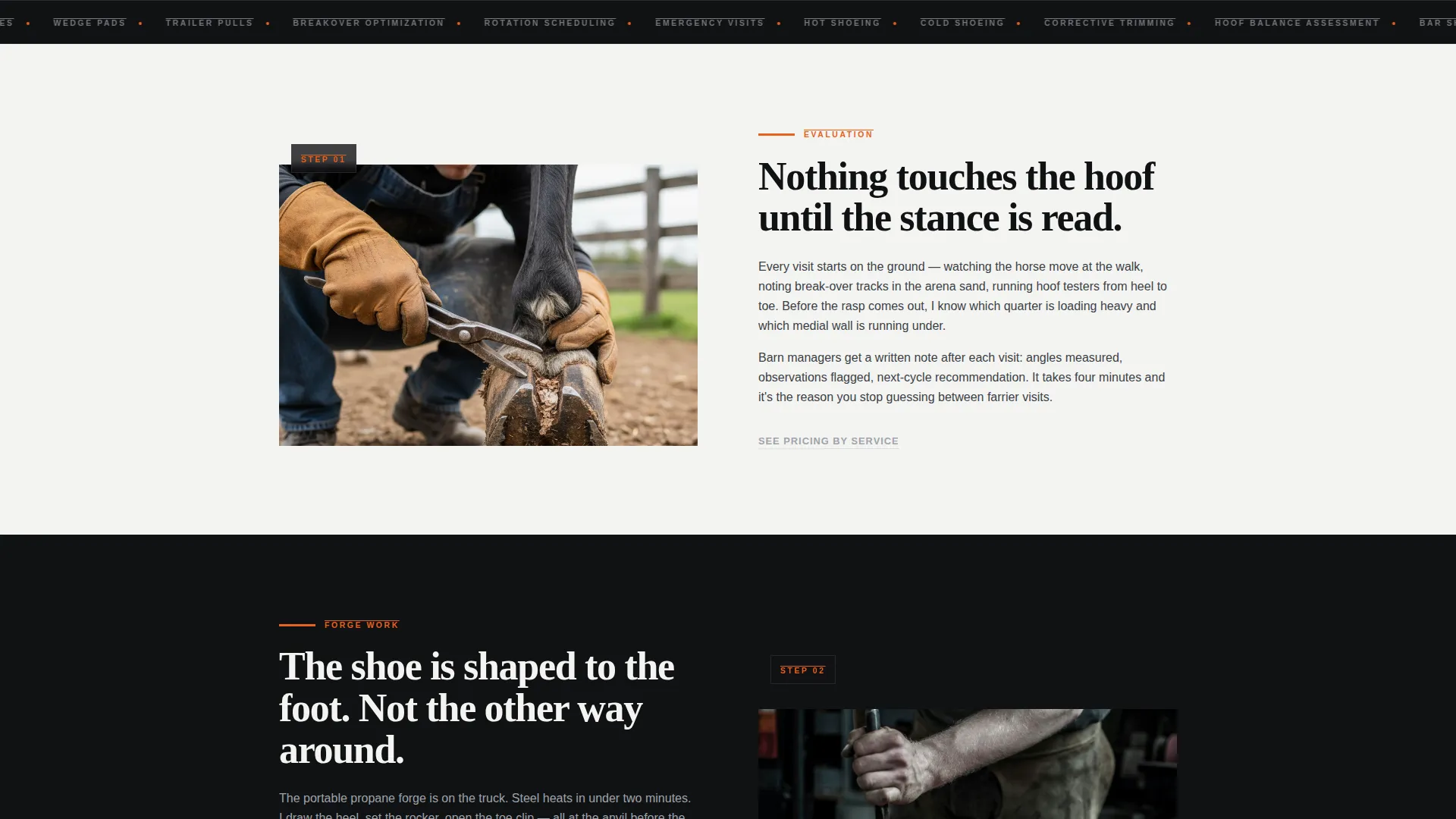
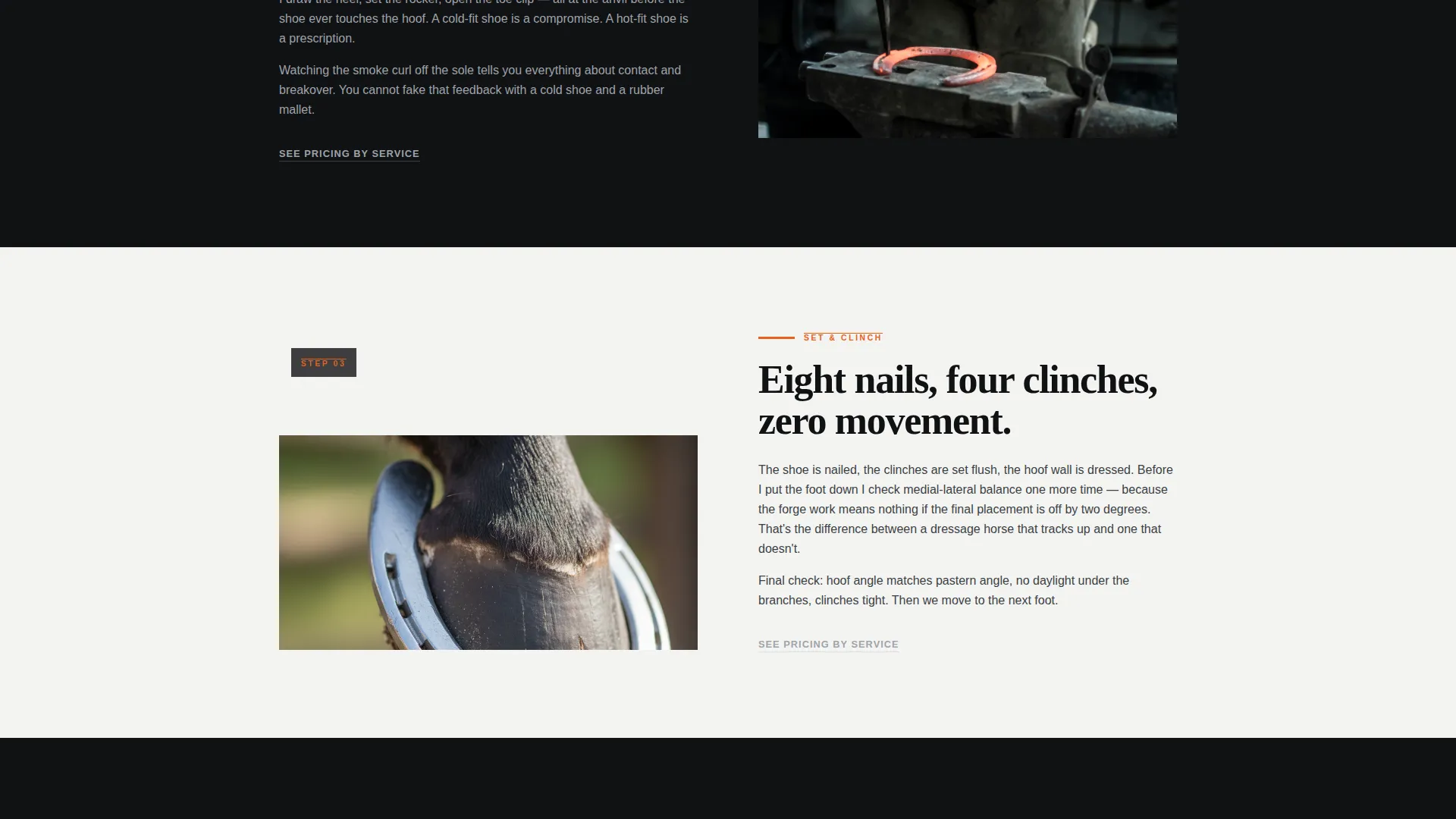
Zigzag Alternating Process Sections
Three content sections alternate image-left and image-right in a rhythm that mirrors the steady cadence of hoofbeats. Each section pairs a large process photo (evaluation, forge work, finished trim) with direct copy that strips away mystery and shows exactly what happens at every stage.
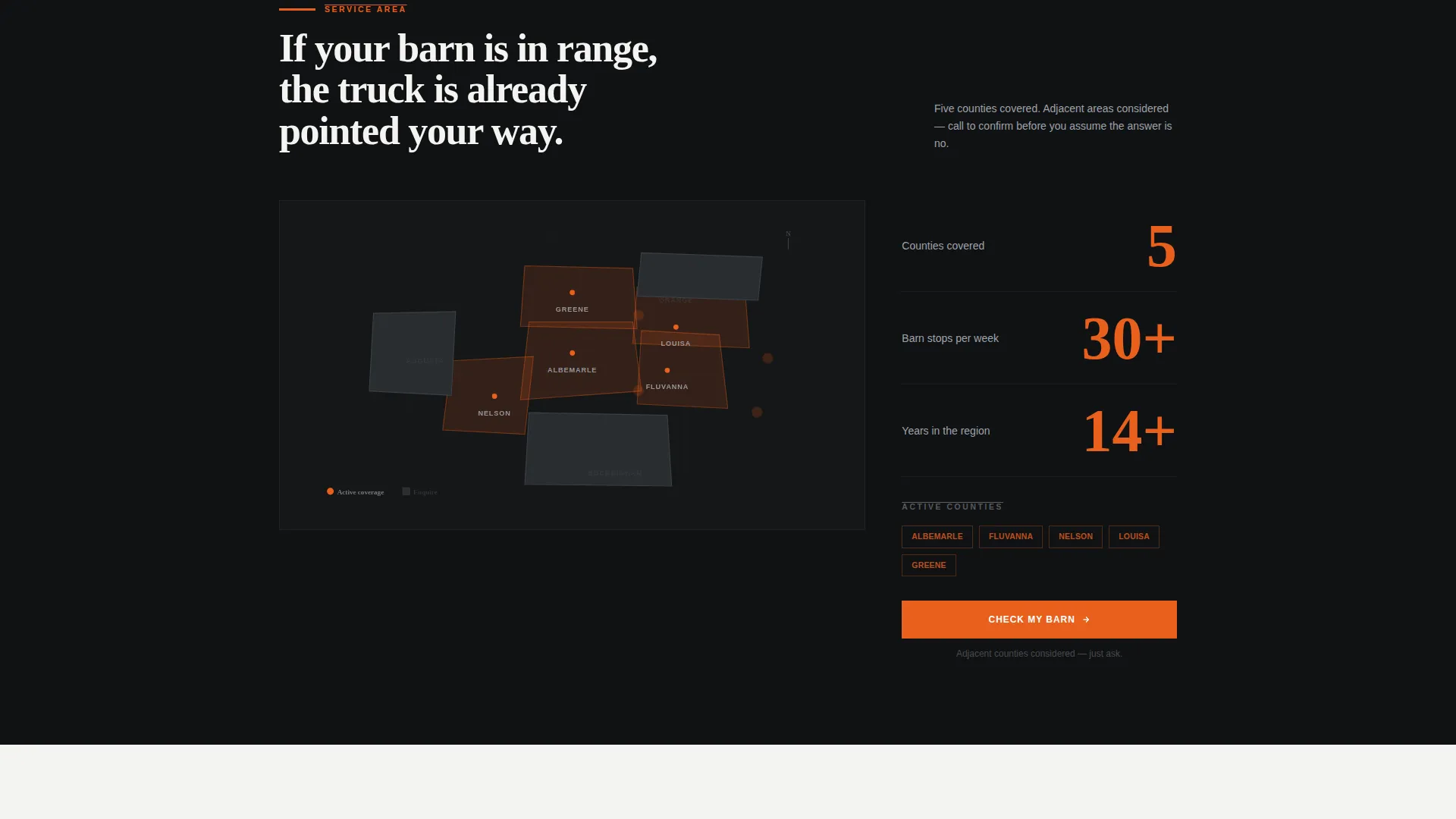
Service-Area Map Section
A horizontal map rendered in muted steel tones sits between the zigzag sections. Ember-orange pins mark covered counties so visitors can confirm coverage in seconds without reading a word of text.
Furnace-Ember Orange Calls to Action
The primary "Schedule Your Trim" button appears in the header and repeats throughout the page in furnace-ember orange (#E8601C). This accent color is reserved exclusively for calls to action and hover states, making the next step visually unmistakable at every scroll point.
Sticky Mobile Bottom Bar
On mobile devices, a fixed bottom bar keeps the primary call to action visible at all times. Visitors never have to scroll back up to find the booking prompt, reducing drop-off at the moment of decision.
Secondary Pricing Text Links
A "See Pricing by Service" text link sits beneath each zigzag section. This gives cost-conscious barn managers a direct path to pricing context without interrupting the visual flow of the main page.
Page sections overview
| Section | Purpose |
|---|---|
| Dark Header | Establishes tone, service promise, and primary call to action |
| Hoof Evaluation Section | Shows initial assessment process with photo and copy |
| Forge Work Section | Demonstrates shoe shaping and hot-fit process |
| Finished Trim Section | Displays balanced angles and final clinch result |
| Service Area Map | Confirms covered counties with visual ember-orange pins |
| Sticky Mobile Bar | Keeps booking call to action accessible throughout mobile scroll |
Design & branding system
The Monochrome Steel palette is the backbone of this template's visual identity. Every color choice is functional, not decorative, and the restraint of a near-black-and-silver system makes the single ember-orange accent impossible to miss.
- Core palette: forge-black (#111214) and ash white (#F4F4F2) alternate as section backgrounds; gunmetal (#3B3F45) and anvil silver (#9EA3AB) handle typography on light and dark sections respectively
- Furnace-ember orange (#E8601C) appears only on calls to action and hover states, never as decoration
- The Service Utility theme keeps layout clean and direct, with no ornamental elements competing for attention
Mobile & speed optimization
Forge is structured with mobile barn-managers and on-the-go horse owners in mind. The layout adapts from the alternating desktop view to a clean stacked single-column format on smaller screens.
- The sticky bottom bar keeps the primary "Schedule Your Trim" action accessible on every mobile screen size without requiring a scroll
- Alternating sections restack naturally so process photos remain full-width and copy stays legible at all breakpoints
How this template helps you convert
The page is designed as a click-through funnel. Every section earns the next scroll, and the visitor reaches the booking page already qualified rather than still curious.
- The header photograph and headline answer "is this farrier serious?" before a single word of body copy appears, reducing immediate bounce
- The three zigzag process sections answer "what will actually happen at my barn?" so the visitor arrives at the booking page with confidence, not questions
Other information about this template
Forge is part of a niche-specific template set built for farrier online presence and professional services. It is designed to function as a standalone farrier service area and location page, one focused URL that covers a specific region or county grouping and ranks for local intent.
- The template style is Zigzag/Alternating, the theme is Service Utility, and the creative direction is Transparent Process, making it well suited for any trade professional who wants to show work rather than just describe it
- The header concept is Dark Full-Bleed with Glow, and the landing page direction is Click-Through, meaning the page's sole job is to send a convinced visitor to a booking or contact destination
- The template is category-matched to Professional Services and the Farrier Online Presence subcategory, so the layout hierarchy and copy structure reflect how barn managers and horse owners actually evaluate a farrier before making contact
Theme
Service Utility
Creative direction
Transparent Process
Color system
Monochrome Steel
Style
Zigzag/Alternating
Direction
Click-Through
Page Sections
Full-bleed Dark Header with Glow
Zigzag Alternating Layout
Service Area Map with Ember Pins
Sticky Mobile Booking Bar
Reserved Accent Color System
Secondary Pricing Text Links
Related questions
Can I use this template for multiple service areas?
Does the template include actual photographs?
What is the primary call to action on this page?
Is a pricing page included with this template?
Who gets the most value from this template?



