Commercial Furniture Factory Landing Page Template
Forge is a hub-and-spoke anchor-nav landing page built for commercial furniture factories. It walks visitors through a single order's full lifecycle, from briefing call to installed boardroom, using dated milestones, real lead-time figures, and a live comparison toggle. The Carbon Fiber palette and factory-floor photography make every section feel machined, not marketed.
by Rocket studio
Quick summary
Forge is a single-page, anchor-nav landing page template designed for commercial furniture manufacturers. It follows a Timeline Progression structure that moves a visitor through five production phases: Specification, Prototyping, Production, Logistics, and Installation. A persistent comparison module, a primary project-timeline form, and a secondary spec-sheet capture path work together to convert qualified leads efficiently.
Who this template is for
This template is built for businesses that manufacture and supply contract-grade commercial furniture at volume. It speaks directly to the sales and marketing teams at factories that need to prove speed and precision to demanding procurement buyers.
- Office fit-out contractors chasing tight handover dates and needing a factory they can trust to hit them
- Facilities managers overseeing large-scale workstation replacements who need clear lead-time proof before committing
- Interior designers requiring a manufacturer willing to match precise material and finish specifications, such as a Pantone swatch on laminate edge-banding
What problem this template solves
Commercial furniture factories rarely get credit for their actual speed and capability. Most factory websites rely on vague promises and glossy lifestyle photography, which do nothing to reassure a procurement manager staring at a four-week handover window.
- Buyers cannot easily compare your lead times against traditional joinery workshops or imported contract furniture suppliers
- Prospects abandon contact forms because they do not understand the production process or what information to bring to a first conversation
- The factory's precision and process discipline remain invisible when copy replaces evidence with generic claims
What you get with this template
Forge gives you a fully structured, single-page layout built around an anchor navigation system. Each nav item is a production phase, and each section delivers dated evidence to support the factory's speed argument. You get a layout that earns the click before it asks for one.
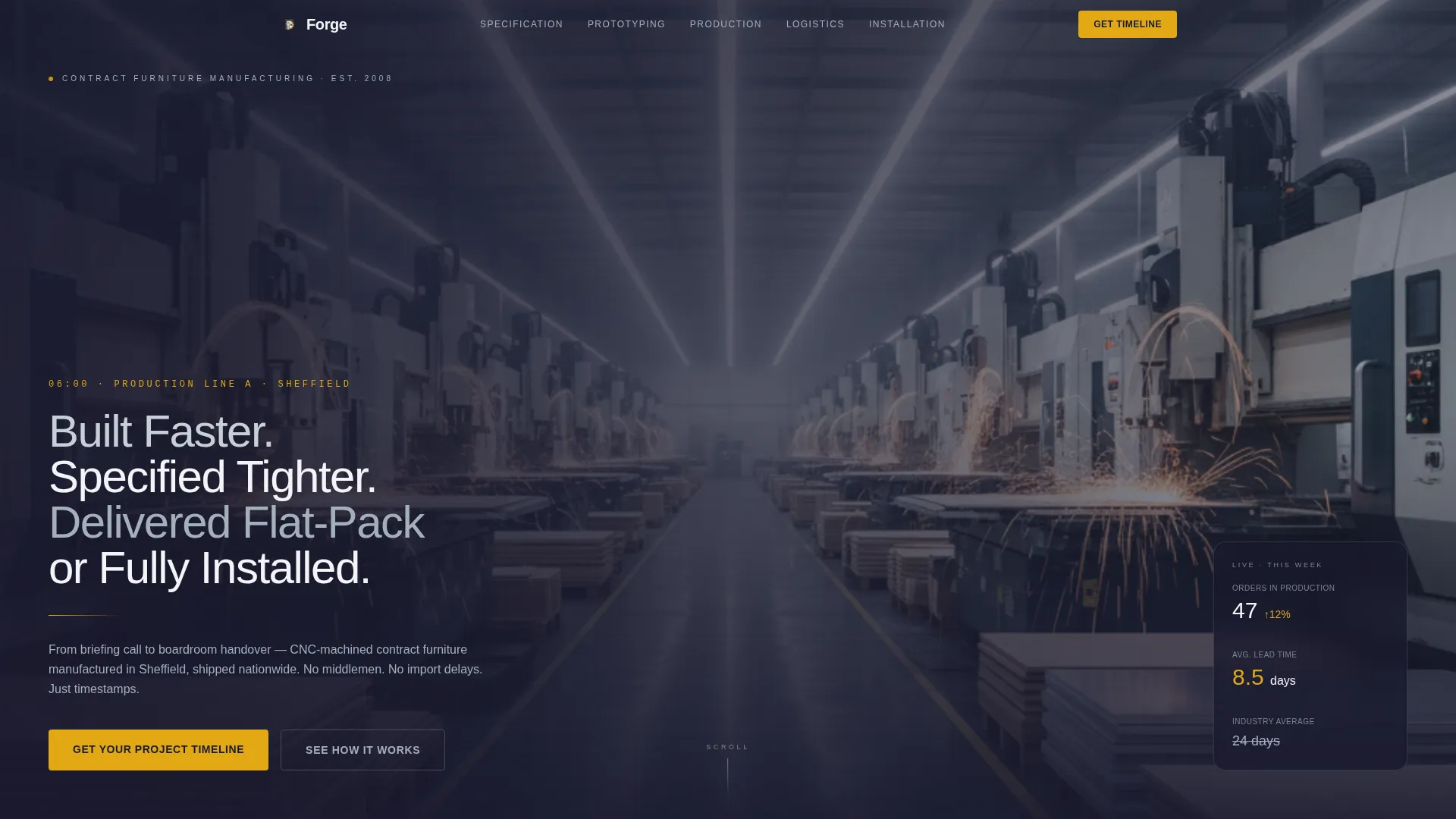
- A full-bleed, low-dolly production-line header with a headline set in machined aluminum type
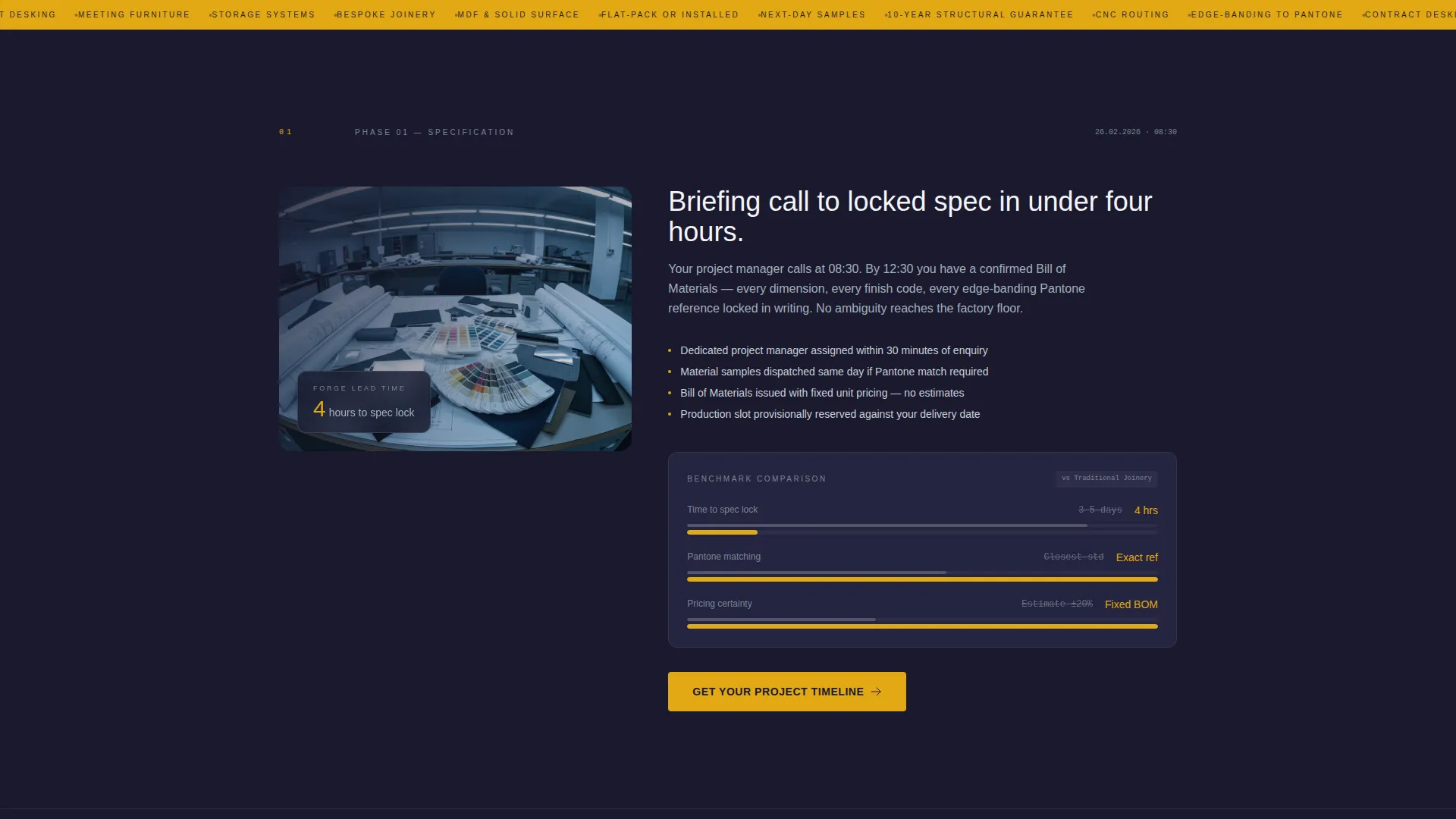
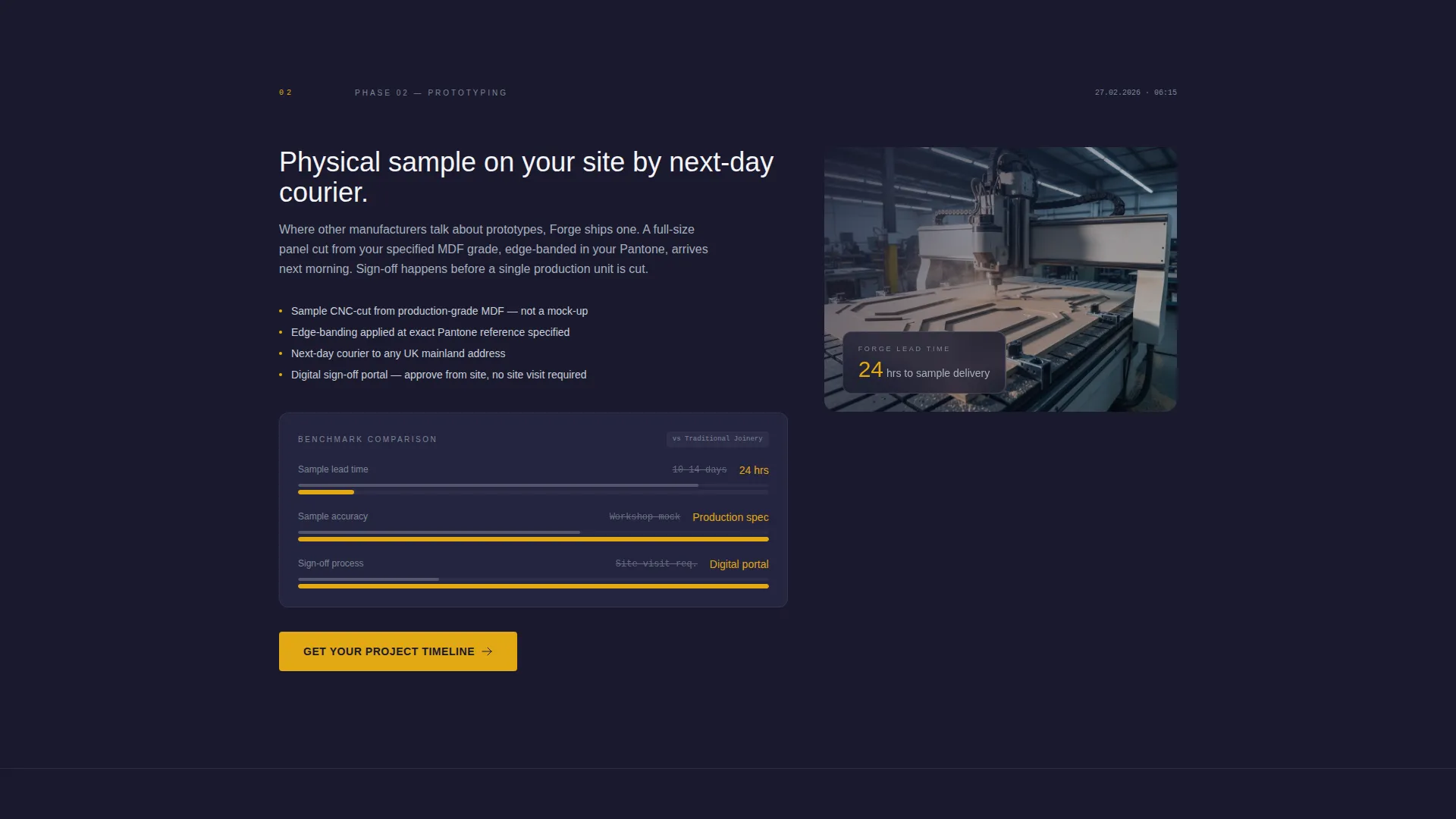
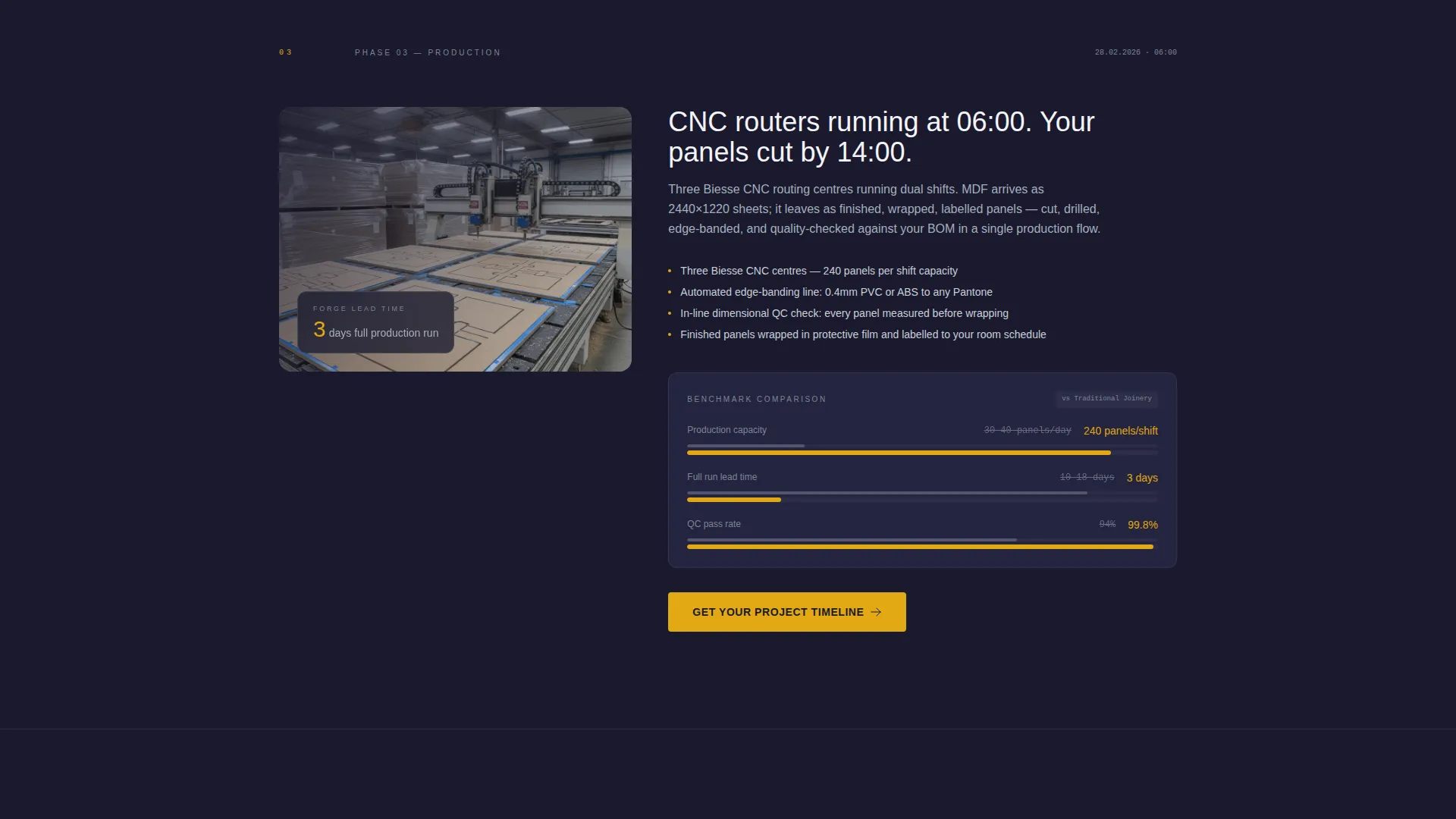
- Five phase-based spoke sections, each containing a milestone date, a factory photograph placeholder, a lead-time figure, and a comparison column against industry-average timelines
- A persistent sticky comparison module with toggles for "Us versus. Traditional Joinery" and "Us versus. Imported Contract Furniture," updating lead-time, minimum order quantity, customization depth, and warranty data per toggle
Feature list
This section describes the core built-in components of the Forge template in practical terms.
Anchor Navigation Hub
A sticky anchor navigation bar links directly to each production phase on the page. Visitors can jump to any stage of the order lifecycle without scrolling through the full page. This keeps the experience efficient for returning buyers who already know which phase interests them.
Timeline Progression Sections
Five spoke sections walk visitors through Specification, Prototyping, Production, Logistics, and Installation in sequence. Each section reveals a dated milestone, a lead-time figure, and a side-by-side comparison with industry-average turnaround. The cumulative effect is a data-backed argument built in stages.
Live Comparison Toggle Module
A persistent sticky module lets visitors switch between two competitor contexts: traditional joinery and imported contract furniture. Each toggle state updates the visible data for lead time, minimum order quantity (the lowest volume a factory will produce in a single run), customization depth, and warranty terms. No page reload is required.
Dual Conversion Paths
The primary call to action, "Get Your Project Timeline," appears at the hub and repeats at the close of each spoke section. It opens a short form covering project type, quantity range, and required delivery date. A secondary path, "Download Our Spec Sheet," captures an email address for follow-up nurture.
Full-Bleed Factory Header
The header uses a low dolly-angle photograph shot down the length of a production line. CNC machines appear in soft focus on the left, stacked finished panels wrapped in protective film sit on the right, and overhead strip lighting converges to a vanishing point. A single headline sits bottom-left, set in machined aluminum type.
Carbon Fiber Color System
The palette is built from four tones: deep graphite (#1A1A2E), machined aluminum (#A4B0BD), clean workshop white (#F4F4F8), and laser-cut amber (#E2A813). Amber is reserved exclusively for calls to action, active navigation indicators, and data callouts to maximize visual contrast and guide the eye.
Page sections overview
| Section | Purpose |
|---|---|
| Full-Bleed Header | Sets factory authority and frames the core value headline |
| Anchor Nav Hub | Lets visitors jump directly to any production phase |
| Specification Phase | Shows briefing-to-spec milestone with lead-time comparison data |
| Prototyping Phase | Displays prototype turnaround milestone and comparison column |
| Production Phase | Reveals CNC production timeline and factory-floor photograph |
| Logistics Phase | Covers flat-pack and fully installed shipping options with dates |
| Installation Phase | Closes the lifecycle argument with final timeline proof |
| Comparison Toggle | Lets visitors switch between two competitor benchmarks live |
| Project Timeline Form | Captures project type, quantity, and delivery date from the buyer |
| Spec Sheet Capture | Collects email in exchange for a downloadable specification sheet |
Design & branding system
The Forge template follows a Corporate Precision theme with zero ornamentation. Every visual decision mirrors the inside of a precision tooling catalogue: matte surfaces, industrial structure, and no lifestyle imagery.
- Color system uses deep graphite as the dominant background, machined aluminum for body type, clean workshop white for content panels, and laser-cut amber strictly for interactive and data-emphasis elements
- Typography is set to feel like machined aluminum in print: cool, structured, and unmistakably functional, with no decorative weight or serif flourish
- All photography placeholders call for real factory images, keeping visual honesty intact across every section of the page
Mobile & speed optimization
The Forge layout is built to remain fully readable and navigable on smaller screens. The anchor navigation collapses cleanly on mobile without losing the ability to jump between phases.
- The sticky comparison toggle module is designed to reflow on narrow viewports so both toggle states remain accessible without horizontal scrolling
- Section-level lead-time data and comparison columns stack vertically on mobile to preserve clarity on smaller displays
How this template helps you convert
Forge converts by replacing generic claims with timestamped factory evidence. Visitors do not need to trust the copy alone; the template structures a case across five sequential phases.
- Each phase section ends with a repeated primary call to action, creating multiple low-friction entry points for a buyer who is ready to inquire at any stage of reading, not just at the bottom of the page.
- The live comparison toggle keeps qualified visitors engaged by letting them personalize the data they see, making the factory's advantage concrete against the competitor type most relevant to their buying situation.
Other information about this template
The Forge template is a strong fit for any commercial furniture manufacturer that competes on precision, speed, and custom specification capability. It is not a generic product catalogue layout.
- The template style is Hub and Spoke with Anchor Navigation, which means every section is reachable from a single persistent navigation bar without leaving the page
- The creative direction is Timeline Progression, meaning the page builds a persuasive argument through accumulating evidence across five ordered production phases
- The comparison module is designed for a Comparison/Versus landing page direction, making it especially useful for factories that regularly compete against traditional joinery workshops or imported contract furniture suppliers
- The header concept is Full-Bleed Photo, requiring a real production-line photograph to achieve the intended visual authority; stock imagery of staged offices would undermine the template's credibility
- This template sits within the Manufacturing and Industrial category, specifically the Wood and Furniture Manufacturing subcategory, targeting the Commercial Furniture Factory niche
Theme
Corporate Precision
Creative direction
Timeline Progression
Color system
Carbon Fiber
Style
Hub & Spoke (Anchor Nav)
Direction
Comparison/Versus
Page Sections
Anchor Navigation Hub
Timeline Progression Layout
Live Comparison Toggle Module
Dual Conversion Path Design
Full-bleed Factory Header
Carbon Fiber Color System
Related questions
Can I adapt this template if I manufacture products beyond desking?
Does the live comparison toggle require custom development to work?
What kind of photography works best in the header?
Is the project timeline form customizable?
Who should use the spec sheet download section?



