Industrial Architecture Specialist Professional Website Template
Forge is a masonry-style industrial landing page built for structural steel contractors and foundation specialists. It leads with a self-drawing animated building illustration and a crew-spotlight grid that puts named workers front and center. Every expanded card unlocks real project data. A persistent bottom bar and a capabilities deck download give visitors two clear paths forward.
by Rocket studio
Quick summary
Forge is a single-page template built for industrial contractors who raise steel frames and pour foundations. A self-constructing animated hero sets the tone. Below it, a masonry crew-spotlight grid builds credibility through people, not just projects. Facility directors and operations VPs get the scale proof they need, and a persistent "Start Your Build" bar keeps the conversion path visible at all times.
Who this template is for
This template is designed for B2B industrial construction businesses that need to convert serious buyers, not casual browsers. The layout speaks directly to decision-makers who review vendors at a desk and need proof of capability before they pick up the phone.
- Structural steel contractors and foundation specialists serving warehouses, processing plants, and distribution centers
- Industrial builders targeting facility directors, operations VPs, and commercial developers
- Midwest construction firms that want a desktop-first presence with a credible, human-led visual story
What problem this template solves
Industrial contractors often struggle to communicate scale and reliability through a generic website. A list of services and a few project photos rarely answer the questions a facility director is actually asking: who will be on my site, can they hit my schedule, and have they done this before at this size?
- No way to show crew competence and project scale in the same view
- No clear conversion path for visitors in different stages of the buying process
- No visual identity that matches the weight and precision of the work itself
What you get with this template
Forge delivers a complete single-page layout structured around human proof and industrial credibility. Every section is purposefully ordered to move a skeptical buyer from curiosity to a scoping conversation.
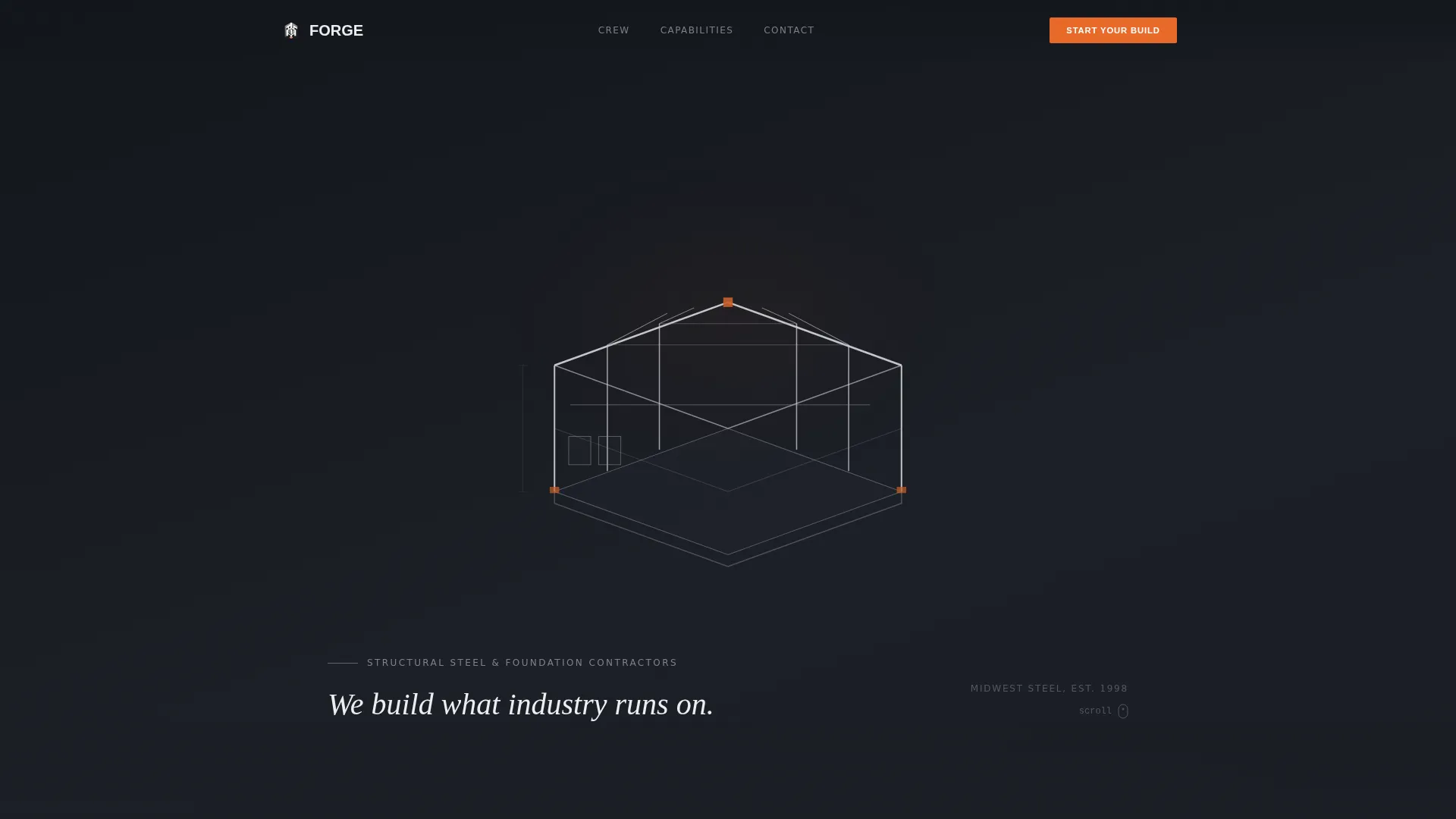
- An animated SVG hero illustration that draws a complete isometric industrial building in real time
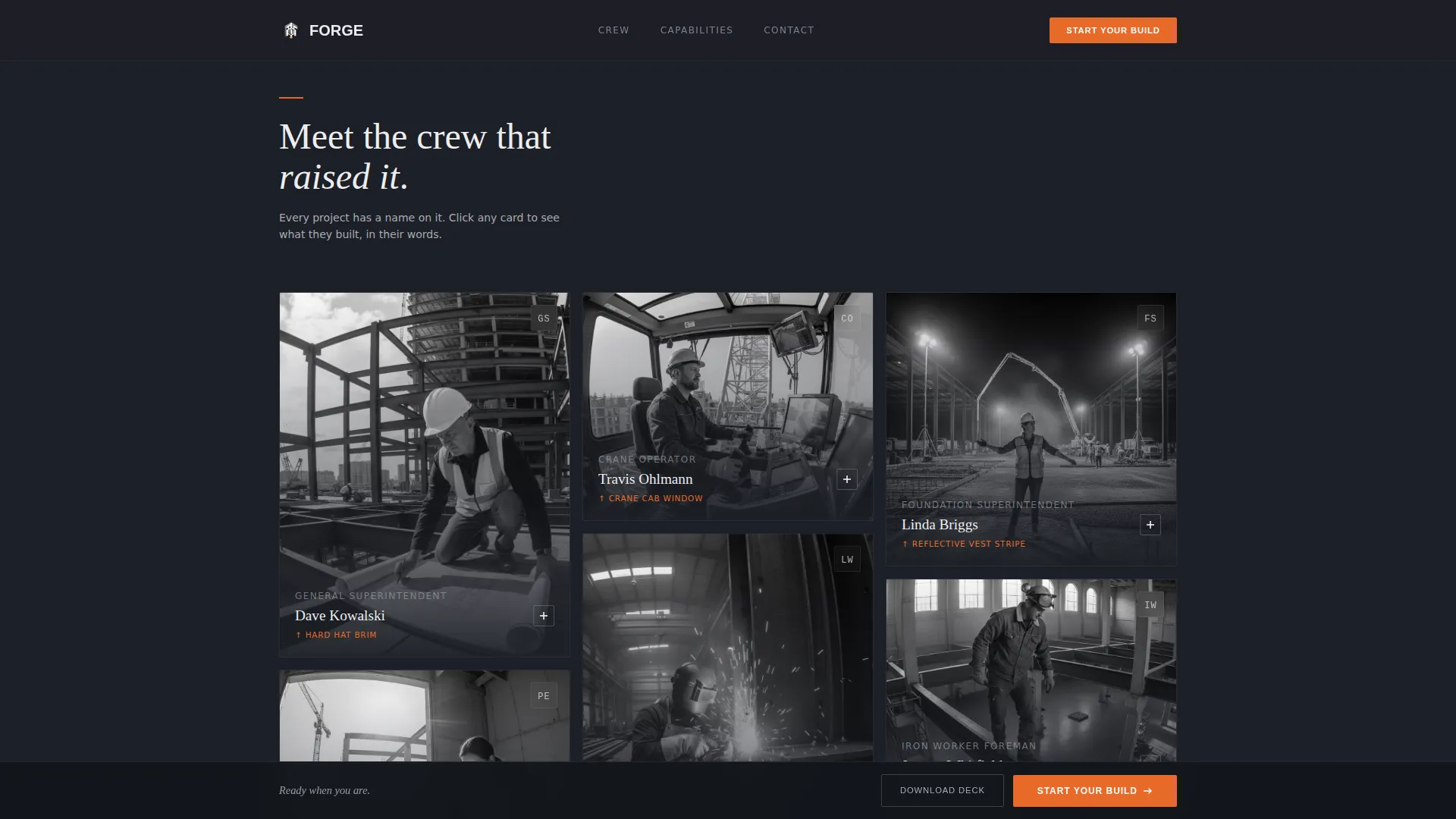
- A CSS masonry grid of crew-spotlight cards with expand-and-collapse project details
- A persistent bottom call-to-action bar and a secondary capabilities deck email capture
Feature list
This template is built around a set of purposeful, interactive components. Each one is grounded in what facility directors and operations buyers actually need to see.
Self-Drawing Animated Hero
The hero section opens with a line-drawn industrial building that constructs itself on screen. Steel columns rise, trusses span, and roof decking lays course by course in a fine-line isometric animation. The effect is architectural and precise, ending with a complete facility and the tagline "We build what industry runs on."
Crew Spotlight Masonry Grid
The masonry grid below the hero features named crew members, superintendents, project engineers, crane operators, and welders, each photographed on-site in black and white. A single detail per photo is picked out in arc-weld orange. Clicking any card expands it to reveal the project they led, including square footage, tonnage, timeline, and a direct quote.
Expandable Project Cards
Each crew card doubles as a project case study entry. On click, the card expands inline to show structured project data. A "See Full Project" link routes visitors to a detailed case study page. The expand-and-collapse interaction keeps the grid clean while allowing depth on demand.
Persistent Bottom Conversion Bar
A fixed bottom bar stays visible as visitors scroll the entire page. It holds the primary call to action, "Start Your Build," which routes to a dedicated scoping page. The bar uses the arc-weld orange accent so it reads as the one active element on screen at any moment.
Stats Bar for Scale Proof
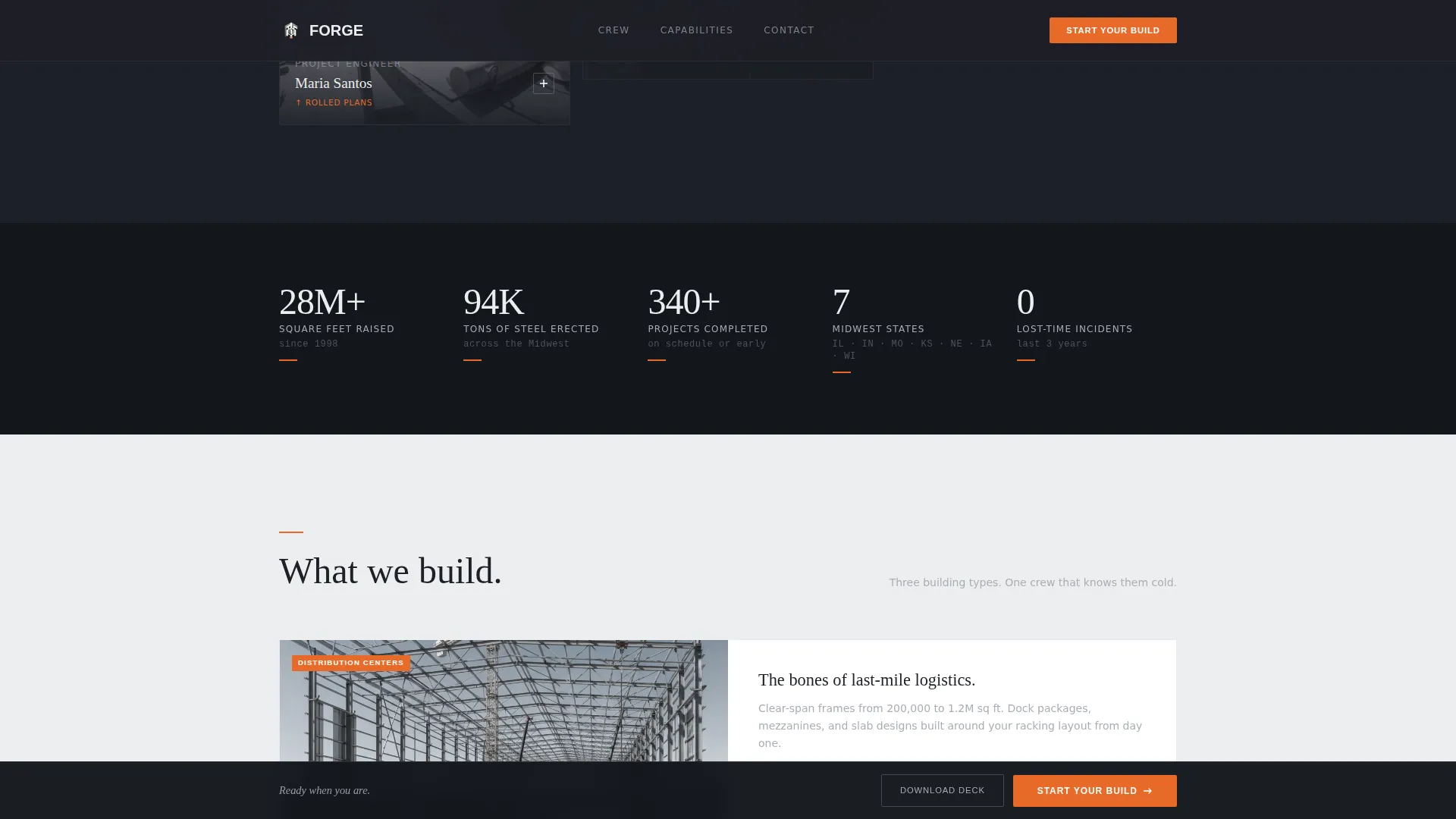
A dedicated stats bar presents raw numbers: tonnage poured, square footage raised, and Midwest states served. The figures are displayed in large typographic treatments that communicate operational scale at a glance, giving buyers the proof of capacity they need before clicking through.
Capabilities Deck Email Capture
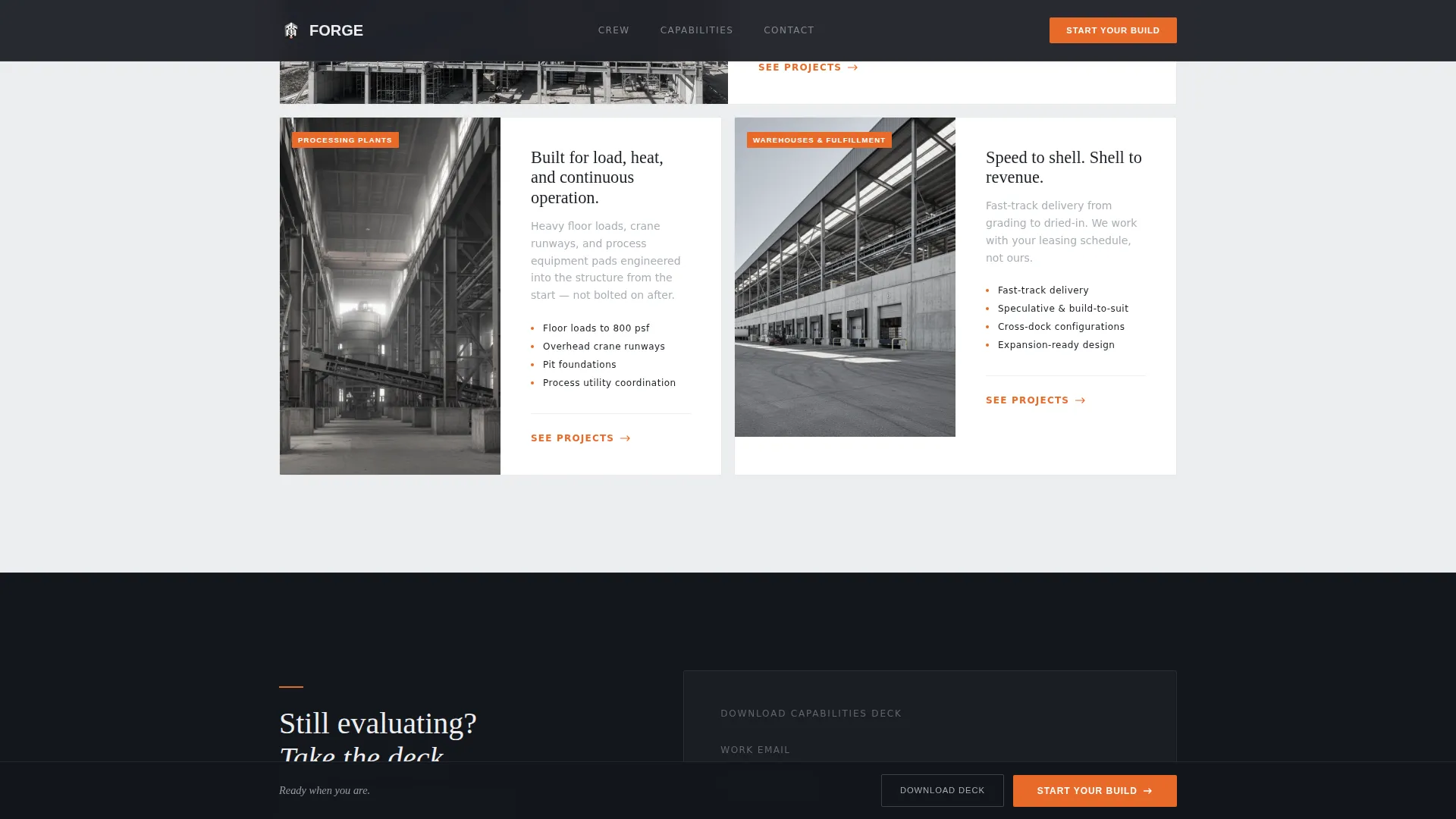
A secondary conversion module targets visitors who are still in the research phase. A single email field inside a modal allows them to download the capabilities deck. This gives Forge a way to capture research-phase leads without interrupting the primary conversion flow.
Page sections overview
| Section | Purpose |
|---|---|
| Animated Hero | Establishes scale and identity with a self-drawing isometric building |
| Crew Spotlight Grid | Builds human credibility through named, photographed workers |
| Stats Bar | Delivers numerical proof of operational scale |
| Capabilities Section | Describes what Forge builds using an asymmetric layout |
| Capabilities Deck Capture | Converts research-phase visitors with a single email field |
| Footer | Closes the page with a clean single-row linear layout |
Design & branding system
The visual identity follows a Luxe Minimal direction built on a Monochrome Steel palette. The system feels like the materials themselves: cool, heavy, and unyielding until a single hot element appears.
- Core colors: structural charcoal (#1C1F26) for backgrounds, mill-finish aluminum (#A8ADB5) for body text on dark sections, and polished concrete white (#EDEEF0) for light backgrounds and reverse text
- Arc-weld orange (#E86A2A) appears exclusively on calls to action and active states, used sparingly so every instance carries visual weight
- Typography pairs Fraunces serif headings with DM Sans body text, creating a contrast between editorial authority and functional clarity
Mobile & speed optimization
Forge is built desktop-first to match how facility directors and operations VPs actually review vendor pages, seated at a workstation with time to read and compare. The template still delivers a solid mobile experience for on-site or away-from-desk access.
- Server Components handle static content sections to keep the initial load lean, while Client Components manage animations and interactive card behavior
- The CSS masonry grid and SVG path-drawing animation are scoped to client-side rendering so they do not block static content delivery
- Card interactions, the persistent bottom bar, and the capabilities deck modal are all built with expand-and-collapse logic that works cleanly across screen sizes
How this template helps you convert
Forge is structured as a click-through landing page with no contact form on the page itself. The conversion logic is built on earned trust: by the time a visitor reaches the call to action, they have already met the crew, seen the numbers, and read the project stories.
- The masonry crew grid accumulates human proof progressively as the visitor scrolls, so credibility builds before any conversion ask is made
- The persistent "Start Your Build" bar stays visible throughout, offering a low-friction path to the scoping page at any point in the scroll journey
- The capabilities deck download captures visitors who are not yet ready to scope, giving Forge a second conversion layer without cluttering the primary flow
Other information about this template
Forge sits in the Architecture and Design category under the Industrial Architecture subcategory. It is purpose-built for the industrial builder and contractor niche, with a layout and visual language that reflects the seriousness of large-scale structural work.
- The template uses imperial measurements throughout, square feet and tons, and is localized for a United States audience with Midwest context built into the copy and photography direction
- The Creative Direction follows a Creator Spotlight structure, which is an approach that foregrounds the people doing the work rather than abstract project imagery
- The header concept is an Animated Illustration, a category of header that uses motion to communicate capability rather than static photography
- The landing page direction is Click-Through, meaning no form lives on the page itself and all primary conversion happens via outbound links to a scoping page or case study
Theme
Luxe Minimal
Creative direction
Creator Spotlight
Color system
Monochrome Steel
Style
Masonry/Pinterest
Direction
Click-Through
Page Sections
Self-drawing Animated Hero Illustration
Crew Spotlight Masonry Grid
Expandable Project Cards
Persistent Bottom Conversion Bar
Stats Bar for Operational Scale
Capabilities Deck Email Capture
Related questions
Does this template include a contact form?
Can I replace the crew photos and project data with my own team's information?
How does the capabilities deck download work?
What types of industrial projects can this template showcase?
Is the animated hero included in the template?