Automotive Manufacturing Professional Website Template
Forge is a split-screen landing page template built for automotive prototype and rapid prototyping studios. It pairs a draggable before/after hero with a scroll-linked timeline that moves visitors through the full prototyping lifecycle, Day 1 to Day 11. Gated PDF download and inline STEP file upload calls to action convert engineers and founders into qualified leads.
by Rocket studio
Quick summary
Forge is a high-intensity, single-page template designed for automotive prototyping studios targeting Tier 1 suppliers, EV startups, and motorsport teams. The layout compresses the entire prototyping lifecycle into a visceral scroll experience. A draggable hero split, scroll-linked timeline, and two conversion paths work together to move technical buyers from curiosity to contact.
Who this template is for
This template is built for studios and shops that need to speak directly to engineers and founders under deadline pressure. It earns trust quickly by showing process depth before asking for anything.
- Powertrain engineers at Tier 1 suppliers who are racing a validation gate and need to evaluate a prototyping partner fast
- Startup EV founders preparing a rolling chassis for a Series B investor demo day
- Motorsport teams iterating aero packages between race weekends and working on compressed schedules
What problem this template solves
Technical buyers are skeptical. Generic capability pages do not move them. Engineers want proof: real materials, real tolerances, real lead times. This template earns credibility by showing the actual prototyping lifecycle before it asks for a name or email.
- Vague capability claims lose engineers who need specific data like cycle times and material specs before they engage
- A single call to action buried at the bottom misses engineers who are ready to act mid-page
- Long, static pages cannot convey speed, which is the core value proposition of a rapid prototyping studio
What you get with this template
You get a fully structured single-page layout that guides a technical visitor from initial skepticism to a qualified lead submission. Every section is engineered to deliver data first and ask second.
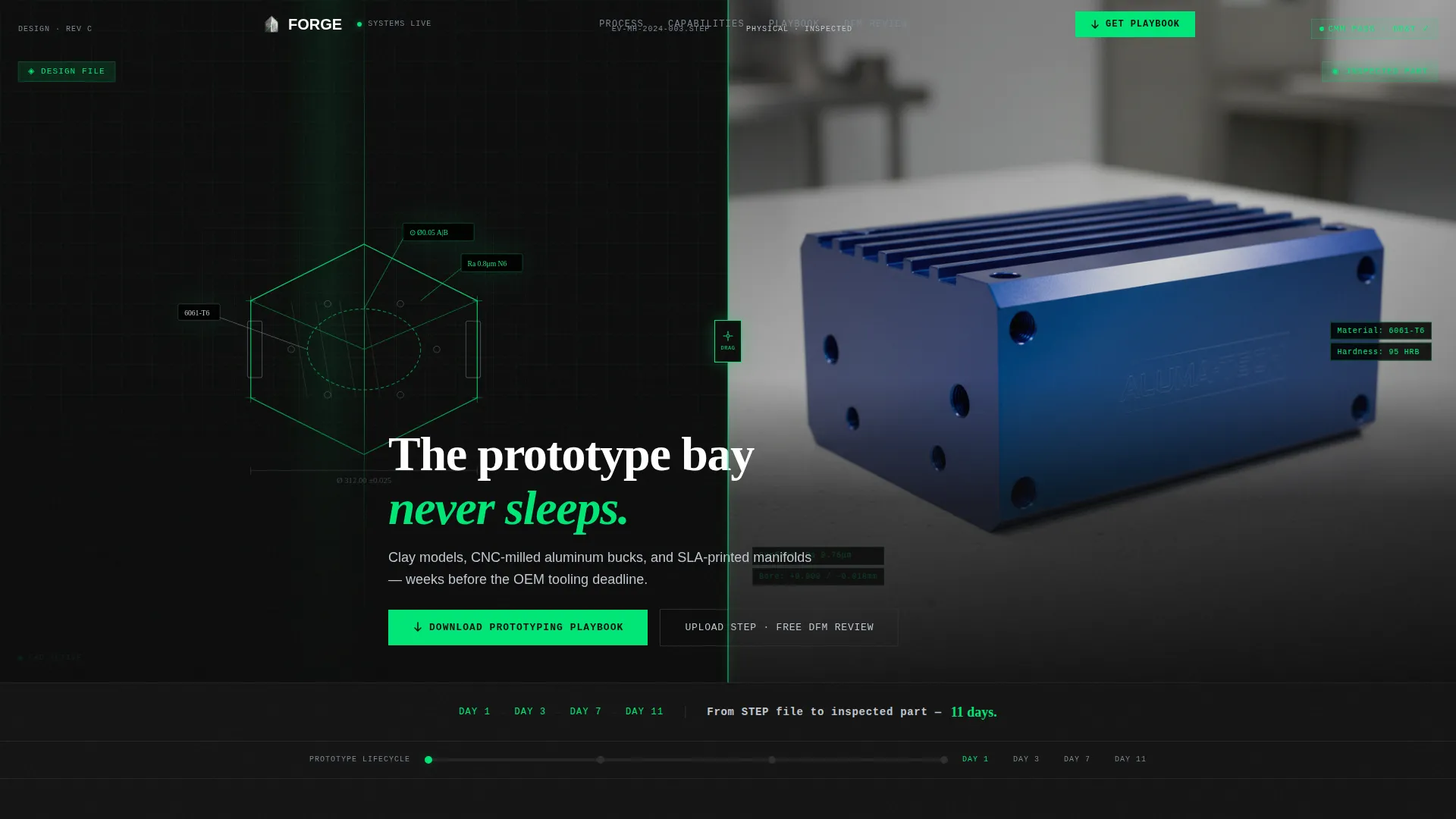
- A draggable 50/50 split hero showing a raw CAD wireframe alongside the finished inspected part, with a stat line that fades in below
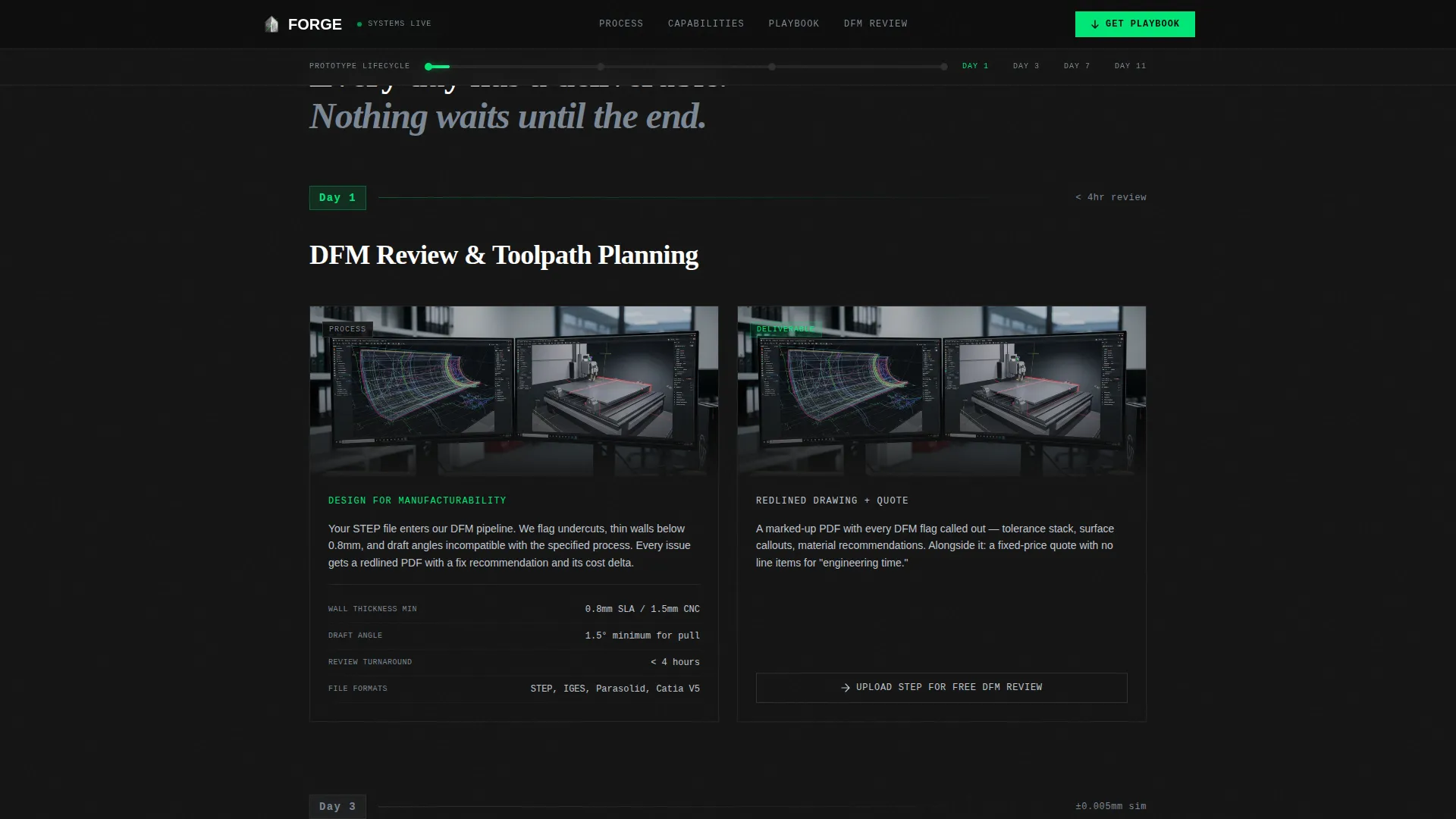
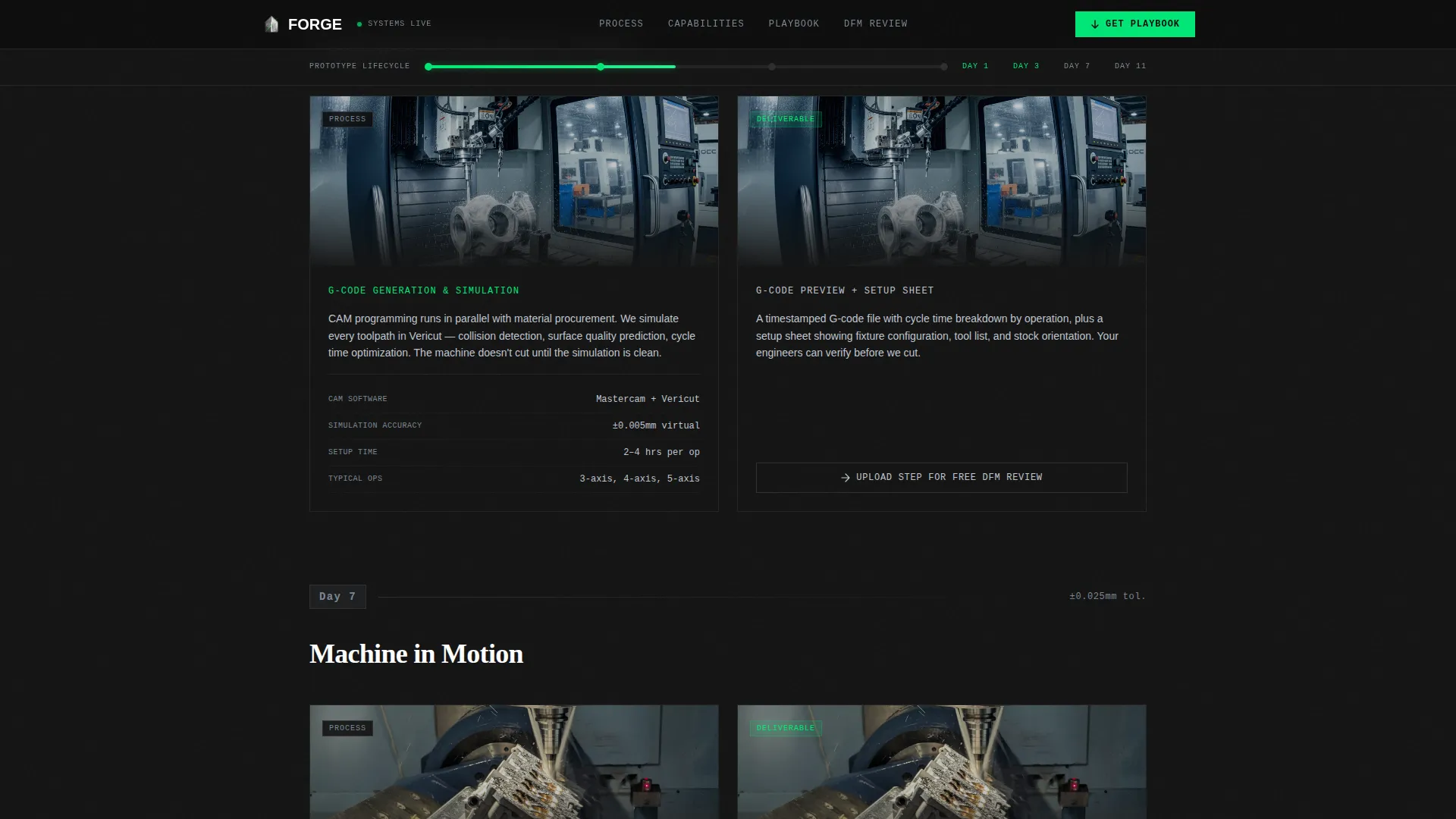
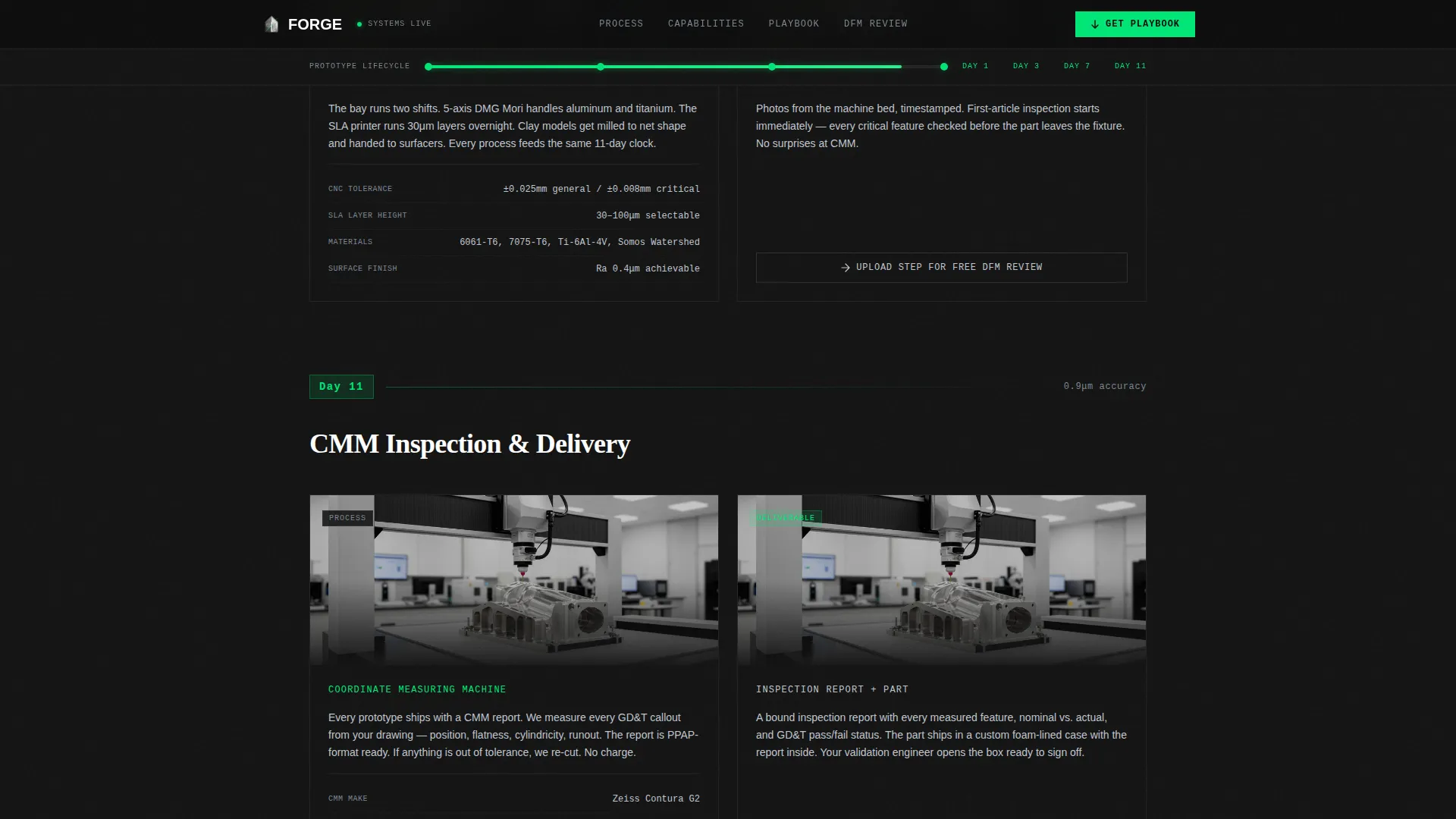
- A scroll-linked timeline progressing through Day 1, Day 3, Day 7, and Day 11, with process stage on the left panel and resulting deliverable on the right
- A bento-grid capabilities section covering stereolithography (SLA), computer numerical control (CNC) machining, clay modeling, and vacuum casting with real specs
- A gated Prototyping Playbook PDF download form capturing work email, company name, and a milestone dropdown
- Inline secondary calls to action at each timeline stage for STEP file upload and free design-for-manufacturability (DFM) review
- A social proof section with client result callouts and named testimonials tied to concrete outcomes
Feature list
This template ships with a focused set of interactive and structural components. Each one is grounded in the brief and serves the conversion goal directly.
Draggable Before/After Hero
The hero splits the viewport 50/50 between a CAD wireframe with visible mesh lines and tolerance callouts on the left, and a finished prototype photographed on a granite surface plate on the right. A draggable center divider lets visitors slide between the digital design and the physical part. A single stat line fades in below: "From STEP file to inspected part, 11 days."
Scroll-Linked Timeline Progression
As visitors scroll, a horizontal timeline bar pinned to the top of the viewport advances through Day 1, Day 3, Day 7, and Day 11. The left panel always shows the current process stage: DFM review, toolpath simulation, machine in motion, and coordinate measuring machine (CMM) inspection. The right panel shows the resulting deliverable at each stage. Scroll velocity and spring-physics staggered reveals reinforce the feeling of speed.
Bento Grid Capabilities Section
Four prototyping processes are displayed in a bento grid layout with real published specifications. SLA, CNC machining, clay modeling, and vacuum casting each get their own card with named materials, tolerance ranges, and cycle time data. Visitors can evaluate capability without requesting a quote.
Gated Playbook Download Form
The primary conversion point is a gated PDF covering material selection matrices, tolerance-to-cost curves, and lead-time benchmarks across all four processes. The form collects work email, company name, and a single dropdown asking for the visitor's nearest milestone. Options include PPAP submission, investor demo, trade show, and race weekend.
Inline STEP File Upload call to action
A secondary conversion path appears at the bottom of each timeline section. Visitors can upload a STEP file directly for a free DFM review without scrolling to the bottom of the page. This keeps action-ready engineers from waiting.
Social Proof Section
A dedicated section displays client results with concrete numbers. Tier 1 supplier quotes, lap time improvements, and Series B demo outcomes are presented as stat callouts alongside named testimonials.
Page sections overview
| Section | Purpose |
|---|---|
| Hero Split Panel | Draggable CAD-to-part reveal with fade-in stat line |
| Timeline Progression | Scroll-linked Day 1 to Day 11 lifecycle with split panels |
| Capabilities Bento Grid | SLA, CNC, clay, and vacuum casting specs |
| Playbook Download Form | Gated PDF lead capture with milestone dropdown |
| Social Proof | Client results with named testimonials and stat callouts |
| Footer | Horizontal flow layout with studio contact and navigation |
Design & branding system
The visual identity follows a metrology lab aesthetic: matte carbon surfaces, instrument-grade precision, and a single green LED accent that confirms the scan is live. Every color choice reinforces the industrial context.
- Background fields alternate between deep carbon black (#0D0D0D) and #141414 to create depth without lightening the mood; body text uses anodized aluminum (#C0C7D1) for easy reading against dark surfaces; machined titanium (#7B8794) handles secondary labels and metadata
- Laser-scan green (#00E676) is reserved strictly for interactive states, progress indicators, and hover accents, keeping the accent meaningful and focused
- Typography uses JetBrains Mono for data and specifications, DM Sans for body copy, and Fraunces for display headings, creating a clear visual hierarchy between human language and machine-precision data
Mobile & speed optimization
The template is built desktop-first to match how engineers actually review specs: at a workstation, not on a phone. A mobile fallback is included so the page remains functional and readable on smaller screens.
- Desktop-first layout prioritizes wide split-screen panels, horizontal timeline bars, and bento grid cards that engineers can read comfortably at full resolution
- Server Components handle static sections to reduce the rendering load, while Client Components are isolated to the interactive hero and scroll-linked timeline
- Mobile fallback preserves all content and conversion paths in a stacked single-column format
How this template helps you convert
The page is structured to build trust with data before it asks for anything. Every section earns the next action.
- The draggable hero and 11-day stat line establish credibility in the first few seconds, before a visitor reads a single headline
- Real specifications in the timeline and capabilities grid give engineers enough information to self-qualify, which means warmer leads on the form
- Two distinct conversion paths, the Playbook download at mid-page and the STEP file upload at each timeline section, capture both researchers and buyers who are ready to act now
Other information about this template
This template is categorized under Manufacturing and Industrial, with a specific focus on the Automotive Manufacturing subcategory and the Automotive Prototype and Rapid Prototyping niche. It is suited for US-based studios working in English with mixed Imperial and metric units, which is standard in engineering documentation.
- The Dashboard Pro theme drives the overall layout logic, and the Carbon Fiber color system defines the dark-surface palette used throughout
- Animation intensity is set to high, with scroll-linked interactions, draggable divider behavior, and spring-physics staggered reveals all specified in the brief
- The footer uses a Vercel Horizontal Flow pattern and provides studio contact information alongside navigation links
Theme
Dashboard Pro
Creative direction
Timeline Progression
Color system
Carbon Fiber
Style
Split Screen (50/50)
Direction
Content/Resource
Page Sections
Draggable Before/after Hero Panel
Scroll-linked Day-by-day Timeline
Bento Grid Capabilities Display
Gated Prototyping Playbook Form
Inline STEP File Upload Call to Action
Social Proof and Results Section
Related questions
Who is the primary audience for this template?
What conversion paths does this template include?
What prototyping processes does the capabilities section cover?
Is this template designed for desktop or mobile use?
Can I adapt this template if my studio focuses on fewer than four processes?



