Complete Steel Products Professional Website Template
Forge is a hero-dominant landing page template built for structural steel fabricators. It leads with a full-viewport metrics wall, then walks visitors through chronological case study narratives, from redline shop drawings to finished steel standing in the field. Every section builds confidence before asking for a project inquiry.
by Rocket studio
Quick summary
Forge is a single-page template designed for structural steel fabrication shops. It opens with a bold stats wall showing real shop capacity, then sequences visitors through escalating project case studies. A persistent amber call-to-action button and a quote-request page with an upload dropzone make it straightforward for contractors and engineers to send drawings and request a bid.
Who this template is for
This template is built for fabrication businesses that need to prove their capabilities to technically minded buyers before the first phone call happens. It speaks the language of structural projects, shop schedules, and erection-ready deliverables.
- Structural steel fabricators targeting general contractors and construction managers
- Steel shops pursuing work from structural engineers who review connection details closely
- Industrial fabricators replacing corroded platforms for plant managers ahead of shutdown windows
What problem this template solves
Most fabrication shops rely on a generic company website that cannot communicate technical credibility fast enough for buyers who are already comparing bids. Contractors and engineers qualify fabricators quickly, and a page that feels vague or cluttered loses the job before anyone picks up the phone.
- Buyers cannot assess fabrication capacity from a standard brochure-style page
- There is no structured way to show real project complexity and scale sequentially
- Early-stage visitors researching fabricators have no low-commitment path to gather information
What you get with this template
Forge delivers a complete single-page layout built around proof and action. The structure moves from hard metrics to detailed project narratives to a direct quote request, following the natural decision path of a contractor or engineer qualifying a new fabricator.
- A hero stats wall with four counters covering tonnage, delivery cycle, certified welders, and project outcomes
- A scrolling case study narrative that escalates from a mezzanine platform to a multi-story commercial frame to a heavy industrial conveyor truss
- A persistent top-bar call-to-action button and a dedicated quote-request page with a drawing upload dropzone, tonnage estimator dropdown, and required-by-date field
Feature list
Forge is built around a small number of high-impact components. Each one earns its place by serving a real buyer need at a specific moment in the decision process.
Full-Viewport Stats Wall
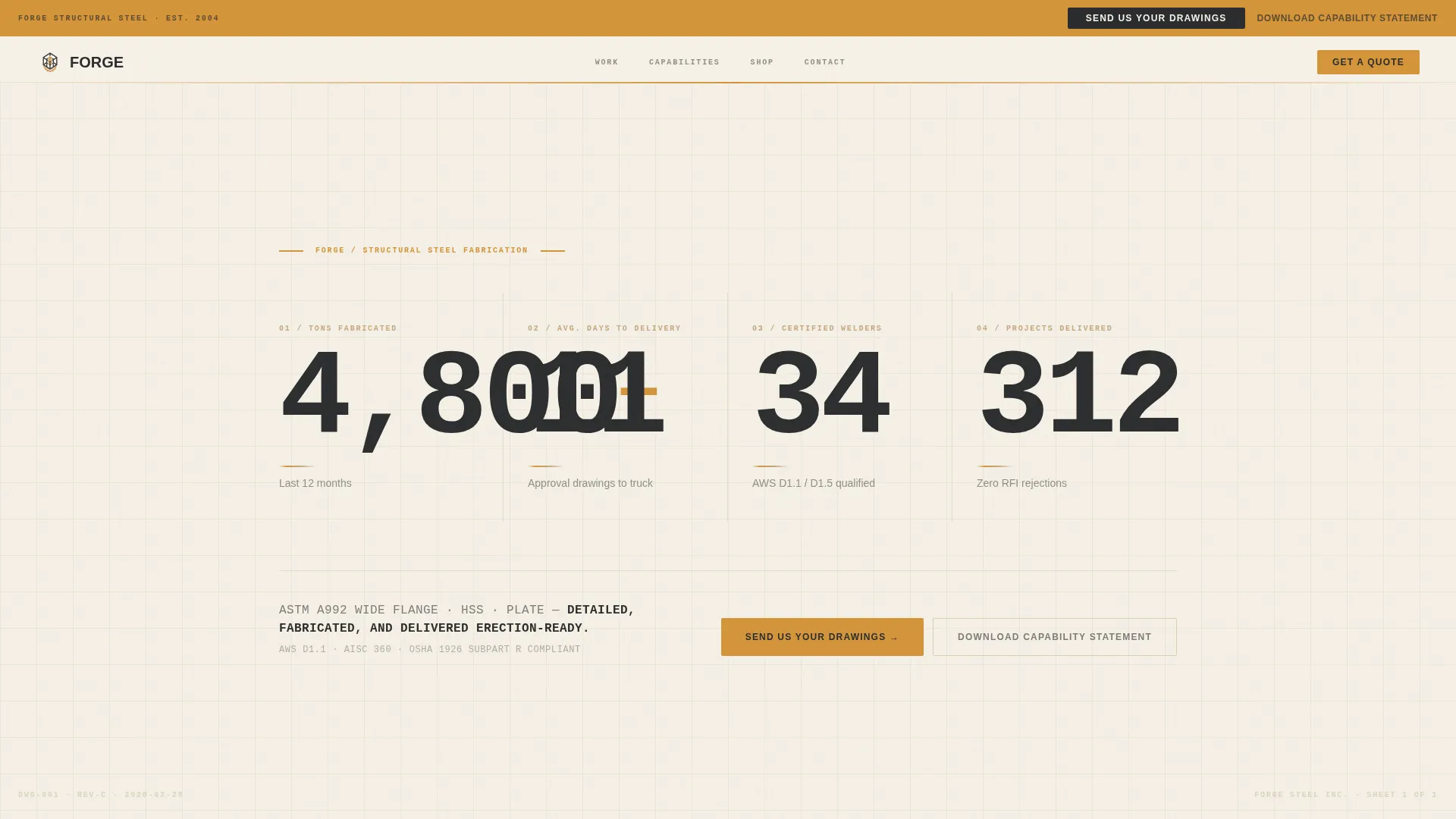
Four oversized counters sit in a condensed stencil-weight typeface against a drafting-paper cream background. The metrics cover tons fabricated last year, average days from approval drawings to delivery, certified welders on staff, and structural projects delivered without a single Request for Information rejection. A single body line reads like a beam schedule note, confirming material types and delivery readiness.
Scrolling Case Study Narrative
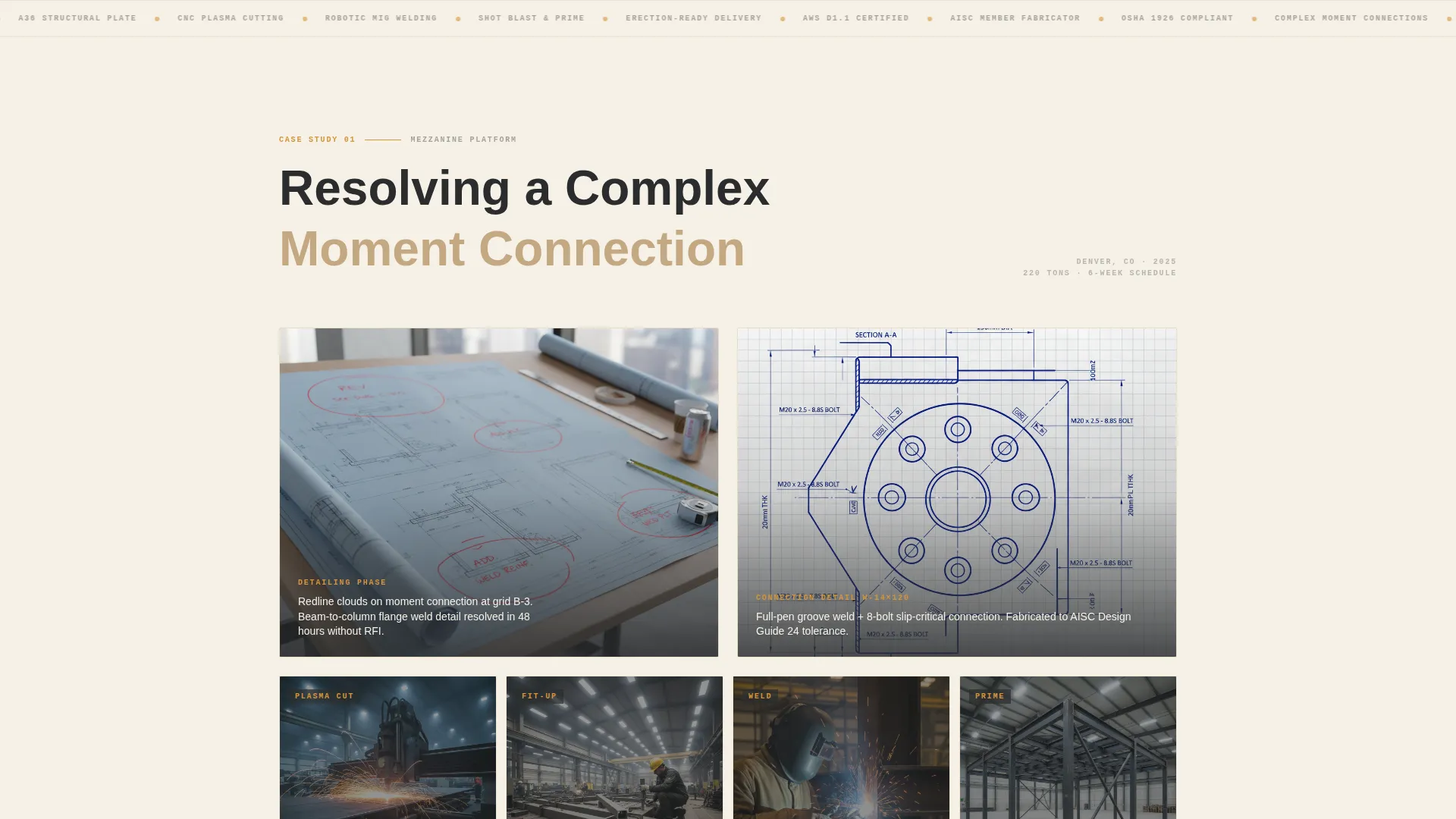
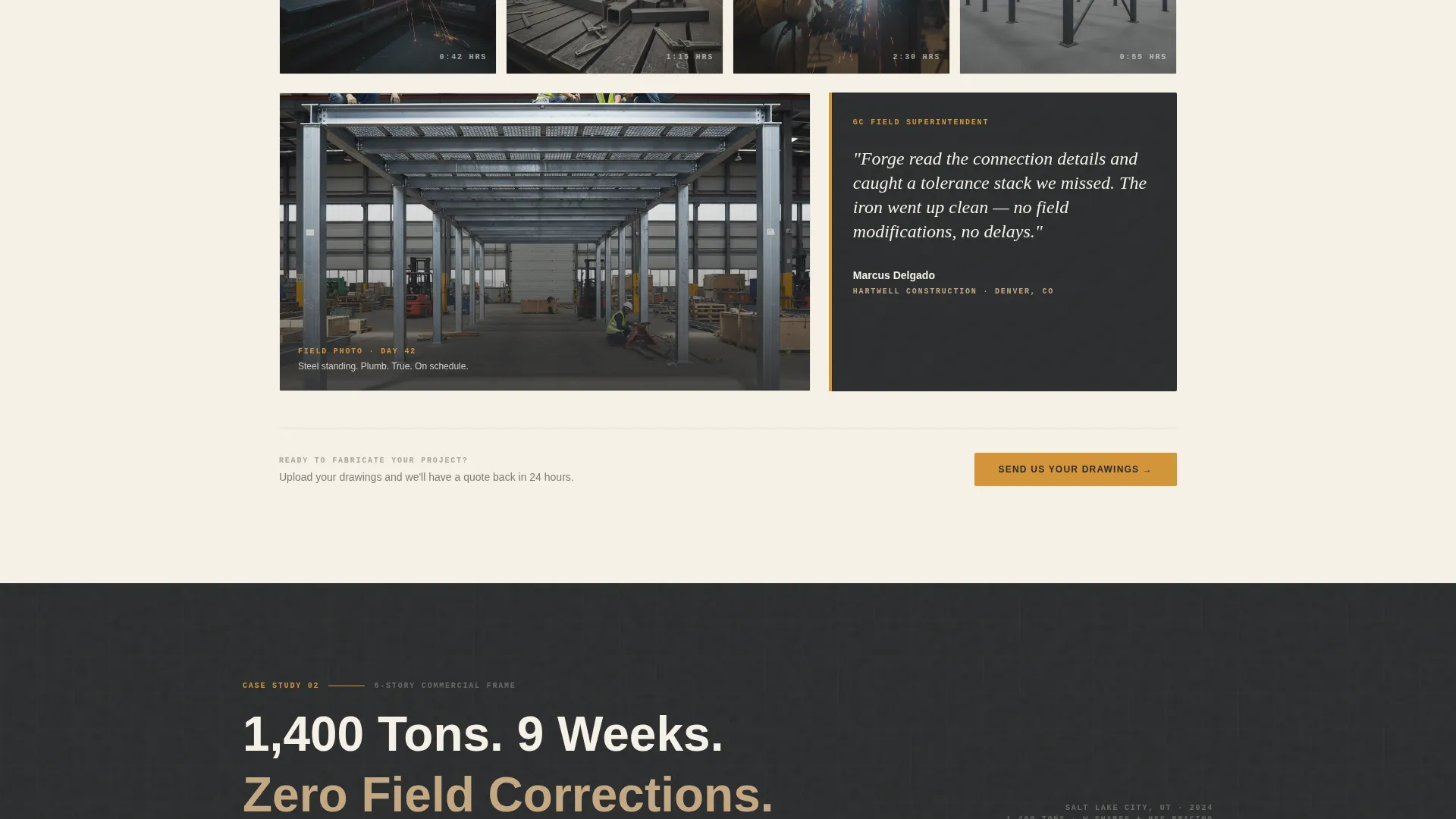
Each project story unfolds in three beats: redline markup drawings showing how the detailing team resolved a complex connection, a time-lapse image grid of the shop floor with duration captions, and a field photo of the finished steel standing plumb and bolted. Projects escalate in complexity across the page, compounding the visitor's confidence with every scroll.
Persistent Quote-Request call to action
A weld-flash amber button labeled "Send Us Your Drawings" appears in the top bar and repeats at the close of every case study. It routes to a dedicated quote-request page that includes a structural PDF upload dropzone, a tonnage estimator dropdown, and a required-by-date field so the fabricator receives actionable project information immediately.
Capability Statement Download
A secondary text link labeled "Download Our Capability Statement" offers a low-commitment path for earlier-stage visitors who are still building their bid list. It captures contact intent without forcing an immediate project inquiry.
Amber Pull-Quote Highlights
Weld-flash amber call-out blocks display direct quotes from the general contractor or structural engineer on each case study project. These pull quotes ground the narrative in someone else's words rather than the fabricator's own claims, adding credibility at the exact moment a visitor is assessing trustworthiness.
Engineering Blueprint Visual Theme
The layout uses a warm stone color system with quarry sandstone, structural charcoal, weld-flash amber, and drafting-paper cream. The result reads like shop drawings unrolled across a job-site trailer: technical and grounded, without feeling cold or corporate.
Page sections overview
| Section | Purpose |
|---|---|
| Hero Stats Wall | Establishes fabrication capacity with four key metrics |
| Material Spec Line | Confirms ASTM A992 wide flange, HSS, and plate capability |
| Case Study: Mezzanine | Opens narrative with an accessible first project |
| Detailing Markup View | Shows redline drawing resolution for complex connections |
| Shop Floor Grid | Time-lapse images with real duration captions |
| Field Photo Close | Delivers finished-steel proof for the mezzanine project |
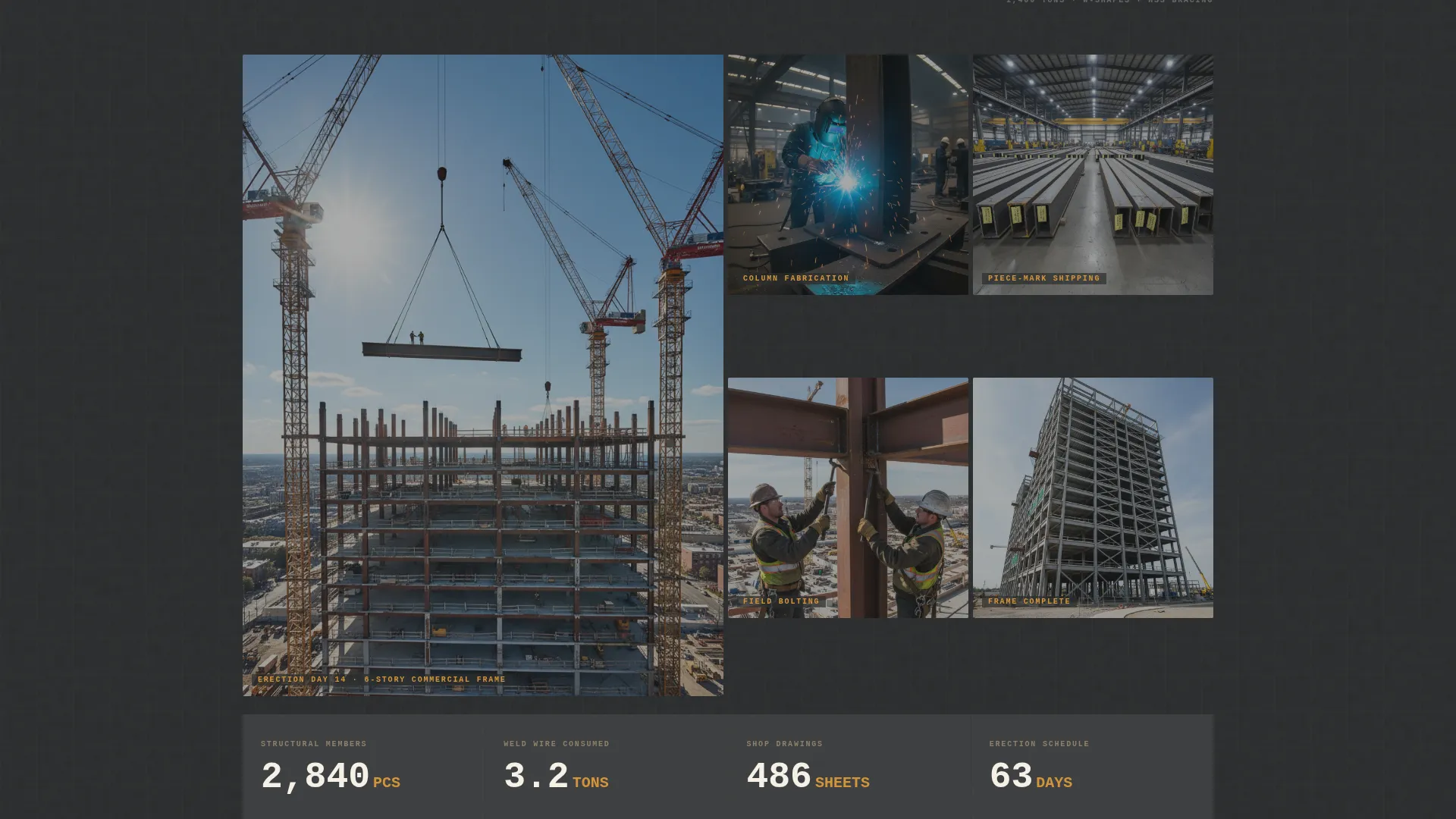
| Case Study: Commercial Frame | Escalates complexity to a multi-story structural frame |
| Case Study: Conveyor Truss | Closes narrative at heavy industrial project scale |
| Pull Quote Blocks | Surfaces GC and engineer voices at each case study close |
| Persistent call to action Bar | Keeps quote-request action visible at all scroll depths |
| Quote Request Page | Collects drawings, tonnage estimate, and required-by date |
| Capability Statement Link | Provides a low-commitment download for bid-list research |
Design & branding system
The Engineering Blueprint theme translates the visual language of structural shop drawings into a web layout. Every color and typographic choice reinforces the fabricator's technical authority without leaning into cold, industrial minimalism.
- Warm Stone palette: quarry sandstone (#C4A882), structural charcoal (#2B2D2E), weld-flash amber (#D4943A), and drafting-paper cream (#F5F0E6)
- Condensed stencil-weight typeface for counters and headings, echoing piece-mark tags stamped on structural steel members
- Amber used selectively for calls-to-action and pull-quote highlights, drawing the eye without overpowering the content
Mobile & speed optimization
The hero-dominant layout is designed to deliver its core message within the first viewport on any screen size. Large metric counters and short, punchy text lines remain legible and impactful at mobile widths.
- Oversized stats and condensed typefaces scale cleanly from desktop to tablet and mobile viewports
- Time-lapse image grids and case study sections reflow to single-column layouts on smaller screens
- The persistent call to action bar remains accessible at the top of the page regardless of scroll depth or device size
How this template helps you convert
Forge earns the click before asking for it. The page is structured so that a contractor or engineer arrives at the quote-request call-to-action only after seeing substantial proof of the fabricator's capacity and finished work.
- The stats wall establishes hard numbers in the first viewport, giving technically minded buyers an immediate basis for comparison with other fabricators they are evaluating.
- The escalating case study narrative builds trust incrementally, moving from a manageable mezzanine project to a complex industrial conveyor truss so visitors feel growing confidence at each scroll step.
- The dual conversion path serves two buyer stages: the "Send Us Your Drawings" button captures ready-to-bid visitors, while the capability statement download captures earlier-stage visitors who are still qualifying fabricators for their list.
Other information about this template
Forge is built as a hero-dominant layout with a 90/10 ratio, meaning the hero section commands ninety percent of the initial viewport. This proportion is deliberate. Structural buyers make fast judgments about fabricator credibility, and the metrics wall is designed to deliver that credibility before any scrolling occurs.
- The quote-request page is treated as a dedicated destination, not just a modal or inline form
- The tonnage estimator dropdown and required-by-date field are included to give the fabricator useful project context from the very first submission
- The template is suited for fabricators working with ASTM A992 wide flange sections, HSS (hollow structural sections), and structural plate across commercial, industrial, and infrastructure project types
- The case study narrative structure can support any number of completed projects; the template ships with three escalating examples as a starting framework
Theme
Engineering Blueprint
Creative direction
Case Study Narrative
Color system
Warm Stone
Style
Hero-Dominant (90/10)
Direction
Click-Through
Page Sections
Full-viewport Stats Wall
Escalating Case Study Narrative
Persistent Quote-request Call to Action
Capability Statement Download Link
Amber Pull-quote Highlights
Engineering Blueprint Visual Theme
Related questions
Who is the primary audience for the Forge template?
What does the quote-request page include?
Can the case study sections be updated with my own projects?
What is the capability statement download link for?
Does the template include client quote or testimonial sections?



