Energy Prototype Rapid Prototyping Landing Page Template
Forge is a hub and spoke anchor-nav landing page template built for energy prototype and rapid prototyping studios. It guides visitors through a five-phase timeline from concept to delivery, using a Data Command visual identity rooted in deep navy, tactical slate, and status-light cyan. The primary conversion path is a gated prototyping playbook download, supported by ungated case study links and a persistent feasibility call bar.
by Rocket studio
Quick summary
Forge is a single landing page template designed for energy prototyping studios that deliver working hardware in tight timelines. The layout follows a Timeline Progression structure, moving visitors through five anchor-linked phases. A panoramic header, live-data visual cues, and layered conversion paths make the case that speed and technical rigor belong together.
Who this template is for
This template is built for teams and studios that prototype physical energy hardware on compressed schedules. It speaks directly to technically literate audiences who need proof before they commit.
- Cleantech startup CTOs managing limited runway and fast milestone windows
- Utility research and development directors with quarterly deliverable pressure
- Department of Energy-funded researchers who need a working demonstrator before a program review gate
What problem this template solves
Most studio or lab landing pages read like capability brochures. They list equipment and credentials but never show the process. Visitors with real procurement or partnership intent leave without a reason to act.
- Visitors cannot see whether the studio can actually hit a hard deadline
- Technical buyers need phase-by-phase proof of rigor, not just a portfolio gallery
- Conversion paths are either too aggressive too early or completely absent after the first scroll
What you get with this template
Forge gives you a fully structured, phase-driven landing page that earns visitor trust before it asks for anything. Every section is built around a stage of the real prototype build cycle.
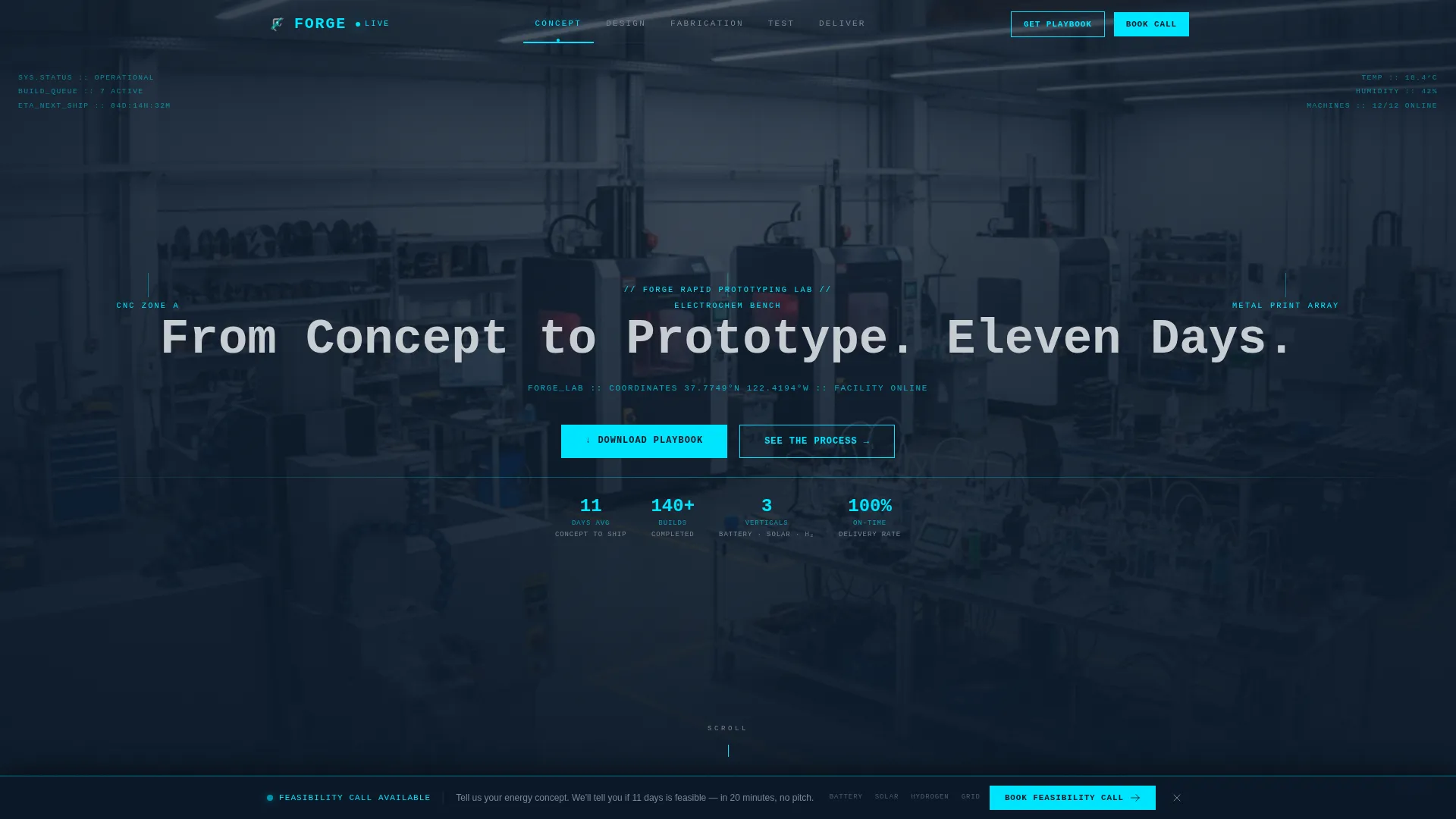
- A panoramic header with a typed headline, a pulsing cyan progress bar, and the eleven-day promise set in monospaced type
- A sticky horizontal anchor nav that pins to the top and labels each phase: Concept, Design, Fabrication, Test, and Deliver
- A gated playbook download with an expanding email capture form, plus ungated case study links embedded in each timeline phase
- A persistent bottom bar offering a feasibility call, triggered only after visitors scroll past the Test section
Feature list
This template packs a focused set of functional components, each mapped to a real moment in the buyer's decision process.
Panoramic Hero Section
The header stretches edge to edge with a single ultra-wide facility photograph. A monospaced headline types itself onto the frame in a coordinates style, and a thin cyan progress bar pulses across the bottom of the image. The visual immediately signals operational scale and precision.
Five-Phase Anchor Navigation
The sticky horizontal nav bar labels each build phase as a clickable anchor link. It functions as a visual progress tracker as well as a navigation tool, reinforcing the timeline narrative on every scroll position.
Timeline-Driven Section Progression
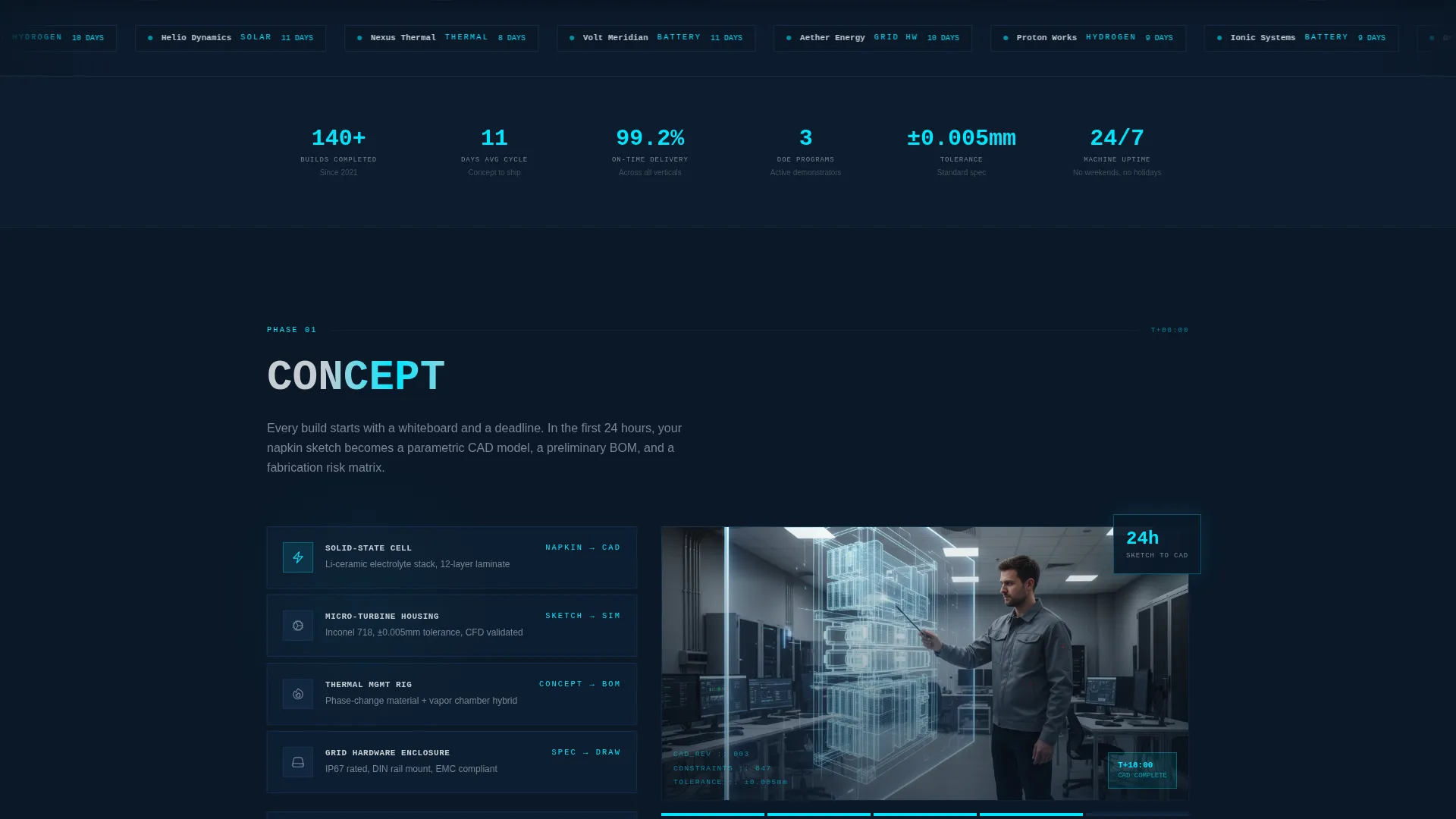
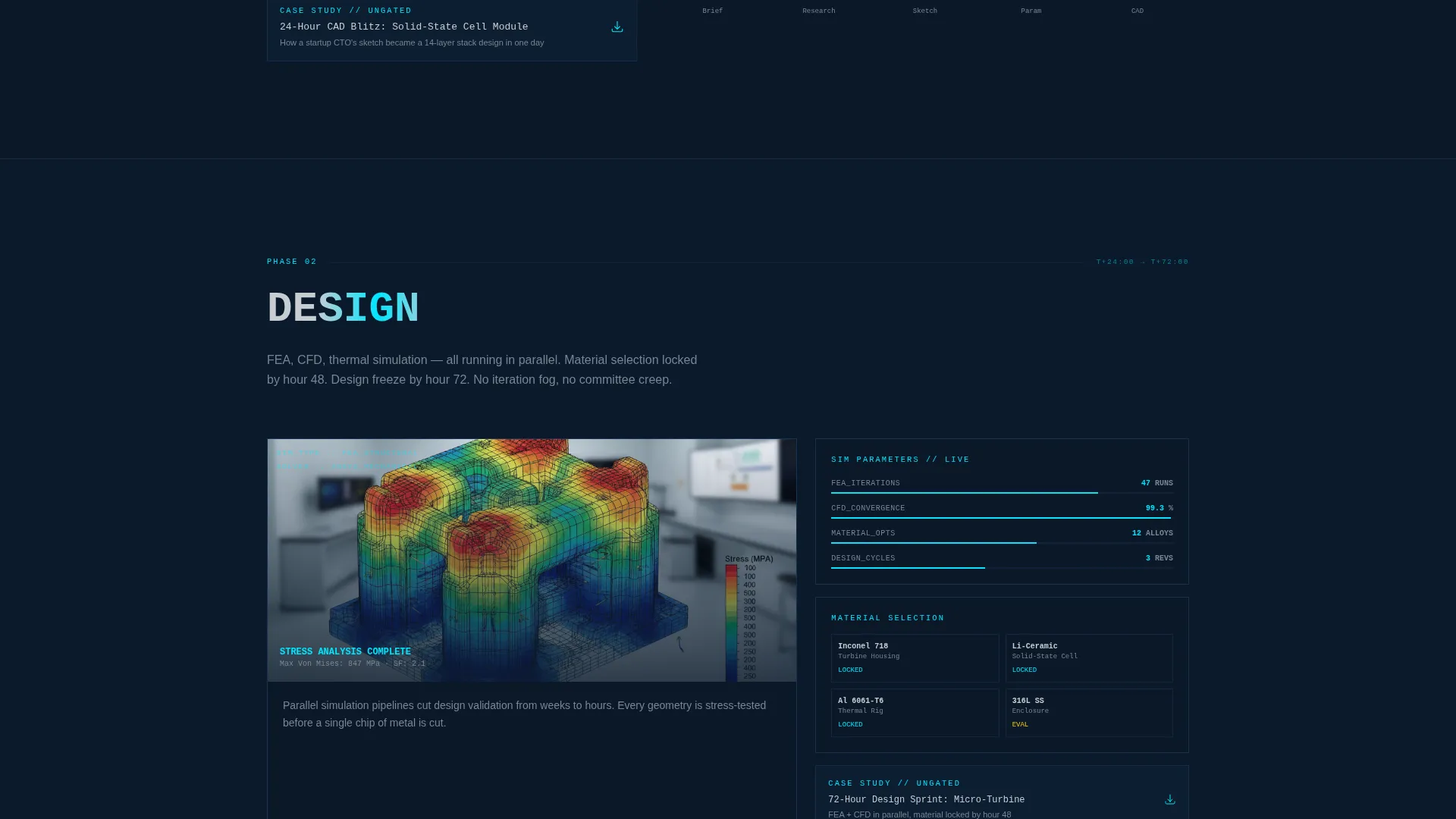
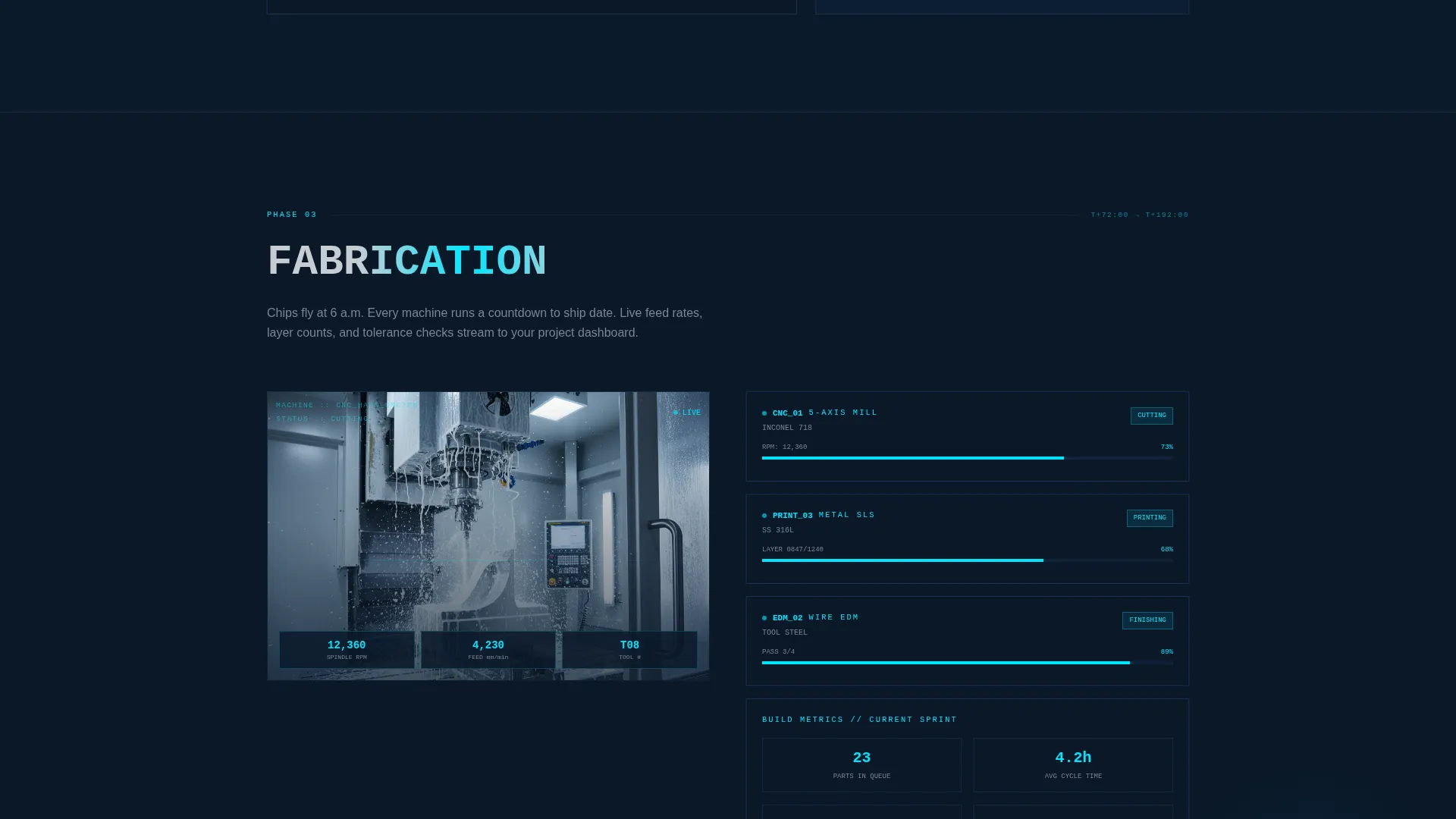
Each spoke section represents one phase of a real prototype build. Sections grow progressively denser with data, moving from hand-drawn schematic visuals in Concept through thermal imaging and load-cycle graph layouts in Test, building credibility as the visitor moves deeper.
Gated Playbook Download
The primary call to action is a single-field email capture that expands on click to reveal a role selector and an energy vertical selector. This two-step form structure reduces initial friction while qualifying the lead before delivery.
Phase-Embedded Case Study Links
Ungated case study PDFs are embedded directly inside each timeline phase section. Visitors get supporting evidence exactly when they need it, without being forced into a separate funnel step.
Persistent Feasibility Call Bar
A fixed bottom bar offering a "Book a Feasibility Call" prompt appears after the visitor scrolls past the Test section. The placement is intentional: the ask is made only after the page has demonstrated technical depth across multiple phases.
Page sections overview
| Section | Purpose |
|---|---|
| Panoramic Hero Header | Sets scale, states the eleven-day promise, establishes visual authority |
| Sticky Phase Nav | Anchors visitor orientation across all five build phases |
| Concept Phase | Shows schematic-to-CAD progression, introduces the project intake framing |
| Design Phase | Presents engineering design workflow and early validation context |
| Fabrication Phase | Displays machining footage framing with RPM and feed-rate overlays |
| Test Phase | Renders thermal imaging layouts and load-cycle data visualizations |
| Deliver Phase | Closes the timeline arc and reinforces the eleven-day delivery claim |
| Playbook Download | Gates the primary resource behind a two-step email and role capture form |
| Feasibility Call Bar | Persistent bottom bar conversion prompt earned after the Test section |
Design & branding system
The visual identity follows a Data Command theme. Every color, surface, and typographic choice is functional rather than decorative, reflecting the aesthetic of an operations deck running a live build.
- Color palette: deep operations-deck navy (#0B1929) as the base, tactical slate (#1E3A5F) for section backgrounds, status-light cyan (#00E5FF) for active indicators and anchor nav highlights, and brushed titanium (#C8CDD3) for body text and divider lines
- Typography: monospaced characters for headlines and data overlays, reinforcing a coordinates-and-status-readout feel across the hero and phase sections
- Visual tone: matte, load-bearing surfaces with no decorative elements; every glow is intentional and every indicator carries meaning
Mobile & speed optimization
The template is structured so that its dense data-visual sections remain readable and navigable on smaller screens without losing the operational atmosphere of the desktop layout.
- The sticky anchor nav collapses cleanly for narrower viewports, keeping phase-jump navigation accessible on mobile
- Section-level data overlays and progress indicators are sized and spaced to remain legible on standard mobile screen widths
- The two-step playbook form and the persistent feasibility bar are both touch-friendly interaction targets
How this template helps you convert
Forge is built around a deliberate conversion architecture. Trust is built phase by phase before any significant ask is made.
- The panoramic header and eleven-day headline capture attention and set a specific, credible claim immediately, giving technically minded visitors a reason to keep scrolling.
- Ungated case study links embedded in each phase section let serious buyers self-qualify without committing to a form, lowering resistance at the research stage.
- The gated playbook download and the post-Test feasibility call bar are sequenced so that each conversion ask arrives only after the page has delivered sufficient evidence of capability.
Other information about this template
Forge is categorized under Manufacturing and Industrial, with a specific focus on the Energy Manufacturing subcategory and the Energy Prototype and Rapid Prototyping niche. The template is a strong fit for studios positioning around fast-cycle hardware delivery to technically demanding clients.
- The template style is Hub and Spoke with Anchor Nav, making it well suited for content or resource hub strategies where a single page must serve multiple audience segments at once
- The creative direction is Timeline Progression, which maps naturally to project-phase storytelling common in engineering and cleantech marketing contexts
- The header concept is Panoramic and Wide, requiring a high-resolution facility photograph that spans the full viewport width for maximum impact
- The landing page direction is Content and Resource Hub, meaning the page is designed to distribute downloadable assets and embedded case studies alongside primary conversion paths
- The color system is Navy Authority, a palette that communicates precision and operational seriousness without relying on generic tech-sector blues
Theme
Data Command
Creative direction
Timeline Progression
Color system
Navy Authority
Style
Hub & Spoke (Anchor Nav)
Direction
Content/Resource
Page Sections
Panoramic Hero with Typed Headline
Five-phase Sticky Anchor Nav
Timeline-driven Section Layout
Two-step Gated Playbook Download
Phase-embedded Case Study Links
Earned Feasibility Call Bar
Related questions
What kind of business is this template designed for?
Can I use this template without replacing the hero photograph?
How does the two-step playbook form work?
Is the feasibility call prompt always visible on the page?
Which audience segments does the timeline layout serve best?



