Garage Remodeling Contractor Landing Page Template
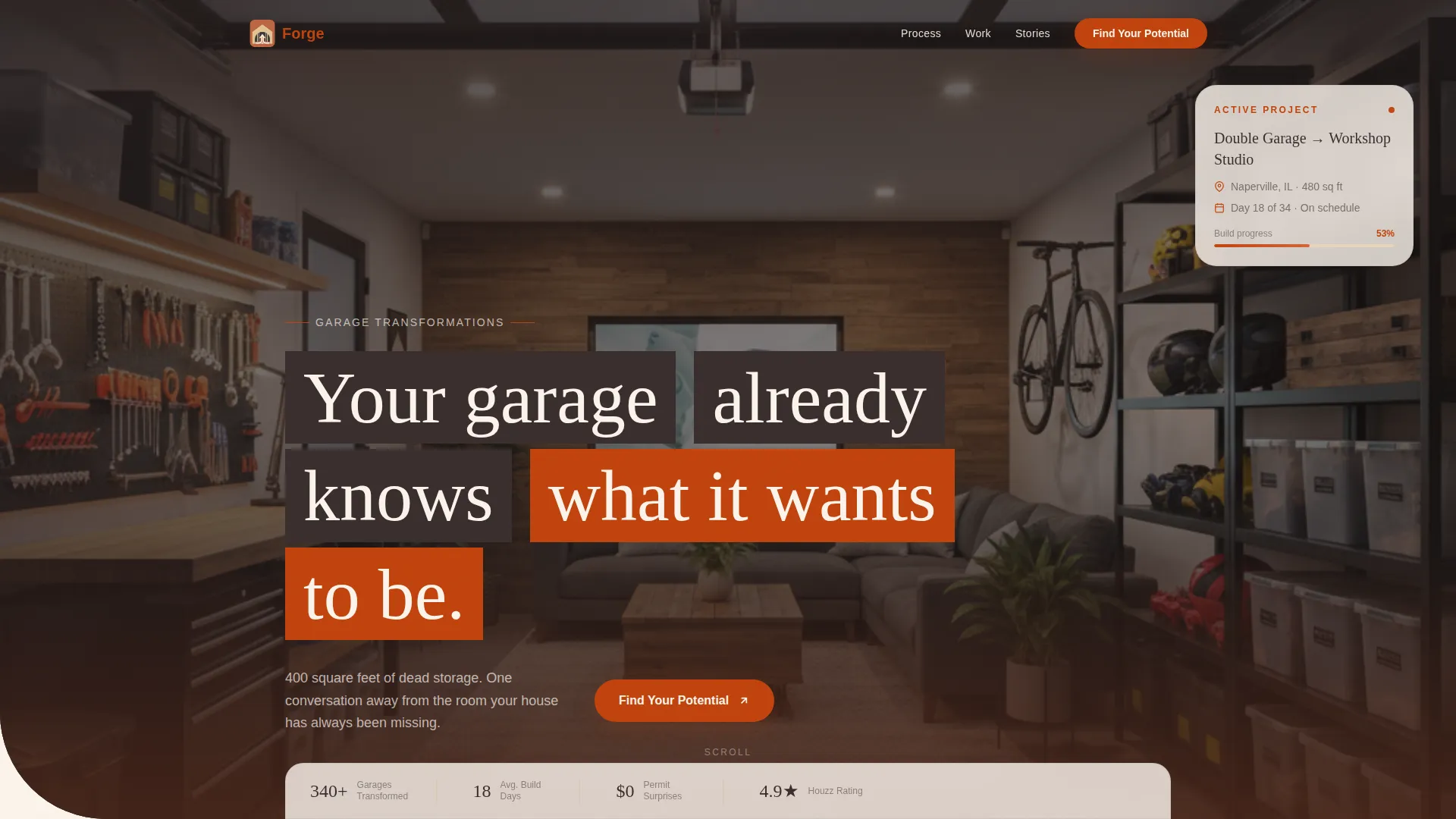
Forge is a modular card-grid landing page built for garage remodeling contractors. It opens with a full-screen golden-hour video, walks visitors through a five-phase remodel journey, and funnels them into a five-question visual quiz that ends with a personalized remodel profile and a booking link. The design uses a warm Fire and Earth palette to feel grounded, calm, and trustworthy.
by Rocket studio
Quick summary
Forge is a single-page garage remodeling landing page template built around a modular card grid. A cinematic full-screen video header pulls visitors in, a step-by-step phase guide builds confidence, and a five-question visual quiz converts curiosity into booked walkthroughs. The warm terracotta and hearth-white palette makes every section feel calm and credible.
Who this template is for
This template is designed for garage remodeling contractors who work with suburban homeowners. It suits businesses that offer a range of conversions, from workshop studios and home gyms to insulated guest suites and home offices.
- Garage remodeling contractors ready to stand out with a polished online presence
- Home renovation specialists targeting homeowners with underused garage space
- Small-to-mid-size remodeling crews who want a structured, lead-converting landing page
What problem this template solves
Most homeowners staring at 400 square feet of dead storage do not know where to start. They feel anxious about permits, costs, timelines, and unknowns. A generic contractor page does nothing to calm that anxiety. Forge solves this by walking visitors through every phase before asking for contact information.
- Replaces vague contractor pages with a clear, phase-by-phase remodel narrative
- Turns visitor anxiety into clarity by answering every major unknown visually
- Earns trust before asking for contact details through an interactive quiz experience
What you get with this template
Forge delivers a complete, ready-to-customize landing page with every section built and laid out. From the opening video header to the final booking link, the structure is already in place. You fill in your project photos, service details, and brand colors, then publish.
- A full-screen video header section with headline overlay
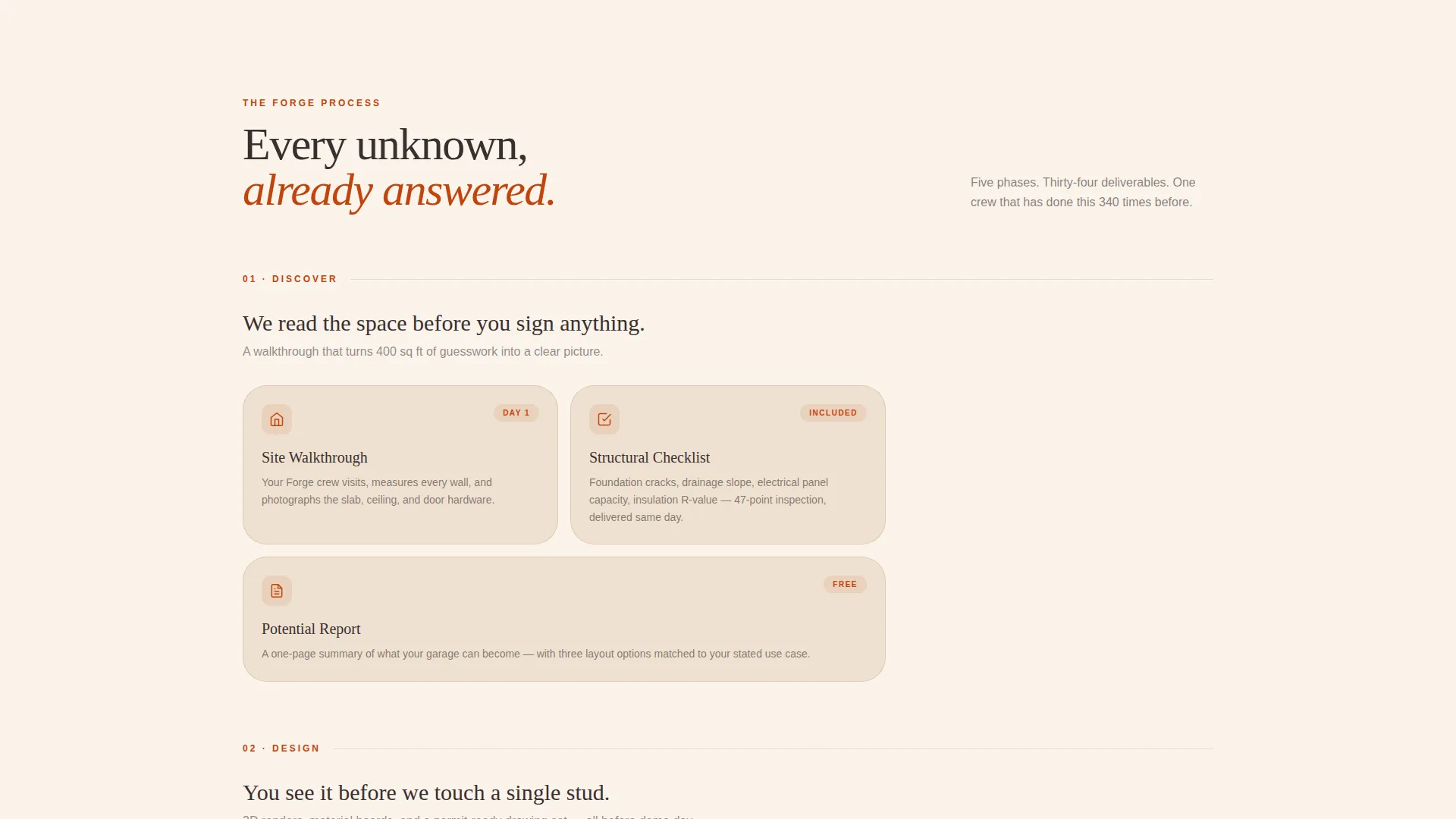
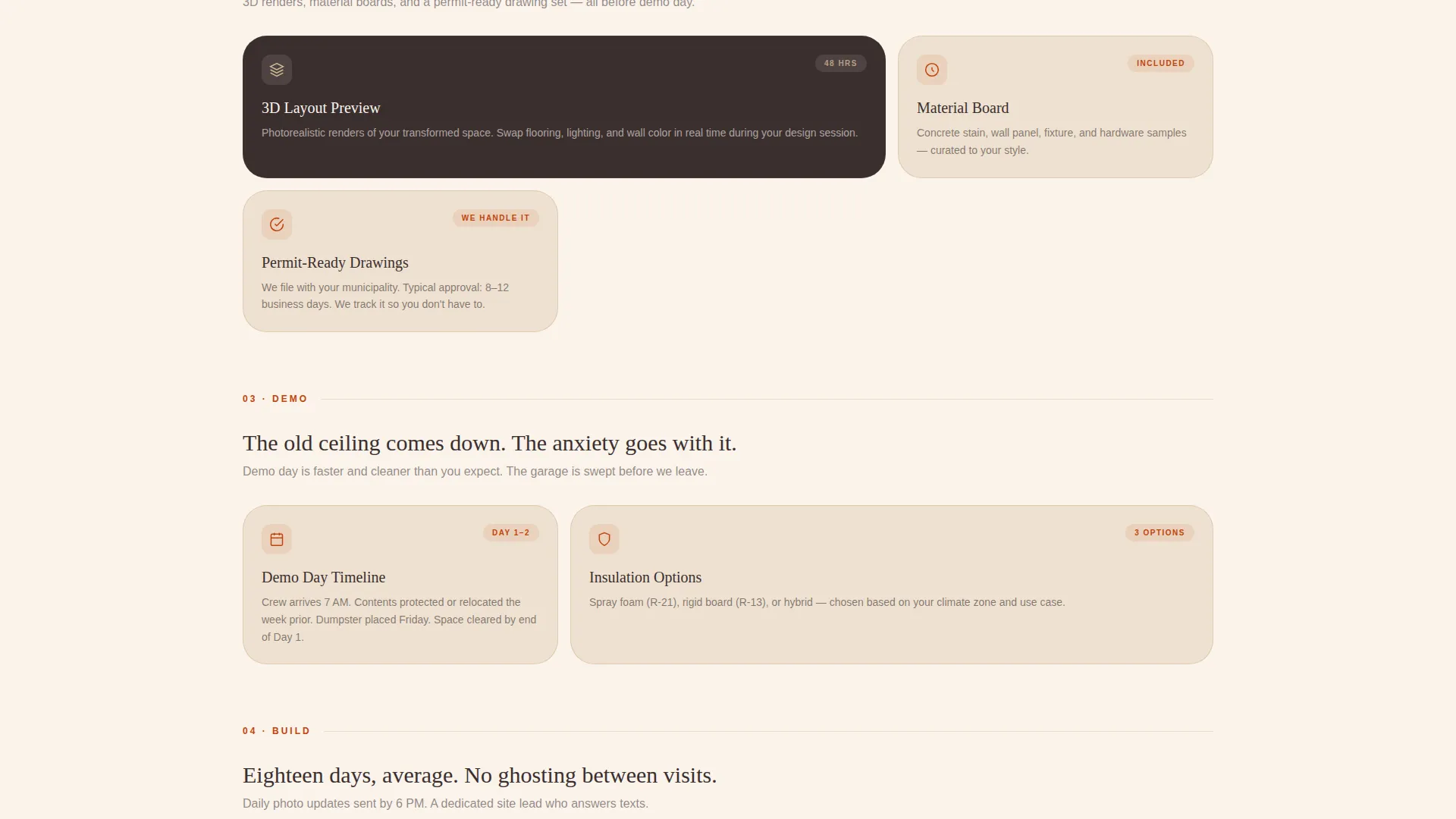
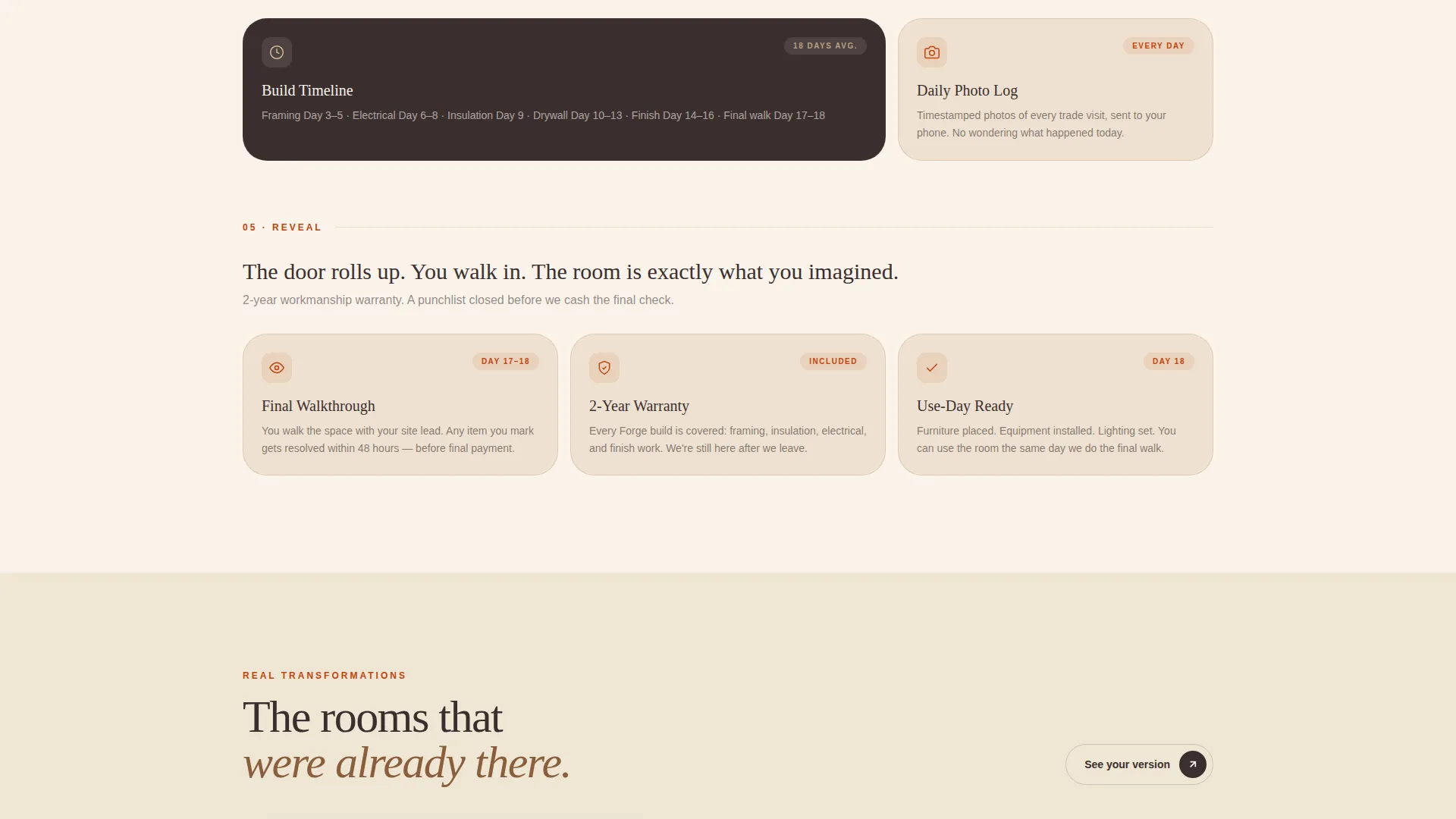
- A five-phase modular card grid covering Discover, Design, Demo, Build, and Reveal
- A five-question visual quiz with a terracotta progress bar and personalized results screen
Feature list
This template packs purposeful, contractor-specific features into a single cohesive layout. Each feature below is built directly into the template as described in the source brief.
Full-Screen Video Header
The header opens with a slow golden-hour drone sequence. A closed garage door rolls open on screen, the camera drifts forward at walking pace, and a single headline fades in as the interior comes into view. Ambient sound design is built into the concept, covering birdsong, a distant lawnmower, and the mechanical hum of the door.
Five-Phase Card Grid
Once past the header, the page organizes itself into five rows: Discover, Design, Demo, Build, and Reveal. Each row contains modular cards showing specific deliverables such as a permit checklist, a 3D layout preview, insulation options, and a timeline card with real day counts. The scroll feels like moving through a contractor's field notebook.
Five-Question Visual Quiz
The primary call to action leads to a structured visual quiz. Visitors select garage size with illustrated icons, choose their dream use case, pick photos that match their current condition, set timeline urgency, and indicate a budget comfort range. Every answer fills a terracotta progress bar, making the experience feel like progress rather than a form.
Personalized Remodel Profile
On quiz completion, visitors receive a personalized remodel profile with an estimated scope summary. A secondary call to action then presents a "Book Your Walkthrough" scheduling link. The profile makes the visitor feel understood before any contact information is requested.
Fire and Earth Color System
The palette centers on sun-warmed terracotta for buttons and progress indicators, charred timber brown for headlines and card borders, dry clay beige for card surfaces, and soft hearth white as the dominant background. The combination feels warm and grounded without visual heaviness.
Page sections overview
| Section | Purpose |
|---|---|
| Video Header | Opens with drone footage and headline reveal |
| Discover Phase Row | Introduces scope assessment and site evaluation cards |
| Design Phase Row | Shows 3D layout preview and planning deliverable cards |
| Demo Phase Row | Covers teardown scope, permit checklist cards |
| Build Phase Row | Displays insulation options and timeline day-count cards |
| Reveal Phase Row | Showcases finished-space visuals and final walkthrough cards |
| Quiz Entry call to action | Primary call to action leading into the visual quiz |
| Visual Quiz Flow | Five-question assessment with illustrated selections |
| Remodel Profile Result | Personalized scope summary and booking link |
Design & branding system
The Forge template follows a Pastoral Calm theme expressed through a Fire and Earth color system. Every color choice reinforces the feeling of a warm, quiet Sunday morning in a freshly swept garage, purposeful calm without sterile coldness.
- Terracotta (#C1440E) drives all interactive elements including buttons and the quiz progress bar
- Charred timber brown (#3B2F2F) anchors headlines and card border treatments for visual structure
- Dry clay beige (#D4B896) fills card surfaces while soft hearth white (#FAF3EB) opens breathing room between grid modules
Mobile & speed optimization
The modular card grid adapts naturally to smaller screens. Each phase row stacks into a single-column layout on mobile, keeping the scroll experience intuitive and the quiz interaction tappable without friction.
- Card grid reflows to single-column on mobile for clean vertical scrolling
- Quiz answer selections are sized for comfortable touch interaction on any device
- Hearth white background spacing is preserved on all screen sizes to avoid visual clutter
How this template helps you convert
Forge is built around a specific psychological arc: replace anxiety with clarity, earn trust before asking for anything, then present a low-friction path to booking. Each design decision supports that arc deliberately.
- The video header creates an emotional before-and-after moment before the visitor reads a single word, making them curious rather than skeptical.
- The five-phase card grid answers every major unknown, so by the time visitors reach the quiz, they already feel informed and ready to engage.
Other information about this template
Forge is a single landing page template, not a multi-page website. It is designed specifically for garage remodeling contractors operating in the residential renovation market. The template works equally well for contractors specializing in garage-to-living-space conversions, garage workshop builds, or garage gym setups.
- Template style: Card Grid (Modular), suited for structured, phase-based service narratives
- Header concept: Full-Screen Video Background, customizable with your own drone or walkthrough footage
- Creative direction: Step-by-Step Guide, organized around the five remodel phases from first call to final reveal
- Quiz direction: Assessment-led conversion flow, replacing cold contact forms with a guided discovery experience
- Theme: Pastoral Calm, using the Fire and Earth color system for a warm, grounded visual identity
Theme
Pastoral Calm
Creative direction
Step-by-Step Guide
Color system
Fire & Earth
Style
Card Grid (Modular)
Direction
Quiz/Assessment
Page Sections
Full-screen Video Header with Headline Reveal
Five-phase Modular Card Grid
Five-question Visual Quiz Flow
Personalized Remodel Profile Output
Fire and Earth Color System
Related questions
Can I replace the video in the header with my own footage?
Do I need design experience to customize this template?
What types of garage conversions does this template support?
Is the quiz connected to a booking or scheduling tool?
Can this template work for a contractor serving multiple service areas?



